- APPS
- Vietnam Delivery Connectors 18.0

| Lines of Code | 2647 |
| Technical name | viin_delivery_vn_base |
| License | OPL-1 |
| Website | https://viindoo.com/apps/modules/18.0/viin_delivery_vn_base |
| Read description for | |
| Required Apps | Invoicing (account) Discuss (mail) Inventory (stock) |
| Included Dependencies | API Request Logger |
| Extensions | Viettel Post Shipping GHTK Shipping GHN Express Shipping Vietnam Delivery for eCommerce Vietnam Delivery in Batches Vietnam Delivery at the Point of Sale |
What it does
Vietnamese carriers do not speak the language Odoo's delivery layer expects. They address parcels by their own province and ward identifiers, they settle in cash that arrives days later, they push status over webhooks, and on 01/07/2025 the country removed the district level from its administrative map. This app carries that whole burden once so each carrier app - GHN, GHTK, Viettel Post - only has to describe its own API.
Key Features
- The 2025 two-level address map: provinces and wards as Vietnam redrew them on 01/07/2025, with the former three-level units kept alongside so orders captured before the reform still resolve. Each carrier's own identifiers are stored as a separate mapping, so one address answers to every carrier.
- Address matching that survives real data: a customer who typed "tp hcm", "TP. Hồ Chí Minh" or "ho chi minh" is matched to the same province, accents and administrative prefixes ignored. Ambiguity is always reported, never guessed silently.
- Side-by-side rate comparison: ask every configured carrier for a price and a delivery estimate in one go, see them ranked, and let a rule pick the cheapest or the fastest. The reason a carrier was chosen is stored on the order.
- COD reconciliation: import the carrier's remittance statement, match each line to the delivery it paid for, and see exactly which parcels are delivered but not yet paid, which were paid at the wrong amount, and what the carrier deducted in fees.
- Booked in the order a shop works: the parcel is sent to the carrier while the delivery is still open, the waybill is printed and stuck on the box, and the delivery is validated when the courier signs for it. Who pays the shipping, whether the recipient may inspect the goods, whether the courier collects or the shop drops off, and the note the courier reads are set per delivery.
- One list for the shipping desk: every delivery with its waybill, where the parcel is and the cash still to collect, opened on what needs a hand today.
- A delivery timeline: every status the carrier reports is kept as an event with its time and place, shown on the transfer and posted to the chatter, so "where is my parcel" is answered without leaving Odoo.
- Webhooks, verified: one endpoint per carrier with its own secret, the carrier's signature checked before anything is written.
- Every call logged: each request that leaves the server is recorded with its payload, response, duration and outcome - with tokens and secrets masked - so a carrier dispute is settled with evidence.
- Retries that do not duplicate parcels: failed calls are retried with exponential back-off, and creation is keyed on the transfer reference so the same parcel is never booked twice.
- The cash reaches the books: closing a reconciliation settles each customer invoice out of a per-carrier holding journal on the day the parcel was delivered, then clears that journal with what the carrier actually transferred, net of its fees. What is left on it is what the carrier still owes you.
- One parcel per box: a transfer packed into three packages is booked as three parcels with three waybill numbers, each tracked separately. The cash is collected once, on one waybill, because that is how a courier works - and a box refused after an earlier one was accepted cancels the accepted ones rather than leaving a half-booked shipment.
- Goods coming back: a return is booked the other way round, collected from the customer and delivered to the warehouse, with no extra configuration. And when a carrier holds a parcel it could not deliver, the transfer offers the two answers it is waiting for - deliver again, or accept the return.
This app on its own configures nothing: install the carrier app you need, which depends on this one.
Editions Supported
- Community Edition
- Enterprise Edition
Vietnam Delivery Connectors
This app is the engine the GHN, GHTK and Viettel Post connectors run on. Install the carrier app you need and this one comes with it; on its own it configures nothing.
It carries four things every Vietnamese carrier integration needs: the administrative map the country redrew on 01/07/2025, a way to turn a written address into the units a carrier accepts, a reconciliation for the cash carriers collect on your behalf, and one vocabulary for parcel status so a report does not have to know four of them.
Installation
- Go to Apps.
- Remove the default Apps filter, search for the carrier you use - GHN Express Shipping, GHTK Shipping or Viettel Post Shipping - and click Install. This app installs with it.
Configuration
Step 1 - Set up the delivery method
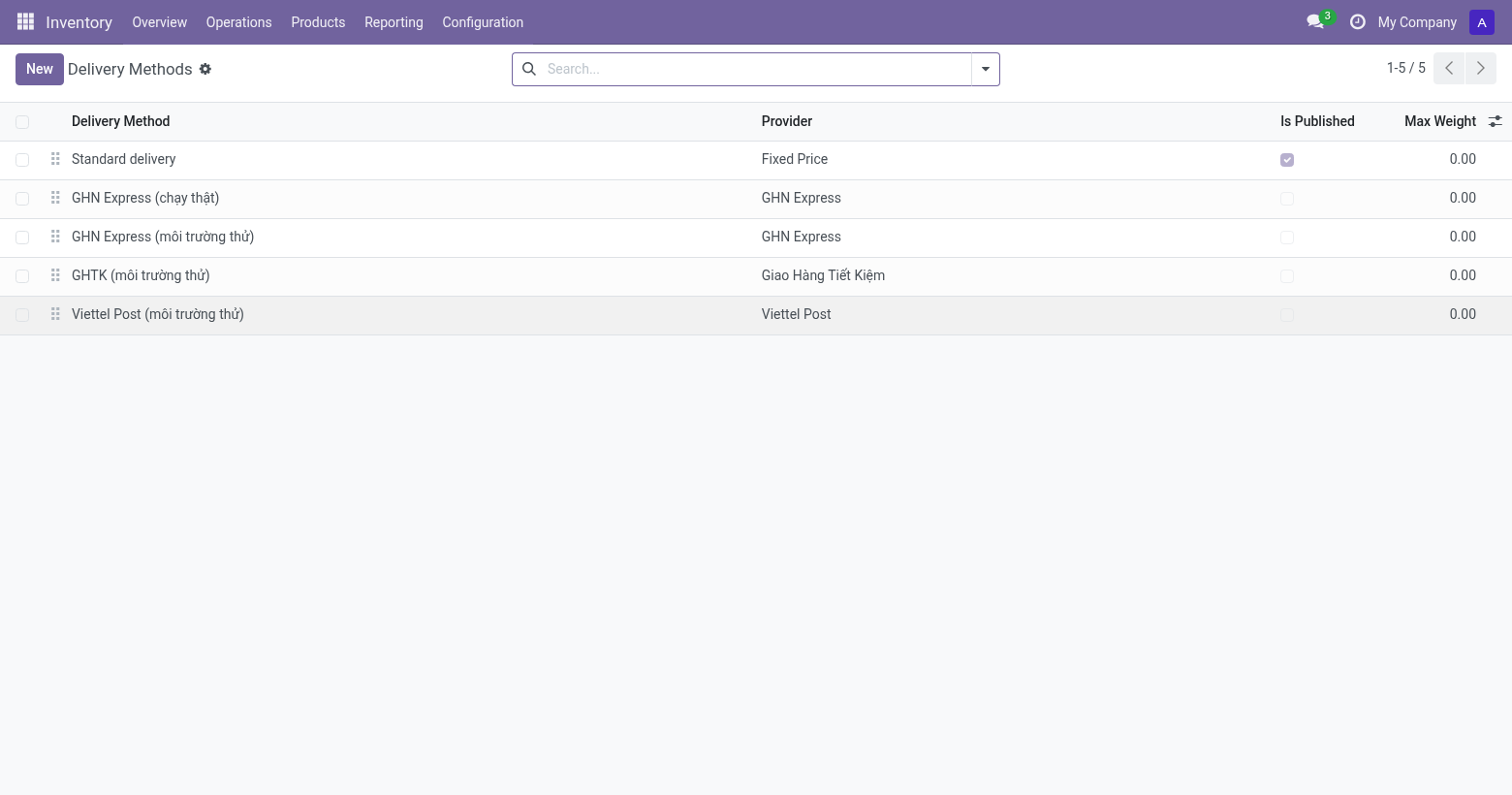
- Go to Inventory > Configuration > Delivery Methods and open the method the carrier app created, or create one and pick the carrier under Provider.
- Fill in the credentials on the Vietnam Shipping tab. They come from the carrier's own portal or from your partner contract; each carrier app's guide says exactly which values it needs.
- Leave Test Environment on until you have booked a parcel end to end. What it means depends on the carrier, because they do not all offer the same thing: GHN and Viettel Post route the calls to their own sandbox, where no real parcel is created. GHTK publishes no sandbox at all, so there the flag lets you do everything that creates nothing - prices, addresses, tracking - and holds back booking alone. Each carrier app's guide says which.
- Click Test the connection. A green notification means the credentials work.
Step 2 - Import the address catalogue
- On the same tab, click Synchronise provinces and wards.
- Odoo imports the carrier's own province and ward list, together with the spellings that carrier publishes for each one, and the identifiers it expects to receive.
- Check the result under Inventory > Configuration > Vietnam Shipping > Administrative Areas.
Running this a second time updates the catalogue rather than duplicating it, so it is safe to repeat whenever a carrier changes its list.
Step 3 - Register the webhook
- Still on the Vietnam Shipping tab, click Generate a new secret, then copy the Webhook URL.
- Register that URL in the carrier's portal and give it the secret the way that carrier expects - each carrier app's guide says where.
- Without a secret the endpoint accepts unauthenticated callbacks and says so in the server log. Set one before going to production.
Daily use
Addressing a customer
Vietnamese carriers route on a province and a ward, not on a free-text address. On a contact, fill in Province / City and Ward / Commune under Vietnam Address, plus the street on its own.
When those are empty, the written address is interpreted instead: accents, punctuation and the administrative prefix are ignored, so TP. Hồ Chí Minh, thanh pho ho chi minh and hcm all resolve to the same province. What is set explicitly always wins over what is interpreted, and an address that matches two different wards is reported rather than guessed - a parcel sent to the wrong ward costs more than a booking that waited for an answer.
Every carrier also needs a phone number, because the courier calls before delivering. A contact without one is refused before the request leaves Odoo.
Comparing carriers on an order
- Open a quotation and click Compare Carriers.
- Every Vietnamese delivery method configured for the company is asked for a price and a delivery estimate at once. A carrier that is unavailable or unreachable gets its own row with the reason, so one carrier being down never hides the others.
- Choose Cheapest, Fastest, or pick a quote yourself, then click Use This Carrier.
- The order keeps the reason the carrier was chosen, so the choice can be justified later.
Booking and following a parcel
The delivery carries a Shipping block on its main page: the carrier, the waybill, where the parcel is, the cash to collect, and what the courier is told. Nothing about the parcel is hidden in a tab.
- Open the delivery from Inventory > Operations > Shipping > Shipments. The list opens on what needs a hand today: deliveries to send, parcels waiting for the courier, parcels on the way, and failed deliveries waiting for a decision.
- Check what the courier will be told - see below - and the cash to collect, then click Send to Carrier. The parcel is booked while the delivery is still Ready, and the waybill number lands in Waybill. This is the order a shop works in: book, print, pack, hand over, and only then validate the delivery when the courier signs for it. Validating first still books the parcel, for anyone used to Odoo's own order of things; validating afterwards leaves the booking alone.
- The transfer name is sent as the carrier's own order key, so booking the same transfer twice returns the parcel that already exists instead of creating a second one.
- Print Waybill fetches the waybill and attaches it to the transfer. Carriers disagree about what a waybill is - GHTK returns a PDF, GHN an HTML page built for a browser's print dialog - so the attachment is named after what actually arrived rather than after what was hoped for.
- Cancel Shipment tells the carrier to drop the parcel, as long as it has not been delivered. The delivery itself stays open, so it can be sent again - with another carrier if need be.
- Refresh Status asks the carrier where the parcel is. A webhook does the same thing without being asked; the scheduled action Delivery: refresh parcel status is the safety net for events the webhook dropped, and only looks at parcels still on their way.
- The Timeline button opens every status the carrier has reported, with its time and place. Statuses are also posted to the chatter.
- Where a carrier publishes one, a timeline entry also carries Proof of Delivery - the link to the signature or photo taken at handover. It arrives once, on delivery, and only if that carrier app's guide says to switch it on. It is what you put in front of a customer who says the parcel never came.
What the courier is told
Four things change from one parcel to the next, and Vietnamese carriers ask for all of them on the booking. They are set on the delivery method as defaults and changed on the delivery when one parcel is different; once the parcel is booked they are frozen, because the carrier already has them.
- Shipping Fee Paid By - the shop, or the recipient on delivery. When it is the recipient, the courier collects the shipping on top of the cash on delivery, and every carrier here reports the two separately on its statement.
- Recipient May Inspect - no inspection, look at the goods, or try them on. GHN has a field for it; GHTK and Viettel Post read it at the front of the courier note.
- Handover - the courier collects at the shop, or the shop drops the parcel at the carrier's office. Carriers that only collect ignore it.
- Note for the Courier - one line the courier reads: "call before delivering", "fragile", "leave with the guard". This is not the transfer's internal note, which stays inside Odoo.
A return is never billed to the customer: on a return picking the fee payer is the shop whatever the default says.
Cash on delivery
Cash to Collect on a transfer defaults to what the customer still owes: the residual of a posted invoice, or the order total less what has already been paid online. An order paid up front ships with nothing to collect, so one delivery method serves both payment routes. Override the amount for a partial payment.
A ceiling can be set per delivery method. A parcel above it is refused while the user is still on the transfer, rather than by the carrier several seconds later.
Reconciling the cash
- Go to Inventory > Operations > COD Statements and create one for a carrier and a period.
- Click Fetch from Carrier. Where the carrier reports what it has remitted, that is what is loaded; where it does not, the app says so and explains what it used instead.
- Click Match. Each line is tied to the transfer it paid for, on the tracking reference.
- Read the result:
- Matched - the carrier paid exactly what was asked.
- Amount differs - it did not, and the difference is on the line. This is money to chase.
- No transfer found - a parcel this database never shipped, which is normal when several systems share one carrier account.
- Already remitted - the same parcel appears twice, so it is not counted as income twice.
- Click Close to write the remitted amount, the carrier's fee and the payment date back onto each transfer.
Putting the cash in the books
By default the reconciliation is a report: it tells you what happened and changes no accounts. Turning on Post COD to the Books on the delivery method makes closing a statement do the accounting too, in the two steps the situation actually has.
First, configure on the delivery method:
- Cash-in-Transit Journal - where cash sits between the courier collecting it and the carrier paying it over. Use a separate journal per carrier: its balance is then, at any moment, exactly what that carrier owes you.
- Settlement Journal - the bank account the carrier's transfer lands in.
- Carrier Fee Account - the expense account for what the carrier deducts.
- Carrier Contact - the carrier as a contact, for the settlement entry.
Then, when a statement is closed:
- Each matched line pays its customer invoice, through the cash-in-transit journal. The customer paid the courier, so the invoice is settled - on the day the parcel was delivered, not the day the carrier got round to transferring the money.
- One entry clears the holding balance: the bank receives the net, the fees the carrier kept become an expense, and the in-transit account is credited by what it was holding.
What is left on the in-transit account is money collected from your customers that the carrier has not handed over. That number is worth watching.
A line paid short settles only what arrived, so the invoice keeps a residual and the customer still shows as owing the difference - which is the point. A line the reconciliation could not match to a transfer posts nothing at all: cash that cannot be attributed must not be guessed into someone's account.
Several boxes, several parcels
A transfer packed into three packages is booked as three parcels with three waybill numbers. Pack the transfer as usual - Put in Pack on the detailed operations - and validate it; each package becomes its own parcel, and the Parcels tab lists them with their own tracking and status.
The cash to collect is not divided between them. A courier collects once, and every carrier here expects the amount on exactly one waybill; splitting it would have the recipient pay several times.
If one box is refused after an earlier one was accepted, the accepted parcels are cancelled before the error is shown. A half-booked shipment would charge your customer for boxes that never move.
Goods coming back
A return picking - an incoming transfer, or one Odoo marks as a return - is booked the other way round: the courier collects from the customer and delivers to the warehouse. Nothing extra has to be configured; the direction is read from the transfer.
Separately, a carrier that could not deliver holds the parcel and waits to be told what to do. When that happens the transfer shows Deliver Again and Accept Return. Answer promptly: left alone, carriers eventually return the parcel anyway and charge for both legs.
Troubleshooting
An address is refused
The message names what did not match and where. Either correct the spelling on the contact, set the province and ward explicitly, or synchronise the carrier's address catalogue if it has never been imported.
A booking fails
Open API Logs > API Request Logs, or the Carrier Calls button on the transfer itself, filter on Failed, and read the request and the carrier's answer. Credentials are masked, everything else is there. Retrying the same transfer is safe.
The timeline stops updating
Check that the webhook URL is registered at the carrier and that the secret matches. Failing that, Refresh Status on the transfer asks the carrier directly.
Closing a statement is refused for a missing account
The message names which account is missing. A half-configured posting is worse than none - it lands cash in the wrong place and someone has to unpick it later - so nothing is posted until the configuration is complete. Filling it in, or turning Post COD to the Books off, both unblock it.
The in-transit account never returns to zero
That is the carrier owing you money, and is usually correct. Compare it against the parcels marked delivered but not yet on any statement. If it does not reconcile, the statement's Unexplained Difference is where the discrepancy is itemised.
This software and associated files (the "Software") may only be used (executed, modified, executed after modifications) if you have purchased a valid license from the authors, typically via Odoo Apps, or if you have received a written agreement from the authors of the Software (see the COPYRIGHT file).
You may develop Odoo modules that use the Software as a library (typically by depending on it, importing it and using its resources), but without copying any source code or material from the Software. You may distribute those modules under the license of your choice, provided that this license is compatible with the terms of the Odoo Proprietary License (For example: LGPL, MIT, or proprietary licenses similar to this one).
It is forbidden to publish, distribute, sublicense, or sell copies of the Software or modified copies of the Software.
The above copyright notice and this permission notice must be included in all copies or substantial portions of the Software.
THE SOFTWARE IS PROVIDED "AS IS", WITHOUT WARRANTY OF ANY KIND, EXPRESS OR IMPLIED, INCLUDING BUT NOT LIMITED TO THE WARRANTIES OF MERCHANTABILITY, FITNESS FOR A PARTICULAR PURPOSE AND NONINFRINGEMENT. IN NO EVENT SHALL THE AUTHORS OR COPYRIGHT HOLDERS BE LIABLE FOR ANY CLAIM, DAMAGES OR OTHER LIABILITY, WHETHER IN AN ACTION OF CONTRACT, TORT OR OTHERWISE, ARISING FROM, OUT OF OR IN CONNECTION WITH THE SOFTWARE OR THE USE OR OTHER DEALINGS IN THE SOFTWARE.