
OmniApproval™ - Procurement Approvals
| Lines of Code | 920 |
| Technical name | to_procurement_approval |
| License | OPL-1 |
| Website | https://viindoo.com/apps/app/17.0/to_procurement_approval |
| Read description for | v 14.0 v 15.0 v 16.0 v 18.0 |
| Required Apps | Purchase (purchase) Invoicing (account) Discuss (mail) Inventory (stock) Employees (hr) |
| Included Dependencies | Approvals Viindoo Base Viindoo Accounting OmniApproval™: One platform. Every approval. Advanced HR Management OmniApproval™ - Purchase Approvals HR Accounting OmniApproval™ - Stock Approvals OmniApproval™ - Accounting Approvals Stock Approval (Base) OmniApproval™ - Purchase Stock Approvals Bridge OmniApproval™ - Analytic Accounting Approvals Safe IR Metadata Proxies |

OmniApproval™ - Procurement Approvals
Enhance procurement efficiency by enabling employees to request supply approvals for products, allowing managers to review, adjust supply routes, and approve seamlessly.
Key Features
Built natively on Odoo/Viindoo to streamline real business operations:
Enhance procurement efficiency by enabling employees to request supply approvals for products, allowing managers to review, adjust supply routes, and approve seamlessly
Benefits
Reduces processing time and improves operational efficiency.
Avoids disruptive error messages by logging procurement issues in the chatter and notifying the relevant user.
Ensures supplies are procured as planned, preventing overstocking or shortages.
Connects procurement approvals with purchasing, warehousing, and manufacturing in Odoo.
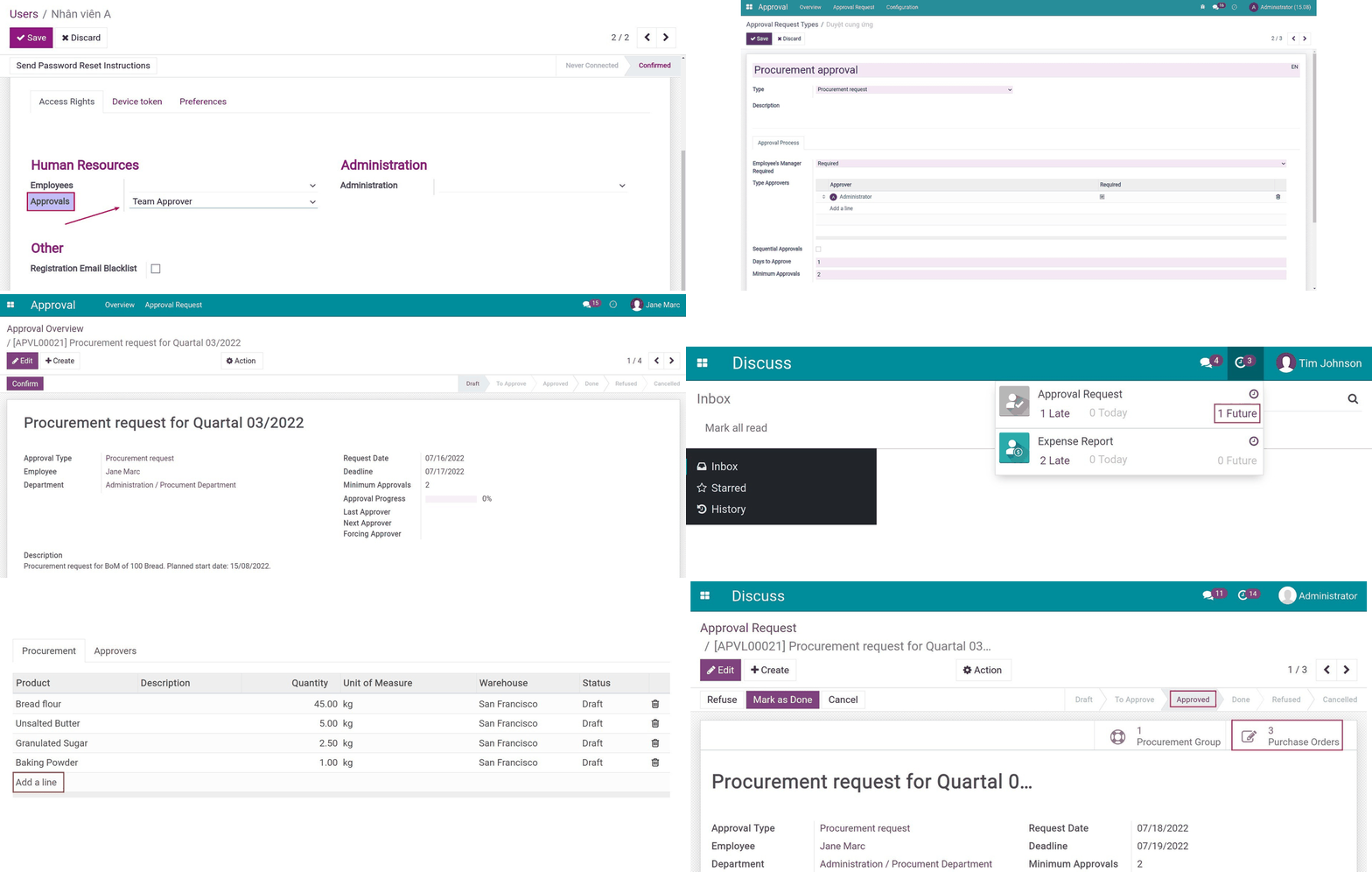
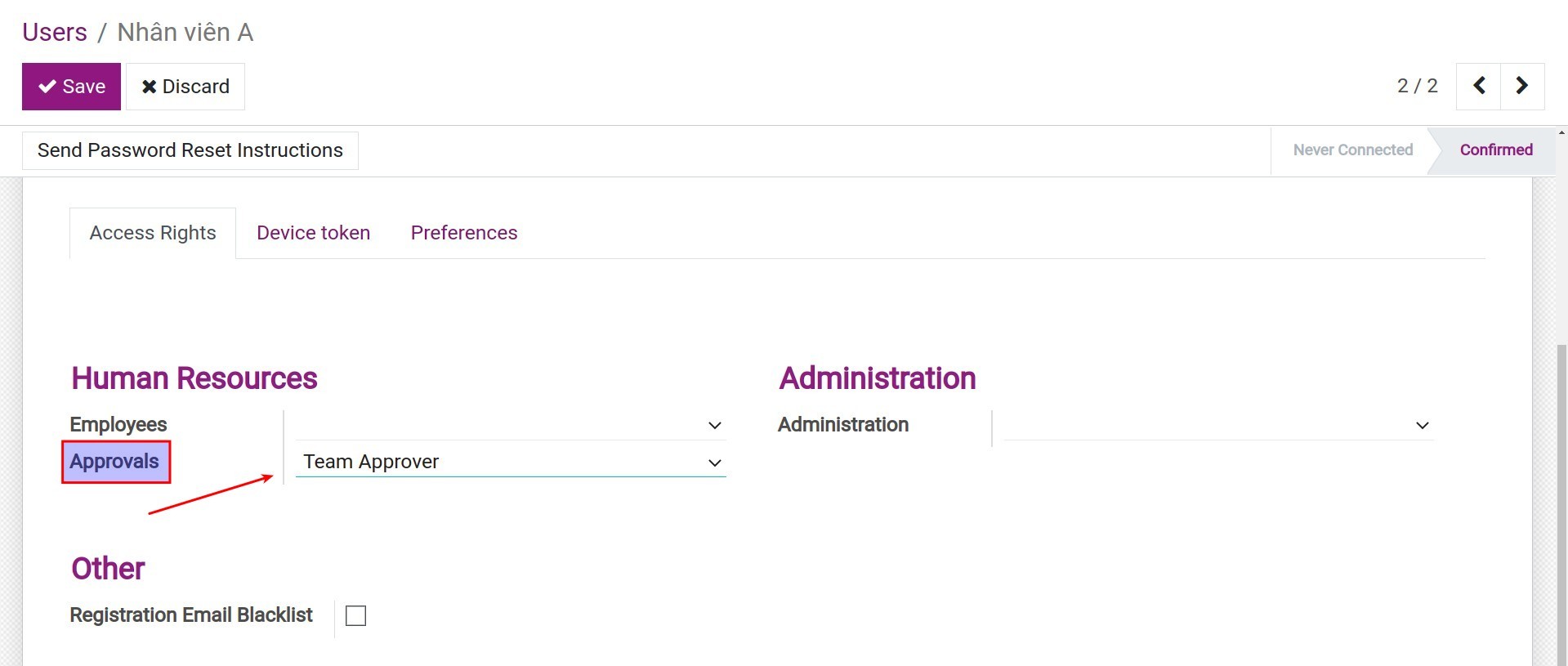
Approval access rights
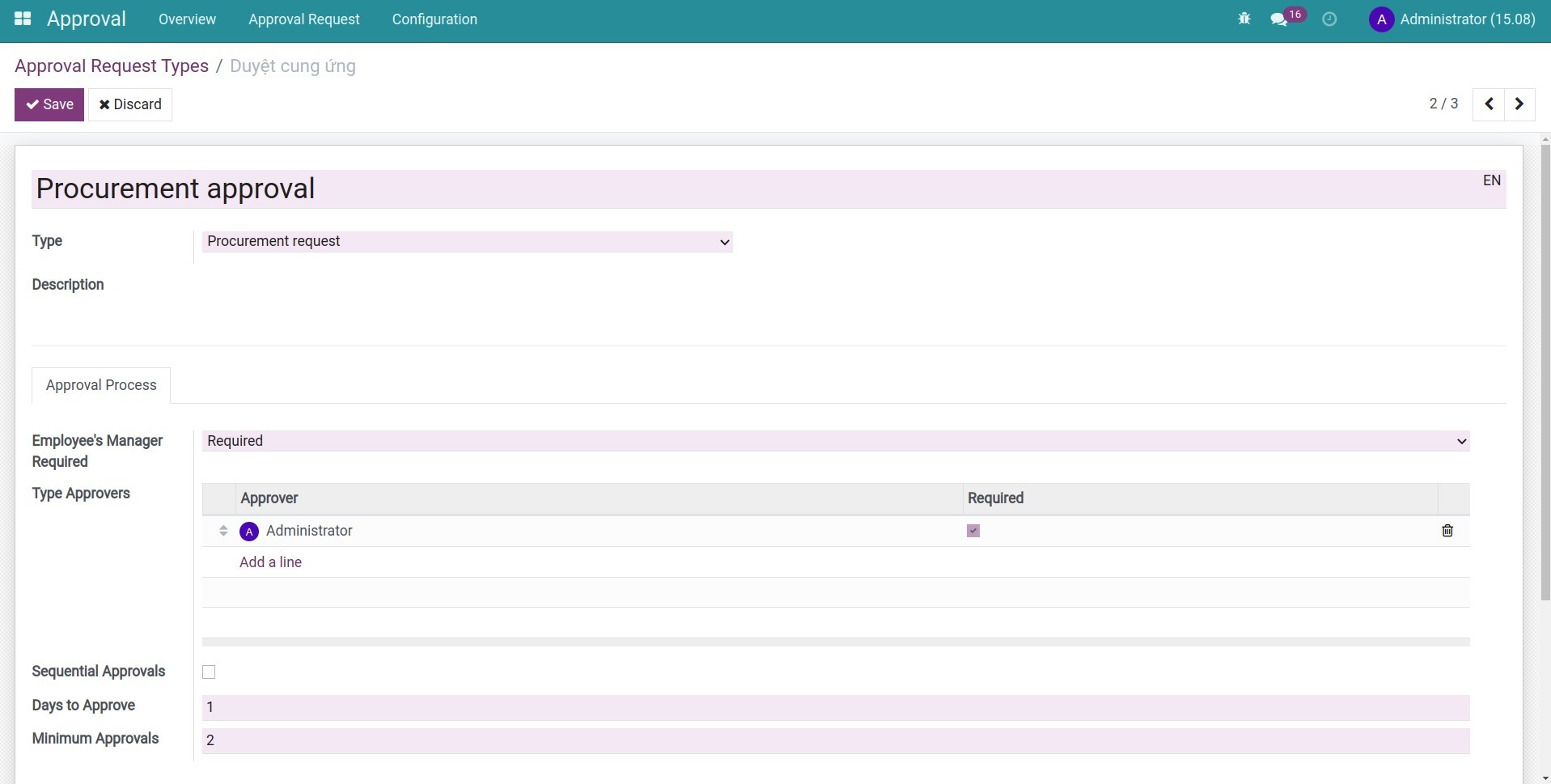
Set up procurement approval levels
Create procurement approval request
Procurement Approval notification
Create procurement request
Approved procurement request
See OmniApproval™ - Procurement Approvals in Action
See how this module solves real business problems in a working Viindoo environment.
Need help with OmniApproval™ - Procurement Approvals?
For questions, implementation support, or consulting services, contact Viindoo.
Pre-Sales & Partnership
When contacting us, please include:
- Odoo/Viindoo version (CE/EE).
- Number of users and business scope.
- Other modules currently in use.
Technical Support
For faster troubleshooting, please provide:
- Order number or app reference.
- Odoo/Viindoo version & edition.
- Steps to reproduce the issue.
- Screenshots/logs if available.
Technical Requirement
Changes log
We continuously improve this module. Recent updates from the official Viindoo repository:
- 2026-02-11 Improved Add missing translations.
- 2025-12-29 Fixed Make translation system wide without translations for each and every model.
- 2025-12-26 Improved Add approval type icons.
- 2025-12-12 Improved Add original tracking mechanism & approver selector mechanism.
- 2025-12-12 Fixed Wrong relation definition.
- 2025-12-12 Improved Remove tab Procurements as it is not needed anymore thanks to new OmniApproval.
Who Should Use This Module?
Built for teams that need this capability fully integrated into their Odoo/Viindoo stack.
Businesses with complex procurement workflows
Businesses with complex procurement workflows.
Companies
Companies that require strict control and optimization of procurement approvals.
Purchasing teams, warehouse managers, and production planners.
Installation
- Navigate to Apps.
- Search with keyword to_procurement_approval.
- Press Install.
Instruction
Instruction video: Supply Approvals
Configuration on the Approval app
1. Approval Access Rights.
Navigate to Settings > Users & Companies > Users to set up the Approval access rights to users.
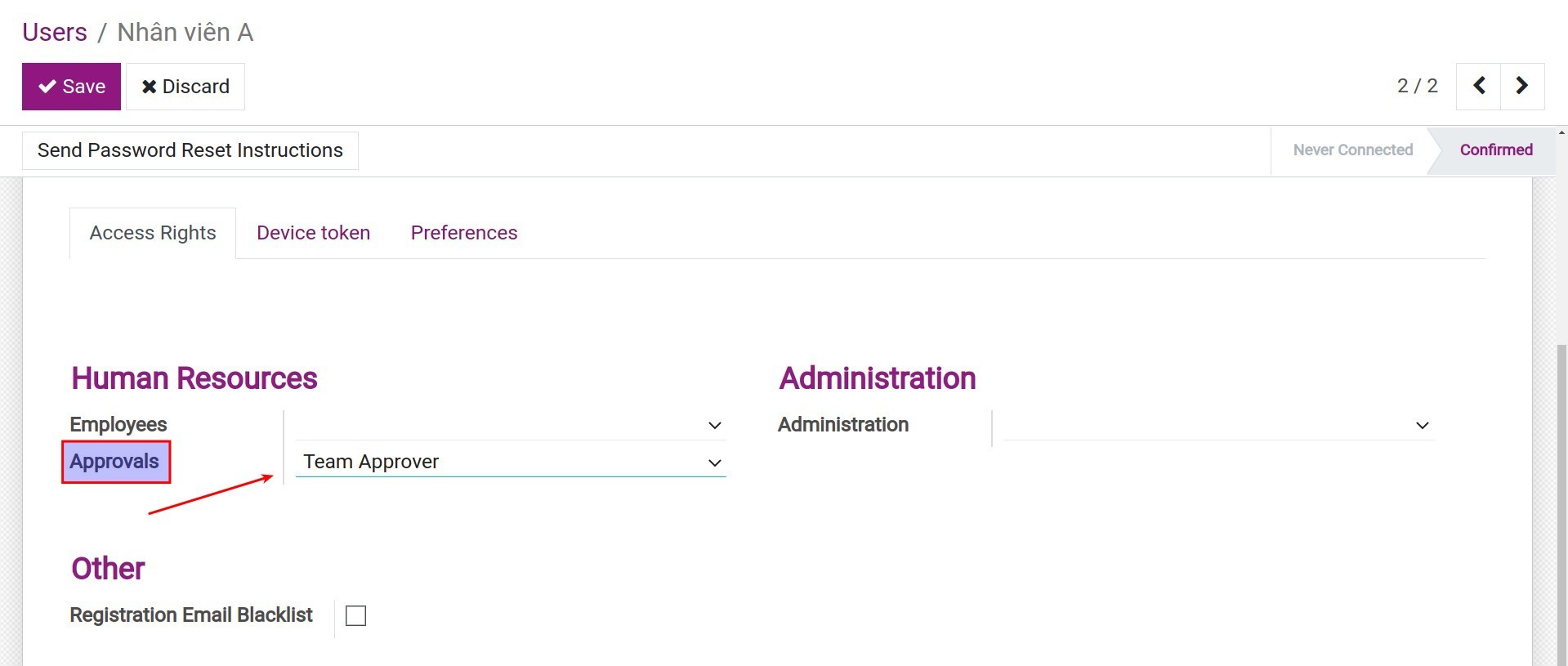
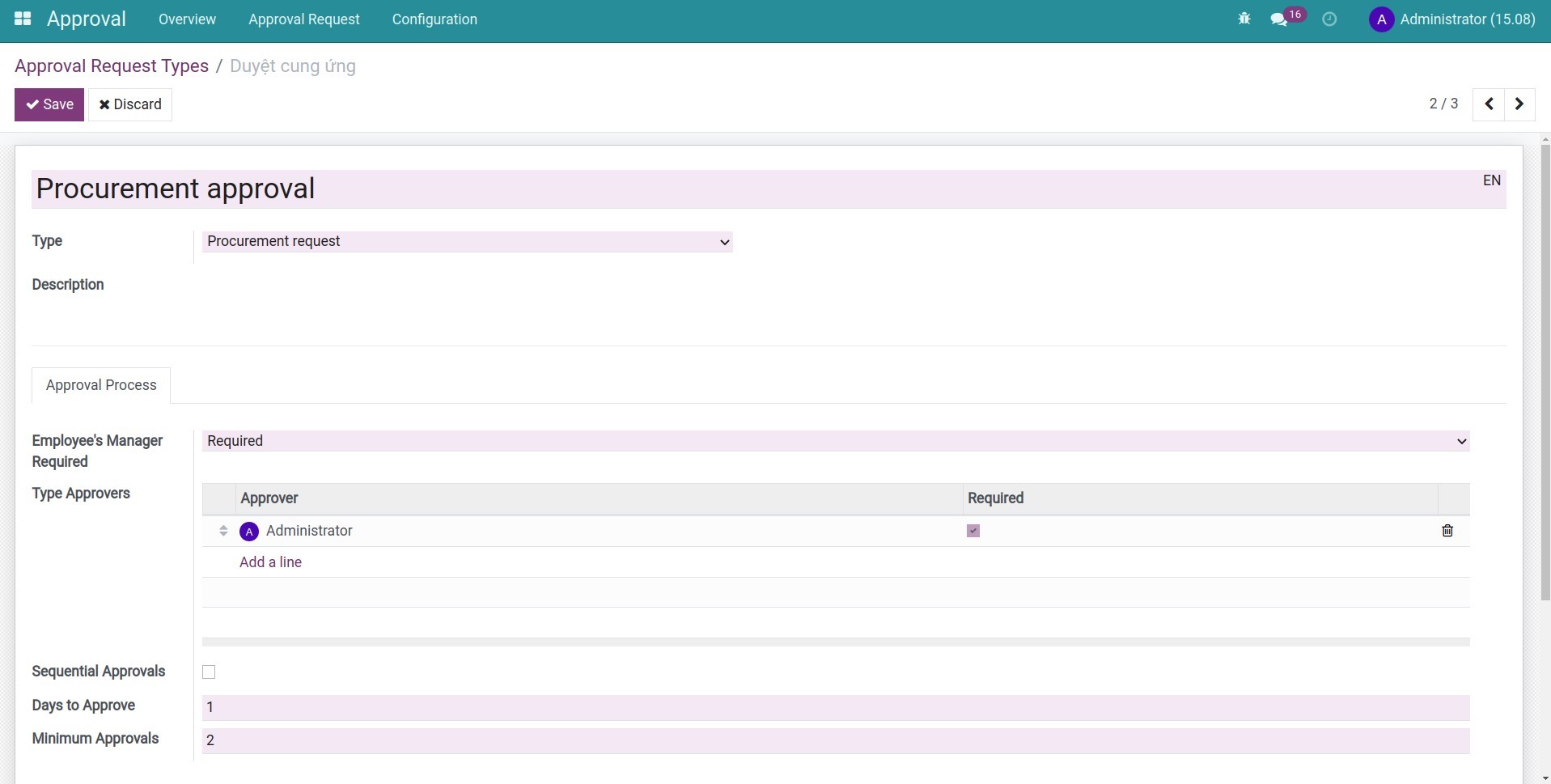
2. Set up procurement approval levels.
Navigate to Approval > Configuration > Approval Types, the system will auto-create the Procurement Approval type. Select this type and press Edit to set up approval levels before starting the procurement approval process.
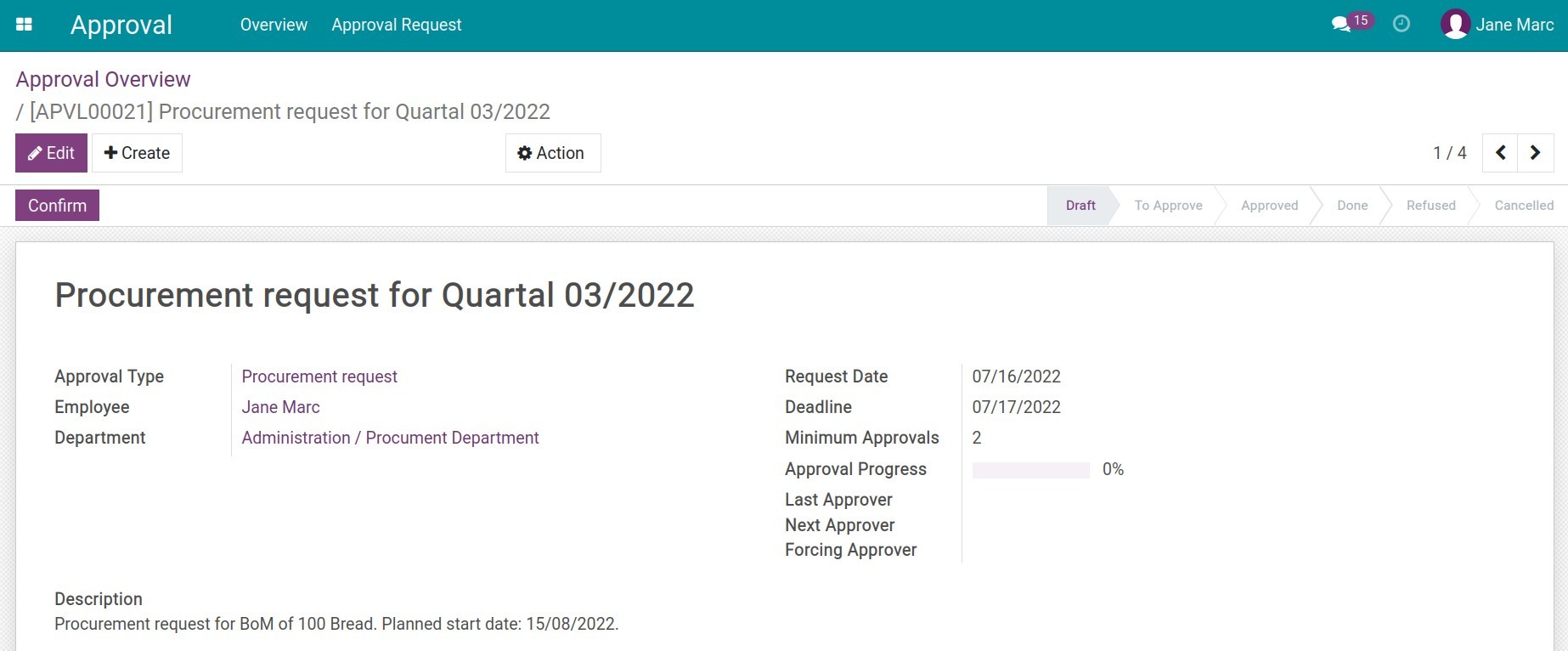
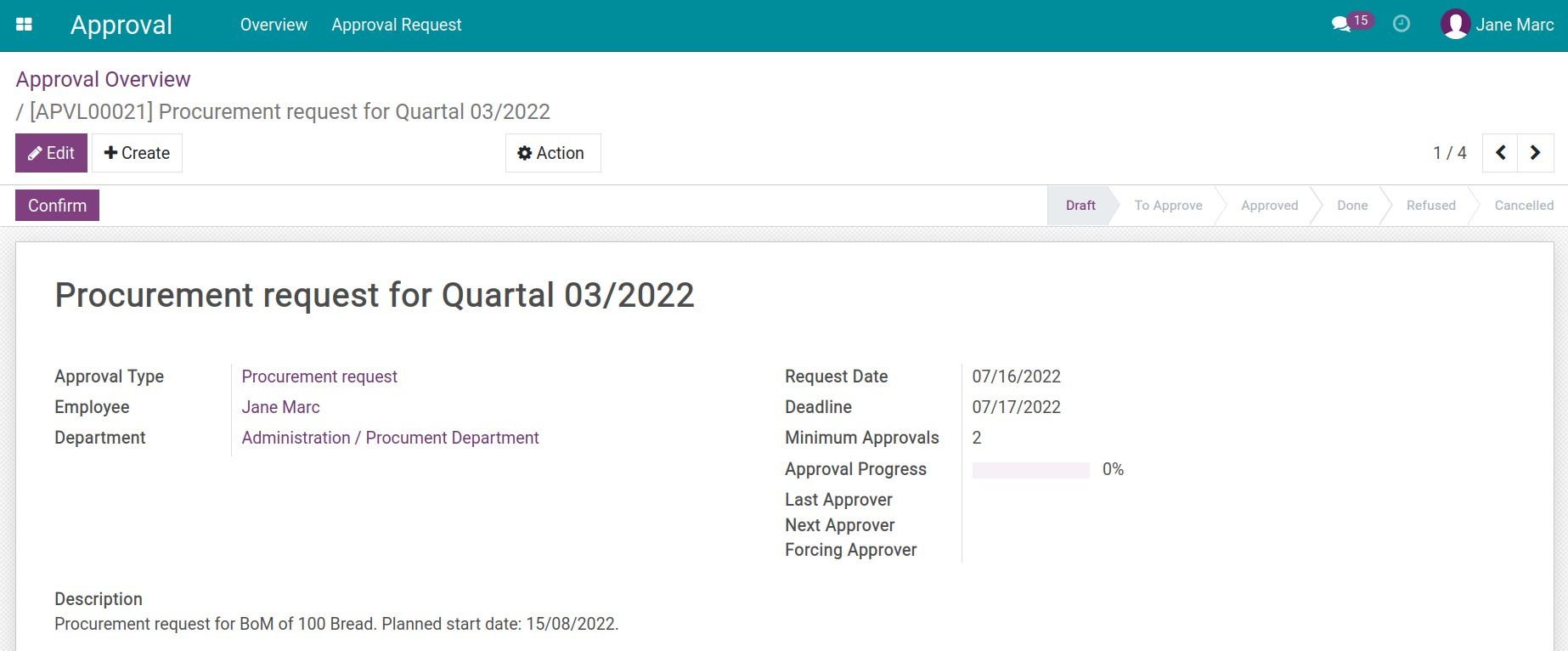
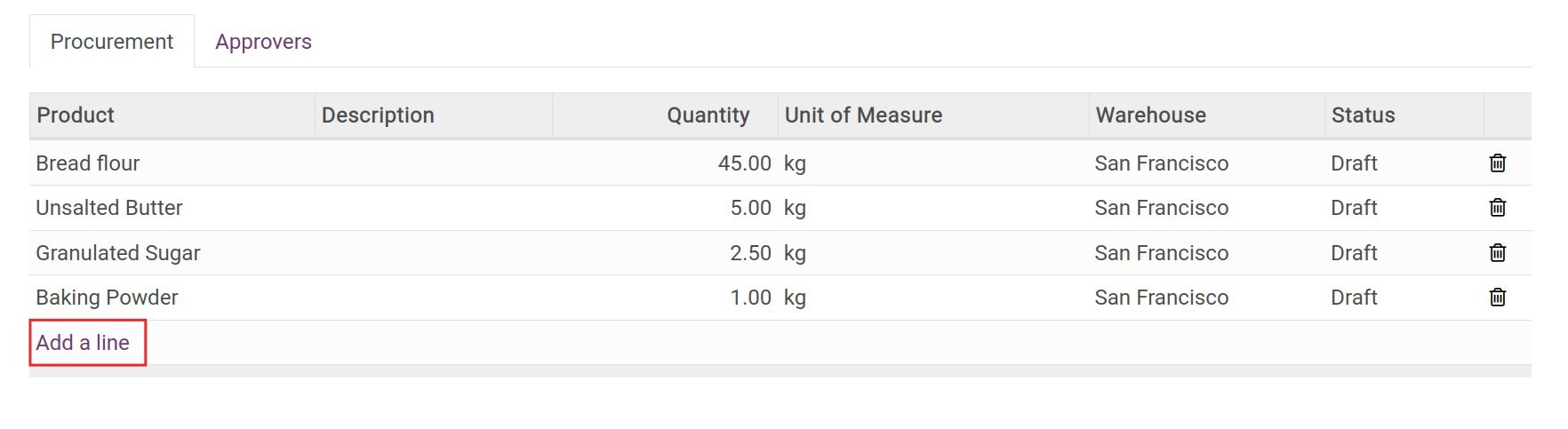
Create Procurement approval request
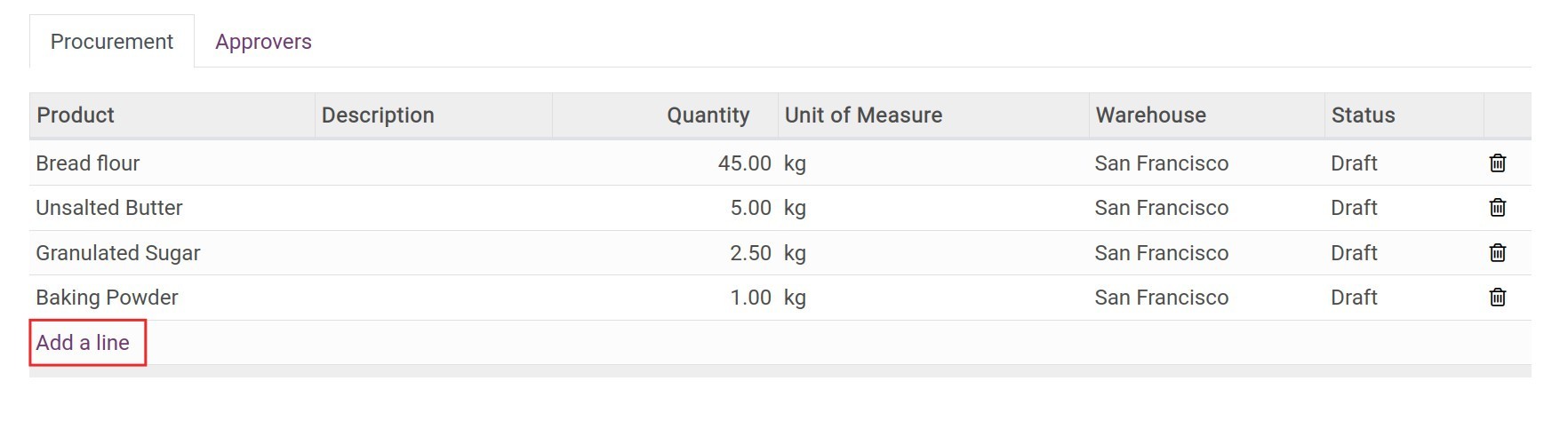
To create a Procurement approval request, go to the Approval app, find the Procurement Approval type, and press Create Request. Fill in the procurement approval request information and press Save > Submit to submit the request to the manager.
Note:
- If you request for the products that have the Product Type is Storable Product or Consumable, to link the procurement order with the purchase/manufacturing order, etc. Navigate to Inventory > Configuration > Rules, select the related rules and set up the Propagation of Procurement Group as Propagate.
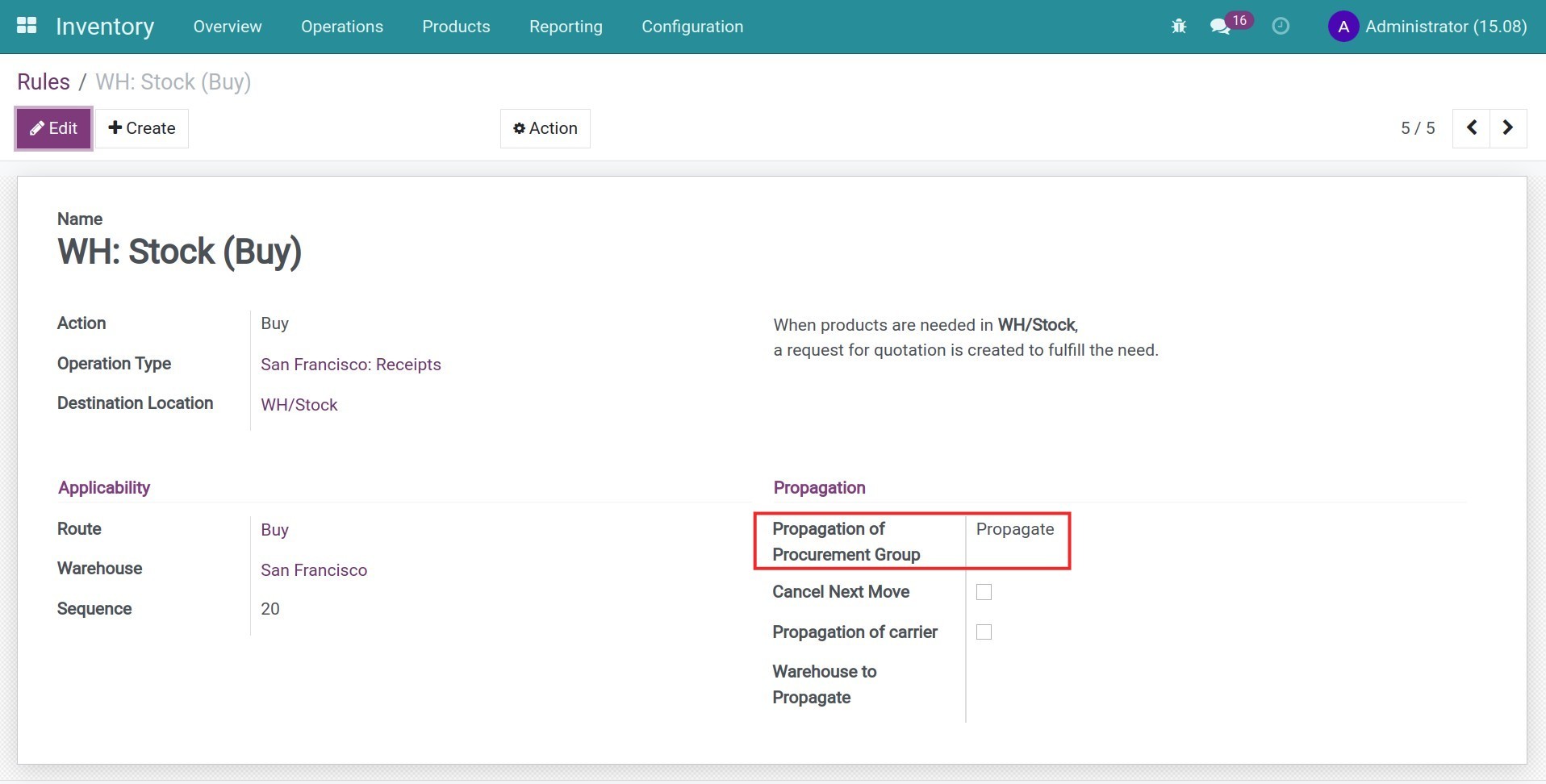
- In order to generate the purchase/manufacturing order to supply for the request, you need to set up the product route and the needed information. For example:
- With the Buy Route, you need to set up the product Vendors.
- With the Manufacture Route, you need to set up the Bills of Material for the product.
Approve the procurement request
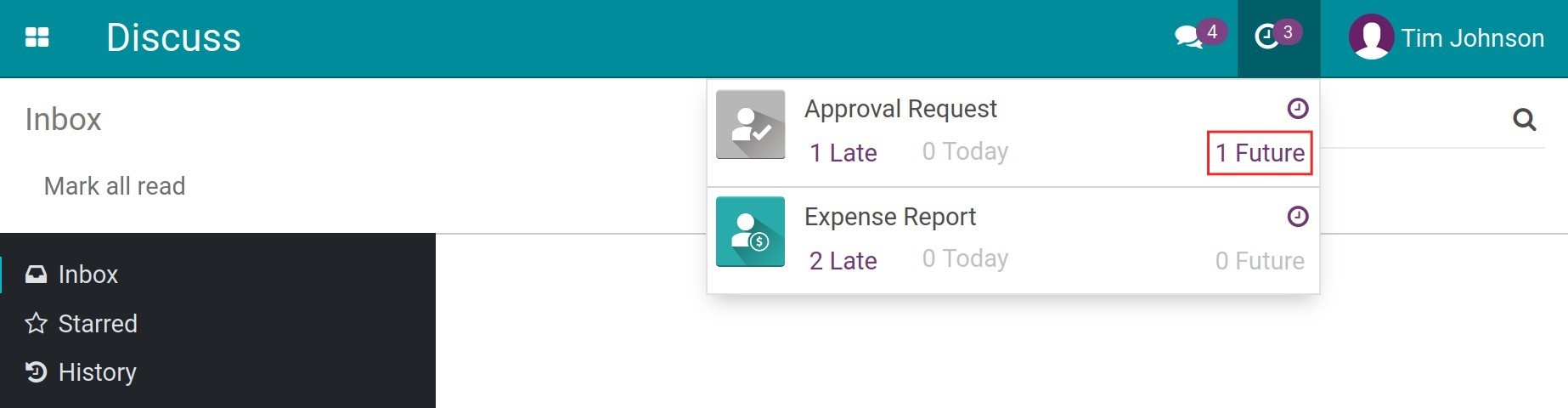
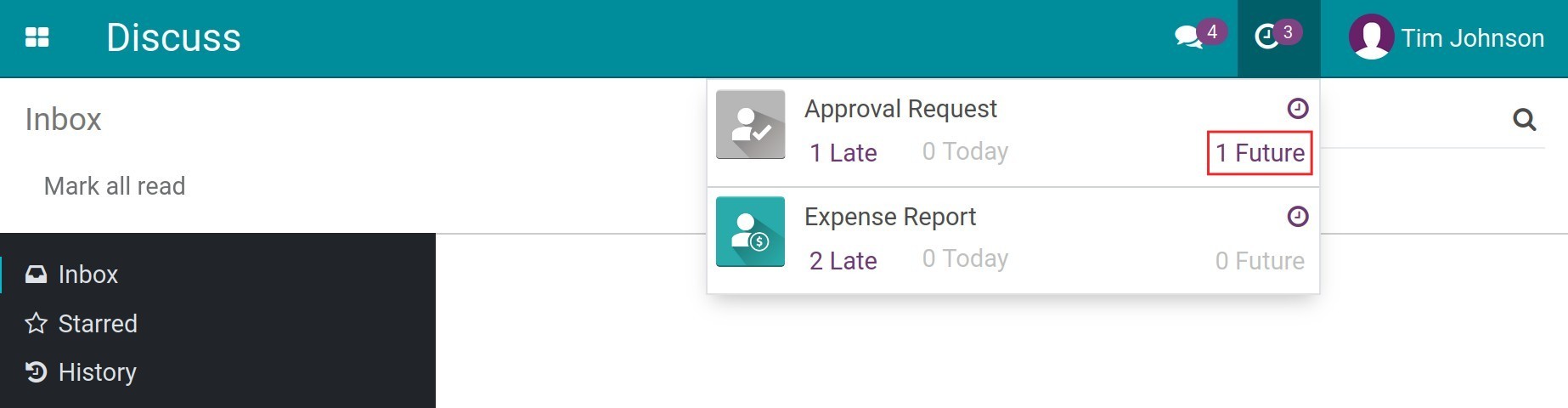
When an employee creates a request, the managers will receive an approval notification to approve it. They will be able to approve or refuse.
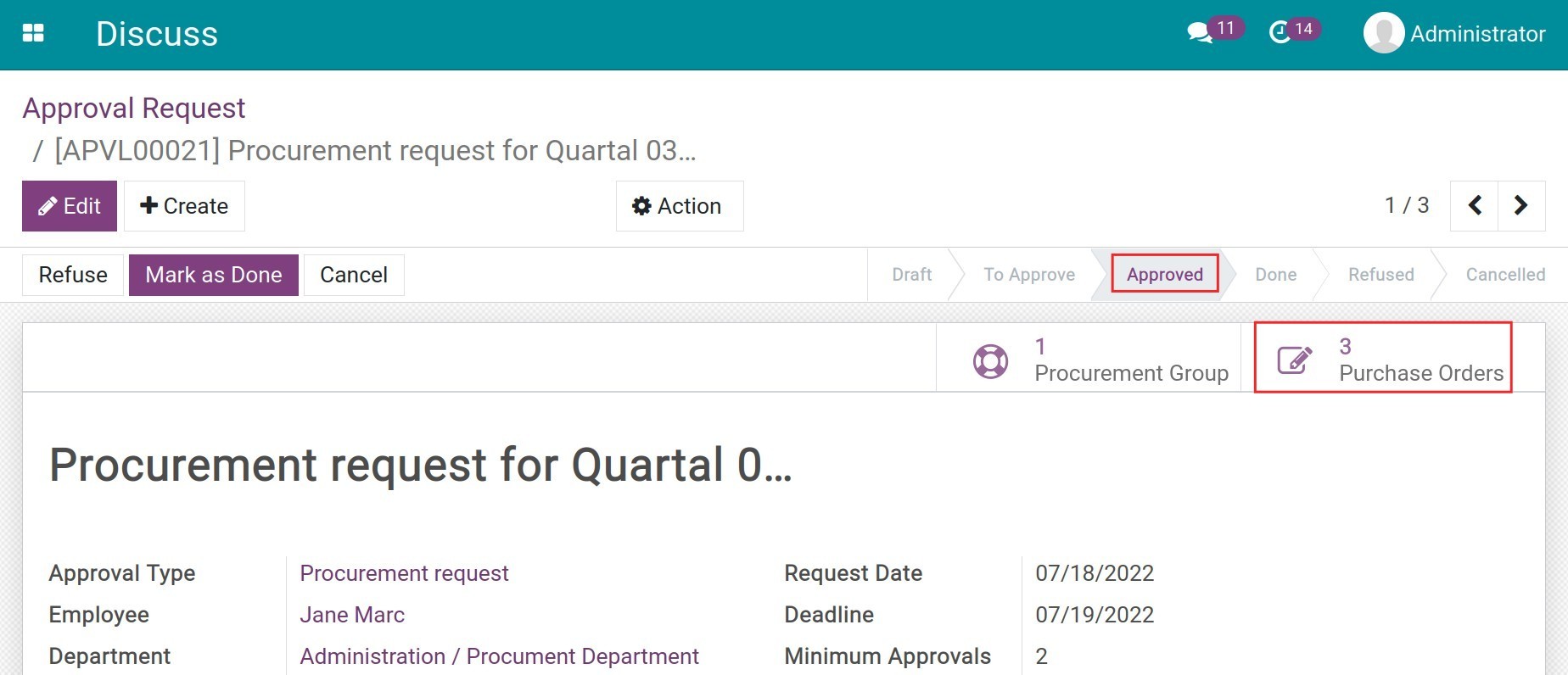
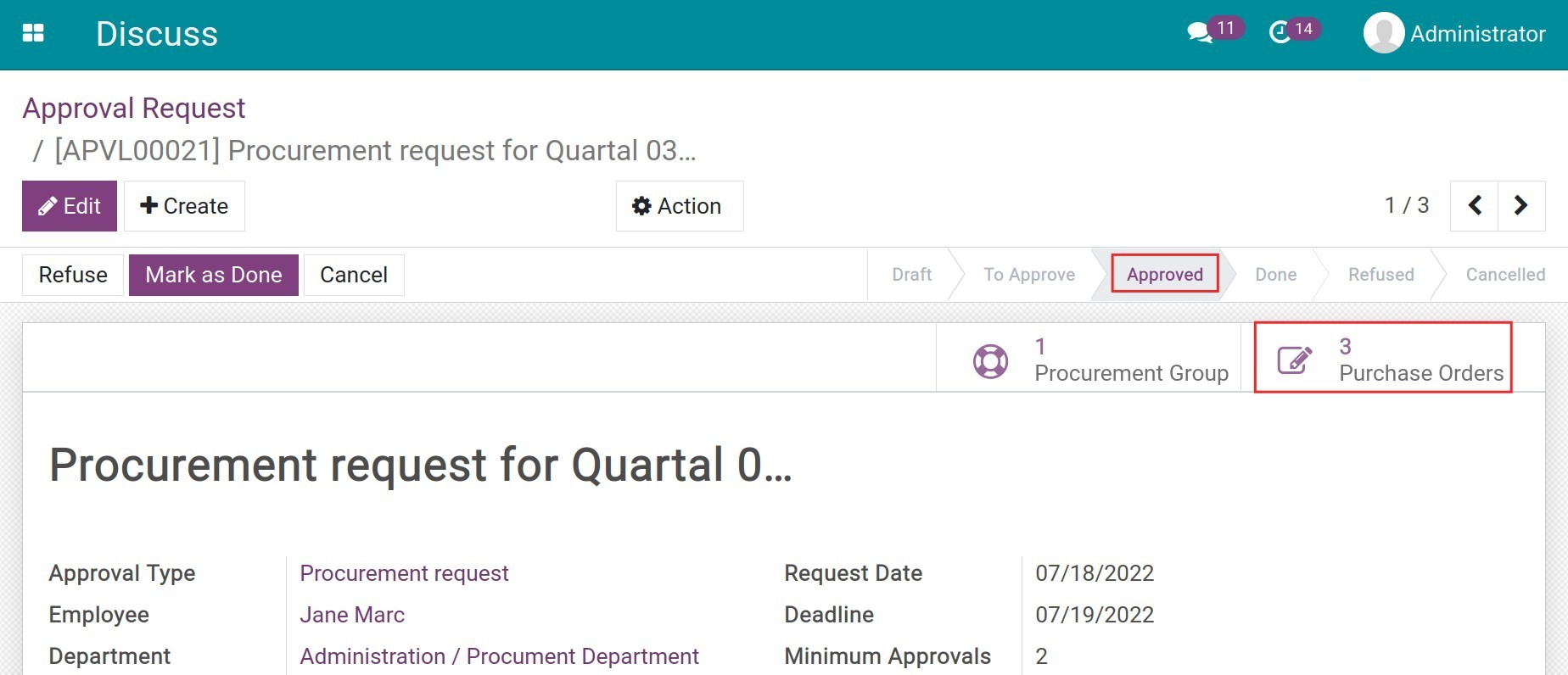
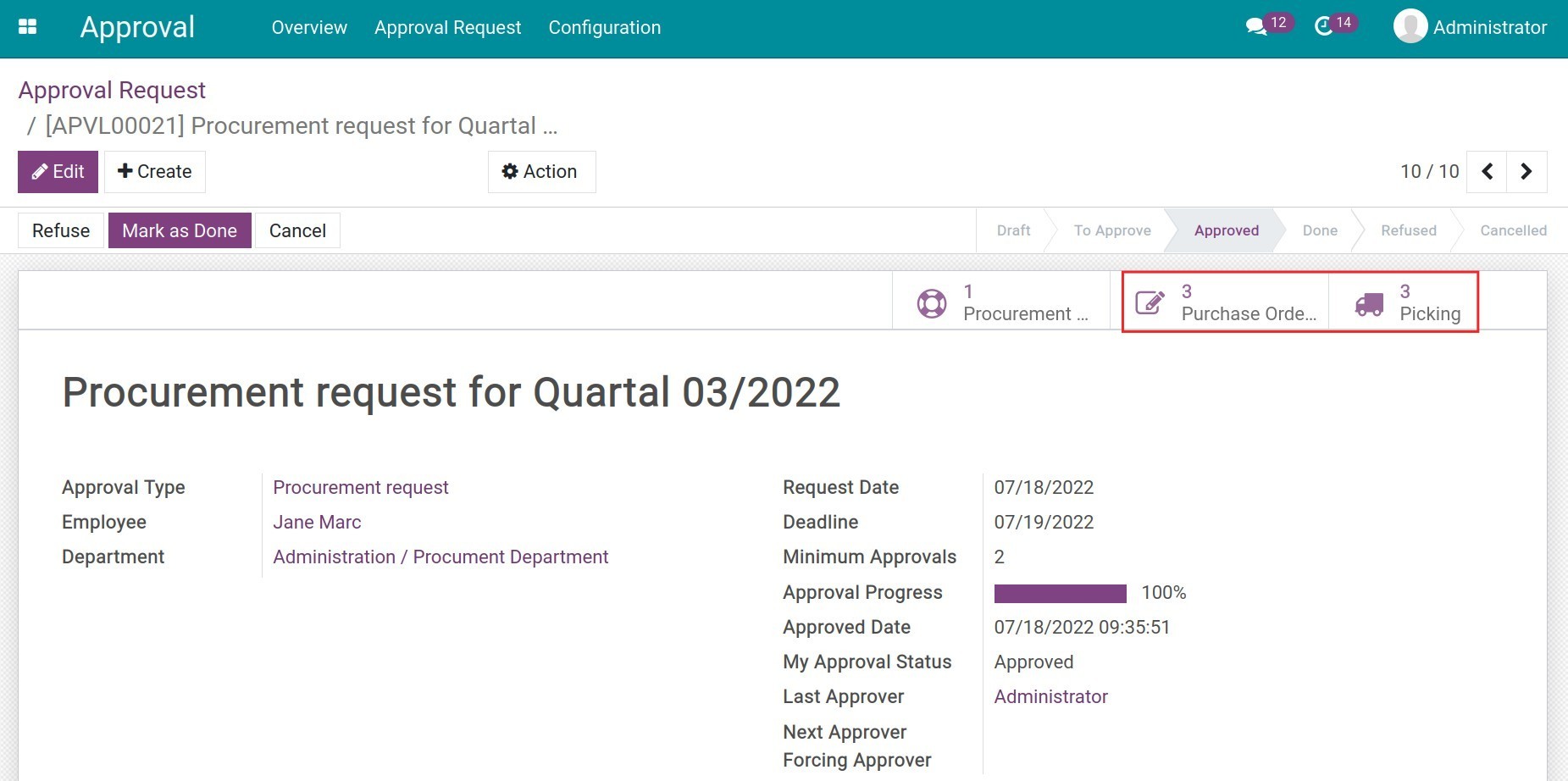
After finishing the approval steps, the request will be moved to the Approved stage. At the same time, the system will generate the request for quotation (RFQs) for the chosen product. You can view the RFQs by pressing the Purchase Orders button on the top right corner of the request.
Finish the Approval
When the goods are stocked, you can move the approval request to the Done stage by pressing the Mark as Done button.
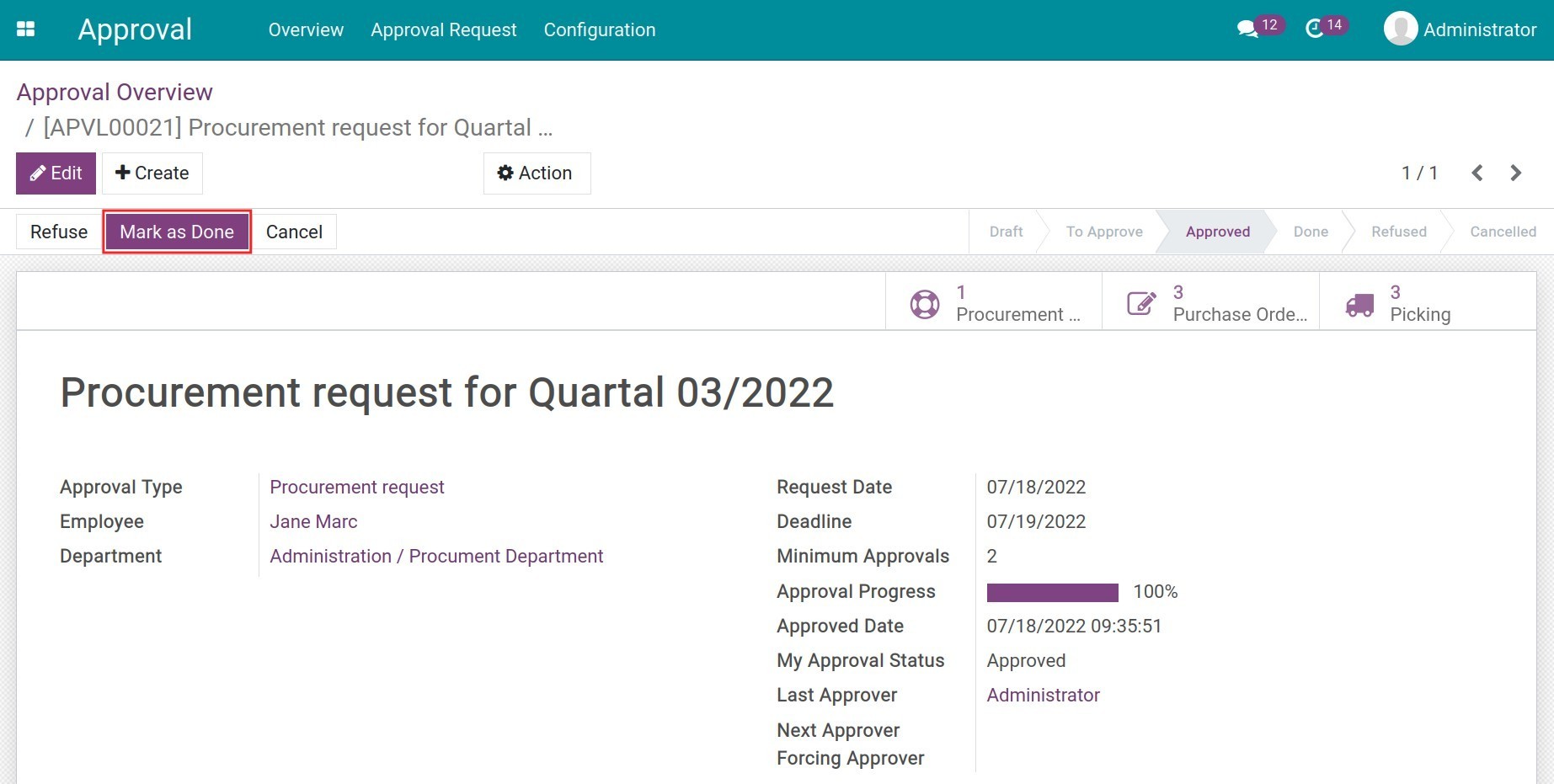
Note: On the request view, you can manage the purchase orders, inventory transfers, and payments of each related purchase order by pressing the statistic buttons on the top right corner.
This software and associated files (the "Software") may only be used (executed, modified, executed after modifications) if you have purchased a valid license from the authors, typically via Odoo Apps, or if you have received a written agreement from the authors of the Software (see the COPYRIGHT file).
You may develop Odoo modules that use the Software as a library (typically by depending on it, importing it and using its resources), but without copying any source code or material from the Software. You may distribute those modules under the license of your choice, provided that this license is compatible with the terms of the Odoo Proprietary License (For example: LGPL, MIT, or proprietary licenses similar to this one).
It is forbidden to publish, distribute, sublicense, or sell copies of the Software or modified copies of the Software.
The above copyright notice and this permission notice must be included in all copies or substantial portions of the Software.
THE SOFTWARE IS PROVIDED "AS IS", WITHOUT WARRANTY OF ANY KIND, EXPRESS OR IMPLIED, INCLUDING BUT NOT LIMITED TO THE WARRANTIES OF MERCHANTABILITY, FITNESS FOR A PARTICULAR PURPOSE AND NONINFRINGEMENT. IN NO EVENT SHALL THE AUTHORS OR COPYRIGHT HOLDERS BE LIABLE FOR ANY CLAIM, DAMAGES OR OTHER LIABILITY, WHETHER IN AN ACTION OF CONTRACT, TORT OR OTHERWISE, ARISING FROM, OUT OF OR IN CONNECTION WITH THE SOFTWARE OR THE USE OR OTHER DEALINGS IN THE SOFTWARE.