

Viindoo Unified Routing Framework
| Lines of Code | 3799 |
| Technical name | to_geo_routes |
| License | OPL-1 |
| Website | https://viindoo.com/apps/app/17.0/to_geo_routes |
| Read description for | v 10.0 v 11.0 v 12.0 v 13.0 v 14.0 v 15.0 v 16.0 |
| Required Apps | Discuss (mail) |
| Included Dependencies | Viindoo Base API Request Logger |
| Extensions | Tracking Location Route Extension Business Trips Fleet Operations Freight Forwarder Management Route Cost & Revenue Accounting Mapbox Matrix API Integration Vietmap Matrix & Routing API Integration Logistics Routes Integration HERE Routing API Integration Google Routes API Integration Geo Route Map SeaRoutes Ocean Routing Integration |

Viindoo Unified Routing Framework
Unified routing engine for Odoo/Viindoo with provider-agnostic APIs for directions, distance, and travel time.
Viindoo Unified Routing Framework (`to_geo_routes`) provides a unified routing framework for Odoo/Viindoo, allowing the system to request directions, distance, duration, polyline geometry, and multi-leg routes from different providers through a single standardized API.
Key Features
Built natively on Odoo/Viindoo to streamline real business operations:
Unified Routing API
- Standardized output for distance, duration, polylines, steps, and legs.
- Abstract models for routes, sections, points, and transport modes.
- Clean isolation between business modules and external providers.
Multi-provider Architecture
- Plugin architecture for adding routing providers.
- Automatic fallback and provider selection logic.
- Support for different modes: driving, trucking, walking, cycling.
- Provides normalized route data for VRP optimizers.
- Supports trip planning, booking allocation, dispatching, and transport cycles.
Foundation for Fleet & Logistics Optimization.
Works seamlessly with routing provider modules such as:
- to_geo_routes_google.
- to_geo_routes_mapbox.
- to_geo_routes_here.
- to_geo_routes_searoutes.
- to_geo_routes_vietmap.
Designed for Large-scale Operations
- Efficient caching and low-latency lookup.
- Provider switching by country, use-case, or cost strategy.
- Fully extensible for enterprise-grade logistics applications.
Create
See Viindoo Unified Routing Framework in Action
See how this module solves real business problems in a working Viindoo environment.
Need help with Viindoo Unified Routing Framework?
For questions, implementation support, or consulting services, contact Viindoo.
Pre-Sales & Partnership
When contacting us, please include:
- Odoo/Viindoo version (CE/EE).
- Number of users and business scope.
- Other modules currently in use.
Technical Support
For faster troubleshooting, please provide:
- Order number or app reference.
- Odoo/Viindoo version & edition.
- Steps to reproduce the issue.
- Screenshots/logs if available.
Technical Requirement
Works Great With These Modules
Extend Viindoo Unified Routing Framework with complementary Viindoo apps:
Route Cost & Revenue Accounting
Link geographical routes with analytic accounts and invoices for route-based cost and revenue analysis
Module to_geo_routes_accountGoogle Routes API Integration
Google Maps routing integration with unified APIs for directions, travel time, polyline, and multi-mode navigation.
Module to_geo_routes_googleHERE Routing API Integration
Enterprise-grade routing integration with HERE Maps for trucking, logistics, and precise multi-mode navigation.
Module to_geo_routes_hereMapbox Matrix API Integration
Mapbox distance matrix and routing integration for fleet, delivery, and VRP optimization via to_geo_routes.
Module to_geo_routes_mapboxSeaRoutes Ocean Routing Integration
Compute ocean routes, distances, and durations using SeaRoutes APIs within the unified to_geo_routes framework.
Module to_geo_routes_searoutesVietmap Matrix & Routing API Integration
Vietnam-focused routing and distance matrix integration with Vietmap for fleets and logistics via to_geo_routes.
Module to_geo_routes_vietmapWho Should Use This Module?
Built for teams that need this capability fully integrated into their Odoo/Viindoo stack.
Executives & Business Owners
Need clear visibility into operations and a stack that scales without bespoke development.
Operations / Department Leaders
Want to streamline daily workflows, remove manual handoffs, and keep data consistent across teams.
Implementers & Odoo Partners
Looking for production-ready Viindoo modules to deliver projects faster and at lower risk.
Installation
- Navigate to Apps.
- Find with keyword to_geo_routes.
- Install it as usual then you are done.
Concepts
- Route Section: is a section defined by two addresses where each Address (aka From and To) is a partner record. This design model to ensure short learning curve and easy to extend and fully integrated with existing features in the system.
- Waypoint: also known as Route Waypoint, is a model that presents an instance of an Address which creates a data link between a Route and an Address in the system.
- Segment: also known as Route Section, is a model that presents an instance of a Section which creates a data link between a Route and an Route Section in the system.
- Route: is a model to present a route that defined by Waypoints and Sections. Then the system will automatically find and link the related Sections and Addresses for the Route.
Instructions
- Without other modules that extending this module, you are required to be a system administrator to access the module's menu: Settings > Geo-Routes. If you have other modules that developed on top of this, there should be other ways to access the features. For example, if you have the module viin_fleet_planning installed, you may access the features through Fleet Booking > Routes & Waypoints which does not required administrator access rights. In this document, it is assumed that you have administration access rights.
- Define a new Route:
- Navigate to Settings > Geo-Routes > Routes to see the routes list view.
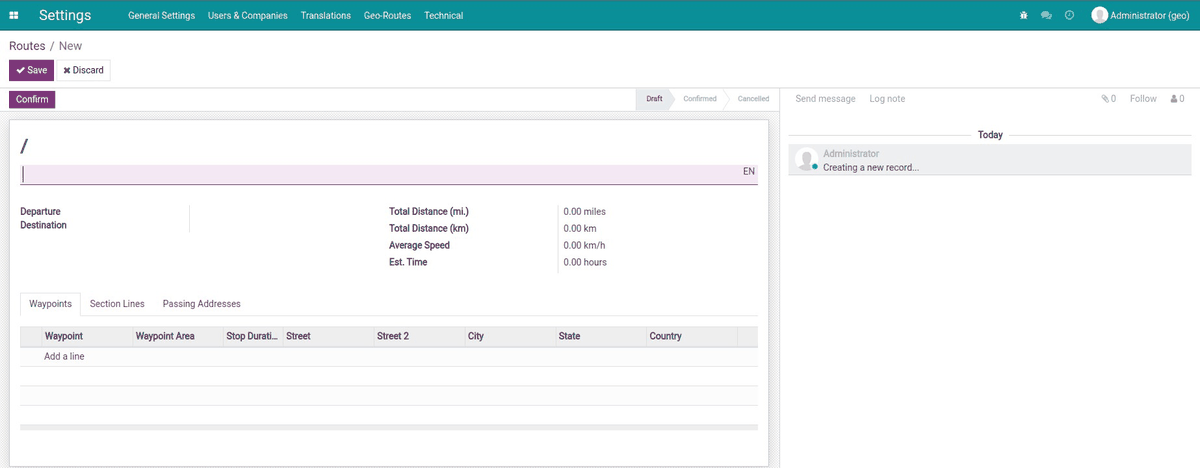
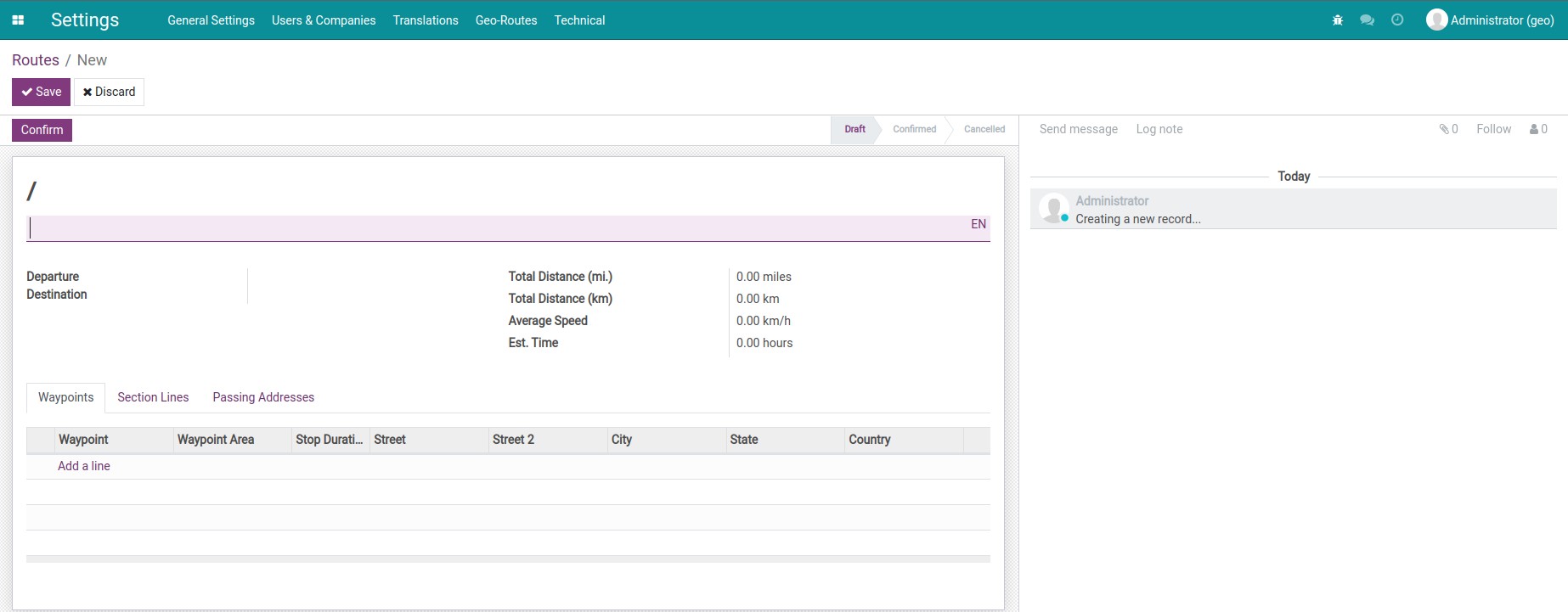
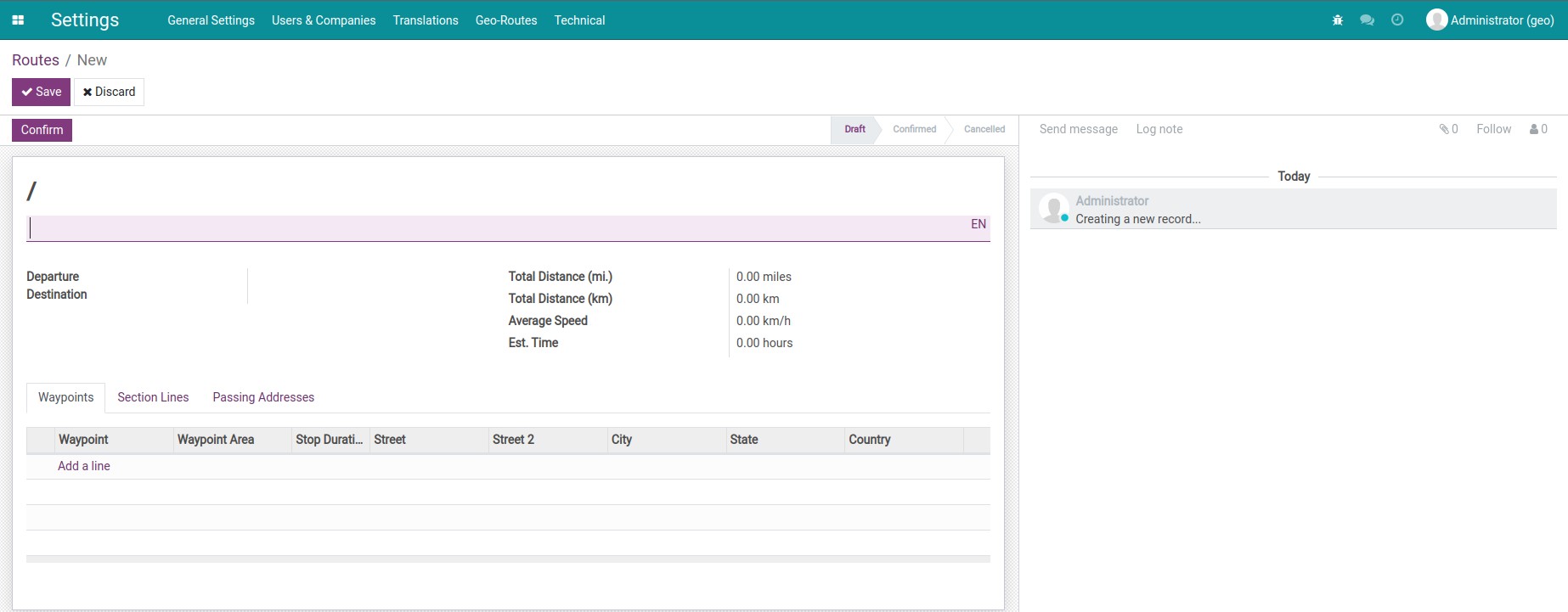
- Press Create to open the route form view, on which you can input:
- The name of the route. For example: Hanoi to Ha Long Bay via Hai Phong City.
- In the Waypoint tab, press Add a line to add waypoints for your route.
- In the Segments tab, you can add information about distance and average speed. The estimated time will be automatically computed.
This software and associated files (the "Software") may only be used (executed, modified, executed after modifications) if you have purchased a valid license from the authors, typically via Odoo Apps, or if you have received a written agreement from the authors of the Software (see the COPYRIGHT file).
You may develop Odoo modules that use the Software as a library (typically by depending on it, importing it and using its resources), but without copying any source code or material from the Software. You may distribute those modules under the license of your choice, provided that this license is compatible with the terms of the Odoo Proprietary License (For example: LGPL, MIT, or proprietary licenses similar to this one).
It is forbidden to publish, distribute, sublicense, or sell copies of the Software or modified copies of the Software.
The above copyright notice and this permission notice must be included in all copies or substantial portions of the Software.
THE SOFTWARE IS PROVIDED "AS IS", WITHOUT WARRANTY OF ANY KIND, EXPRESS OR IMPLIED, INCLUDING BUT NOT LIMITED TO THE WARRANTIES OF MERCHANTABILITY, FITNESS FOR A PARTICULAR PURPOSE AND NONINFRINGEMENT. IN NO EVENT SHALL THE AUTHORS OR COPYRIGHT HOLDERS BE LIABLE FOR ANY CLAIM, DAMAGES OR OTHER LIABILITY, WHETHER IN AN ACTION OF CONTRACT, TORT OR OTHERWISE, ARISING FROM, OUT OF OR IN CONNECTION WITH THE SOFTWARE OR THE USE OR OTHER DEALINGS IN THE SOFTWARE.