What it does
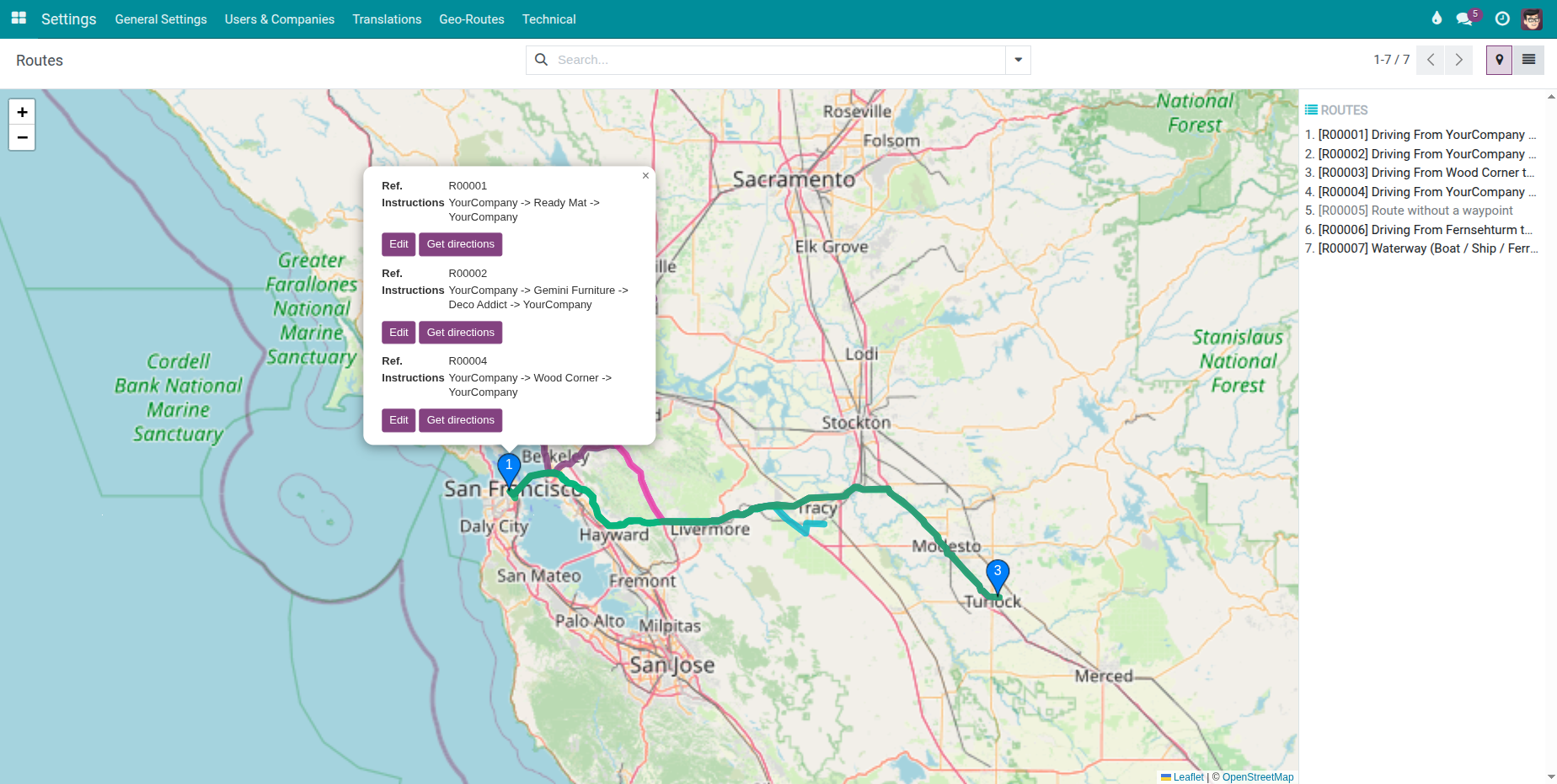
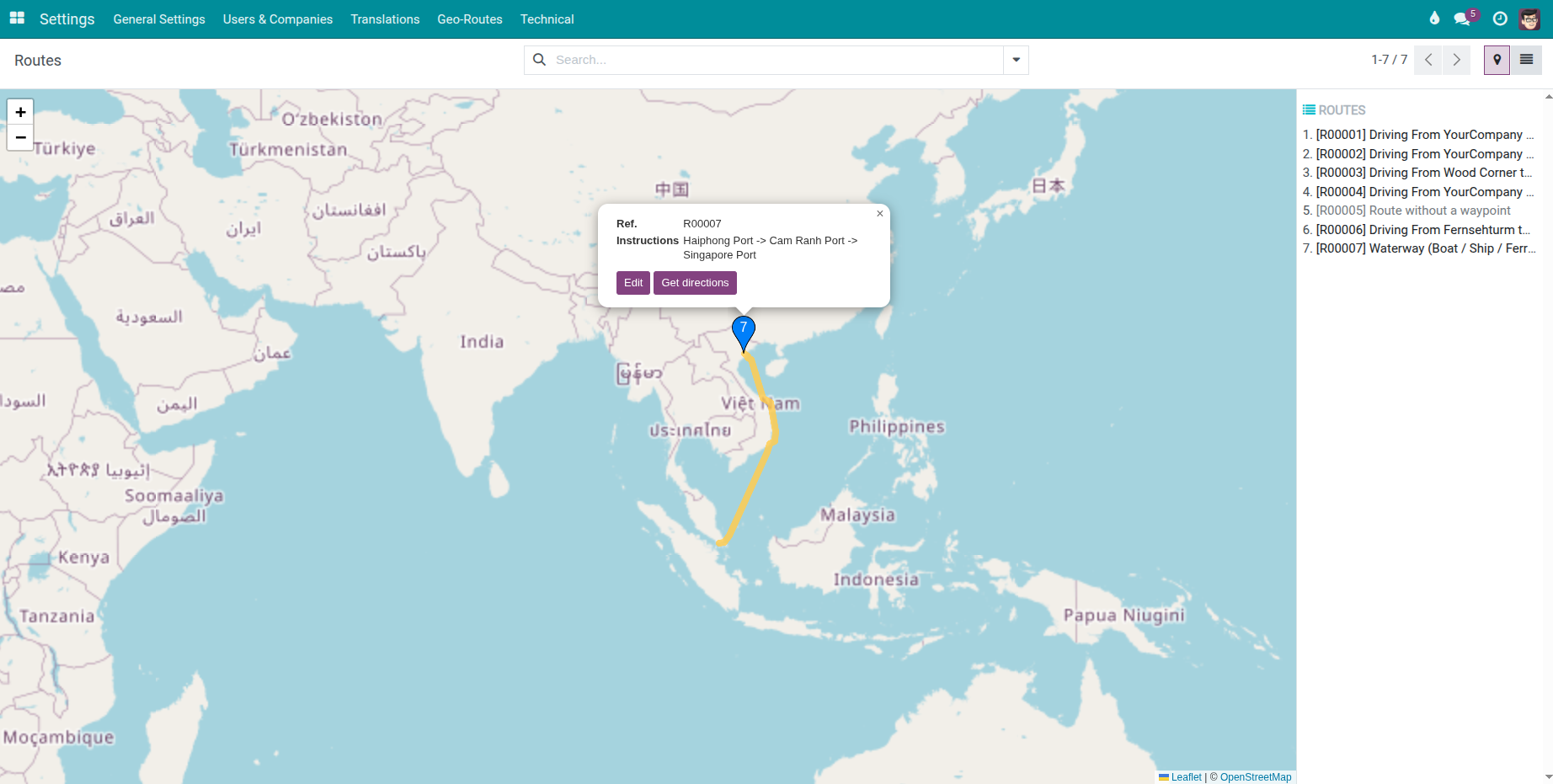
This module bridges to_geo_routes and viin_web_map to visualize geographic routes
on an interactive web map inside Viindoo/Odoo.
It adds a dedicated Map view for the route.route model so that users can:
- See the full polyline of a route on the map.
- See all waypoints as markers along that route.
- Open a popup on each marker with route code and instructions.
The module is designed as a lightweight, reusable bridge that other Fleet & Logistics /
VRP modules can extend to display trips, shipments, or bookings on maps.
Key Features
- Interactive Map View for Routes
- Adds a dedicated Viindoo Map (viin_map) view mode for route.route.
- Renders the route polyline returned by to_geo_routes on the map.
- Displays waypoints as markers along the route.
- Marker popups show route reference and mapping address/instructions.
- Seamless Integration with to_geo_routes
- Reuses polyline and waypoint_ids from to_geo_routes without extra configuration.
- Works with all supported routing providers (Google, HERE, Mapbox, VietMap, SeaRoutes, Manual).
- Reflects changes in route sections and waypoints immediately on the map view.
- Built on viin_web_map
- Leverages the generic viin_web_map infrastructure and viin_map view type.
- Provides a simple example for other modules to add their own map views.
- Easy to extend/inherit for Fleet, VRP, or custom logistics applications.
Technical Notes & Compatibility
- This module depends on `viin_web_map` and uses its custom viin_map view type.
- It does not use or extend the standard Odoo Enterprise Map View.
- To display routes on maps, you must have viin_web_map installed and configured.
Editions Supported
- Community Edition
- Enterprise Edition
This software and associated files (the "Software") may only be
used
(executed, modified, executed after modifications) if you have
purchased a
valid license from the authors, typically via Odoo Apps,
or if you
have
received a written agreement from the authors of the
Software (see the
COPYRIGHT file).
You may develop Odoo modules that use the Software as a library
(typically
by depending on it, importing it and using its
resources), but
without
copying any source code or material from the
Software. You may distribute
those modules under the license of your
choice, provided that this
license
is compatible with the terms of
the Odoo Proprietary License (For
example:
LGPL, MIT, or proprietary
licenses similar to this one).
It is forbidden to publish, distribute, sublicense, or sell
copies of the
Software or modified copies of the Software.
The above copyright notice and this permission notice must be
included in
all copies or substantial portions of the Software.
THE SOFTWARE IS PROVIDED "AS IS", WITHOUT WARRANTY OF ANY KIND,
EXPRESS OR
IMPLIED, INCLUDING BUT NOT LIMITED TO THE WARRANTIES OF
MERCHANTABILITY,
FITNESS FOR A PARTICULAR PURPOSE AND
NONINFRINGEMENT. IN NO EVENT
SHALL THE
AUTHORS OR COPYRIGHT HOLDERS
BE LIABLE FOR ANY CLAIM, DAMAGES OR OTHER
LIABILITY, WHETHER IN AN
ACTION OF CONTRACT, TORT OR OTHERWISE,
ARISING
FROM, OUT OF OR IN
CONNECTION WITH THE SOFTWARE OR THE USE OR OTHER
DEALINGS IN THE
SOFTWARE.