
Freight Sale
by Viindoo
| Lines of Code | 6444 |
| Technical name | viin_freight_sale |
| License | OPL-1 |
| Website | https://viindoo.com/apps/modules/19.0/viin_freight_sale |
| Read description for | v 17.0 v 18.0 |
| Required Apps | Invoicing (account) Purchase (purchase) Discuss (mail) Inventory (stock) Sales (sale_management) |
| Included Dependencies | Logistics Shipment Tracking Location Route Extension Viindoo Unified Routing Framework Logistics Package Type Freight Forwarder Management Logistics Shipment Sale Integration QR Code Mixin Tracking Location Logistics Sales Team Viindoo Base Accounting Foundation Logistics Routes Integration API Request Logger Logistics Accounting Supplier-Based Pricelist Incoterms on Logistics Quotations |
| Extensions | Freight Booking & Purchase Integration Freight Air Management Onbehalf Payment in Freight Freight Project & Operations Tasks Freight Dashboard Freight Sale - Consolidation Profitability Bridge Multi-Currency Quotations for Freight Forwarding Freight Cost by Lane |
Freight Sale
One sale order per job. Every charge sold, every invoice from the same place.
Freight Sale ties each shipment to its sales order. Ops record the work, Sales price it, Accounting invoices it - all from one ledger. You see the true margin of every lot, not an argument about it.
Book a guided tour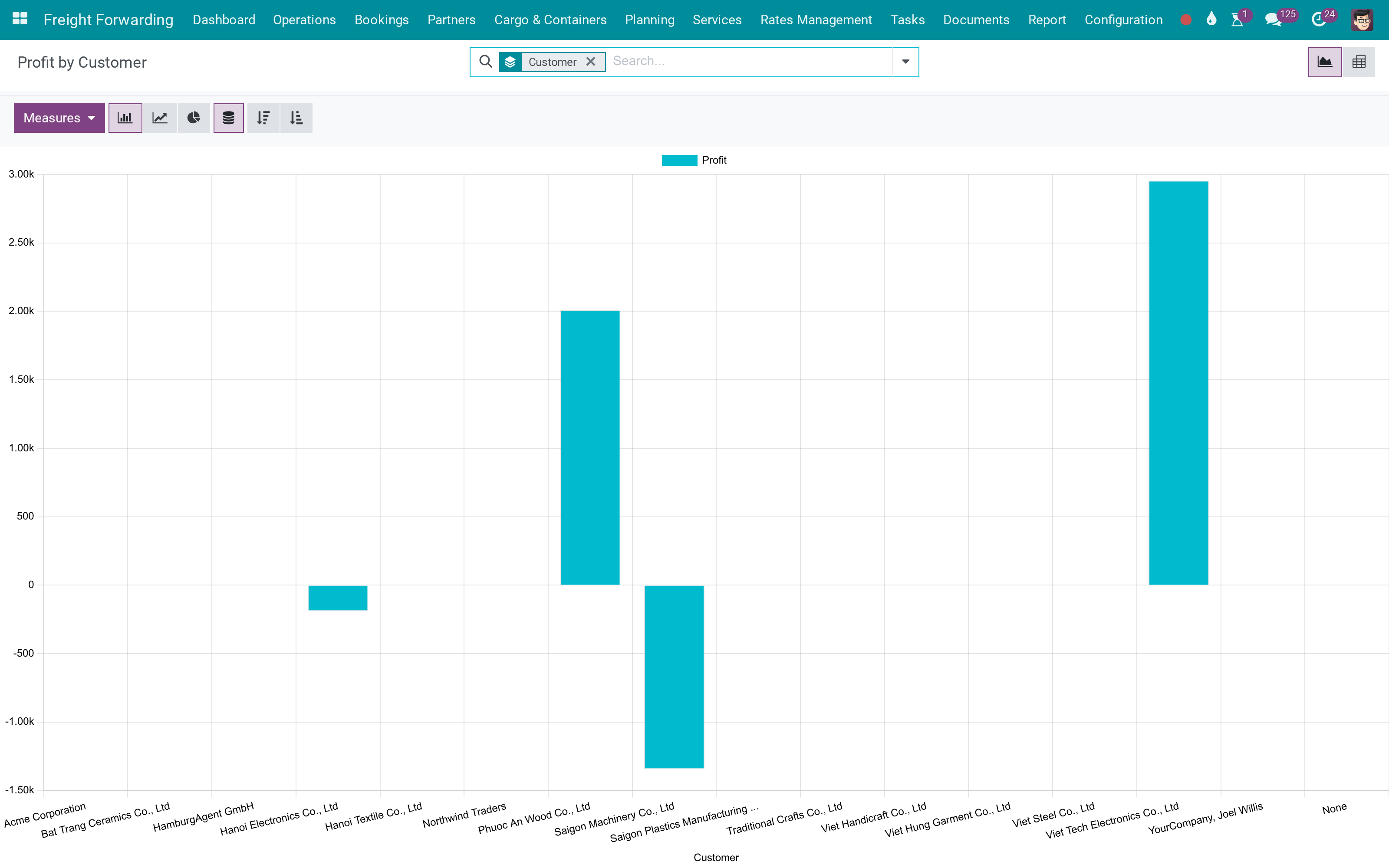
Extends viin_logistics_sale - Logistics Shipment Sale Integration.
Key Features
One place to invoice
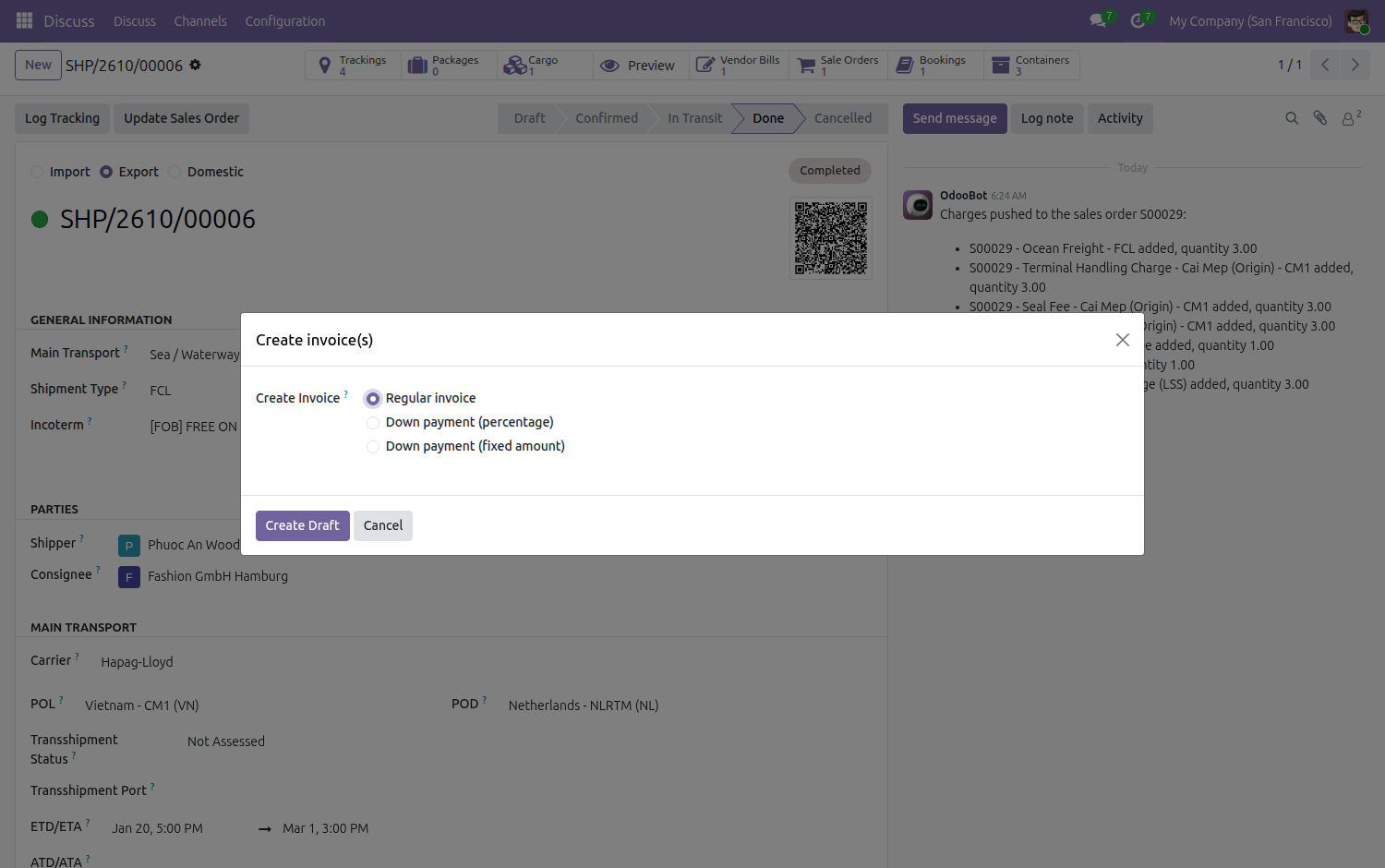
"Create Customer Invoice" on a lot opens the sales-order invoice wizard. Nothing is invoiced straight from the lot, so a service is never billed twice.
Unsold charges stand out
Charges not yet on a sales order are highlighted on the lot. One filter, "Charges Not on a Sales Order", lists every lot that still has work to sell.
Review before it reaches the customer
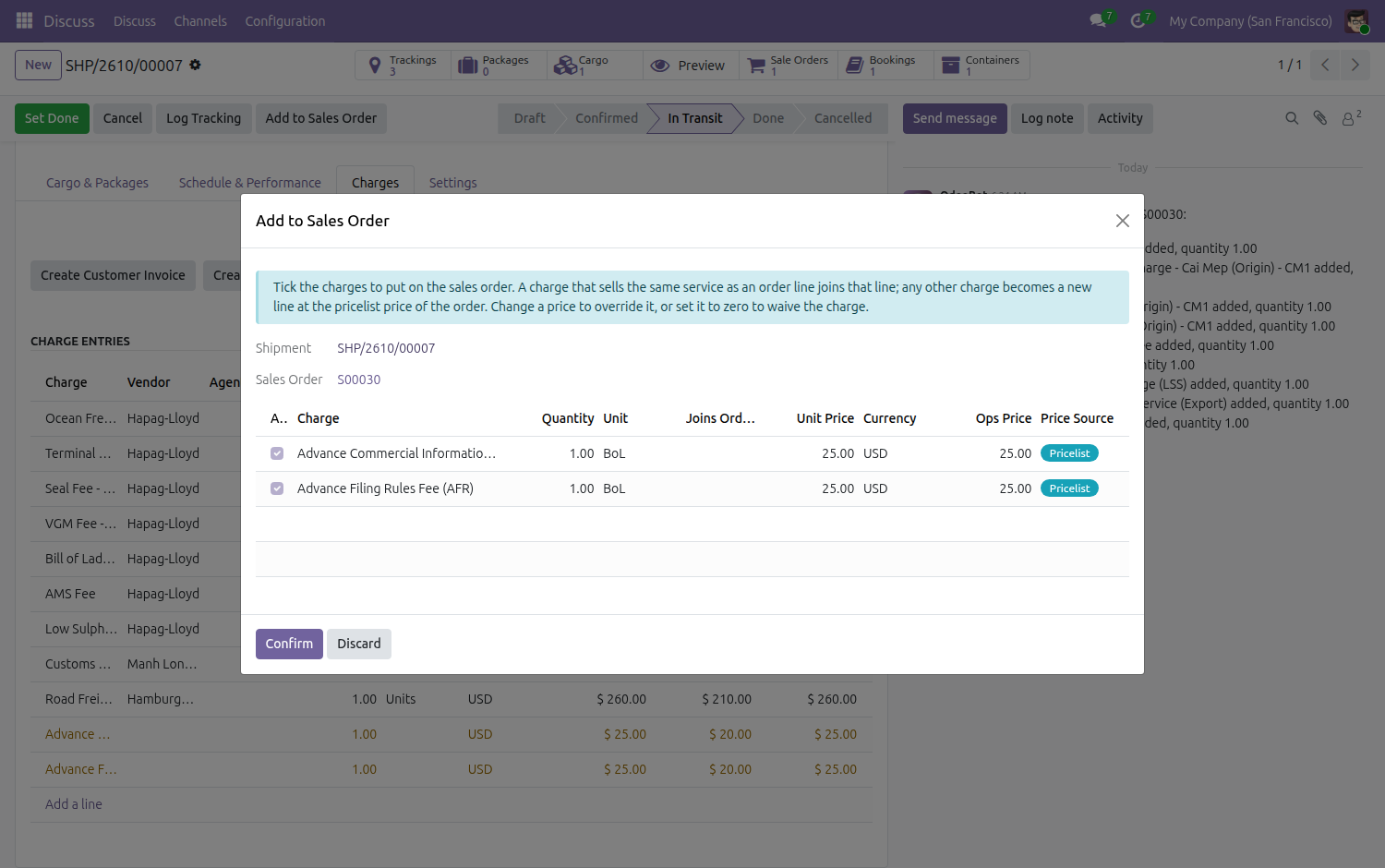
Sales opens "Add to Sales Order" and ticks the charges to add; each new line takes the pricelist price of the order. A charge already covered by a vendor bill is never bought twice.
Sold vs delivered, decided by Sales
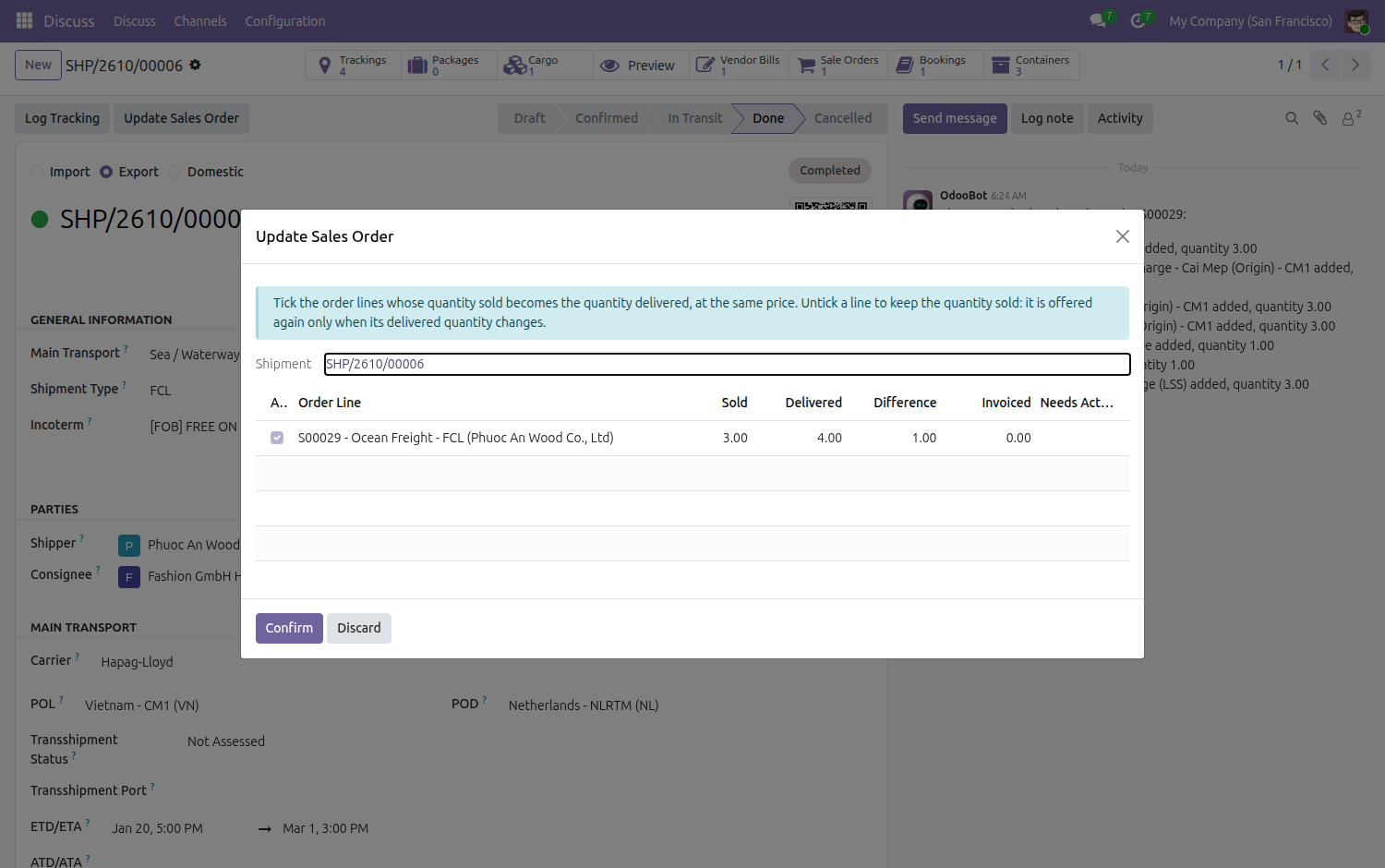
When Ops deliver more or less than was sold, the lot shows the difference. "Update Sales Order" lets Sales confirm the delivered quantity or keep the sold one.
Sale-first, or job-first
Confirm a quotation and the lot with its charges is created for you. Started the job first? "Create Quotation" turns the waiting charges into a quote, even for a lot without legs.
One margin figure per lot
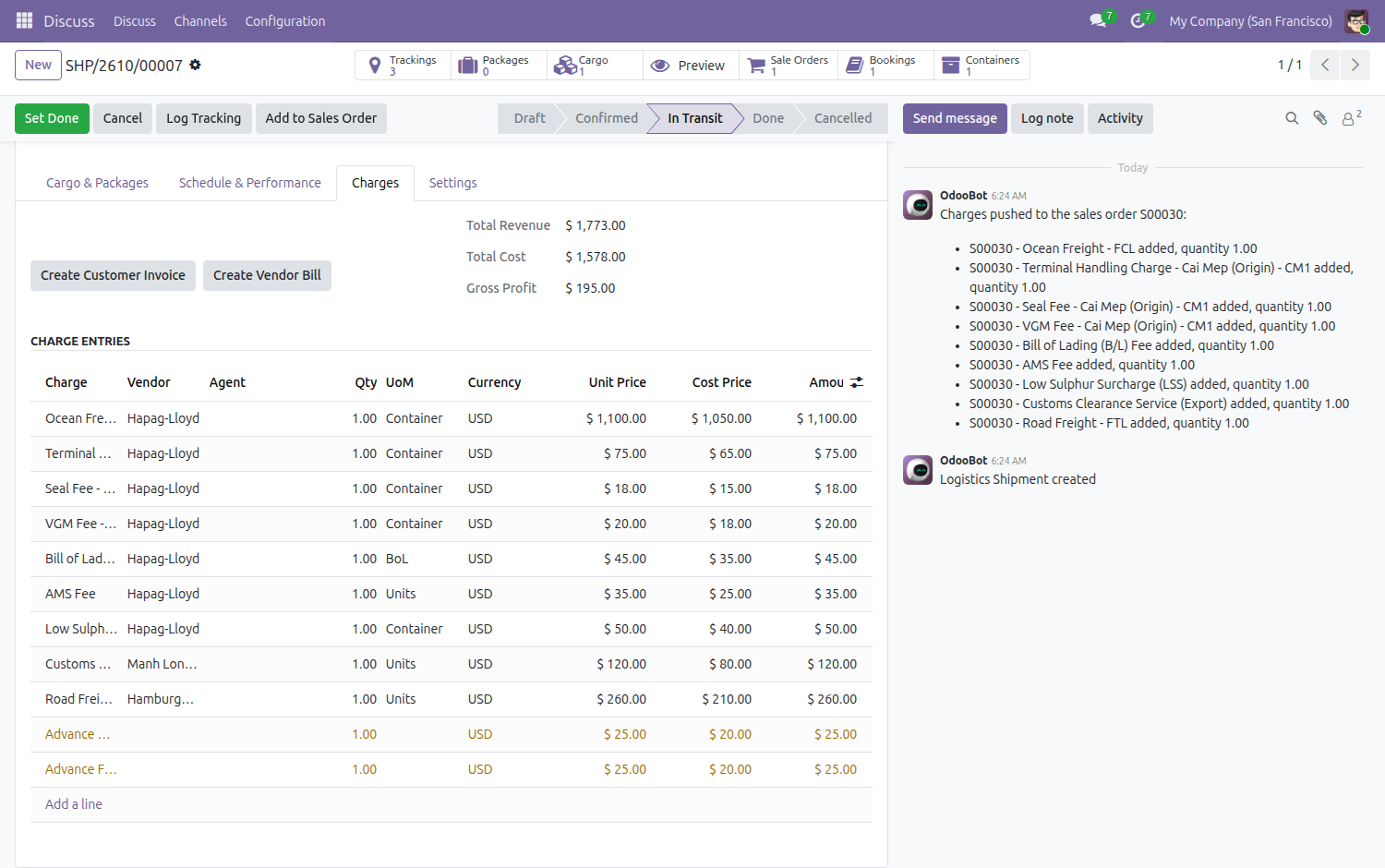
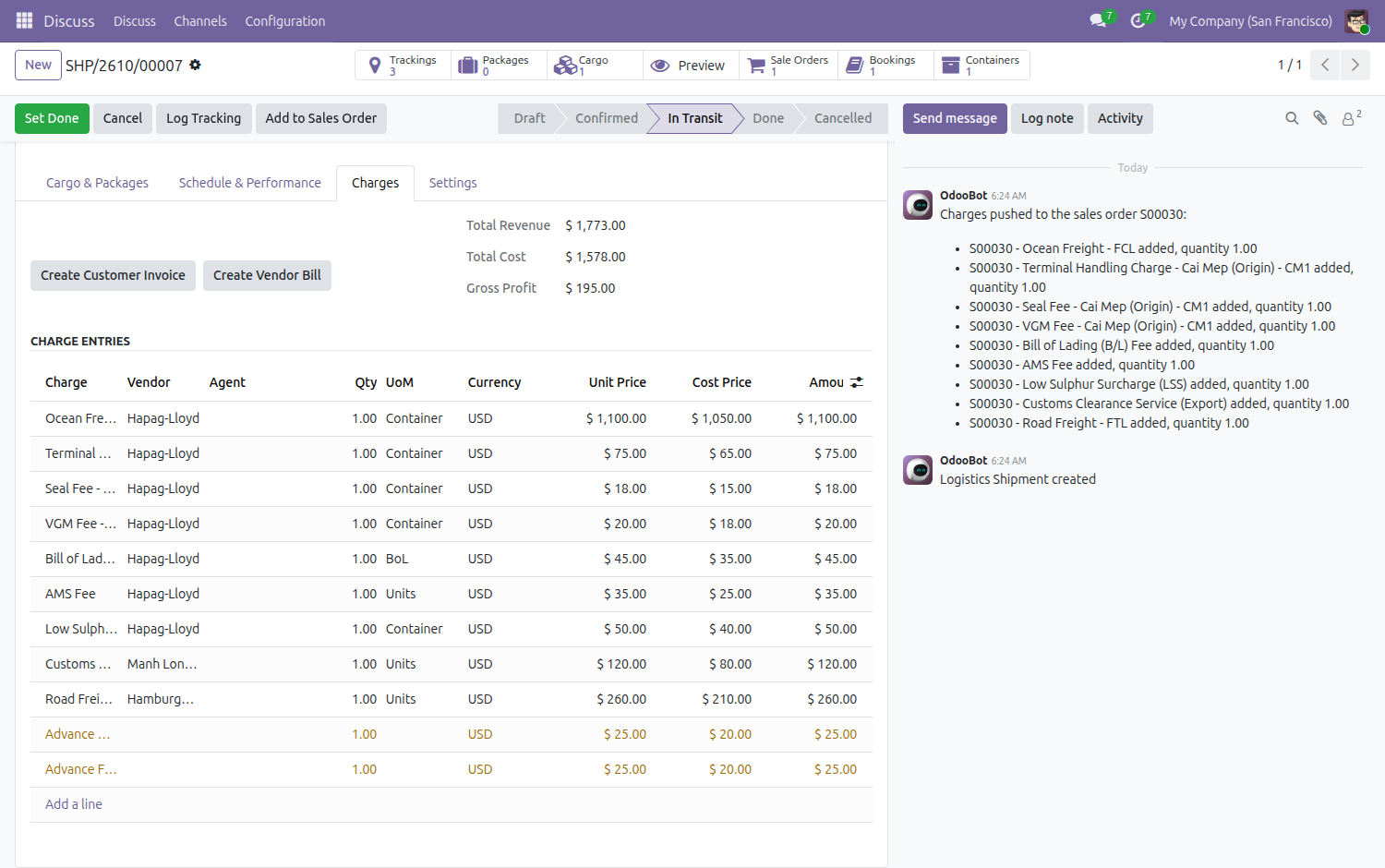
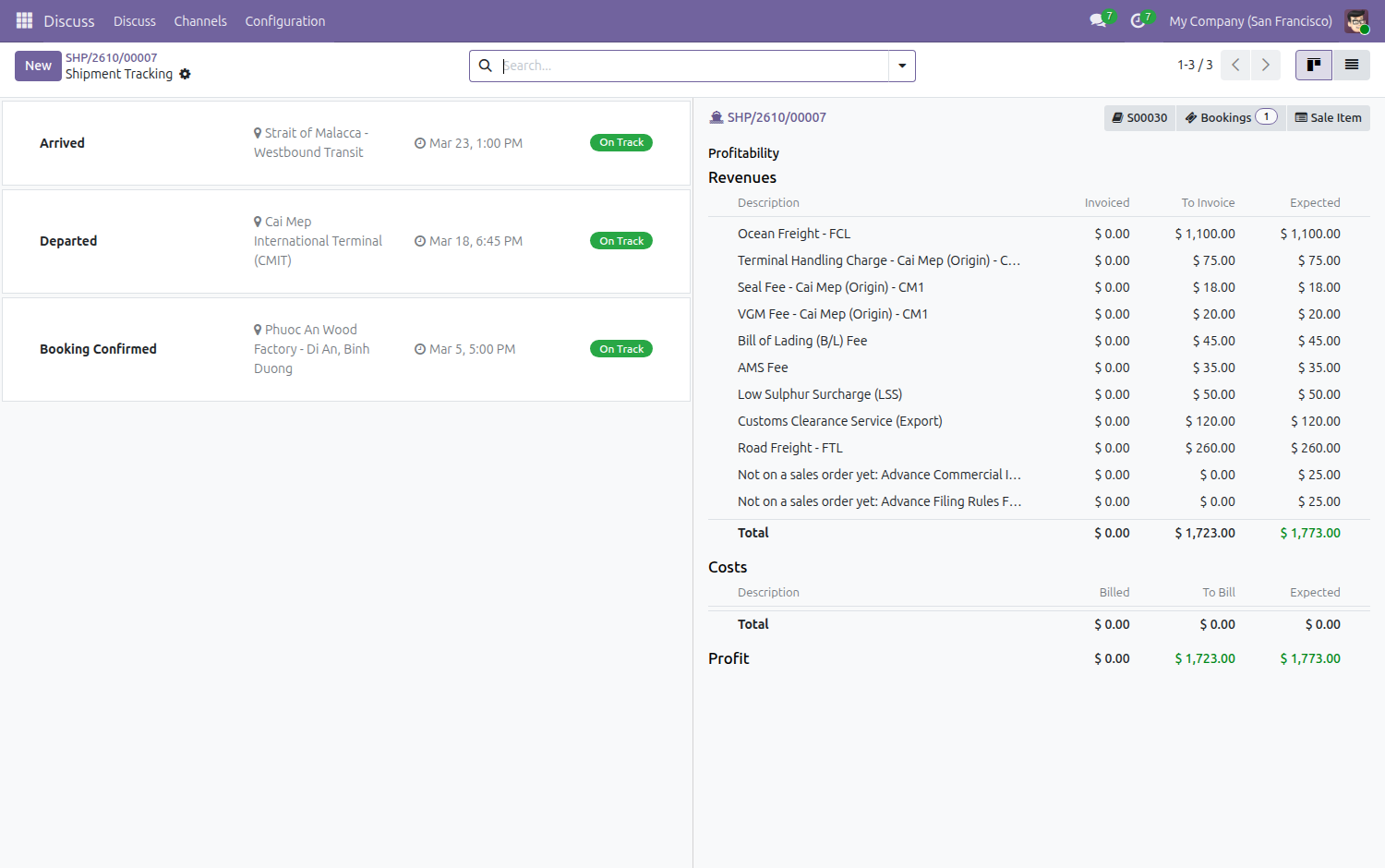
The profitability panel adds sold lines, invoices and a named forecast line for work not yet on an order. Revenue and cost meet on the same lot.
Paperwork at the sold price
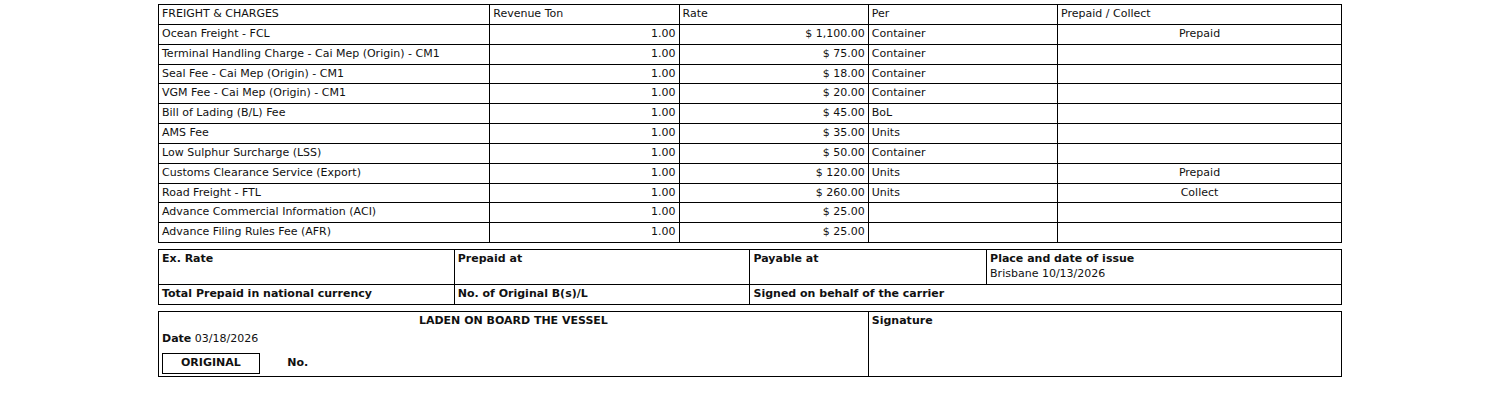
The House B/L prints the price the customer bought at. Debit notes print for a whole lot or for selected charges.
Quote, plan and report
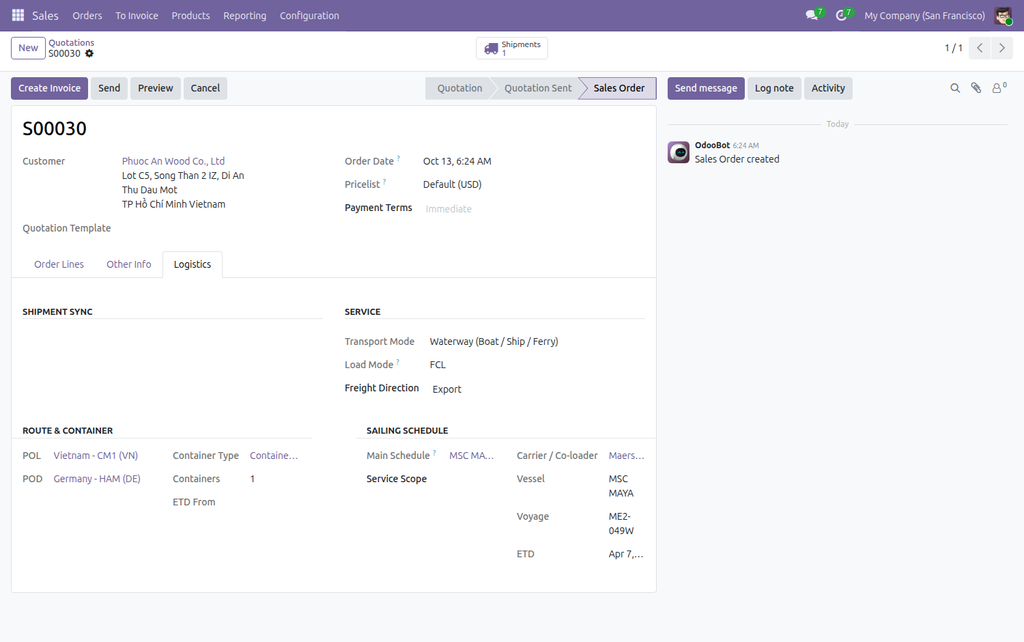
Compare sailing schedules (FCL and LCL) from the quotation, build containers from the order, price from the vendor lane rate, and read profit by customer or by salesperson.
How It Works
Screens
Charges still waiting to be sold, highlighted on the lot.
Sales tick the charges to add and pick the price source.
Delivered differs from sold? Confirm the change or keep the sale.
Invoicing opens the sale-order wizard, not a second route.
One margin figure, with a named forecast line.
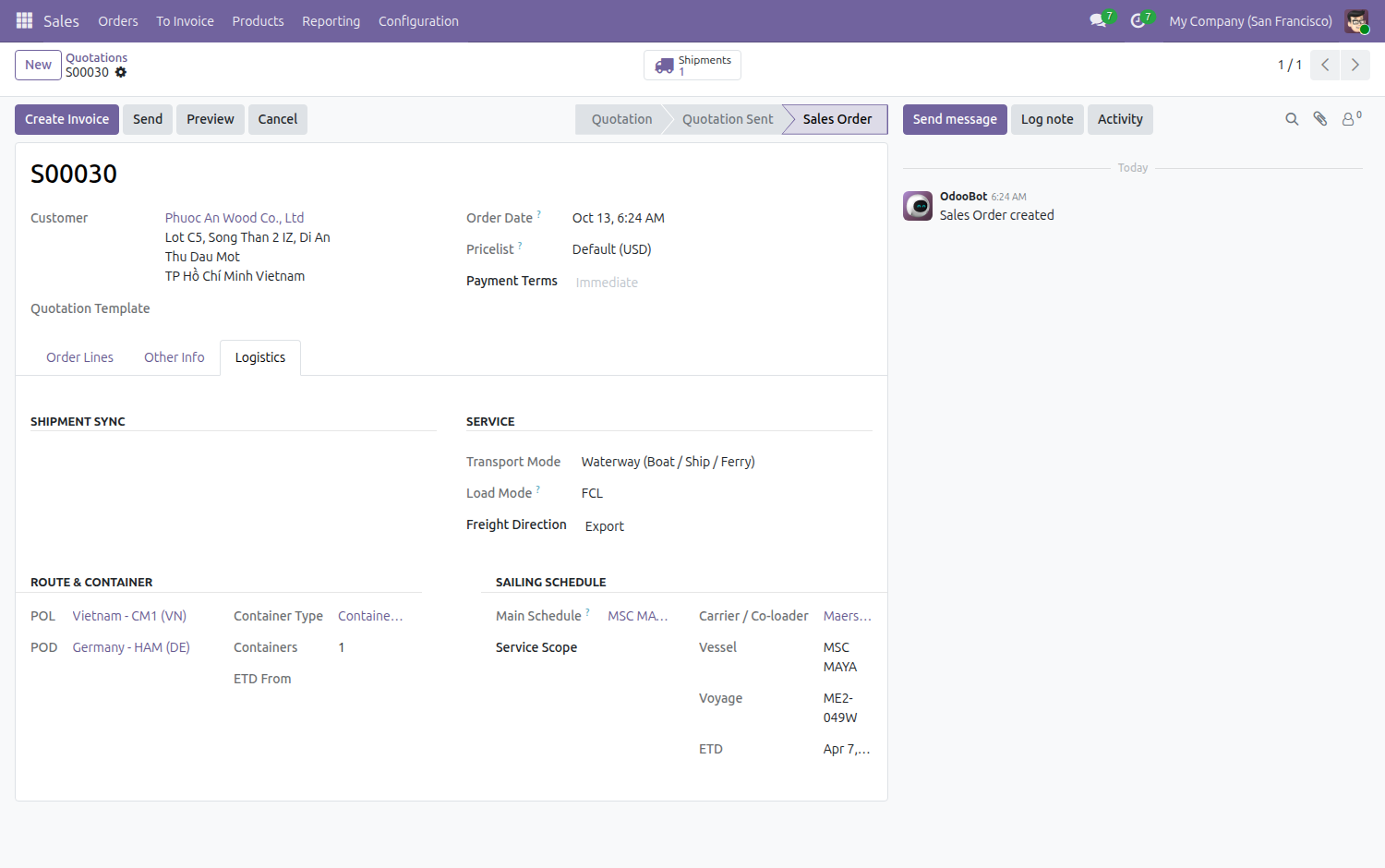
Route, cargo and sailing schedule on the quotation.
The House B/L shows the price the customer bought at.
Who It Is For
Sales
Quote, then see at a glance what Ops added. Decide price and quantity before the customer is billed.
Operations
Record charges on the lot as work happens. No chasing Sales by message to get them billed.
Accounting
Invoice from one place. No duplicate bills, and the invoice matches the order.
Management
Read margin per lot, with forecast work named, instead of waiting for month end.
Frequently Asked Questions
Can I still invoice straight from a lot?
On a site with Sales, no. "Create Customer Invoice" opens the sale-order invoice wizard. This keeps one revenue ledger per lot.
What if Ops add a charge after the order is confirmed?
It is highlighted on the lot. Sales open "Add to Sales Order", review it and add it at the pricelist price of the order.
What if we deliver more or less than we sold?
The lot shows the difference. In "Update Sales Order", Sales confirm the delivered quantity or keep the sold one.
Could the same cost be charged to the customer twice?
No. A charge already covered by a vendor bill is never bought twice, and a charge already on an order line is never added again.
Ready to see it on your own jobs?
Requires Freight Management and Sales. Odoo 19.0 - Community, Enterprise and Viindoo Cloud.
Book a guided tour Contact Viindoo for a demoNeed help with Freight Sale?
Pre-Sales & Partnership
sales@viindoo.comTechnical Requirement
- Odoo version: 19.0
- Editions: Odoo Community, Odoo Enterprise, Viindoo Cloud
- Required modules: viin_freight_management, viin_logistics_sale, viin_logistics_sale_stock, viin_sale_supplier_pricelist
- License: OPL-1
This software and associated files (the "Software") may only be used (executed, modified, executed after modifications) if you have purchased a valid license from the authors, typically via Odoo Apps, or if you have received a written agreement from the authors of the Software (see the COPYRIGHT file).
You may develop Odoo modules that use the Software as a library (typically by depending on it, importing it and using its resources), but without copying any source code or material from the Software. You may distribute those modules under the license of your choice, provided that this license is compatible with the terms of the Odoo Proprietary License (For example: LGPL, MIT, or proprietary licenses similar to this one).
It is forbidden to publish, distribute, sublicense, or sell copies of the Software or modified copies of the Software.
The above copyright notice and this permission notice must be included in all copies or substantial portions of the Software.
THE SOFTWARE IS PROVIDED "AS IS", WITHOUT WARRANTY OF ANY KIND, EXPRESS OR IMPLIED, INCLUDING BUT NOT LIMITED TO THE WARRANTIES OF MERCHANTABILITY, FITNESS FOR A PARTICULAR PURPOSE AND NONINFRINGEMENT. IN NO EVENT SHALL THE AUTHORS OR COPYRIGHT HOLDERS BE LIABLE FOR ANY CLAIM, DAMAGES OR OTHER LIABILITY, WHETHER IN AN ACTION OF CONTRACT, TORT OR OTHERWISE, ARISING FROM, OUT OF OR IN CONNECTION WITH THE SOFTWARE OR THE USE OR OTHER DEALINGS IN THE SOFTWARE.