
Helpdesk CRM Integration
by Viindoo
Demo video: Helpdesk CRM Integration
Overview
The Helpdesk CRM Integration module enables seamless integration between the helpdesk system and customer relationship management (CRM). This helps businesses manage support requests and business opportunities more effectively, optimizing the customer care process.
Key Features
- Create Support Tickets from Leads/Opportunities
- Quickly create Support Tickets directly from the Lead/Opportunity interface.
- Convert Leads/Opportunities to Support Tickets
- Support direct conversion process for comprehensive customer status tracking.
- Link Leads/Opportunities with Support Tickets
- Allow selecting or creating new Leads/Opportunities to attach to Support Tickets, maintaining consistent customer information.
- Add Lead/Opportunity Filter in Support Ticket Reports
- Easily track the number of support tickets linked to each Lead/Opportunity.
Benefits
- Enhanced Coordination between Sales and Customer Support
- Ensure customer information is linked throughout from sales opportunities to after-sales support.
- Improved Work Efficiency
- Reduce manual data entry, helping staff focus on core tasks.
- Enhanced Customer Experience
- Help businesses track, support, and care for customers more effectively.
Target Users
- Service Providers
- Need an efficient, professional customer support management system.
- Sales Teams
- Want to closely monitor support requests related to potential customers.
- Organizations Seeking to Optimize Customer Care Processes
- Aim for integration between CRM and Helpdesk to enhance customer experience.
Supported Editions
- Community Edition
Installation
- Navigate to Apps.
- Search with keyword viin_helpdesk_crm.
- Press Install.
How to use
Instruction video: Helpdesk CRM Integration
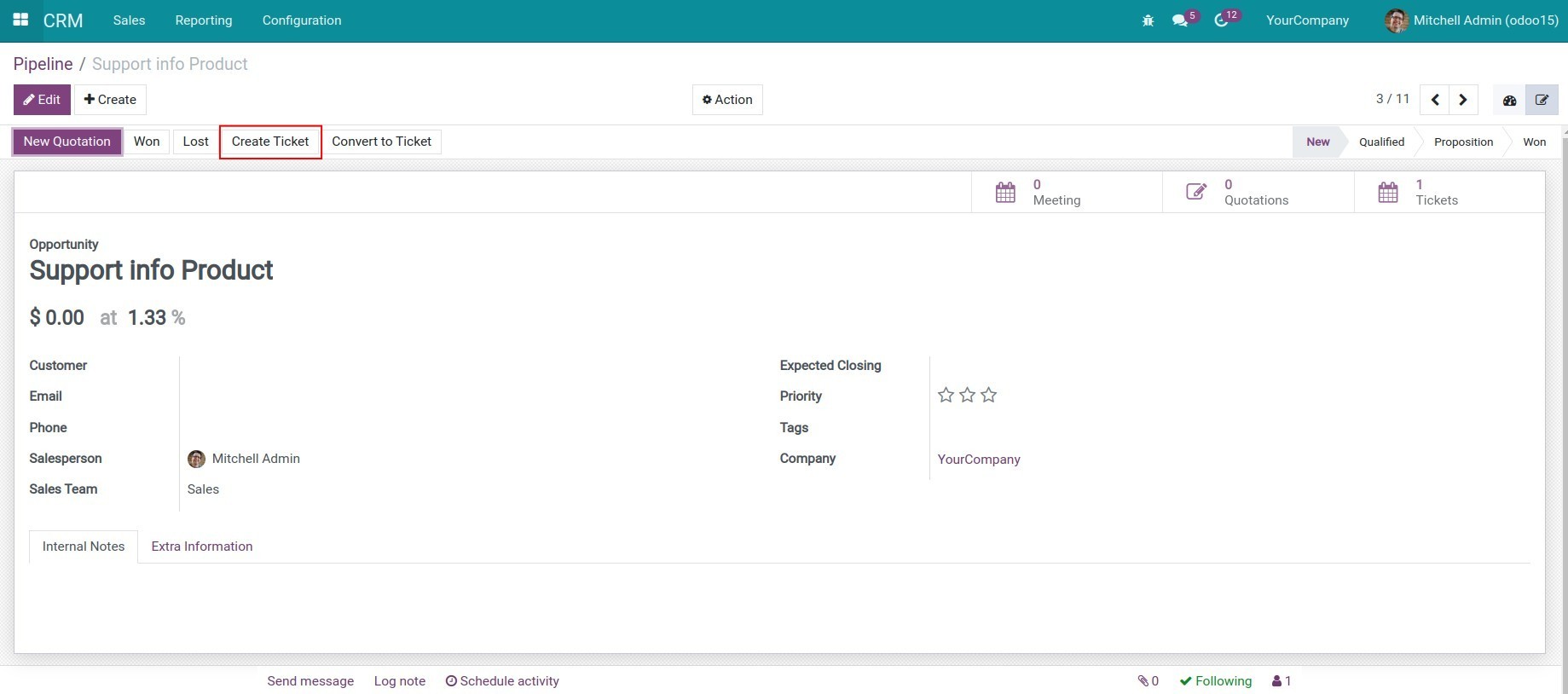
1. Create and manage Support Ticket on the Lead/Opportunity view.
On the Lead/Opportunity view, you can create the support ticket by pressing the Create Ticket button.
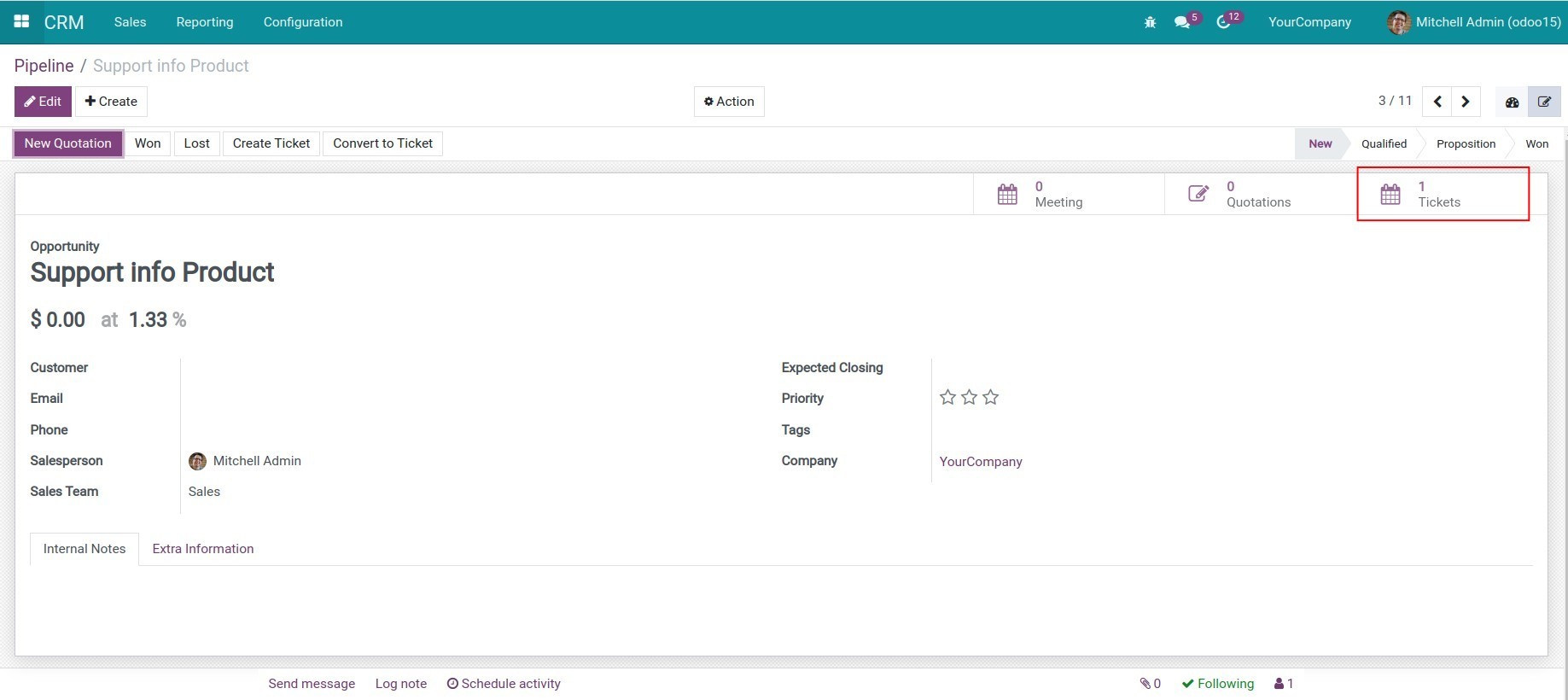
After creating the support ticket, the system will show the number of support tickets relating to this lead/opportunity on the Ticket button.
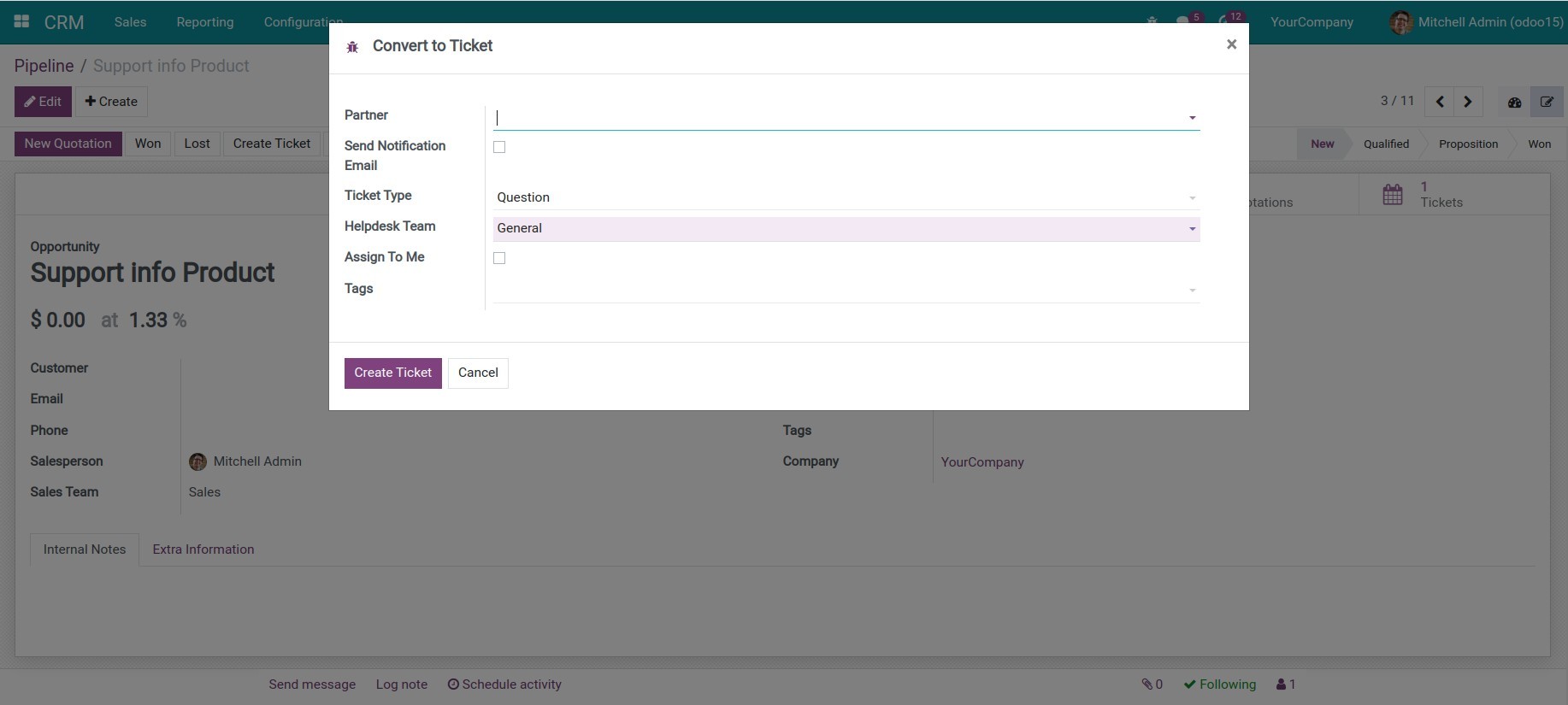
2. Convert Lead/Opportunity into Support Ticket.
On the Lead/Opportunity view, press the Convert to Ticket button. Afterward, the lead/opportunity will be auto-archived.
3. Create and manage Lead/Opportunity on the Support Ticket view.
On the Ticket view, show the Lead/Opportunity field. You can select an existing lead/opportunity or create a new one.
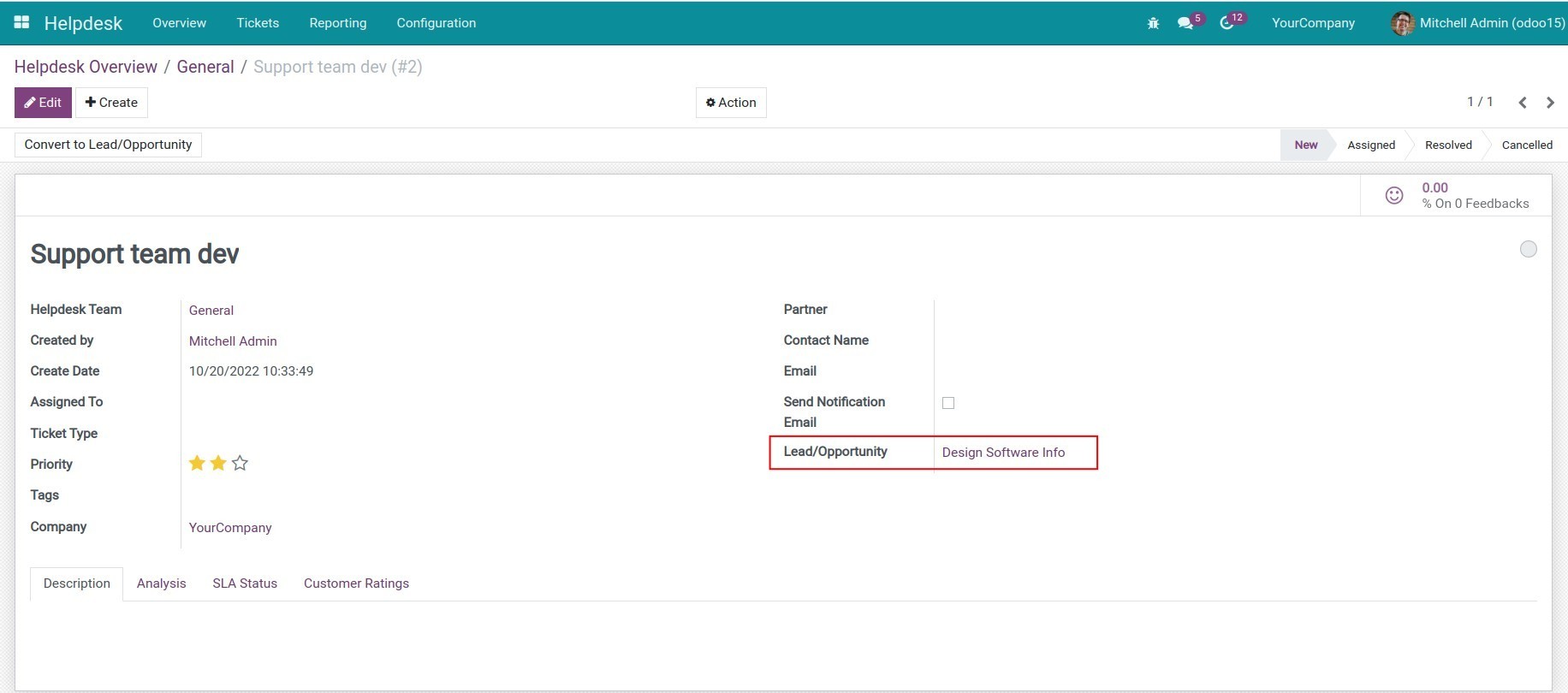
Fill in the similar information as when you create support ticket, press Save to finish.
4. Add the Lead/Opportunity filter to the Tickets Report.
Navigate to Helpdesk > Reporting > Tickets Report, select the Lead/Opportunity filter to see the related tickets.
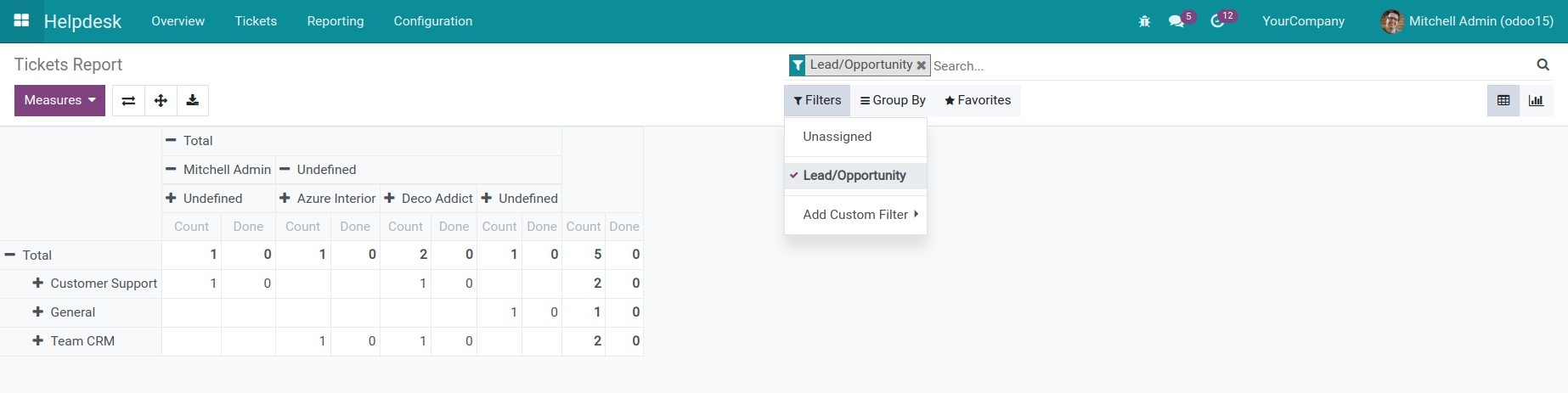
You can refer to the Steps to integrate other application with CRM article.
This software and associated files (the "Software") may only be used (executed, modified, executed after modifications) if you have purchased a valid license from the authors, typically via Odoo Apps, or if you have received a written agreement from the authors of the Software (see the COPYRIGHT file).
You may develop Odoo modules that use the Software as a library (typically by depending on it, importing it and using its resources), but without copying any source code or material from the Software. You may distribute those modules under the license of your choice, provided that this license is compatible with the terms of the Odoo Proprietary License (For example: LGPL, MIT, or proprietary licenses similar to this one).
It is forbidden to publish, distribute, sublicense, or sell copies of the Software or modified copies of the Software.
The above copyright notice and this permission notice must be included in all copies or substantial portions of the Software.
THE SOFTWARE IS PROVIDED "AS IS", WITHOUT WARRANTY OF ANY KIND, EXPRESS OR IMPLIED, INCLUDING BUT NOT LIMITED TO THE WARRANTIES OF MERCHANTABILITY, FITNESS FOR A PARTICULAR PURPOSE AND NONINFRINGEMENT. IN NO EVENT SHALL THE AUTHORS OR COPYRIGHT HOLDERS BE LIABLE FOR ANY CLAIM, DAMAGES OR OTHER LIABILITY, WHETHER IN AN ACTION OF CONTRACT, TORT OR OTHERWISE, ARISING FROM, OUT OF OR IN CONNECTION WITH THE SOFTWARE OR THE USE OR OTHER DEALINGS IN THE SOFTWARE.