
Viindoo AI
| Lines of Code | 62147 |
| Technical name | viin_ai |
| License | OPL-1 |
| Website | https://viindoo.com/apps/app/17.0/viin_ai |
| Read description for | |
| Required Apps | Discuss (mail) |
| Included Dependencies | Viindoo Base API Request Logger |
| Extensions | Viindoo AI - Brain Bridge Viindoo AI - Voice Assistant Viindoo AI - Operating Layer Viindoo AI - Live Chat Viindoo AI - Website Viindoo AI - Test/Demo Module (mock provider) Viindoo AI Suite |

An assistant inside Odoo that answers from your own records and documents, and writes for you
For teams that want AI at work without losing control of cost or data
Ask in your own language, get answers with Sources, draft text in Odoo's editors. You pick the AI vendor and the spending limit.
See it in 90 seconds
Ask from any screen, answers from your documents, any vendor, spend limits.
What changes for your team
Ask in your own language, get answers from your own data
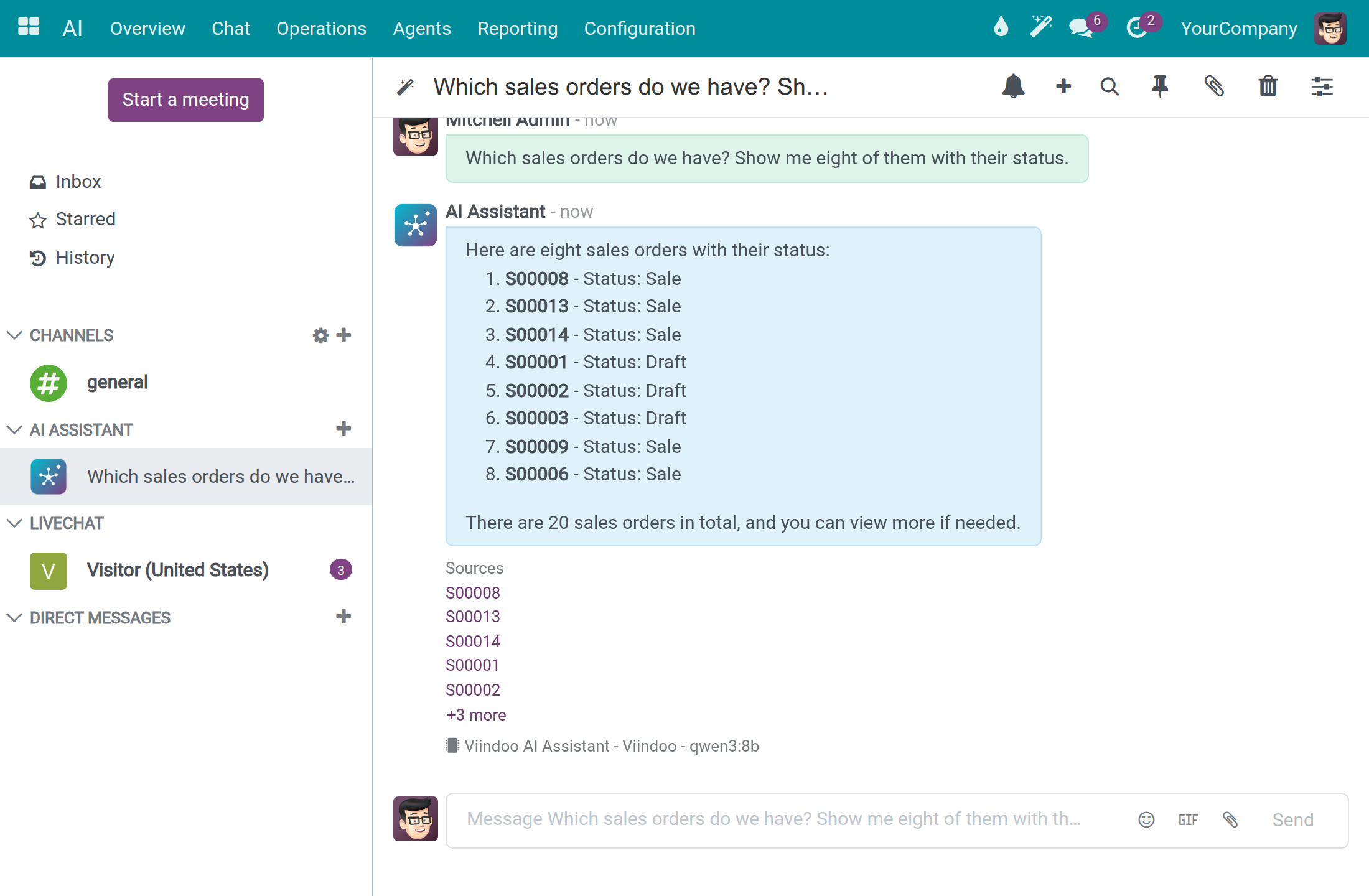
Employees type a question in the wand button on any screen, or in the AI app. The assistant looks up your quotations, orders and other records, and the documents, texts and web pages you added as knowledge. Every answer lists its Sources as links, and replies come in the language of the question.
Write where you already work
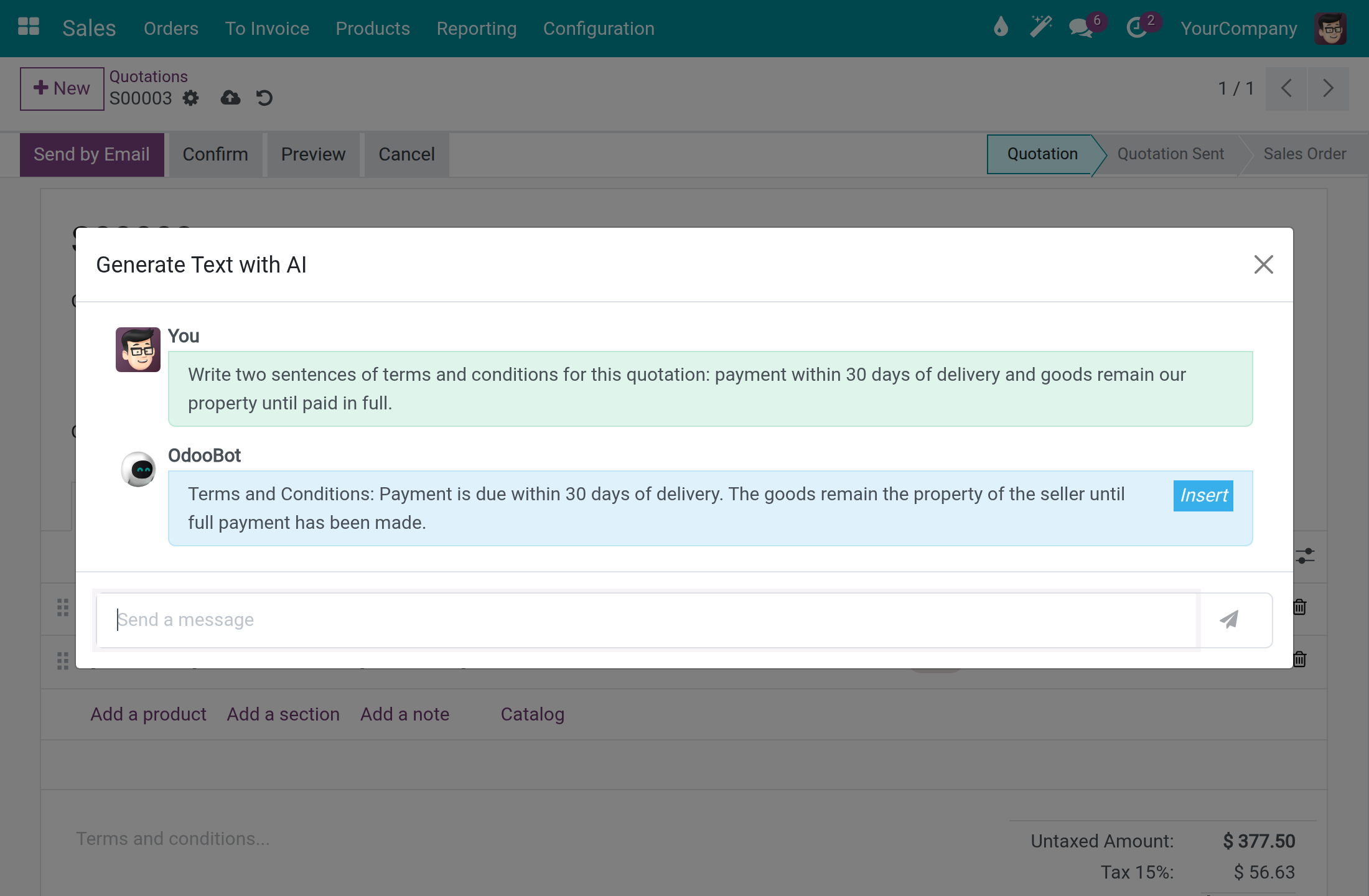
Type a command in any Odoo text editor and describe what you need: a customer email, the terms of a quotation, call notes, a summary. Review the result, then insert it with one click.
You choose the vendor and cap the spend
Connect OpenAI, Anthropic, Google, Mistral, DeepSeek, Qwen or your own self-hosted server. Each connection shows where its vendor processes data. Set daily limits per user and per company: a call over the limit is blocked with a clear message. Every call is recorded, with its cost.
Ready on day one
Skill packs
Ready-made skills for marketing, research, legal, productivity, document work and Odoo apps.
An assistant, set up
An AI assistant is waiting in the AI app and in the top bar of every screen.
A free evaluation connection
A connection ships with the app so you can try it today. It has daily token limits and small models: it is for evaluation, not production. For production, add your own vendor.
What is included
The app includes the assistant, knowledge sources, writing in editors, vendor connections, spending limits and the record of every call. AI usage with your own vendor is billed by that vendor.
Optional add-ons
AI Brain Bridge
Search and write to your knowledge base.
AI Voice Assistant
Speak to the assistant and hear the answer.
AI Live Chat
An AI chatbot for website visitors, with hand-off to a human.
AI Website
Pages and posts written with your website's own sections.
Frequently Asked Questions
Where does my data go?
Only to the AI vendor you connect, over HTTPS. Each connection shows where that vendor processes data: EU, US, Asia-Pacific or self-hosted. A self-hosted connection never uses a vendor's public service. Every call and the exact text sent are recorded, with keys masked.
How much will it cost?
Your vendor bills the usage; daily limits per user and per company, plus a limit per run, cap it. The included evaluation connection has its own daily limits.
Who can see what?
Which tools the assistant offers follows each person's access rights. A knowledge source can be restricted to chosen user groups. Administrators read the record of every call.
Which languages?
The assistant answers in the language of the question. The app's screens come in English and Vietnamese.
What do I need to run it?
Odoo 17.0 Community, Odoo 17.0 Enterprise or Viindoo Cloud, PostgreSQL with the pgvector extension, an HTTPS connection to your AI vendor, and an account with that vendor (or a self-hosted server). To only try it, the included evaluation connection needs no account.
Need help with Viindoo AI?
Pre-Sales & Partnership
viindoo.com/contactusTechnical Support
viindoo.com/ticketTechnical Requirement
- Odoo version: 17.0
- Editions: Odoo Community, Odoo Enterprise, Viindoo Cloud
- Required modules: Odoo base, bus, mail, web, web_editor; to_base, viin_api_request_logger
- License: OPL-1
Viindoo AI
This guide is for system administrators, who connect Odoo to an AI vendor and keep spending, records and data location under control, and for employees, who ask the AI assistant questions while they work.
Overview
Viindoo AI connects your Odoo database to the AI vendor of your choice and puts an AI assistant inside Odoo. Administrators set spend limits, choose where data may be processed and can always find the record of what was sent to the vendor. Employees chat with the assistant from the AI app or from any screen.
A ready-to-use connection named Viindoo is available right after installation, so the assistant answers before any vendor is configured. It is meant for a quick start and evaluation: it has daily token limits and small models. For production, connect your own AI vendor, such as OpenAI, Anthropic or Google.
The work happens in four steps:
- The system administrator keeps the Viindoo connection or connects another AI vendor.
- The system administrator sets spend limits and checks where each vendor processes data.
- Employees chat with the assistant.
- The system administrator reviews what AI cost and opens the record of any call.
| Role | What they do | Access right to assign |
|---|---|---|
| System administrator | Installs the app, connects AI vendors, sets spend limits, chooses where data may go, reads the audit records. Only this role opens Settings, Knowledge Sources, Feedback and Feedback Categories, and changes skills, screen capabilities, approved services and external tool servers. | Administration: Settings |
| AI Administrator | Opens the AI ‣ Configuration menu and maintains AI Vendors, Providers, Models, Model Lines, Message Adapters and Speech Pronunciations. Sees skills, screen capabilities, approved services and external tool servers without changing them. The API key and the endpoint stay with the system administrator. | AI: AI Administrator |
| AI Operator | Sees the AI calls of the whole company, not only their own. | AI: AI Operator |
| AI Content Manager | Has write access to knowledge sources and website crawls. Reaches the crawl rules through AI ‣ Operations ‣ Website Crawls; the Knowledge Sources menu opens for system administrators only. | AI: AI Content Manager |
| API log reader | Opens the raw HTTP record of an AI call. | Technical: API Log Viewer |
| Employee | Chats with the assistant, sees their own AI calls and notes, and reads the AI Navigation Log of their own steps. | Internal user (no extra right) |
Setup (for the system administrator)
Watch the administrator video tutorial (6:45): www.youtube.com/watch?v=yQDJoYupmrQ
Install Viindoo AI
- Open Apps, search for Viindoo AI and click Install. The apps it needs, such as Discuss and API Request Logger, are installed with it.
- Make sure your database offers the pgvector extension of PostgreSQL, which Viindoo AI requires. Your hosting provider can confirm this.
Give people the right access
Every internal user can chat with the assistant. The extra rights of the table above are assigned per user.
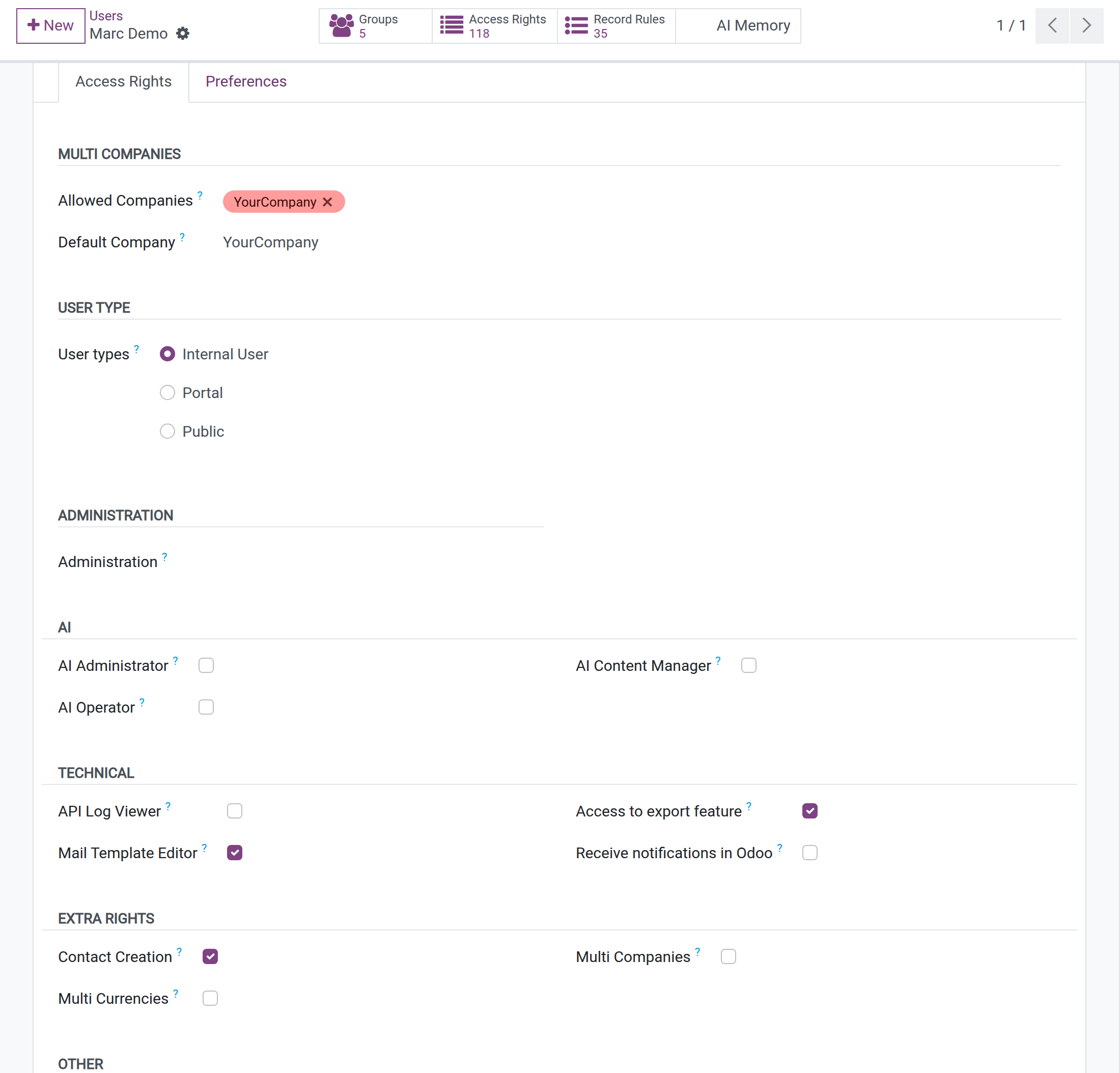
Open Settings ‣ Users & Companies ‣ Users and open the user.
Open the Access Rights tab. The AI section lists AI Administrator, AI Operator and AI Content Manager; API Log Viewer is under Technical. These sections appear when developer mode is active. Tick the right and save.
Find your way in the AI app
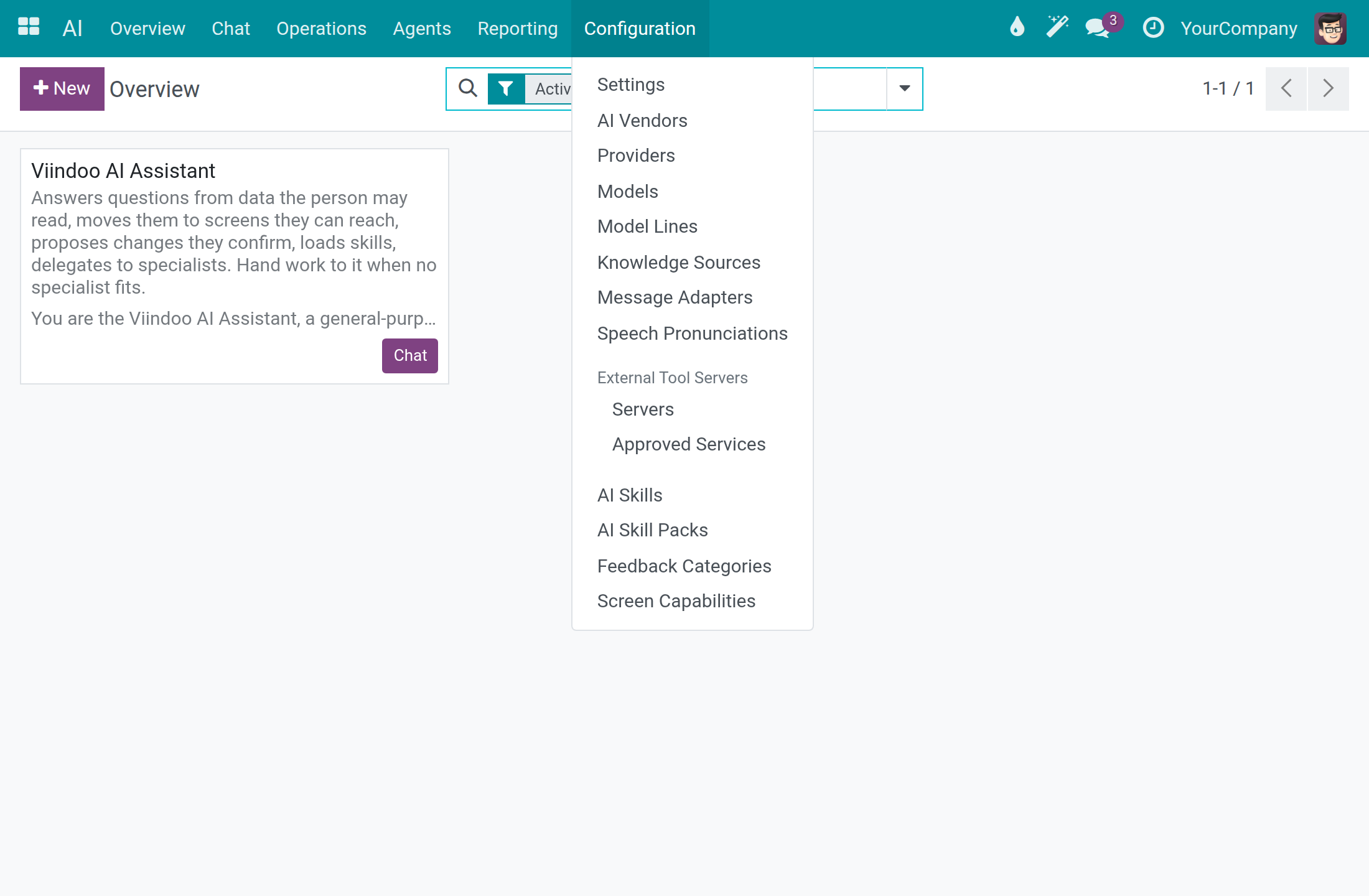
The AI app has the menus Overview, Chat, Operations, Agents, Reporting and Configuration. Everything an administrator configures lives under Configuration.
System administrator: connect and govern AI
Check the ready-to-use connection
Use this check any time you want to know whether a connection works.
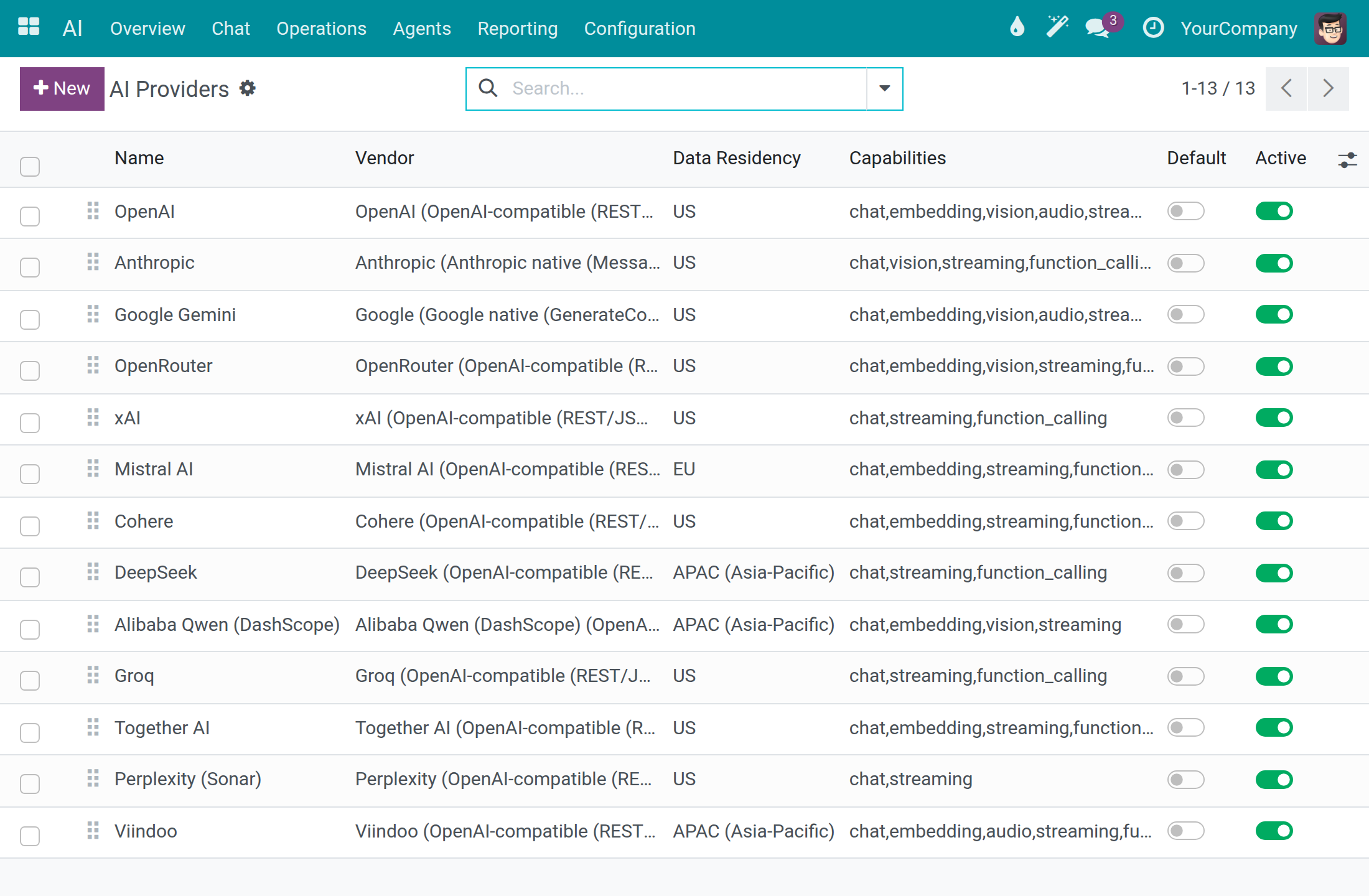
Open AI ‣ Configuration ‣ Providers. Each row is a connection to an AI vendor, with its Vendor, Data Residency and Capabilities.
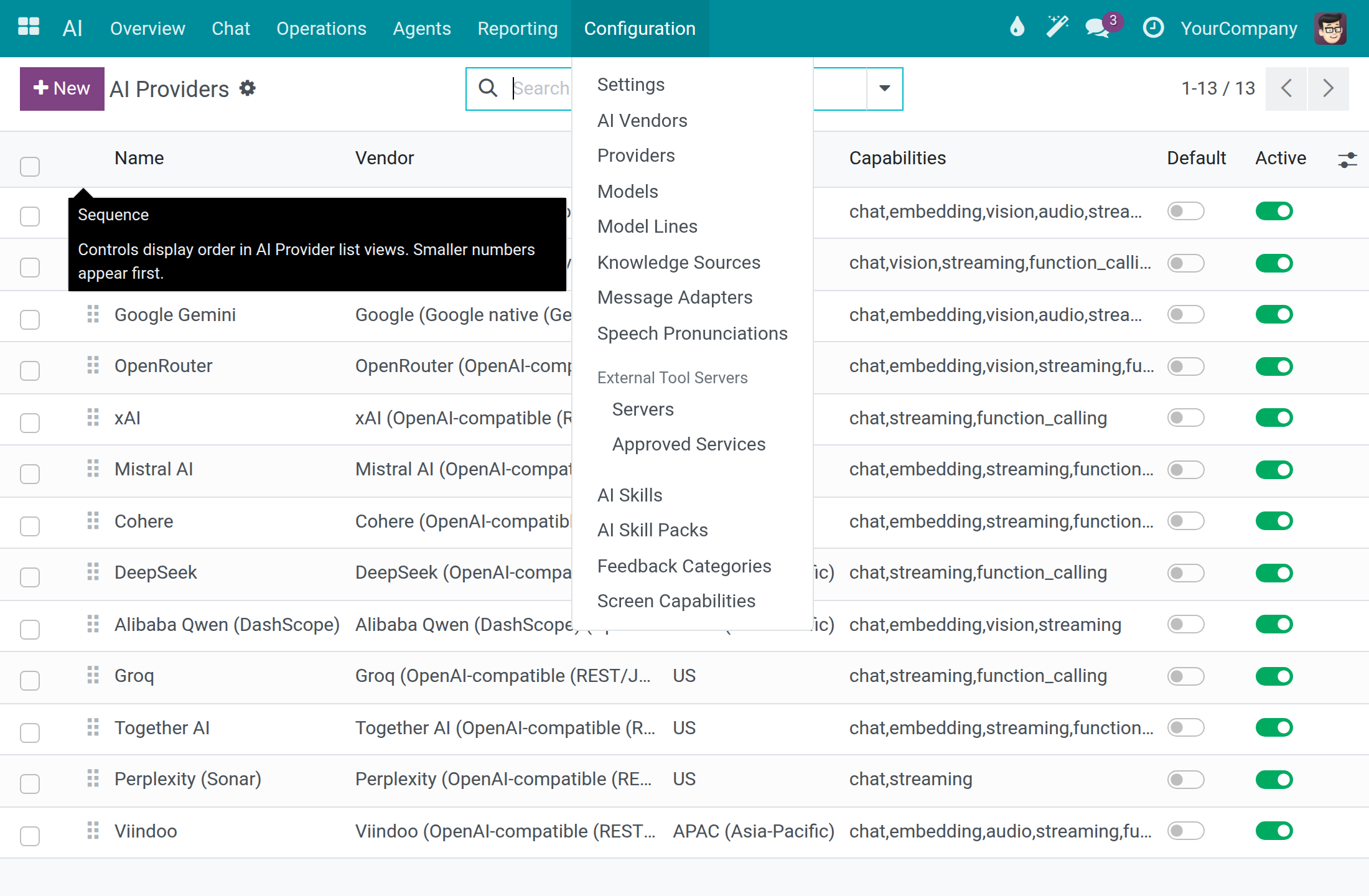
Open the connection Viindoo.
Click Test Connection. A green Connection successful message shows the round-trip time and the models the vendor reports. The test sends a tiny request through the connection, which the vendor bills under that key (a negligible amount).
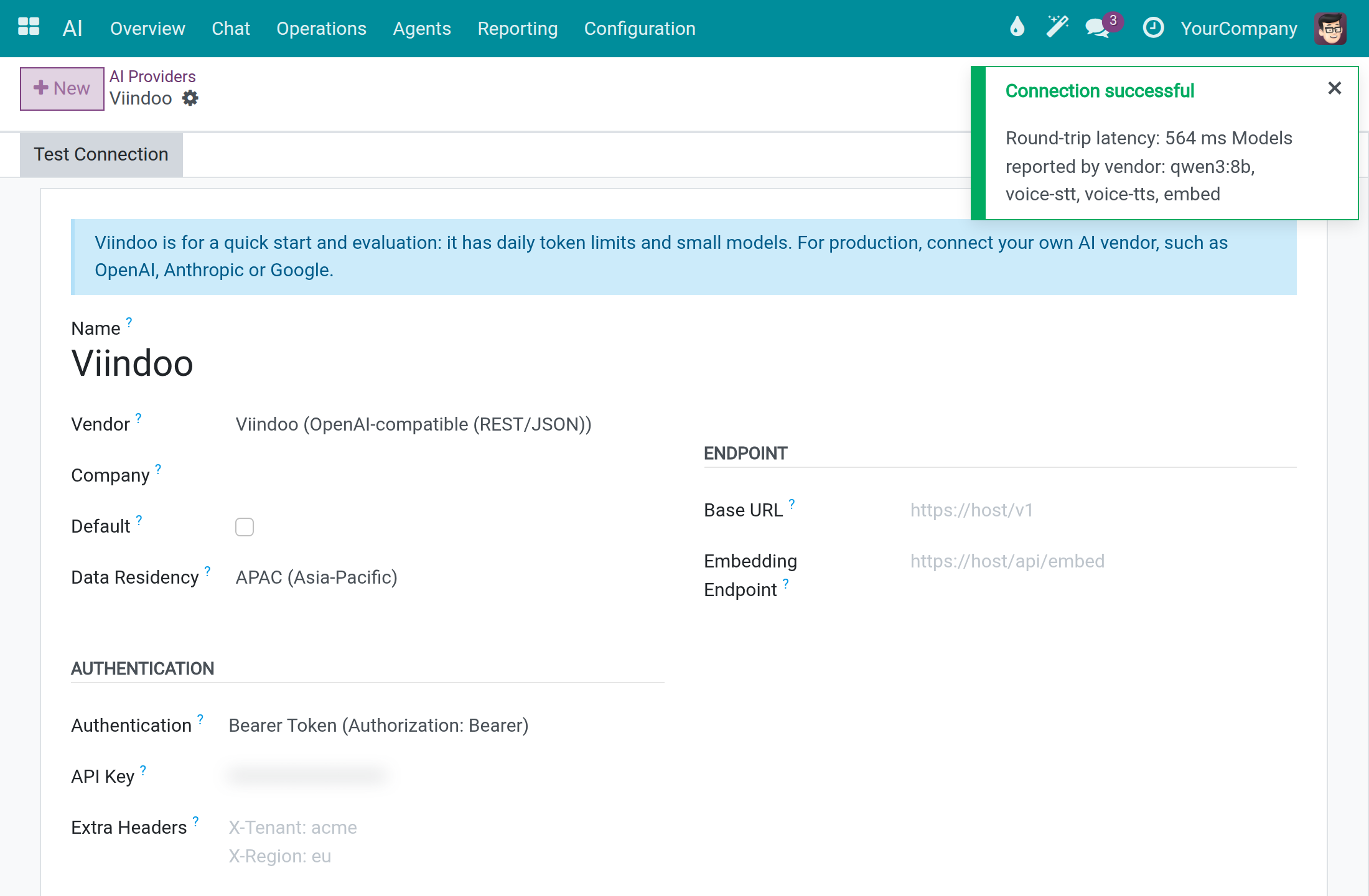
The API Key field shows dots instead of the key.
Connect your own AI vendor
Open AI ‣ Configuration ‣ Settings.
In the Connections section, open Chat Vendor and choose the connection of your vendor, for example OpenAI. Thirteen connections are listed ready to use: OpenAI, Anthropic, Google Gemini, OpenRouter, xAI, Mistral AI, Cohere, DeepSeek, Alibaba Qwen (DashScope), Groq, Together AI, Perplexity (Sonar) and Viindoo.
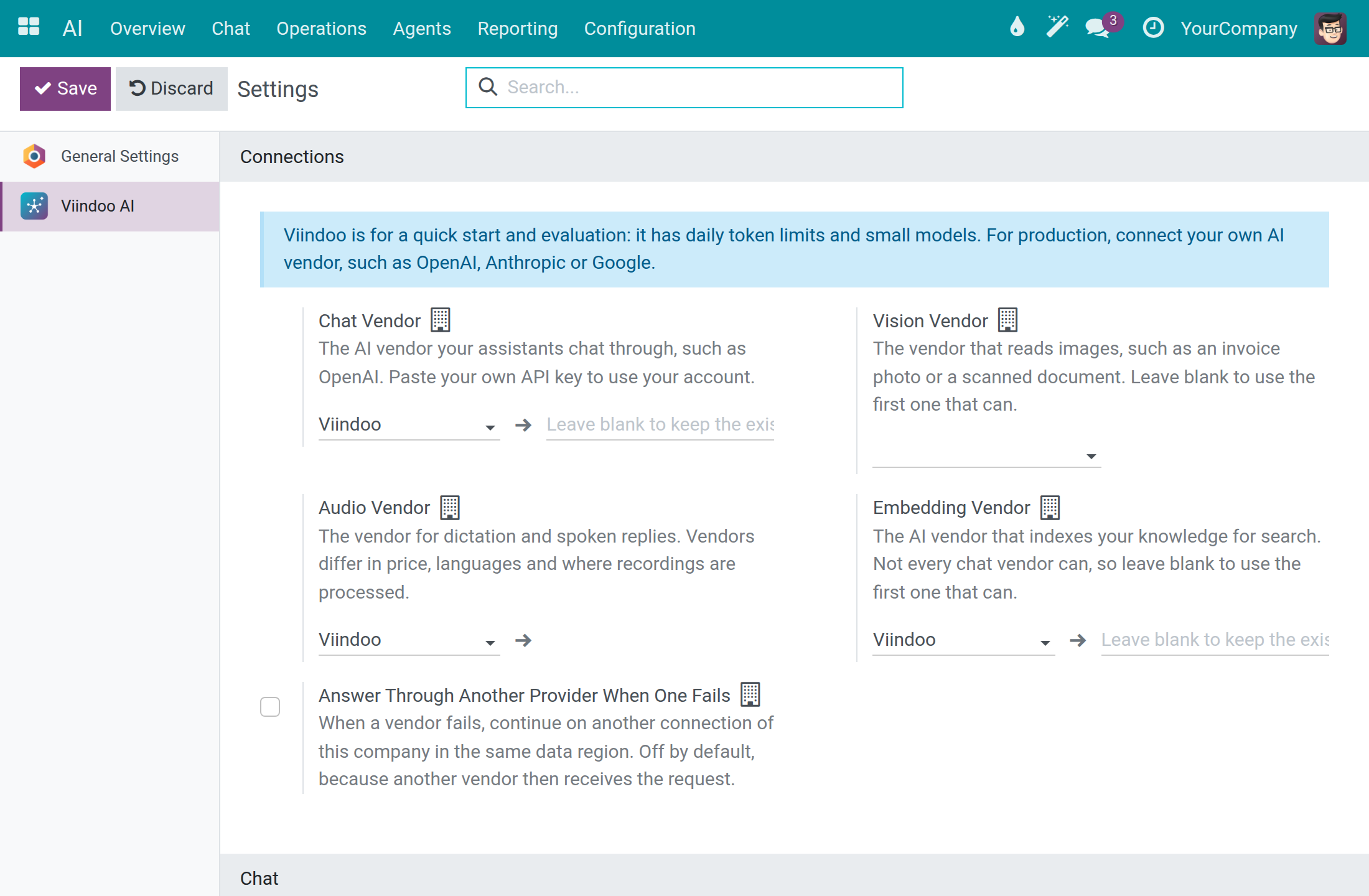
Paste your API key in the field to the right of Chat Vendor. When a key is already stored, leave the field empty to keep it.
Leave Vision Vendor empty to use the first vendor that can read images. Use Audio Vendor for dictation and spoken replies and Embedding Vendor for the search over your knowledge in the same way.
Click Save.
Open AI ‣ Configuration ‣ Providers, open your connection and click Test Connection to confirm that the key works.
Note
Fields marked with a small building icon apply to the current company, so each company of a multi-company database can use its own vendor. A vendor that has no ready connection, for example an Ollama server or Azure OpenAI, is added with New in AI ‣ Configuration ‣ Providers: pick the Vendor, fill in Base URL and the key.
Choose where data may go
Each connection declares where its vendor processes data. Use it to match your own policy, for example to keep data of European customers with a vendor in the EU, or to keep everything on your own servers.
Open AI ‣ Configuration ‣ Providers and read the Data Residency column: EU, US, APAC (Asia-Pacific) or Self-Hosted (on-premise). In the ready-made list Mistral AI is EU, OpenAI is US.
Open a connection to see its Data Residency. Picking a vendor fills it with the vendor's typical region; you can change it, and your choice is kept. Choose Self-Hosted (on-premise) only for a server on your own infrastructure.
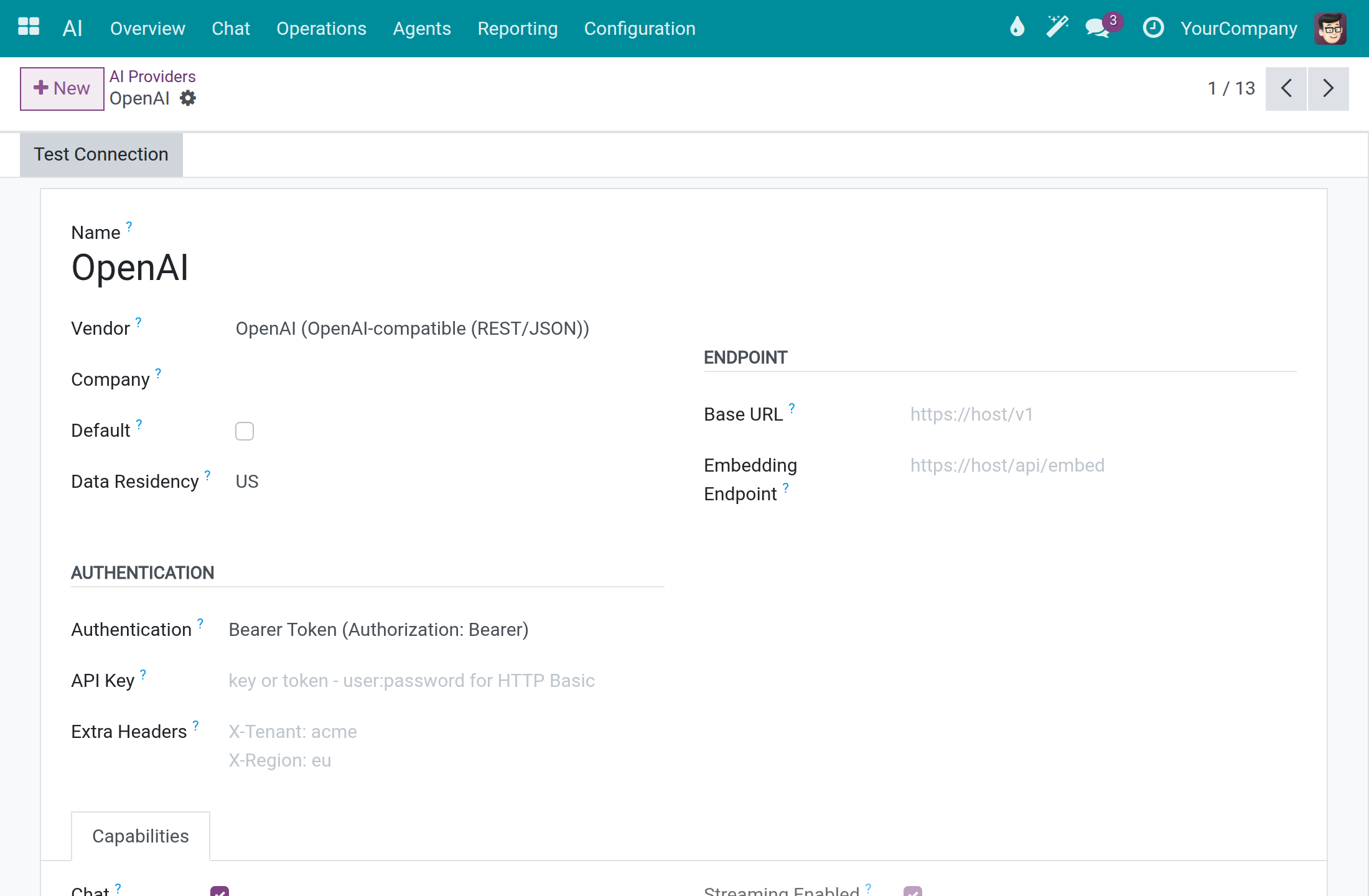
For a self-hosted server, fill in Base URL with your own endpoint. A connection set to Self-Hosted (on-premise) with no private endpoint refuses to send requests to the vendor's public service.
Choose the connection that fits your policy in Chat Vendor (see the previous section).
In AI ‣ Configuration ‣ Settings, Answer Through Another Provider When One Fails is off by default. Turn it on to let a failed request continue on another connection of the same company in the same data region; it stays off when you do not want another vendor to receive the request.
Allow External Provider for Memory Summarization, in the Privacy and Data section of the same screen, is off by default: the daily summary of assistant memory then uses only a self-hosted connection, and that data stays on your infrastructure.
Set spend limits
Open AI ‣ Configuration ‣ Settings.
Go to the Cost Control section and change a limit, for example Hard Cost Cap per User per Day (USD) to 5.00.
Click Save. The page reloads and shows the limits as saved.
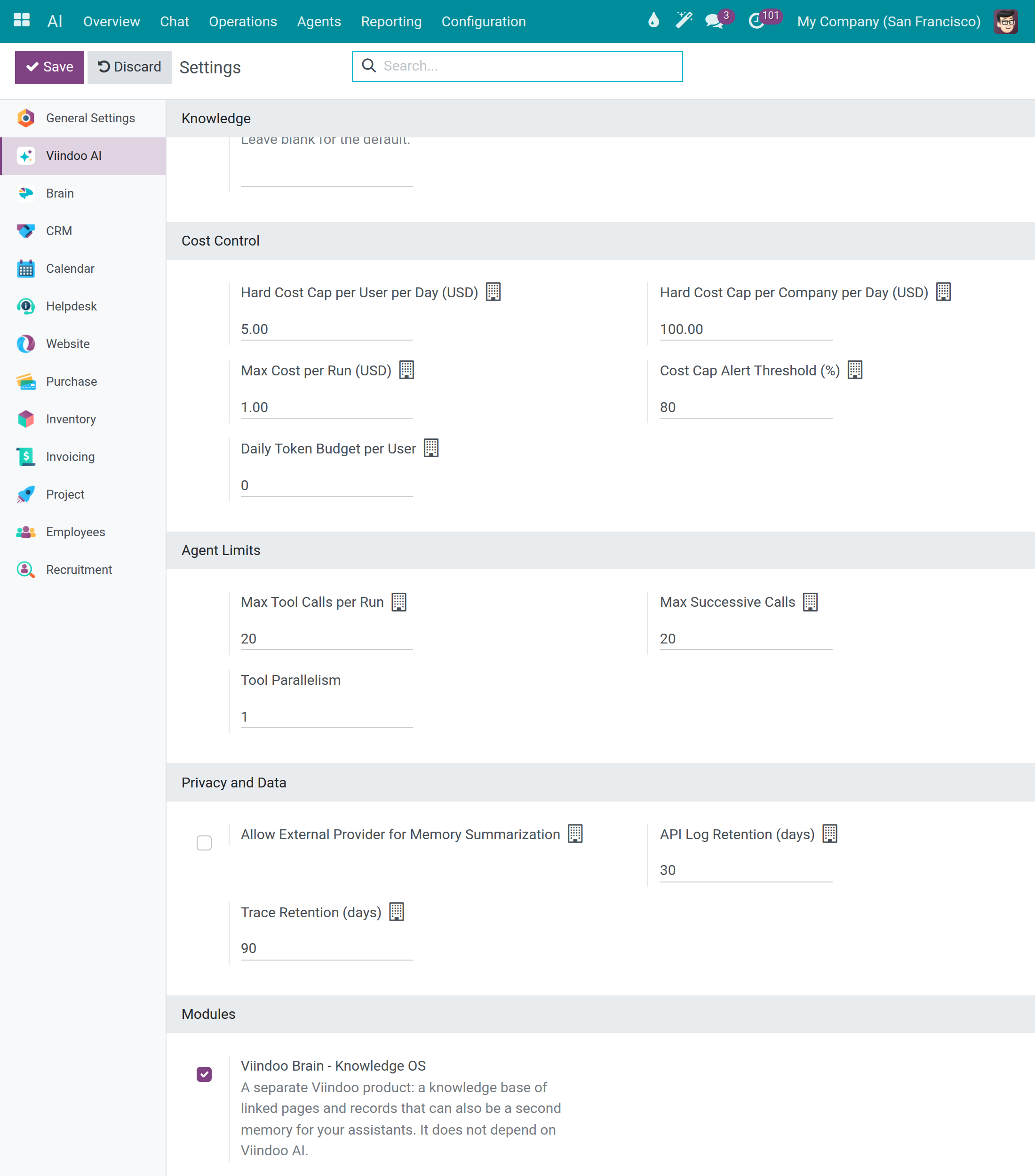
| Setting | What it does | Value on a fresh install |
|---|---|---|
| Hard Cost Cap per User per Day (USD) | Blocks requests above this daily spend of one person. | 10.00 |
| Hard Cost Cap per Company per Day (USD) | Blocks requests above this daily spend of the company. | 100.00 |
| Max Cost per Run (USD) | Most an assistant may spend in one run. | 1.00 |
| Cost Cap Alert Threshold (%) | Warns when spending reaches this percentage (0-100) of the hard cap. | 80 |
| Daily Token Budget per User | Warns once a person passes this many tokens in a day; never blocks. 0 turns it off. | 0 |
For the three hard limits, -1 means unlimited and 0 is not accepted. A request that would exceed a hard limit is refused before anything is sent to the vendor, and the person sees a clear message that the daily cost cap is exceeded. The Agent Limits section next to it caps the tool calls and consecutive AI calls of one run (20 each).
The Modules section at the bottom of the same screen offers the optional add-on app Viindoo Brain - Knowledge OS, which you can turn on from here.
See what AI costs and find the record of what was sent
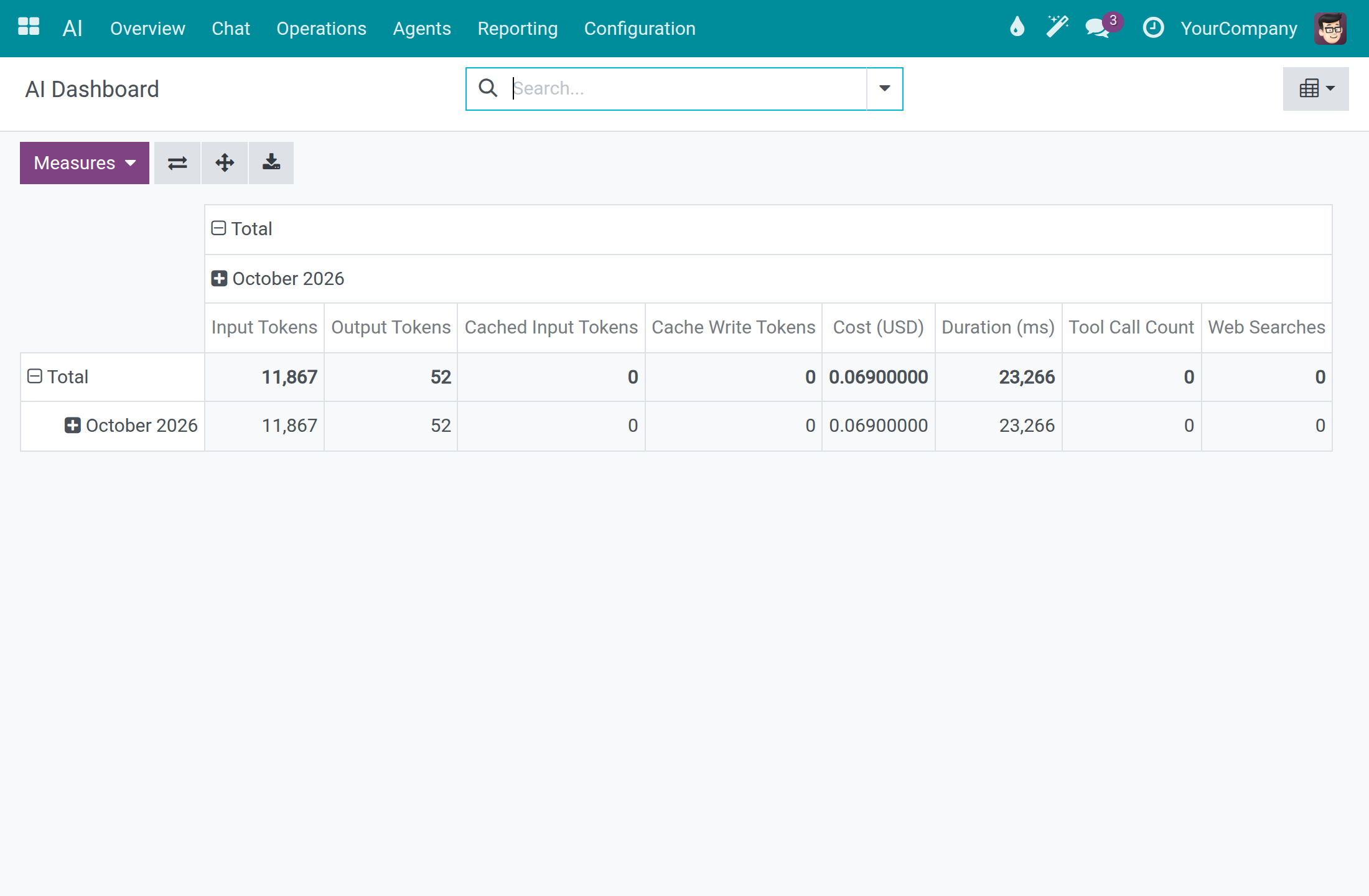
Open AI ‣ Reporting ‣ Dashboard. The table shows tokens and Cost (USD) per month.
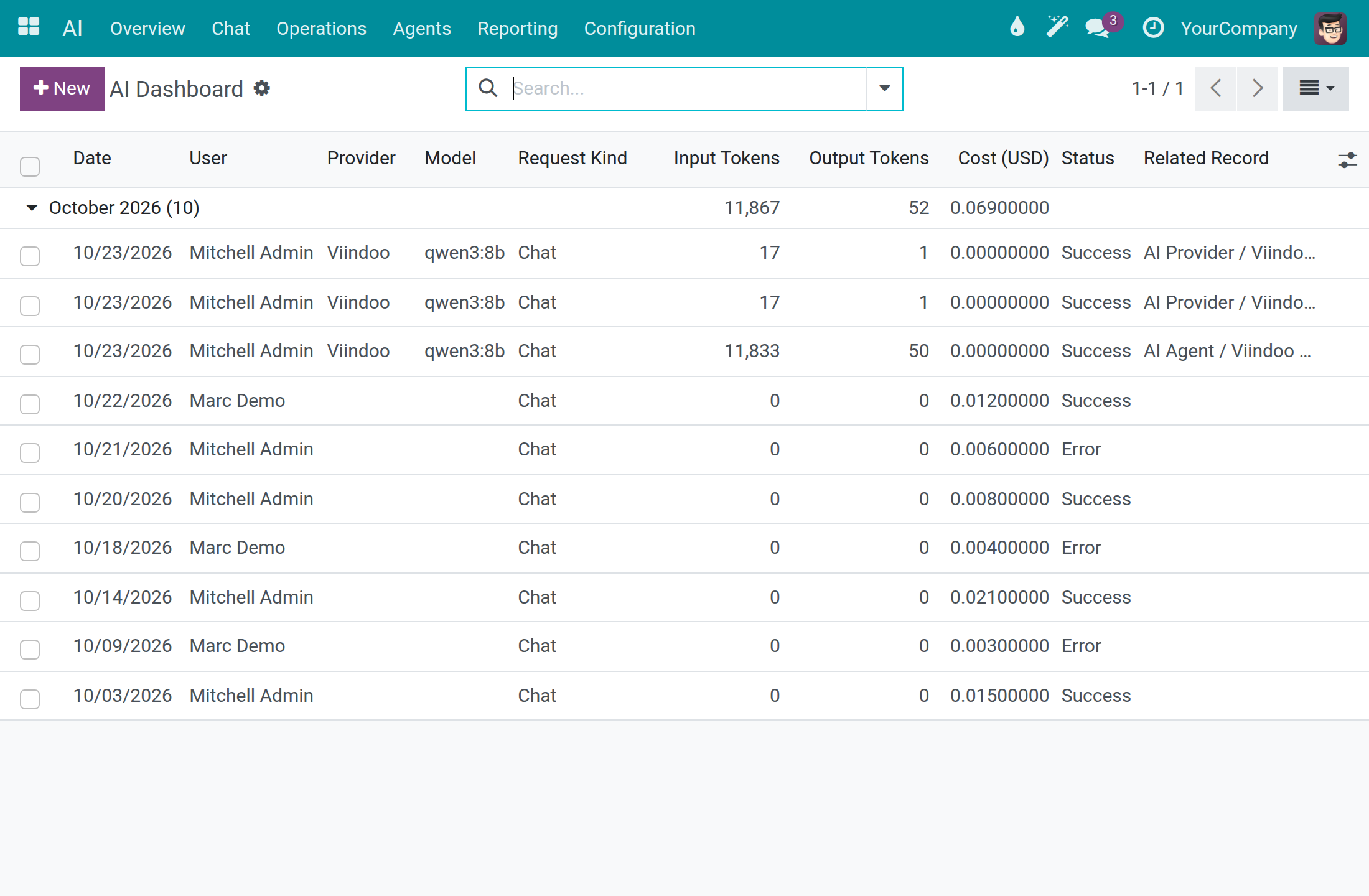
Switch to the List view with the view switcher at the top right and expand the month. Each row is one call to a vendor, with the date, user, provider, model, request kind, tokens, cost and Status (Success or Error).
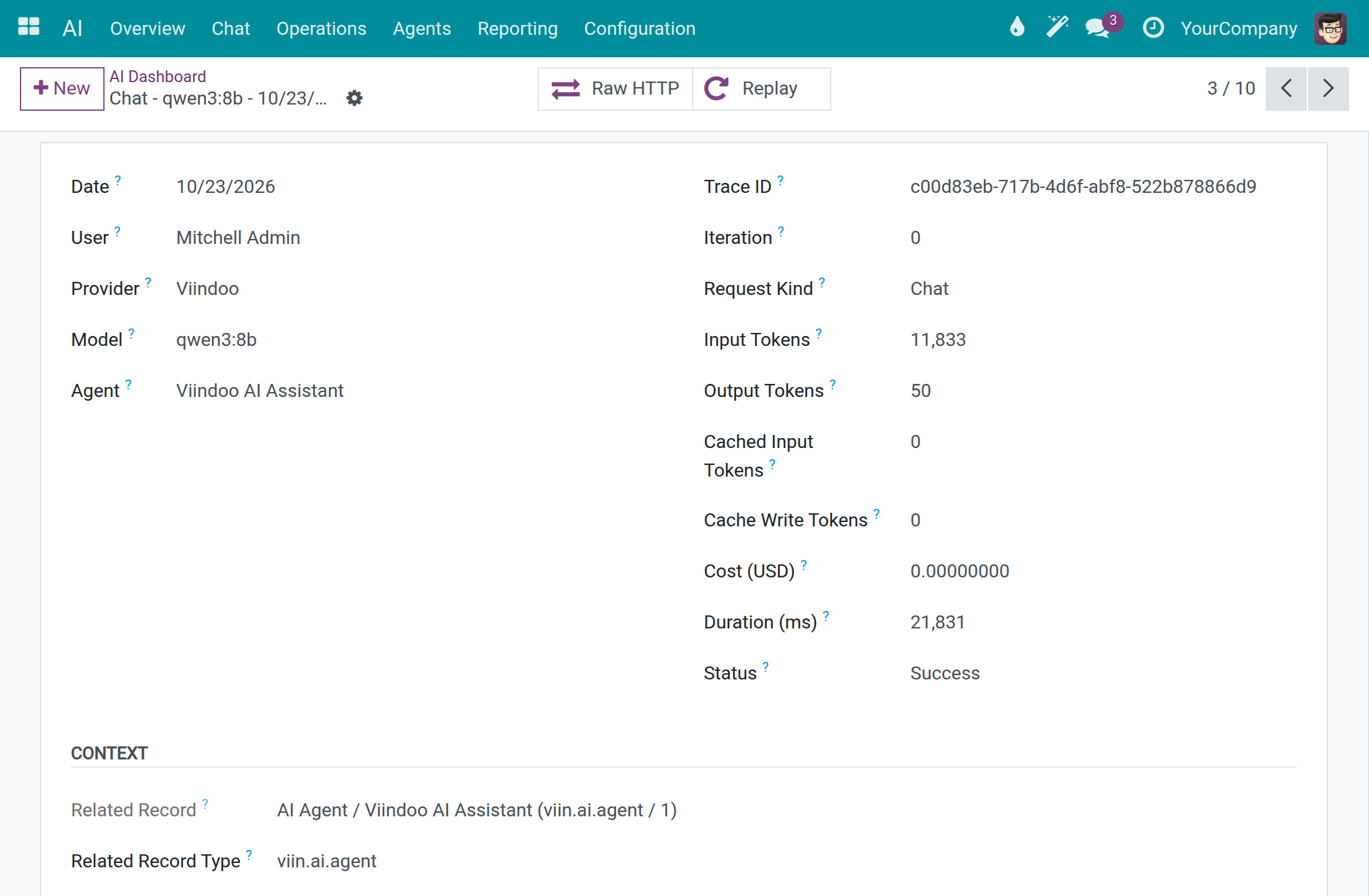
Open a row. The Prompt tab shows what was sent to the vendor, Response what came back and Tool Calls the actions the assistant ran.
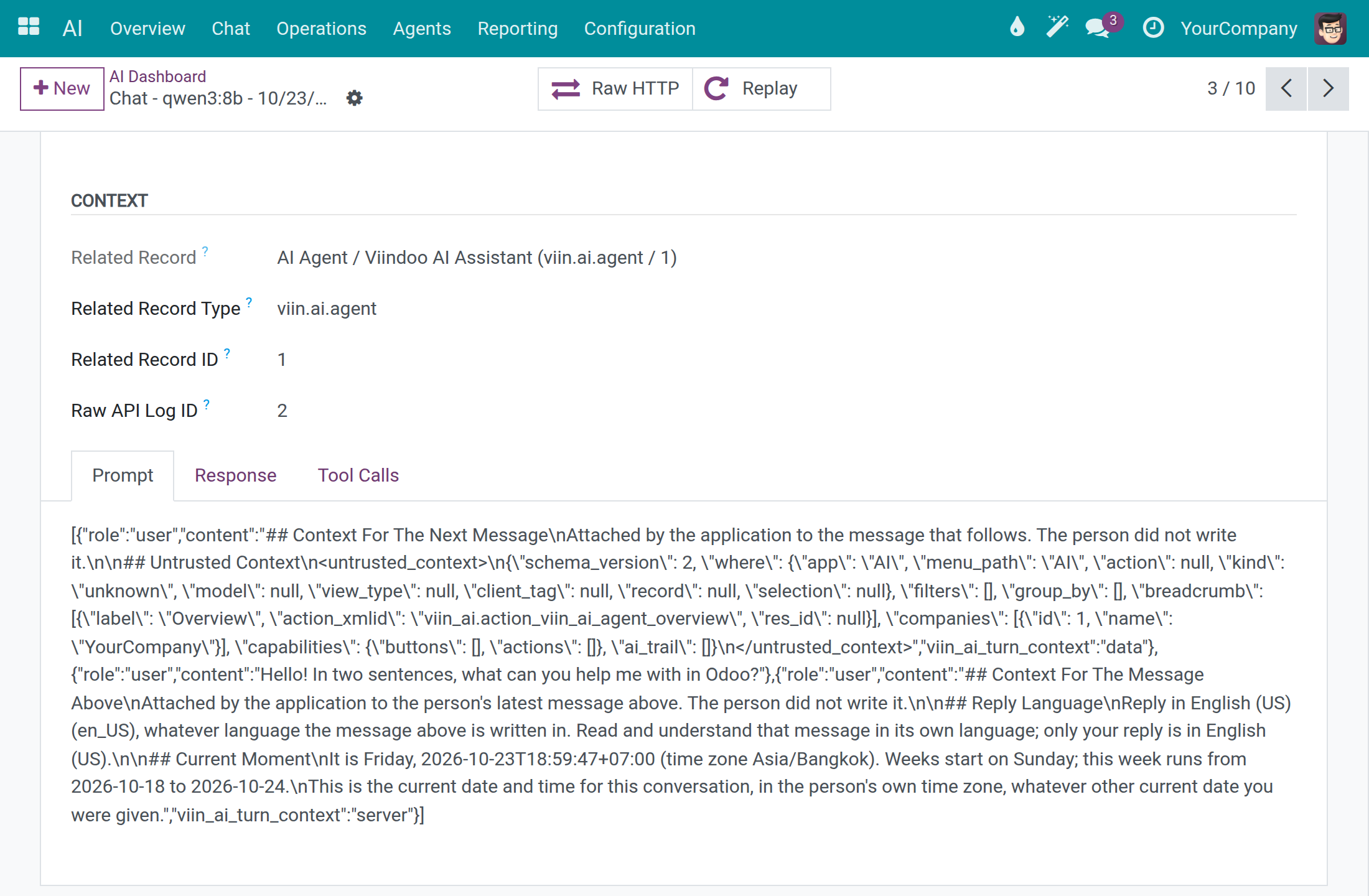
Scroll to the notebook and open Prompt to read the exact messages of the call.
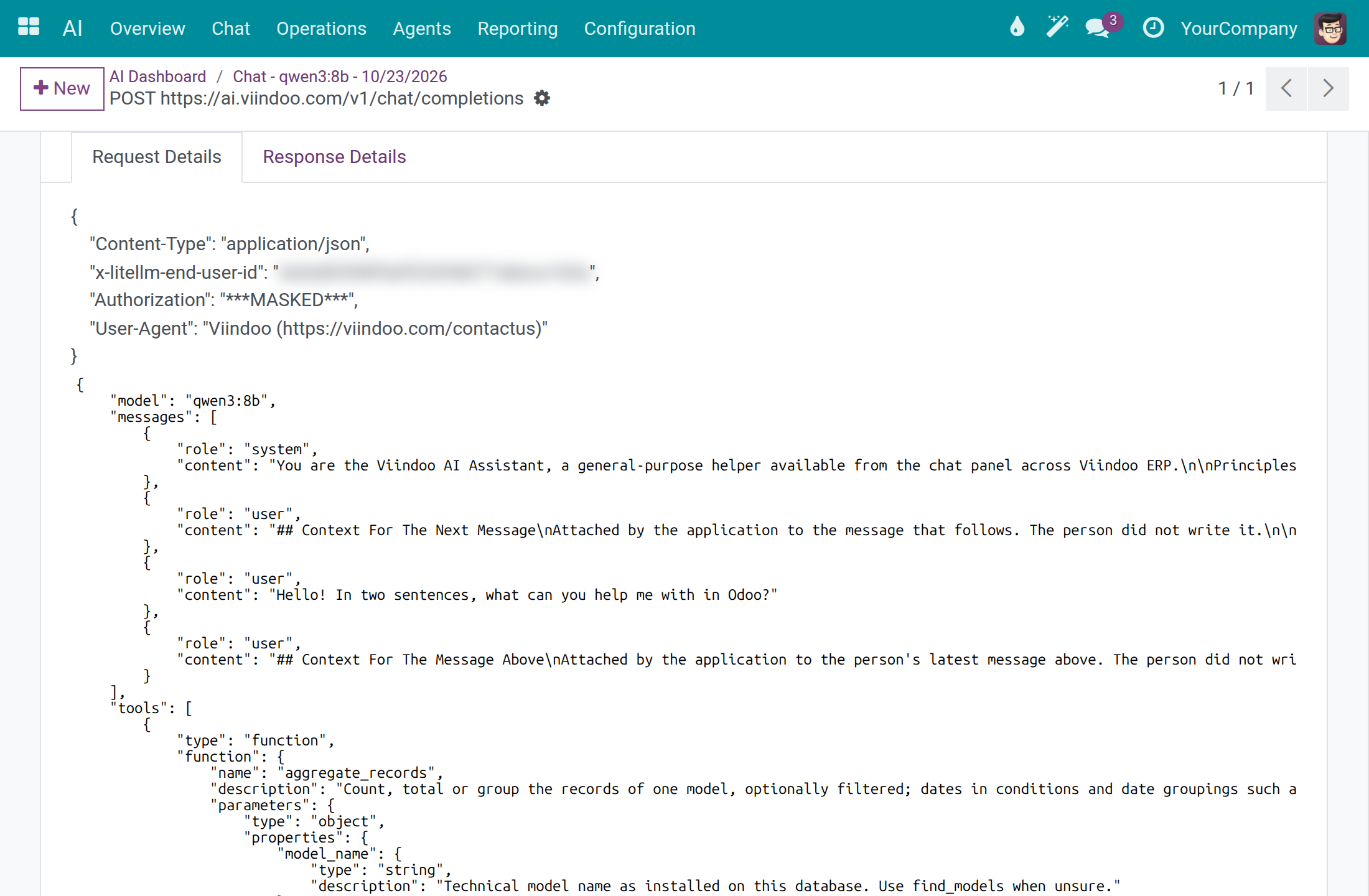
Click Raw HTTP to open the HTTP record of the call: method, URL, response status, duration, and in Request Details the headers and the body. The Authorization header shows ***MASKED***, so keys are never readable here.
Note
Raw HTTP opens for a system administrator or a user with API Log Viewer. The same records are listed in the API Logs app under API Request Logs. The Replay button sends the stored request to the vendor again and counts as a new request; only a system administrator sees it.
Every employee sees their own calls in the Dashboard; an AI Operator or a system administrator sees the calls of the whole company. In AI ‣ Configuration ‣ Settings, API Log Retention (days) (30 by default) and Trace Retention (days) (90 by default) set how long the records are kept before they are deleted.
Follow every request of one answer
An answer can take several requests to the vendor, one for each step the assistant takes. Use this list to follow them together. It is for a system administrator, in developer mode.
Open Settings ‣ Technical ‣ Database Structure ‣ AI Request Logs. Each row is one request of an AI answer, with the date, the whole AI Trace ID, the AI Iteration (the step of the answer), AI Finish Reason, the tokens sent and received, Response Status and Duration (s). The rows of one answer follow each other in step order and share the same AI Trace ID.
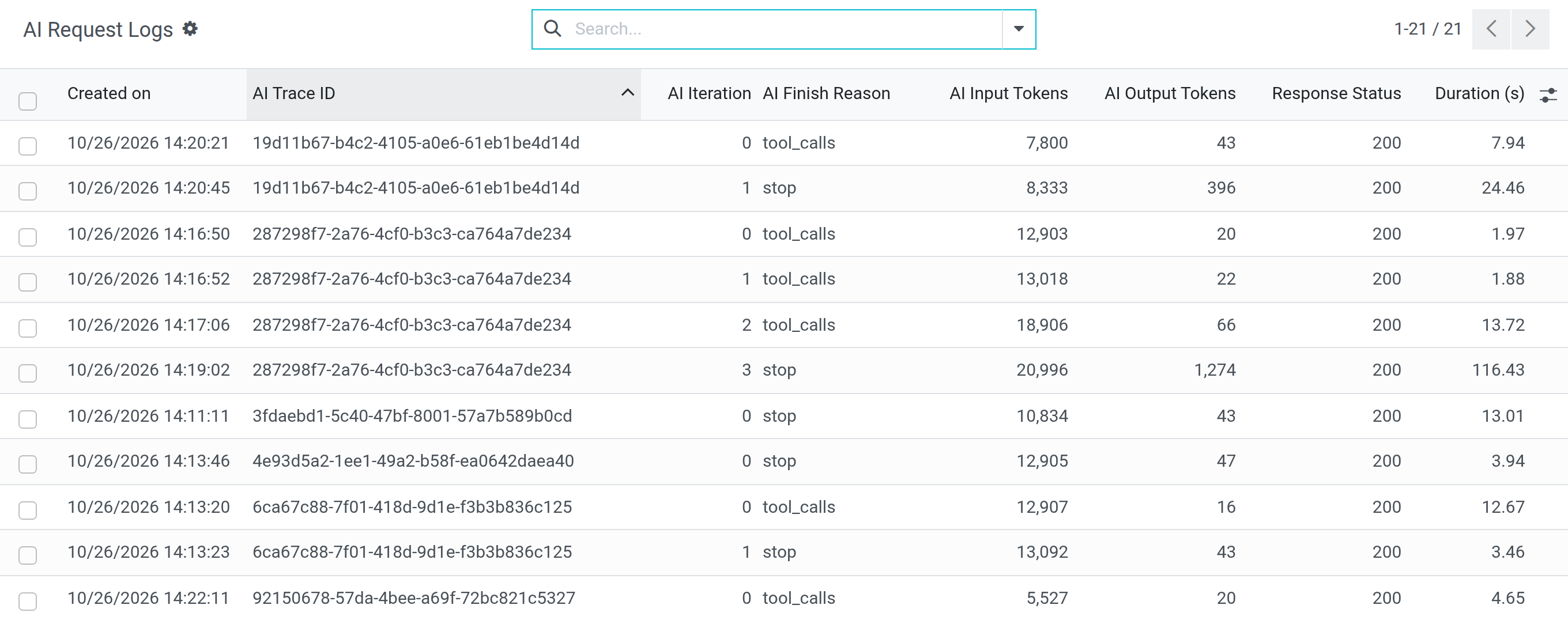
Open a row to read the request and the response of that step. The form is the one of API Request Logs.
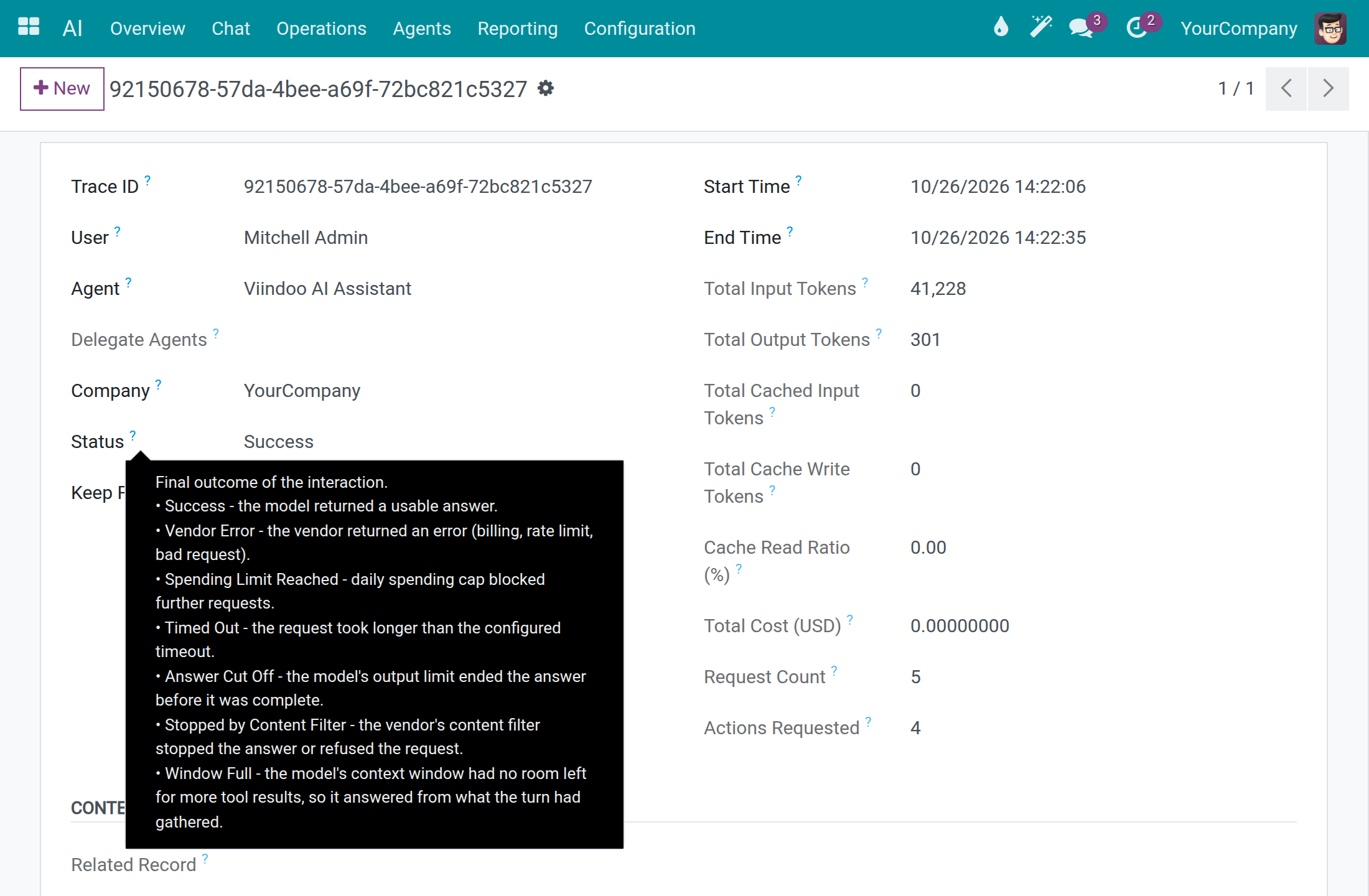
To see how an answer ended, open AI ‣ Agents, open the assistant and click Traces. The Status of a trace is Success, Vendor Error, Spending Limit Reached, Timed Out, Answer Cut Off, Stopped by Content Filter or Window Full. Window Full means the model's context window had no room left for more tool results, so the assistant answered from what the turn had gathered.
Employee: talk to the assistant
Watch the employee video tutorial (2:44): www.youtube.com/watch?v=mFYPh89LG6c
Start a conversation
Open AI ‣ Chat. Discuss opens on your latest AI conversation. Your conversations are listed under AI ASSISTANT in the left column.
Click + next to AI ASSISTANT. The field Find or start an AI chat opens with New chat first; click New chat to start a fresh conversation.
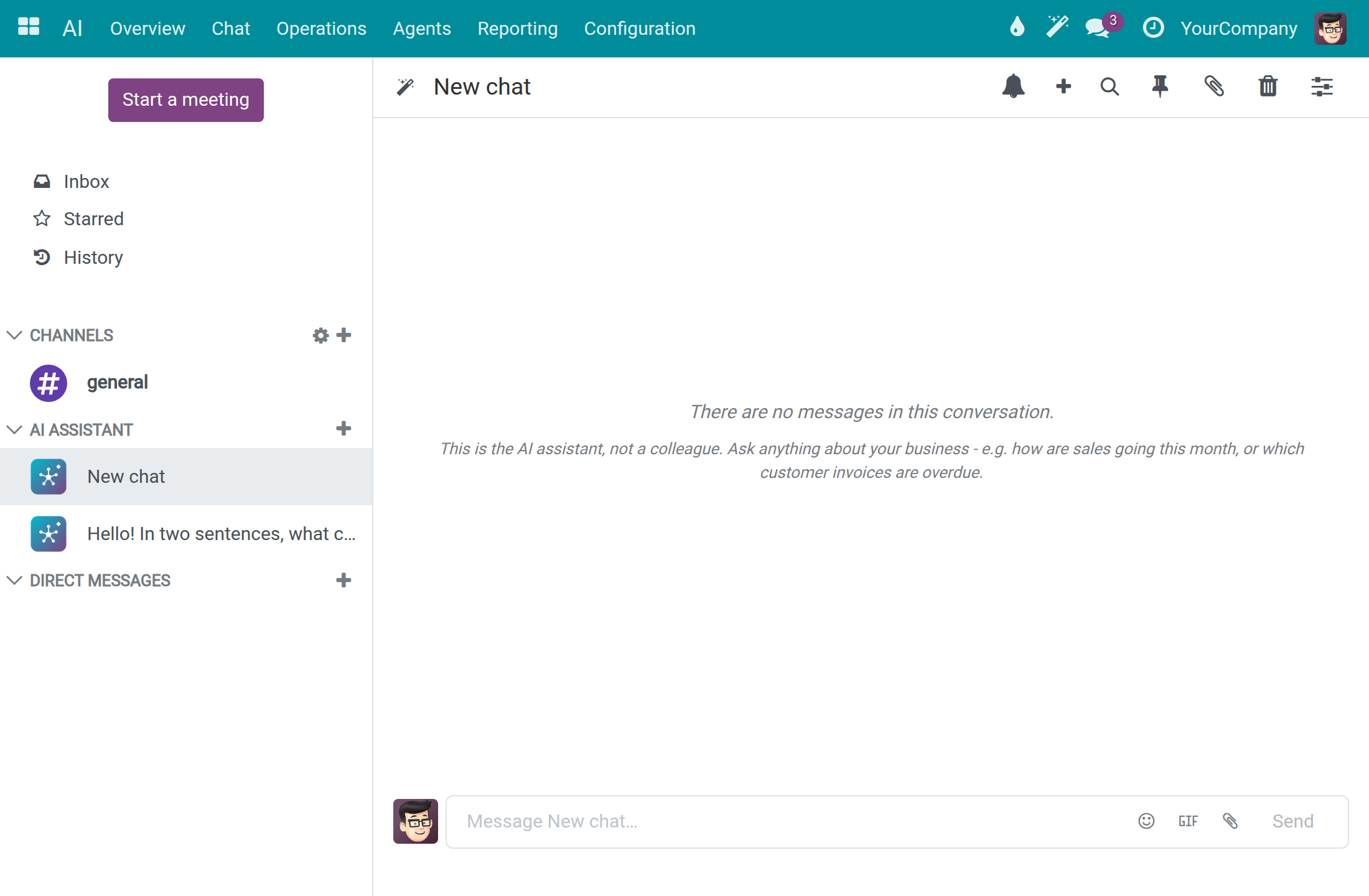
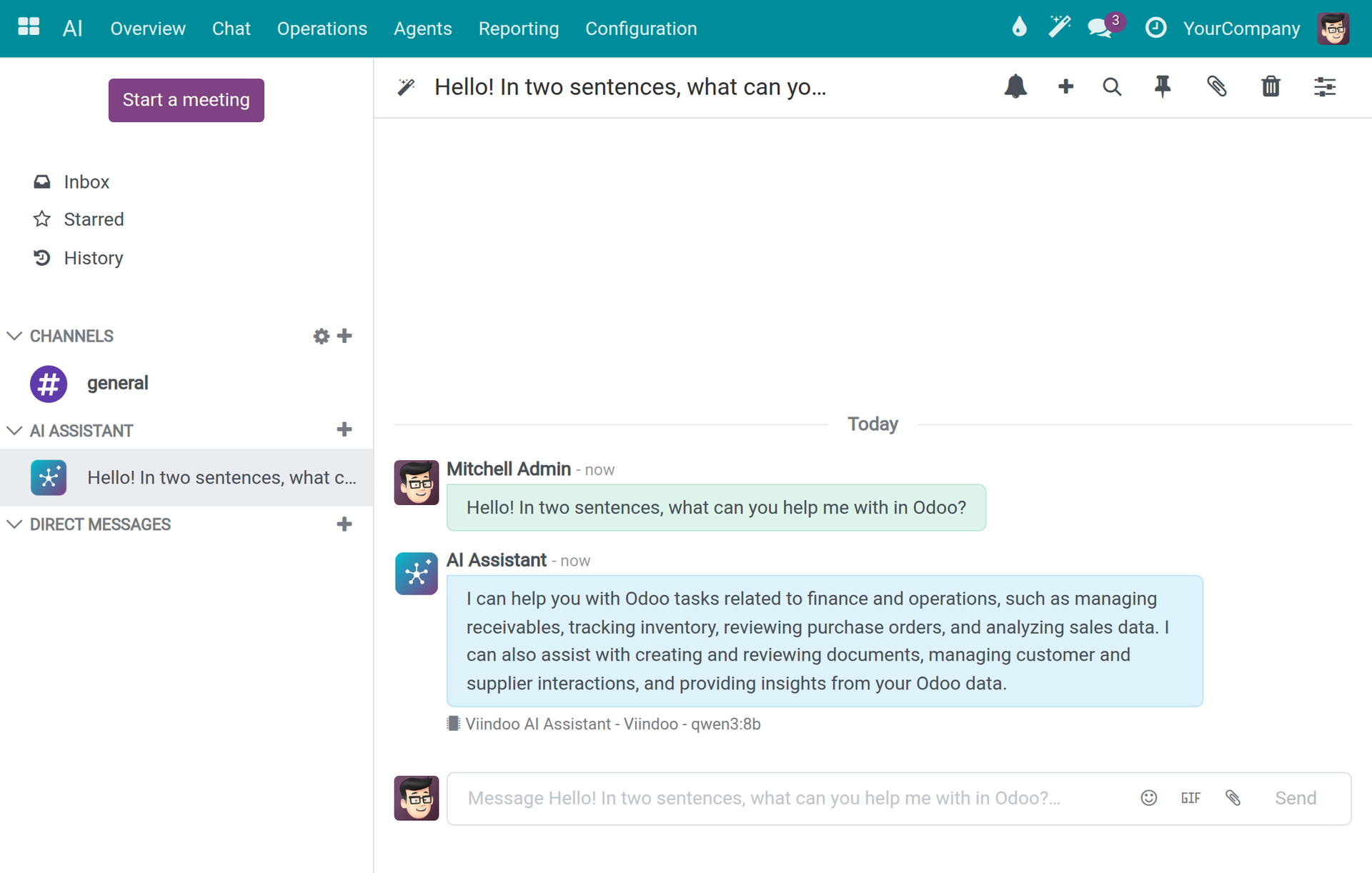
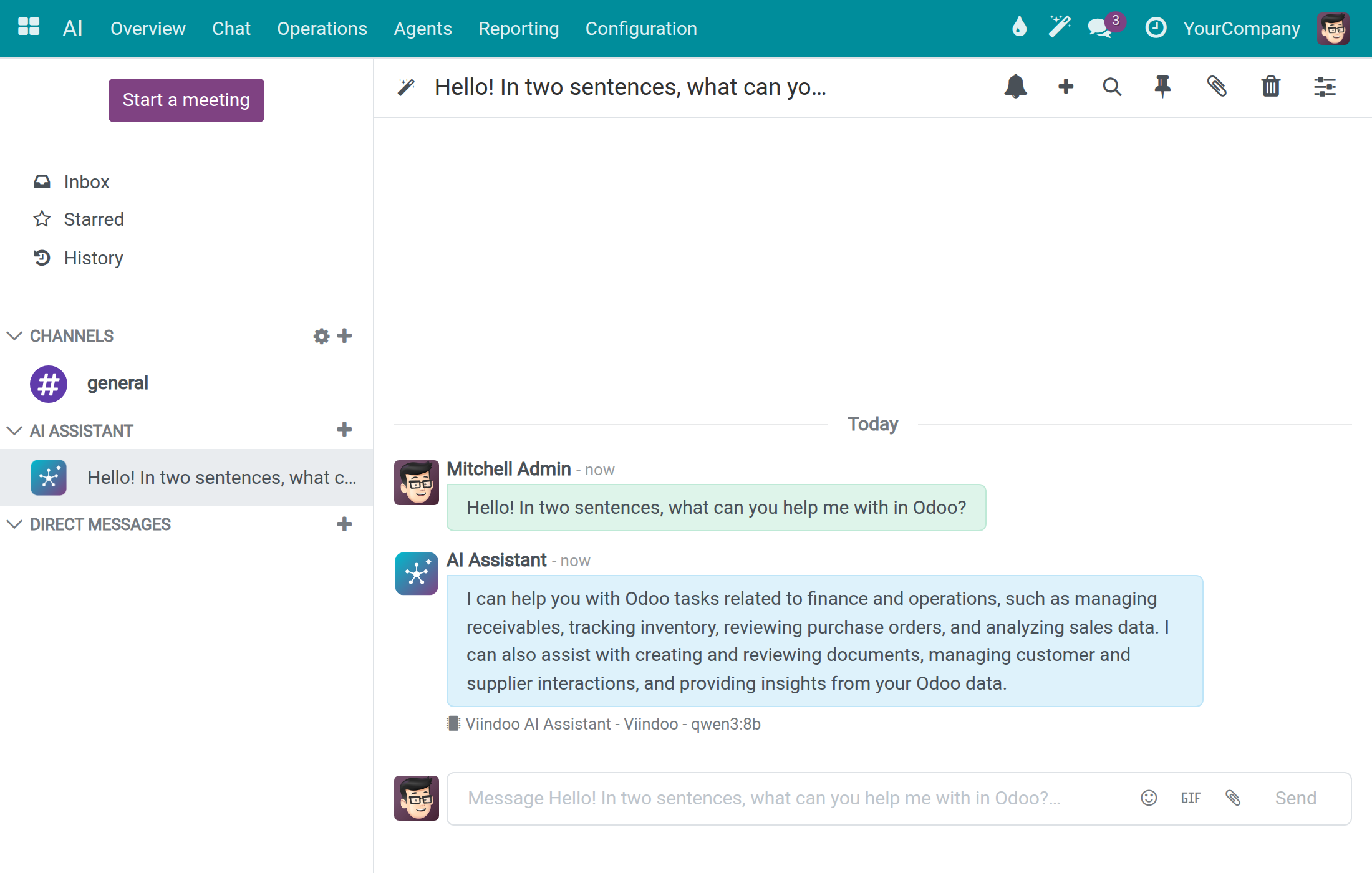
Type your question in the message box and press Enter. Generating... and AI Assistant is typing... show that the answer is being written.
The answer appears under your question. A line below it names the assistant, the connection and the model that answered, for example Viindoo AI Assistant - Viindoo - qwen3:8b. The conversation takes the title of your first question.
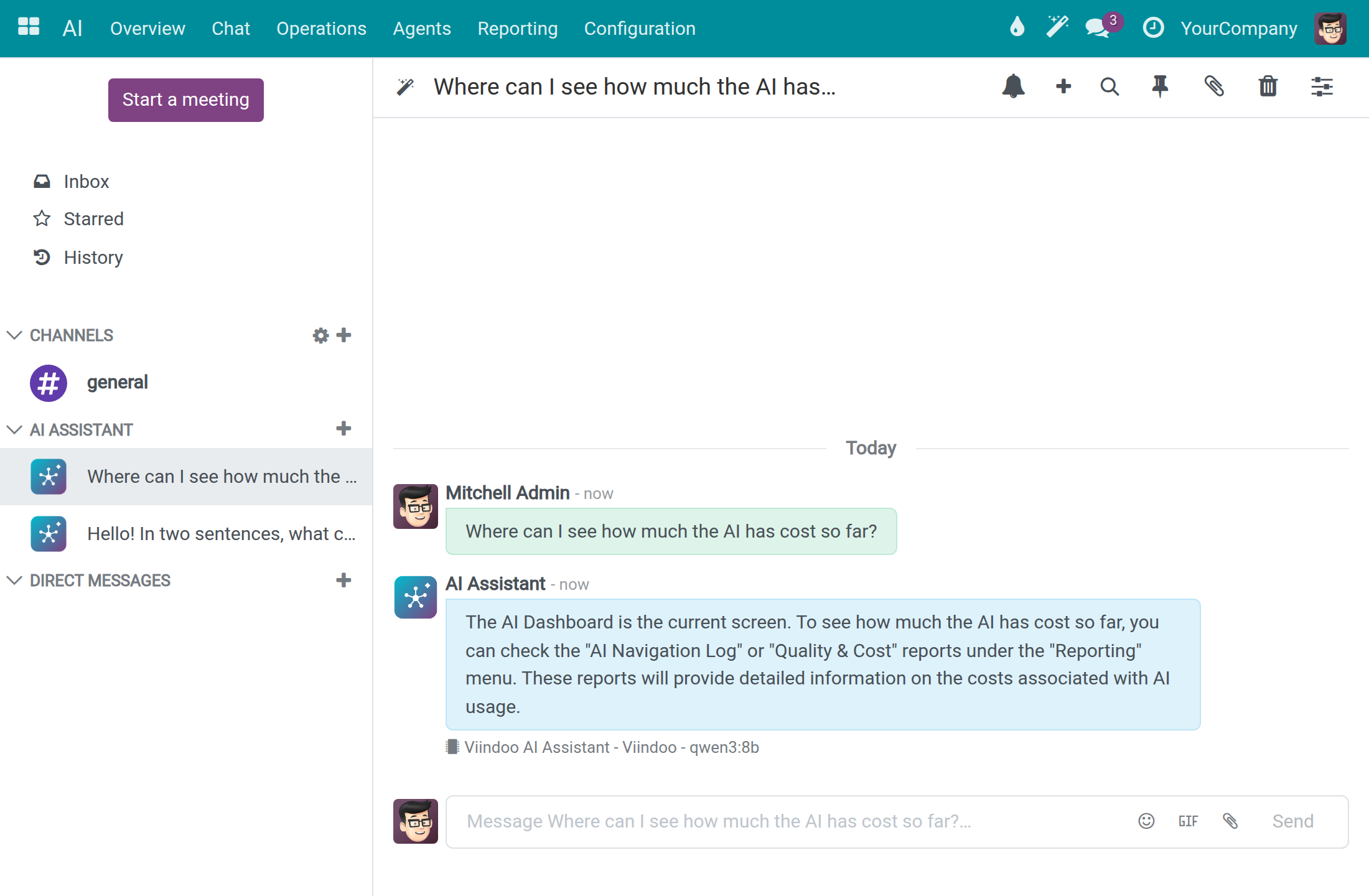
The assistant answers in the language of your question. The ready-to-use connection uses a small model, so check important answers.
Hide a conversation and find it again
Your AI conversations are yours alone: nobody else sees them. Hide the ones you have finished with in the left column, the way you hide a direct chat. A hidden conversation keeps its messages, its name, its assistant and its model choice.
Point at a conversation under AI ASSISTANT. Two icons appear on its row: the gear AI Settings and the cross Unpin Conversation.
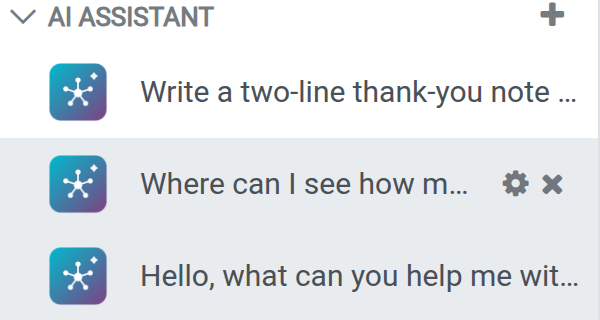
Click the cross. Discuss confirms that you unpinned the conversation and the row leaves the column. The cross is missing while the conversation holds an answer you have not read yet; read the answer first. The gear opens the conversation with its AI Settings panel.
To bring a hidden conversation back, click + next to AI ASSISTANT and type a word of its name. The list offers New chat first, then your own conversations that match, hidden ones included, each with the date of its last message.
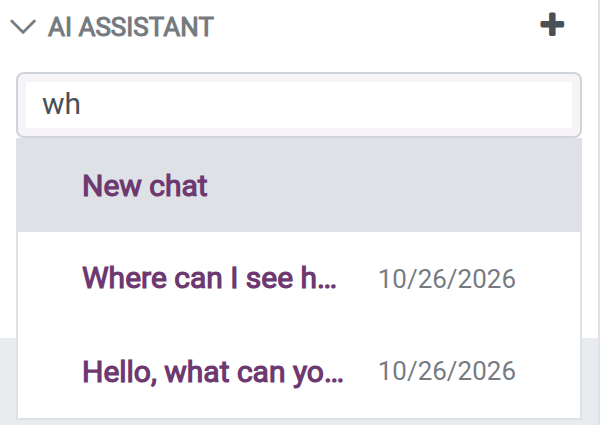
Choose a conversation. It opens with its messages and returns to your left column, also after you reload the page and on your other devices.
A hidden conversation also comes back by itself when the assistant posts an answer in it, for example an answer that finishes after you hid the conversation. An unread AI answer is counted like any other unread message, with the badge on every open tab. The heading AI ASSISTANT and its + stay in the column when every conversation is hidden. The trash icon Delete this chat in the header of a conversation deletes it for good.
Use AI conversations on a phone
Open Discuss on your phone and tap the Chat tab at the bottom. Your AI conversations are listed under the buttons Start a conversation and AI chat.
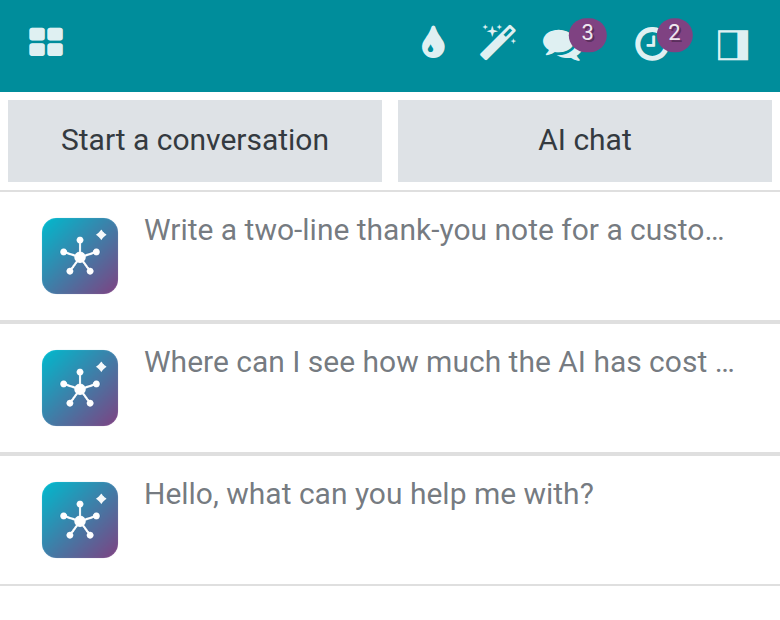
Swipe a conversation to the left to hide it, as long as it holds no unread answer.
To find a hidden conversation or start a new one, tap AI chat, type a word of its name and choose from the list, the same list as on a computer.
Ask from any screen
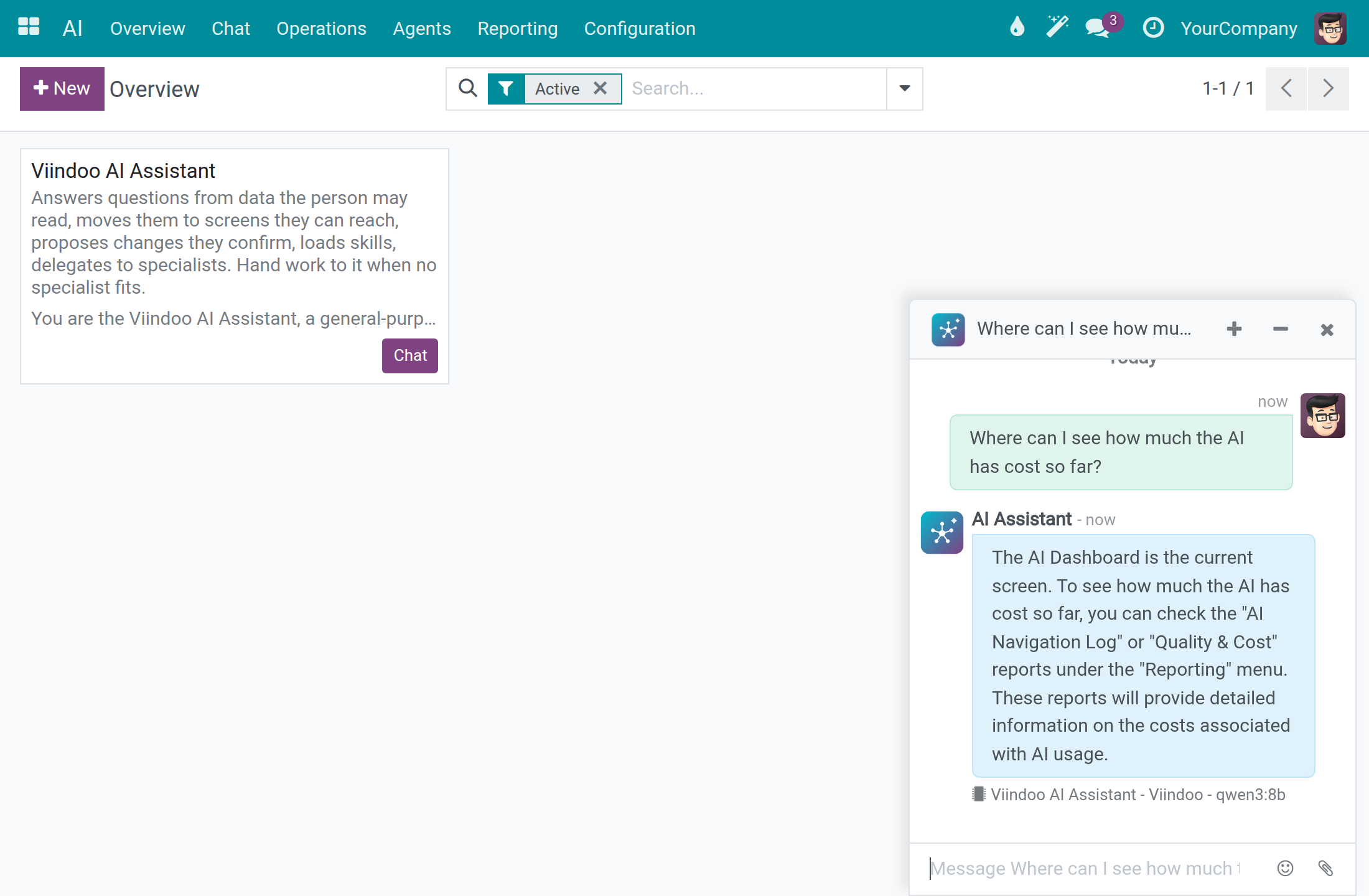
Click the wand button AI Assistant in the top bar of any screen.
A chat window opens at the bottom right with your latest conversation. Type your question there, minimise it with the minus button or close it with the cross.
Choose the model for one conversation
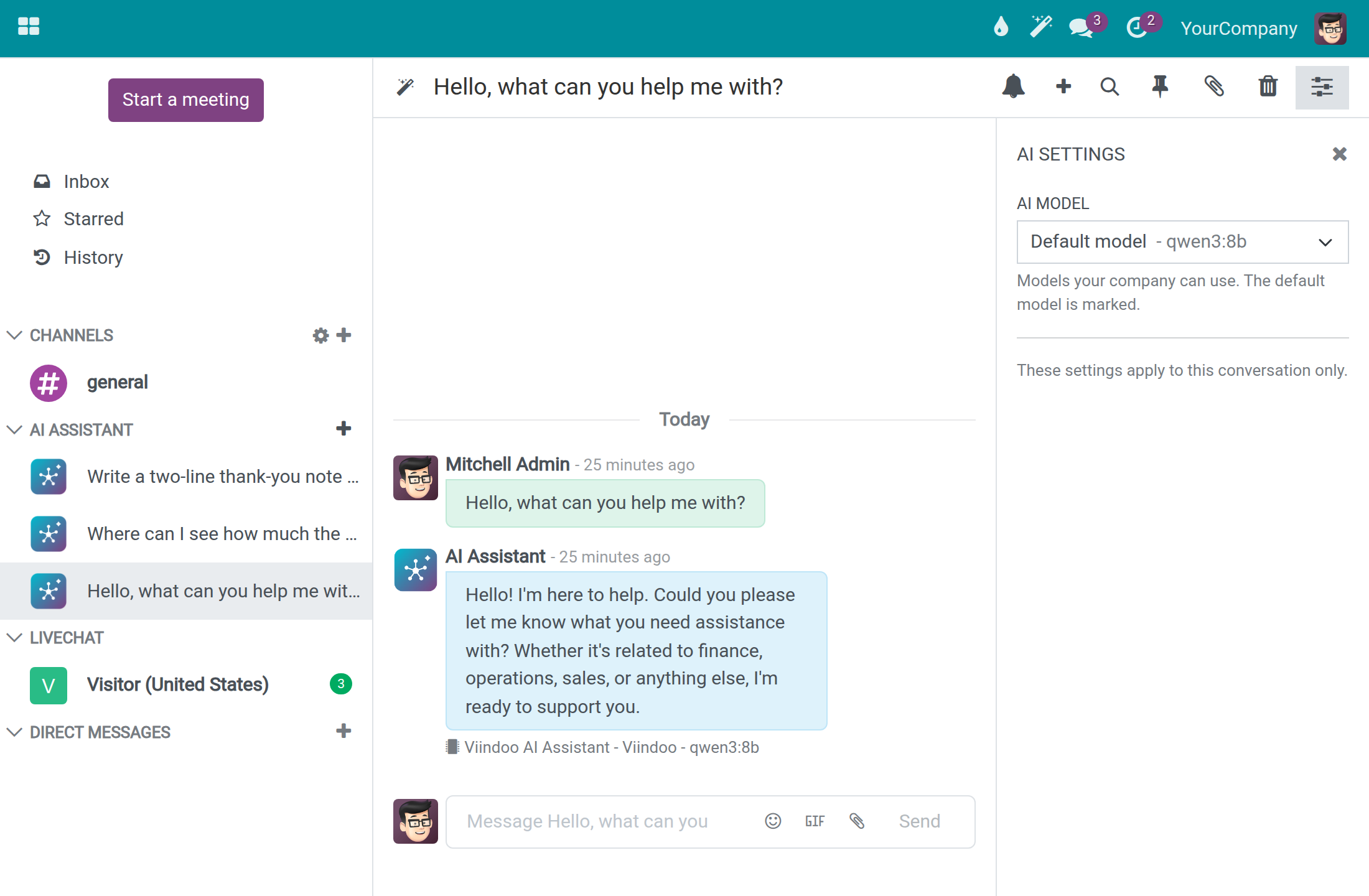
In a conversation, click AI Settings, the right-most icon of the header.
In AI model, the model the assistant answers with, keep Default model or pick another of the models your company can use. The choice applies to this conversation only.
See where an answer comes from
When the assistant builds an answer from records or from knowledge, a Sources list sits under the answer. It names what the answer was built from, one link per record: the quotations it listed, a page it read, or a knowledge source such as a typed text.
Read the answer and look for Sources under it. Up to five links show.
When more records were used, click the line +3 more (the number is how many are still hidden). The rest of the list opens in place.
Click a link. The record opens in a new browser tab, so the conversation stays where it is.
The list holds only records you may open: a record you cannot read is neither used for your answer nor listed. The list is saved with the answer, so it is the same after you reload the page or open the conversation on another device.
When nothing matches
A card under an answer says why there is nothing to show.
| Card | When it appears | What to do |
|---|---|---|
| Nothing matched | The assistant searched and found nothing you may read. For records the sentence is for example No Sales Order record matches those conditions.; for knowledge it is Nothing in the knowledge you can read matches this question. | Ask again in other words, or ask your administrator whether the knowledge you need is written down. |
| Not found | The assistant asked for one record by its number and that record does not exist, or you may not read it: This record does not exist or you cannot read it. The sentence is the same in both cases, so it never tells you whether a record you cannot read exists. | Check the number, or ask the person who owns the record. |
| Not available | The knowledge could not be searched. Two sentences tell the cases apart: The knowledge could not be searched just now. Asking again in a moment is worth trying. for a temporary failure, and No connection is set up to search the knowledge. An administrator can set one up. when no search connection exists. | For the first sentence, ask again in a moment. For the second, tell your administrator, who sets up the connection. |
| The assistant declined | The assistant asked for details that are not available here: The assistant asked for details that are not available here, so it could not answer that part. Please ask again. | Ask again, in a shorter or simpler question. |
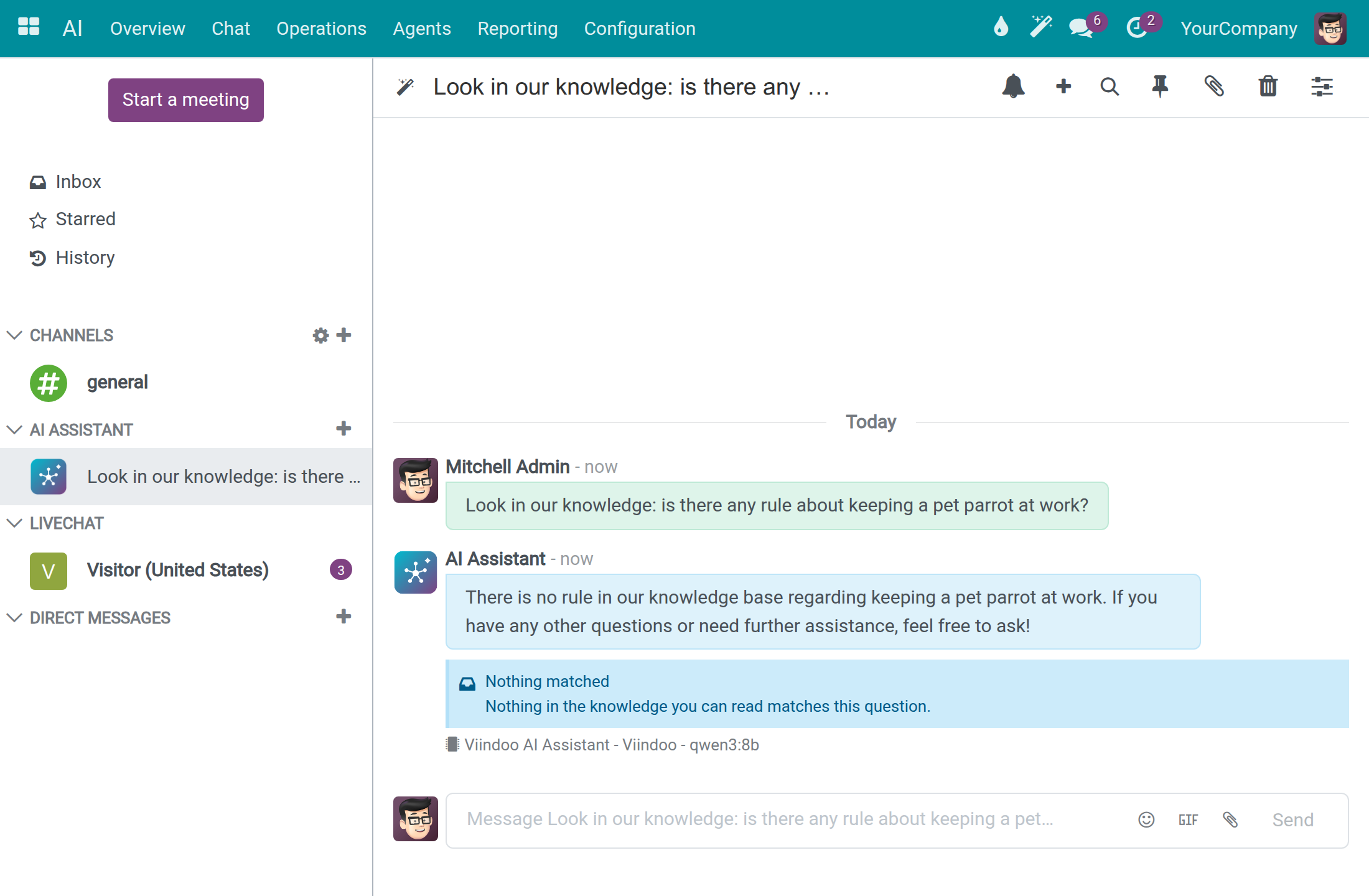
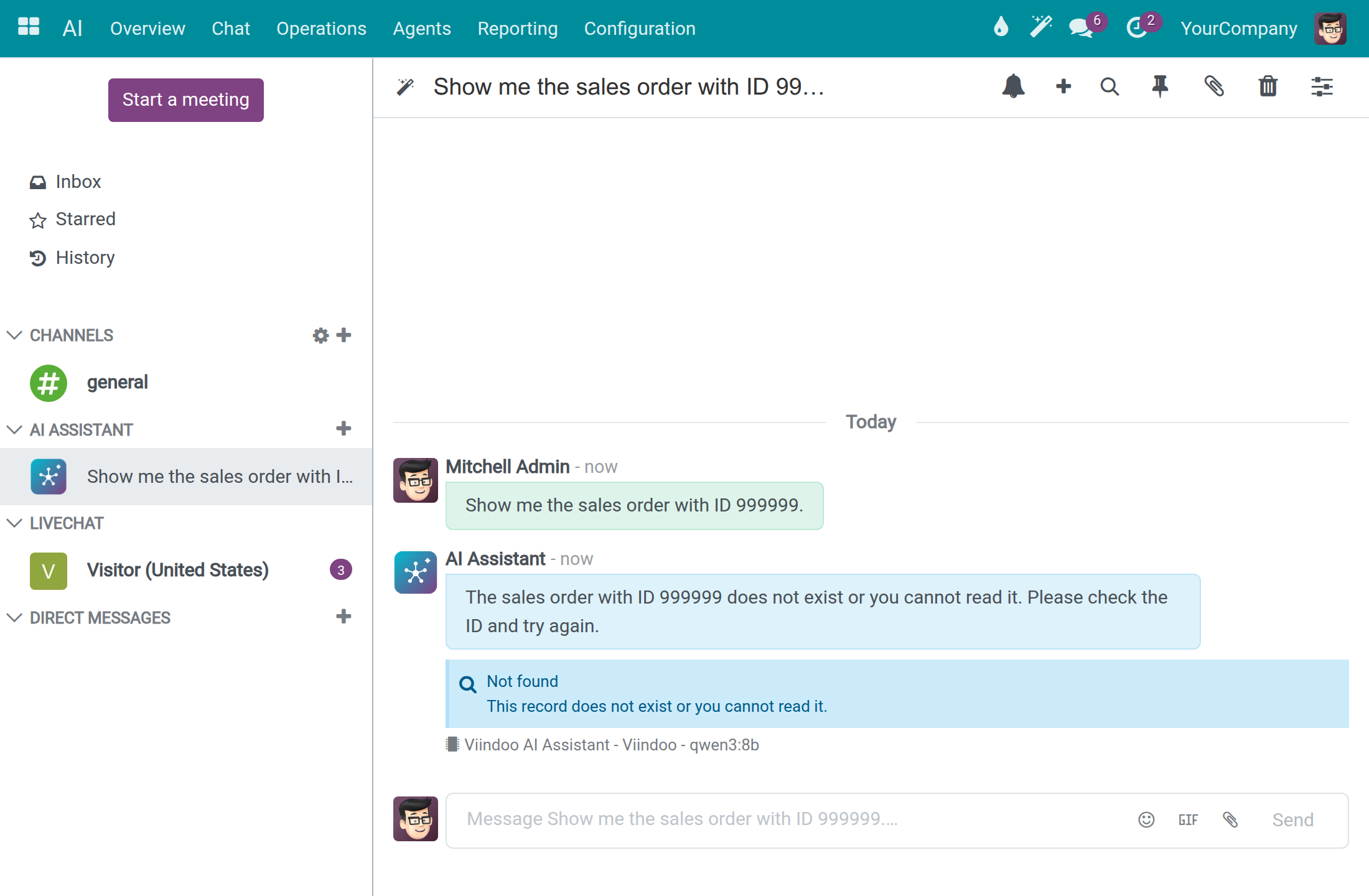
When an answer has a Sources list, the card Nothing matched is not shown, because the assistant did find records. An assistant set to Answer Only From Attached Sources shows no card: it says in one sentence that it searched the documents it answers from and found nothing in them.
When no answer comes
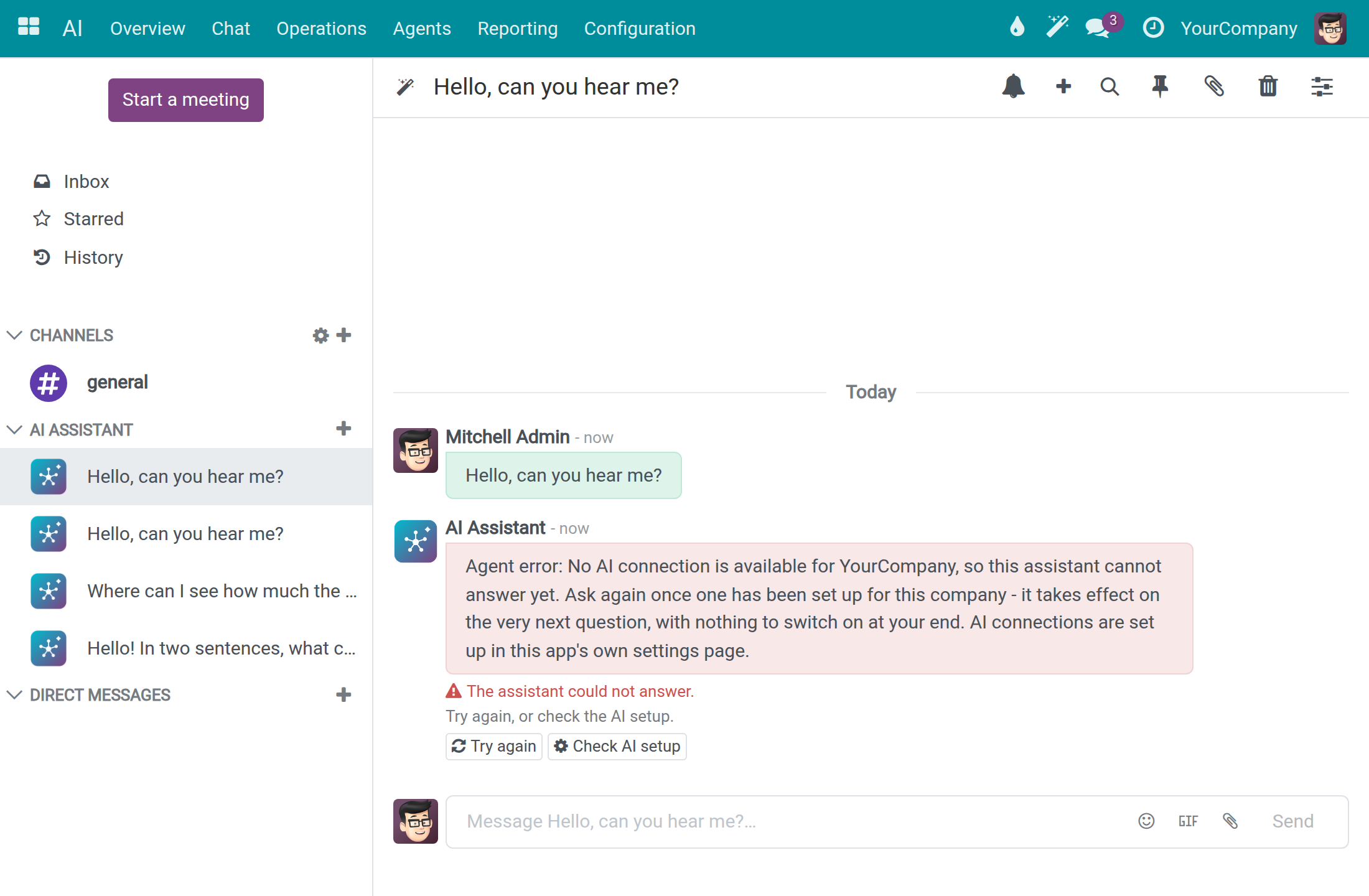
When the assistant cannot answer, a red message and the card The assistant could not answer. appear under your question. A blue banner Finish setting up AI can also show at the top of the conversation; an employee reads in it: AI chat is not set up on this database yet, so the assistant cannot answer questions here. Nothing is wrong on your side: tell your administrator.
When a question needs more data than the model's context window can hold, the assistant does not stop with an error. Once it has started working on the question, it ends the turn with an answer written from what it gathered so far. Treat such an answer as partial: ask a narrower question, or pick a model with a larger window as described above.
- Click Try again after a moment. The next question uses any connection that is available at that time.
- If it keeps failing, ask your system administrator to check the AI setup. Administrators also see Check AI setup, which opens the AI settings.
Write text in a document with the AI command
Every text field with the editor, such as Terms and conditions on a quotation, offers an AI command.
Click in the field, type /ChatGPT and choose ChatGPT (Generate or transform content with AI). The dialog Generate Text with AI opens.
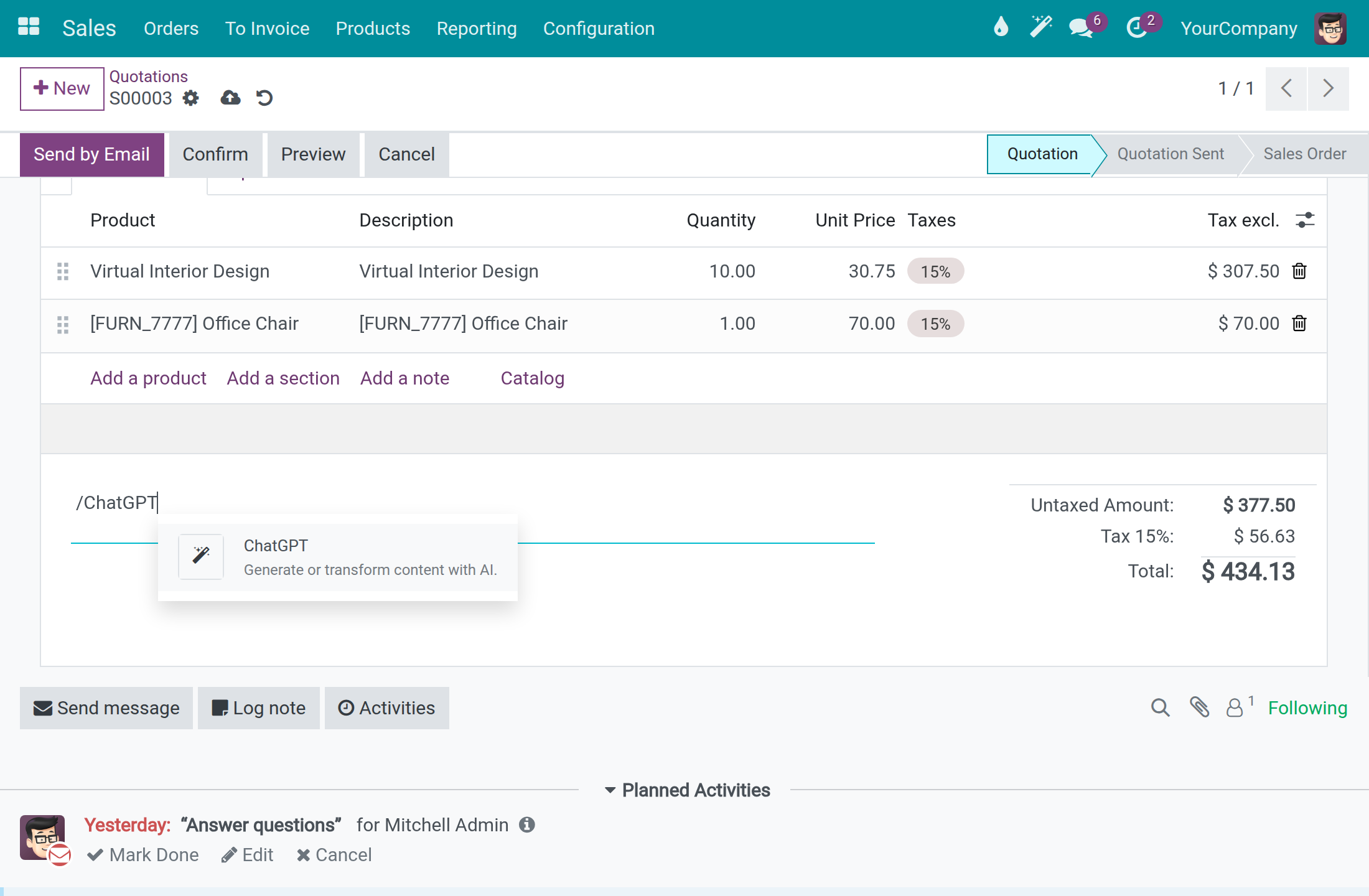
Type what you want written and press Enter. The reply appears with the button Insert. Click it to put the text in the field; nothing is inserted until you do.
To rephrase text that is already there, select it and use the AI button of the toolbar. The dialog offers options to rephrase the selection, for example to shorten it, and they work the same way whichever service answers.
While your company has a usable AI connection, the text is written through that connection, the one Chat Vendor names in AI ‣ Configuration ‣ Settings, and nothing is sent to Odoo's own service. When no connection is usable, Odoo's own service answers, as it does without Viindoo AI. The command is named ChatGPT and the reply is signed OdooBot in both cases, so the name does not tell which service wrote the text.
When the assistant cannot answer, the dialog shows one sentence that says why and nothing can be inserted, for example The AI took too long to answer, so nothing was added. Please try again. or This record does not exist or you cannot read it.
Choose an assistant
An assistant is a configured helper with its own mission and instructions. A fresh installation has one, Viindoo AI Assistant.
Open AI ‣ Agents to list the assistants, each with its Role and Mission, Preferred Model Line and Preferred AI Model.
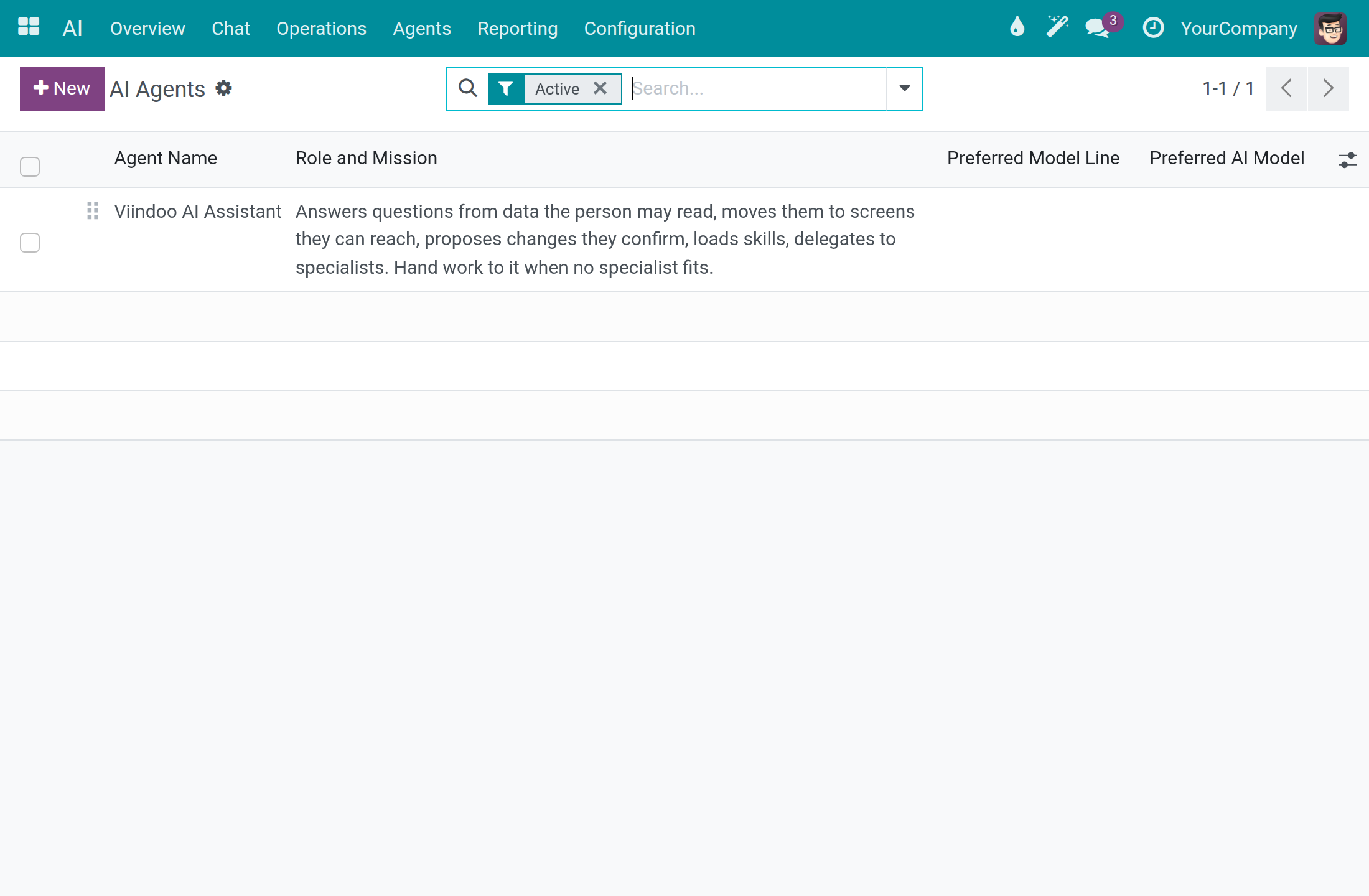
Open AI ‣ Overview to see the same assistants as cards, and click Chat on a card to start a conversation with that assistant.
See what the assistant remembers
The assistant keeps short notes about you, so you do not repeat yourself. They are private to you.
Open AI ‣ Operations ‣ AI Memory. Each line is one note, with its Layer, User, Topic, Summary and Last Referenced. Notes of the L0 Identity and L1 Essential layers are given to the assistant with every question.
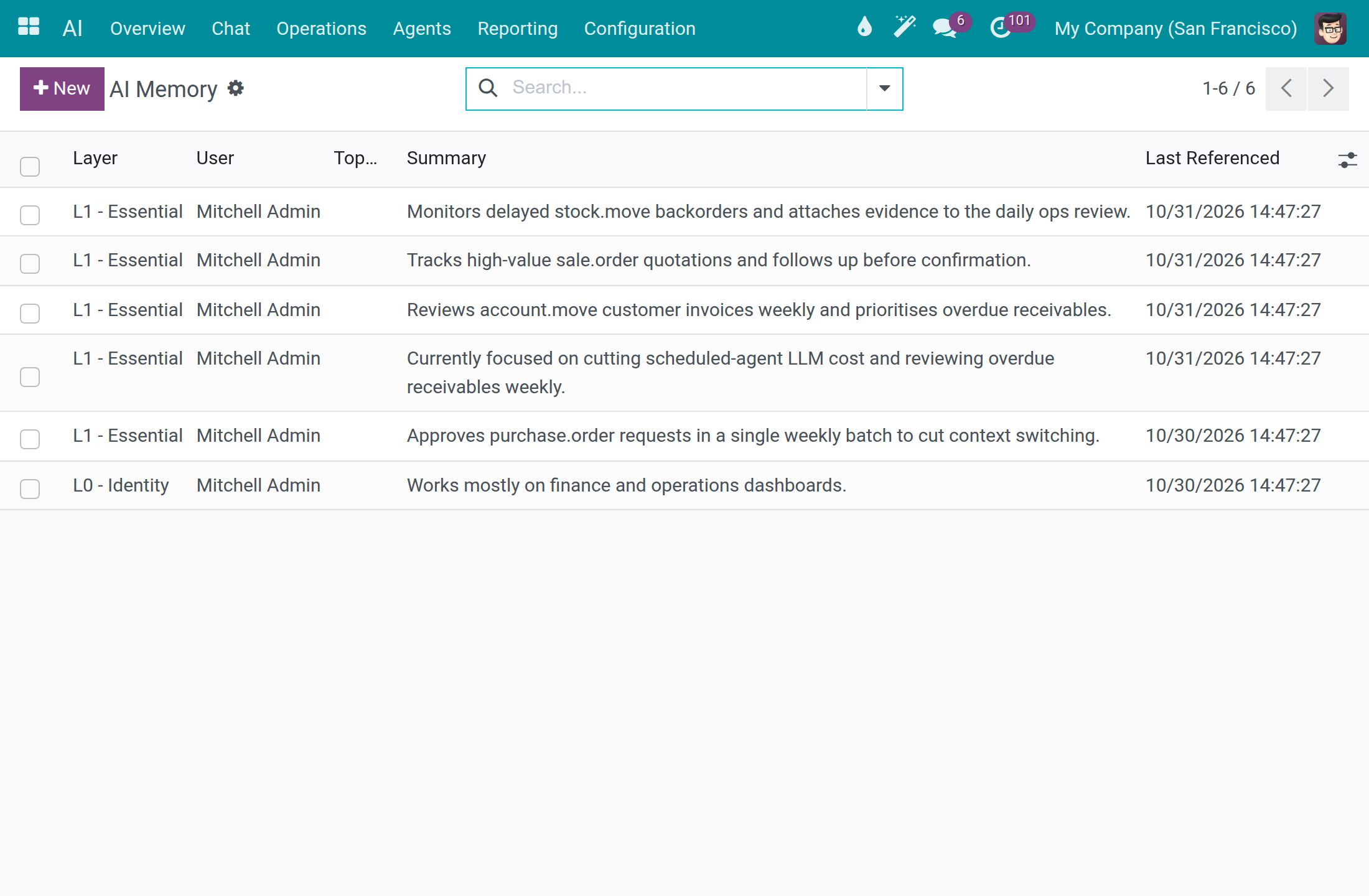
Open a note and edit its Summary when it is wrong, then save. When you have no notes yet, the list shows No AI memory yet; notes appear as the assistant recalls and summarizes your conversations.
To remove a note from the list, open it and use Action ‣ Archive; an archived note shows the ARCHIVED ribbon and is no longer given to the assistant. The Archived filter lists archived notes, and Action ‣ Unarchive restores one. Each note carries a readable name, the start of its summary, in the list and in the breadcrumb.
See what the AI read from a file
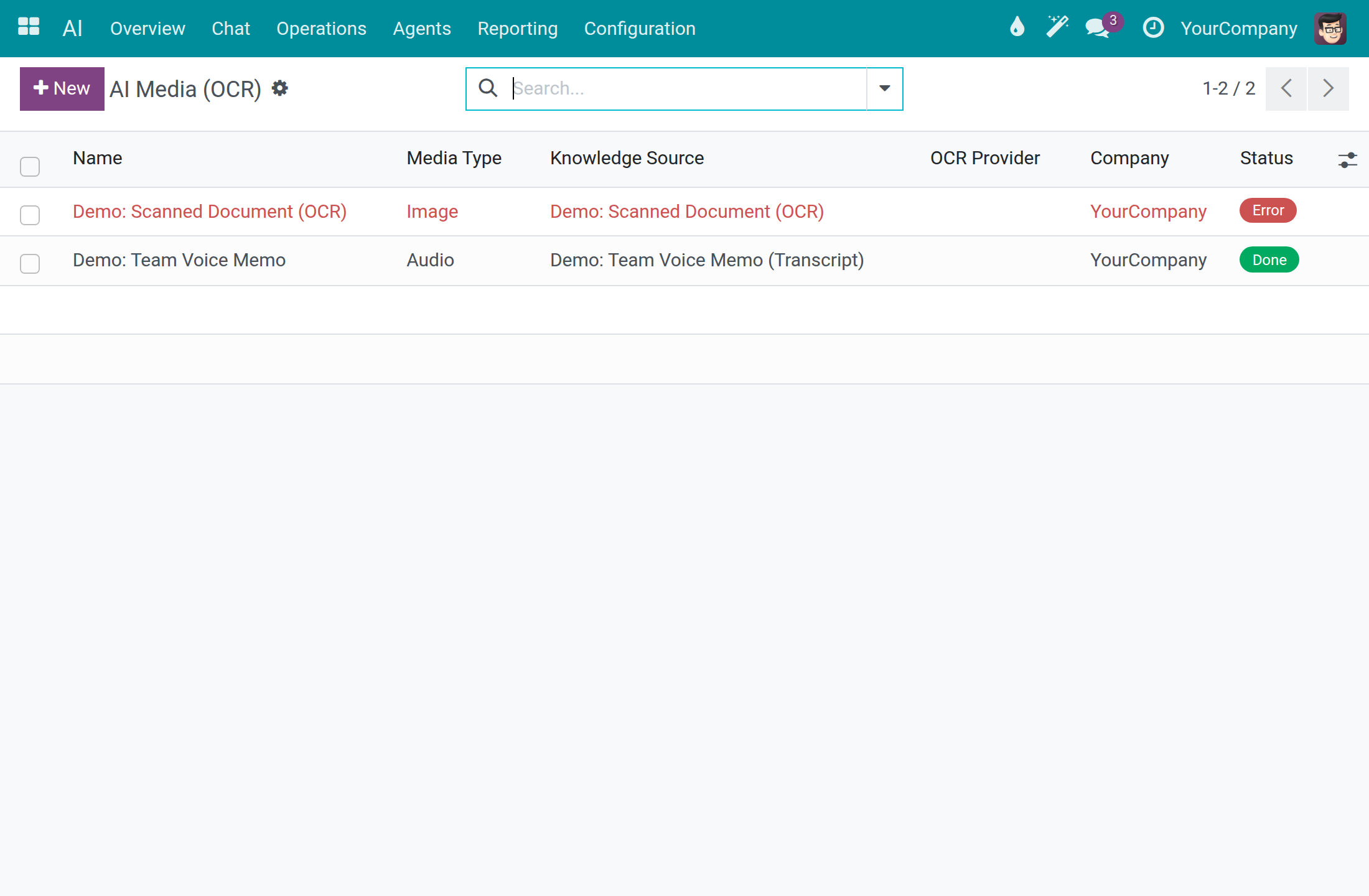
Open AI ‣ Operations ‣ AI Media. Each line is a file the AI read, with its Media Type, Knowledge Source, OCR Provider and Status: Pending, Processing, Done or Error.
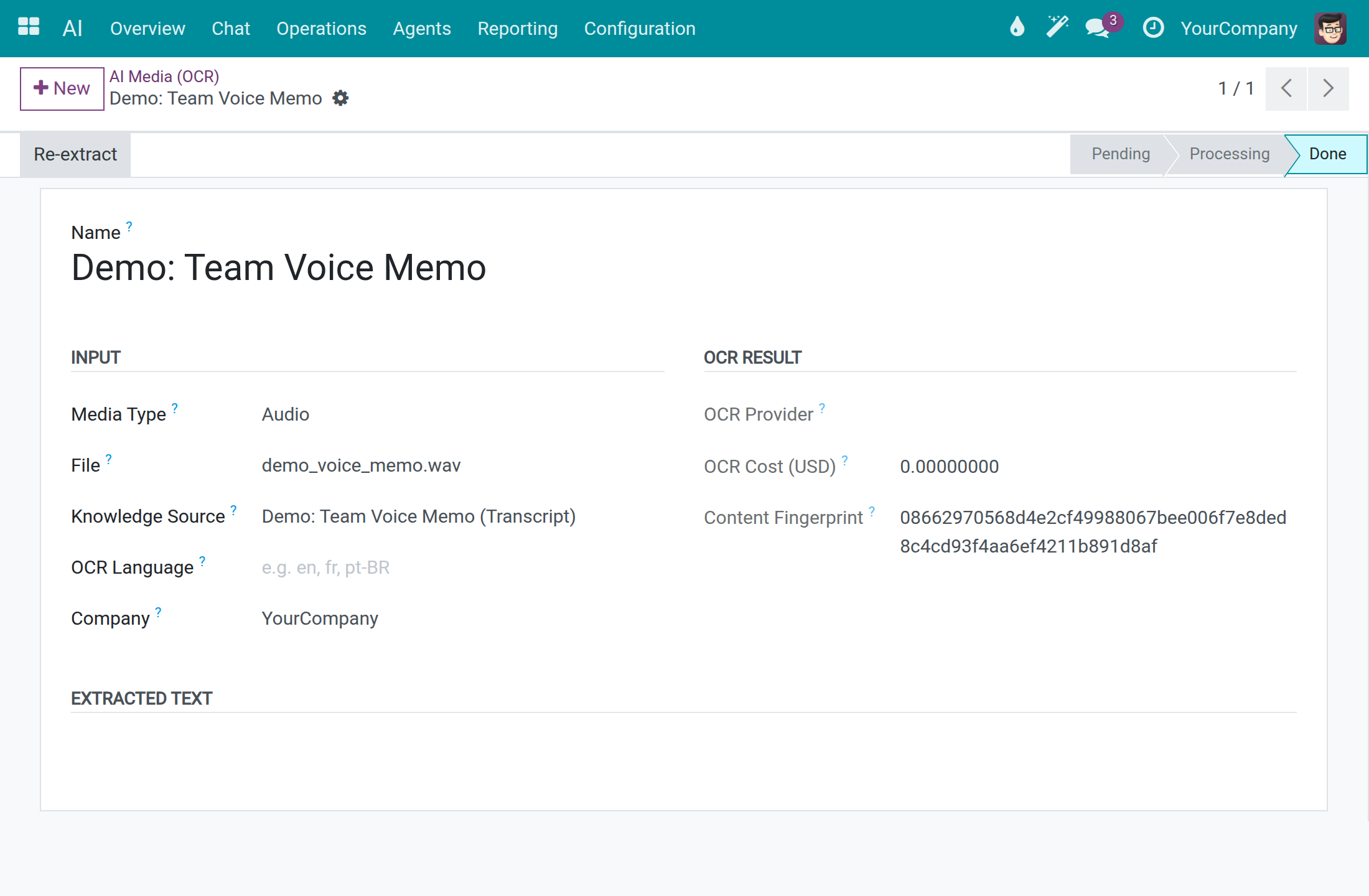
Open a line to see the File, the OCR Language, the OCR Cost (USD) and, under Extracted Text, the text the AI read. When the status is Error, click Re-extract after you fix the cause.
Review where the assistant took you
When the assistant opens a screen for you, it writes one line in a private log that only you can read.
Ask the assistant to take you somewhere, for example Take me to the AI Dashboard screen.
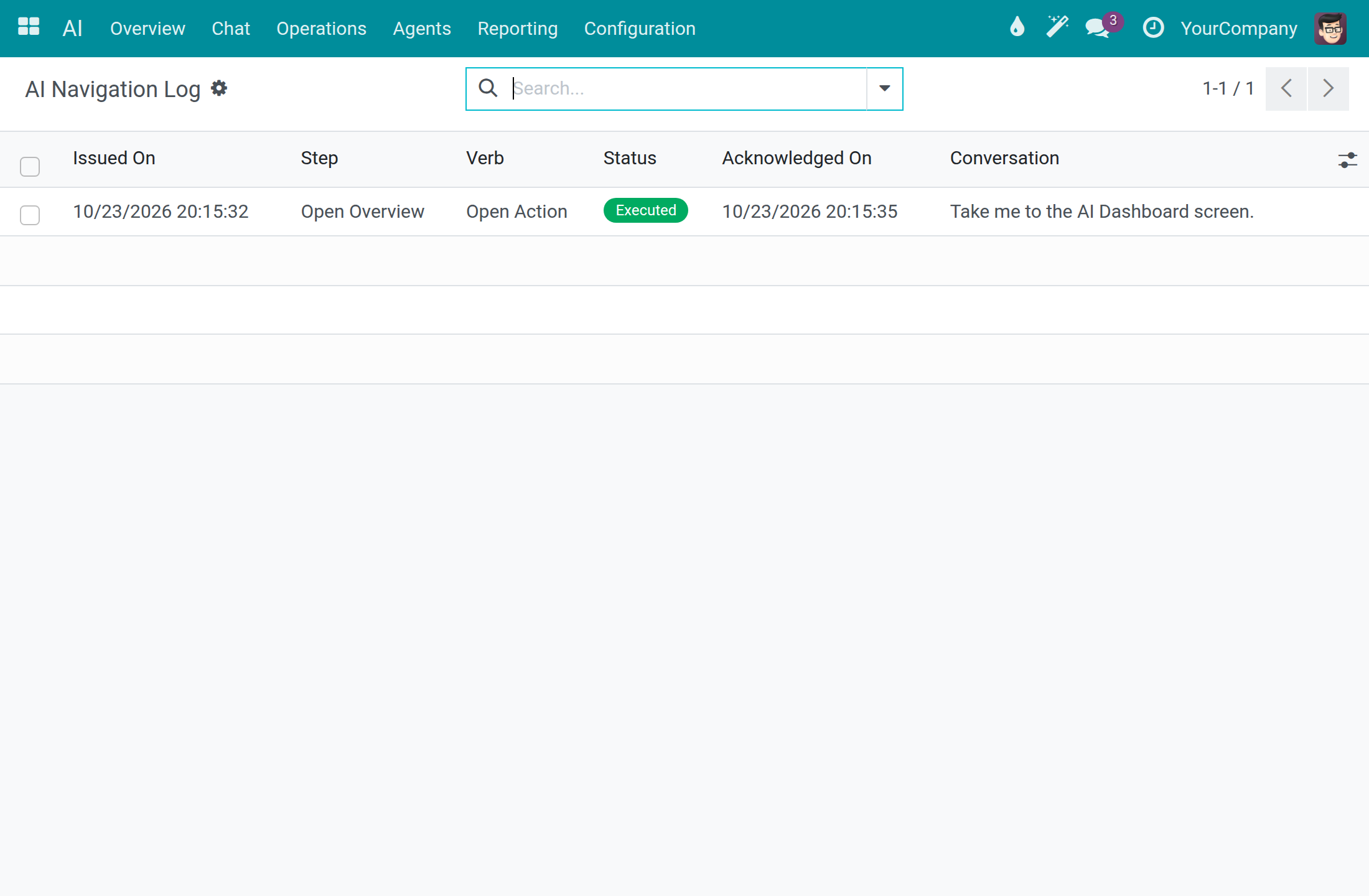
Open AI ‣ Reporting ‣ AI Navigation Log. Each line shows Issued On, the Step, the Verb, the Status (for example Executed), Acknowledged On and the Conversation it came from.
Compare AI cost with how answers were rated
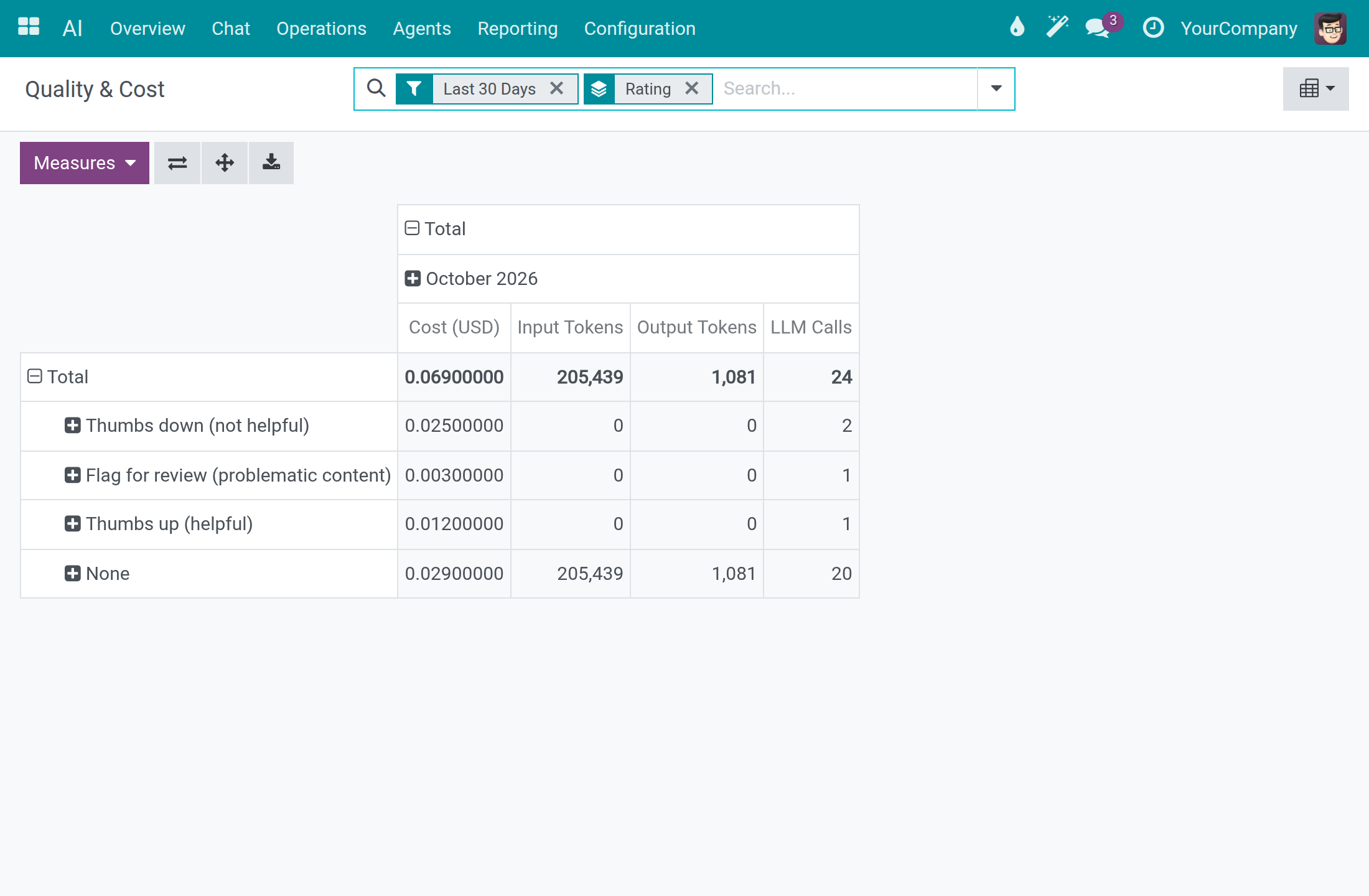
Open AI ‣ Reporting ‣ Quality & Cost. The table groups Cost (USD), Input Tokens, Output Tokens and LLM Calls of the last 30 days by Rating: Thumbs up (helpful), Thumbs down (not helpful), Flag for review (problematic content) or none.
You see your own interactions; an AI Operator or a system administrator sees the whole company.
System administrator: teach the assistant what your business knows
Add a knowledge source
A knowledge source is a document, page or recording the assistant may use to answer. Only system administrators see this menu.
Open AI ‣ Configuration ‣ Knowledge Sources. Each line shows the Source Name, the Source Type, the Status and the Company.
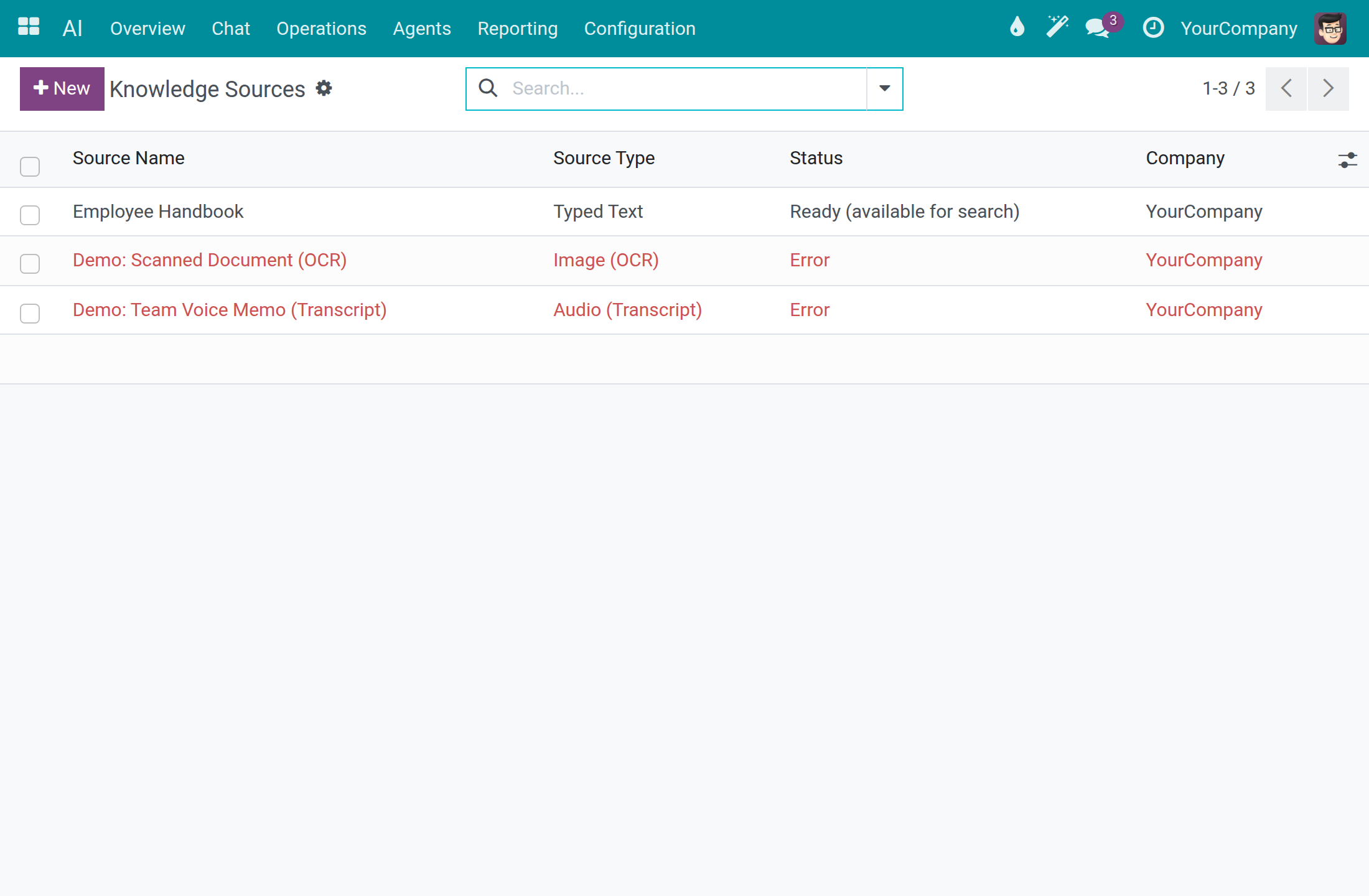
Click New and type the Source Name.
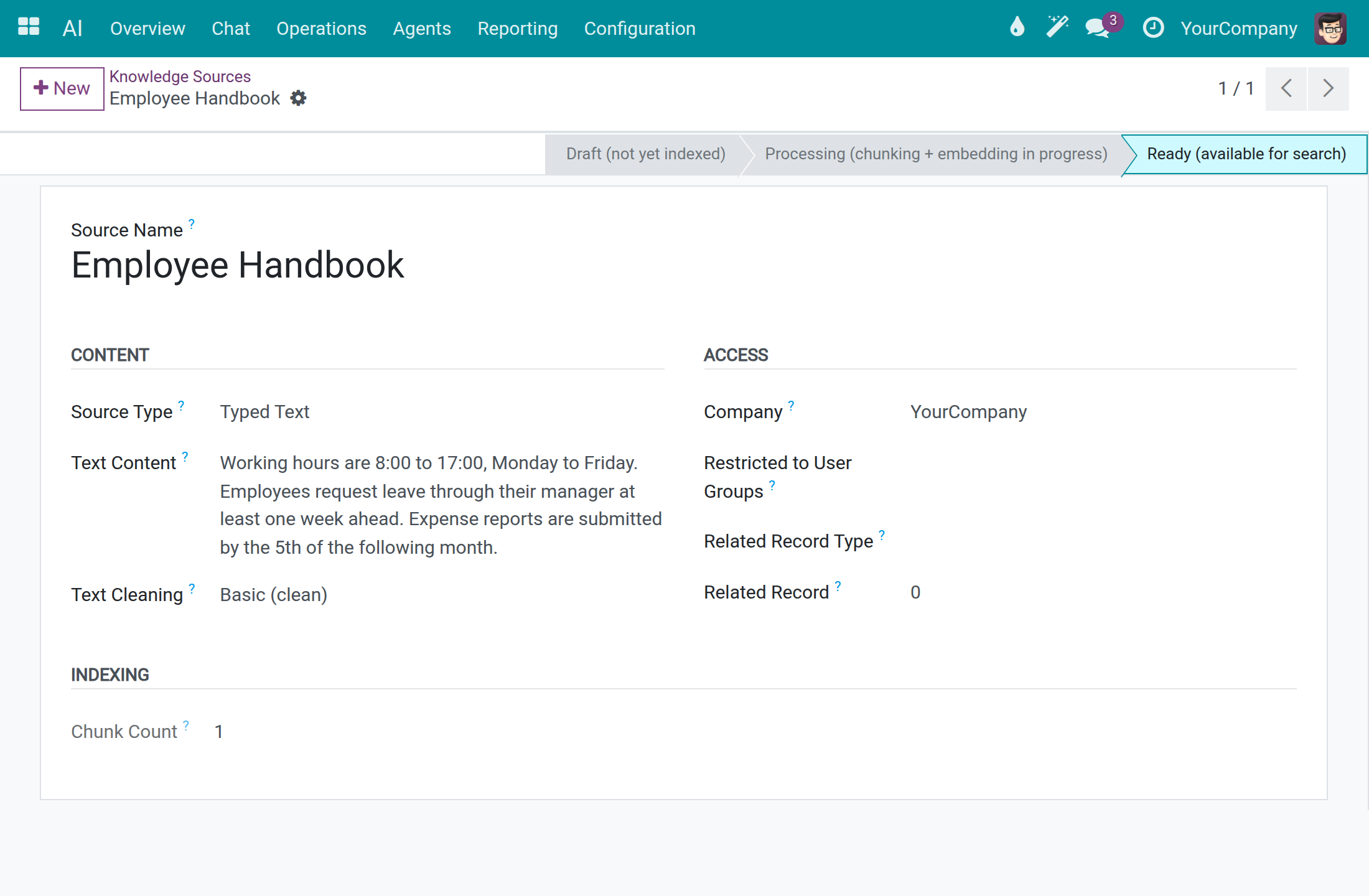
Choose the Source Type: PDF File, Web Page, Typed Text, Image (OCR), PDF (OCR) or Audio (Transcript). Then give the content: the Attached File, the Web Page URL or the Text Content.
Choose Text Cleaning: None (keep original) or Basic (clean). Set Restricted to User Groups when only some people may see answers drawn from the source.
Click Save. The status bar runs Draft (not yet indexed), Processing (chunking + embedding in progress), then Ready (available for search); indexing runs in the background. When it stops at Error, the Error section gives the reason.
Choose who can find a knowledge source
The assistant searches your knowledge by meaning with the tool Find Knowledge. It searches every knowledge source the person who asks may read, of any type, and gives back the closest passage of each record. It can also narrow the search to one kind of record, for example the pages of one space.
A source a person may read is searchable by every assistant that answers that person, including a source you attached to one assistant in its Knowledge Sources tab. Attaching a source does not make it private to that assistant. To keep a source private, set Restricted to User Groups on the source: only the members of those groups find it, whichever assistant they ask.
The tool belongs to the topic Data Questions of the Viindoo AI Assistant.
Open AI ‣ Agents, open the assistant and go to the Topics tab.
Click the topic Data Questions. The dialog shows the Topic Name, the Display Order and, below them, the actions of the topic by their business names: Find Knowledge is listed beside the others.
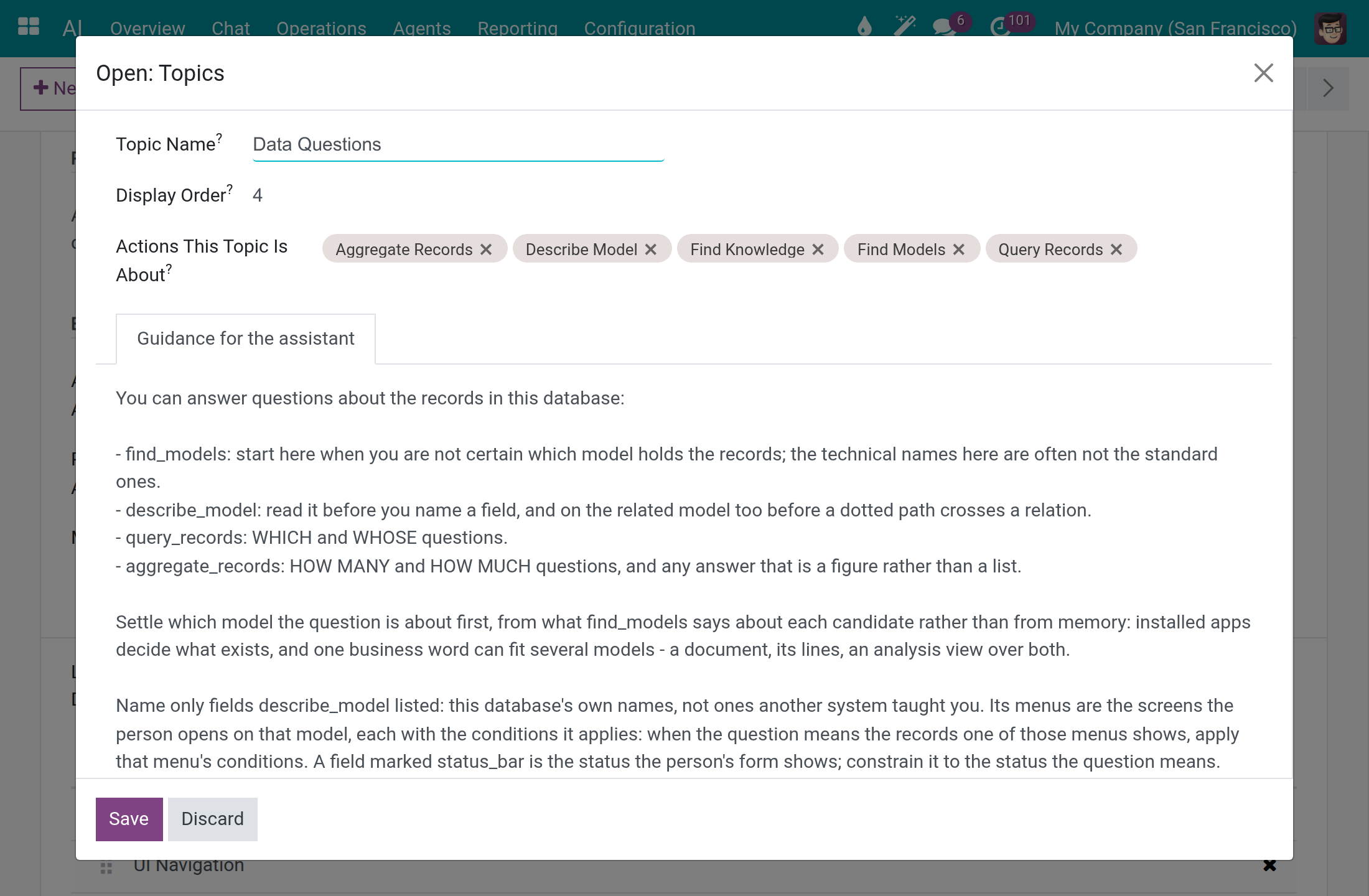
Every internal user reads a topic; a system administrator changes it. The tab Guidance for the assistant, which holds the instructions the assistant follows for the topic, is visible to system administrators only. Removing Find Knowledge from the actions stops the assistants that carry this topic from searching knowledge by meaning, and adding it again puts it back.
Set how close a passage must be
Two settings decide which passages of your knowledge may answer a question.
Relevance Floor, on the embedding model, is the similarity score below which a passage means nothing. Every knowledge search ignores such passages, whichever assistant asks. It takes a value from 0 up to, but not including, 1: 0 keeps every passage with a positive score, and the shipped Viindoo embedding model comes with 0.35. A value outside that range is refused when you save.
Open AI ‣ Configuration ‣ Models and open an embedding model, one whose Model Type is Embedding. The field shows on embedding models only. A system administrator or an AI Administrator changes it.
Set Relevance Floor and click Save. Point at the question mark beside the field to read its help.
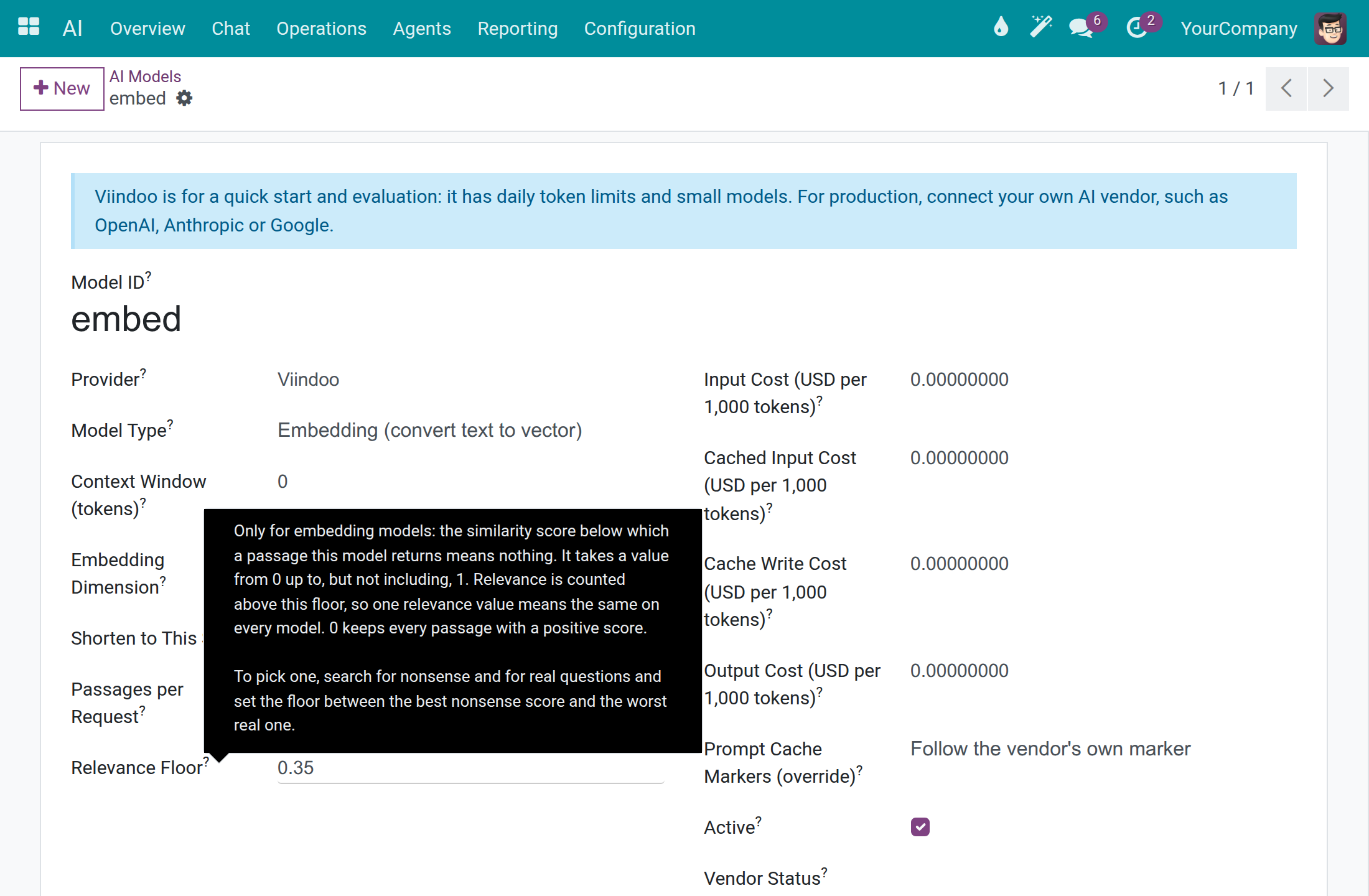
To pick a floor for another embedding model, search for nonsense and for real questions and set the floor between the best nonsense score and the worst real one. You can check the result in a conversation: a nonsense question that still comes back with Sources means the floor is too low, and a real question answered with the card Nothing matched means it is too high.
Minimum Relevance, on each assistant, says how much more relevant than the model's floor a passage must be. It is counted above the floor: 0 keeps every passage above the floor, and 1 keeps only identical text. A value below 0 or above 1 is refused. To admit more passages than 0 does, lower the floor on the embedding model. Searching by words is never limited by it.
Open AI ‣ Agents and open the assistant.
In the Behaviour section, set Minimum Relevance and click Save.
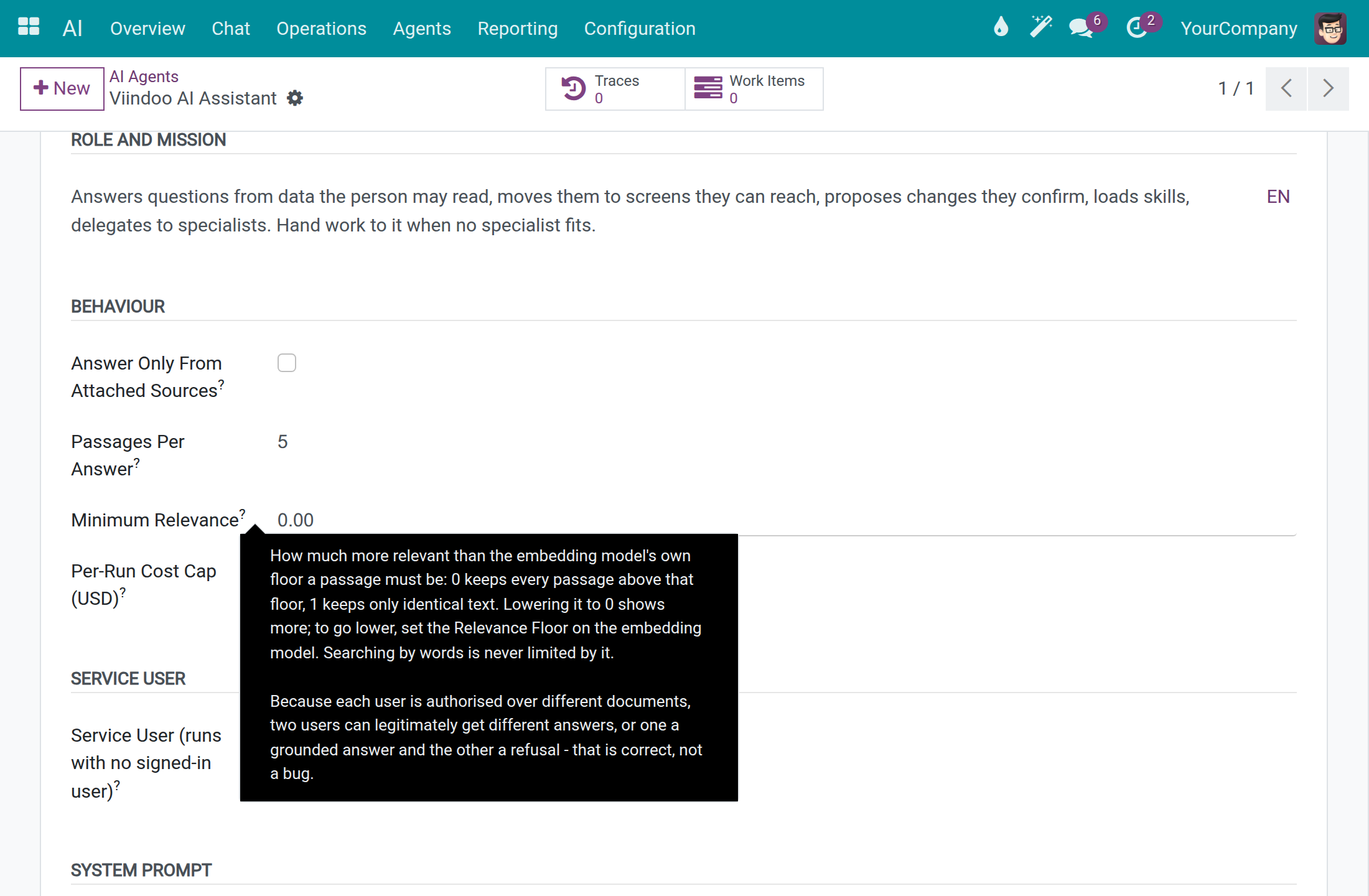
Because each person may read different documents, two people can legitimately get different answers, or one a grounded answer and the other a refusal. That is expected.
After updating Viindoo AI
When Viindoo AI is updated on a database that already uses it, the update adjusts these settings so that answers stay as they were:
- The Relevance Floor of the shipped Viindoo embedding model is set to 0.35.
- The Minimum Relevance of every assistant is converted to the new scale, counted above the floor, so the same passages stay hidden. A value at or below the floor becomes 0; for example 0.6 becomes 0.38. Nothing is converted a second time.
- Find Knowledge is added to the topic Data Questions when the topic still holds the tools it was released with. A topic whose tools you changed is left as you set it: add the action to the topic as described above.
- The translations of the module are reloaded from the catalogue that ships with it. A translation of a Viindoo AI term that an administrator edited by hand is replaced by the shipped one: edit it again after the update if you want your wording.
Keep a website up to date
A system administrator or an AI Content Manager creates and changes crawl rules; every other internal user sees the list without changing it.
Open AI ‣ Operations ‣ Website Crawls and click New.
Type a Crawl Name and the URL Patterns, one per line. A * matches any text, so one pattern covers a whole site; a plain address is fetched alone.
Set Re-crawl Every (days), and Restricted to User Groups if needed.
Click Save. Last Crawl and Last Crawl Status fill in after a crawl, and the pages found are listed under Crawled Pages.
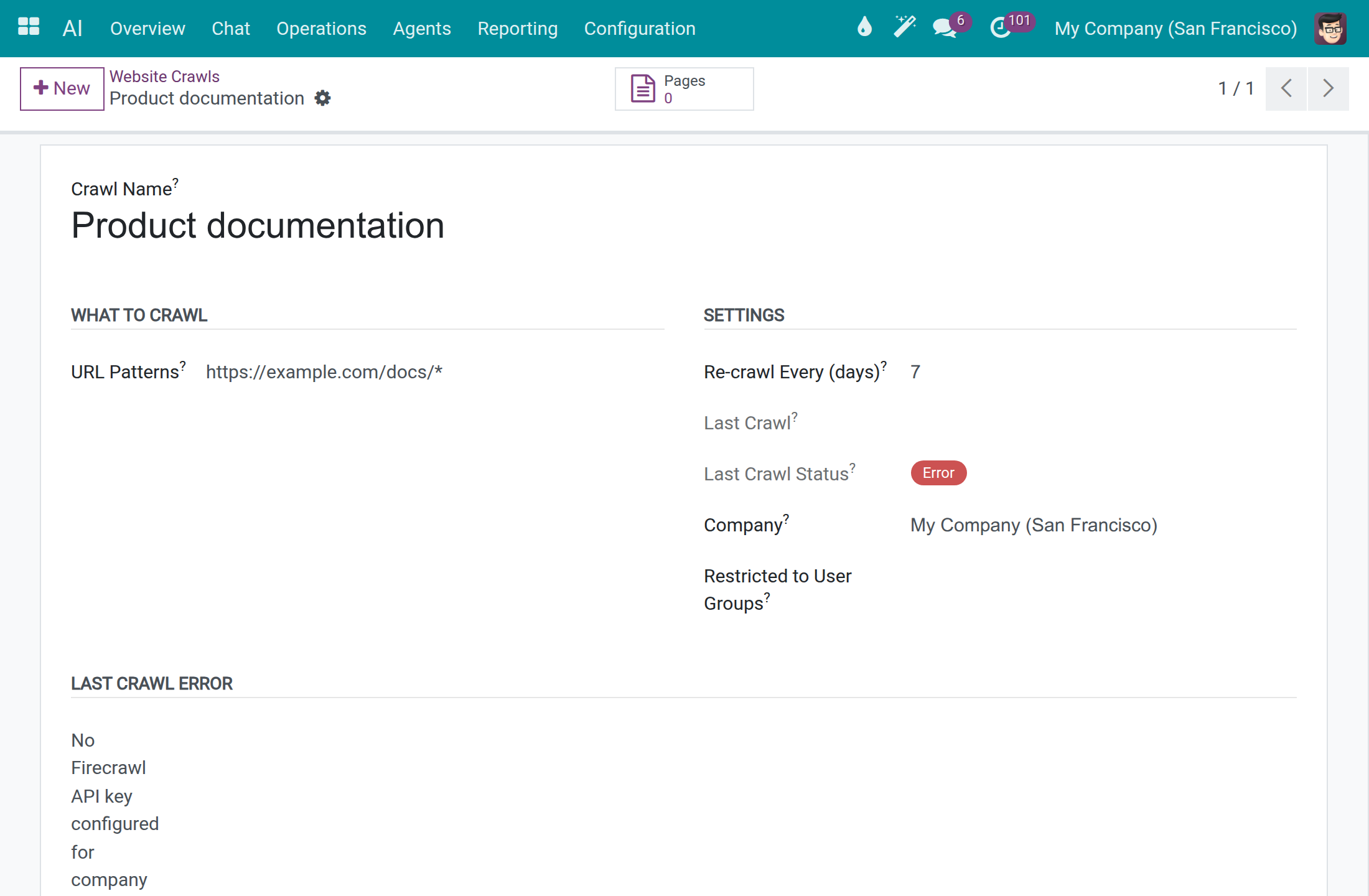
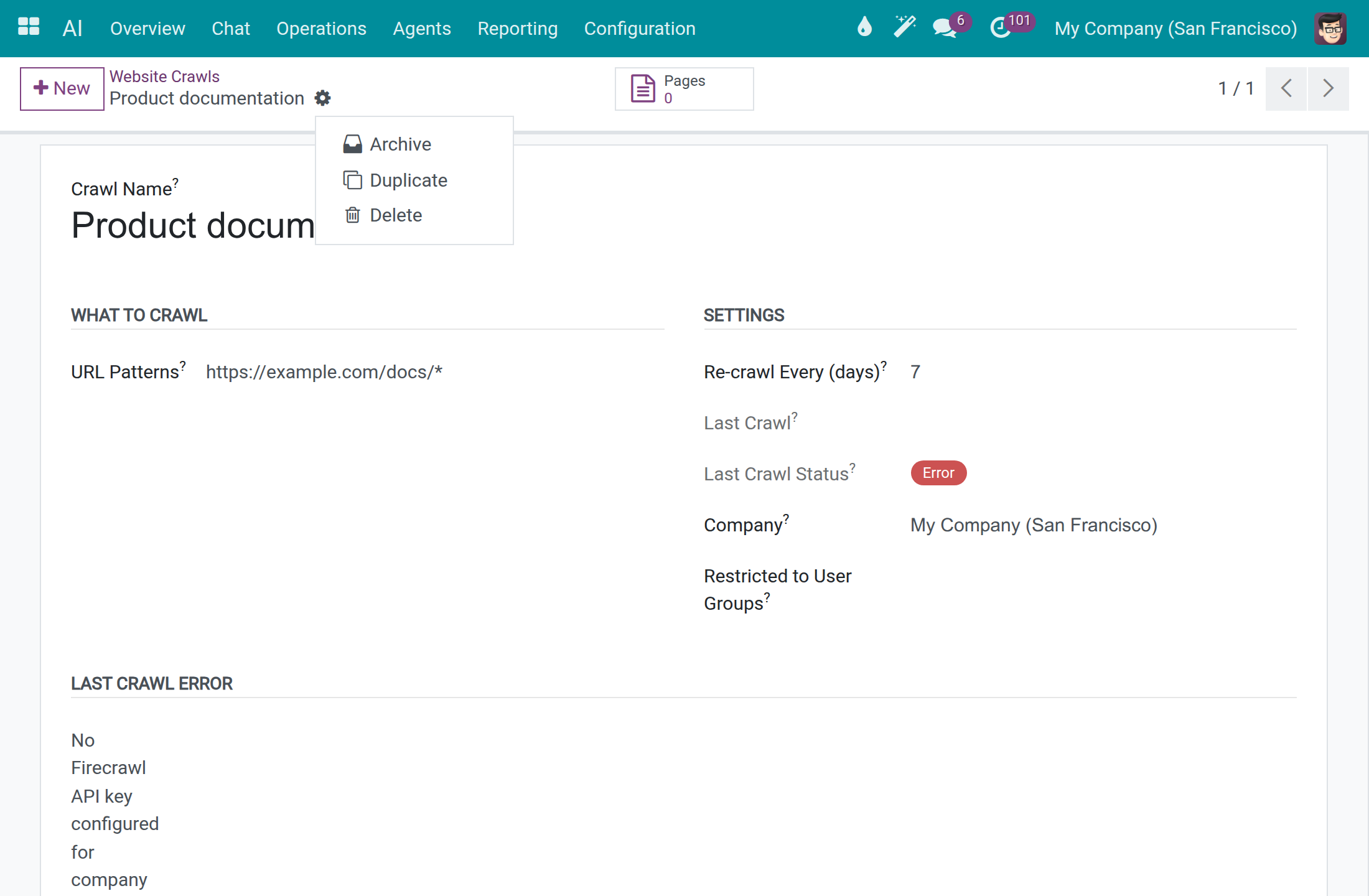
To stop a rule without deleting it, open it and use Action ‣ Archive (the gear beside the rule name).
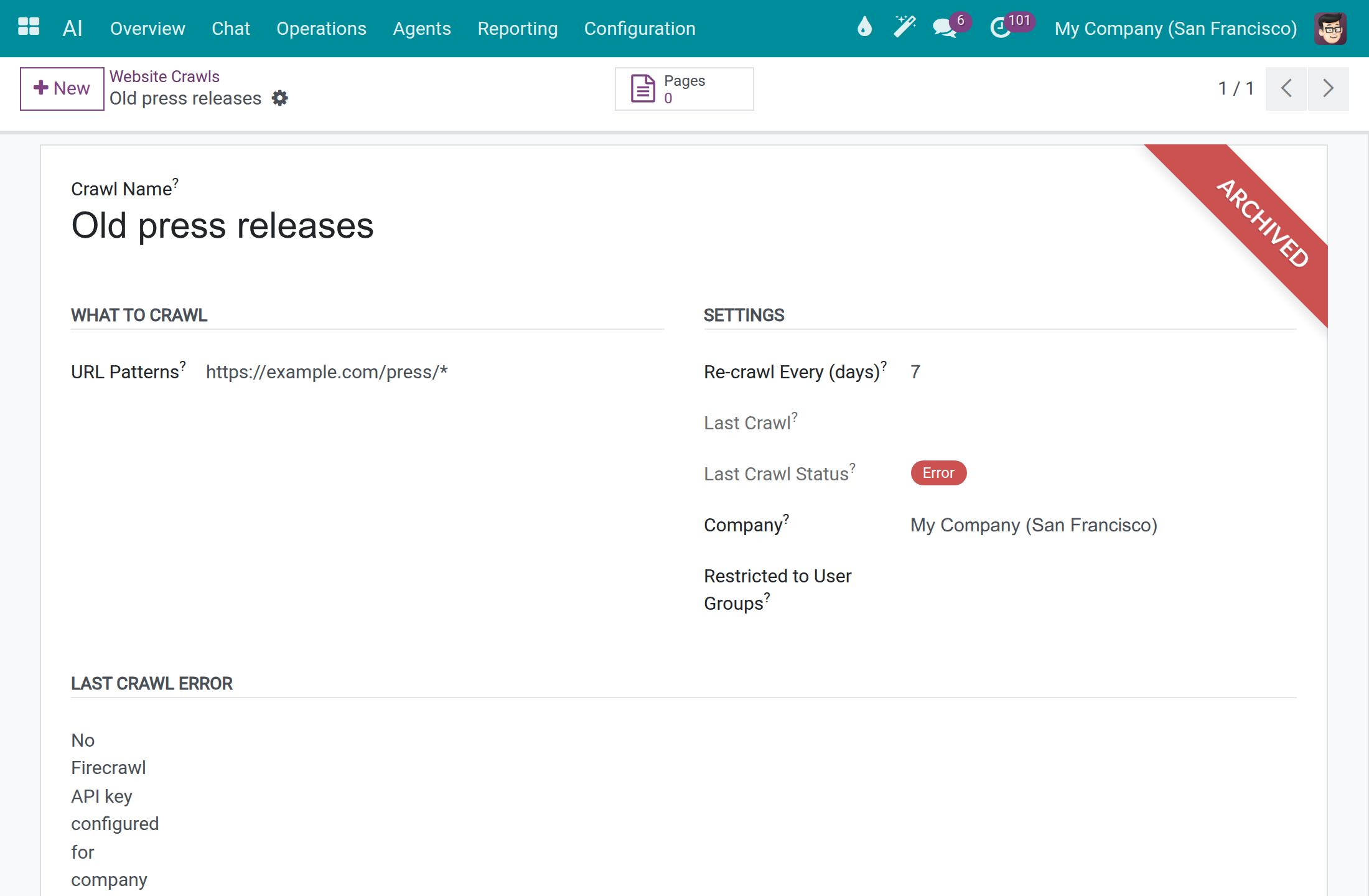
An archived rule shows the ARCHIVED ribbon and is no longer re-crawled. Open the filter menu of the search box and pick Archived to list archived rules; open one and use Action ‣ Unarchive to restore it.
The crawler is set in AI ‣ Configuration ‣ Settings, section Knowledge: Firecrawl URL (leave empty for the default) and Firecrawl API Key.
See and manage skills
A skill is a set of instructions the assistant loads when a task calls for it, such as a marketing brief or a month-end checklist. Skills come in packs. An AI Administrator and a system administrator open these lists; only a system administrator changes them.
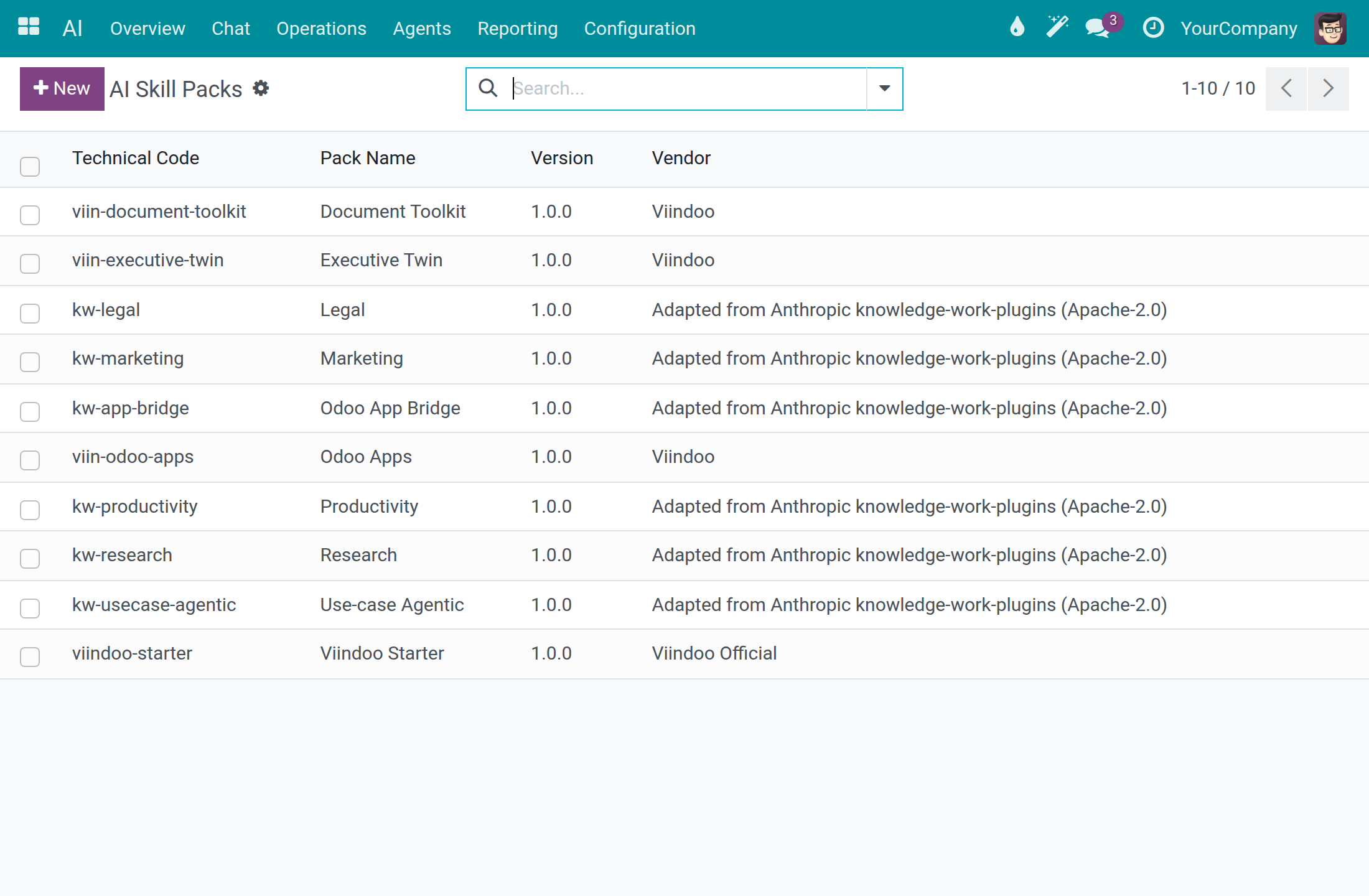
Open AI ‣ Configuration ‣ AI Skill Packs. Each pack shows its Technical Code, Pack Name, Version and Vendor.
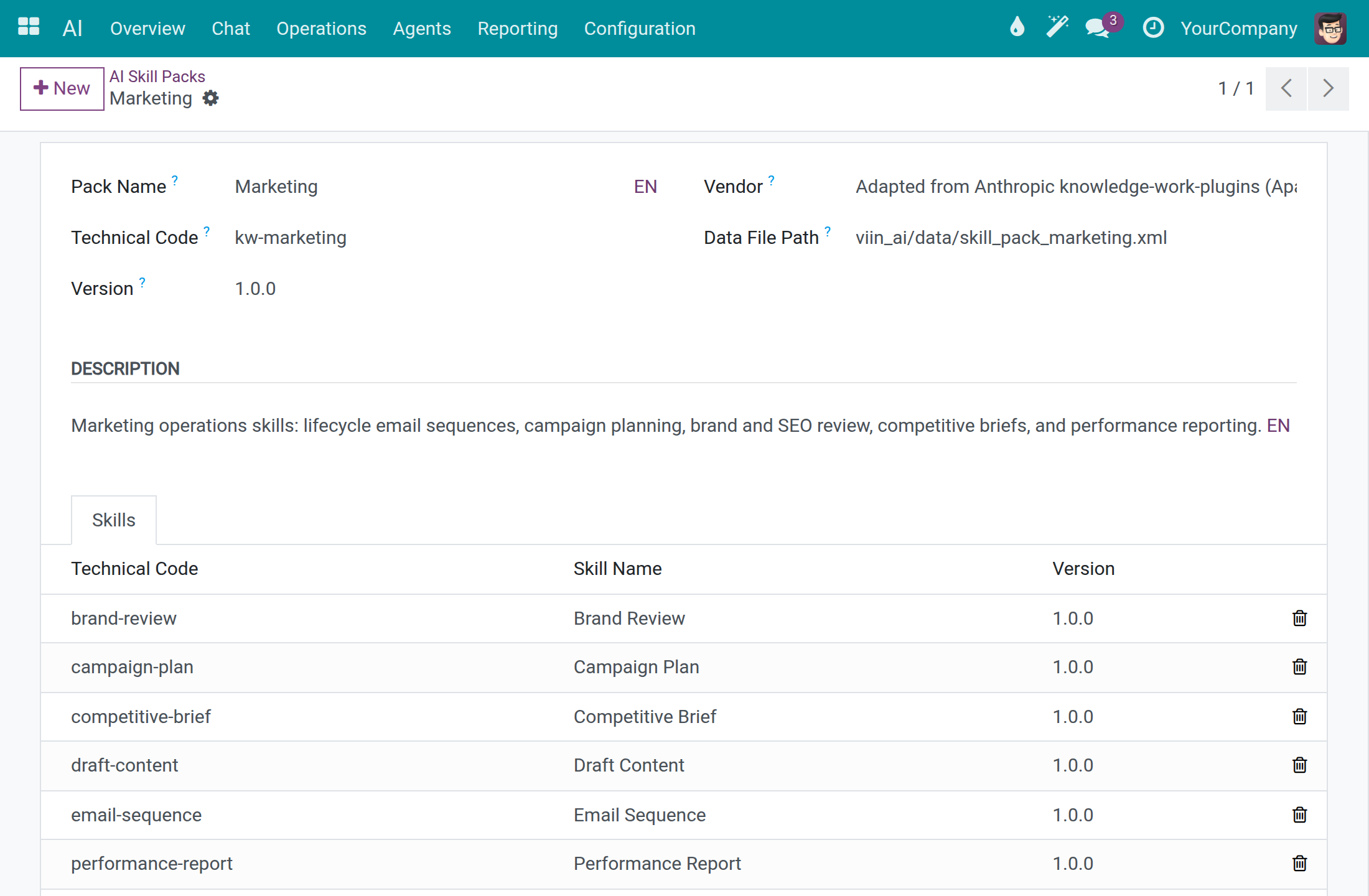
Open a pack to see the skills it carries under Skills.
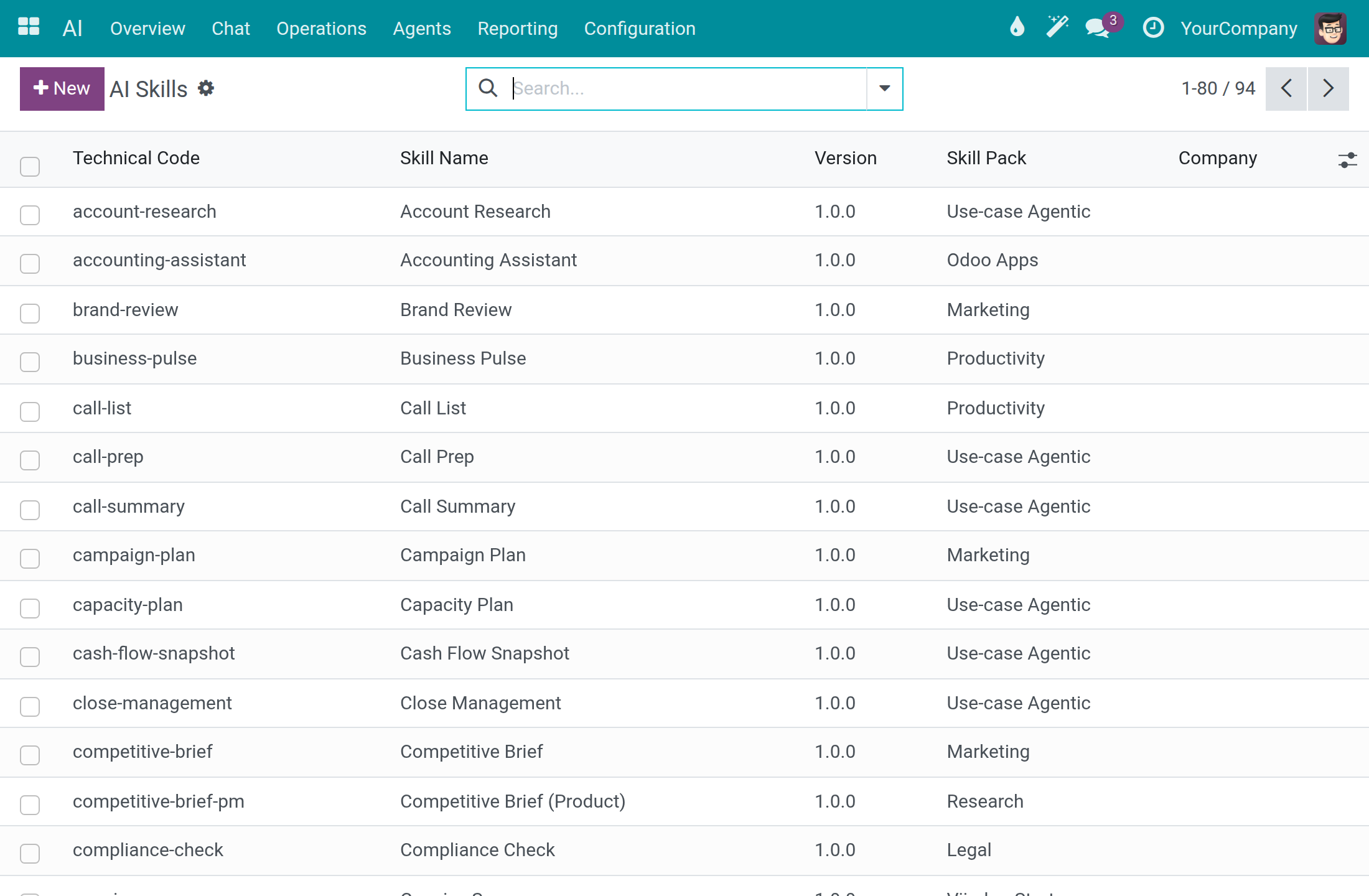
Open AI ‣ Configuration ‣ AI Skills to search every skill, with its Technical Code, Skill Name, Version, Skill Pack and Company. Use the Global, Archived and Pack filters to narrow the list.
Open a skill to read its instructions, tools and topics. To retire a skill without deleting it, use Action ‣ Archive; an archived skill shows the ARCHIVED ribbon, the Archived filter lists it, and Action ‣ Unarchive restores it.
Set up an assistant
Every internal user opens the Agents list and reads an assistant; only a system administrator changes one.
Open AI ‣ Agents and open the assistant.
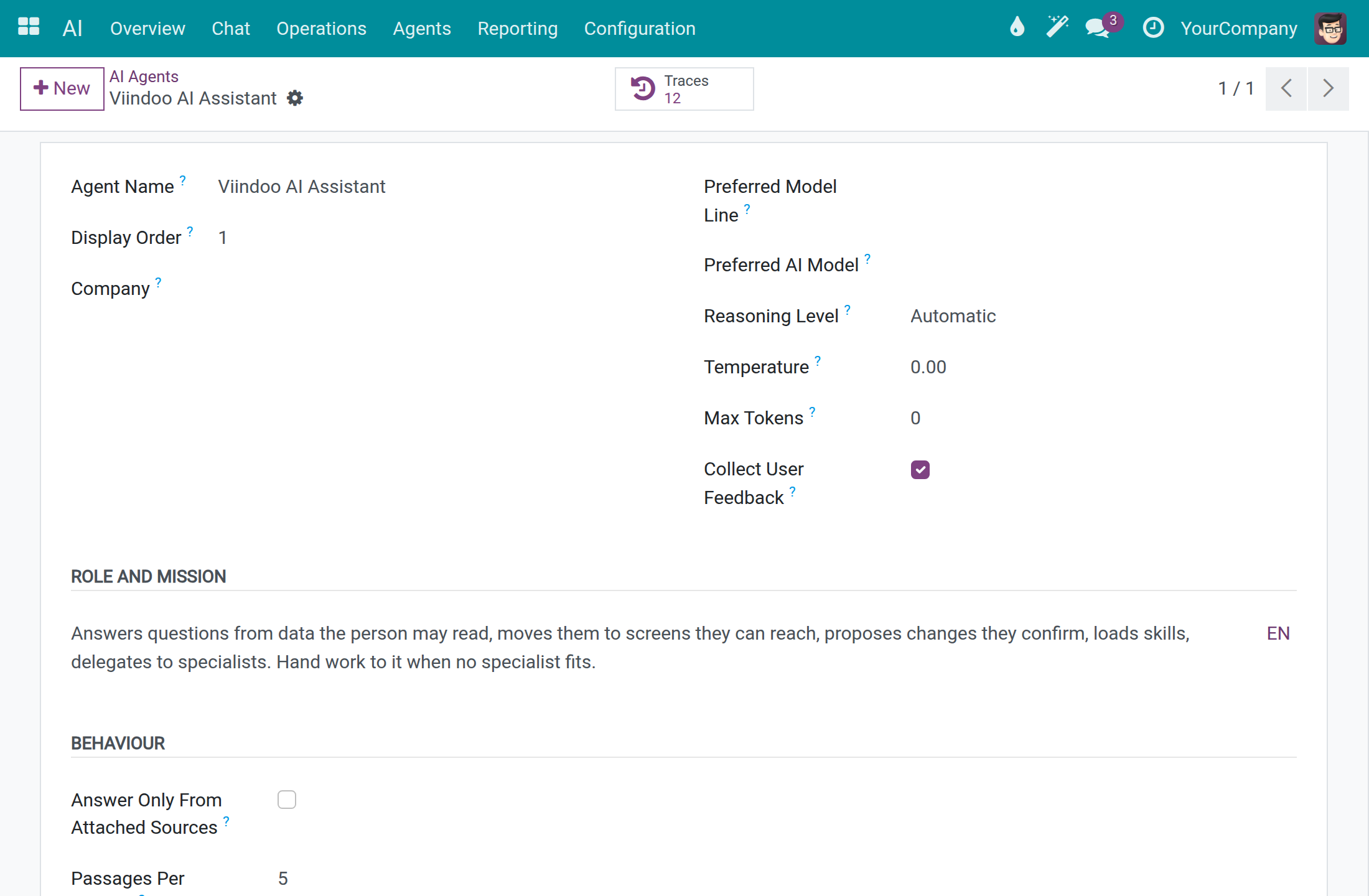
Write what it is for in Role and Mission, and how it behaves in the system prompt.
Pick the Preferred Model Line or Preferred AI Model, the Reasoning Level, and untick Collect User Feedback if people should not rate its answers.
Tick Answer Only From Attached Sources for an assistant that must not use general knowledge, then attach sources under Knowledge Sources. Use the tabs Topics, External Tools and Skills for the rest.
Click Save. The button Traces lists the runs of this assistant.
Fit the assistant to the model's window
An assistant offers many tools, and a model reads only so much at once: its context window. One rule decides how the tools are presented to the model, for every tool of the assistant, built in or coming from an external tool server.
Open AI ‣ Agents, open the assistant and go to the Topics tab.
Choose Load Tool Details On Demand. Point at the question mark beside the field to read its help.
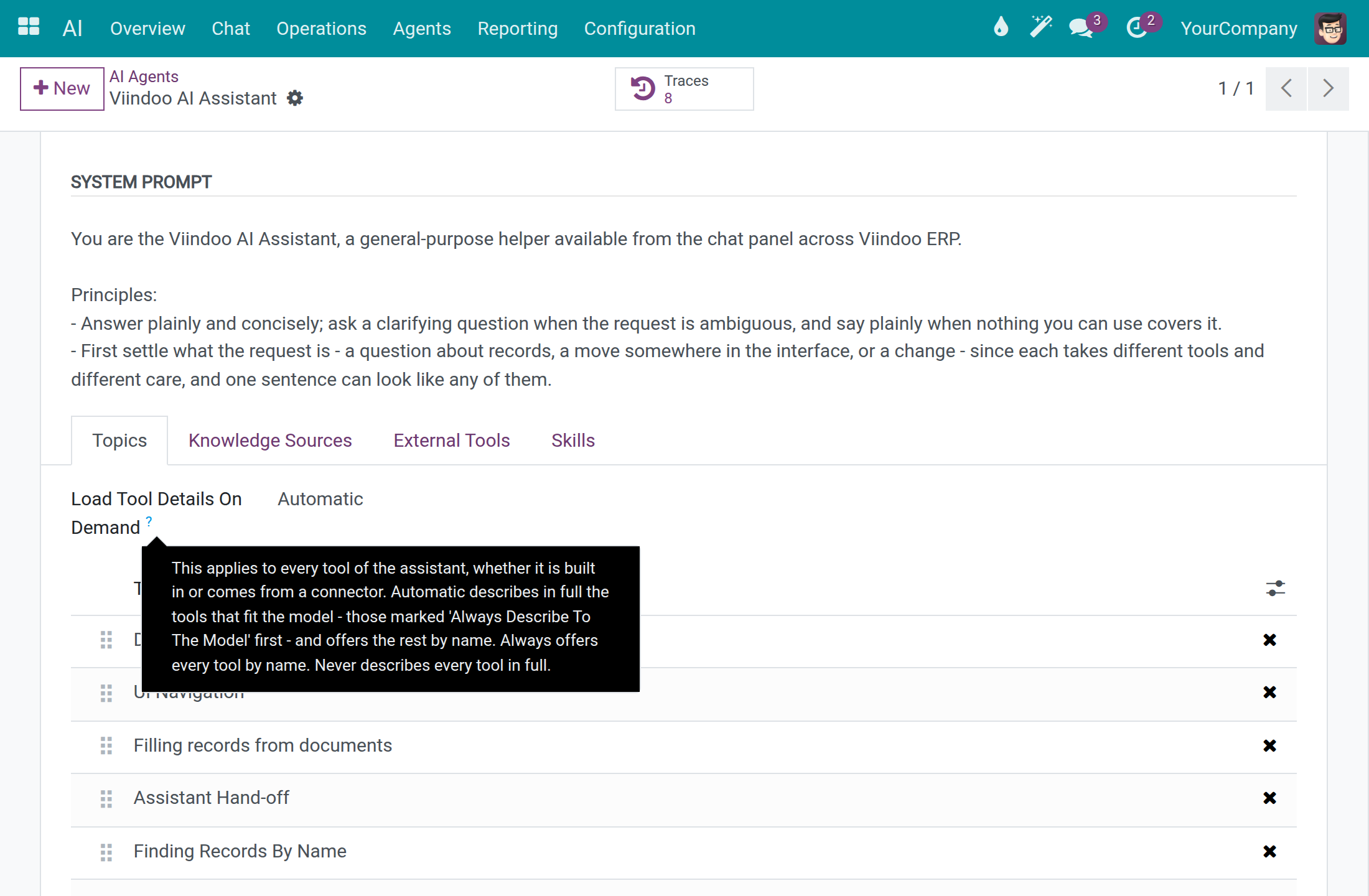
| Choice | What the model receives |
|---|---|
| Automatic | The tools that fit the model are described in full, those marked Always Describe To The Model first. The remaining tools are listed by name and the model loads their details when it needs them. This is the default. |
| Always | Every tool is listed by name only, whatever the size of the window. |
| Never | Every tool is described in full. A model whose window is too small for that answers with the card The request is too large, which names the model. |
A tool listed by name runs exactly like a tool described in full, and each person's own access rights decide which tools are offered in both cases. The ready-to-use Viindoo connection, whose model has a 32K window, answers on a full installation with Automatic; there is nothing to set.
System administrator: review answer quality
Define feedback categories
People rate an answer with a thumb or a flag. Categories let you group the reasons. Only system administrators see this menu.
Open AI ‣ Configuration ‣ Feedback Categories and click New. Type a Name such as Wrong answer or Tone issue and save.
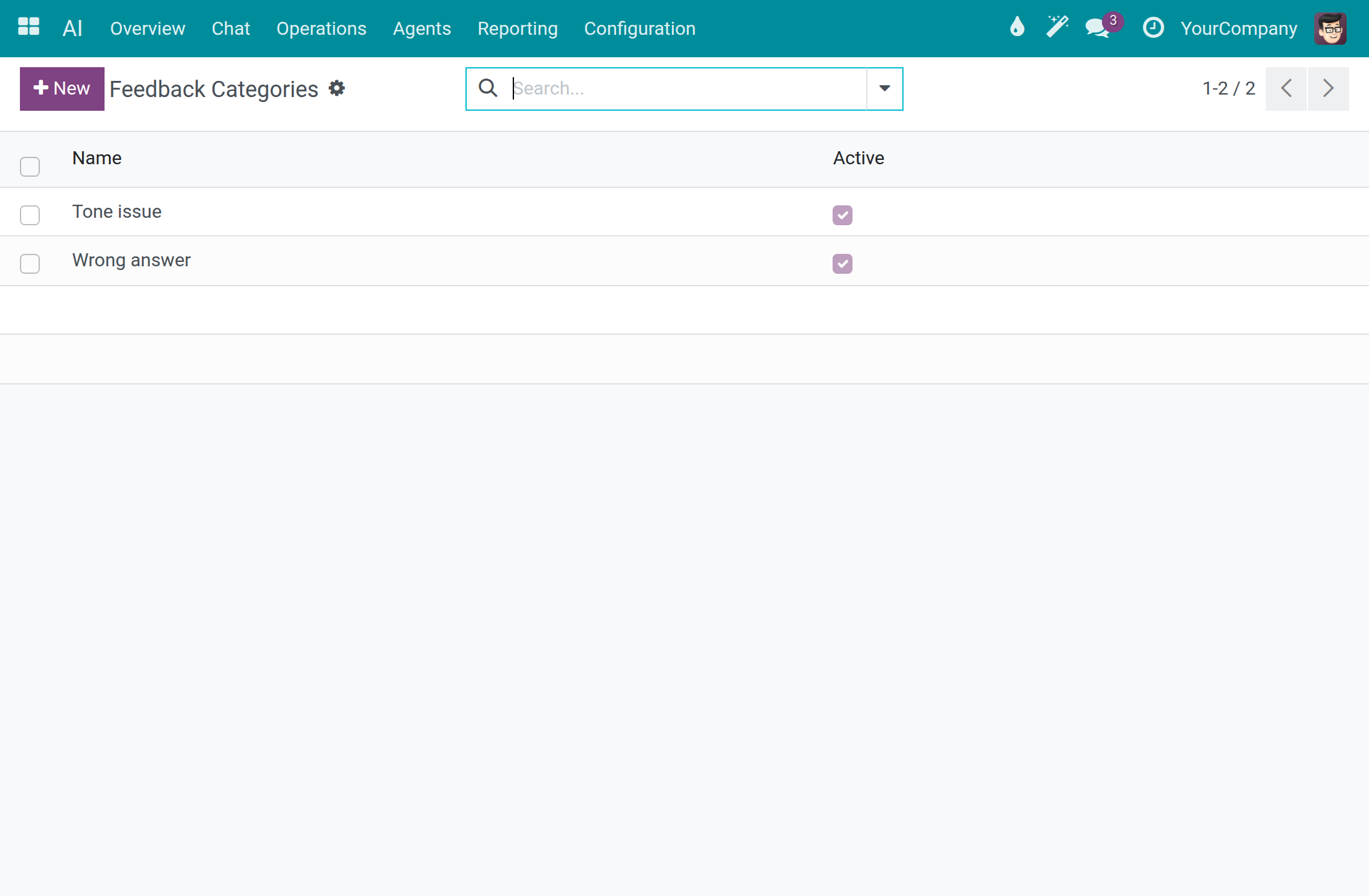
To hide a category from the picker, open it and use Action ‣ Archive. The feedback already given keeps it. The Archived filter lists archived categories, and Action ‣ Unarchive restores one.
Find answers that people rated badly
Only system administrators see the Feedback menu.
Open AI ‣ Reporting ‣ Feedback. Each line is one rating, with the Date, User, Trace ID, Rating and Comment.
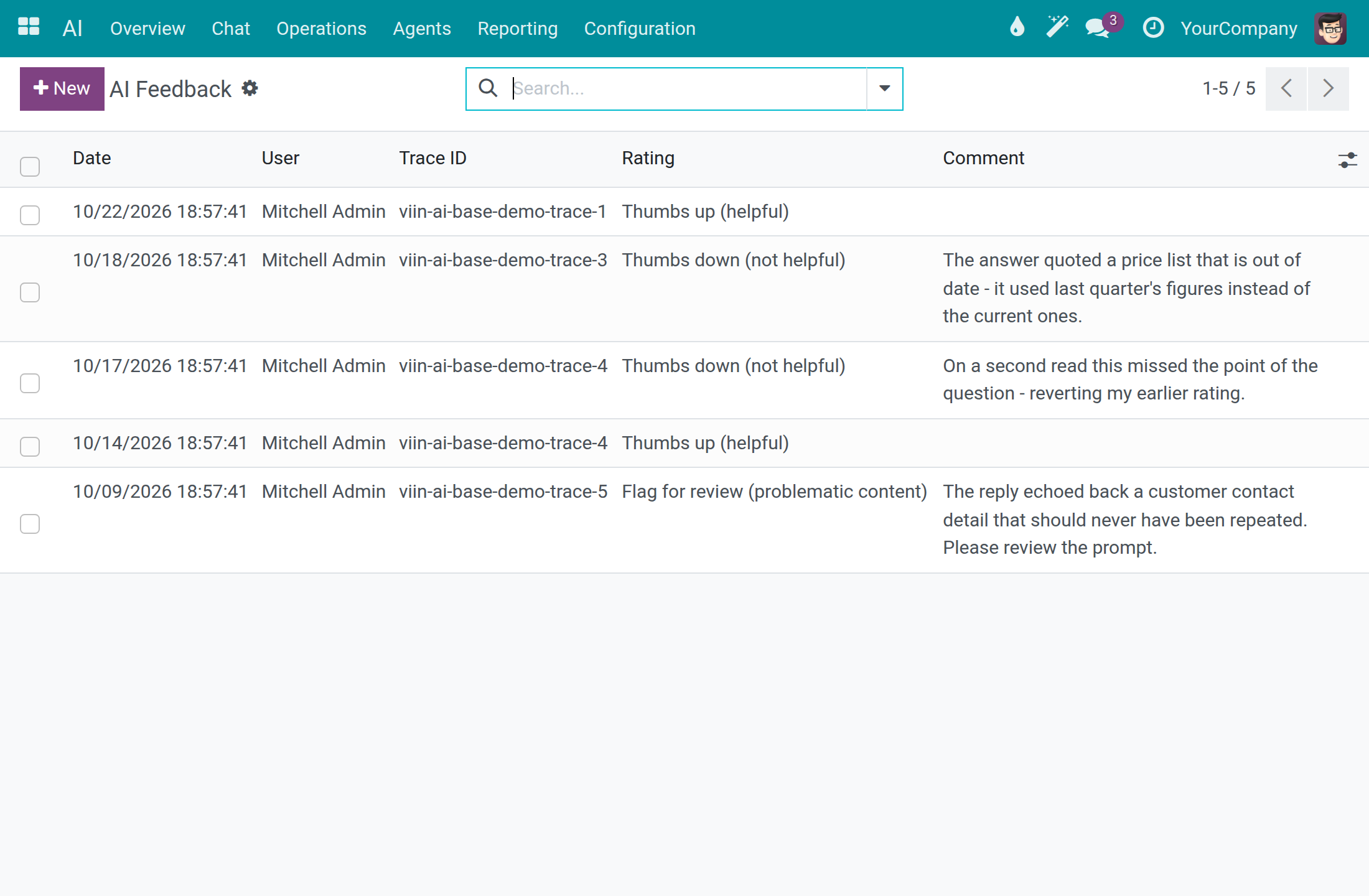
Use the filters Thumbs Up, Thumbs Down and Flagged, or group by Rating, User or Category.
Copy the Trace ID. In AI ‣ Reporting ‣ Dashboard, switch to the List view and tick Trace ID in the optional-columns menu at the right end of the header, then find the same value in that column to open the call behind the rating. The Dashboard has no search box for it. To go straight to the raw HTTP record of a call, type the Trace ID in the search box of API Logs ‣ API Request Logs and choose AI Trace ID.
System administrator: connect external tool servers
An external tool server gives the assistant extra actions from another service. Nothing is sent to a server until its address is approved. An AI Administrator sees these screens; only a system administrator creates or changes an approval or a server.
Approve a service
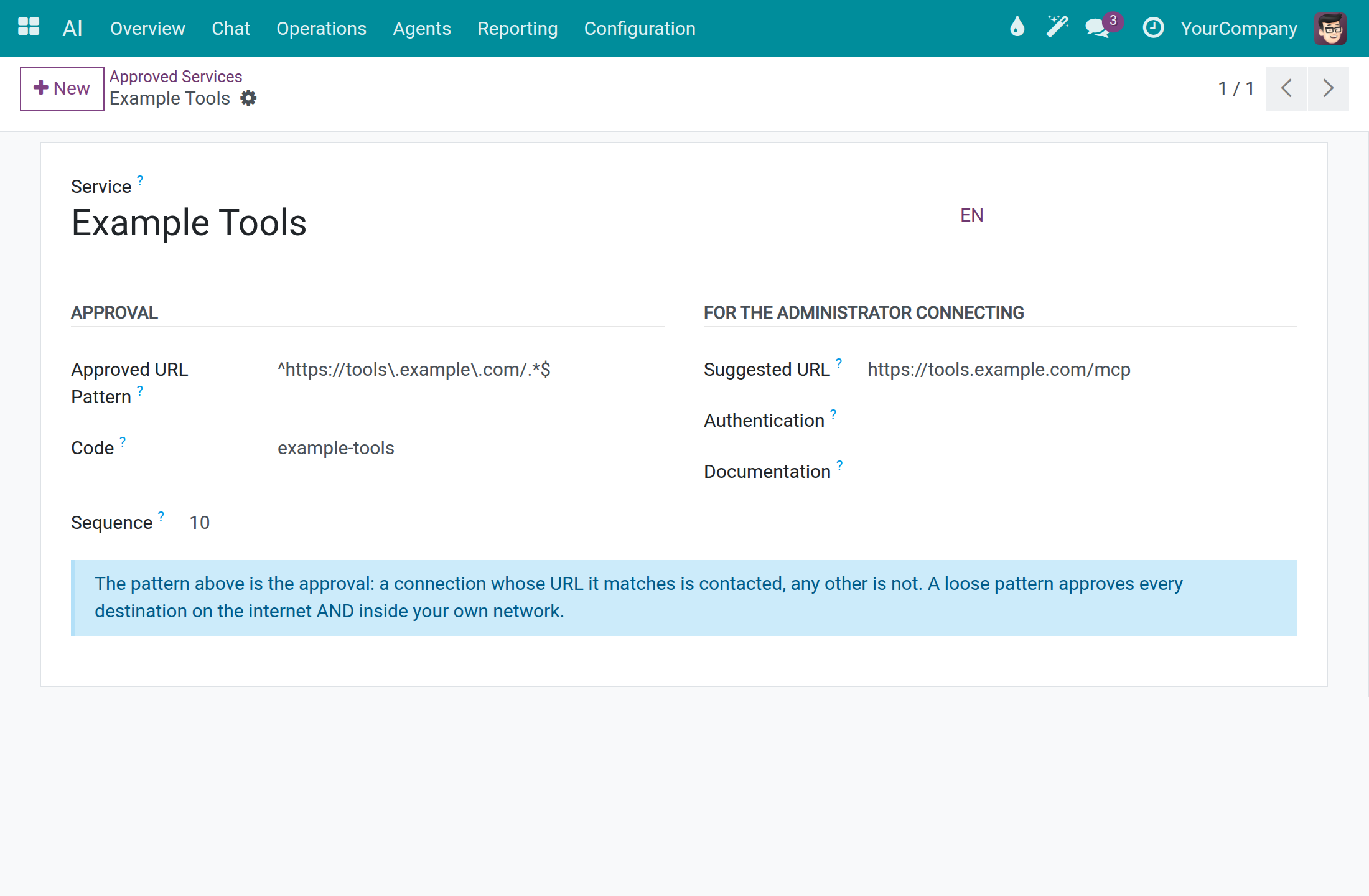
Open AI ‣ Configuration ‣ External Tool Servers ‣ Approved Services and click New.
Type the Service name and a Code, and put the exact address pattern in Approved URL Pattern. A connection is contacted only when its URL matches the pattern; a loose pattern approves every destination on the internet and inside your own network.
Fill Suggested URL, Authentication and Documentation to help whoever connects the service, then click Save.
Connect a server
Open AI ‣ Configuration ‣ External Tool Servers ‣ Servers and click New.
Type the Name and the URL, and choose the Approved Service that covers the URL. The Identifier fills in from the name; change it if you want another short name. Set Authentication to what the service expects.
Click Save, then Test Connection. The status bar goes from Not Yet Contacted to Contacting and Connected. When the URL is not approved, Approve This URL appears.
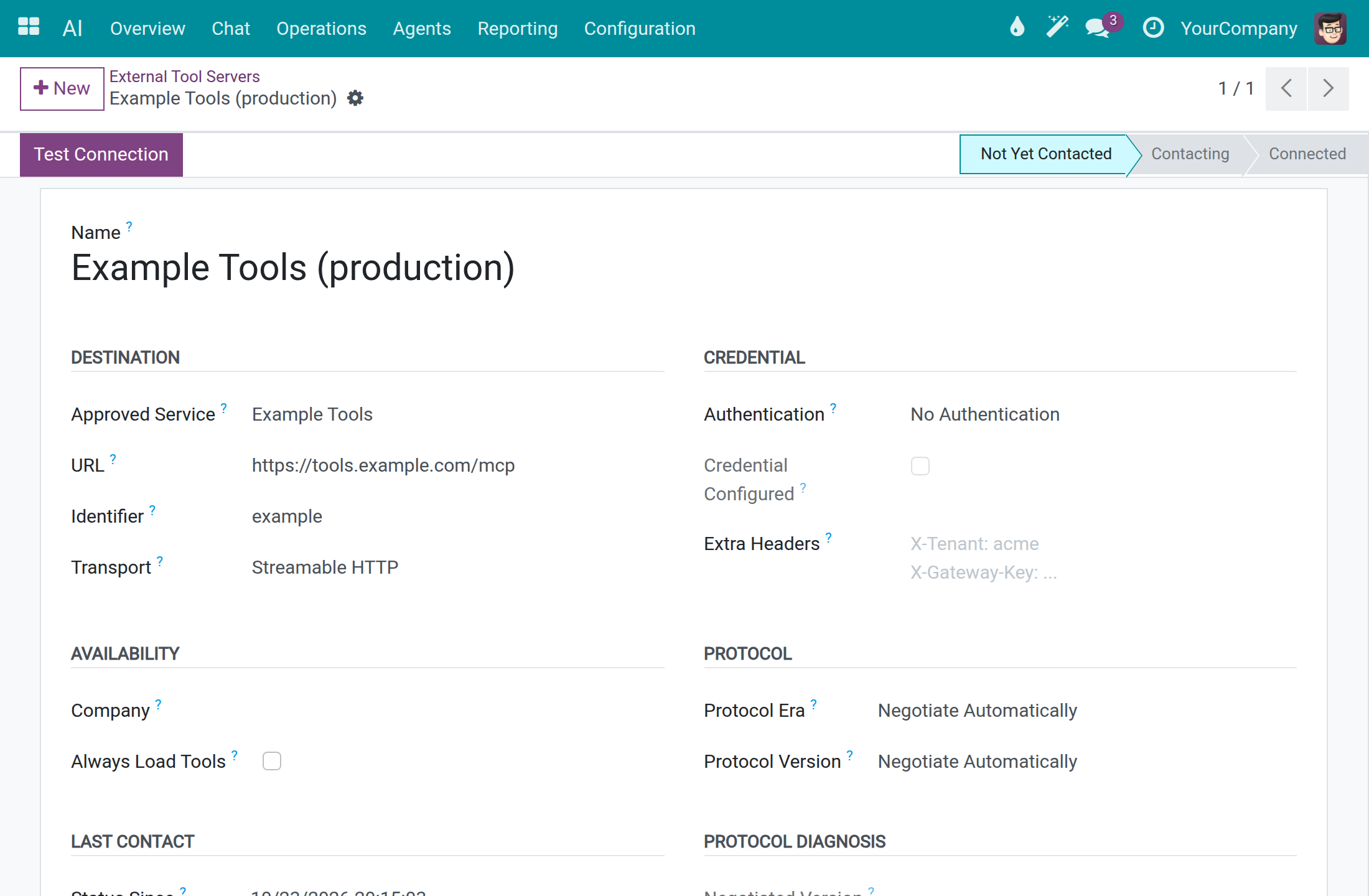
Credentials are typed once into the field of the chosen Authentication; Credential Configured only tells you that one is stored.
Choose which tools the model always sees
Always Describe To The Model is off by default: a tool of the server is described in full only while it fits the model's window, and is otherwise listed by name (see Fit the assistant to the model's window). Switch it on for the tools the assistant must always see in full.
Open the server in AI ‣ Configuration ‣ External Tool Servers ‣ Servers.
In the Availability section, tick Always Describe To The Model to describe every tool of the server in full on every call, before any other tool.
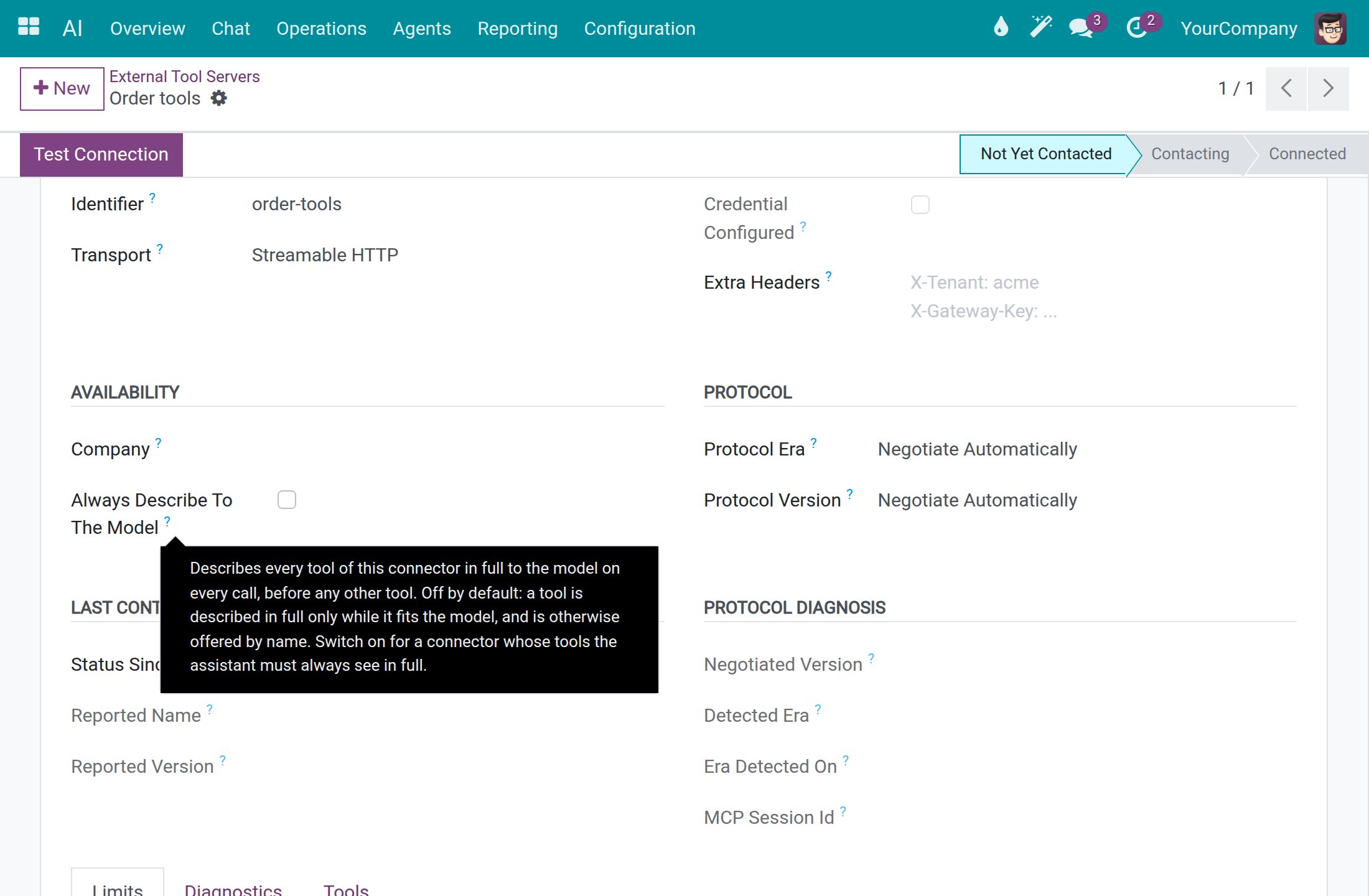
The Tools tab of the server lists its tools. The column Always Describe To The Model shows, tool by tool, which ones are described in full on every call, before any other tool.
Every tool described on every call takes room in each request, so switch the option on only for what the assistant cannot do without.
System administrator: advanced configuration
The screens below hold technical settings. The ready-made values work for the vendors of this guide, so leave them as they are unless a reason below applies. A system administrator or an AI Administrator changes Models, Model Lines, Message Adapters and Speech Pronunciations; an AI Administrator sees Screen Capabilities, and only a system administrator changes them. Before changing them, ask Viindoo support at https://viindoo.com/ticket.
Topics
A topic holds the guidance the assistant follows on one subject, and the actions it uses for it. Assistants carry topics. Only system administrators open this list.
Open AI ‣ Configuration ‣ Topics. Each line is a topic with its Topic Name; drag the handle at the start of a line to change the display order. With no topic yet, the list shows Create your first AI topic.
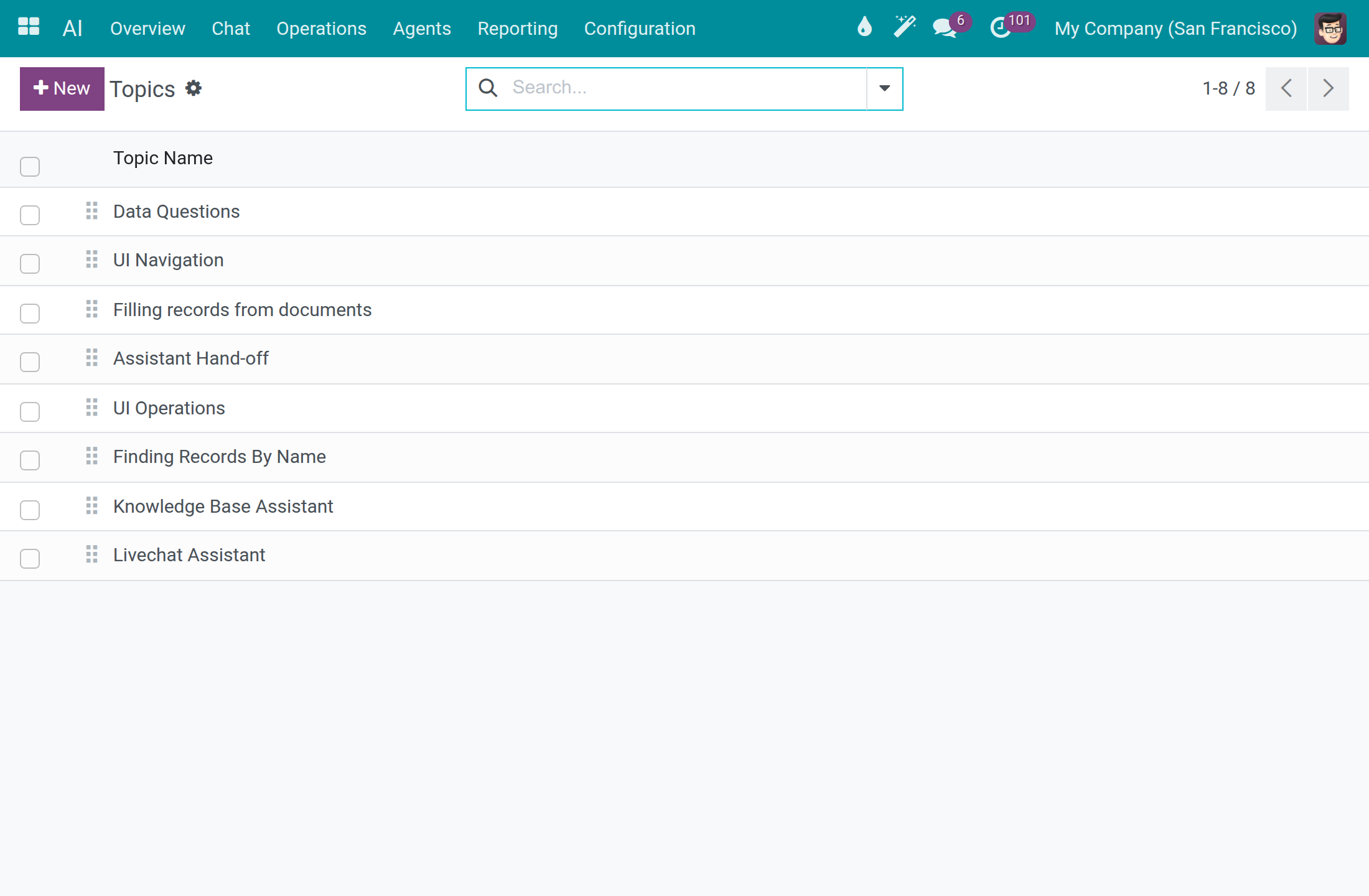
Click New for a topic of your own, or open one to change its name, its actions and the guidance for the assistant.
To stop assistants from offering a topic, open it and use Action ‣ Archive. An archived topic is no longer offered in the Topics tab of an assistant, which lists the others in their display order. The Archived filter lists archived topics, and Action ‣ Unarchive restores one.
Models
Open AI ‣ Configuration ‣ Models. Each line is a model of a connection, with its Model Type, Context Window (tokens), Line, Vendor Status, and the cost per 1,000 tokens that feeds the spend limits.
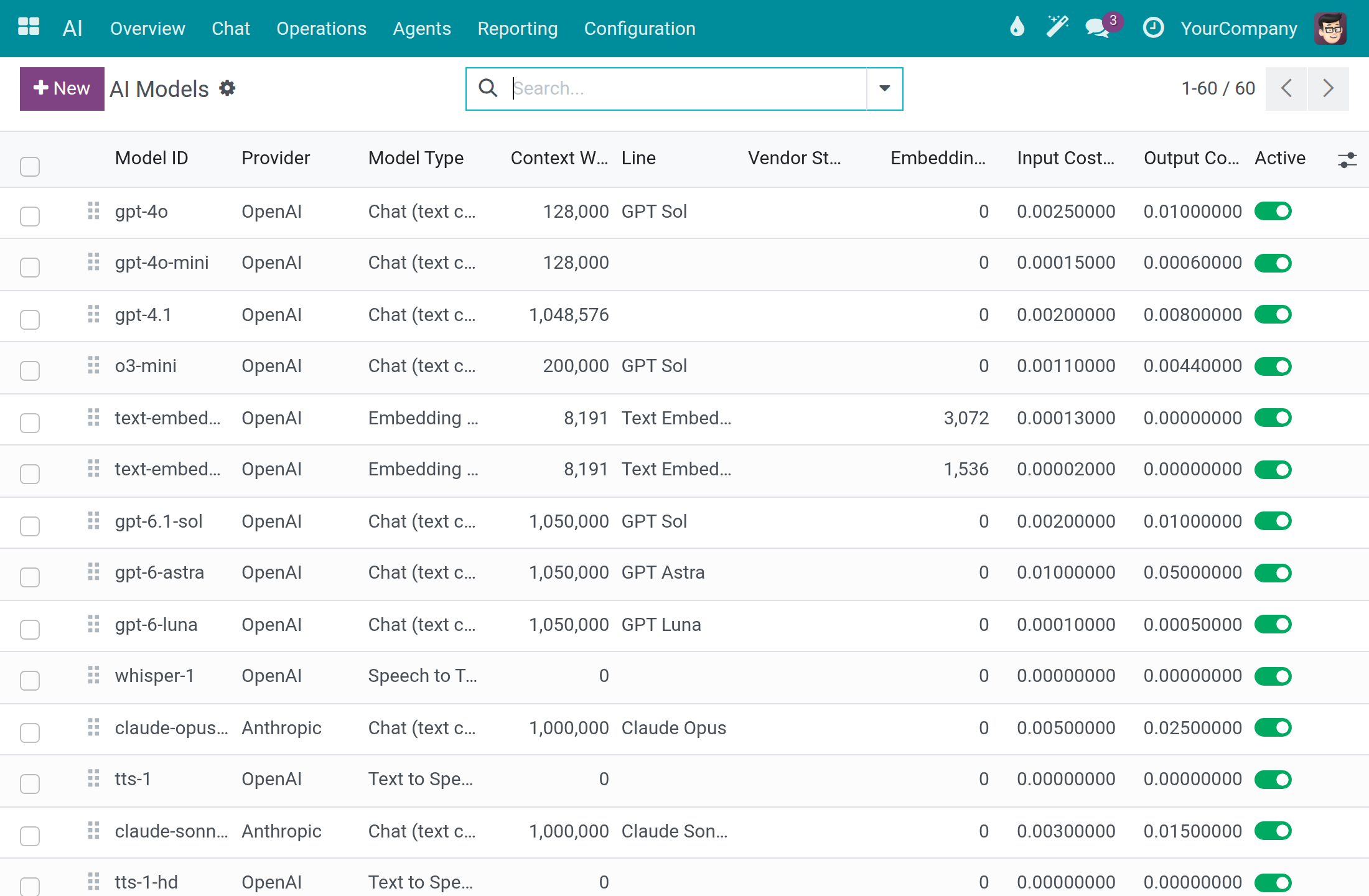
Touch it when a vendor releases a model that is not listed (click New, pick the Provider, type the exact Model ID of the vendor), when the prices of your contract differ, or to archive a model nobody should pick (Action ‣ Archive; the Archived filter lists archived models and Action ‣ Unarchive restores one).
Model Lines
Open AI ‣ Configuration ‣ Model Lines. A line is the vendor's family name, such as Claude Sonnet; a choice made on a line answers with the newest model of that line.
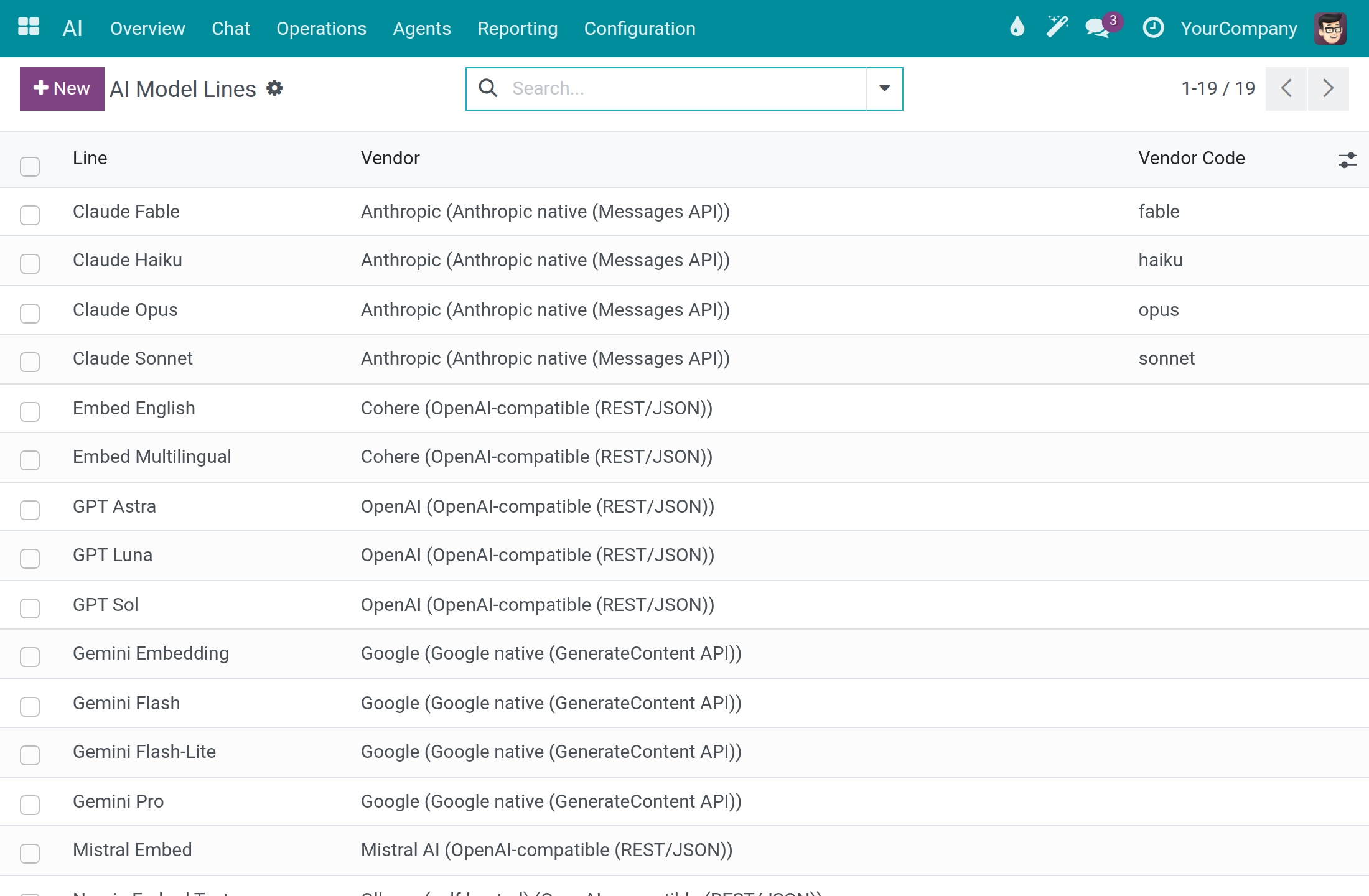
Leave it alone unless a vendor starts a new family that you want settings and assistants to follow.
Message Adapters
Open AI ‣ Configuration ‣ Message Adapters. Each line describes how messages are shaped for one vendor protocol, outgoing or incoming.
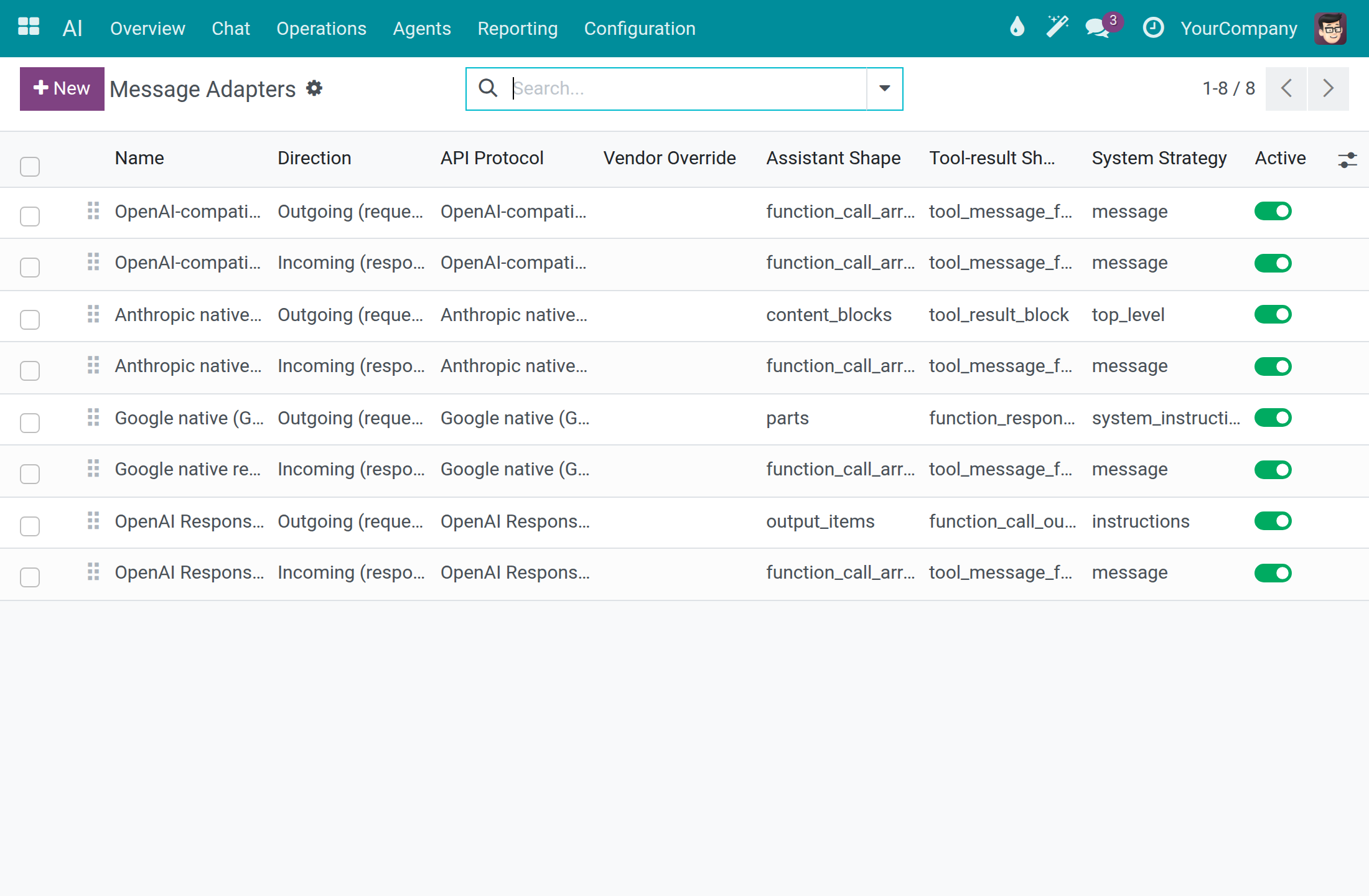
Keep them as they are. A change matters only for a vendor whose interface departs from its protocol, and a wrong value stops answers from that vendor.
Screen Capabilities
Open AI ‣ Configuration ‣ Screen Capabilities. Each line is something the assistant can do on a screen (Where Am I, Open Menu, Apply Filter and so on), with its API Name, Asks First and Offered On.
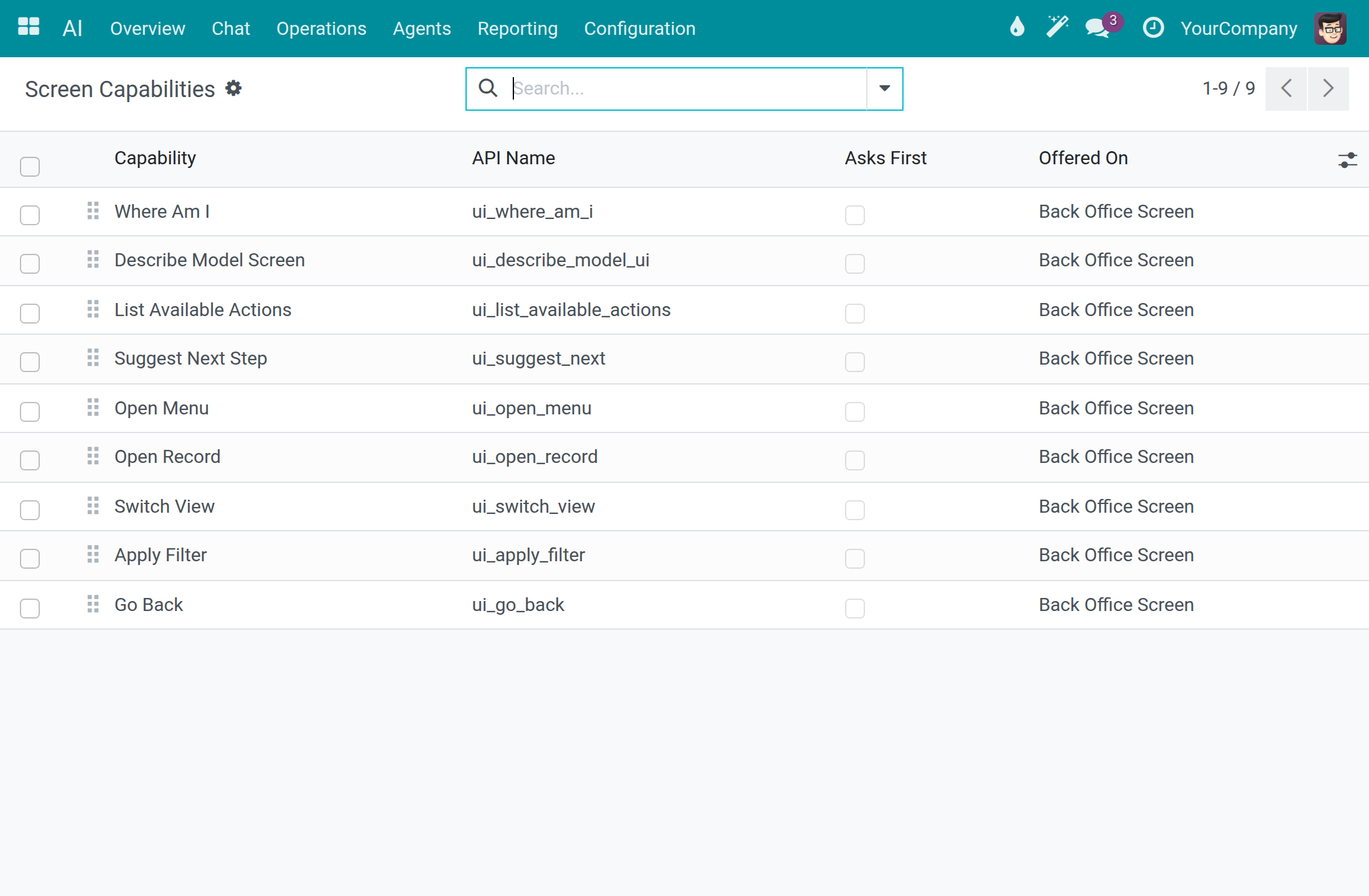
As a system administrator, open a capability and tick Ask User Before Running when you want a confirmation before the assistant uses it. The filters Asks Before Running and Runs Without Asking split the list.
Speech Pronunciations
Open AI ‣ Configuration ‣ Speech Pronunciations. Each line teaches the voice how to say a term, with the Written Term, a Respelling, the Phonetic (IPA) form, the Language and the Speech Models.
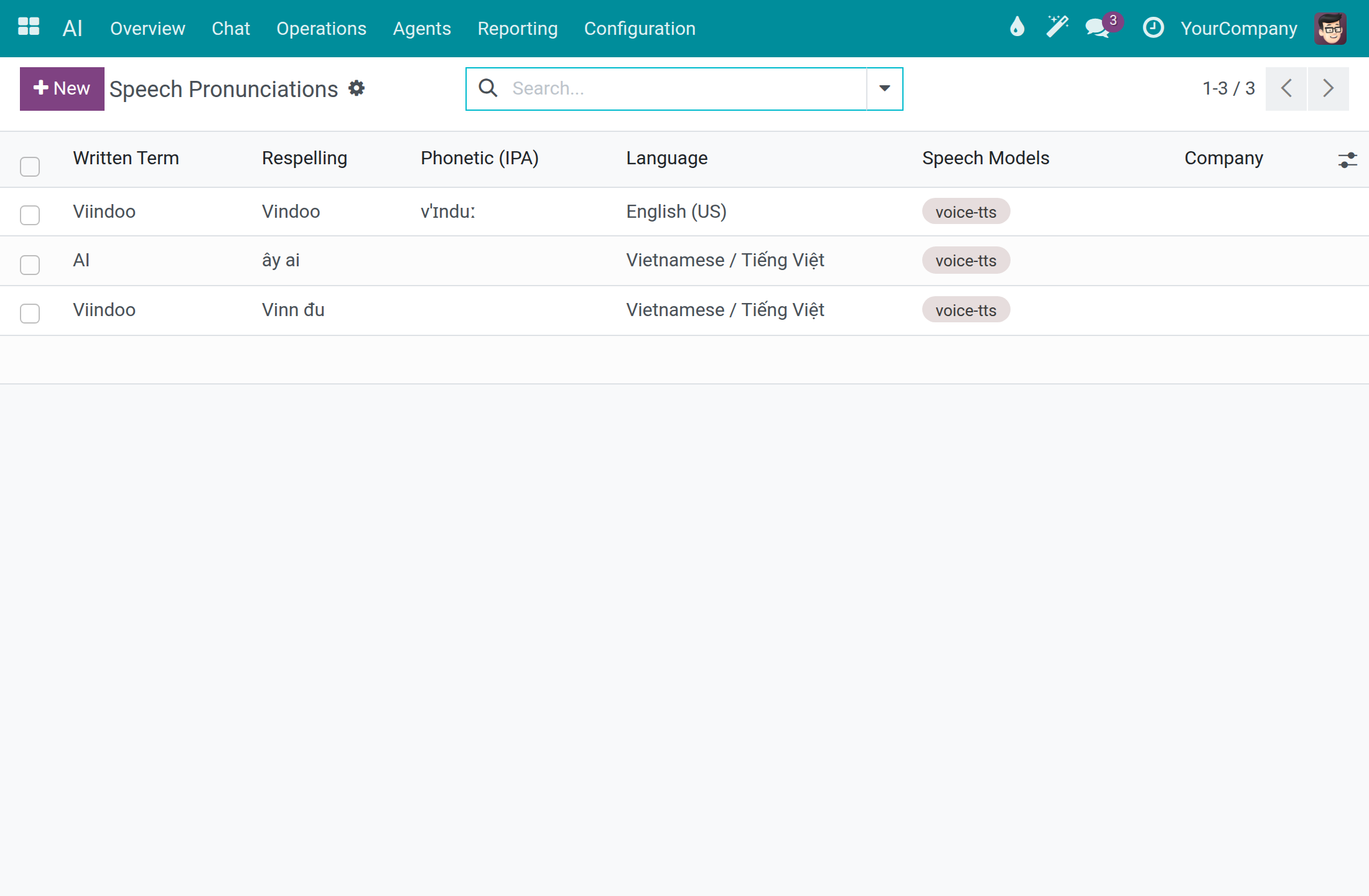
Click New when the voice says a company or product name wrongly. Type the Written Term exactly as written (the match is case-sensitive and whole-word), the Respelling, and the Language; leave Company empty to apply everywhere.
Troubleshooting
| What you see | What to do |
|---|---|
| The message says no AI connection is available for your company. | Open AI ‣ Configuration ‣ Settings and choose a Chat Vendor. It takes effect on the very next question. |
| Test Connection reports an error. | Check the API Key, the Base URL and the Authentication type of the connection in AI ‣ Configuration ‣ Providers. |
| A message says the connection is set to Self-Hosted data residency but has no private endpoint. | Fill in Base URL with your own endpoint, or change Data Residency if the connection is a cloud service. |
| A message says the daily cost cap is exceeded. | Raise the limit in Cost Control, set it to -1 for no limit, or wait for the next day. |
| The card The request is too large names the model. | Open the assistant in AI ‣ Agents, go to the Topics tab and set Load Tool Details On Demand to Automatic. If the card stays, choose a model with a larger context window. |
| Raw HTTP or API Request Logs is not available. | Ask a system administrator for the API Log Viewer right. |
| The AI section is missing in the Access Rights tab of a user. | Activate developer mode; the AI rights appear there. |
| A knowledge source stops at Error. | Read the Error section and fix the cause, such as an unlocked file or a corrected address. Then open the assistant in AI ‣ Agents, go to Knowledge Sources and click Retry failed sources. |
| An external tool server stays Not Yet Contacted or the message says its URL is not approved. | Click Approve This URL on the server, or approve the service first in AI ‣ Configuration ‣ External Tool Servers ‣ Approved Services, then click Test Connection. |
For other questions, contact support at https://viindoo.com/ticket. To buy or upgrade, see https://viindoo.com/contactus.
FAQ
Which AI vendors can I use? The thirteen connections listed in AI ‣ Configuration ‣ Providers, and any vendor you add with New, such as an Ollama server or Azure OpenAI.
Can anyone read my API key? No. The key field shows dots, and the audit trail shows ***MASKED*** in place of the key.
Does the Viindoo connection cost anything? The usage log records a cost of 0.00 for calls through it. It has daily token limits, which is why it suits a quick start.
Where is the record of what an employee asked? In the usage log of the Dashboard, on the Prompt tab of the call.
Can each company use its own vendor? Yes. The connection settings are kept per company.
This software and associated files (the "Software") may only be used (executed, modified, executed after modifications) if you have purchased a valid license from the authors, typically via Odoo Apps, or if you have received a written agreement from the authors of the Software (see the COPYRIGHT file).
You may develop Odoo modules that use the Software as a library (typically by depending on it, importing it and using its resources), but without copying any source code or material from the Software. You may distribute those modules under the license of your choice, provided that this license is compatible with the terms of the Odoo Proprietary License (For example: LGPL, MIT, or proprietary licenses similar to this one).
It is forbidden to publish, distribute, sublicense, or sell copies of the Software or modified copies of the Software.
The above copyright notice and this permission notice must be included in all copies or substantial portions of the Software.
THE SOFTWARE IS PROVIDED "AS IS", WITHOUT WARRANTY OF ANY KIND, EXPRESS OR IMPLIED, INCLUDING BUT NOT LIMITED TO THE WARRANTIES OF MERCHANTABILITY, FITNESS FOR A PARTICULAR PURPOSE AND NONINFRINGEMENT. IN NO EVENT SHALL THE AUTHORS OR COPYRIGHT HOLDERS BE LIABLE FOR ANY CLAIM, DAMAGES OR OTHER LIABILITY, WHETHER IN AN ACTION OF CONTRACT, TORT OR OTHERWISE, ARISING FROM, OUT OF OR IN CONNECTION WITH THE SOFTWARE OR THE USE OR OTHER DEALINGS IN THE SOFTWARE.