
Stock Quality Control
| Lines of Code | 852 |
| Technical name | to_quality_stock |
| License | OPL-1 |
| Website | https://viindoo.com/apps/modules/18.0/to_quality_stock |
| Read description for | v 12.0 v 13.0 v 14.0 v 15.0 v 16.0 v 17.0 |
| Required Apps | Discuss (mail) Inventory (stock) |
| Included Dependencies | Quality |
| Extensions | Manufacturing Quality Control Stock Quality & Multi Warehouse Access Control |
Stop failed goods at the dock, not at your customer's door.
Viindoo Stock Quality Control creates the quality checks each receipt, delivery or internal transfer needs, and refuses to validate the transfer while a check is still to do or a blocking check has failed.
Extends to_quality - see its documentation.
Key Features
Checks created for you
The moment a transfer is confirmed, its checks are created from the control points that match its products and operation type, without duplicates.
Validation waits for quality
A transfer cannot be validated while a check on a moved product is still to do or a No Proceed if Failed check has failed, and the message names each check.
Check from the transfer
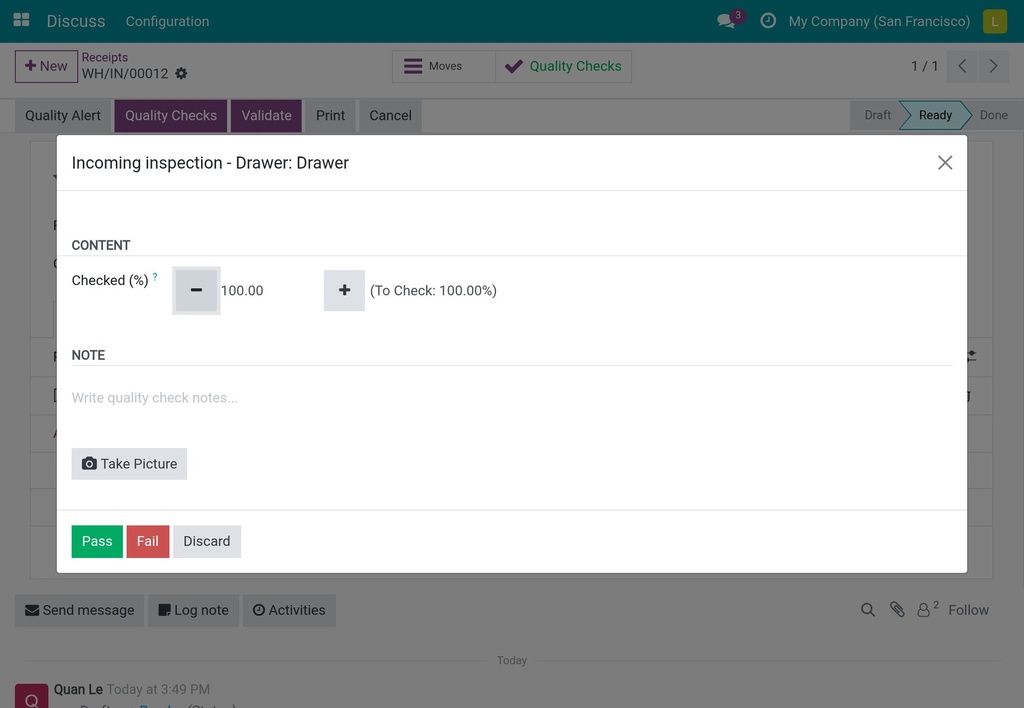
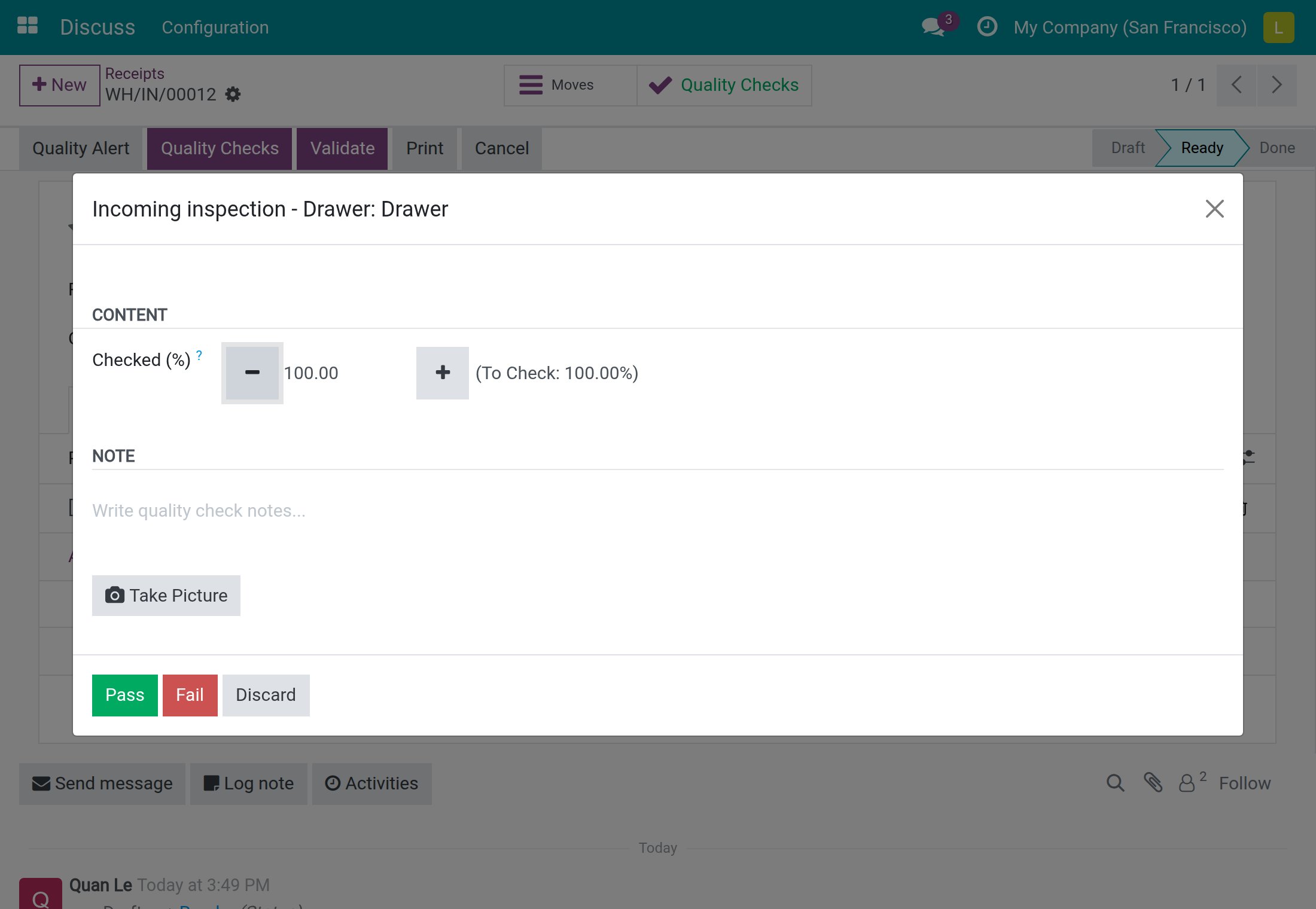
Open the pending checks of a receipt in the touch check dialog and step from one to the next after each Pass or Fail until all are recorded.
Backorders and cancellations stay clean
A backorder gets its own fresh checks, the original drops the ones it no longer needs, and cancelling a transfer clears the checks still waiting.
Alert in one click
Raise a quality alert straight from a transfer, already filled with the failed check's product and lot, and jump to the alerts raised on it.
A queue for the quality team
Stock Pickings To Do lists open transfers whose checks are all judged, and Done Stock Pickings gathers finished transfers for review.
Validation waits for quality
Confirming a transfer creates its checks from the control points that match its products and operation type, with no duplicates. Validation is refused while a check on a product being moved is still to do, or while a check of a No Proceed if Failed point has failed, and the message names each check. On each control point and each Quality Point Template line you choose whether it applies to receipts, deliveries or internal transfers.
Warehouse staff record, the quality team decides
Inventory users read and record results on the checks of any transfer, straight from the transfer, without Quality User rights - but they cannot create or delete checks, and only a Quality User takes a check out of Failed. Once a transfer is done or cancelled, only a Quality User can revise its results.
Every problem traced to its lot and transfer
A Quality Checks button that turns red when a check has failed shows the status at a glance, and Quality Alert opens an alert already filled with the failed check's product and lot. Checks, alerts and corrective and preventive actions all carry the lot and the transfer, so you can search and group by them.
Questions buyers ask
Which operations can be inspected?
Any operation type you choose on the control point: receipts, deliveries or internal transfers. Quality Point Template lines carry the operation types too, so control points created from a template apply to the right transfers.
What happens with partial receipts and cancelled transfers?
A backorder gets its own fresh checks, and the original transfer drops the checks it no longer needs, so no orphan check is left behind. Cancelling a transfer removes the checks still waiting, so the quality queue only holds live work.
Can warehouse staff check goods on a tablet?
Yes. Each check opens in the touch-friendly check dialog of Viindoo Quality, and after a Pass or Fail it moves straight to the next pending check of the same transfer. Quality Users can also open all pending checks of a transfer at once from its Quality Checks button.
Where does the quality team follow transfers?
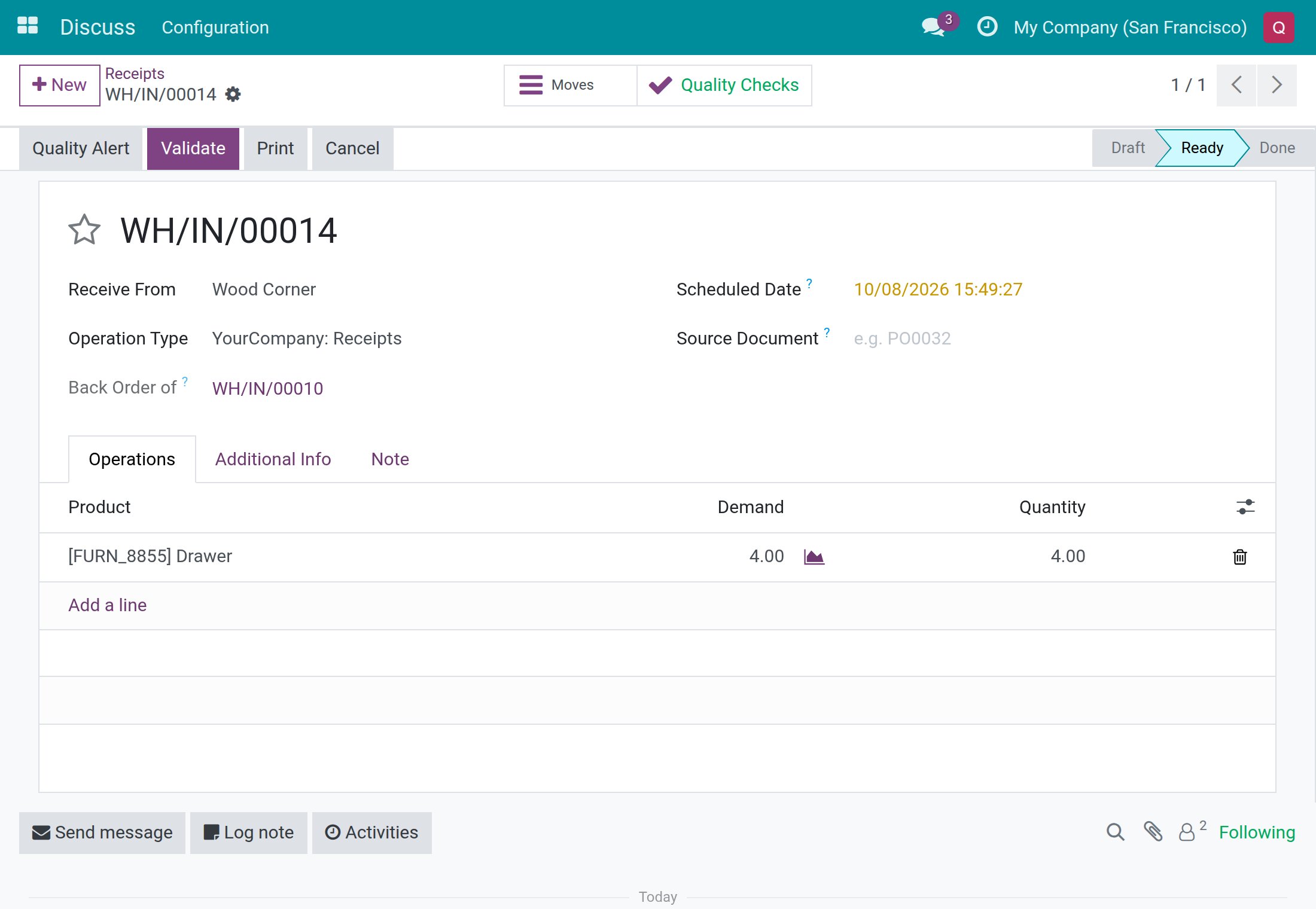
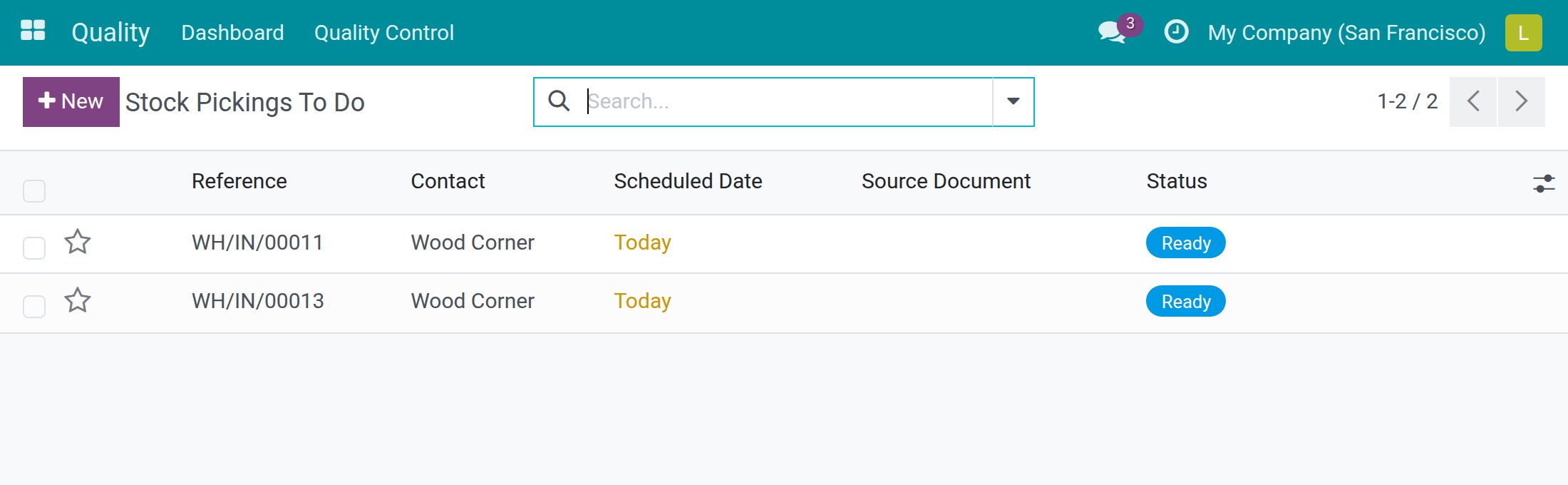
In Quality > Quality Control > Stock Operations. Stock Pickings To Do lists the transfers whose checks have all been judged and that are not yet done, and Done Stock Pickings gathers finished transfers for review.
What else do I need?
Viindoo Quality and Inventory. Installing Viindoo Stock Quality Control adds them if they are not installed yet.
Compatibility
Works with Odoo 18.0 Community Edition.
Not supported on Odoo Enterprise.
Let only checked goods leave the dock.
Stock Quality Control
Note
Extends to_quality - see its documentation.
Stock Quality Control stops faulty goods at the dock. As soon as a receipt, a delivery or an internal transfer is marked to do, the quality checks it needs appear on it. Your warehouse team records the results from the transfer itself, and the transfer cannot be validated while a check is still to do or while a blocking check has failed. This guide explains, role by role, what you see on screen and what to click.
Who does what
- Warehouse clerk (access right Inventory: User, no Quality access right): marks transfers to do, opens the Quality Checks button on a transfer, records Pass or Fail, and validates the transfer once the checks allow it.
- Quality User (access right Quality: User, usually also Inventory: User): does everything the clerk does, plus releases a failed check, revises results on a finished transfer, raises quality alerts and follows the Stock Operations menu.
- Quality Administrator (access right Quality: Administrator): decides which products and which operation types are controlled by creating control points.
Every quality check has one of three statuses: To do, Passed or Failed.
Installation
- Open Apps.
- Search for the keyword to_quality_stock (the app is named Stock Quality Control).
- Click Install.
The Quality app that this one extends is installed with it. After the installation, the Quality Control menu gains a Stock Operations section for Quality Users.
Configuration
Give people access
- Open Settings ‣ Users & Companies ‣ Users and open the user.
- On the Access Rights tab, choose User in the Inventory line for a warehouse clerk.
- For a Quality User, also choose User in the Quality line. For a Quality Administrator, choose Administrator in the Quality line.
- Click Save.
A warehouse clerk needs no Quality access right to read and record the results of the checks on any transfer. A clerk cannot create or delete checks, and does not see the Quality app.
Create a control point for an operation type (Quality Administrator)
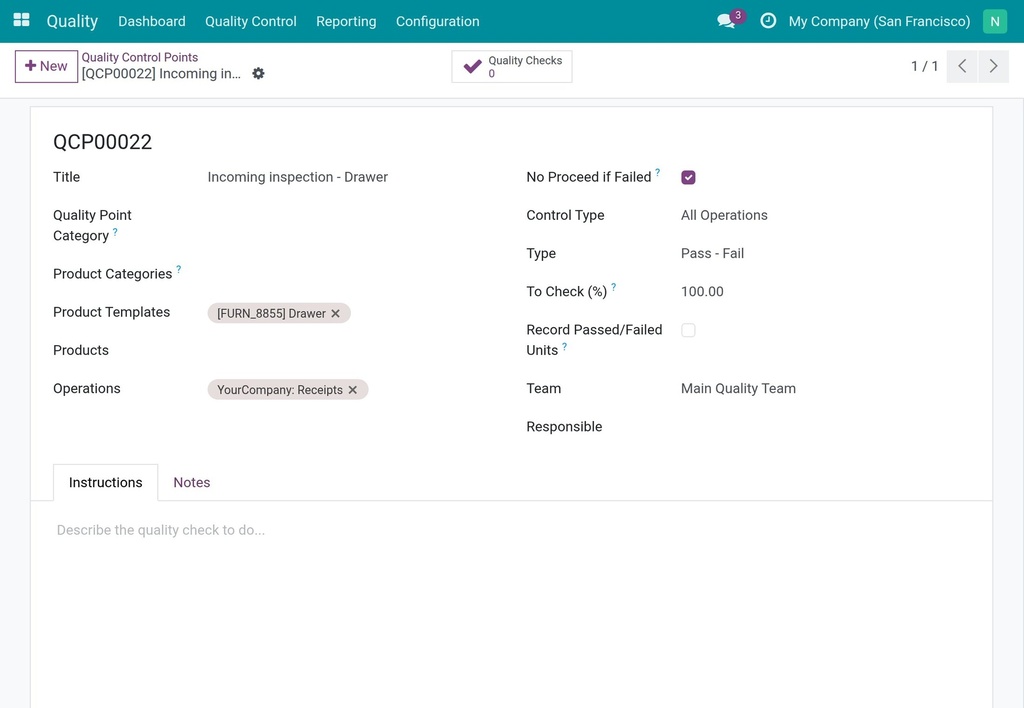
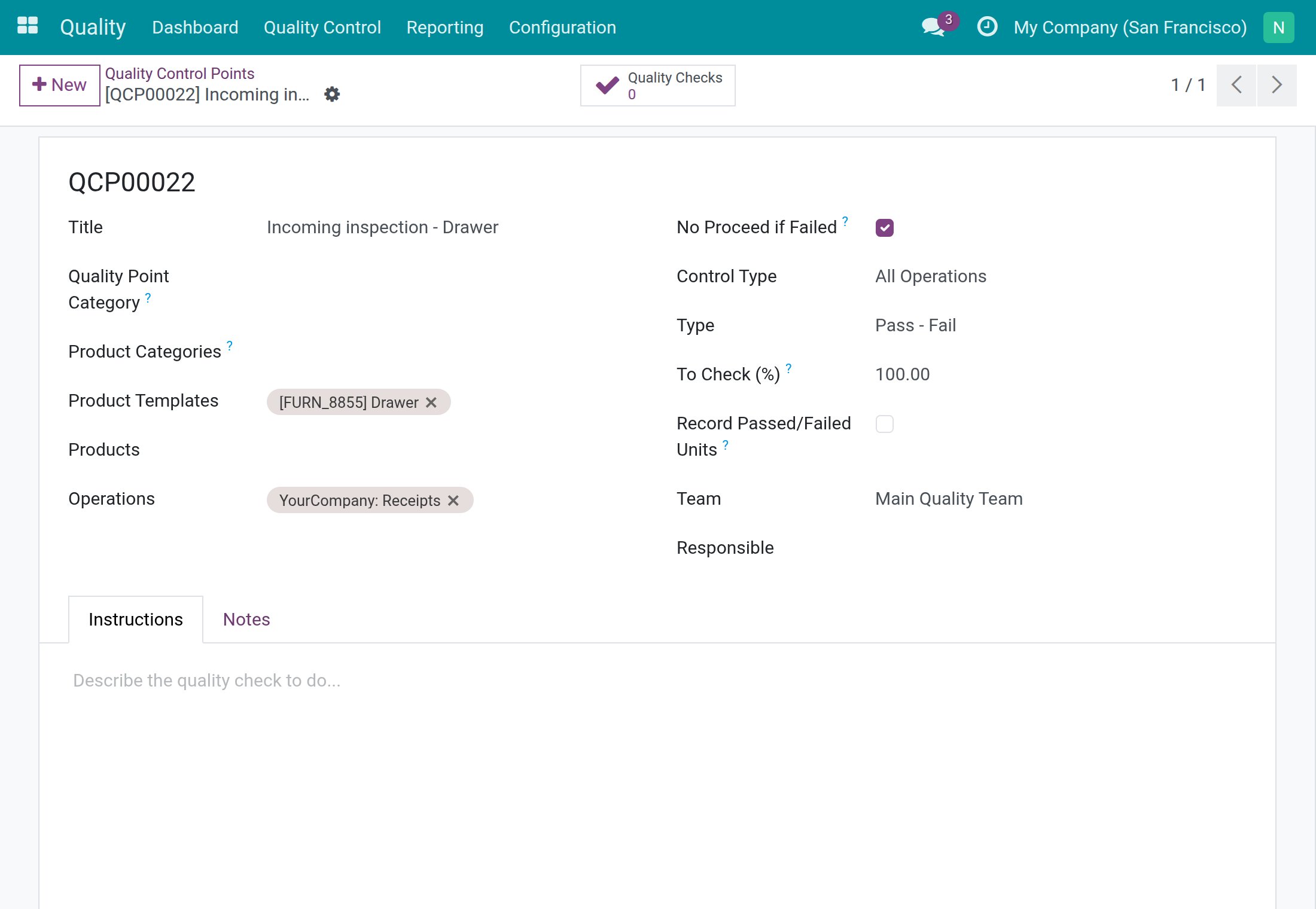
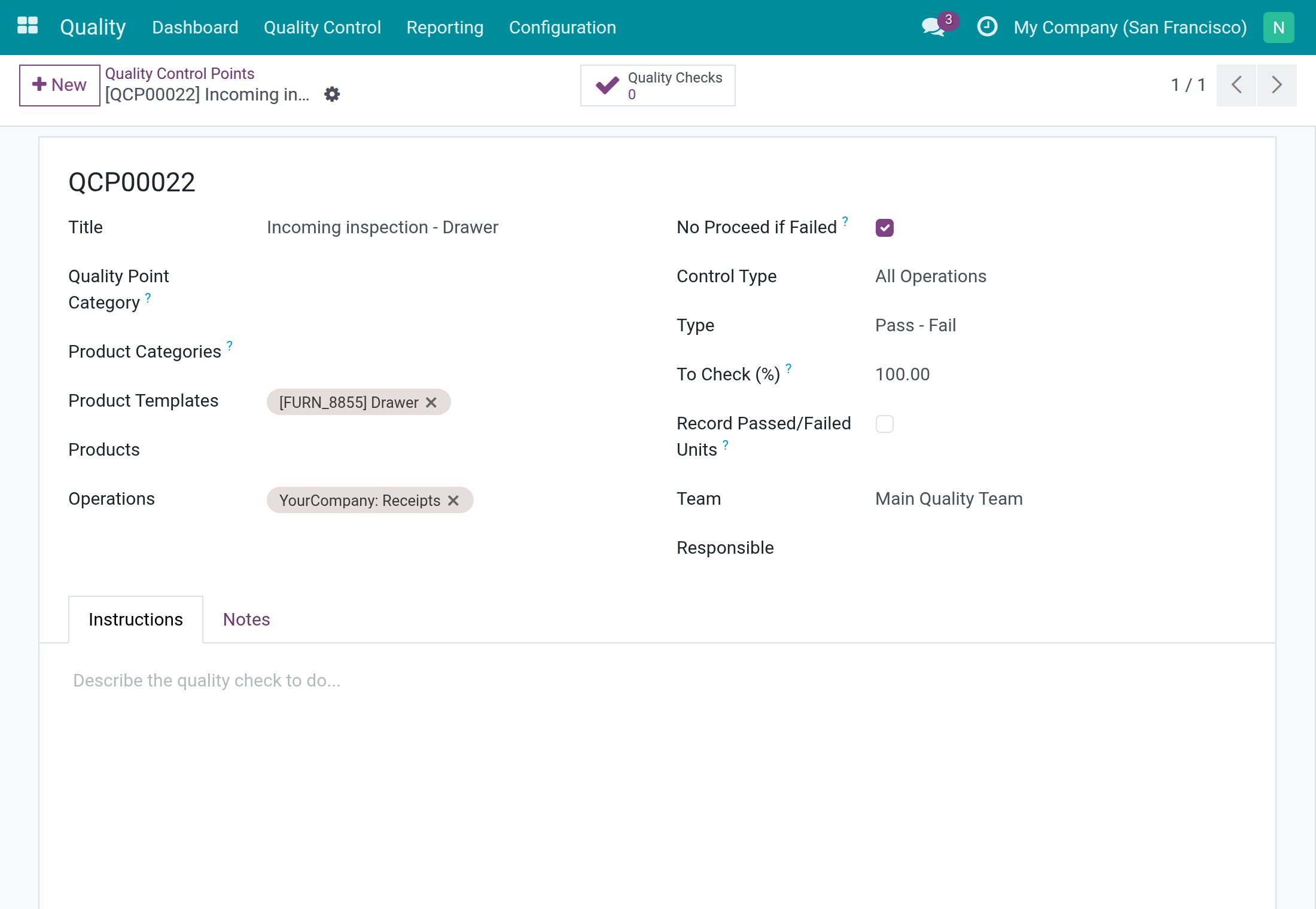
A control point tells the system which product to inspect and on which operation type. Here is how to inspect every drawer that arrives on a receipt and to keep the goods out of stock when the inspection fails.
- Open Quality ‣ Quality Control ‣ Control Points and click New.
- In Title, type the name that your team will see in messages, for example Incoming inspection - Drawer.
- In Product Templates (or Products, or Product Categories), choose what is inspected.
- In Operations, choose the operation type, for example YourCompany: Receipts. Add Delivery Orders or internal transfers the same way if they must be inspected too.
- Keep Type on Pass - Fail and Control Type on All Operations.
- Tick No Proceed if Failed if the transfer must stay blocked while a check of this point is failed.
- Leave Responsible empty so that any warehouse user can record the result, or choose a person when only that person (or a Quality User) may record Pass.
- Click Save. The control point receives a reference such as QCP00022.
Note
A control point whose Operations field is empty is never applied to a transfer. Nothing is created for a transfer that was already marked to do before the control point existed.
The lines of a quality point template have the same Operations field, so the control points you create from a template apply to the operation types you chose. See the Quality guide for templates and for the Measure and Take a Picture types.
Usage
Mark a transfer to do and find its quality check (warehouse clerk)
- Open Inventory ‣ Operations ‣ Receipts and click New.
- Click Add a line, choose the Product (for example Drawer) and type the Demand.
The receipt is still a draft and has no quality check yet.
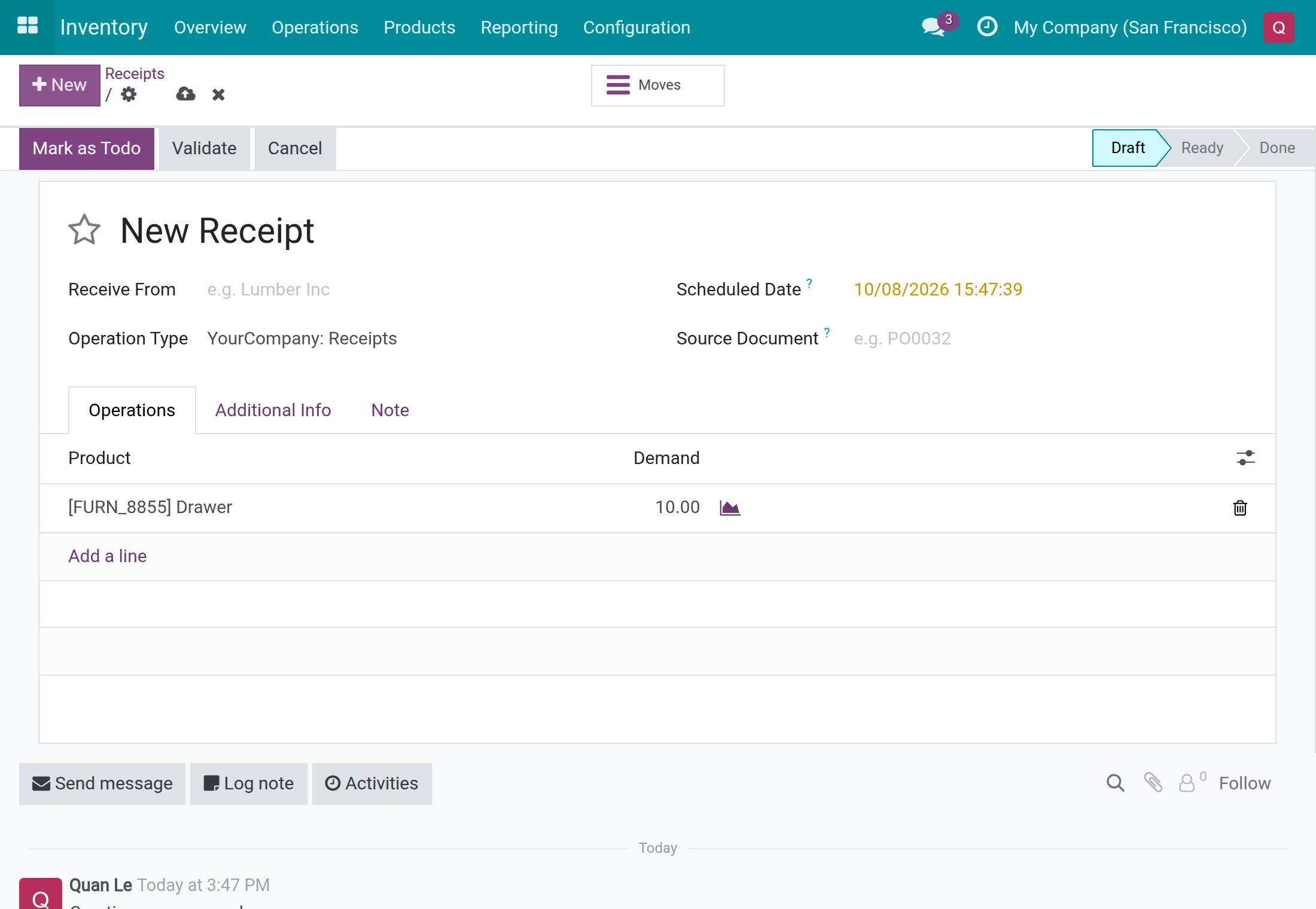
Now click Mark as Todo. The receipt becomes Ready and a Quality Checks button appears at the top of the form. The system created one check for every control point that matches the product and the operation type, and never creates the same check twice on one transfer. The button text is green while no check has failed.
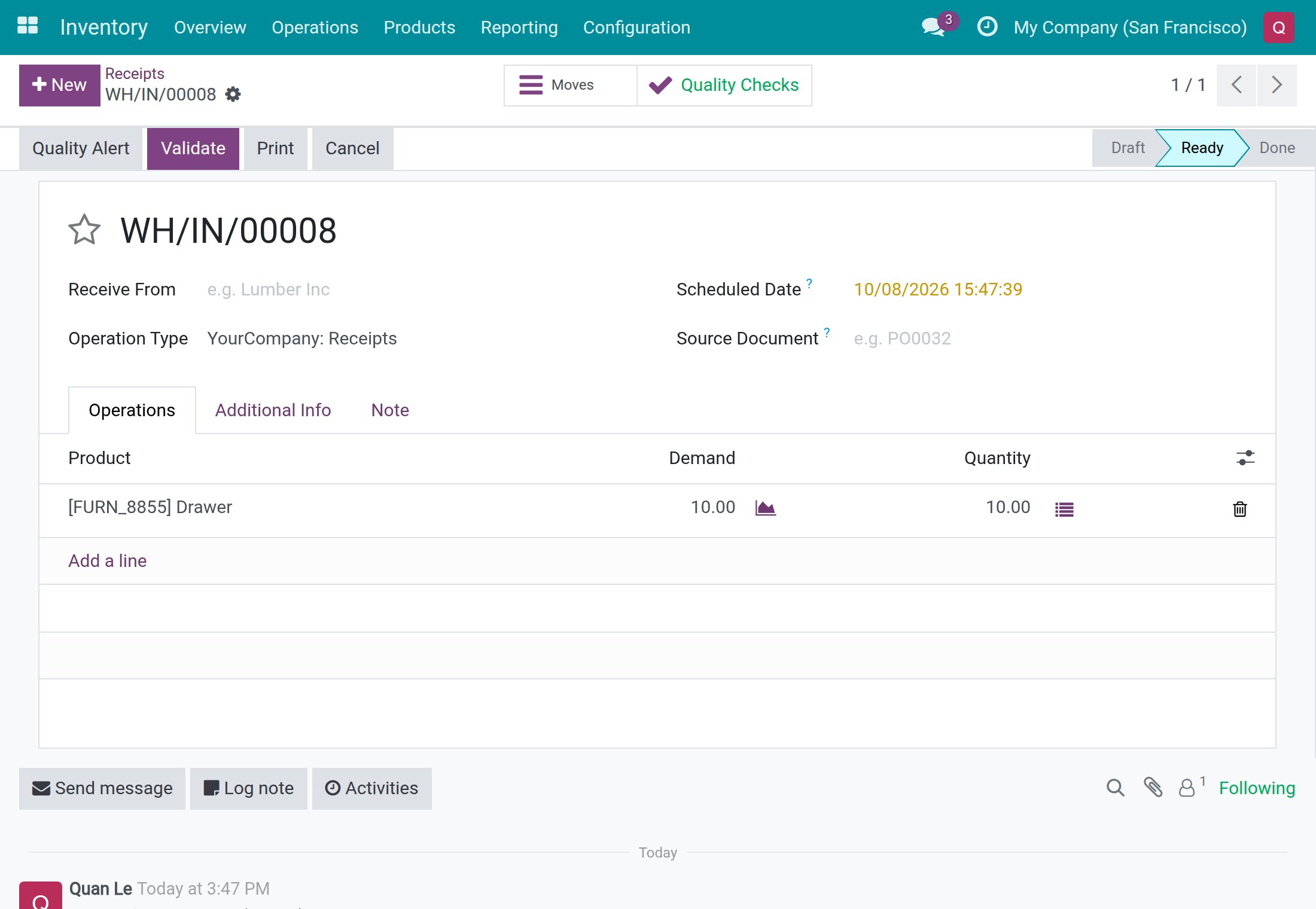
Record the result of a check from the transfer
- On the transfer, click the Quality Checks button. When the transfer has one check, it opens directly; with several, you see the list first.
- Inspect the goods. The status bar shows To do.
- Click Pass when the goods are good, or Fail when they are not.
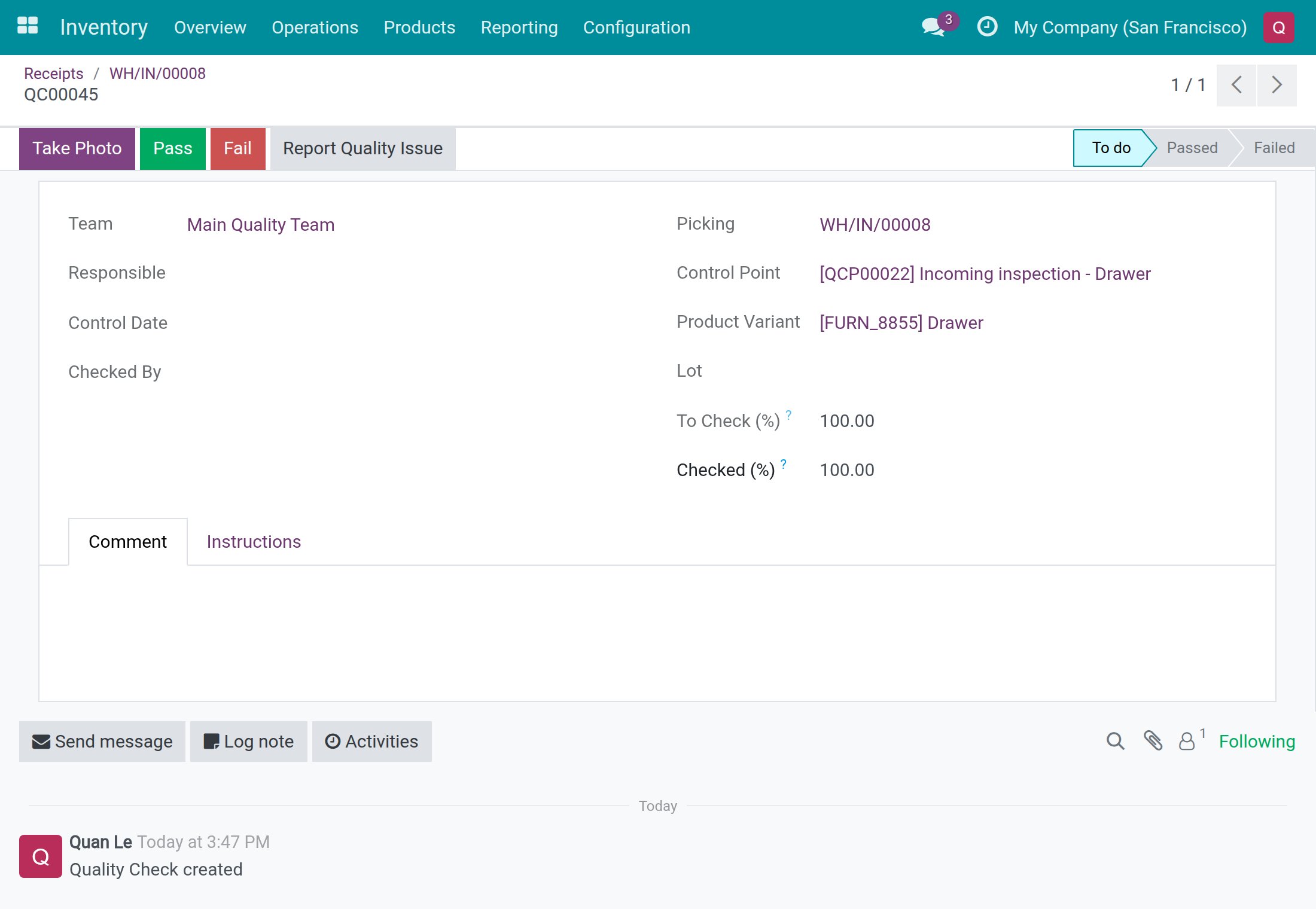
After Pass, the status bar shows Passed and Checked By shows your name.
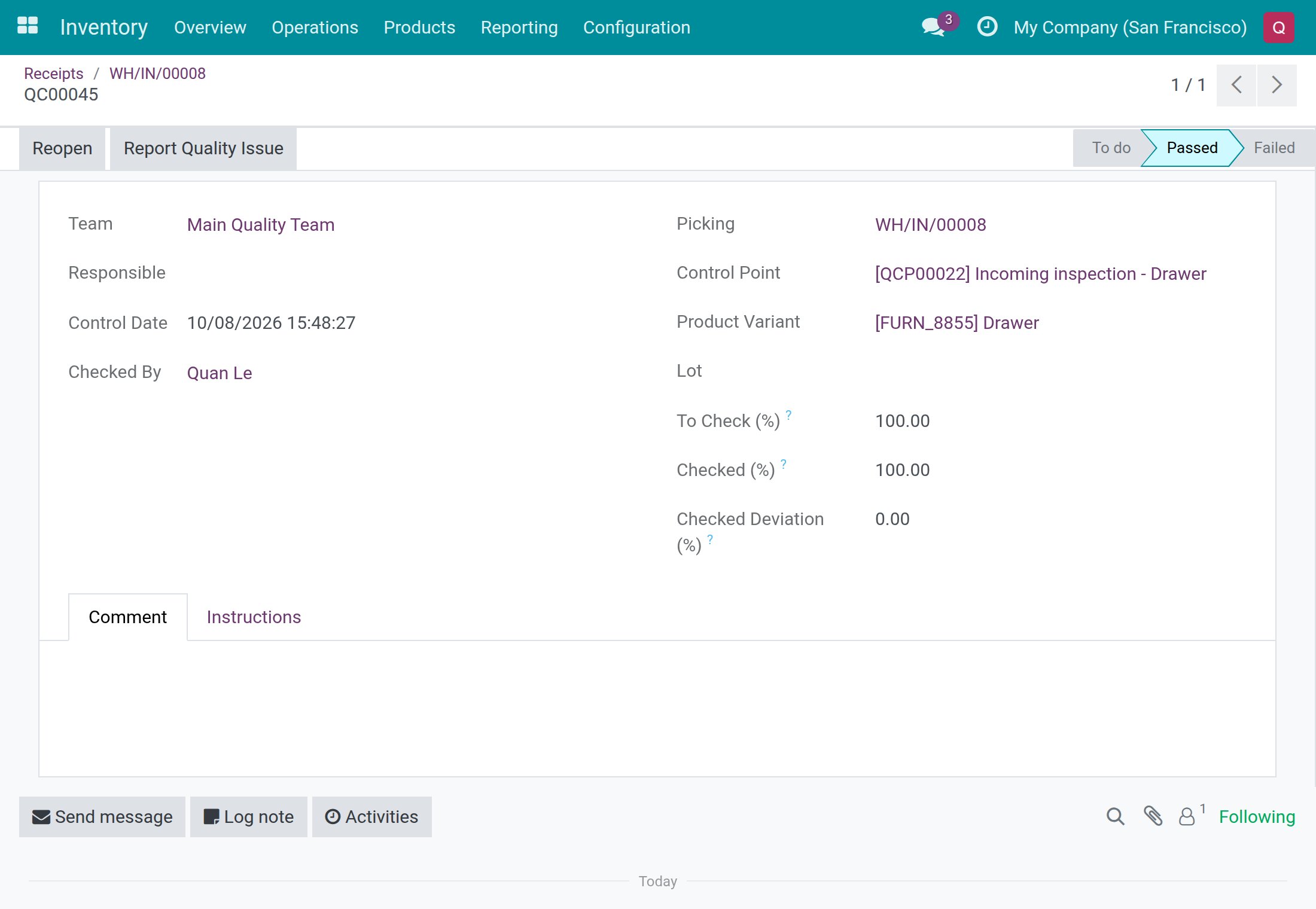
Note
The Quality Checks button in the header of the transfer, next to Validate, is only offered to Quality Users. It opens a dialog with the checks that are still to do, one after the other, and moves to the next check after each Pass or Fail. A warehouse clerk uses the Quality Checks button at the top of the form instead.
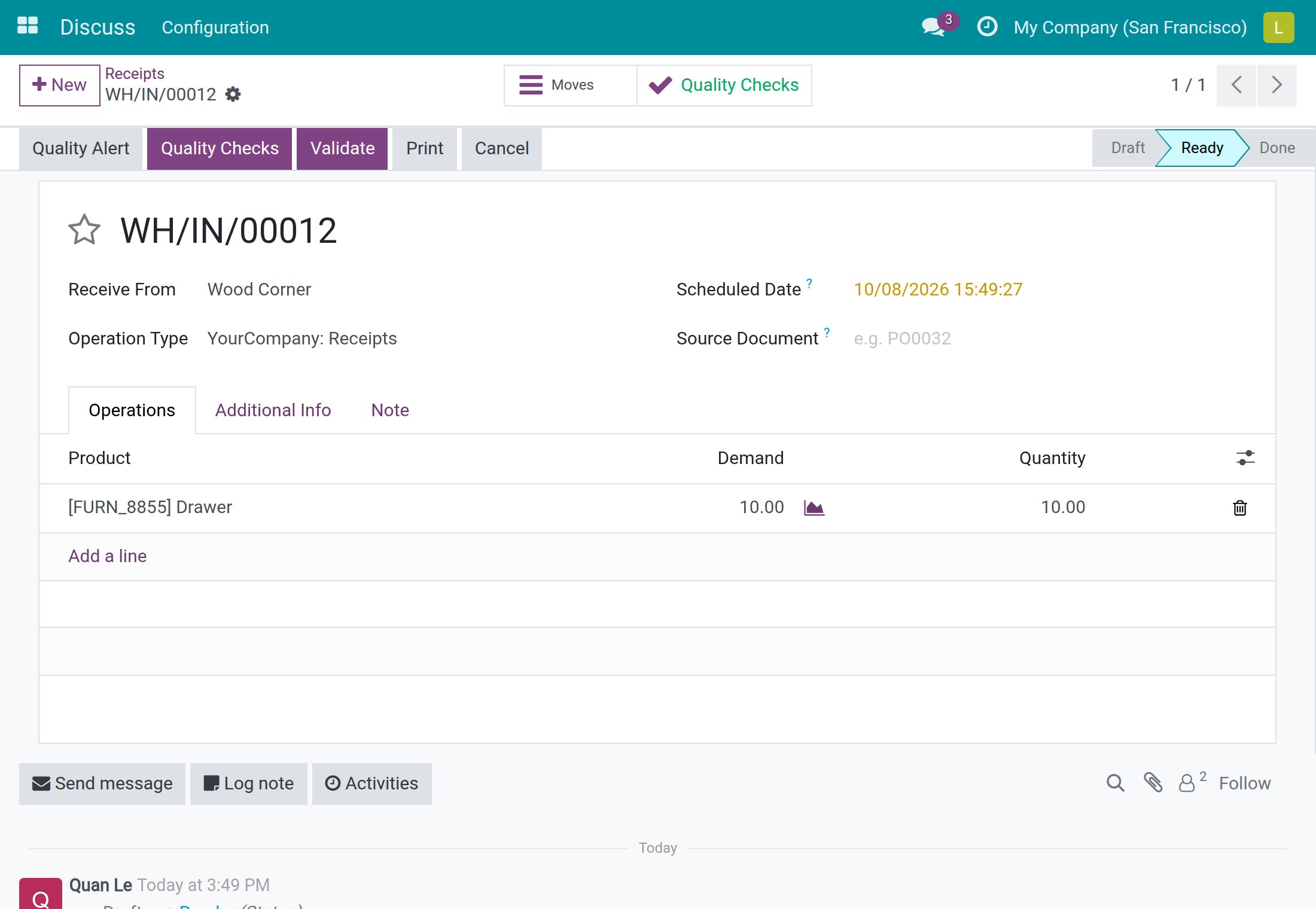
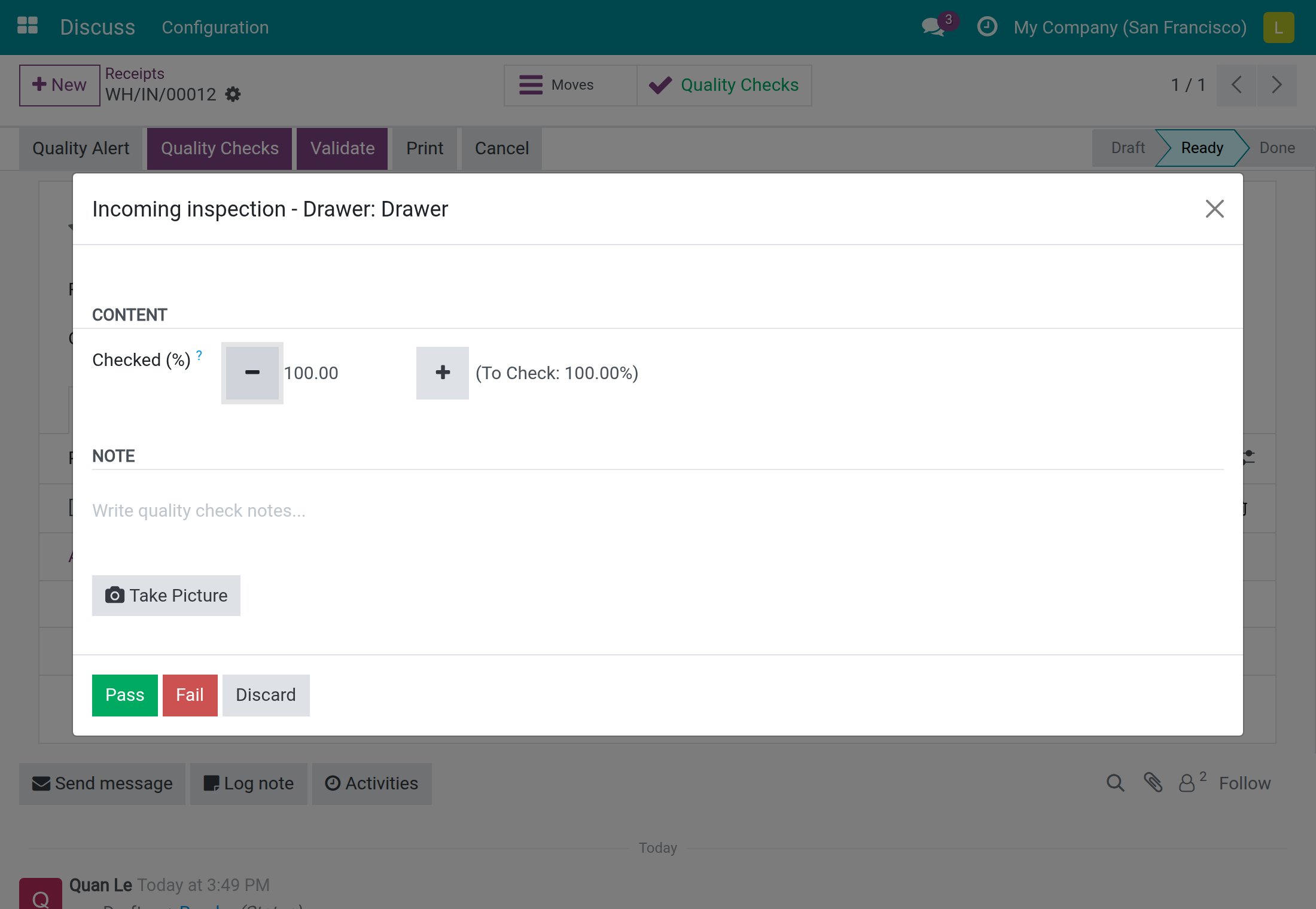
When the transfer cannot be validated yet
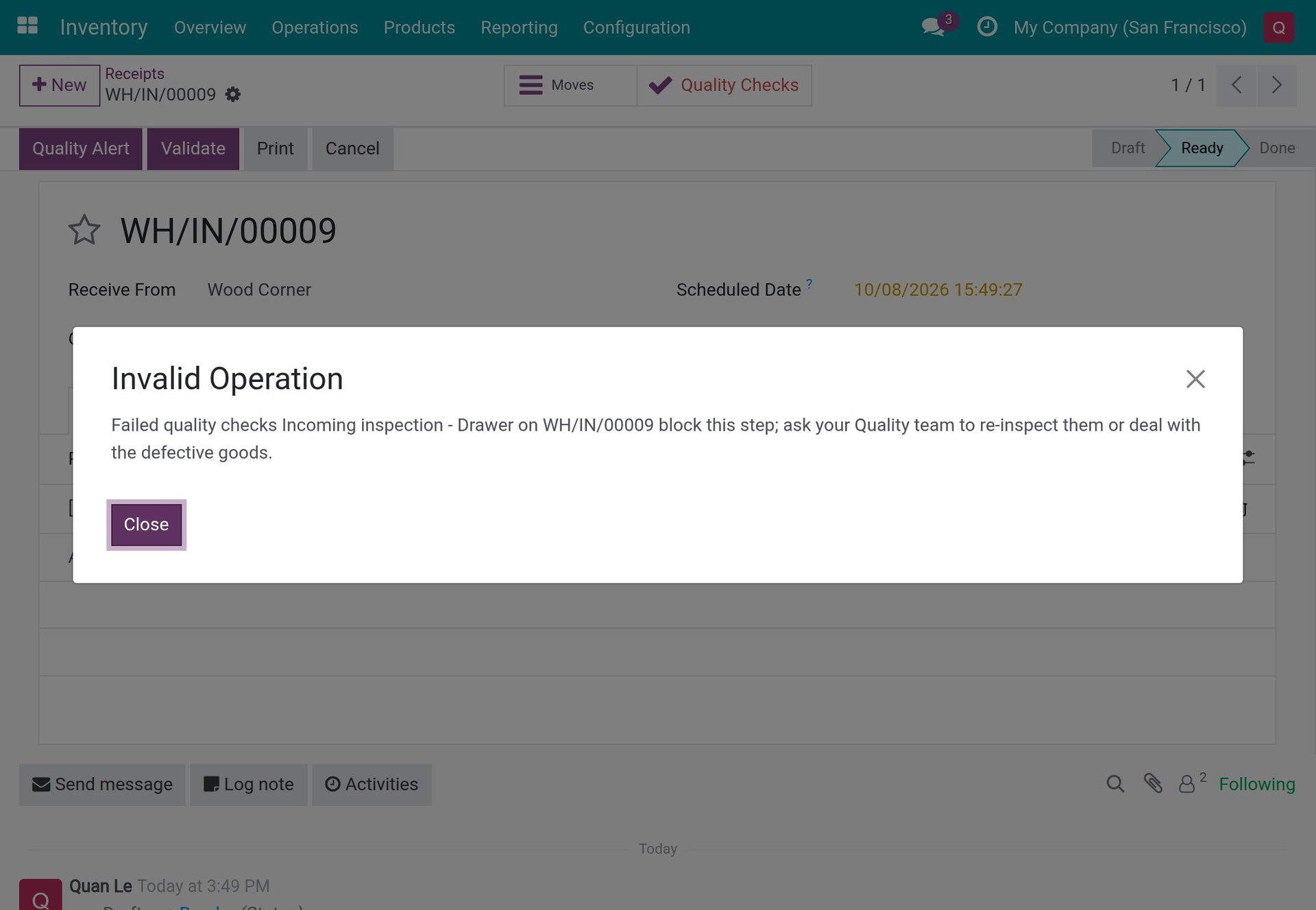
A check still to do. If you click Validate while a check on a product being received is still to do, the system refuses and names the check:
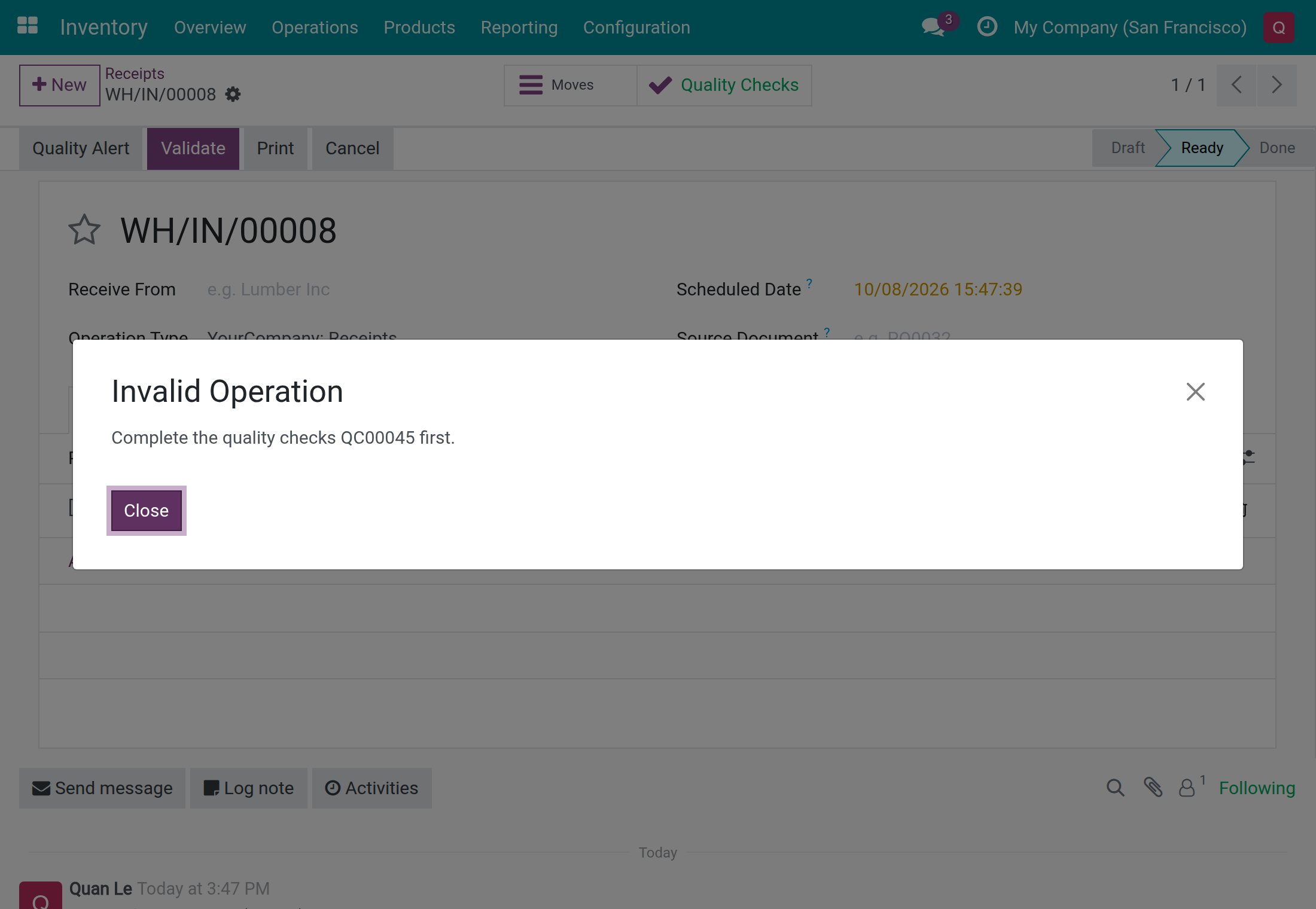
Click Close, open the Quality Checks button, record Pass or Fail, go back to the transfer and click Validate again. A check that belongs to a product with no quantity on the transfer does not block.
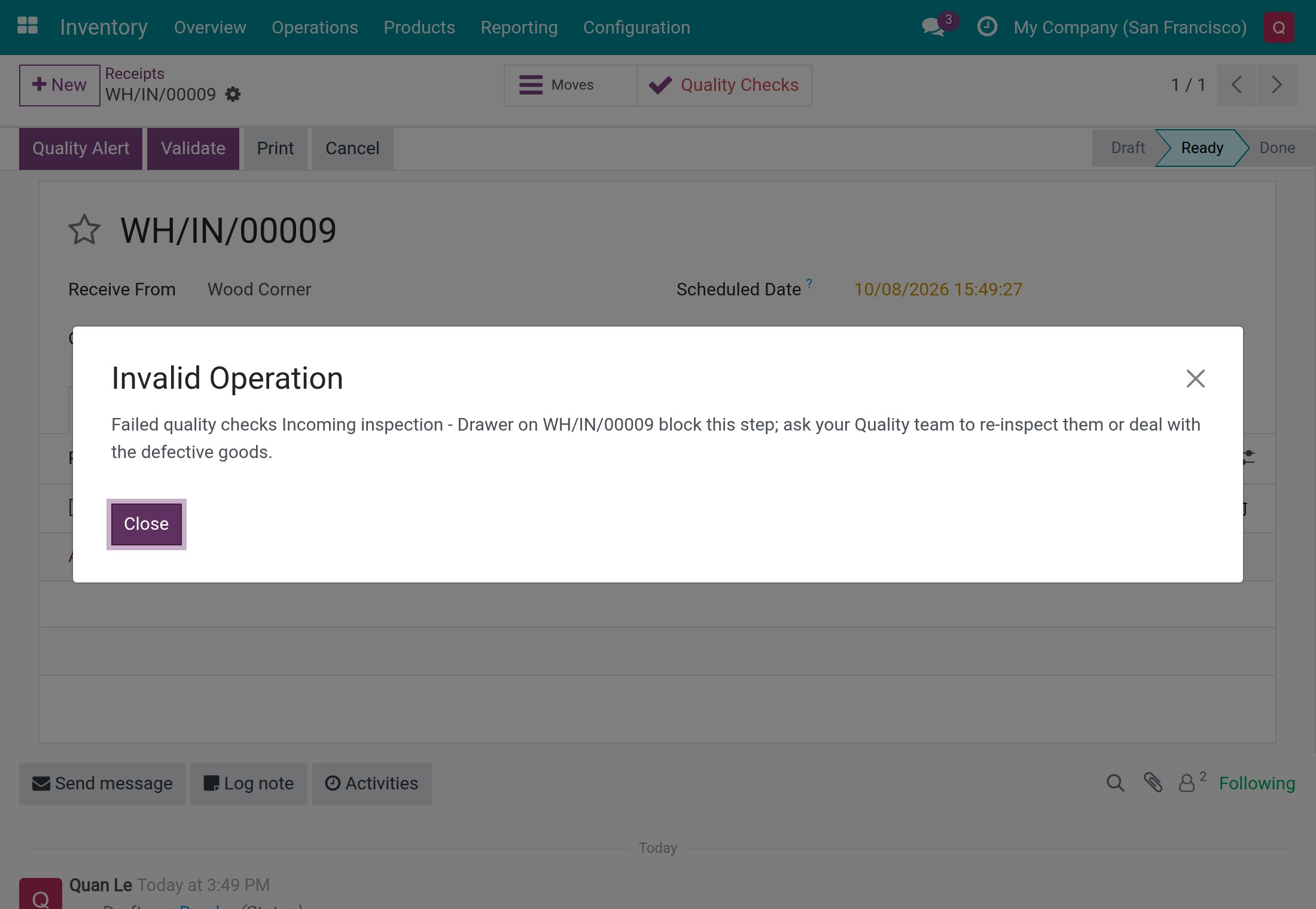
A blocking check that has failed. When a check of a No Proceed if Failed point has failed, the text of the Quality Checks button turns red and Validate is refused with a message that names the check by its control point title:
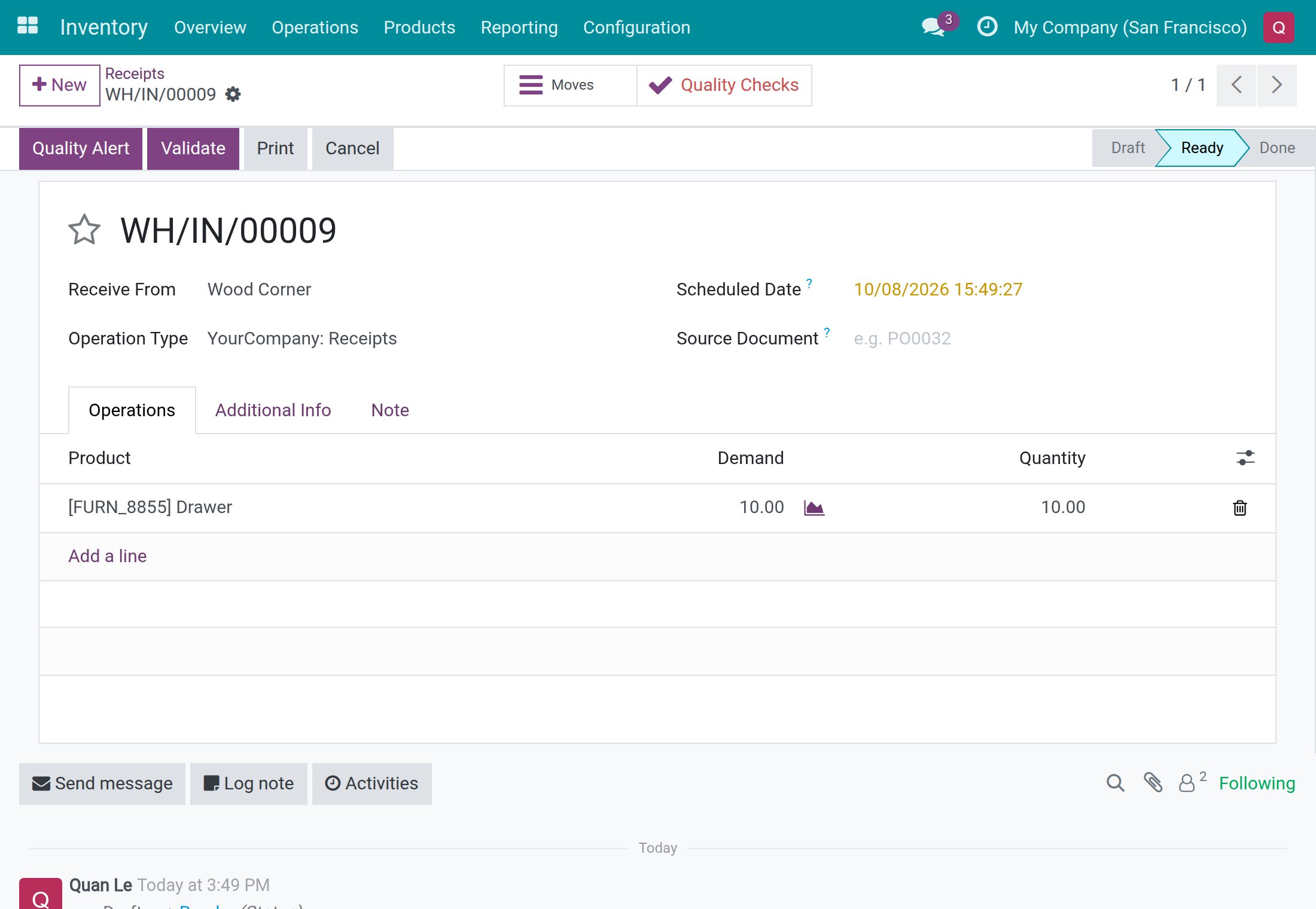
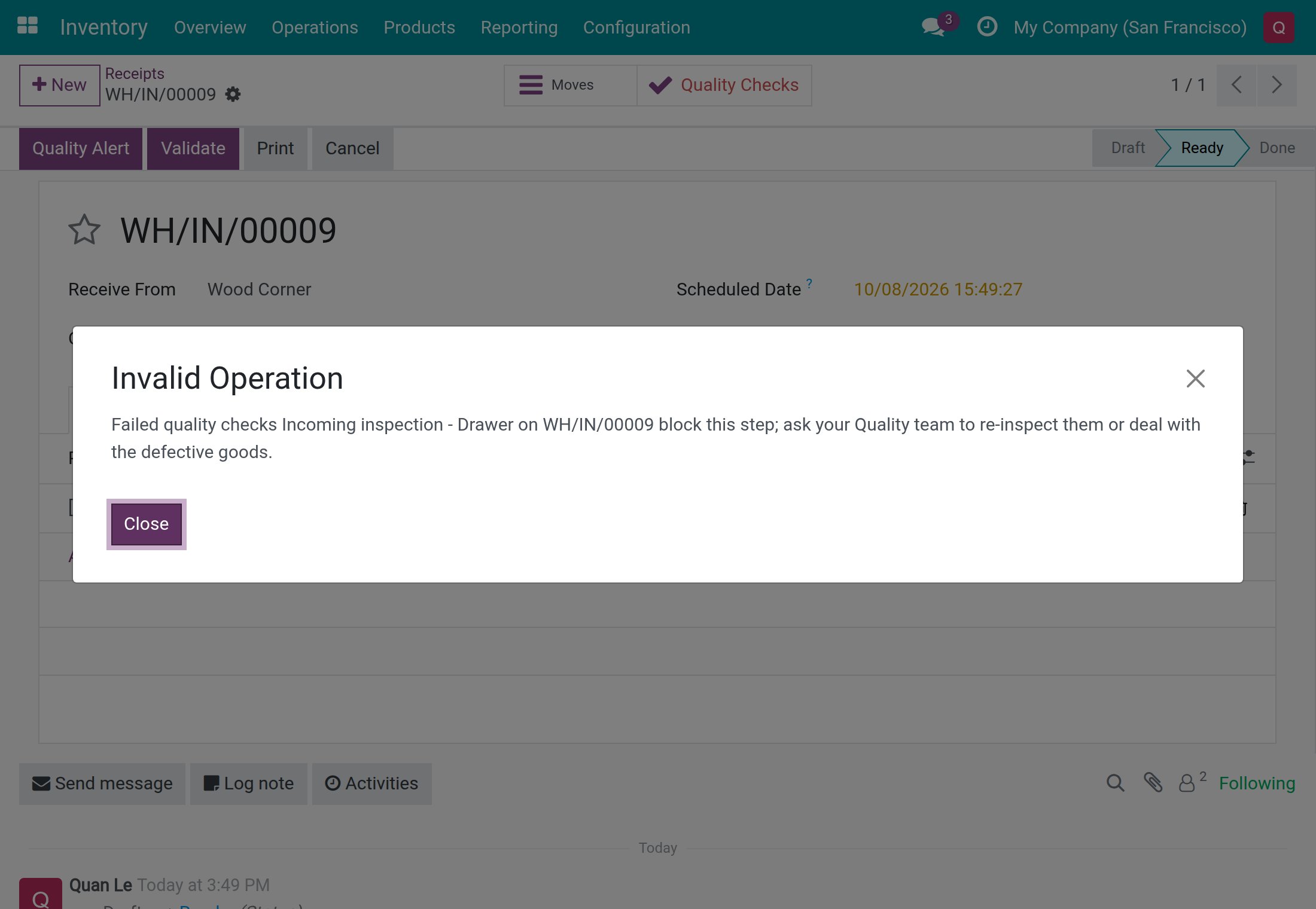
The transfer stays Ready and nothing moves. A check that has failed on a control point without No Proceed if Failed does not stop the validation. A warehouse clerk who failed a check cannot undo it: ask your Quality team to re-inspect the goods.
Release a failed check (Quality User)
Only a Quality User takes a check out of Failed.
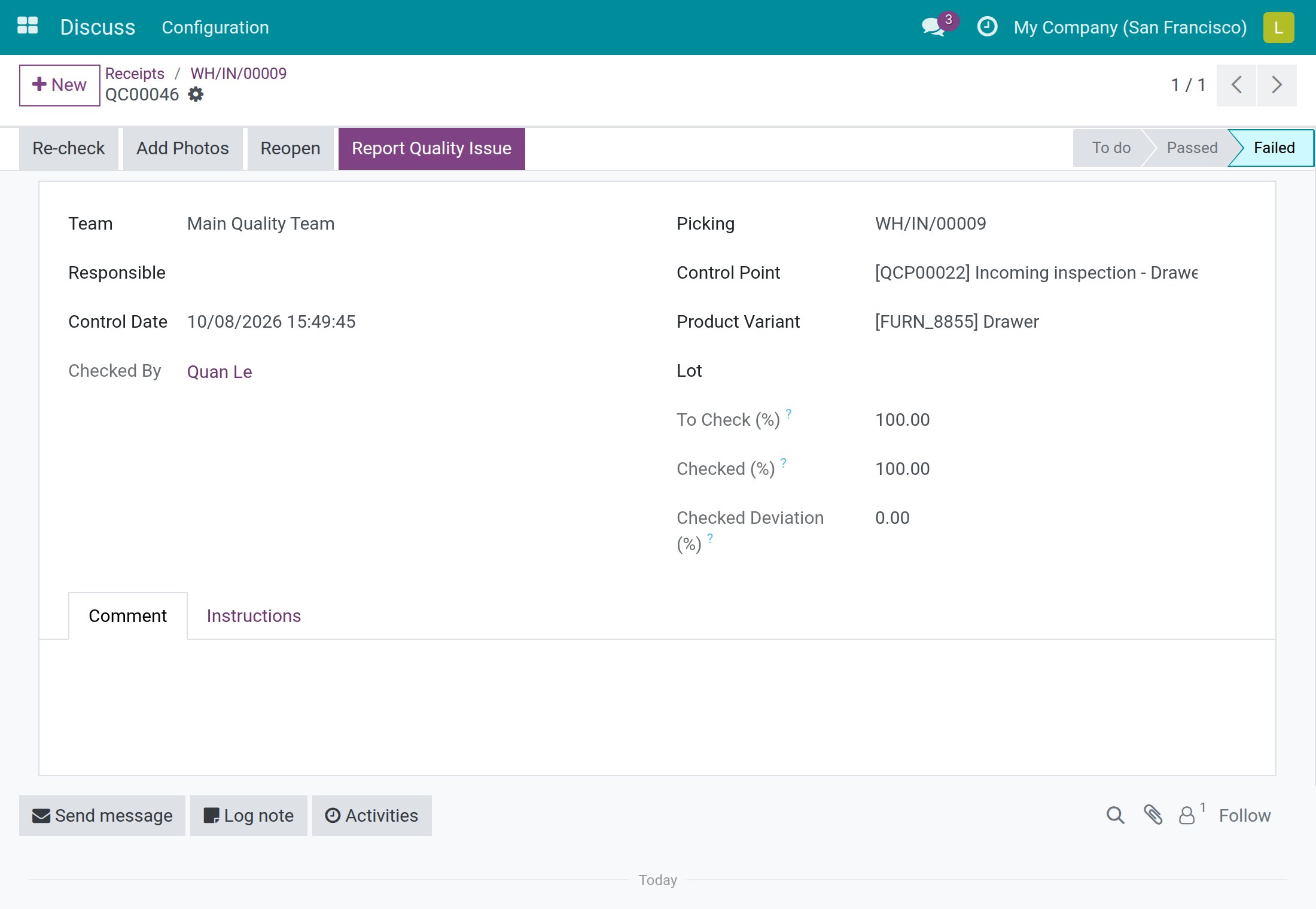
- Open the transfer and click the Quality Checks button. The failed check opens with Re-check, Add Photos, Reopen and Report Quality Issue.
- Click Reopen. The check goes back to To do.
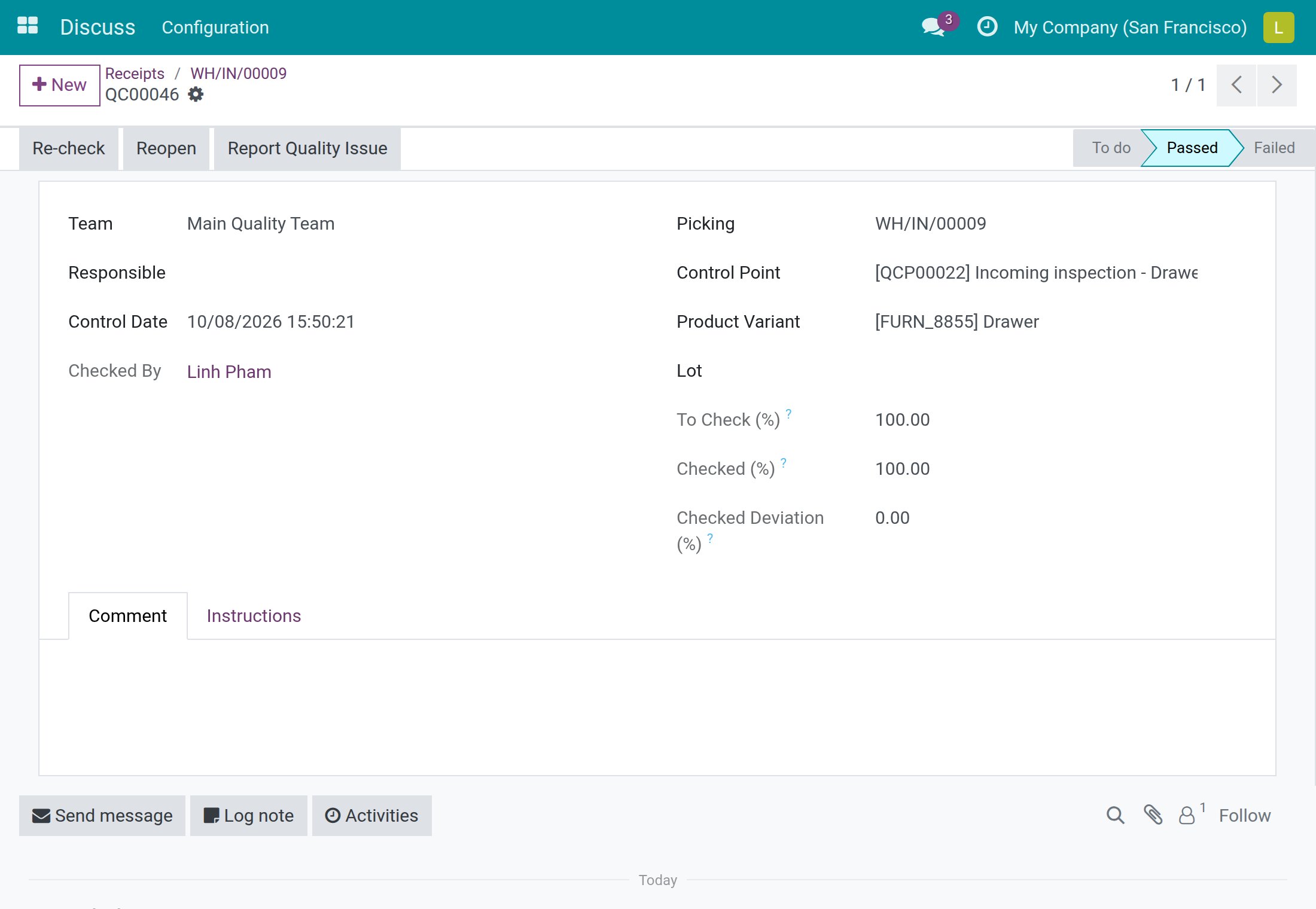
- Inspect the goods again and click Pass to release them, or Fail to confirm the defect.
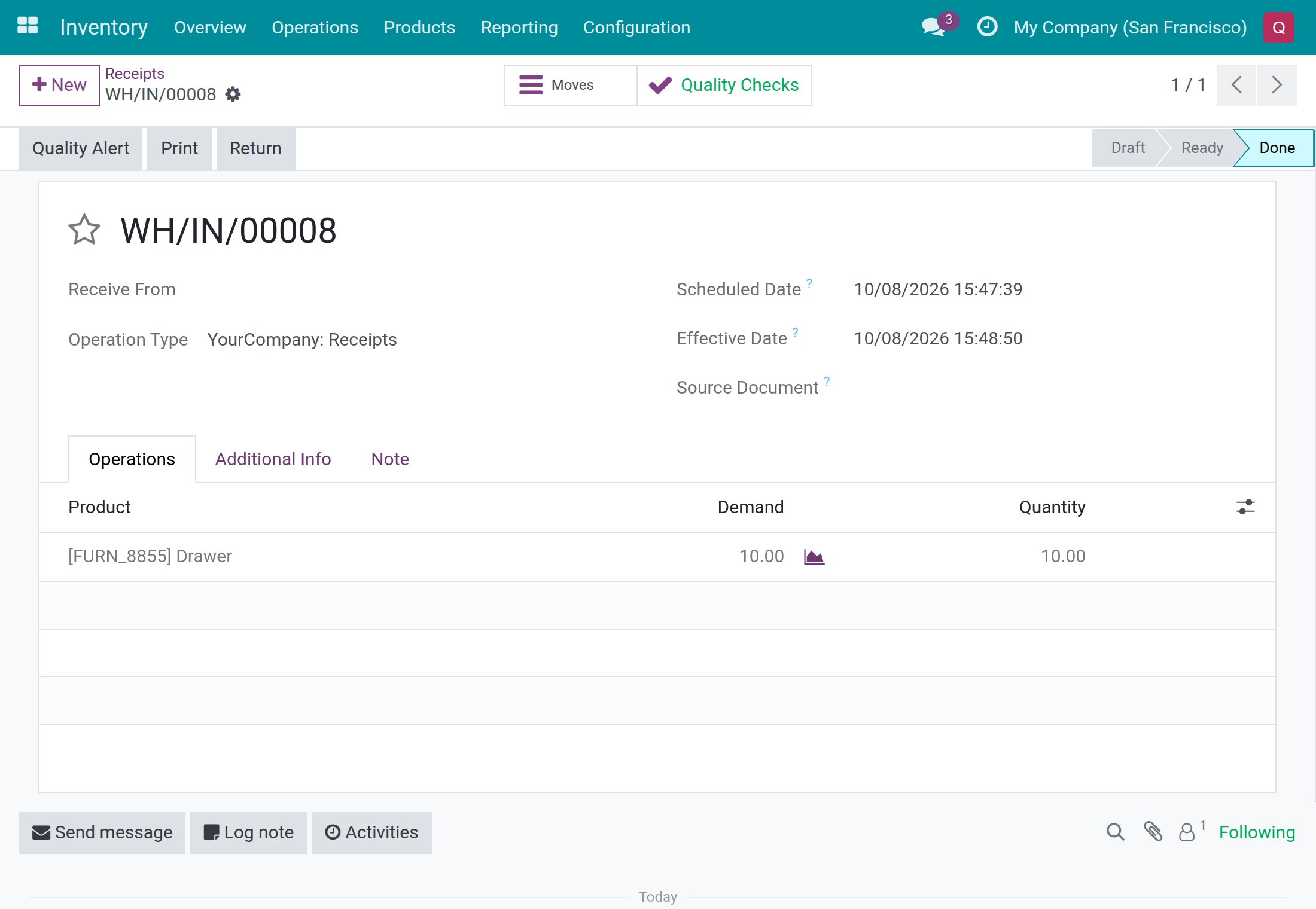
- Go back to the transfer and click Validate. The transfer becomes Done.
The failed check as a Quality User sees it, with Reopen:
The same check after Reopen and Pass:
The receipt once it is validated:
Receive part of the goods: the backorder gets its own checks
- Judge the check of the transfer as usual (Pass).
- On the Operations tab, type in Quantity what really arrived, for example 6 out of a Demand of 10.
- Click Validate, then Create Backorder in the window that opens.
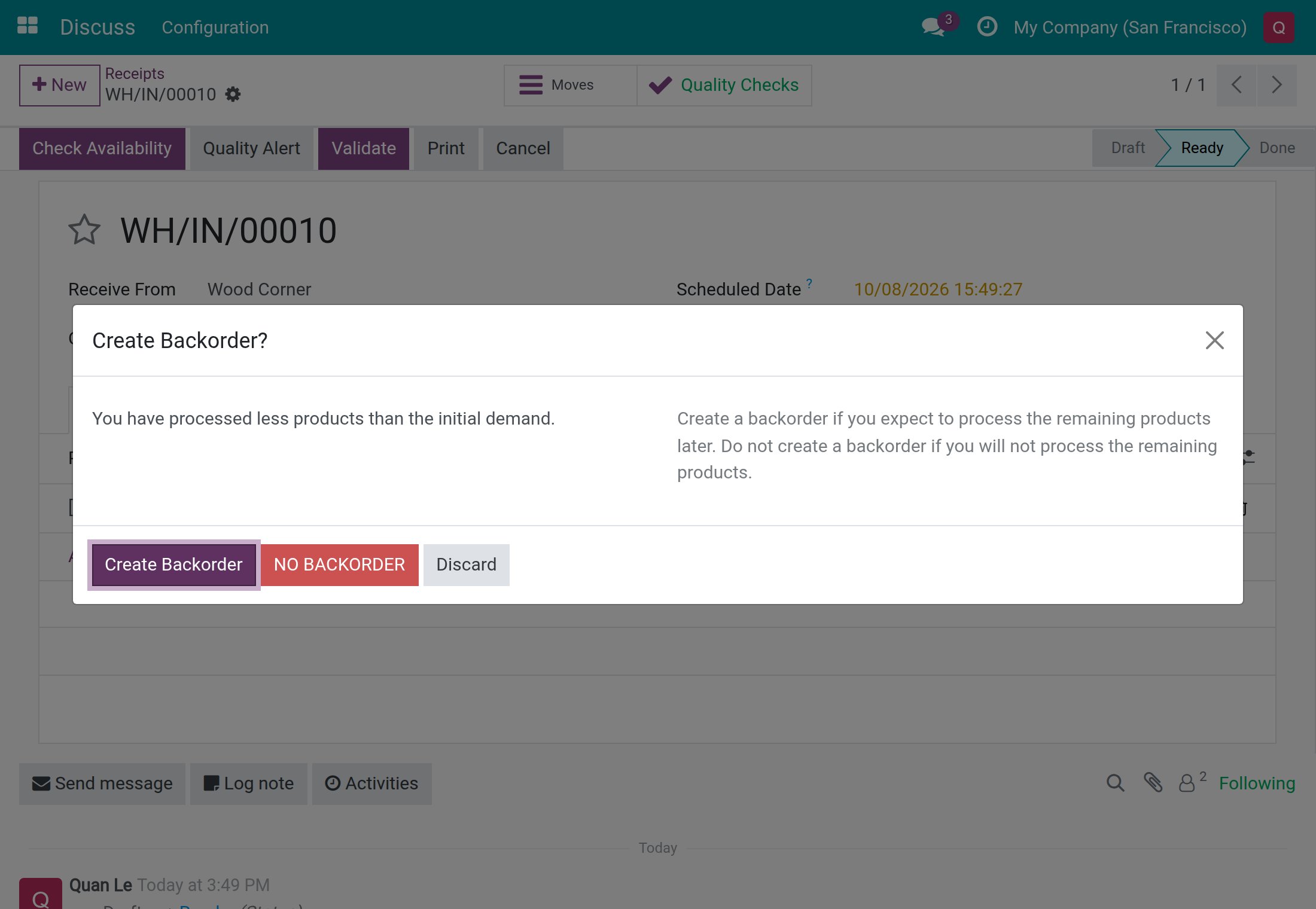
The original transfer becomes Done and keeps its judged check. The checks that were still to do on it are removed. The backorder, which carries the remaining quantity, receives its own new checks from the same control points: they are To do and must be judged before the backorder can be validated.
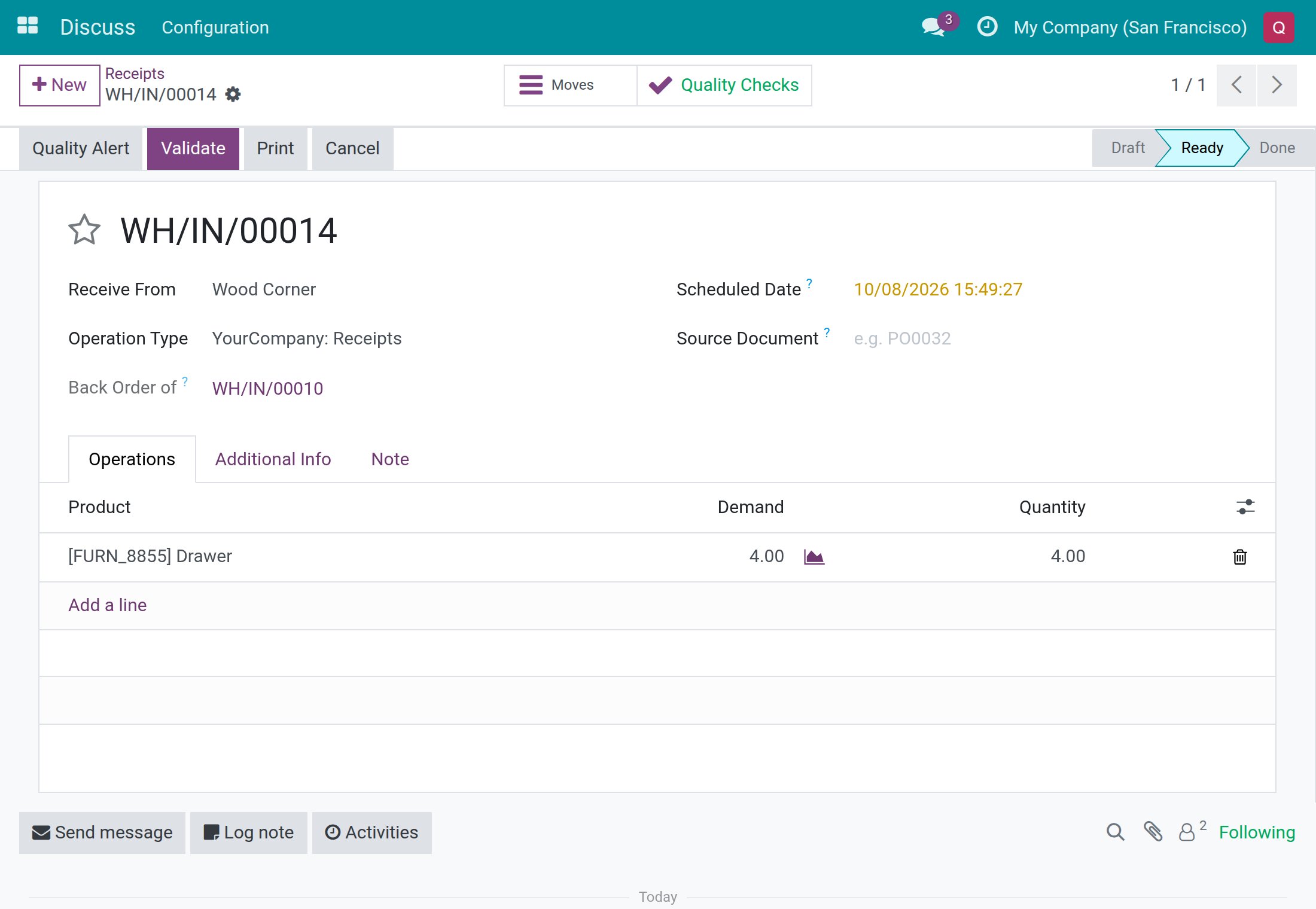
If you cancel a transfer, the checks on it that are still To do are deleted. The checks that have already been judged are kept.
Results are frozen once the transfer is done
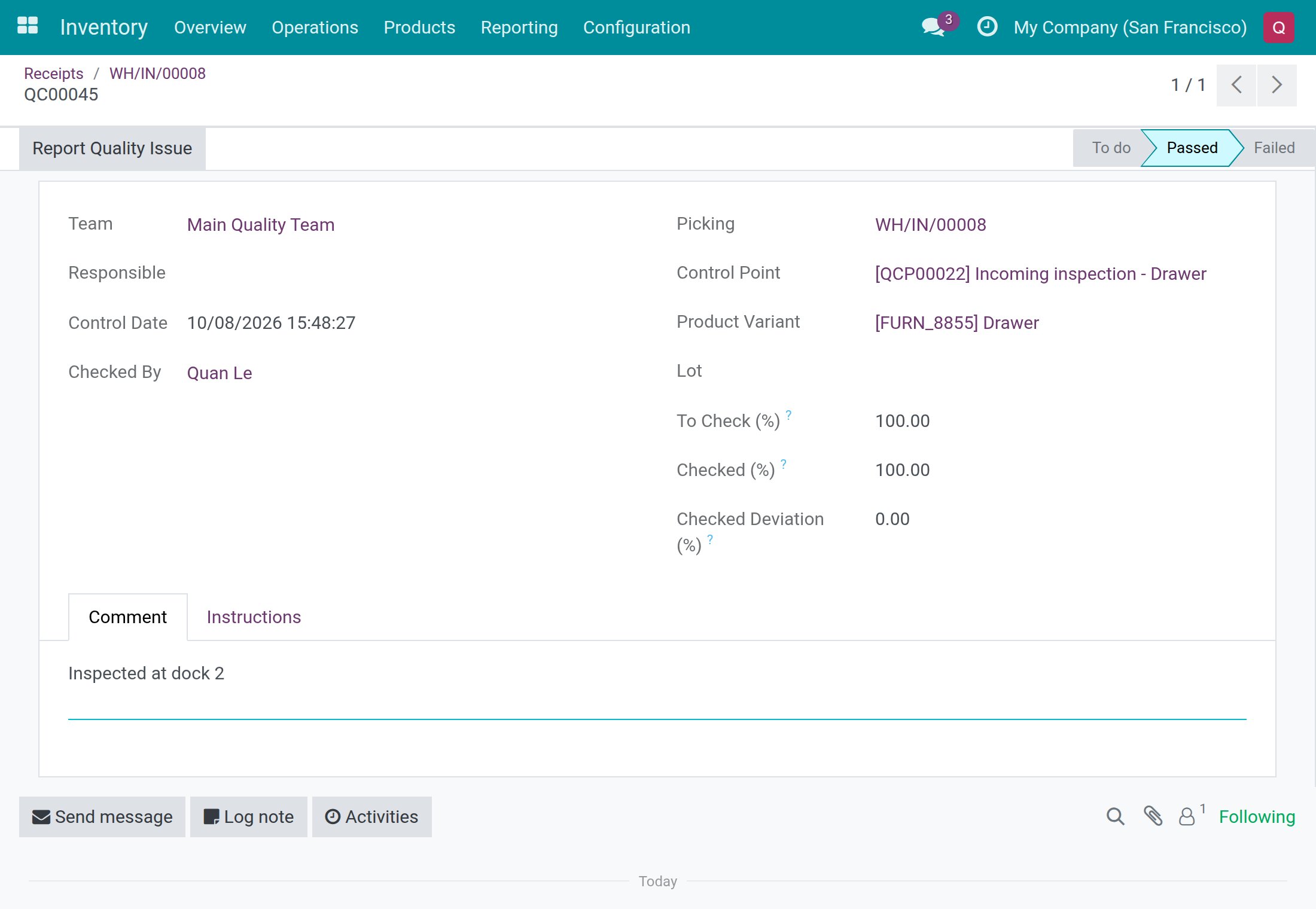
When the transfer is Done or cancelled, a warehouse clerk can still open its checks and write a comment, but can no longer change the result: Pass, Fail and Reopen are not offered. Only a Quality User can revise the result of a check on a finished transfer, with Reopen.
- As a warehouse clerk, open the finished transfer and click Quality Checks.
- Write a note on the Comment tab, for example Inspected at dock 2, and click Save.
Raise a quality alert from a transfer (Quality User)
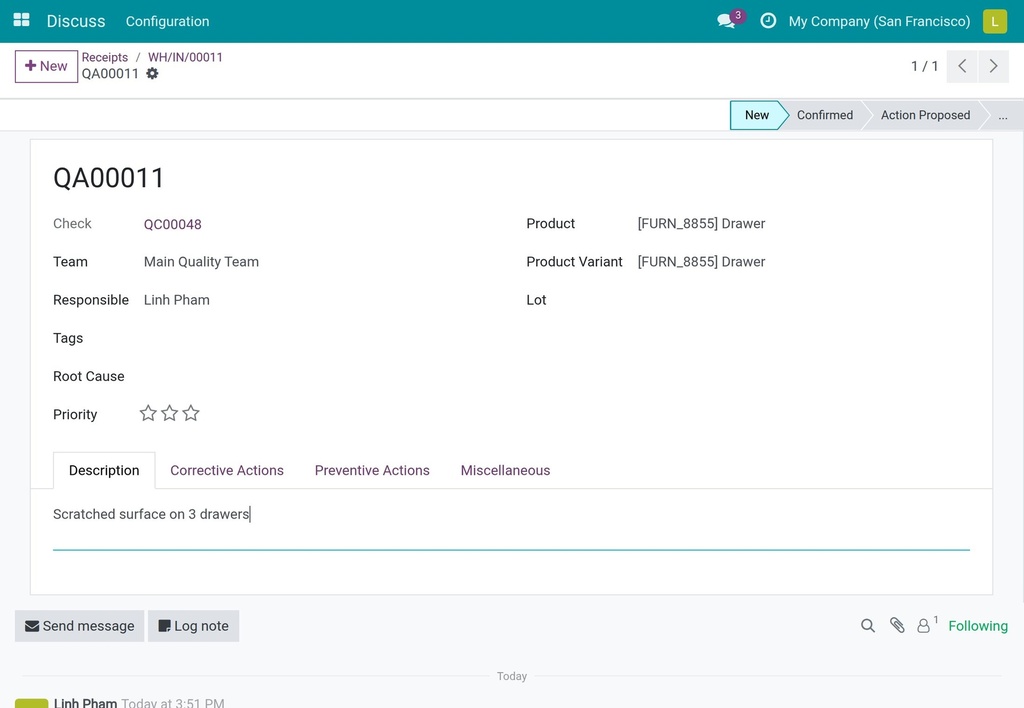
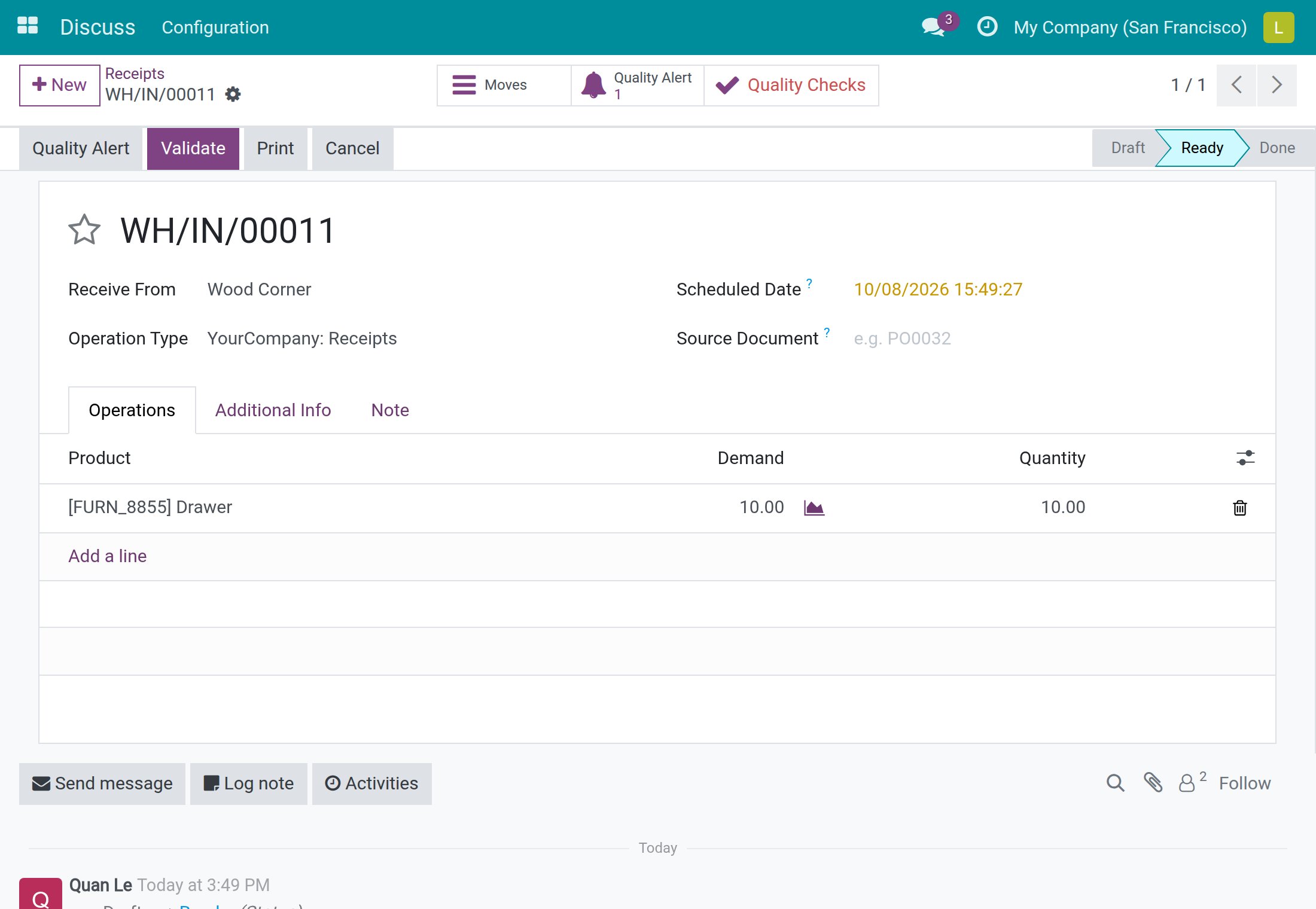
When a check has failed, the Quality Alert button in the header of the transfer is highlighted.
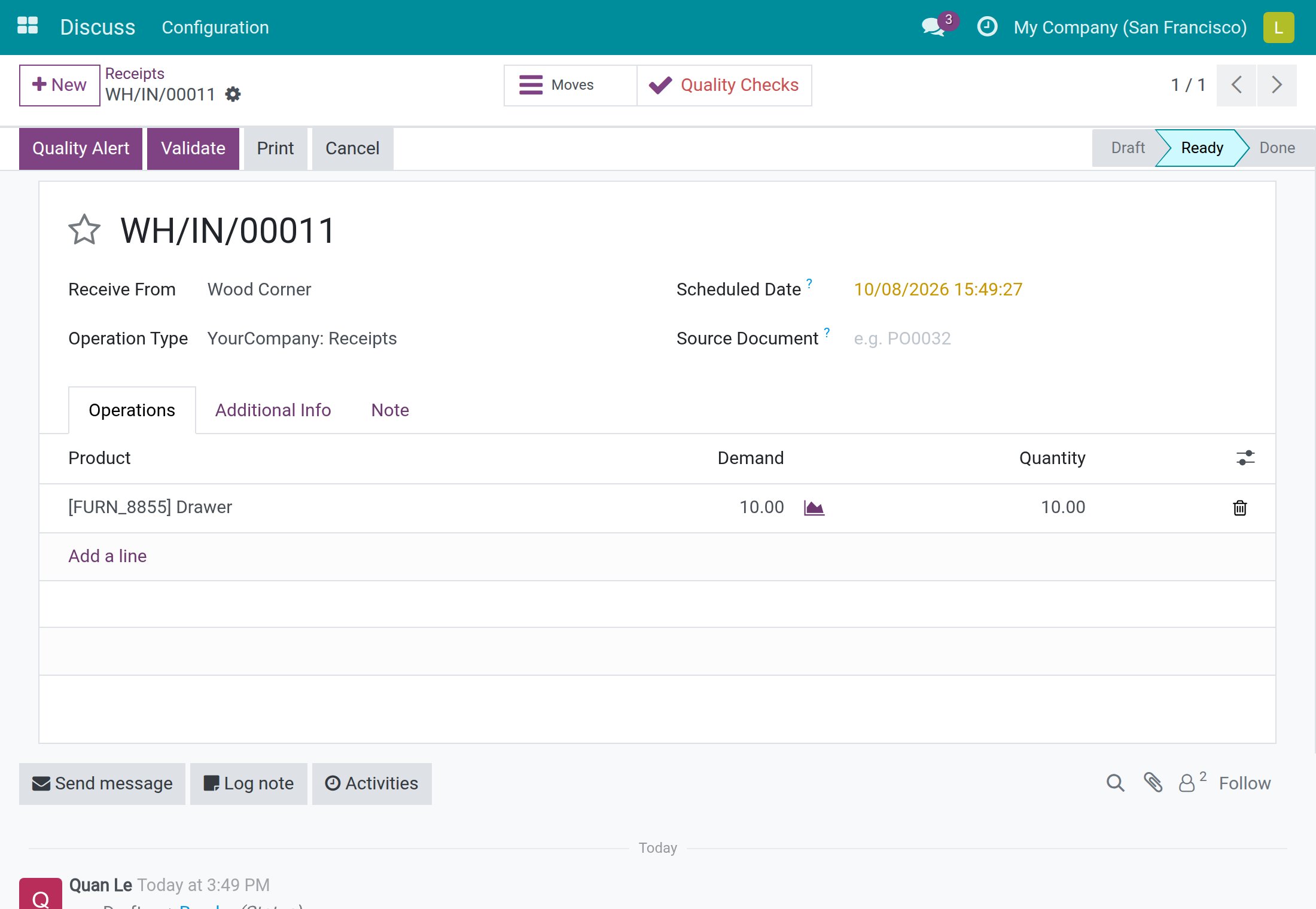
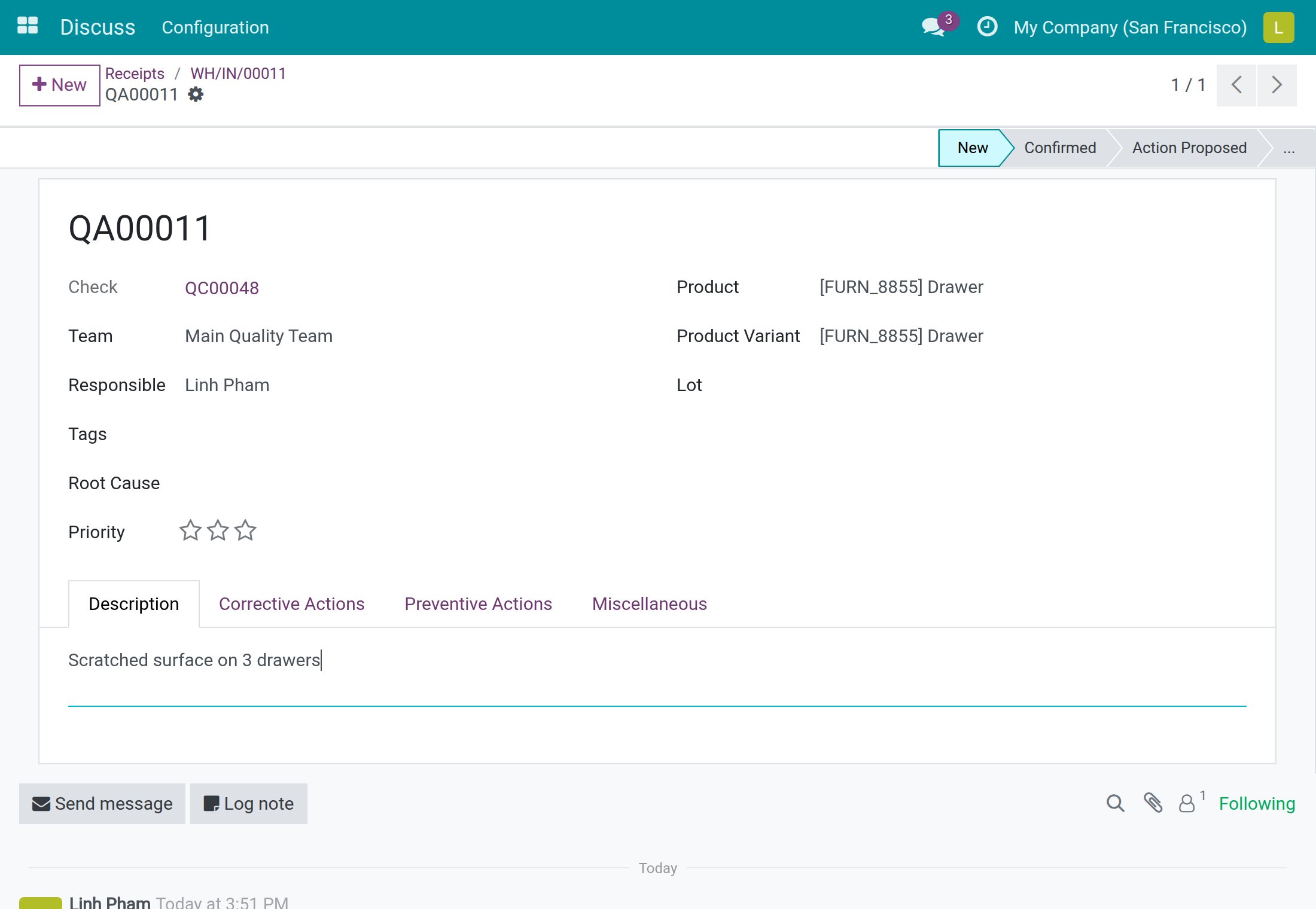
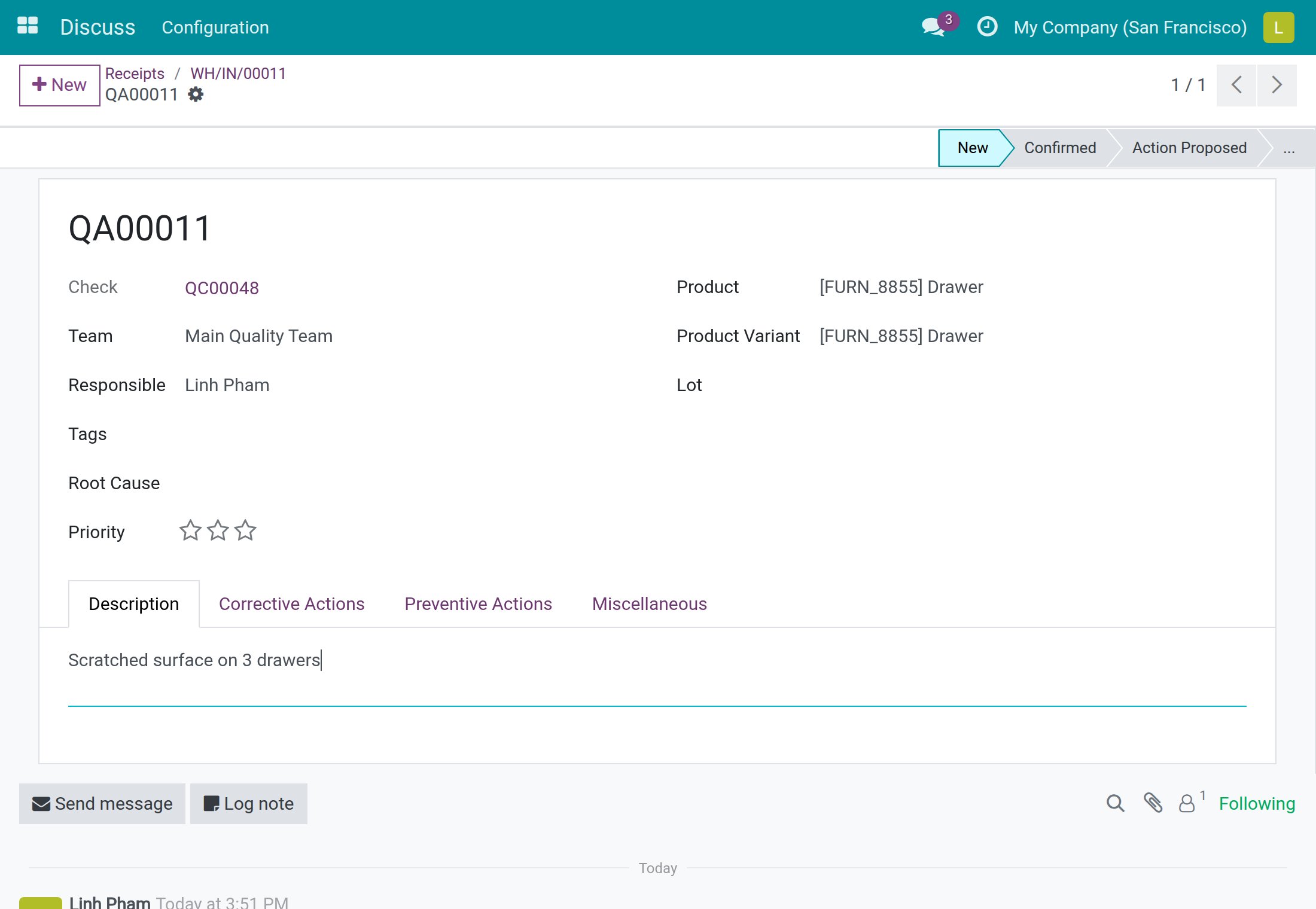
- Click Quality Alert. A new alert opens, already filled with the failed check, the product, the Lot when the goods are tracked by lot, the Team, and you as Responsible.
- On the Description tab, describe the problem, for example Scratched surface on 3 drawers.
- Click Save.
Back on the transfer, a Quality Alert button with the number of alerts appears next to Quality Checks. Click it to open the alerts of the transfer. The stages, root causes and corrective and preventive actions of an alert are explained in the Quality guide.
Follow the transfers whose checks are judged (Quality User)
Under Quality ‣ Quality Control, the Stock Operations section has two lists.
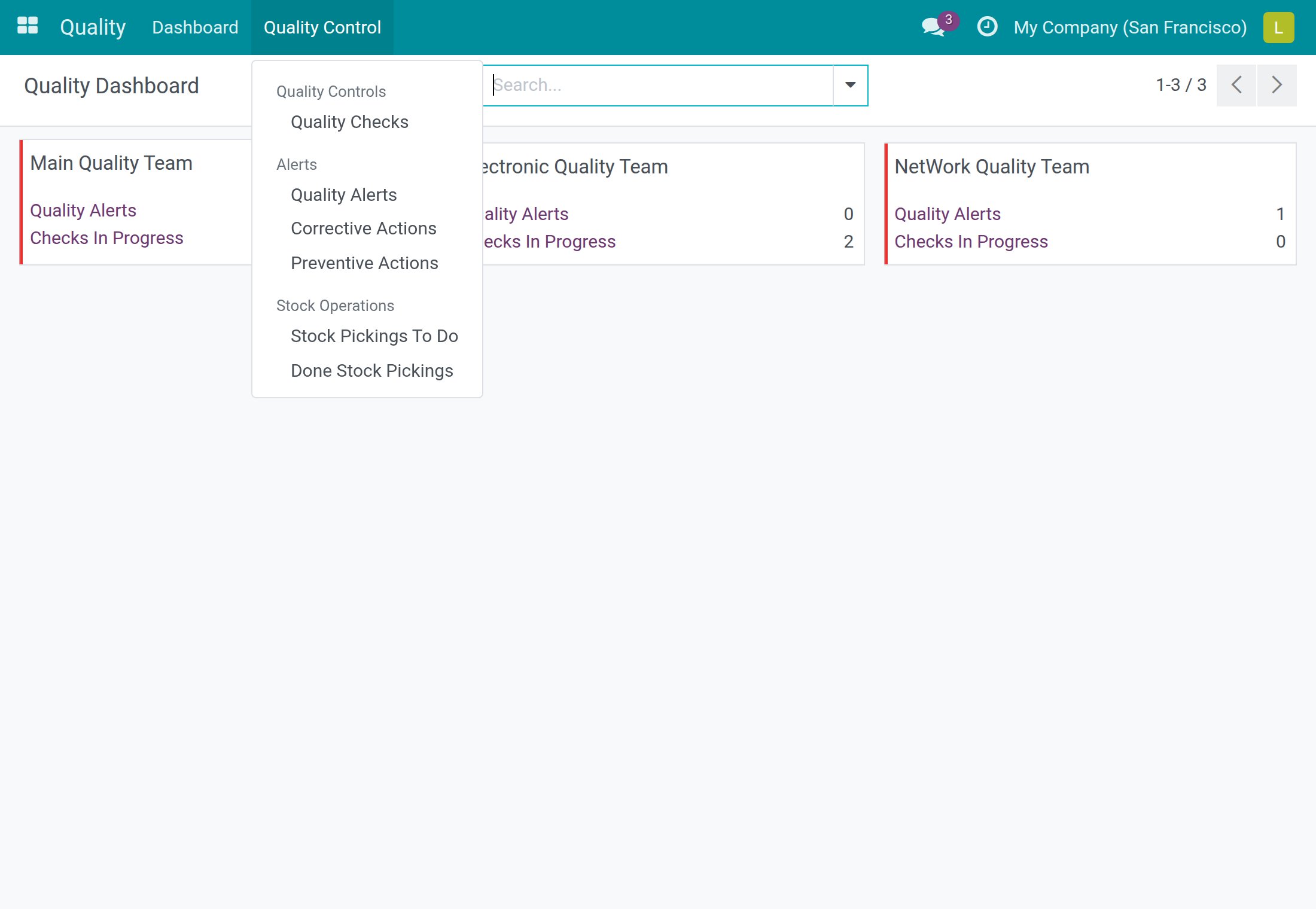
Stock Pickings To Do does not list the transfers that still have work to do. It lists the transfers that have at least one check, no check still To do, and that are not Done: their checks are all judged and they wait for validation. Read it as "ready to validate", with two things to keep in mind:
- A transfer with a failed blocking check is listed too, because its checks are judged. It still cannot be validated until a Quality User releases the check.
- A cancelled transfer whose checks were already judged stays in the list.
A transfer with a check still To do is not listed, and a transfer leaves the list once it is Done.
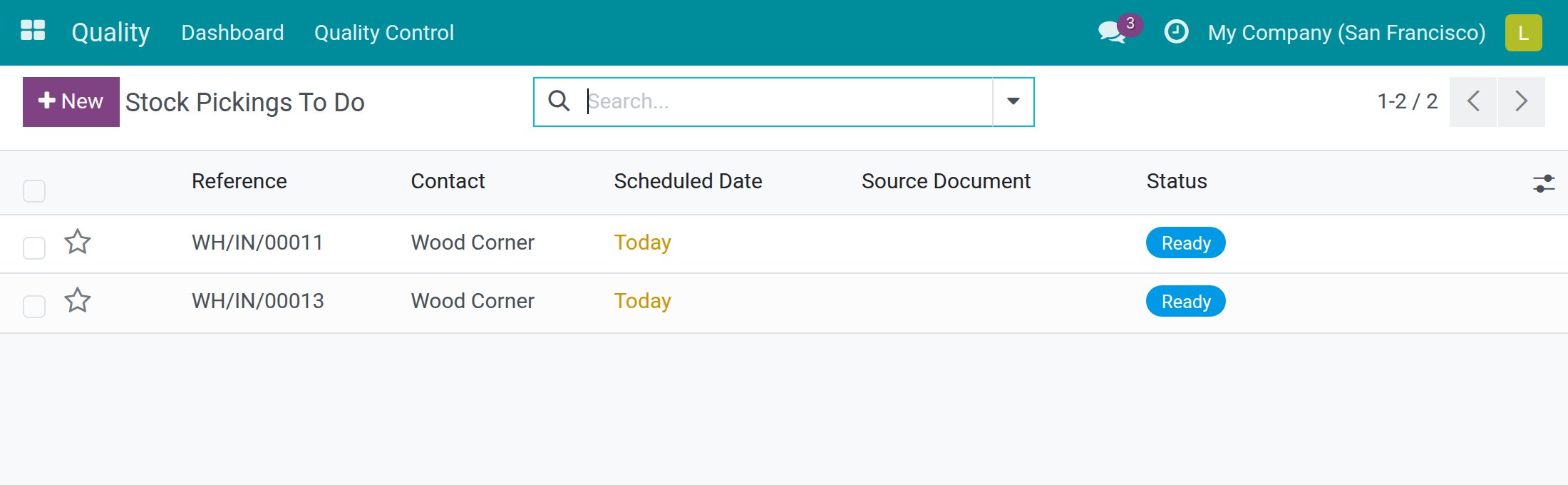
Done Stock Pickings gathers the transfers that are Done. It also lists the transfers whose checks are all judged but that are not validated yet, so a transfer shown in Stock Pickings To Do appears here as well.
Find checks by transfer or by lot
In Quality ‣ Quality Control ‣ Quality Checks, type a transfer reference in the search box to find its checks. You can also group the list by Stock Picking, Picking Type, Lot (when lots are used) or Procurement Group. Quality alerts and corrective and preventive actions carry the transfer and the lot too.
Troubleshooting
- I marked a transfer to do and it has no Quality Checks button.
- No control point matches. Ask a Quality Administrator to check that a control point exists for the product (or its category) and that its Operations field contains the operation type of the transfer. A control point created after the transfer was marked to do does not add checks to it.
- Validate says "Complete the quality checks ... first."
- One or more checks on the products you are receiving are still To do. The message lists their references. Judge each of them with Pass or Fail, then validate again.
- Validate says that failed quality checks block this step.
- A check of a No Proceed if Failed control point has failed. Ask a Quality User to re-inspect the goods and reopen the check, or deal with the defective goods.
- I do not see the Quality Checks button next to Validate.
- That button is for Quality Users only. Use the Quality Checks button at the top of the transfer instead.
- I cannot click Pass on a check.
- The control point names a Responsible. Only that person, or a Quality User, can record Pass.
- I want to change the result of a check on a finished transfer.
- Ask a Quality User. Open the check and click Reopen.
- A transfer is in Stock Pickings To Do but I cannot validate it.
- A blocking check on it has failed. See the Quality User section above.
FAQ
- Does the clerk need access to the Quality app?
- No. A warehouse clerk reads and records results from the transfer and cannot create or delete checks.
- Do deliveries and internal transfers work like receipts?
- Yes, as long as the control point lists their operation type in Operations.
- What happens to the checks when I create a backorder?
- The backorder gets its own new checks, and the original transfer drops the checks that were still to do.
- What happens to the checks when I cancel a transfer?
- Its checks that are still to do are deleted. Judged checks are kept.
This software and associated files (the "Software") may only be used (executed, modified, executed after modifications) if you have purchased a valid license from the authors, typically via Odoo Apps, or if you have received a written agreement from the authors of the Software (see the COPYRIGHT file).
You may develop Odoo modules that use the Software as a library (typically by depending on it, importing it and using its resources), but without copying any source code or material from the Software. You may distribute those modules under the license of your choice, provided that this license is compatible with the terms of the Odoo Proprietary License (For example: LGPL, MIT, or proprietary licenses similar to this one).
It is forbidden to publish, distribute, sublicense, or sell copies of the Software or modified copies of the Software.
The above copyright notice and this permission notice must be included in all copies or substantial portions of the Software.
THE SOFTWARE IS PROVIDED "AS IS", WITHOUT WARRANTY OF ANY KIND, EXPRESS OR IMPLIED, INCLUDING BUT NOT LIMITED TO THE WARRANTIES OF MERCHANTABILITY, FITNESS FOR A PARTICULAR PURPOSE AND NONINFRINGEMENT. IN NO EVENT SHALL THE AUTHORS OR COPYRIGHT HOLDERS BE LIABLE FOR ANY CLAIM, DAMAGES OR OTHER LIABILITY, WHETHER IN AN ACTION OF CONTRACT, TORT OR OTHERWISE, ARISING FROM, OUT OF OR IN CONNECTION WITH THE SOFTWARE OR THE USE OR OTHER DEALINGS IN THE SOFTWARE.