
OmniApproval™ - Timesheet Approvals
| Lines of Code | 1294 |
| Technical name | viin_approval_hr_timesheet |
| License | OPL-1 |
| Website | https://viindoo.com/apps/app/18.0/to_hr_timesheet_approval |
| Read description for | v 13.0 v 14.0 v 15.0 v 16.0 v 17.0 |
| Required Apps | Time Off (hr_holidays) Project (project) Discuss (mail) Calendar (calendar) Employees (hr) Employee Contracts (hr_contract) |
| Included Dependencies | Viindoo Base OmniApproval™: One platform. Every approval. HR Timesheet Timer Advanced HR Management OmniApproval™ - Analytic Accounting Approvals Countup Timer Widget OmniApproval™ - Project & Task Approvals |
| Extensions | Overtime Timesheet Approval |

OmniApproval™ - Timesheet Approvals
Ensure accurate timesheet records by allowing managers to review and approve employees' logged work hours, improving transparency and accountability in workload tracking.

Key Features
Built natively on Odoo/Viindoo to streamline real business operations:
Flexible approval workflow
Supports multi-level approval, ensuring managerial control.
Timesheet data verification
Employees log working hours and submit them for managerial approval.
Integration with timesheets
Timesheet data can be linked to other processes such as payroll and performance evaluation.
Approve or reject requests
Managers can review, validate, or modify timesheet data before approval.
Approval status displayed in timesheet reports
Allows managers to easily track approval status for each timesheet entry.
Benefits
, preventing incorrect reporting.
, improving business efficiency.
, especially for remote work and business trips.
, preventing fraud or incorrect data entry.
, displaying approval statuses for better tracking.
Approval type

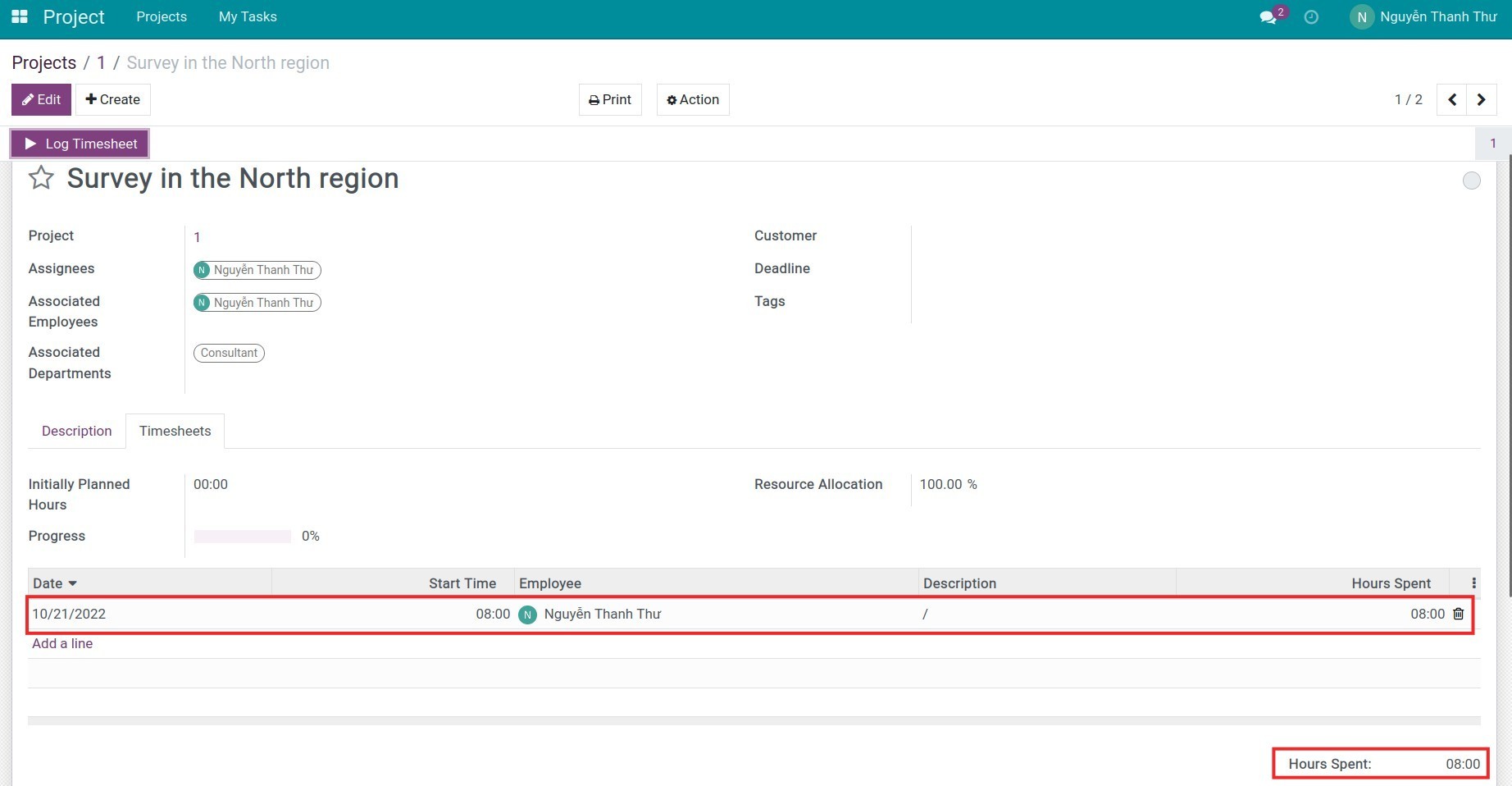
Log timesheet on the software
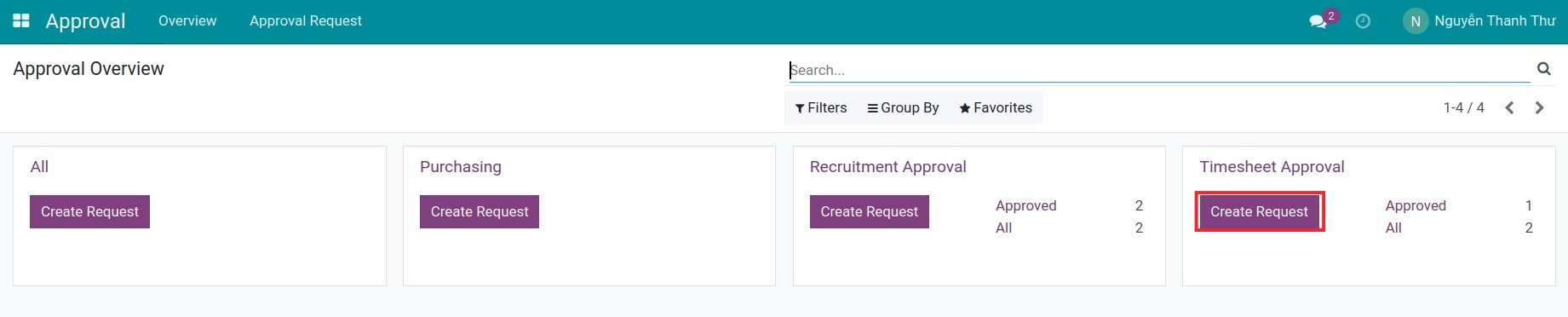
Create an approval request
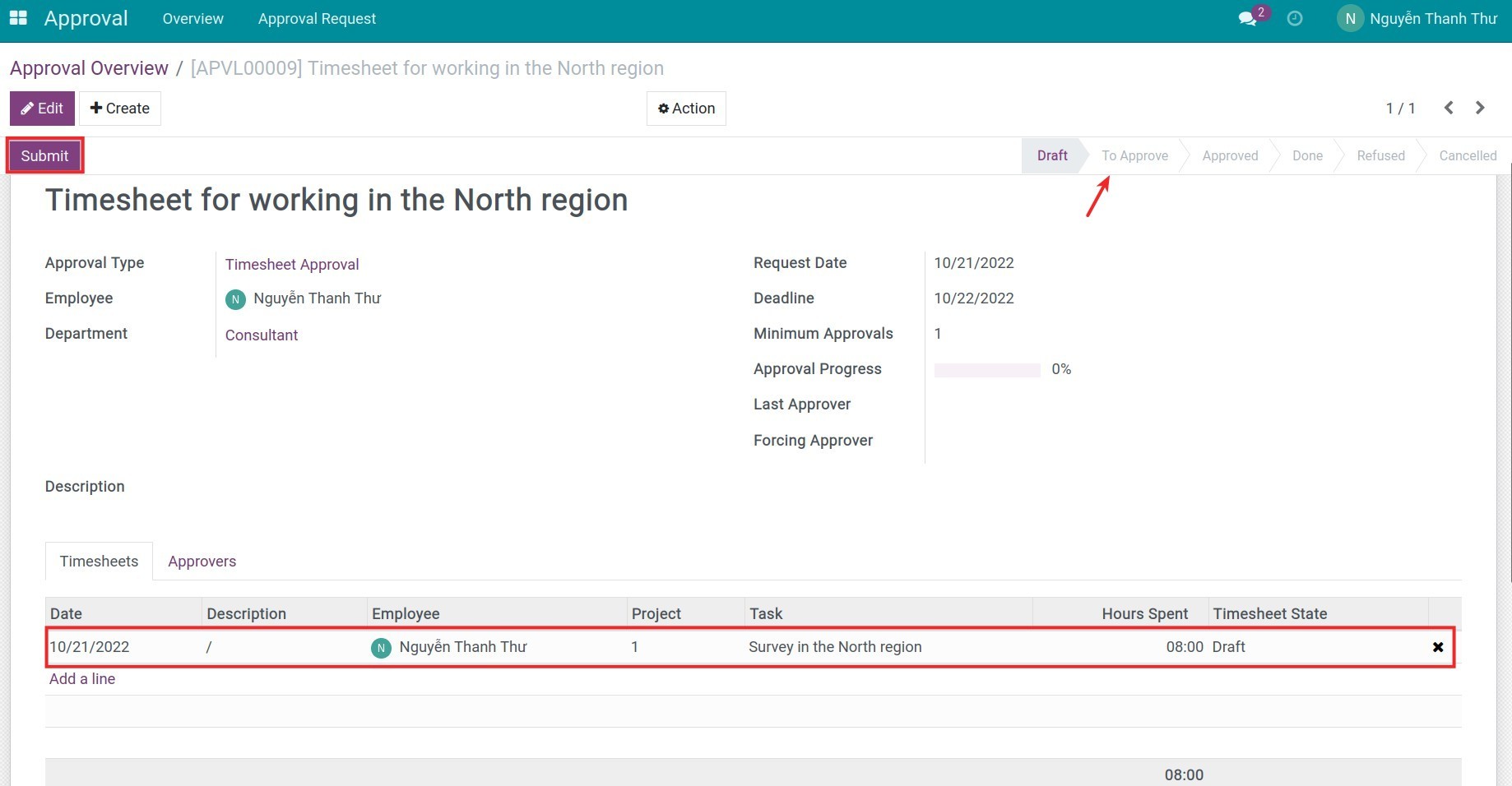
Submit the approval request
Search approval request
Approve the timesheet approval request
See OmniApproval™ - Timesheet Approvals in Action
See how this module solves real business problems in a working Viindoo environment.
Need help with OmniApproval™ - Timesheet Approvals?
For questions, implementation support, or consulting services, contact Viindoo.
Pre-Sales & Partnership
When contacting us, please include:
- Odoo/Viindoo version (CE/EE).
- Number of users and business scope.
- Other modules currently in use.
Technical Support
For faster troubleshooting, please provide:
- Order number or app reference.
- Odoo/Viindoo version & edition.
- Steps to reproduce the issue.
- Screenshots/logs if available.
Technical Requirement
Changes log
We continuously improve this module. Recent updates from the official Viindoo repository:
- 2026-03-07 Improved For being easier to extend.
- 2026-02-11 Improved Add missing translations.
- 2025-12-26 Improved Add approval type icons.
- 2025-06-17 Added OmniApproval eco system.
- 2024-09-25 Improved Contract Addendum (hr.contract).
Works Great With These Modules
Extend OmniApproval™ - Timesheet Approvals with complementary Viindoo apps:
Overtime Timesheet Approval
Technical module to bridge Overtime Timesheet and Timesheet Approval modules
Module viin_hr_overtime_timesheet_approvalWho Should Use This Module?
Built for teams that need this capability fully integrated into their Odoo/Viindoo stack.
Businesses that use timesheets for payroll calculation or performance evaluation
HR departments that need to verify timesheet data before processing payroll
Managers who want to track and control employees' actual working hours
Employees who need to log working hours for managerial approval
Installation
- Navigate to Apps.
- Search with keyword viin_approval_hr_timesheet.
- Press Install.
Instructions
Instruction video: HR Timesheet Approval
Initial configuration
Access rights
Navigate to Settings > Manage Users and grant the approval rights to users.
Configure approval types
Navigate to Approval > Configuration > Approval types, the Timesheet approval type is automatically created by default. Click to configure your desired approval levels.

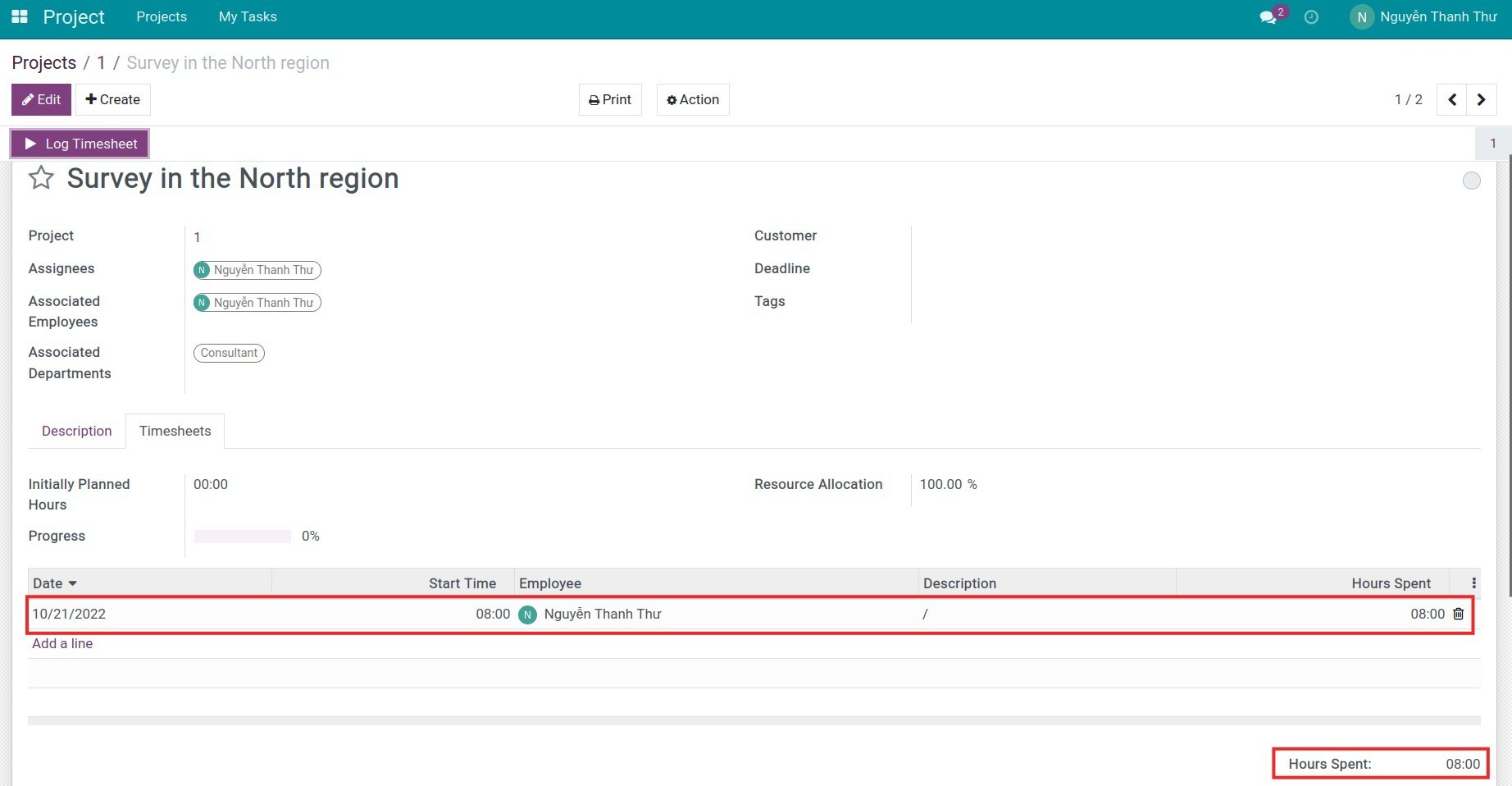
Employees log timesheet
First, employees need to log timesheet on the system based on the real working time.
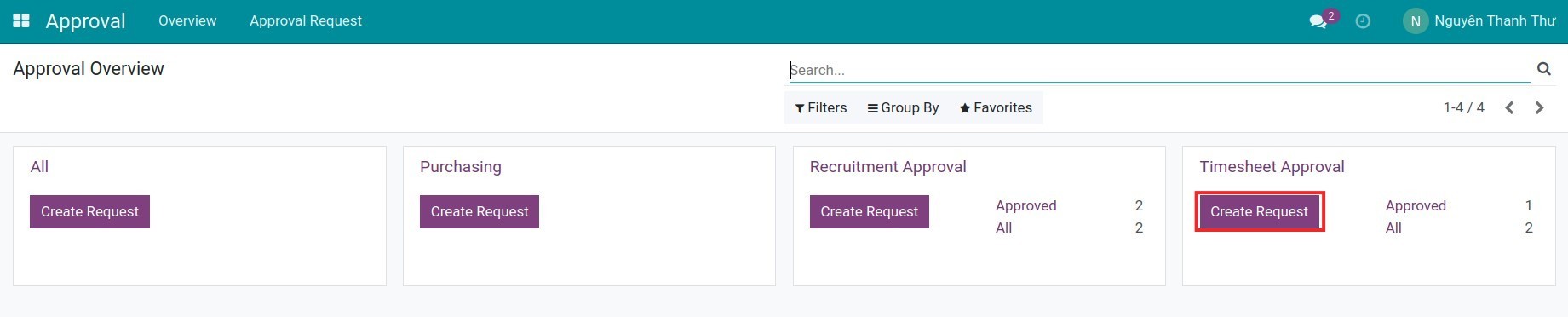
Create an Approval request
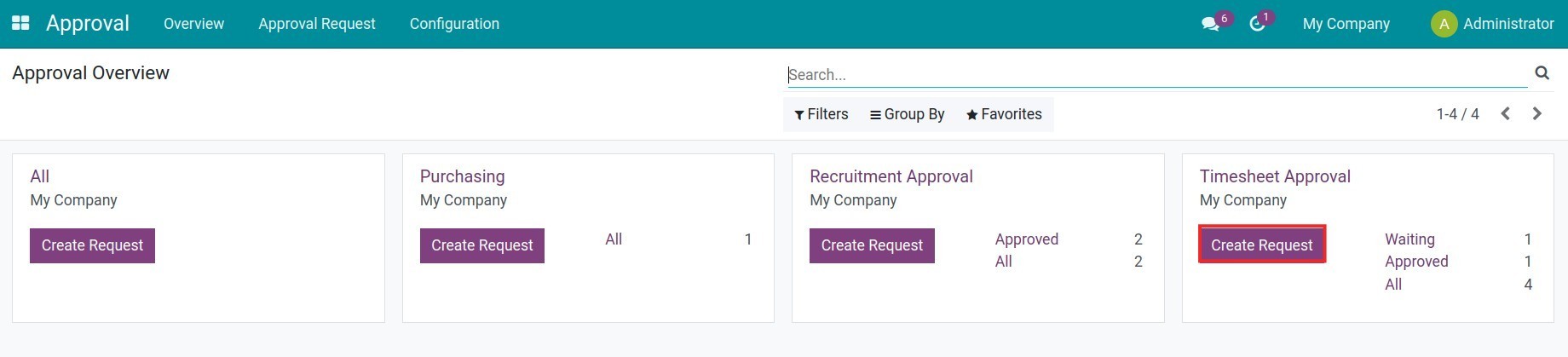
To create a Timesheet approval request, navigate to the Approval app, on the Overview, find the Timesheet Approval and press Create Request.
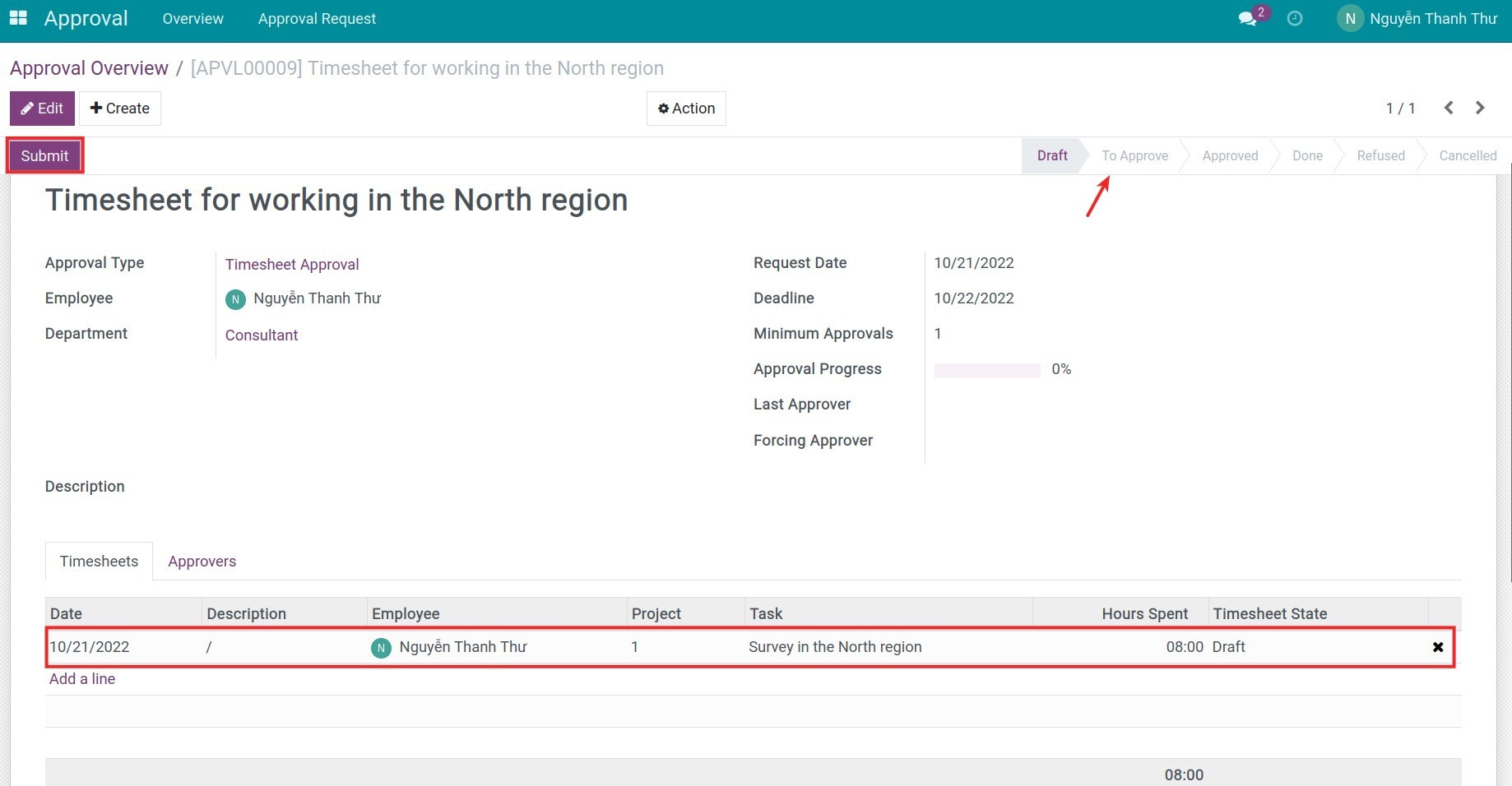
On the approval request, all the employees' and approvers' timesheets will be displayed. The employees add all the necessary information then press Submit. The approval request status will then be changed to To Approve.
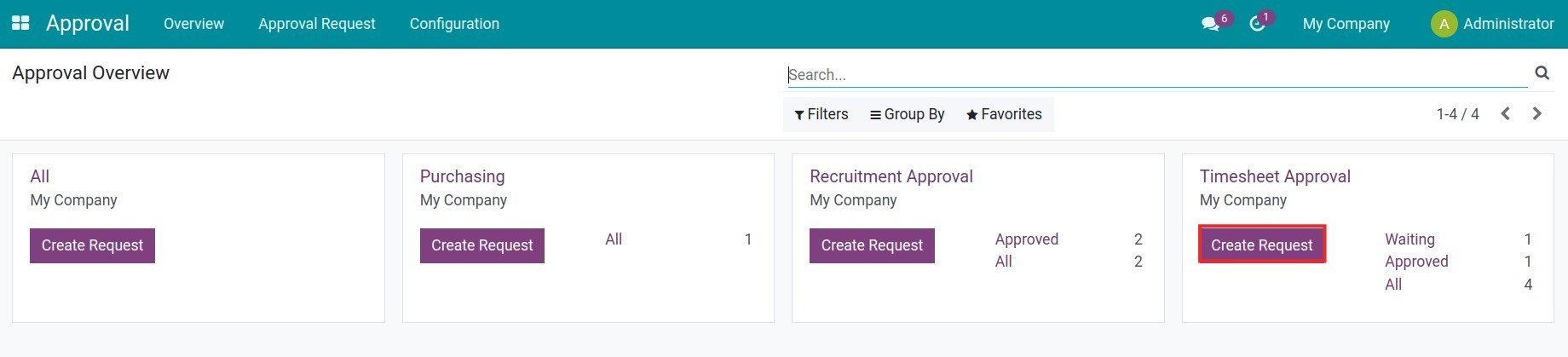
Approve the timesheet approval request
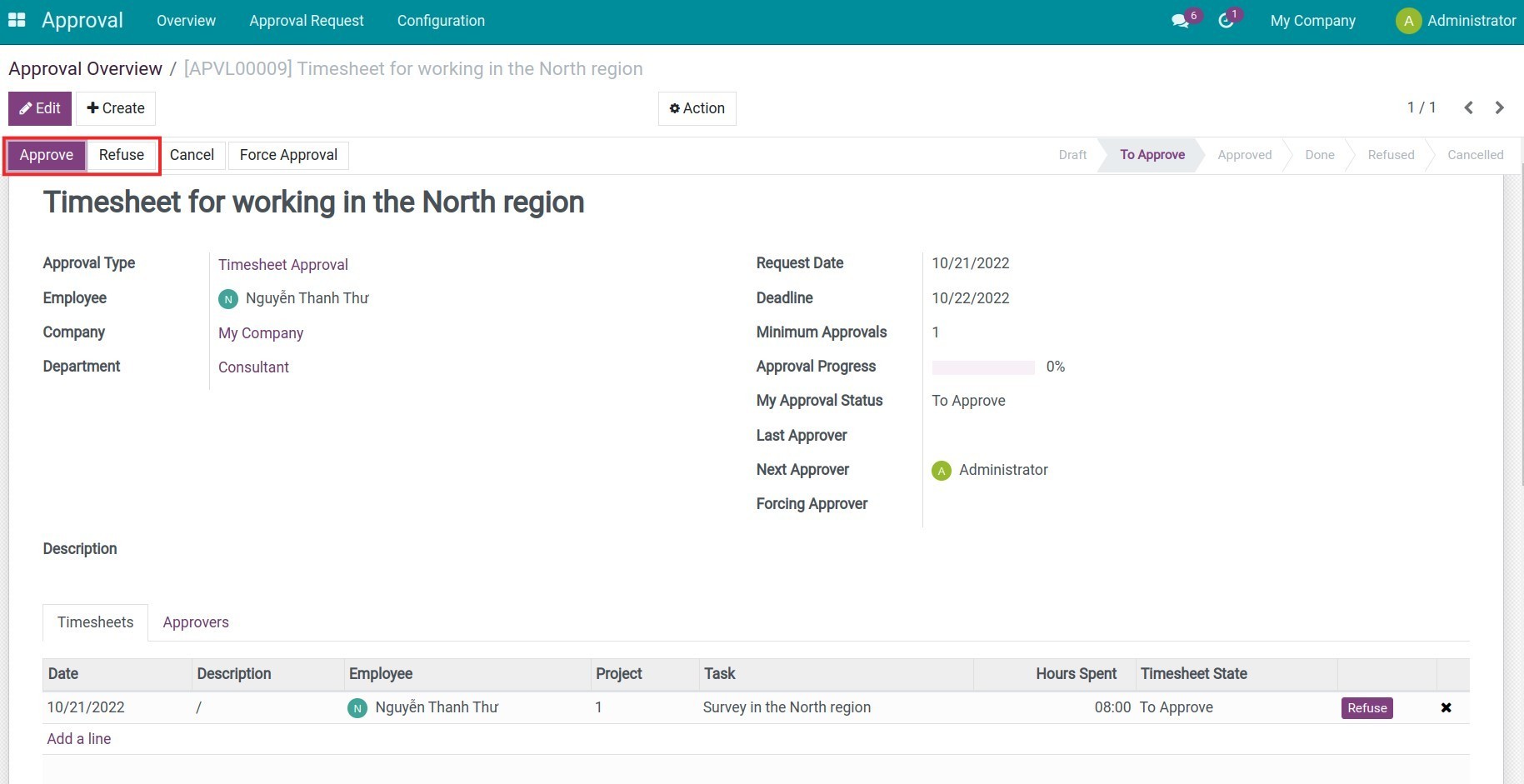
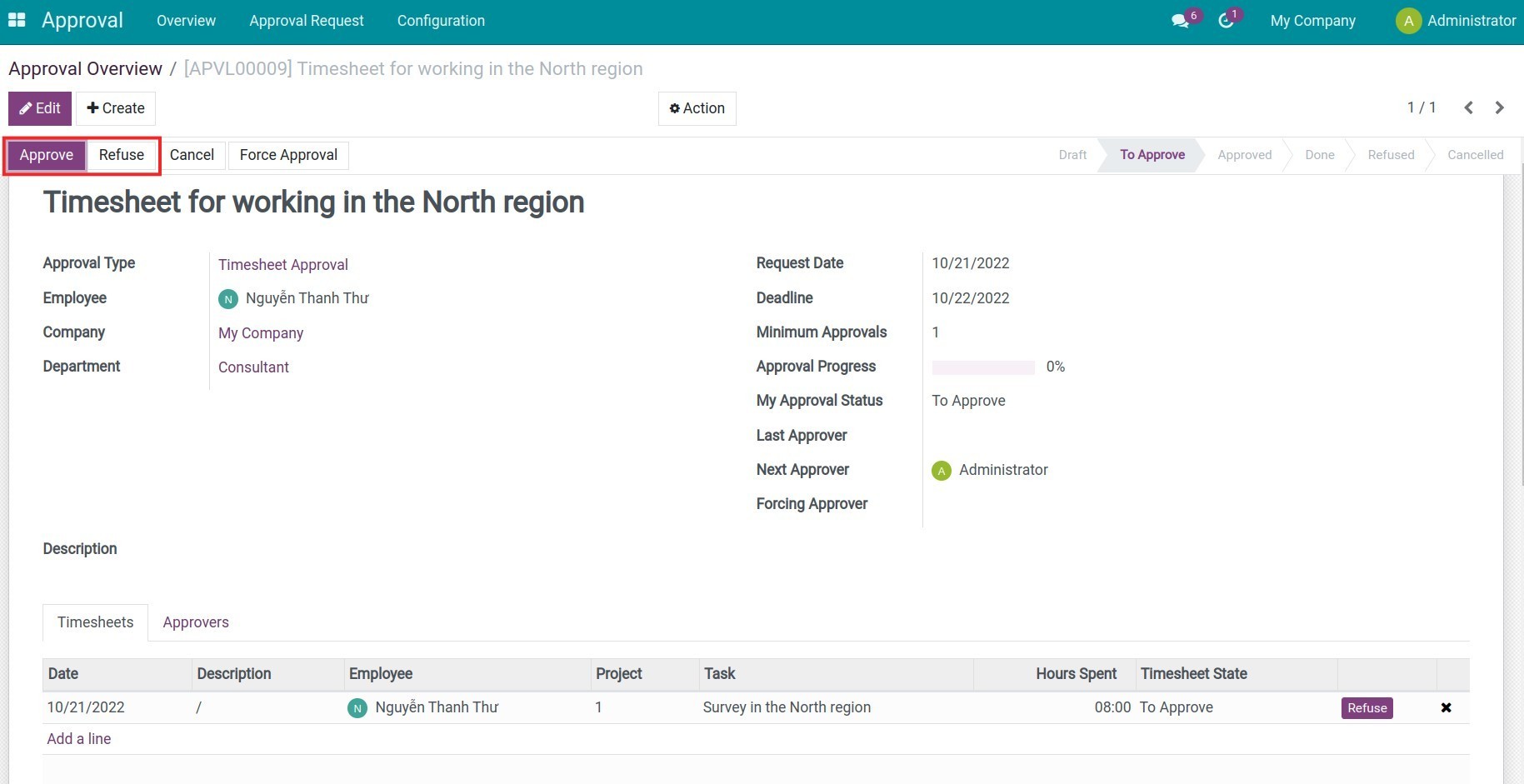
Managers navigate to the Approval app to find the awaiting to-be-approved requests.
The manager now can approve or reject the request depending on the configured approval levels on the Timesheet approval type.
View the approval status
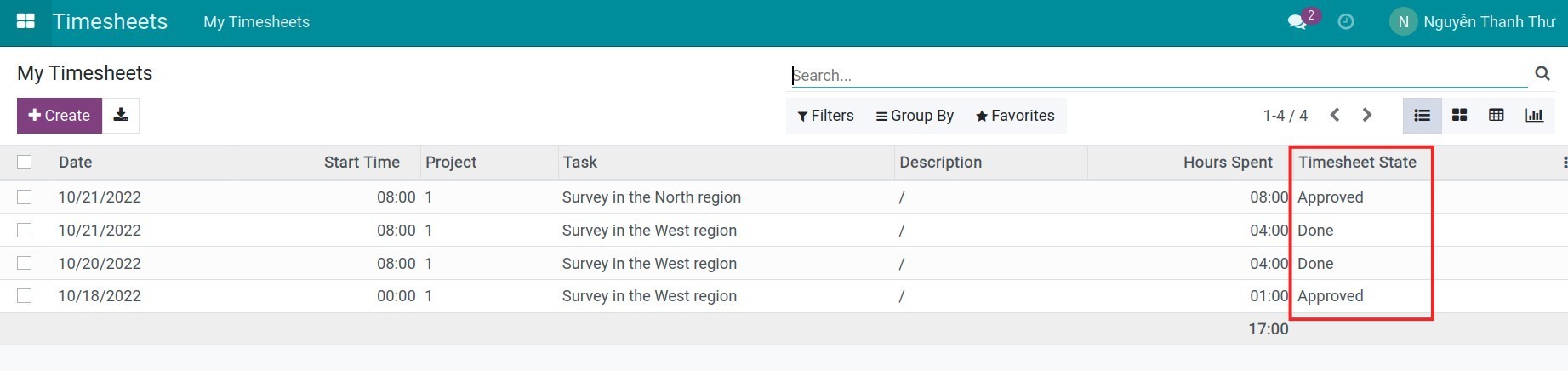
Both employees and managers can follow the approval status right on the approval request or navigate to the Timesheet app to view the Timesheet State.
Tips: You can use this process to manage the salary payment: configure suitable Salary rules for the salary computation.
This software and associated files (the "Software") may only be used (executed, modified, executed after modifications) if you have purchased a valid license from the authors, typically via Odoo Apps, or if you have received a written agreement from the authors of the Software (see the COPYRIGHT file).
You may develop Odoo modules that use the Software as a library (typically by depending on it, importing it and using its resources), but without copying any source code or material from the Software. You may distribute those modules under the license of your choice, provided that this license is compatible with the terms of the Odoo Proprietary License (For example: LGPL, MIT, or proprietary licenses similar to this one).
It is forbidden to publish, distribute, sublicense, or sell copies of the Software or modified copies of the Software.
The above copyright notice and this permission notice must be included in all copies or substantial portions of the Software.
THE SOFTWARE IS PROVIDED "AS IS", WITHOUT WARRANTY OF ANY KIND, EXPRESS OR IMPLIED, INCLUDING BUT NOT LIMITED TO THE WARRANTIES OF MERCHANTABILITY, FITNESS FOR A PARTICULAR PURPOSE AND NONINFRINGEMENT. IN NO EVENT SHALL THE AUTHORS OR COPYRIGHT HOLDERS BE LIABLE FOR ANY CLAIM, DAMAGES OR OTHER LIABILITY, WHETHER IN AN ACTION OF CONTRACT, TORT OR OTHERWISE, ARISING FROM, OUT OF OR IN CONNECTION WITH THE SOFTWARE OR THE USE OR OTHER DEALINGS IN THE SOFTWARE.