
Route Cost & Revenue Accounting
by Viindoo
| Lines of Code | 654 |
| Technical name | to_geo_routes_account |
| License | OPL-1 |
| Website | https://viindoo.com/apps/modules/19.0/to_geo_routes_account |
| Read description for | v 17.0 v 18.0 |
| Required Apps | Invoicing (account) Discuss (mail) |
| Included Dependencies | Viindoo Unified Routing Framework Viindoo Base Accounting Foundation API Request Logger |

What a lane costs, and what it earns
Geographic routes linked to analytic accounts and invoices, for route-based cost and revenue analysis.
Route Cost & Revenue Accounting (technical name to_geo_routes_account) is an Odoo 19.0 app for Odoo Community and Odoo Enterprise and Viindoo Cloud, built for operations, manager, finance, it.
At a Glance
The facts of Route Cost & Revenue Accounting, version 0.1.1, in one place. Published by Viindoo.
How It Works
Three screens.
The routes
The lanes you run.
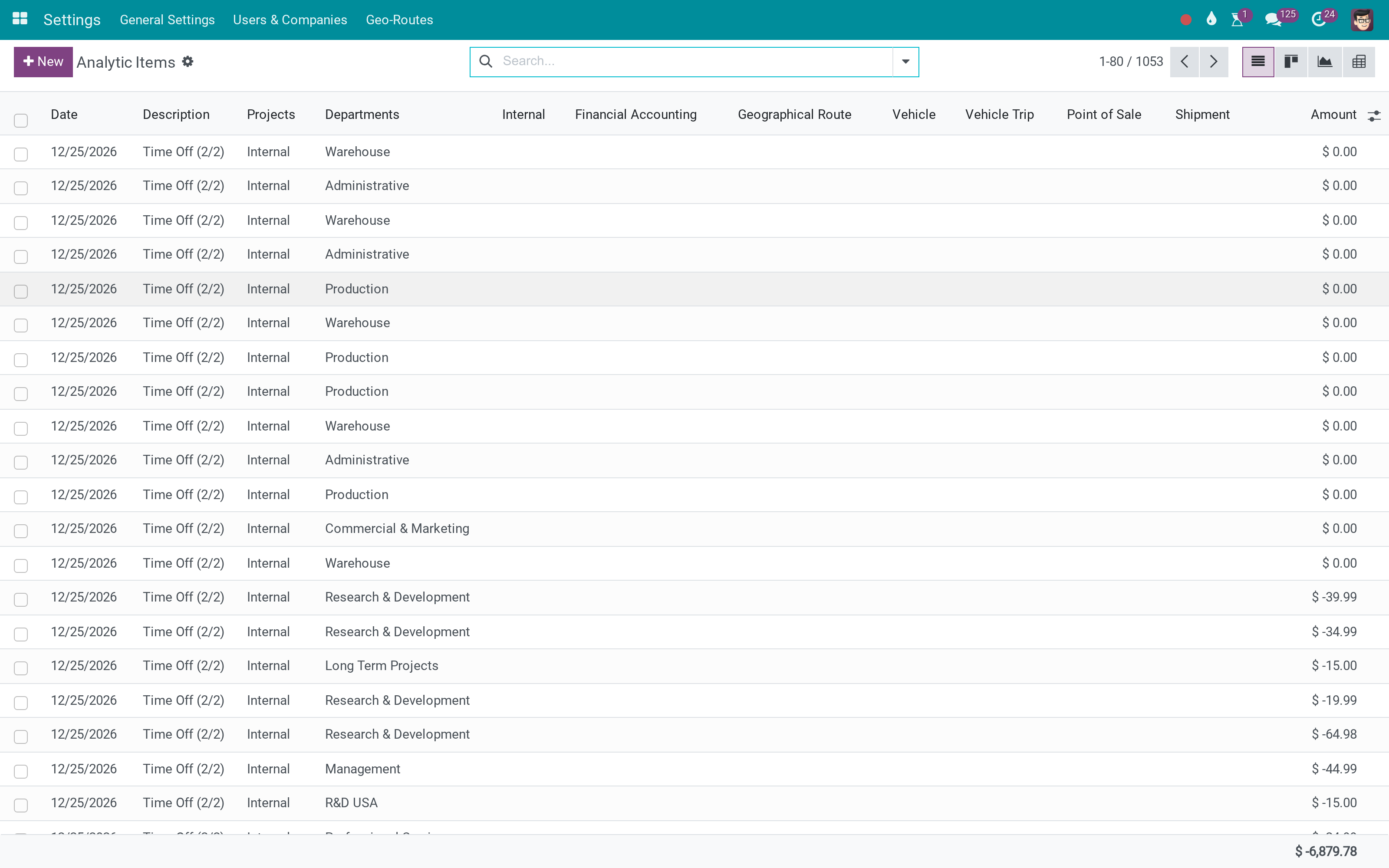
The analytic items
Everything posted against them.
One route
Its sections, and its account.
What You Get
An analytic account per geographic route
Invoices linked to the route
Cost and revenue accumulated per lane
Lane profitability in standard analytic reporting
Works with the routes you already defined
Installed as a bridge when both apps are present
More Screens
Everything below was taken on a database seeded with real business data, on this series - not a mock-up and not a screenshot from an older version.
A route
What This App Does Not Do
Read this before you buy. Everything below is something the app deliberately leaves to another app or to you.
Entries come from invoices and bills.
Overhead is not spread across lanes.
Routes are defined elsewhere.
Geo Routes and Accounting.
Works Well With
Apps from the same stack, built to fit this one:
Who Should Use Route Cost & Revenue Accounting?
Operations
Works from the record, not a side file.
Manager
Sees what is happening while it happens.
Finance
Costs it against something real.
IT
One mechanism instead of several.
Frequently Asked Questions
What does Route Cost & Revenue Accounting do?
Geographic routes linked to analytic accounts and invoices, for route-based cost and revenue analysis.
What does Route Cost & Revenue Accounting not do?
It does not post anything. Entries come from invoices and bills. It does not allocate shared cost. Overhead is not spread across lanes. It does not plan routes. Routes are defined elsewhere. It needs both apps. Geo Routes and Accounting.
Who is Route Cost & Revenue Accounting for?
Operations: Works from the record, not a side file. Manager: Sees what is happening while it happens. Finance: Costs it against something real. IT: One mechanism instead of several.
Which Odoo version and editions does it support?
Odoo 19.0 - Odoo Community, Odoo Enterprise, Viindoo Cloud. Upgrades to a newer Odoo series are a separate purchase for that series.
What does it depend on?
It installs on top of: to_geo_routes, viin_account. Odoo installs them with it.
How do I set it up?
Three screens.
What works well with it?
Shipments on routes (viin_logistics_route): Which shipments run each lane. Shipment analytics (viin_logistics_account): The same treatment per shipment. Freight Management (viin_freight_management): The operational side.
Can I try it before buying?
Yes - the Live Preview button at the top of this page opens the module's own screen on a working database.
How do I get support?
Write to apps.support@viindoo.com with your Odoo version and the technical name to_geo_routes_account; pre-sales questions go to sales@viindoo.com.
See Route Cost & Revenue Accounting in Action
Live demo: v19demo-int.viindoo.com/web#action=to_geo_routes.geo_route_action
Need help with Route Cost & Revenue Accounting?
For questions, implementation support or a custom feature, contact Viindoo.
Pre-Sales & Partnership
sales@viindoo.comUpgrades to a newer Odoo series are a separate purchase for that series.
All Viindoo apps: apps.odoo.com/apps/modules/browse?author=Viindoo
Technical Requirement
Changes log
0.1.1 - Latest on the 17.0 line
- Aligned with the 17.0 models of the apps it bridges.
Route Cost & Revenue Accounting (to_geo_routes_account)
Installation
- Go to Apps.
- Search for to_geo_routes_account.
- Click Activate.
Note
to_geo_routes_account extends Viindoo Unified Routing Framework (to_geo_routes) with accounting features. It requires the standard Accounting app (account).
Configuration
Analytic plan for routes
After installation, the module creates a dedicated analytic plan:
- Geographical Route analytic plan
- Used to represent each route as an Analytic Account (Tài khoản quản trị / tài khoản kế toán quản trị)
- Cost and revenue splits on this plan are recorded as Analytic Items (Phát sinh kế toán quản trị)
This plan is protected and cannot be deleted while it is required by routes.
Route form enhancements
On the Route form (model route.route), the module adds:
- Field Analytic Account
- Smart button Vendor Bills
- Smart button Customer Invoices
- Optional action Generate Analytic Account (if enabled in the view)
No extra configuration menu is required. Once the module is installed, these fields and buttons appear on routes automatically.
Access rights
- Only accounting users and accounting managers are allowed to generate analytic accounts from routes.
- Users with Invoicing or Accounting read-only rights can see the Vendor Bills and Customer Invoices smart buttons and counts on routes, and open the related documents.
- Other internal users do not see the counts and cannot read them.
Note
The module does not automatically create analytic accounts for all routes. Analytic accounts are created on demand by vertical modules (Fleet Planning, Freight Forwarding, etc.) or manually via the route action.
Usage – For End Users
Overview
From an end-user perspective, Route Cost & Revenue Accounting allows you to:
- Associate each important route with a dedicated Analytic Account.
- Track cost and revenue by route using Analytic Items.
- Quickly open all Vendor Bills and Customer Invoices related to a route via smart buttons on the route.
Generating route analytic accounts
There are two typical ways a route gets an Analytic Account:
- Automatic generation by vertical modules:
- When you confirm a trip, booking, or transport order in a vertical module (e.g. Fleet Planning, Freight), that module can call route._generate_analytic_account_if_not_exists().
- If the route does not yet have an Analytic Account, one is created on the Geographical Route analytic plan.
- Manual generation from the route form:
- Open Viindoo Unified Routing Framework - Routes.
- Choose a route.
- Click the Generate Analytic Account action/button (if available).
- The system creates a new Analytic Account for this route if none exists and links it back to the route.
Note
Analytic account names and codes are generated according to the module's rules to avoid duplicates and unnecessary account pollution.
How vendor bills and customer invoices are linked
Route Cost & Revenue Accounting does not add custom route fields directly on Vendor Bills or Customer Invoices. Instead, the link is derived from Analytic Items:
- When Vendor Bills or Customer Invoices are posted, analytic distributions can allocate amounts to the route Analytic Account on the Geographical Route plan.
- Each analytic distribution line becomes an Analytic Item (Phát sinh kế toán quản trị).
- The module scans Analytic Items on the route Analytic Account to find:
- Related Vendor Bills (purchase moves)
- Related Customer Invoices (sale moves)
Routes then show:
- Vendor Bills smart button:
- Opens only bills whose analytic distributions contain Analytic Items on the route Analytic Account.
- Counts are computed from Analytic Items, not from custom fields on account.move.
- Customer Invoices smart button:
- Opens only invoices whose analytic distributions contain Analytic Items on the route Analytic Account.
- Counts are computed similarly.
Typical workflow example
- A logistics planner confirms a vehicle trip or freight booking for a given route.
- The vertical module calls route._generate_analytic_account_if_not_exists() so the route has a dedicated Analytic Account.
- Vendor Bills and Customer Invoices are entered as usual in Odoo.
- During accounting allocation, the accountant splits amounts into analytic distributions on the Geographical Route plan, selecting the route Analytic Account.
- As soon as Analytic Items exist on that account, the route:
- Shows updated Vendor Bill and Customer Invoice counts.
- Allows users to open related bills and invoices via the smart buttons.
Usage – For Accountants
Understanding what is new for accounting
As an accountant, you gain:
- A dedicated Analytic Plan for routes.
- One Analytic Account per route that matters for cost/revenue tracking.
- A clean way to allocate cost and revenue per route using standard analytic distributions, without extra custom fields on accounting moves.
When posting invoices and bills
When you validate Vendor Bills or Customer Invoices:
- Use analytic distribution to allocate amounts to:
- The route Analytic Account on the Geographical Route plan.
- Other analytic plans (departments, projects, etc.) as needed.
- The module automatically aggregates cost and revenue for each route based on those Analytic Items.
From the Route form you can:
- Review how many Vendor Bills and Customer Invoices are linked to the route.
- Open each list and drill down to the underlying accounting documents.
Developer Guide
Overview for developers
to_geo_routes_account is designed as a foundation for vertical modules such as:
- Fleet planning and trip management
- Freight forwarding
- Any other module that uses route.route and needs route-based accounting
It provides:
- An Analytic Plan dedicated to routes.
- A clean link between routes and Analytic Accounts.
- Helpers to derive accounting documents from Analytic Items.
- Protections to avoid accidental deletion or misuse of route Analytic Accounts.
Creating route analytic accounts on demand
Vertical modules should not create route Analytic Accounts at route creation time. Instead, they should create them when business flows actually require them (e.g. when confirming a trip or booking).
from odoo import models

class FleetTrip(models.Model):
    _inherit = 'fleet.trip'

    def action_confirm(self):
        res = super().action_confirm()
        for trip in self:
            route = trip.route_id
            if route:
                route._generate_analytic_account_if_not_exists()
        return res
Best practices:
- Call _generate_analytic_account_if_not_exists() only when the route is truly used in operations.
- Do not call it in route create() or write() just because a route exists in the database.
- Do not create Analytic Accounts manually in your module; always delegate to the route helper.
Allocating costs and revenues by route
To make a cost or revenue visible on a route:
- Ensure there is an Analytic Item on the Geographical Route plan.
- This Analytic Item must point to the route Analytic Account.
The module provides helpers on account.analytic.line:
- _get_analytic_plan_geo_route()
- Returns the route analytic plan record.
- _get_route_account_column_name()
- Returns the column name that should hold the route Analytic Account on the analytic line (used for automatic assignment and filtering).
Example (simplified) for a vertical module creating analytic lines:
analytic_line_model = self.env['account.analytic.line']
route_plan = analytic_line_model._get_analytic_plan_geo_route()
column_name = analytic_line_model._get_route_account_column_name()

analytic_line_vals = {
    'name': 'Route cost allocation',
    'company_id': company.id,
    'date': fields.Date.today(),
    'account_id': route.analytic_account_id.id,
    column_name: route.analytic_account_id.id,
    'amount': -100.0,  # cost
    'move_line_id': move_line.id,
}
analytic_line_model.create(analytic_line_vals)
Once these Analytic Items exist, the module automatically:
- Computes the link between routes and Vendor Bills / Customer Invoices.
- Updates the smart buttons and counts on the route.
Extending or reusing smart buttons
RouteRoute (model route.route) provides:
- account_move_ids: Many2many to account.move listing all moves found via route Analytic Items.
- bill_count: number of Vendor Bills related to the route.
- invoice_count: number of Customer Invoices related to the route.
- action_view_vendor_bills(): opens only vendor bills related to the route.
- action_view_customer_invoices(): opens only customer invoices related to the route.
- action_generate_analytic_account(): generates route Analytic Account (with access control).
You can:
- Reuse these actions in custom menus or dashboards.
- Override them in your vertical module if you need to extend the domains or add extra context keys.
Analytic plan and account protections
The module hardens analytic data used for routes:
- On account.analytic.plan:
- The Geographical Route plan cannot be deleted while it is required for route accounting.
- Deletion attempts raise a clear error message.
- On account.analytic.account:
- Each account knows which route.route records use it via route_ids.
- route_id is a computed shortcut to the main route for convenience.
- Attempts to delete an Analytic Account that is required by at least one route will raise a UserError.
- Renaming or archiving may also be restricted depending on the module's rules, to avoid breaking the route/account link.
These protections help keep the route accounting structure consistent across modules.
Best Practices
For users
- Only generate route Analytic Accounts for routes that matter for analysis.
- Use analytic distributions consistently whenever you want cost/revenue to be visible at route level.
- Rely on smart buttons on the route form to navigate to related bills and invoices instead of building custom filters each time.
For developers
- Reuse _generate_analytic_account_if_not_exists() instead of creating Analytic Accounts by hand.
- Do not add custom route fields directly on accounting moves when the same information can be represented as Analytic Items.
- Use the provided helpers on account.analytic.line to keep your analytic structure consistent with this module.
- Let this module handle the protections on analytic plans and accounts; avoid bypassing them with sudo() unless you fully understand the impact.
Summary
to_geo_routes_account (Route Cost & Revenue Accounting) provides:
- A dedicated analytic structure for route-based cost and revenue analysis.
- A clean link between routes, Analytic Accounts (Tài khoản quản trị), and Analytic Items (Phát sinh kế toán quản trị).
- Smart buttons and counts on routes for Vendor Bills and Customer Invoices.
- Reusable hooks and helpers for vertical modules (Fleet Planning, Freight, and others).
It is the accounting extension of Viindoo Unified Routing Framework, and serves as a common foundation for route-centric analytics across Viindoo logistics solutions.
This software and associated files (the "Software") may only be used (executed, modified, executed after modifications) if you have purchased a valid license from the authors, typically via Odoo Apps, or if you have received a written agreement from the authors of the Software (see the COPYRIGHT file).
You may develop Odoo modules that use the Software as a library (typically by depending on it, importing it and using its resources), but without copying any source code or material from the Software. You may distribute those modules under the license of your choice, provided that this license is compatible with the terms of the Odoo Proprietary License (For example: LGPL, MIT, or proprietary licenses similar to this one).
It is forbidden to publish, distribute, sublicense, or sell copies of the Software or modified copies of the Software.
The above copyright notice and this permission notice must be included in all copies or substantial portions of the Software.
THE SOFTWARE IS PROVIDED "AS IS", WITHOUT WARRANTY OF ANY KIND, EXPRESS OR IMPLIED, INCLUDING BUT NOT LIMITED TO THE WARRANTIES OF MERCHANTABILITY, FITNESS FOR A PARTICULAR PURPOSE AND NONINFRINGEMENT. IN NO EVENT SHALL THE AUTHORS OR COPYRIGHT HOLDERS BE LIABLE FOR ANY CLAIM, DAMAGES OR OTHER LIABILITY, WHETHER IN AN ACTION OF CONTRACT, TORT OR OTHERWISE, ARISING FROM, OUT OF OR IN CONNECTION WITH THE SOFTWARE OR THE USE OR OTHER DEALINGS IN THE SOFTWARE.