

Trung tâm Hỗ trợ
bởi Viindoo
| Số dòng Code | 6104 |
| Tên kỹ thuật | viin_helpdesk |
| Giấy phép | OPL-1 |
| Website | https://viindoo.com/intro/helpdesk |
| Đọc mô tả cho | v 13.0 v 14.0 v 15.0 v 16.0 v 17.0 |
| Yêu cầu các App | Discuss (mail) |
| Các mở rộng | Bộ mẫu Zalo cho Helpdesk Tích hợp ứng dụng Trung Tâm Hỗ Trợ & Bán hàng Tích hợp ứng dụng Trung Tâm Hỗ Trợ với Chat trực tuyến Tích hợp ứng dụng Trung tâm Hỗ trợ với Nhân sự Tích hợp ứng dụng Trung Tâm Hỗ Trợ với Dự án Tích hợp Helpdesk với CRM Mức độ nghiêm trọng trên yêu cầu hỗ trợ |

Helpdesk
A ticketing-based support application for Odoo and Viindoo to help you manage and track support tickets for both employees and external partners
This module allows you to record and manage support tickets from customers and internal employees. Can be integrated with other apps in our all-in-one system, employees can create support tickets for customers or themselves during the working process.
Key Features
Built natively on Odoo/Viindoo to streamline real business operations:
Comprehensive Ticket Management
- Create and manage support teams to address specific customer or business needs.
- Define ticket types to categorize and prioritize incoming support requests.
- Assign tickets to team members for accountability and efficient resolution.
- Track ticket progress across defined stages, ensuring clarity and transparency.
- Record and access the full history of communication within the portal and backend.
- Automate notifications to customers and team members during workflow transitions.
- Collect customer feedback through ratings and comments after ticket closure.
Customer Portal
Provide customers with a user-friendly portal to create, view, and manage their tickets.
Service Level Agreement (SLA) Management
- Define SLA policies to ensure timely resolution of tickets.
- Monitor ticket resolution times and compliance with SLA agreements.
- Automatically escalate tickets that are nearing or breaching SLA thresholds.
- Generate detailed SLA compliance reports for performance monitoring.
Team Ticket Types
- Restrict Ticket Types per Team: Define the specific ticket types allowed for each helpdesk team.
- Data Validation: Prevent teams from removing ticket types that are still in use.
- Company Integration: Automatically assign default ticket types based on the company settings.
- Portal Support: Ensure only relevant ticket types are visible on the customer portal.
Customizable Ticket Fields
- Add additional fields to tickets, enabling users to provide more details about issues or requests.
- Enhance clarity and detail in ticket descriptions for better processing efficiency.
Ticket Type Customization
- Additional fields will be automatically attached to ticket types when added. Subsequent tickets of the same type will automatically display these fields, ensuring information is collected more completely and accurately over time.
- Meet the exact needs of each ticket type, suitable for the nature of each request.
Reporting
- Visualize ticket data through dashboards and generate performance reports.
- Analyze resolution times, team performance, and customer satisfaction metrics.
- Provide detailed analytics on ticket resolution times and SLA compliance.
Integration with Viindoo Ecosystem
- Seamlessly integrate with Website, Live Chat, CRM, Sales, Project, and Timesheet modules.
- Allow ticket creation from various sources, including customer interactions and internal workflows.
Warning
To avoid conflicts while using this Helpdesk module, you must uninstall Odoo's Helpdesk module if it is currently installed.
Benefits
Enhanced Customer Satisfaction:
- Streamlined ticket resolution processes lead to faster and more efficient support.
- Transparent ticket tracking builds trust and ensures customers feel valued.
Improved Team Efficiency:
- Clearly defined workflows and automated notifications reduce manual efforts.
- SLA tracking ensures accountability and timely resolutions.
Data-Driven Decision Making:
- Comprehensive analytics provide insights into team performance and customer satisfaction.
- SLA compliance reports highlight areas for improvement.
Seamless Integration:
- Flexibility to integrate with Viindoo ERP or other compatible systems.
- Centralized management of support operations across various departments.
Customizable and Scalable:
- Adaptable workflows to fit diverse business needs.
- Scalable to accommodate growing ticket volumes and complex requirements.
Set up stages
Helpdesk teams
Set up ticket types

Set up tags
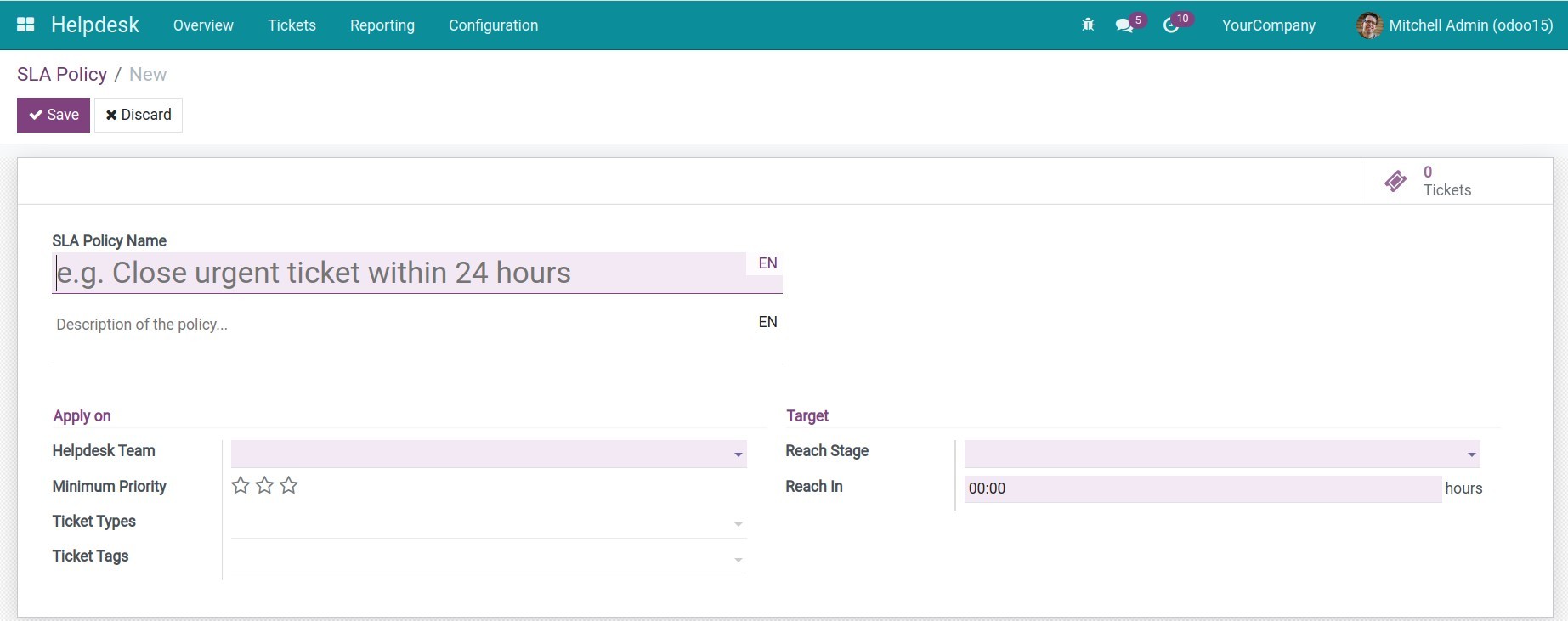
Set up SLA policy
Create a new ticket
See Helpdesk in Action
See how this module solves real business problems in a working Viindoo environment.
Need help with Helpdesk?
For questions, implementation support, or consulting services, contact Viindoo.
Pre-Sales & Partnership
When contacting us, please include:
- Odoo/Viindoo version (CE/EE).
- Number of users and business scope.
- Other modules currently in use.
Technical Support
For faster troubleshooting, please provide:
- Order number or app reference.
- Odoo/Viindoo version & edition.
- Steps to reproduce the issue.
- Screenshots/logs if available.
Technical Requirement
Changes log
We continuously improve this module. Recent updates from the official Viindoo repository:
- 2026-01-07 Fixed Top bar was too large.
- 2025-12-31 Improved Allow normal users to use dashboard.
- 2025-10-01 Improved Allow alias domains to be multiple.
- 2025-09-23 Improved Show all ticket when removing default filter.
- 2025-09-19 Improved Apply Default Filter on report: Active Tickets & Teams.
- 2025-09-06 Fixed Avoid updating ticket'desciption.
Works Great With These Modules
Extend Helpdesk with complementary Viindoo apps:
Helpdesk CRM Integration
Helpdesk CRM Integration
Module viin_helpdesk_crmHelpdesk & Human Resources Integration
Integrate the Helpdesk with Human Resources
Module viin_helpdesk_hrHelpdesk Livechat
Create new helpdesk ticket with using /ticket command in the channel.
Module viin_helpdesk_livechatHelpdesk & Odoo Version
Add Odoo version field to Ticket
Module viin_helpdesk_odoo_versionHelpdesk Project Integration
Helpdesk Project Integration
Module viin_helpdesk_projectHelpdesk & Sale Integrator
Manage customer support tickets from Sent Quotations and Sales Orders.
Module viin_helpdesk_saleWho Should Use This Module?
Built for teams that need this capability fully integrated into their Odoo/Viindoo stack.
Executives & Business Owners
Need clear visibility into operations and a stack that scales without bespoke development.
Operations / Department Leaders
Want to streamline daily workflows, remove manual handoffs, and keep data consistent across teams.
Implementers & Odoo Partners
Looking for production-ready Viindoo modules to deliver projects faster and at lower risk.
Cài đặt
- Truy cập Ứng dụng.
- Tìm từ khóa viin_helpdesk.
- Ấn Cài đặt.
Hướng dẫn sử dụng
Video hướng dẫn: Trung tâm Hỗ trợ
1. Các thiết lập cần thiết
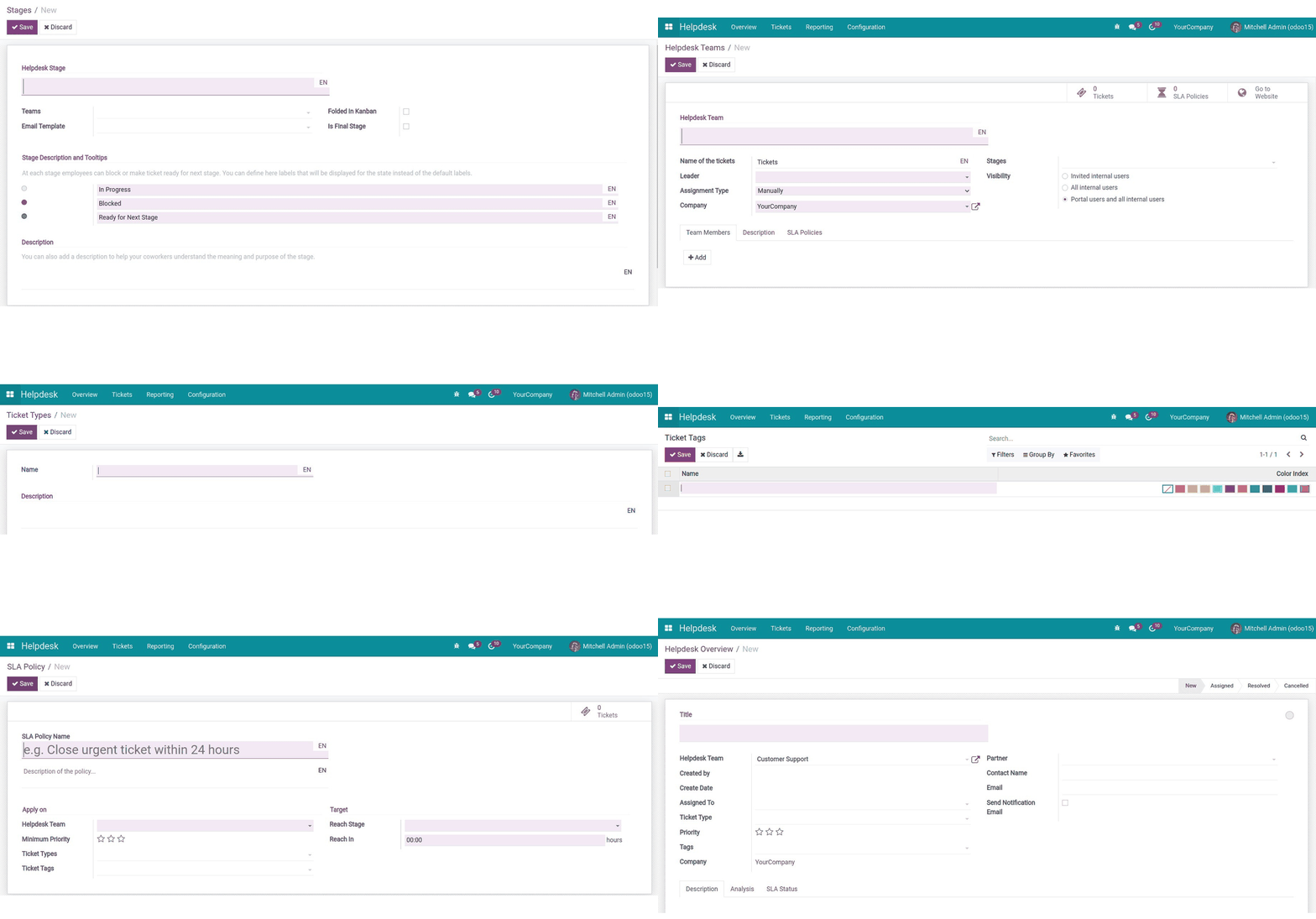
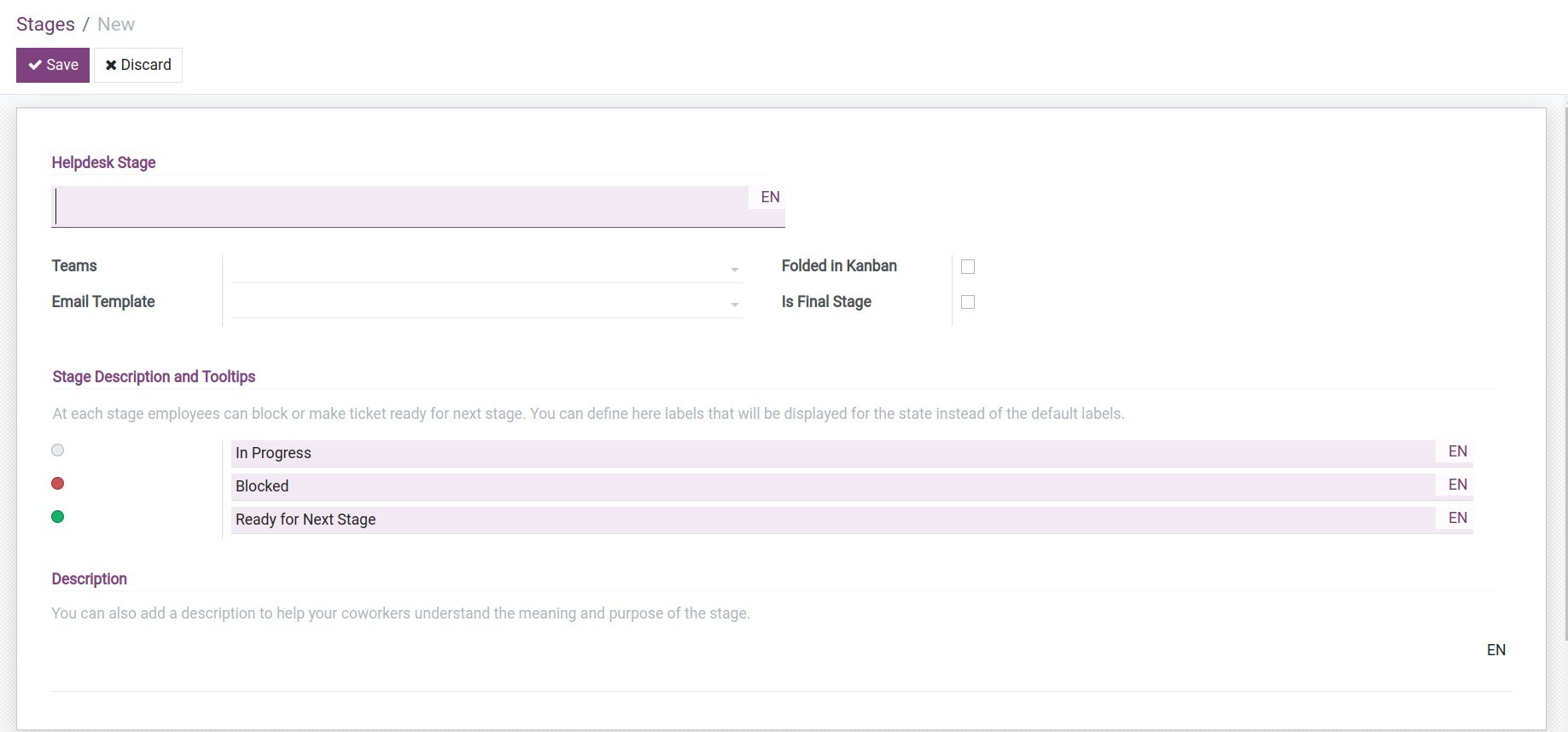
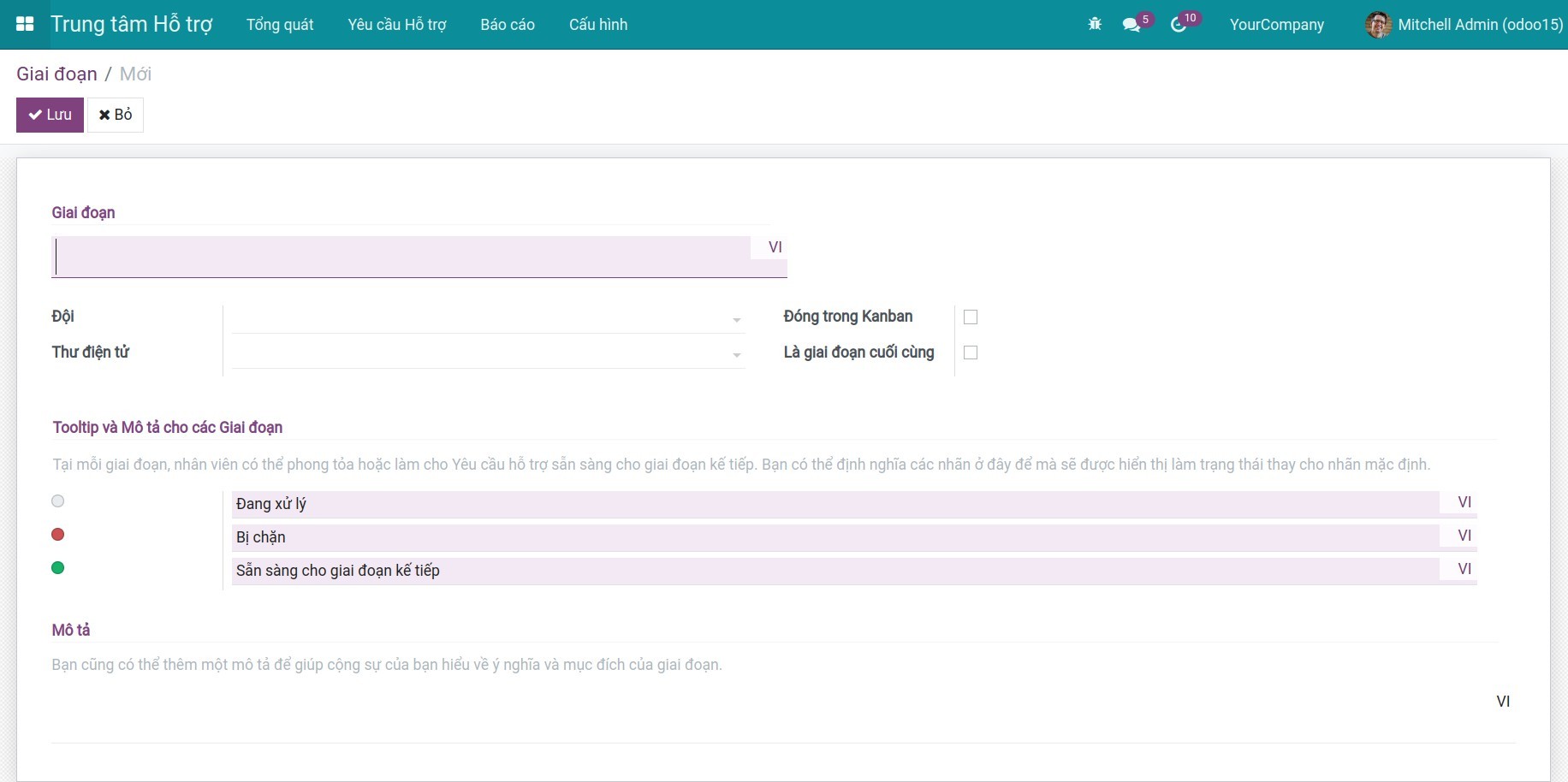
Bước 1: Cấu hình Giai đoạn: Đây là các giai đoạn xử lý của yêu cầu hỗ trợ. Để thiết lập, truy cập Trung tâm Hỗ trợ > Cấu hình > Giai đoạn.
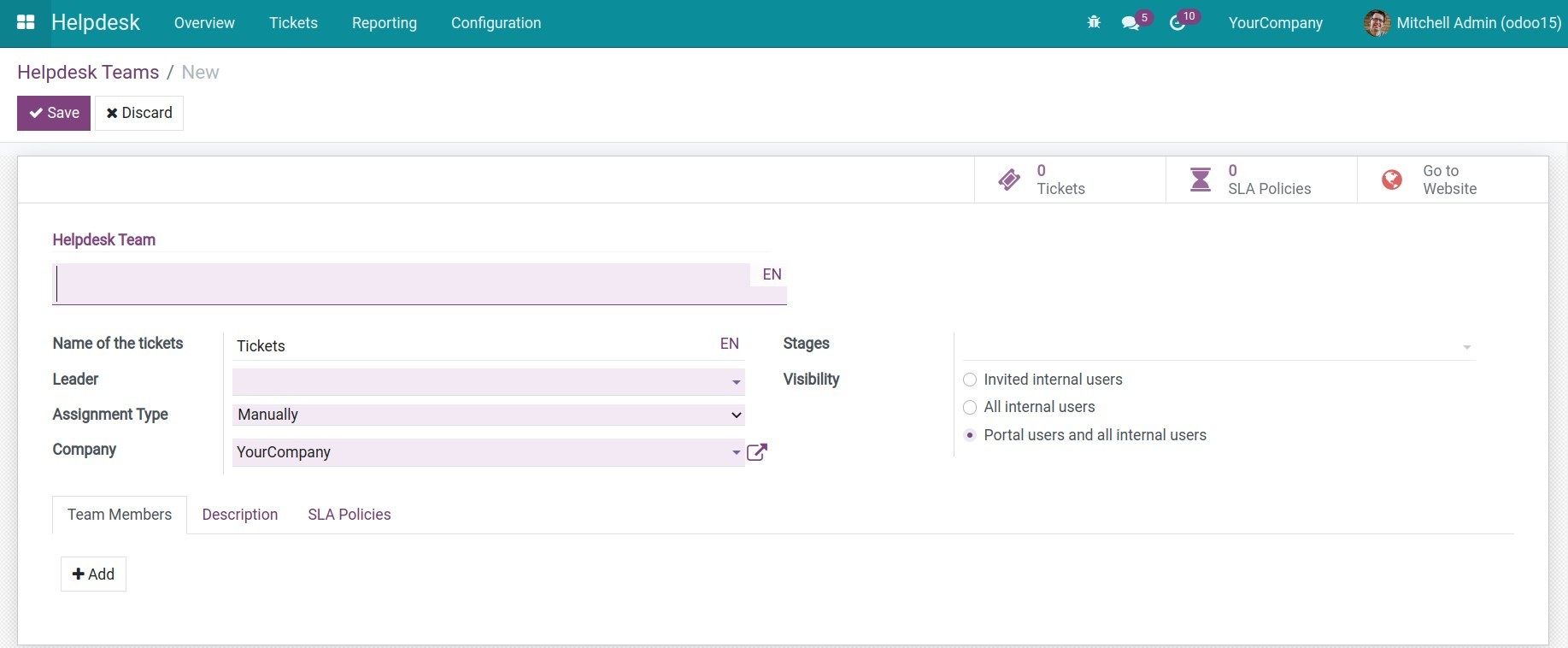
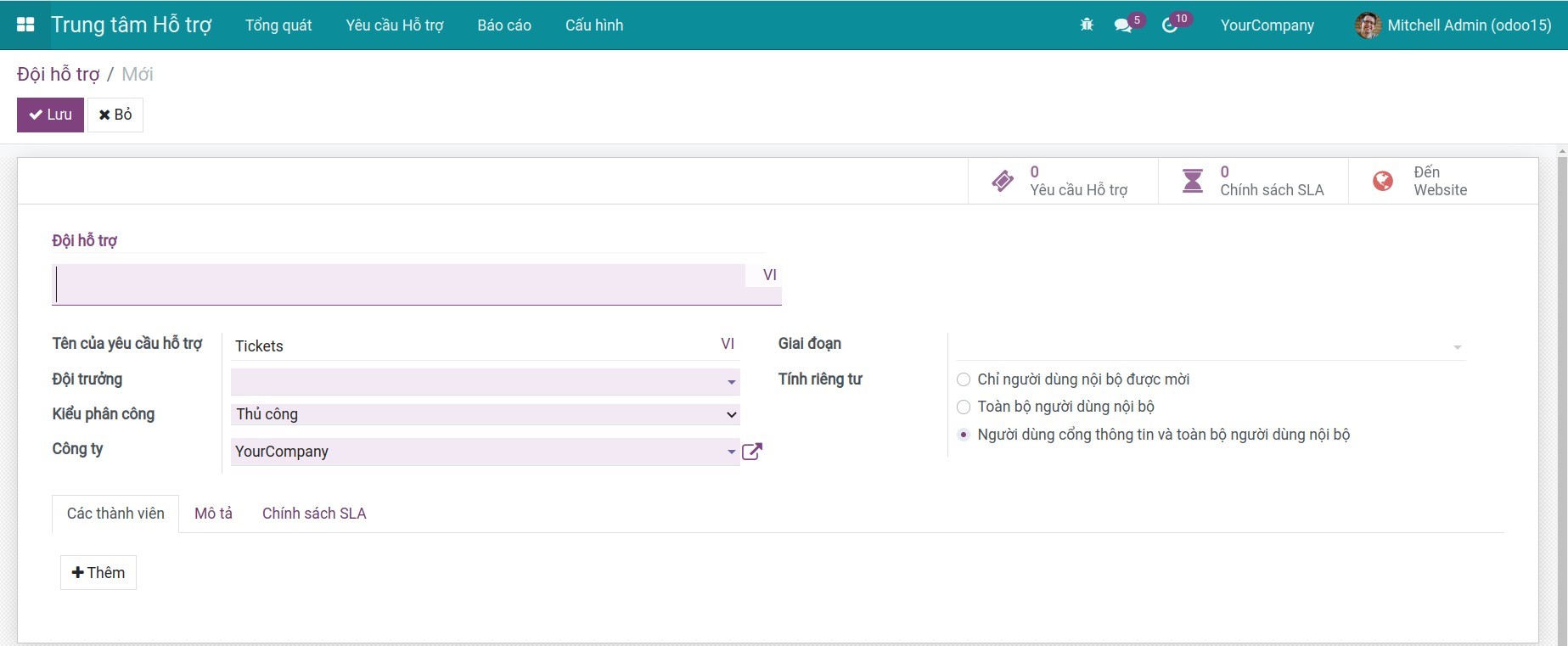
Bước 2: Cấu hình Đội hỗ trợ: Để thiết lập đội hỗ trợ, truy cập Trung tâm Hỗ trợ > Cấu hình > Đội hỗ trợ.
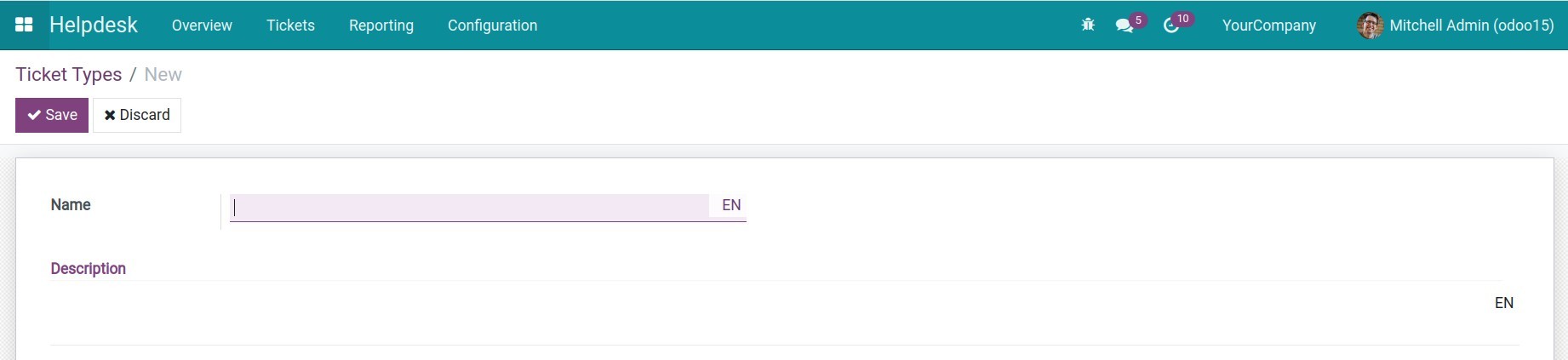
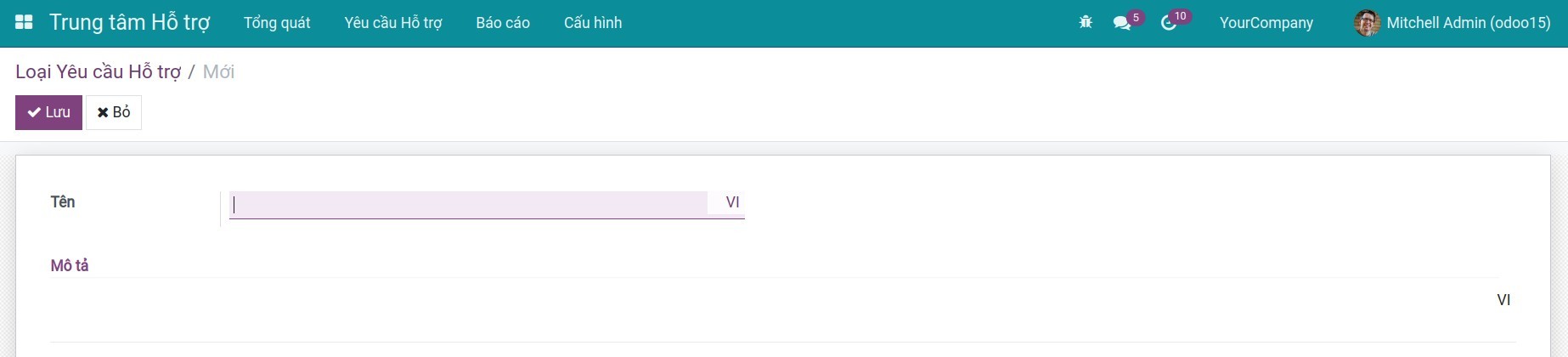
Bước 3: Cấu hình Loại yêu cầu hỗ trợ: Loại yêu cầu hỗ trợ giúp người dùng có thể phân biệt các nội dung của một yêu cầu hỗ trợ trong một đội hỗ trợ. Để thiết lập các loại yêu cầu hỗ trợ áp dụng trên toàn hệ thống, bạn truy cập Trung tâm Hỗ trợ > Cấu hình > Loại Yêu cầu hỗ trợ.
Bước 4: Cấu hình Thẻ: Ngoài việc phân loại theo yêu cầu hỗ trợ, người dùng có thể dùng thẻ để phân loại theo các tiêu chí mình mong muốn, giúp lọc và tìm kiếm dễ dàng hơn. Để thiết lập, truy cập Trung tâm Hỗ trợ > Cấu hình > Thẻ.

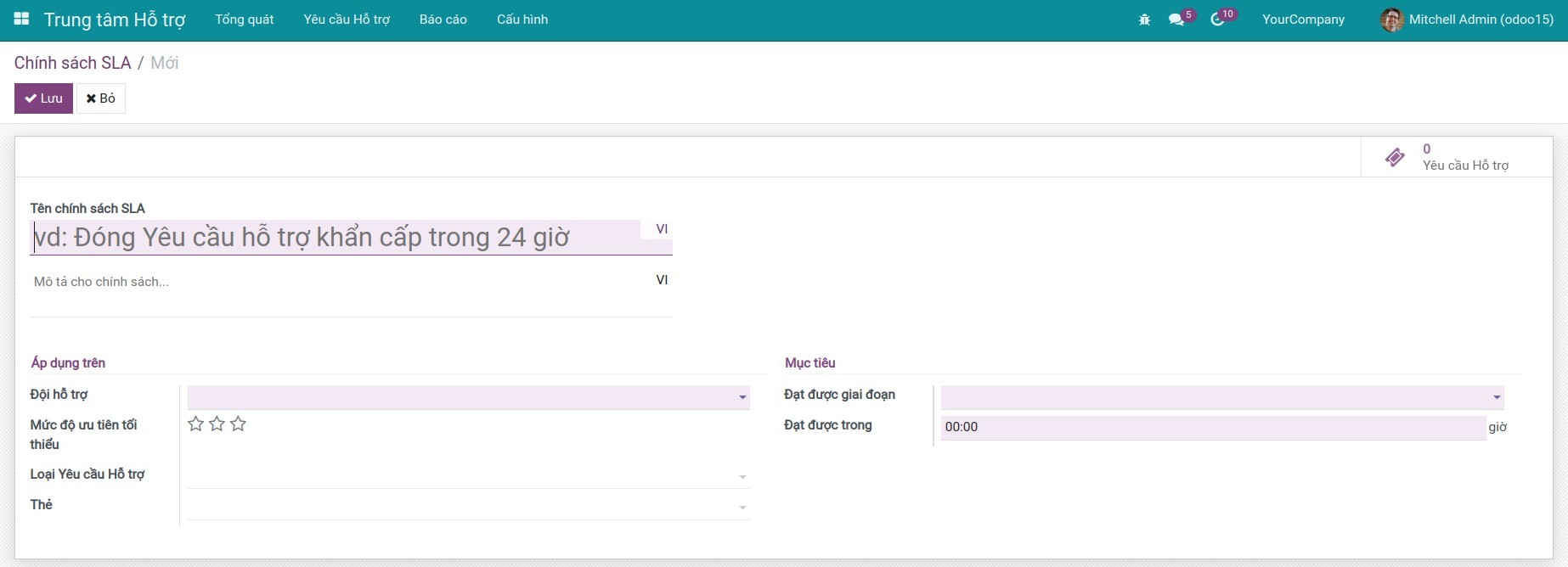
Bước 5: Cấu hình Chính sách SLA: Chính sách SLA chính là thước đo hiệu quả hỗ trợ công việc của nhân viên với một yêu cầu hỗ trợ. Để thiết lập, bạn truy cập Trung tâm Hỗ trợ > Cấu hình > Chính sách SLA.
2. Tạo yêu cầu hỗ trợ
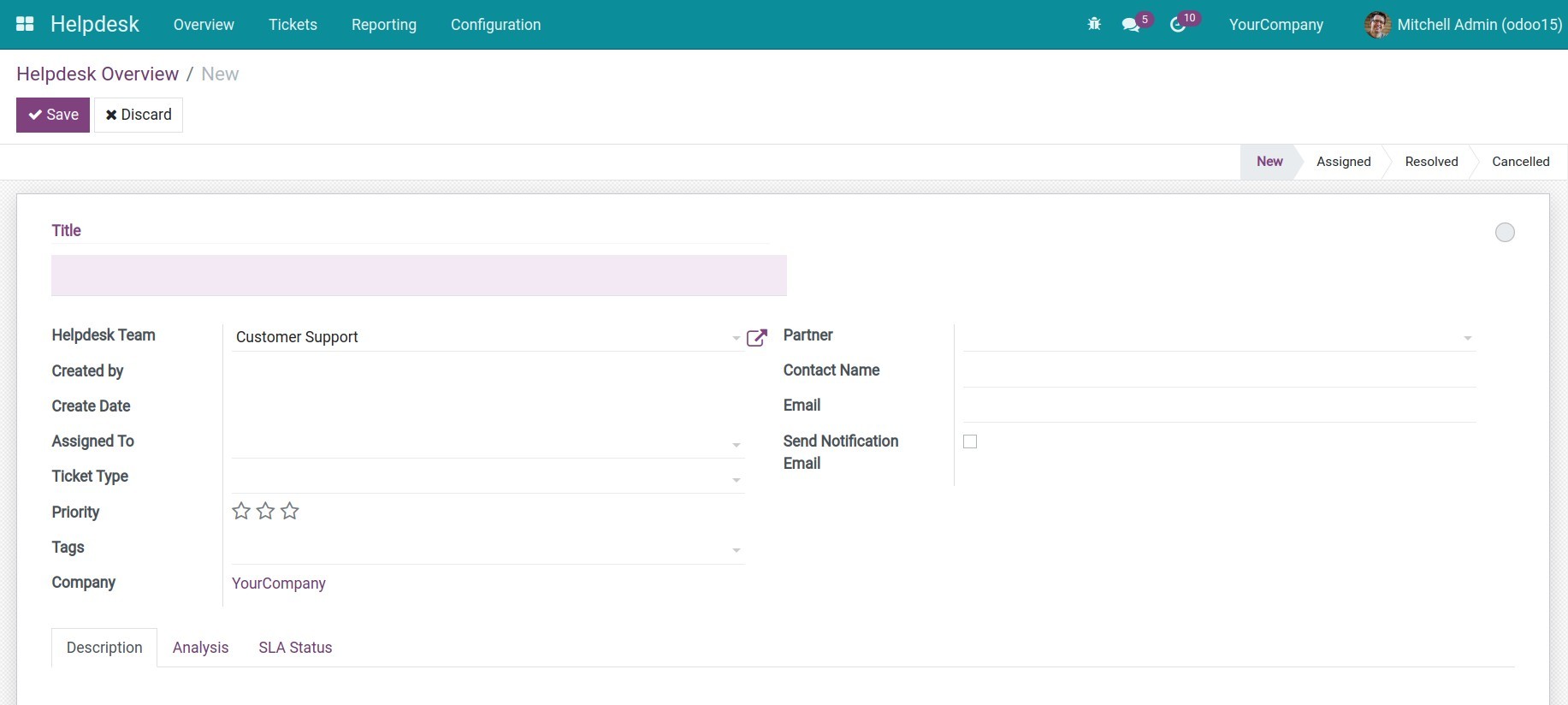
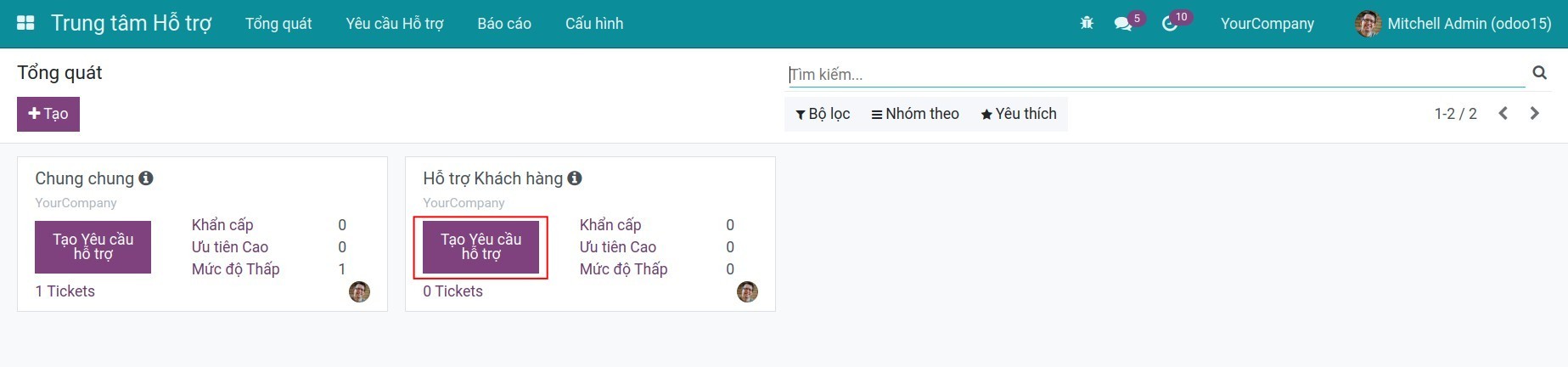
Từ giao diện Tổng quát, ấn Tạo để tạo yêu cầu hỗ trợ.
Trên màn hình hiển thị các thông tin:
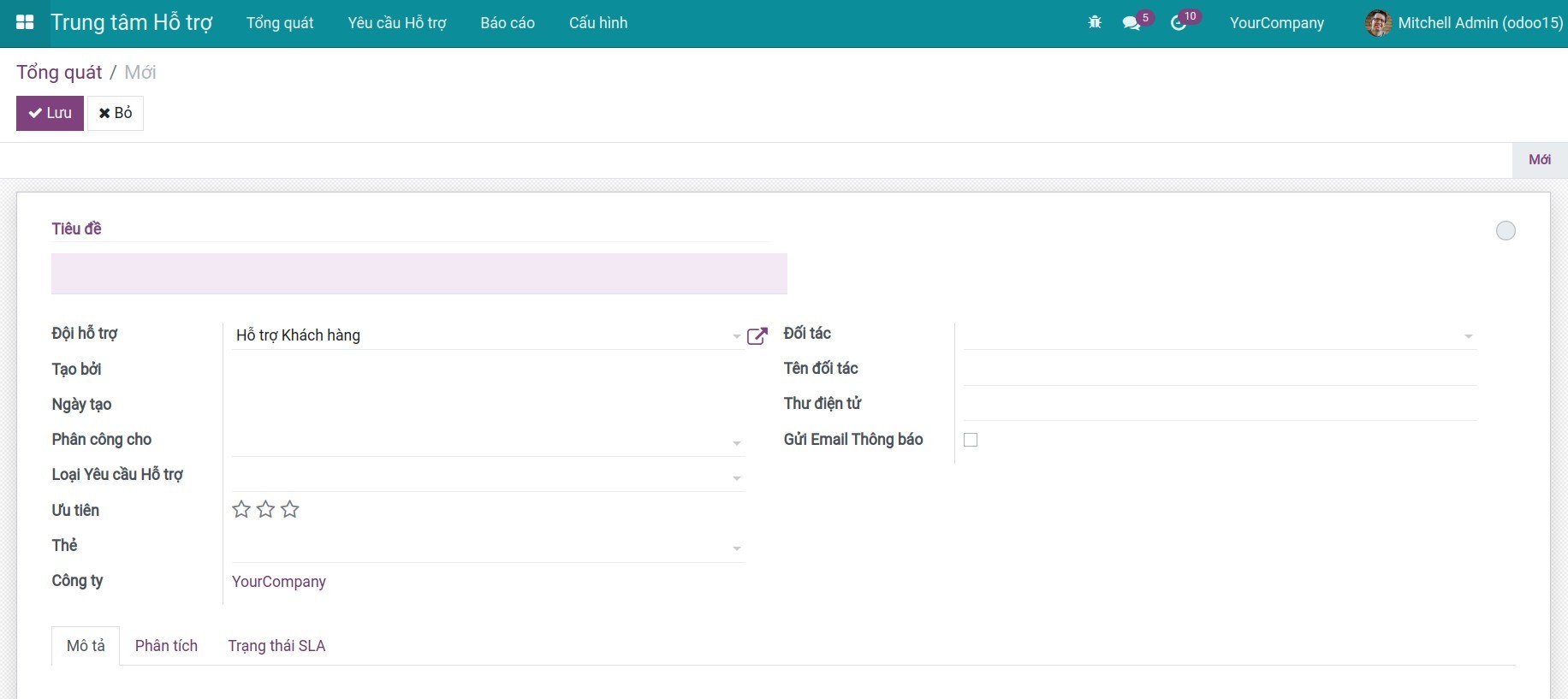
- Tiêu đề: Tóm tắt ngắn gọn vấn đề cần hỗ trợ, tương tự với tiêu đề của một email.
- Đội hỗ trợ: Mặc định là đội hỗ trợ được chọn ban đầu. Tuy nhiên bạn có thể thay đổi đội hỗ trợ khác.
- Tạo bởi: Ghi nhận người tạo yêu cầu hỗ trợ.
- Ngày tạo: Ghi nhận ngày tạo yêu cầu hỗ trợ.
- Phân công cho: Là nhân viên sẽ xử lý yêu cầu hỗ trợ này.
- Loại Yêu cầu hỗ trợ: Sử dụng để phân chia các loại yêu cầu hỗ trợ theo một chủ đề chung cụ thể. Ví dụ: Câu hỏi, Yêu cầu tính năng,.v.v.
- Ưu tiên: Mức độ ưu tiên xử lý yêu cầu hỗ trợ.
- Thẻ: Phân cấp tiếp theo cho loại yêu cầu hỗ trợ để làm rõ việc phân loại yêu cầu hỗ trợ.
- Công ty: Ghi nhận công ty của bạn (trường này sẽ xuất hiện nếu bạn sử dụng tính năng đa công ty).
- Đối tác: Bạn có thể chọn một đối tác nếu bạn muốn họ theo dõi yêu cầu hỗ trợ này.
- Tên đối tác: Tên liên lạc của đối tác. Trường này sẽ biến mất nếu bạn chọn một đối tác trên trường Đối tác.
- Thư điện tử: Địa chỉ email của đối tác.
- Gửi email thông báo: Nếu tích chọn thì hệ thống sẽ gửi email mỗi khi yêu cầu hỗ trợ được chuyển đến giai đoạn có thiết lập mẫu thư điện tử.
- Tab Mô tả, tab Phân tích, tab Chính sách SLA: Mô tả chi tiết yêu cầu hỗ trợ.
Sau khi điền thông tin, ấn Lưu để tạo yêu cầu hỗ trợ.
3. Chuyển giai đoạn yêu cầu hỗ trợ
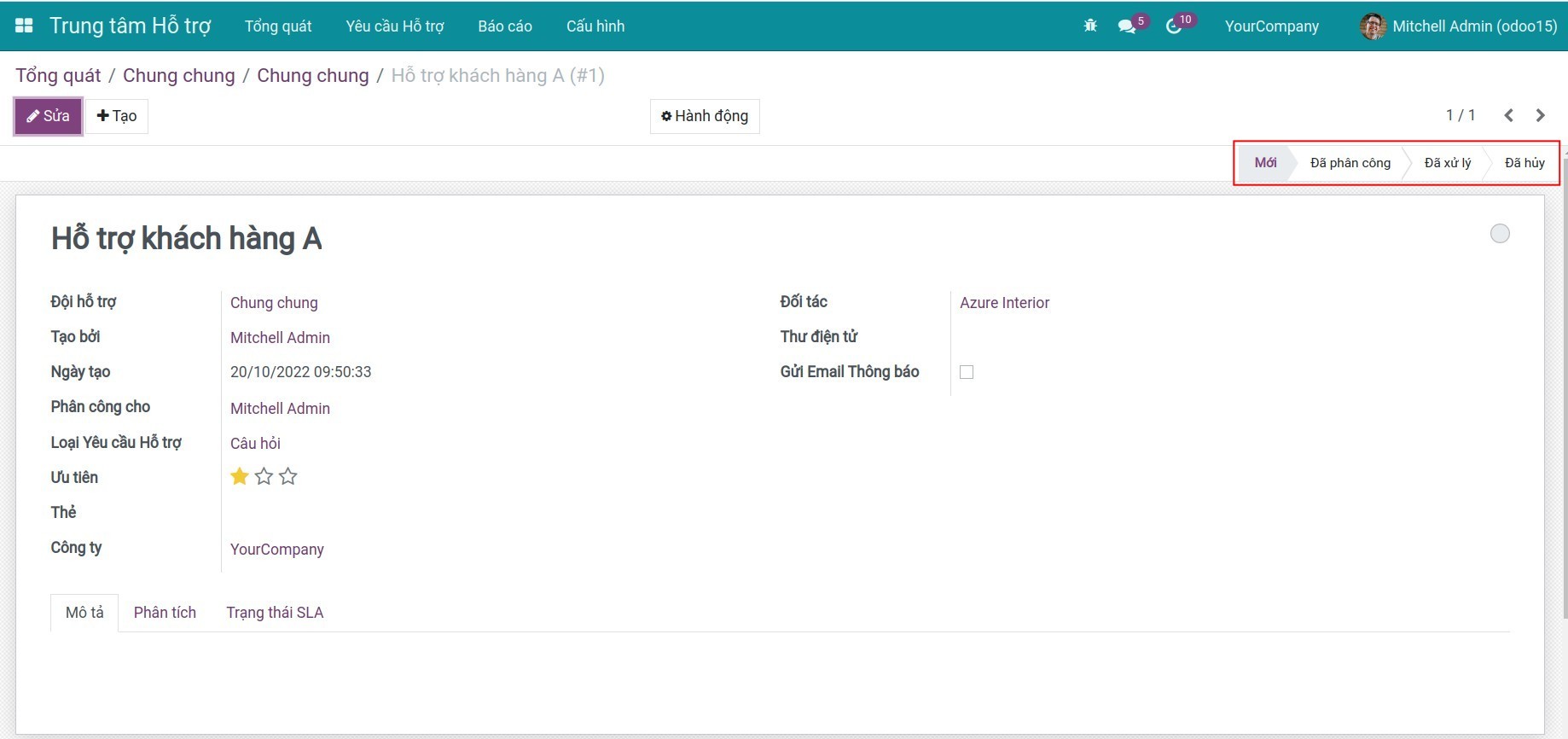
Cách 1: Trên giao diện một Yêu cầu hỗ trợ, ấn trực tiếp giai đoạn muốn chuyển sang.
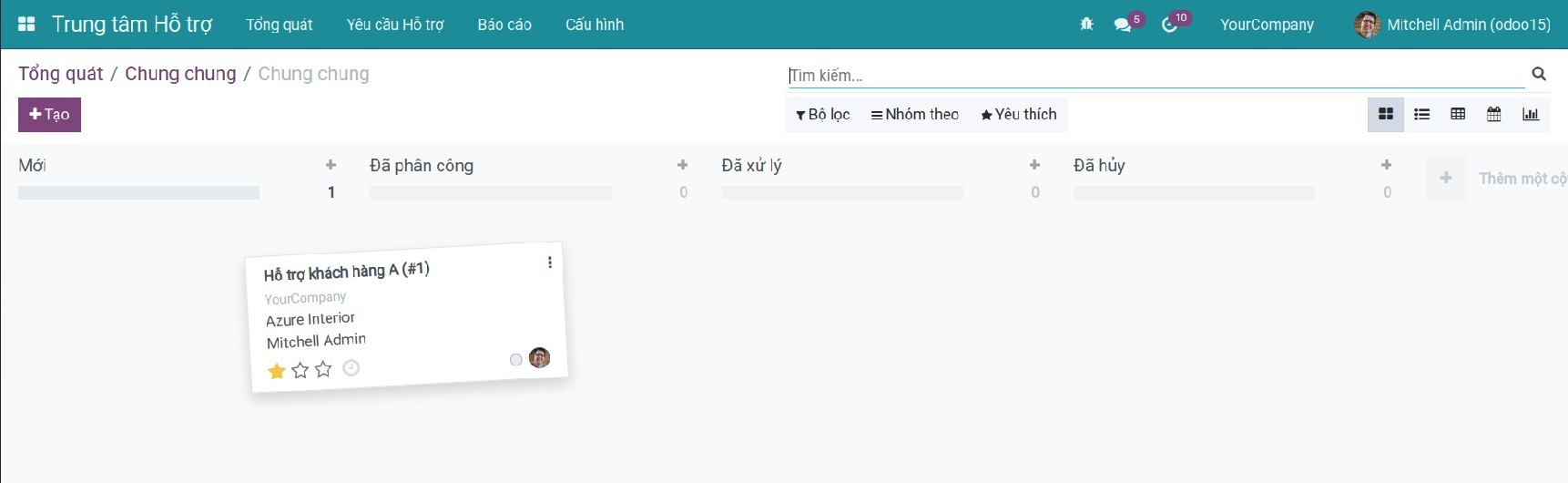
Cách 2: Truy cập menu Yêu cầu hỗ trợ. Tại đây, bạn có thể xem được các yêu cầu hỗ trợ theo từng giai đoạn dưới dạng Kanban. Bạn có thể giữ, thả các thẻ Kanban để chuyển giai đoạn cho các yêu cầu hỗ trợ.
4. Đánh giá từ khách hàng
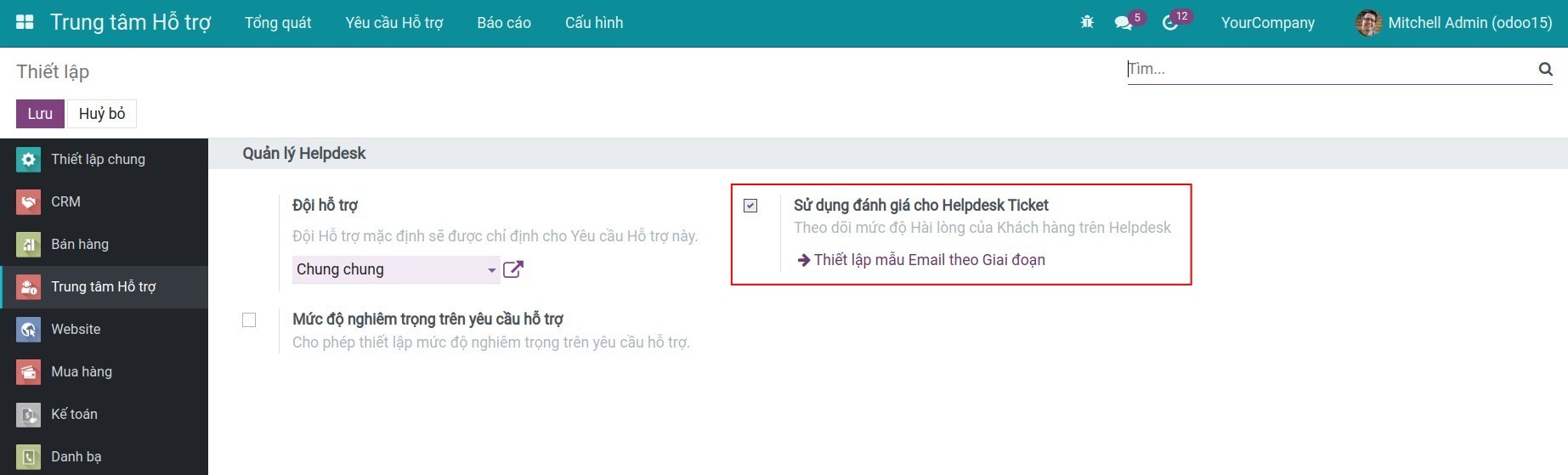
Bước 1: Truy cập Trung tâm hỗ trợ > Cấu hình > Thiết lập, tích chọn Sử dụng đánh giá cho Helpdesk Ticket để kích hoạt tính năng.
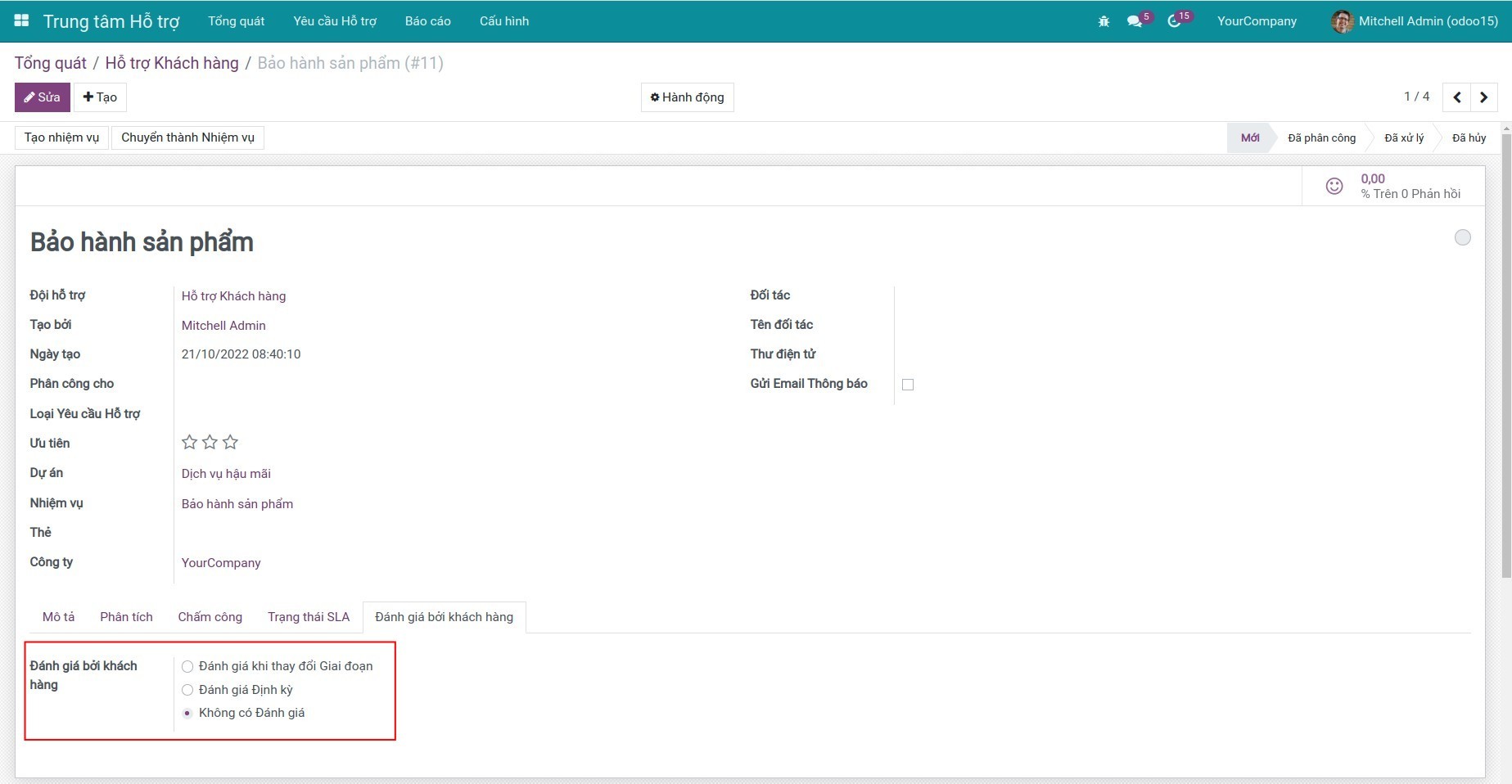
Bước 2: Sau khi kích hoạt, trên giao diện Yêu cầu hỗ trợ bổ sung thêm tab Đánh giá bởi khách hàng.
5. Xem báo cáo
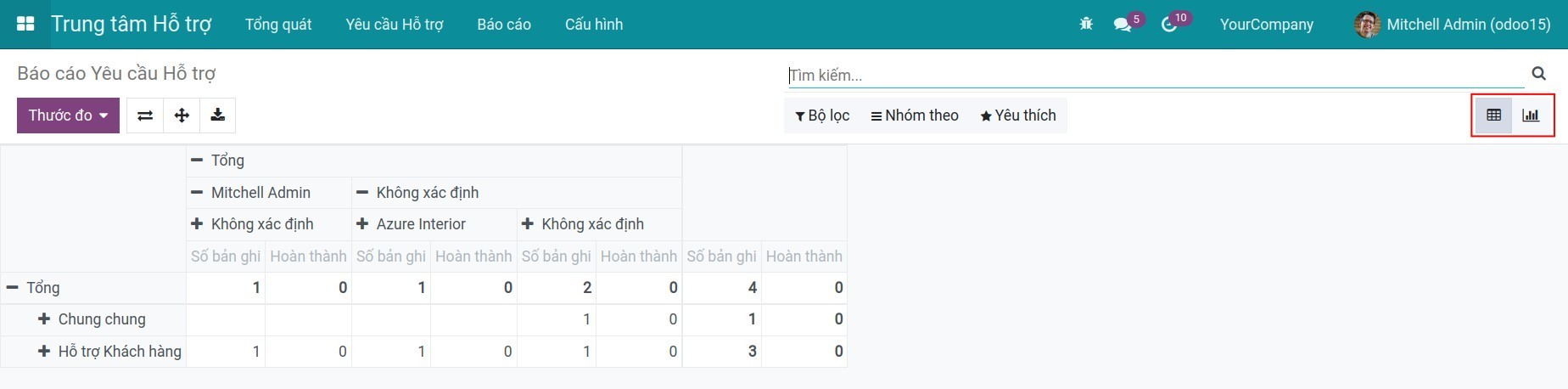
Báo cáo Yêu cầu hỗ trợ: Báo cáo cung cấp cho người dùng thông tin trực quan về các Yêu cầu hỗ trợ đã tạo dưới dạng biểu đồ và dạng Pivot. Để xem báo cáo, truy cập Báo cáo > Báo cáo Yêu cầu hỗ trợ.
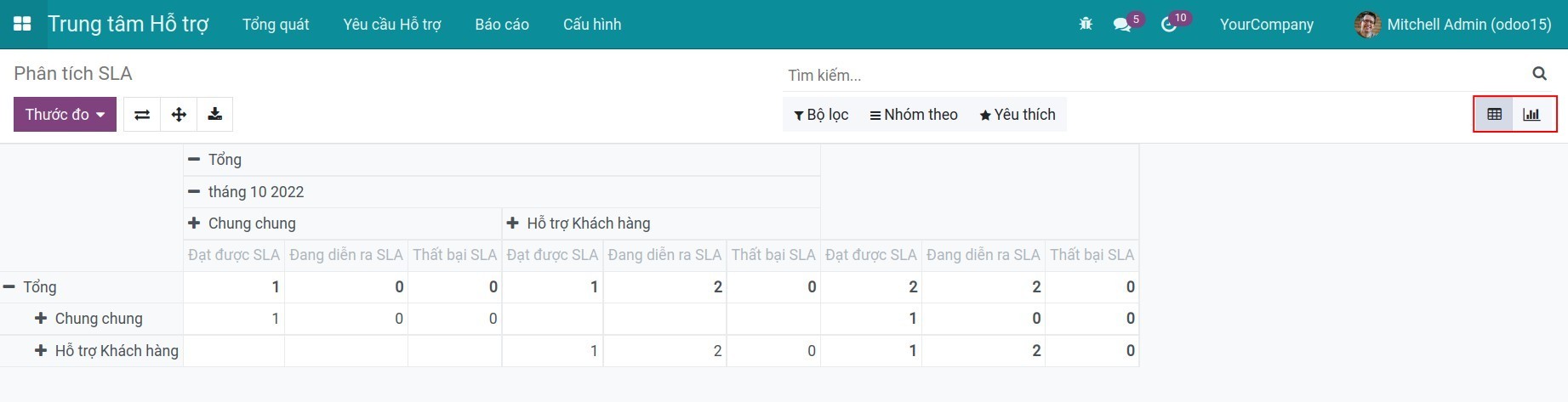
Phân tích SLA: Báo cáo cho phép người dùng xem tổng quan các chính sách SLA theo từng thước đo như đội hỗ trợ, yêu cầu hỗ trợ hoặc công ty, .v.v. Để xem báo cáo, truy cập Báo cáo > Phân tích SLA.
Bạn có thể tham khảo thêm tại bài viết: Hướng dẫn quản lý Yêu cầu hỗ trợ.
Phần mềm này và các tệp liên kết ("Phần mềm") được sử dụng (chạy, tuỳ biến, chạy sau khi được tuỳ biến) chỉ khi bạn mua được giấy phép có hiệu lực từ tác giả, điển hình như qua các Ứng dụng Odoo, hoặc trong trường hợp bạn nhận được thoả thuận bằng văn bản từ tác giả của Phần mềm (chi tiết tại tệp COPYRIGHT).
Bạn có thể phát triển các phân hệ Odoo có sử dụng Phần mềm như một Thư viện (thường là phụ thuộc vào, nhập vào và sử dụng nguồn của nó) nhưng không sao chéo bất kỳ mã nguồn hay tài liệu nào thuộc Phần mềm. Bạn có thể phân phối những phân hệ này theo giấy phép mà bạn lựa chọn, miễn sao nội dung giấy phép đó tương tích với điều khoản của Giấy phép Phần mềm Độc quyền Odoo (ví dụ: LGPL, MIT hay bất kỳ loại giấy phép phần mềm độc quyền nào tương tự vậy).
Nghiêm cấm phát hành, phân phối, cấp phép lại hoặc bán bản sao của Phần mềm hoặc bản sao Phần mềm đã được sửa đổi.
Thông báo bản quyền và chấp thuận nêu trên buộc phải được bao gồm trong tất cả các bản sao hoặc các phần quan trọng của Phần mềm.
PHẦN MỀM ĐƯỢC CUNG CẤP "NGUYÊN TRẠNG", KHÔNG BẢO ĐẢM DƯỚI BẤT KỲ HÌNH THỨC NÀO, ĐƯỢC THỂ HIỆN RÕ RÀNG HOẶC NGỤ Ý, KHÔNG GIỚI HẠN ĐẢM BẢO VỀ CÁC BẢO ĐẢM NGỤ Ý VỀ KHẢ NĂNG THƯƠNG MẠI, PHÙ HỢP VỚI MỤC ĐÍCH CỤ THỂ VÀ KHÔNG VI PHẠM. TRONG MỌI TRƯỜNG HỢP SẼ KHÔNG CÓ TÁC GIẢ HOẶC CHỦ SỞ HỮU BẢN QUYỀN NÀO CHỊU TRÁCH NHIỆM VỀ BẤT KỲ KHIẾU NẠI, THIỆT HẠI HOẶC TRÁCH NHIỆM PHÁP LÝ KHÁC NÀO TRONG PHẠM VI HỢP ĐỒNG, CÁC THIỆT HẠI HOẶC CÁCH KHÁC, PHÁT SINH TỪ, NGOÀI HOẶC CÓ LIÊN KẾT VỚI PHẦN MỀM HOẶC VIỆC SỬ DỤNG HOẶC KINH DOANH KHÁC TẠI PHẦN MỀM.