Hi,
How to enable department field in customer contact in Odoo 8?
Thank you!
Best regards,
Gordon
Welcome!
This community is for professionals and enthusiasts of our products and services.
Share and discuss the best content and new marketing ideas, build your professional profile and become a better marketer together.
This question has been flagged
4
Replies
5994
Views


Echelon ERP Sysadmin wrote:
Thanks for your response. I wanted to track customers' departments….e.g. sales, accounts, warehouse, support…
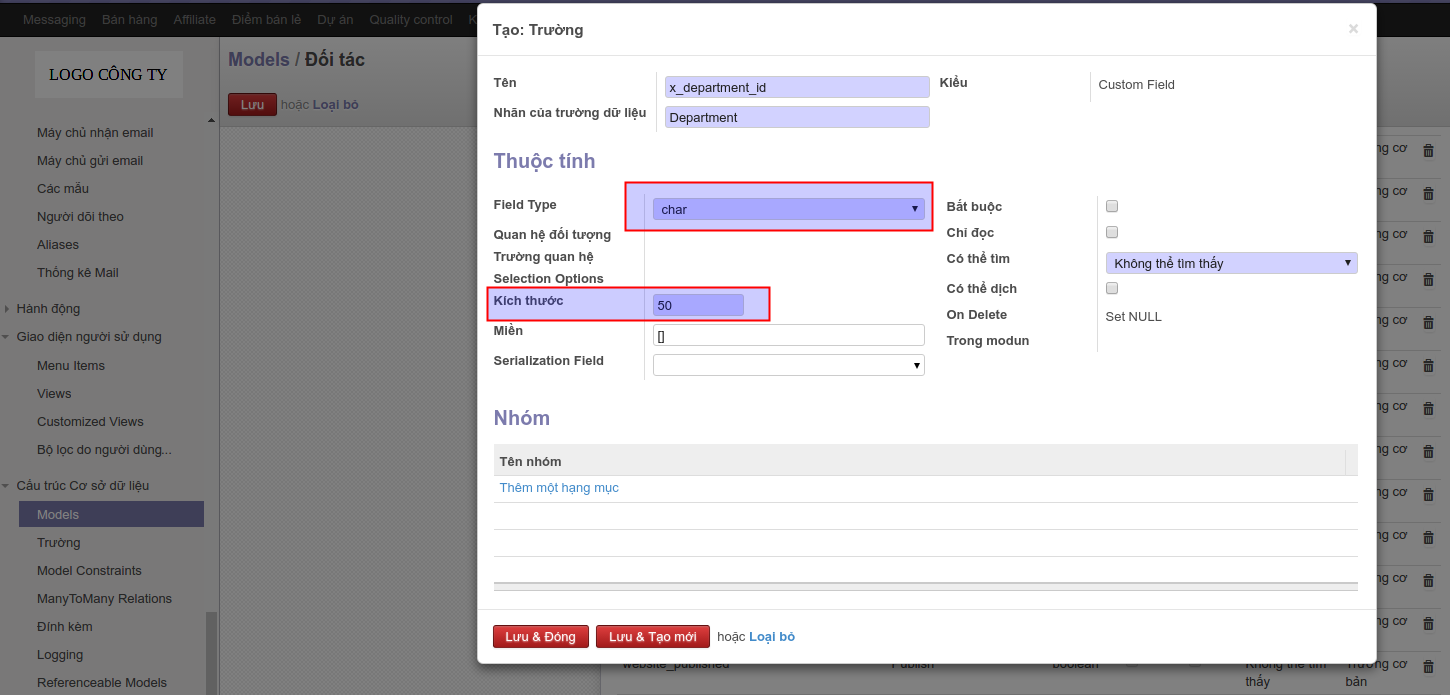
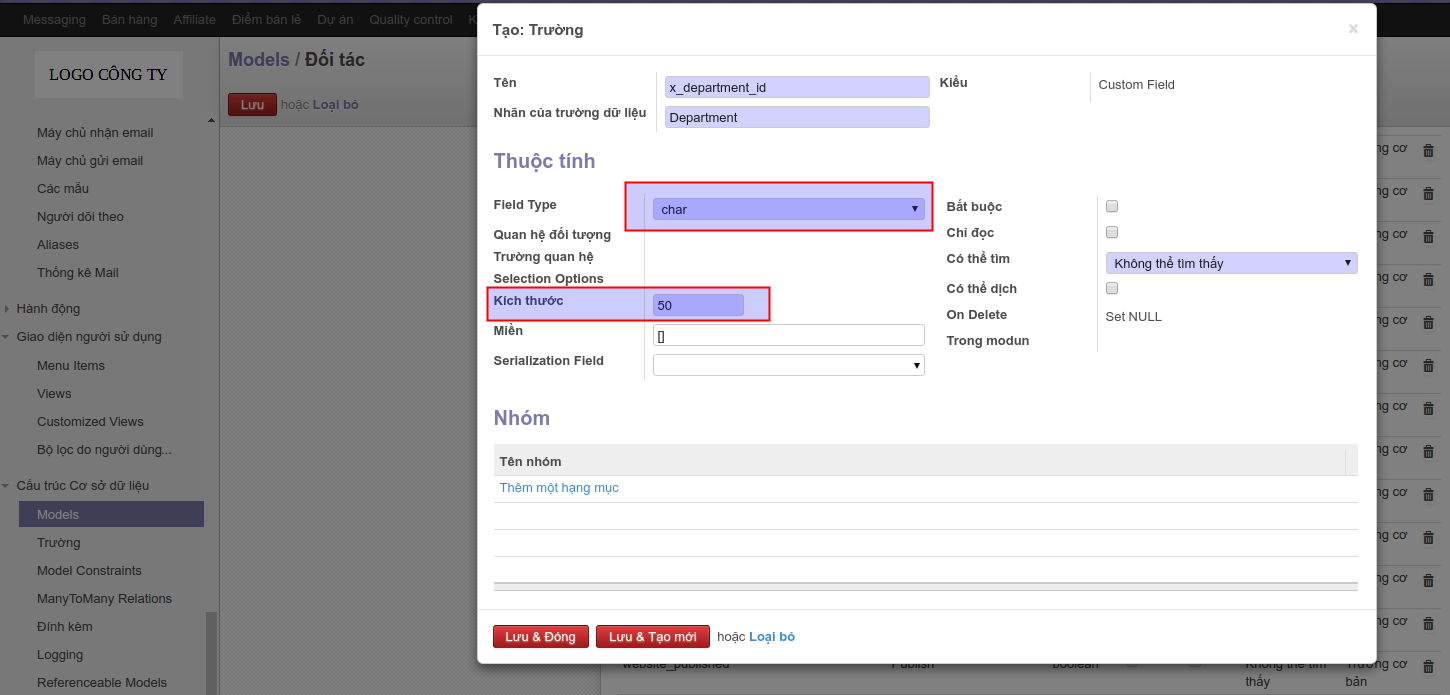
If such the case, just add char field instead of many2one field in Step 2. See attached screen shot Selection_183.png
I have edited my answer above.
If you did mean HR Department of your company, you can follow my step-by-step instruction below:
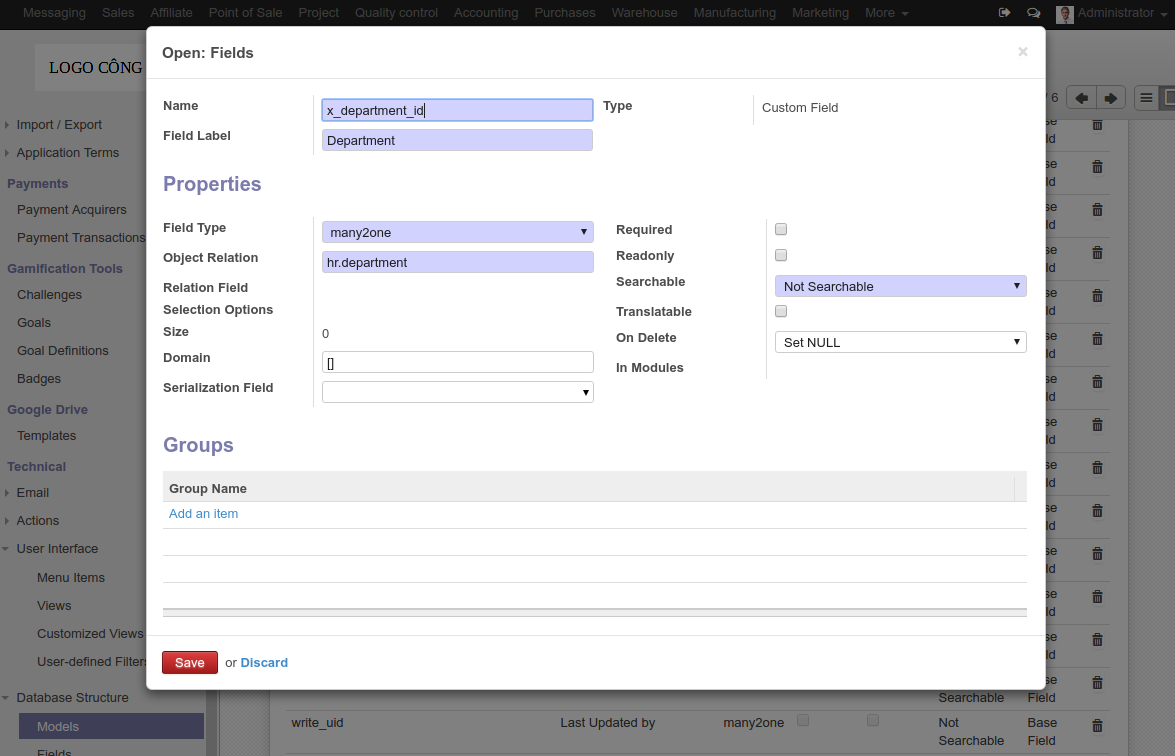
Step 1. Adding a new field (called Department) into res.partner model:
- Navigate to menu Settings > Technical > Database Structure > Models to find the res.partner record using keyword res.partner
- Open the found record, press "Edit" button then click "Add an item" link in the bottom of the Field tab to open the field creation window.
- Fill in the window form as in the attached screen shot Selection_181.png
- Save and close both the field creation form and the model form
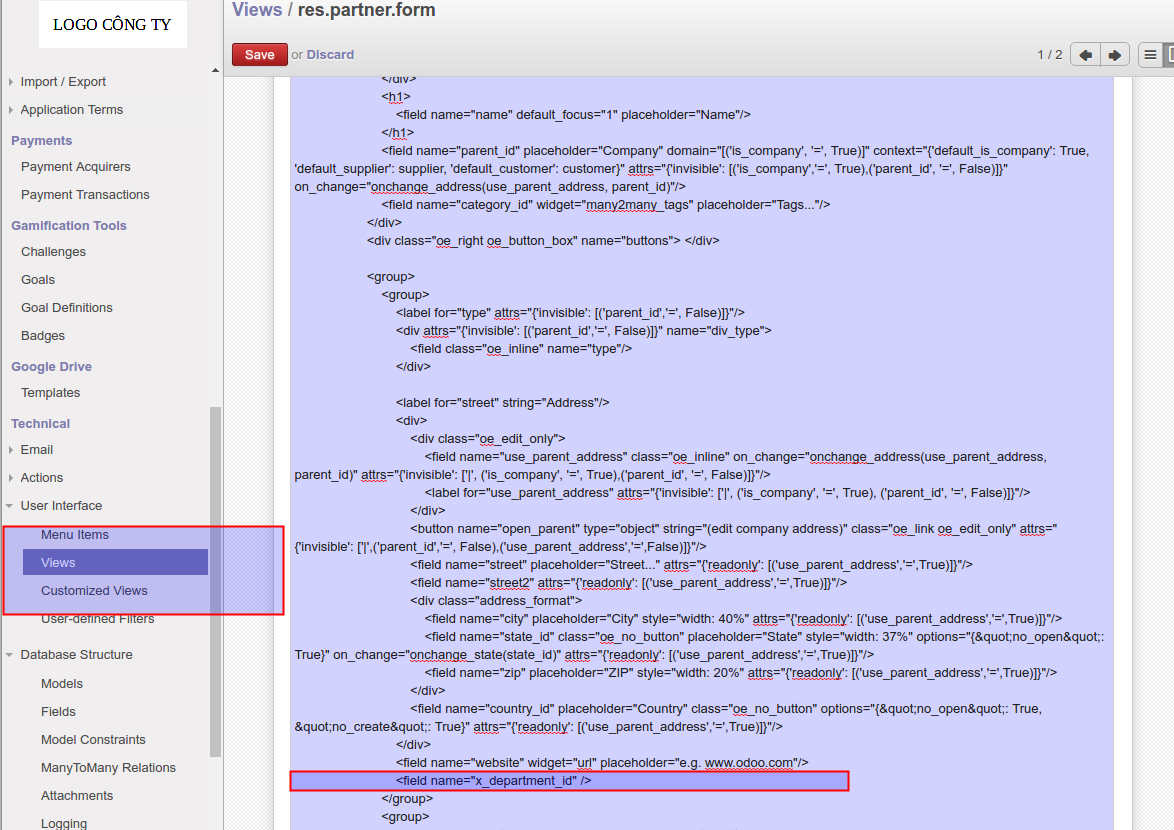
Step 2: Adding the newly createe x_department_id above to the partner form view:
- Navigate to Settings > Technical > User Interface > Views to find the view view_partner_form
- Open it and Edit as below: In the Architecture tab, Find:
- Save and close the form and you are done. The field has been added below website field on the partner form
Add after:
See attached screen shot Selection_182.png
EDIT
If you meant to track customer's department.
In such the case, just add char field instead of many2one field in Step 2. See attached screen shot Selection_183.png
Hope this helps.
Hi,
Thanks for your response. I wanted to track customers' departments….e.g. sales, accounts, warehouse, support…
cheers
Gordon
got the field added successfully. thank you!