
Ngan Luong Payment Provider
| Lines of Code | 1021 |
| Technical name | payment_nganluong |
| License | OPL-1 |
| Website | https://viindoo.com/apps/modules/19.0/payment_nganluong |
| Read description for | v 12.0 v 13.0 v 14.0 v 15.0 v 16.0 v 17.0 v 18.0 |
| Required Apps | Invoicing (account) Discuss (mail) |
| Included Dependencies | Viindoo Base Accounting Foundation Payment Gateway Currency Conversion |
Let customers pay on NganLuong - and never miss a payment, even when a notification is lost
For Vietnamese online shops and service companies collecting VND payments on orders and invoices
Online payment integration with NganLuong
Is this you?
Customers pay by transfer and your team matches each one to an order by hand.
You send payment links, but nothing in your system shows who actually paid.
A customer says they paid and the order still shows unpaid.
Payments held by the gateway are noticed only when someone logs in to check.
You want confirmation that cannot be faked by editing a link.
What changes
Manual matching of transfers
→ Customers pay by QR code, ATM card or international card on the NganLuong page, and the payment is recorded automatically when NganLuong notifies Odoo.
Links with no payment trail
→ Pay from the order or invoice and follow each payment as Draft, Pending, Confirmed, Canceled or Error.
"I paid" disputes
→ Every payment is confirmed with NganLuong itself before it is recorded.
Lost notifications
→ Each payment follows NganLuong's own report of the order.
Held payments forgotten
→ A held payment stays pending with a message; check its release in the NganLuong portal.
How it works
IT or System Administrator connects NganLuong.
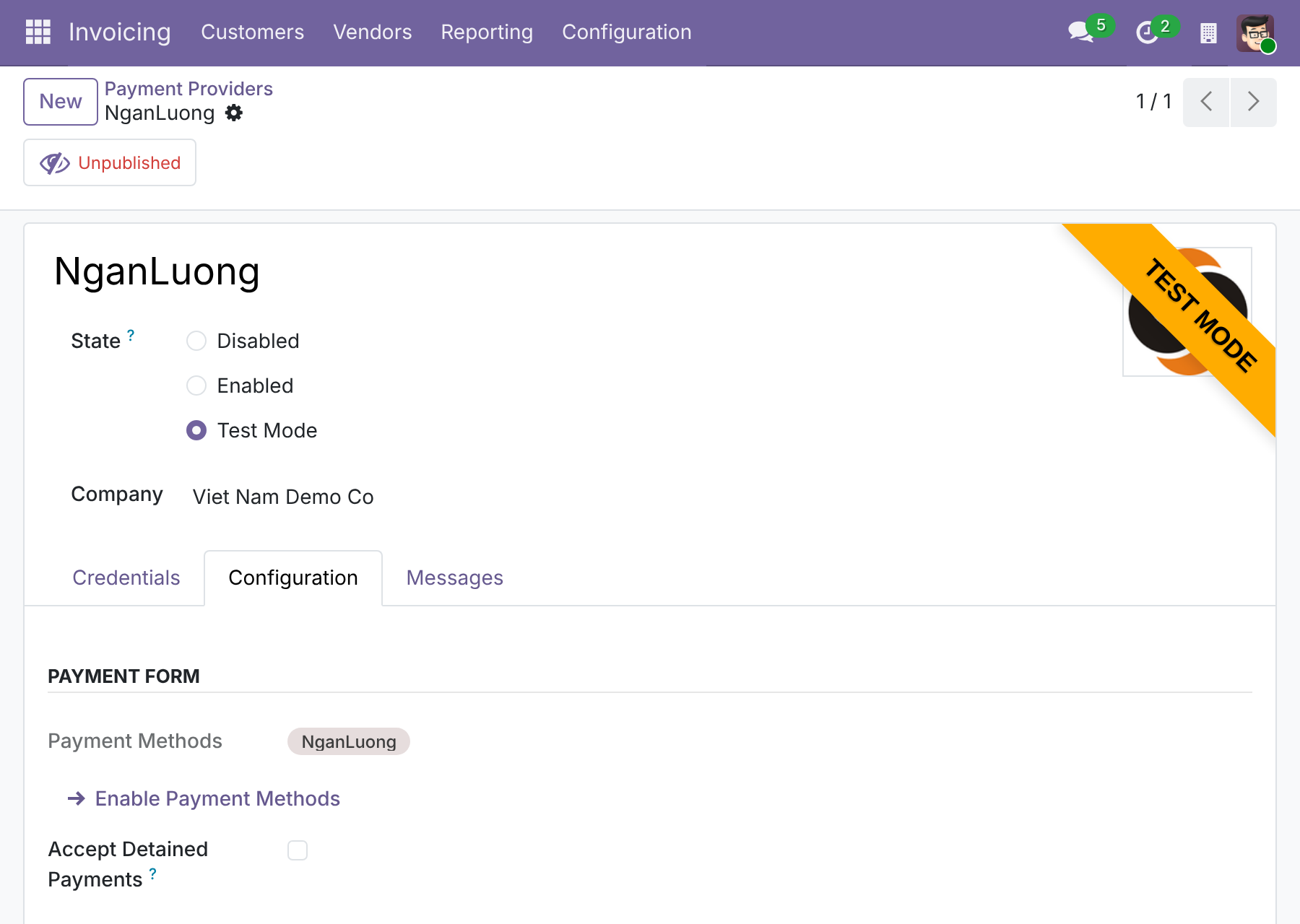
Enter the merchant ID, password and receiver email, and choose whether held payments are accepted at once.
Accounts Receivable Clerk sends the payment.
Create an online payment link from the sales order or invoice, or let customers pay at checkout on your website.
Customer pays on NganLuong.
The customer has up to 24 hours on the NganLuong page to pay by QR code, ATM card or international card, then returns to your shop.
Odoo confirms.
The payment is recorded when NganLuong notifies Odoo, or on return after Odoo asks NganLuong for the result.
Updates come from NganLuong.
When the customer comes back or NganLuong sends its notification, Odoo asks NganLuong for the order's report and updates the payment.
Key Features
Pay on the NganLuong hosted page
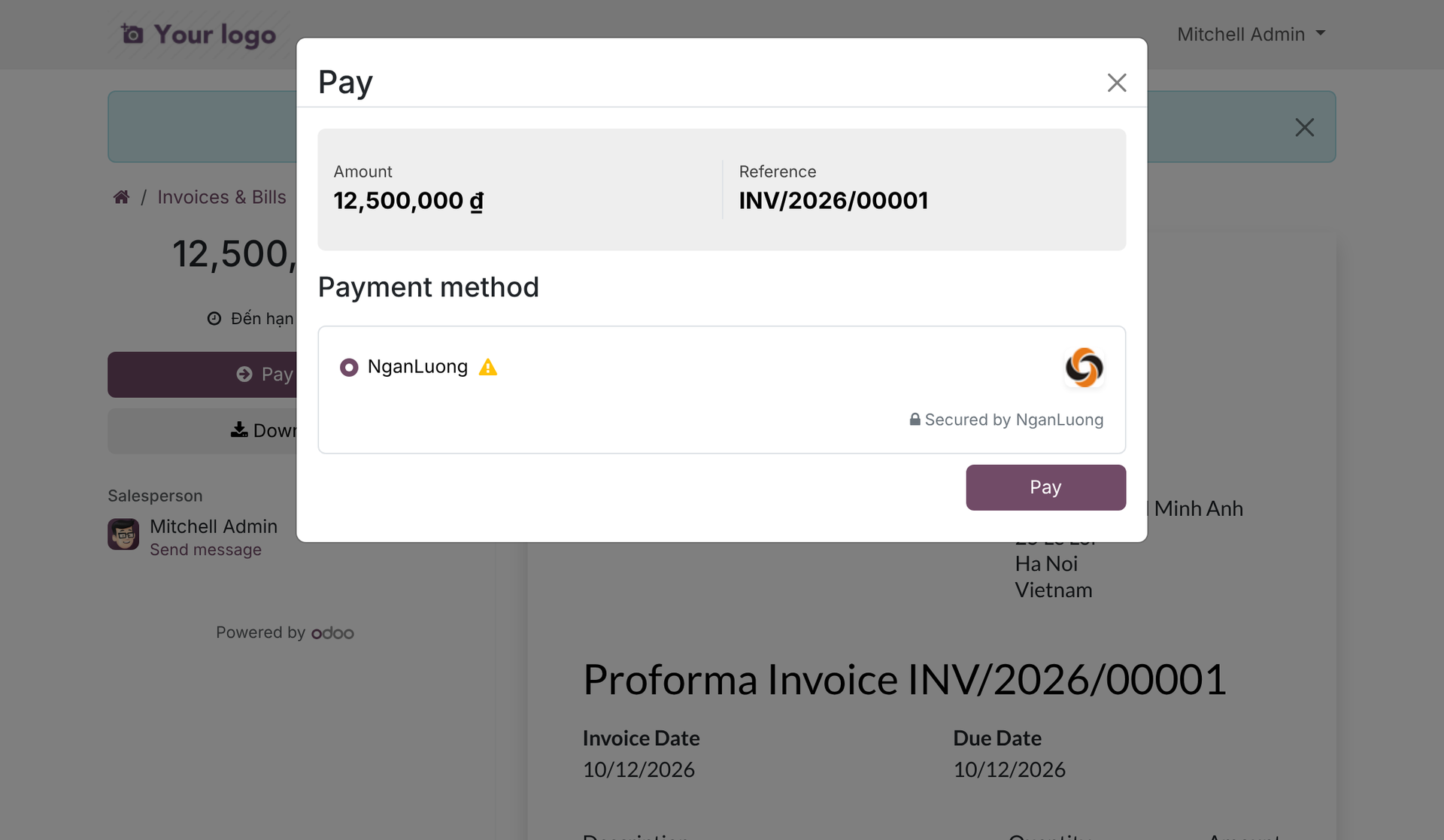
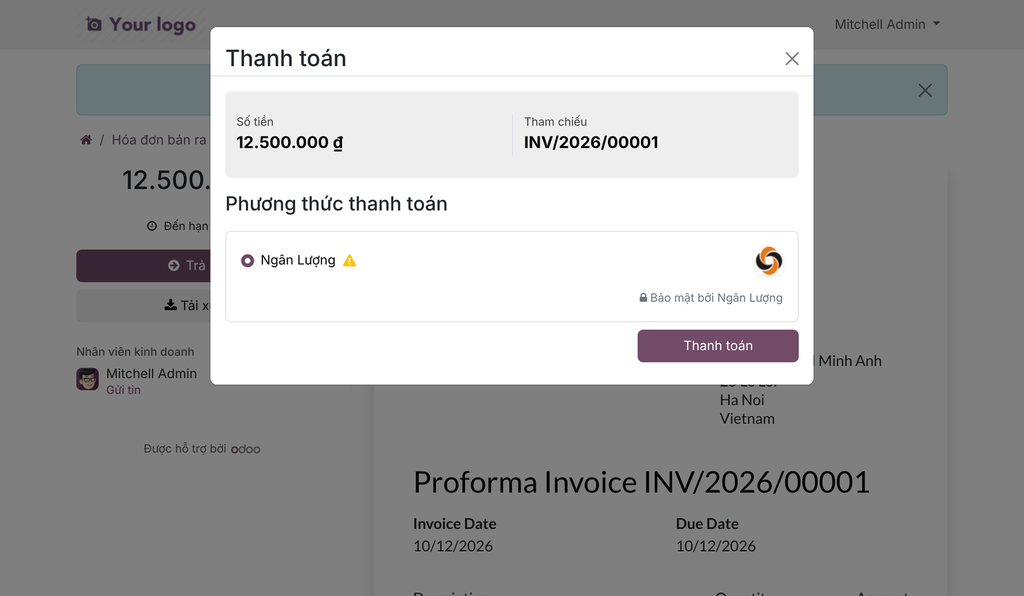
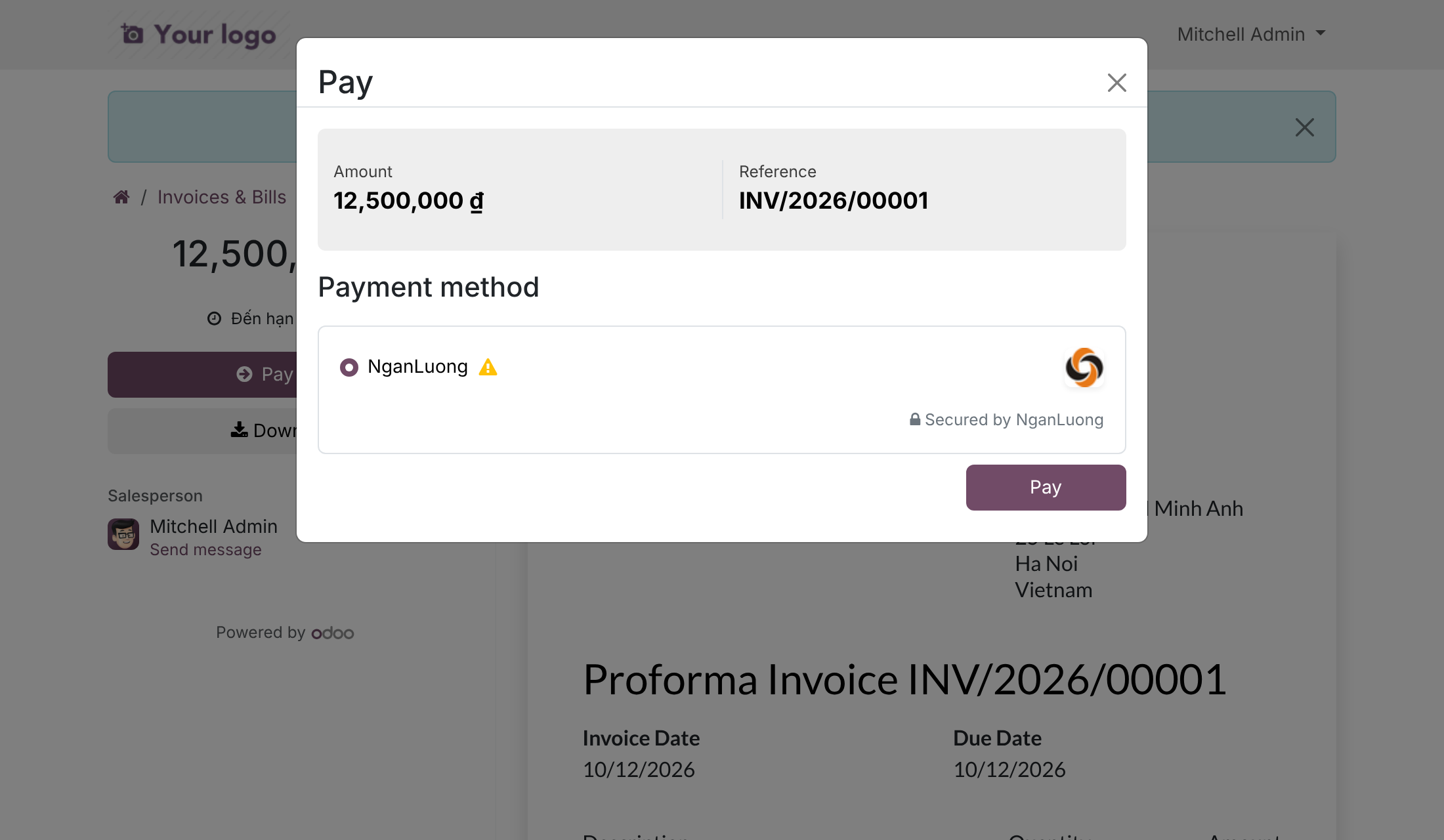
Customers pay in VND by QR code, ATM card or international card on the NganLuong page, which Odoo opens from the order or invoice payment.
Payments recorded automatically
A successful payment is recorded when NganLuong notifies Odoo; notifications without a valid access token are ignored.
Return links are never trusted
After paying or cancelling, the customer comes back to Odoo and the status is refreshed from NganLuong's own answer, not from the link.
Order check before confirming
A payment is confirmed only when NganLuong reports the same order code, the same token and your own receiver email.
Held payments handled clearly
A payment NganLuong holds in custody stays pending with a message, or is accepted at once if you choose.
Merchant credentials protected
The merchant ID and password are visible only to administrators, are not copied when a provider is duplicated, and are cleared in a neutralized database copy.
Who it is for
Owner or finance director
You want customers paying online and money confirmed without staff effort. Payments are recorded automatically from NganLuong's notification and the customer's return.
Accounts receivable lead or clerk
You send the payment links and chase the exceptions. Each payment shows its status, and held payments carry a clear message.
IT administrator
You want safe credentials. The merchant ID and password are visible to administrators only, are not copied when a provider is duplicated, and are cleared in a neutralized database copy.
Best for: Vietnamese online shops and service companies that take VND payments through NganLuong and want them confirmed and recorded in Odoo without manual follow-up.
Connect your NganLuong merchant account
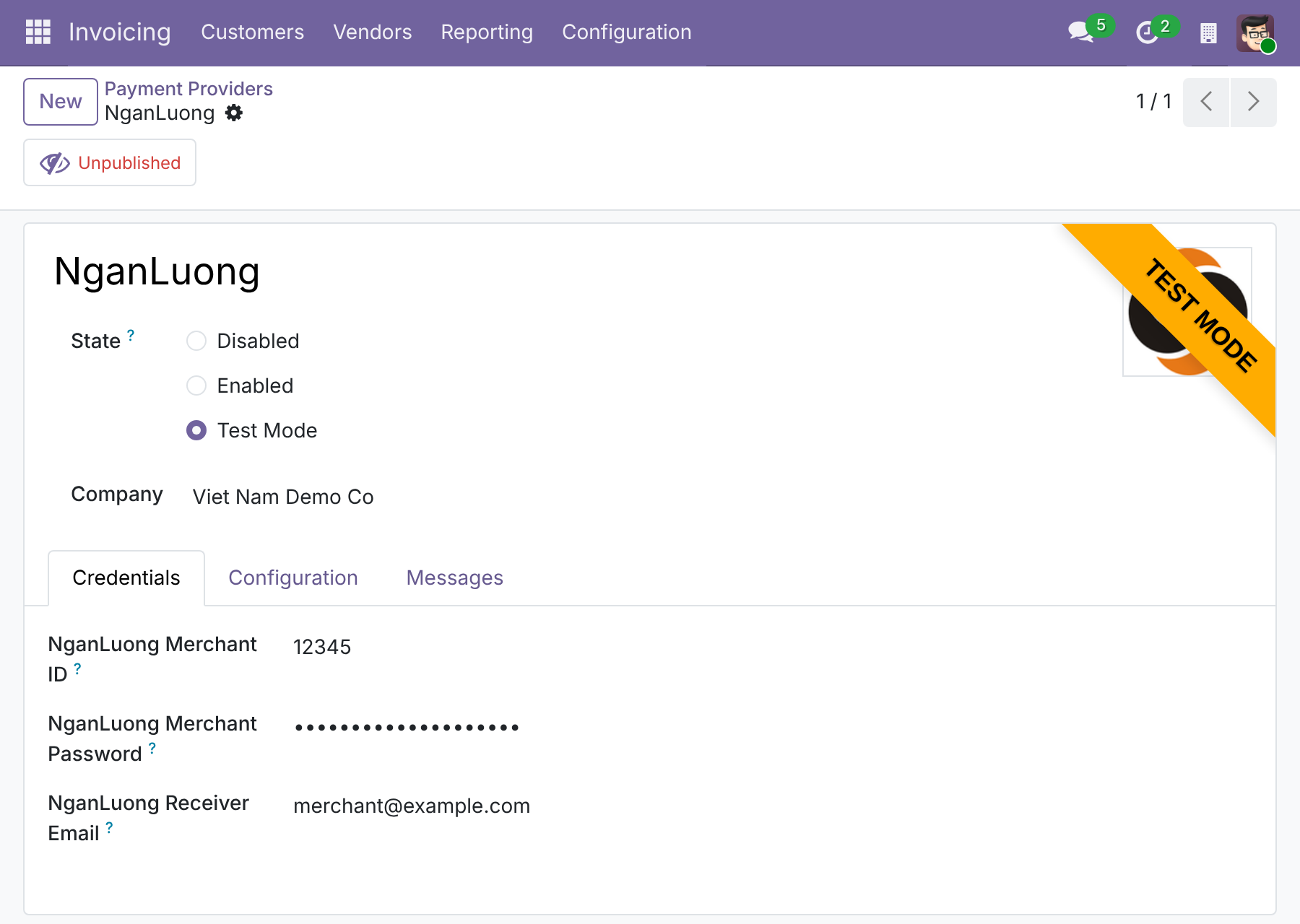
Choose how held payments are handled
Frequently Asked Questions
What if NganLuong's notification never arrives?
When the customer comes back to the shop, Odoo asks NganLuong for the order's report, so the payment is still recorded. Otherwise, make sure your website address is reachable by NganLuong.
Can a customer fake a payment with the return link?
No. Return and cancel links are never trusted; Odoo asks NganLuong for the real status. Notifications without a valid access token are ignored.
What about payments NganLuong holds in custody?
They stay pending with a message: NganLuong sends no notice when it releases them, so check the release in the NganLuong portal. If you prefer, switch on "Accept Detained Payments" and they are accepted at once. It is off by default.
Can I refund from Odoo?
No. Refunds are not offered for NganLuong; handle them with NganLuong directly.
Which currency does it support?
VND, for customers in Vietnam. For an invoice or order in another currency, the administrator can opt in by setting the provider's Default Converted Currency to VND, which relies on the currency-difference module this app requires.
Is it switched on automatically?
No. The NganLuong payment method is inactive until you activate it.
Need help with Ngan Luong Payment Provider?
Technical Support
apps.support@viindoo.comTechnical Requirement
- Odoo version: 19.0
- Editions: Odoo Community, Odoo Enterprise
- Required modules: payment, to_currency_conversion_diff
- License: OPL-1
NganLuong Payment Provider
Overview
Customers in Vietnam like to pay online with the tools they already use. This module adds NganLuong as a payment provider in Odoo. Your customers pay a sales order, an invoice or a payment link on the NganLuong payment page, with a QR code, an ATM card or an international card, and Odoo records each confirmed payment automatically.
How a NganLuong payment moves through your company
- The Customer chooses NganLuong at checkout (or opens a payment link sent by your company) and is taken to the NganLuong payment page. The payment is Draft in Odoo.
- If NganLuong holds the money for a few days, the payment is Pending. The Accounts Receivable Clerk follows it up until NganLuong releases it.
- Once NganLuong confirms the payment, Odoo marks it Confirmed and the customer returns to your shop.
- If the customer cancels on the NganLuong page, the payment is Canceled.
- If NganLuong refuses the order, or the order it reports is not the one Odoo sent, the payment is in Error and carries a message. The Accounts Receivable Clerk investigates it.
Who uses this module
| Role | What they do | Access right to assign |
|---|---|---|
| IT or System Administrator | Installs the module, enters the NganLuong merchant ID, password and receiver email, and decides whether payments held by NganLuong are accepted at once. | Administration / Settings |
| Accounts Receivable Clerk | Sends an online payment link from a sales order or an invoice, and follows up payments that are still pending or in error. | Any internal user who works with customer payments |
| Customer | Pays an order or an invoice on the NganLuong page and returns to the shop. | None (the customer needs no Odoo access right) |
Note
NganLuong accepts payments in Vietnamese Dong (VND) only and is offered to customers whose country is Vietnam. See the Frequently asked questions for documents in another currency.
Setup (for the IT or System Administrator)
Installation
- Open Apps.
- Remove the default filter and search for Ngan Luong Payment Provider.
- Click Install.
The module also installs the Payment features it relies on and the Payment Gateway Currency Conversion app.
Get your NganLuong credentials
Sign in to your NganLuong merchant account and note down three values:
- the merchant site code (the merchant ID) of your integration,
- the merchant password of your integration,
- the email of the NganLuong account that receives the payments.
NganLuong provides a test environment (sandbox) and a production environment. Use the test account while you try the payment, and your real merchant account once you go live.
Configure the provider
- Open Invoicing ‣ Configuration ‣ Online Payments ‣ Payment Providers and open NganLuong. Make sure the company at the top of the form is the one that sells to your customers.
- On the Credentials tab, fill in the NganLuong Merchant ID (the merchant site code), the NganLuong Merchant Password and the NganLuong Receiver Email.
- Choose the State:
- Test Mode sends the payments to the NganLuong sandbox. Nothing is charged.
- Enabled sends the payments to the real NganLuong site. Use it only with your production credentials.
- Disabled hides NganLuong from your customers.
- On the Configuration tab, click Enable Payment Methods if the NganLuong payment method is not yet active, and decide whether to tick Accept Detained Payments (see below).
- Use the Unpublished button at the top of the form to publish the provider, so that customers can see it on your website. Save the form.
The merchant ID and the merchant password are visible to administrators only. They are not copied when you duplicate the provider, and they are erased when a copy of the database is prepared for testing, so a test copy can never send payments to your real account.
Accept Detained Payments
With some payment types, NganLuong holds the money in custody for two to ten days before it releases it to you. This option decides how Odoo treats such a payment. It is switched off by default.
- Switched off: the payment stays Pending, with a message saying that it is held by NganLuong. NganLuong documents no notice for the release of a held payment, so Odoo confirms it only if NganLuong notifies it again. Check the release in the NganLuong portal.
- Switched on: Odoo confirms the payment at once, even though NganLuong still holds the money.
Switch it on only if you accept the risk that NganLuong may not release the money.
Give people their access rights
Open Settings ‣ Users & Companies ‣ Users, open the person and set the access right from the table in the Overview. Only a user with the Administration / Settings access right can change the provider credentials.
Accounts Receivable Clerk: send payment links and follow up payments
Send an online payment link
- Open the sales order or the invoice the customer has to pay.
- Generate the payment link from the Actions menu of the document, and send it to the customer.
- The customer opens the link and chooses NganLuong. Customers can also pay from the customer portal or the website checkout without a link.
Follow up a payment
Odoo updates a payment by itself. You only step in when a payment stays Pending or goes to Error.
- Switch on the developer mode and open Invoicing ‣ Configuration ‣ Online Payments ‣ Payment Transactions.
- Open the payment and read its message.
- A Pending payment with the message that it is held by NganLuong is held in custody by NganLuong. The NganLuong Payment Type field shows how many days NganLuong holds the money. Check its release in the NganLuong portal.
- An Error payment says why NganLuong refused it, or that the order, the token or the receiver reported by NganLuong does not match your payment. Check your credentials and the receiver email, then ask the customer to pay again.
Refund a payment
Odoo does not refund NganLuong payments. Sign in to the NganLuong merchant portal and refund the payment there, then record the refund in your accounting as you do for any other refund.
Customer: pay on the NganLuong page
- Choose NganLuong as the payment method at checkout, or on the page opened by a payment link, and confirm the payment.
- Odoo opens the NganLuong payment page. Choose how to pay: QR code, ATM card or international card. The page is in Vietnamese if your language in Odoo is Vietnamese, in English otherwise.
- You have 24 hours to pay on the NganLuong page.
- After you pay, NganLuong brings you back to the shop, where you see the status of your payment. Click Cancel on the NganLuong page if you change your mind: the payment is then canceled.
How payments are confirmed
Odoo never trusts the address the customer comes back from. After the customer returns, cancels, or when NganLuong sends its notification, Odoo asks NganLuong for the transaction report of the order and follows that answer. Odoo does not ask NganLuong on its own: a payment is updated only when the customer comes back or NganLuong sends a notification.
- Return, cancel and notification links carry a private access token. A link without a valid token, or a forged link, changes nothing in Odoo.
- Cancellation: only the error code 115 reported by NganLuong cancels a payment. A payment that is not paid yet stays as it is, and is never canceled just because it is old.
- Order check: a payment is confirmed only if NganLuong reports the same order code, the same token and your own receiver email.
Troubleshooting
| Problem | What to do |
|---|---|
| NganLuong is not offered at checkout | Check that the provider is Enabled or in Test Mode, that it is published, that the NganLuong payment method is active, that the customer's country is Vietnam and that the amount is in VND. |
| The payment is in Error right after the customer chooses NganLuong | Read the message: it quotes the error NganLuong returned. Check the merchant ID, the merchant password and the receiver email, and that Test Mode matches the kind of credentials you entered. |
| The customer paid, but the payment stays Pending | NganLuong is probably holding the payment: check its release in the NganLuong portal, or tick Accept Detained Payments if you accept the risk. If NganLuong reports the payment as paid, make sure your website address is reachable so that NganLuong's notification can arrive. |
| The payment is Canceled | The customer cancelled on the NganLuong page, or NganLuong reported the order as canceled. Ask the customer to pay again. |
| You need to refund a customer | Odoo cannot refund NganLuong payments. Refund the customer in the NganLuong portal. |
Frequently asked questions
- Can I take payments from documents that are not in VND?
- Yes, if the administrator chooses to. Set the Default Converted Currency of the provider to VND and set up the Payment Gateway Currency Conversion app. The customer then pays the converted amount in VND.
- Why does the customer have only 24 hours?
- The order created on NganLuong stays valid for 24 hours. After that the customer has to start a new payment.
- Who sees the merchant password?
- Only users with the Administration / Settings access right.
This software and associated files (the "Software") may only be used (executed, modified, executed after modifications) if you have purchased a valid license from the authors, typically via Odoo Apps, or if you have received a written agreement from the authors of the Software (see the COPYRIGHT file).
You may develop Odoo modules that use the Software as a library (typically by depending on it, importing it and using its resources), but without copying any source code or material from the Software. You may distribute those modules under the license of your choice, provided that this license is compatible with the terms of the Odoo Proprietary License (For example: LGPL, MIT, or proprietary licenses similar to this one).
It is forbidden to publish, distribute, sublicense, or sell copies of the Software or modified copies of the Software.
The above copyright notice and this permission notice must be included in all copies or substantial portions of the Software.
THE SOFTWARE IS PROVIDED "AS IS", WITHOUT WARRANTY OF ANY KIND, EXPRESS OR IMPLIED, INCLUDING BUT NOT LIMITED TO THE WARRANTIES OF MERCHANTABILITY, FITNESS FOR A PARTICULAR PURPOSE AND NONINFRINGEMENT. IN NO EVENT SHALL THE AUTHORS OR COPYRIGHT HOLDERS BE LIABLE FOR ANY CLAIM, DAMAGES OR OTHER LIABILITY, WHETHER IN AN ACTION OF CONTRACT, TORT OR OTHERWISE, ARISING FROM, OUT OF OR IN CONNECTION WITH THE SOFTWARE OR THE USE OR OTHER DEALINGS IN THE SOFTWARE.