
Warranty Management
| Lines of Code | 1282 |
| Technical name | to_warranty_management |
| License | OPL-1 |
| Website | https://viindoo.com/apps/app/18.0/to_warranty_management |
| Read description for | v 11.0 v 12.0 v 13.0 v 14.0 v 15.0 v 16.0 v 17.0 |
| Required Apps | Discuss (mail) |
| Included Dependencies | Product Milestone |
| Extensions | Warranty Sale Warranty Stock Purchase Warranty |

Viindoo Warranty - Protect Your Products. Delight Your Customers.
Manage warranty policies and claims end-to-end inside Odoo/Viindoo. Define policies by time or operating milestones, look up coverage by lot/serial, integrate with repair, and turn after-sales service into a competitive advantage.
Set warranty terms on each product, auto-calculate expiry dates, process customer claims with a clear workflow (claim → investigate → confirm → finish), and analyze warranty performance with built-in reports.
Key Features
A complete after-sales service backbone for any company that ships physical products: policy-driven warranty terms, traceable coverage, structured claim workflow, and analytics.
Flexible Warranty Policies
Define policies by time (e.g. 24 months) or product milestones (e.g. 10,000 km, 1,000 hours). Attach different policies to each product.
Auto Expiry Calculation
Warranty expiration is auto-computed from delivery date or first usage. No spreadsheet, no manual tracking, no missed deadlines.
Lookup by Lot / Serial
Scan or search any lot/serial number to instantly see product info, applicable policy, expiry status and full claim history.
Repair Integration
Trigger a repair order directly from a warranty claim. Repair history is linked back to the original claim and product unit.
Structured Claim Workflow
Claims move through clear states: Created → Investigating → Confirmed / Refused → Completed. Each step is auditable with full chatter.
Reports & Analytics
Slice and dice claims by partner, product, status, period or lot/serial. Spot quality issues early and feed insights back to product teams.
Benefits
Clear policy on every product unit and a transparent claim flow eliminate "he-said-she-said" disputes with customers and reduce avoidable goodwill repairs.
Frontline staff can verify coverage by serial number in seconds, give customers an immediate answer, and start a claim without leaving Odoo.
Aggregate claim data by product and component to identify defect patterns early, feeding improvements back to production and procurement.
Warranty data lives next to sales, inventory and repair — no parallel Excel files, no inconsistent records, no lost claims.
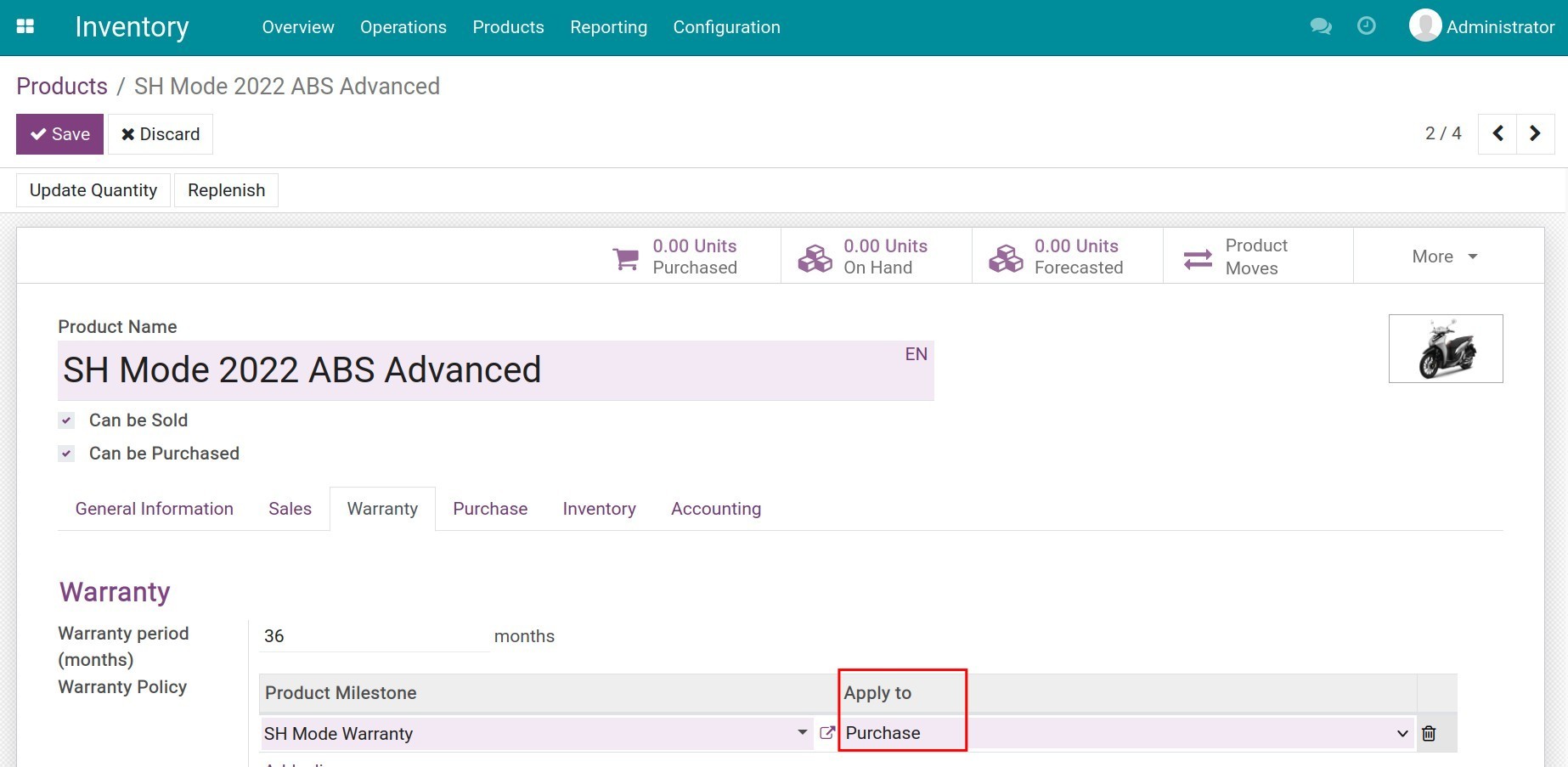
Configure Warranty on Each Product
- Choose policy type: time-based or milestone-based.
- Set duration in days, months, or years.
- Configure operating-milestone units (km, hours, cycles, etc.).
Lookup Warranty by Lot/Serial
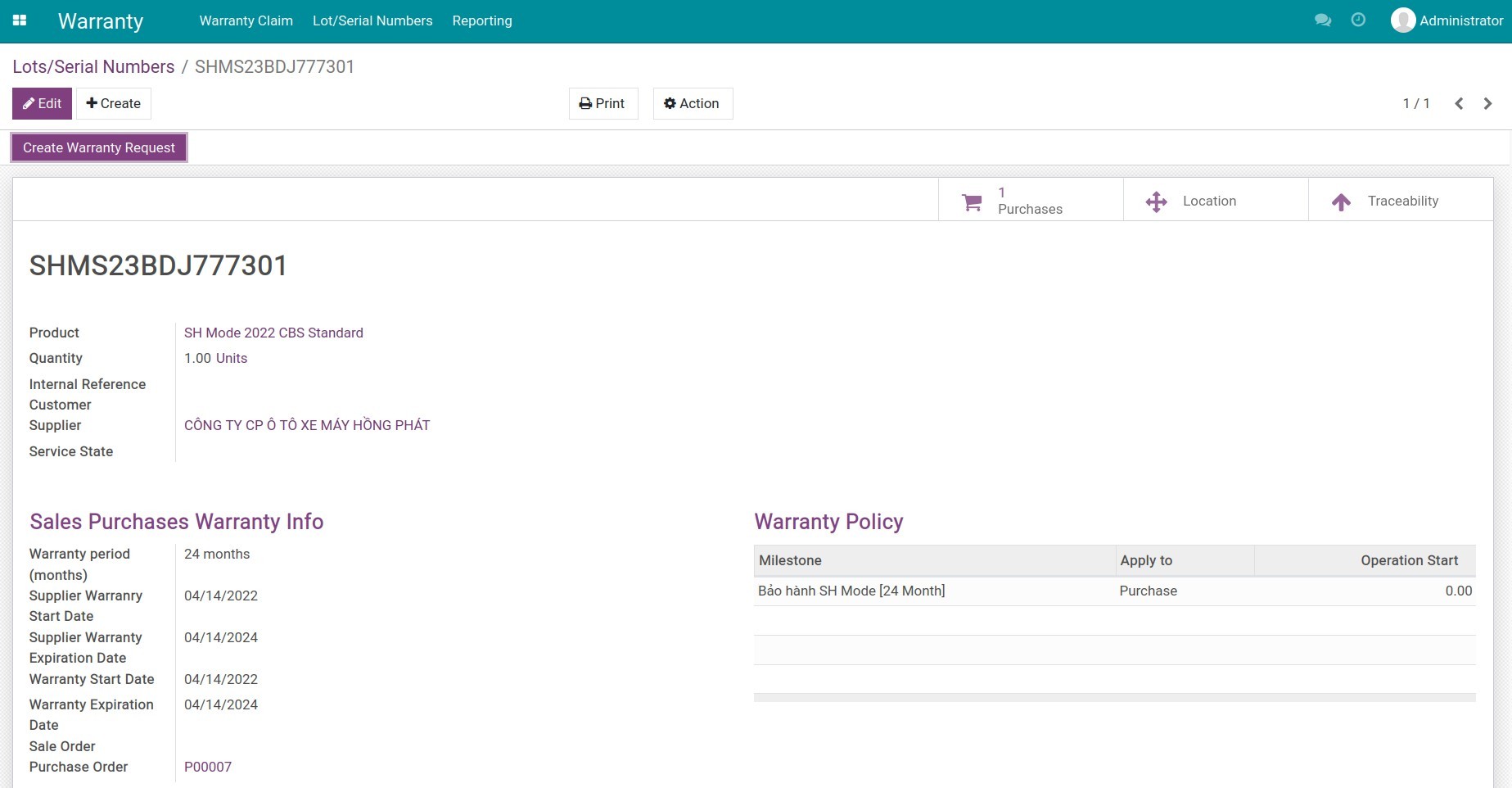
- Front-desk staff search by serial number in one click.
- See product, customer, applied policy and expiry date.
- Full repair and claim history on one screen.
End-to-End Claim Workflow
- Capture claim with reason, attachments, expected resolution.
- Route through investigate → confirm/refuse → complete stages.
- Notify customers automatically at each stage.
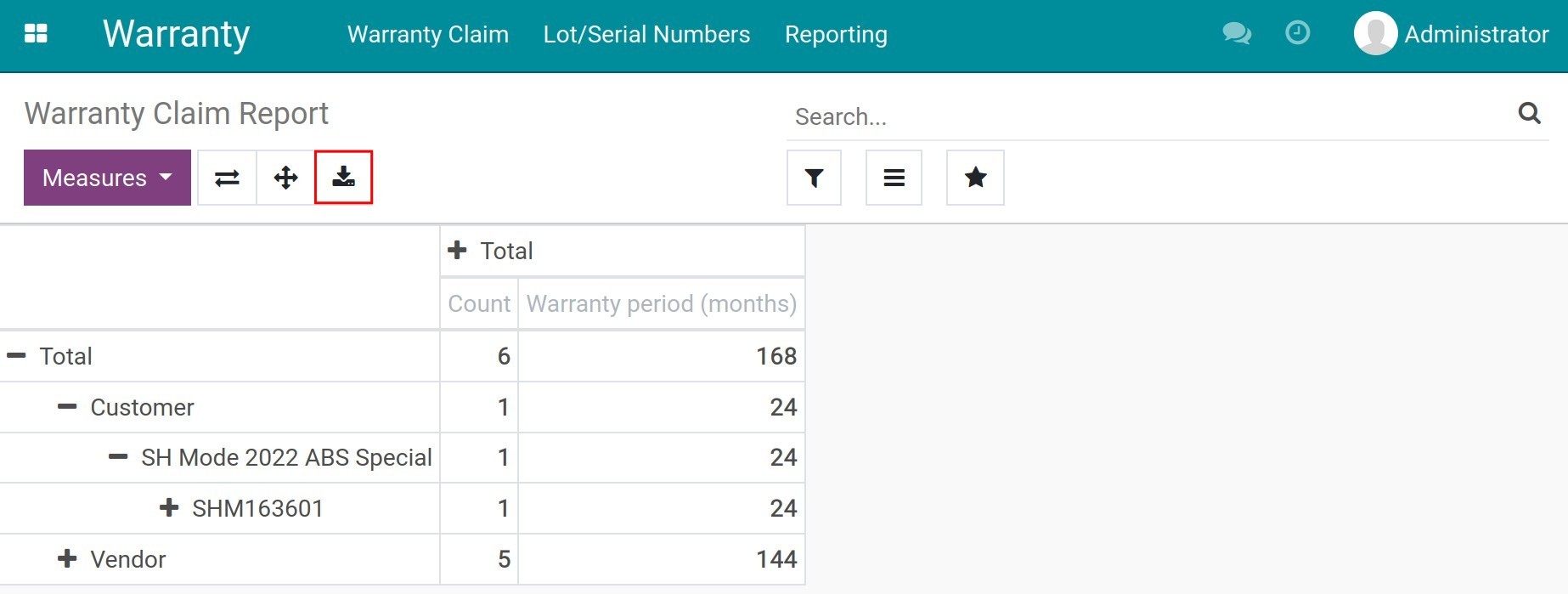
Reports & Insights for Quality Teams
- Group by partner, product, status, period or lot/serial.
- Pivot, graph, kanban views out of the box.
- Export to Excel for QA, finance, or supplier escalation.
See Viindoo Warranty in Action
Watch how warranty policies are configured, how front-line agents verify coverage, and how claims flow through to repair and reporting.
Need help with Viindoo Warranty?
For pre-sales questions, implementation, or warranty-process consulting, contact Viindoo.
Pre-Sales & Partnership
Please include:
- Odoo/Viindoo version (CE/EE).
- Product categories you sell.
- Volume of warranty claims per month.
Technical Support
For faster troubleshooting:
- Order number or app reference.
- Odoo/Viindoo version & edition.
- Steps to reproduce the issue.
- Screenshots/logs if available.
Technical Requirement
Works Great With These Modules
Extend Viindoo Warranty with complementary modules to cover the full sales → delivery → claim → repair lifecycle.
Repair Orders
Trigger repair orders from a claim, track labor and parts, return repaired items back to the customer with full traceability.
Sales & Delivery
Automatic warranty assignment at delivery — every serial unit shipped to a customer carries its policy and expiry date.
Product Milestone
Tracks operating units (km, hours, cycles) that drive milestone-based warranty terms, essential for vehicles, machinery and equipment.
Who Should Use Viindoo Warranty?
Manufacturers
Track every serial shipped, monitor quality issues, and turn warranty data into product improvement insights.
Distributors & Retailers
Provide consistent after-sales service across stores; handle claims with a clear process instead of ad-hoc spreadsheets.
Equipment / Machinery Vendors
Manage milestone-based warranties (hours, km, cycles) for high-value capital goods with traceable claim history.
Service Centers
Unify warranty claim intake with repair execution so technicians always know what's covered and what's billable.
Odoo Partners
Deliver a battle-tested warranty backbone to client implementations without building from scratch.
Installation
- Navigate to Apps.
- Search with keyword to_warranty_management.
- Press Install.
Instructions
Instruction video: Warranty Management
1. User access rights
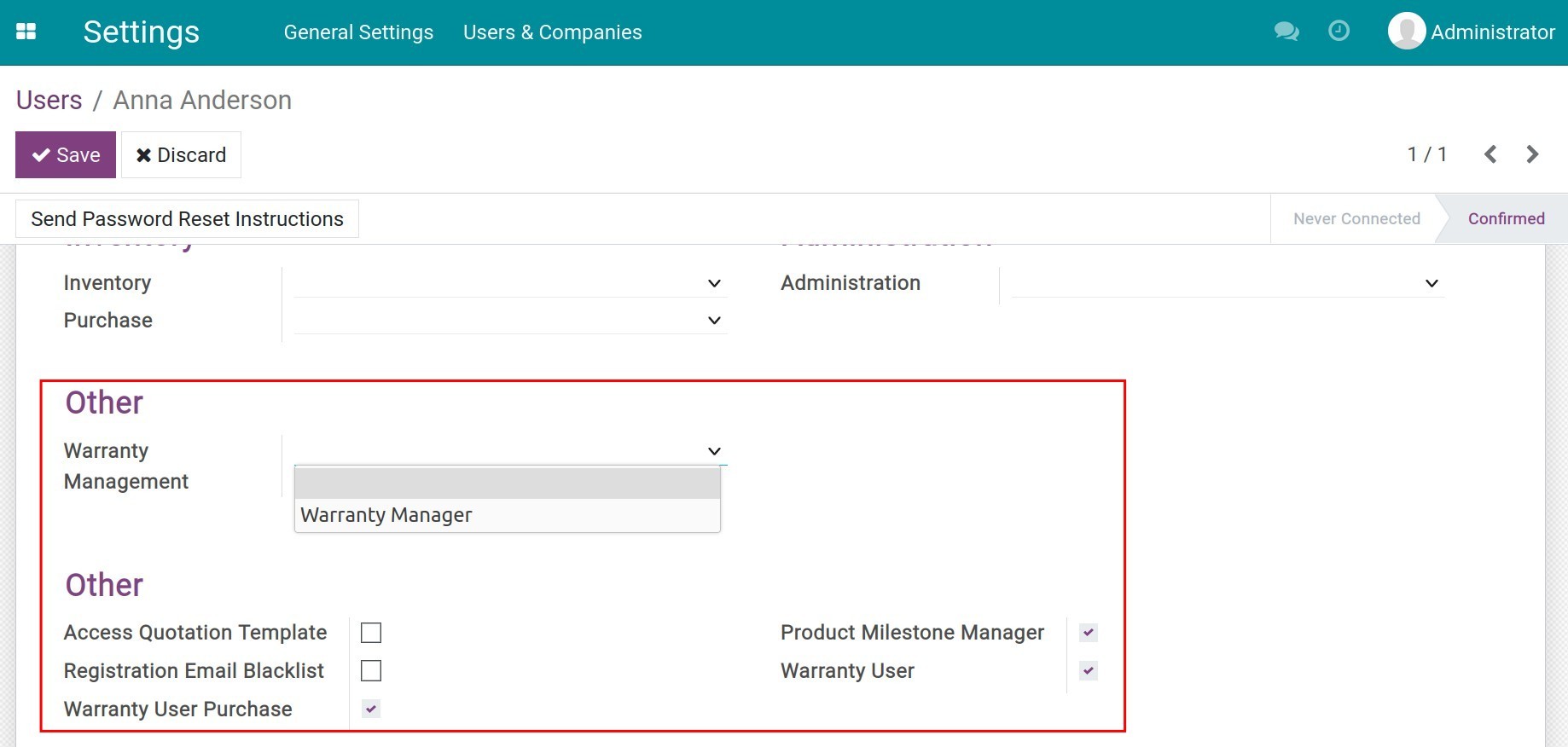
To grant user access rights in the Warranty management software, navigate to Settings ‣ Users & Companies ‣ Users, select the employee account that needs to be configured, press Edit and go to the Warranty Management section.
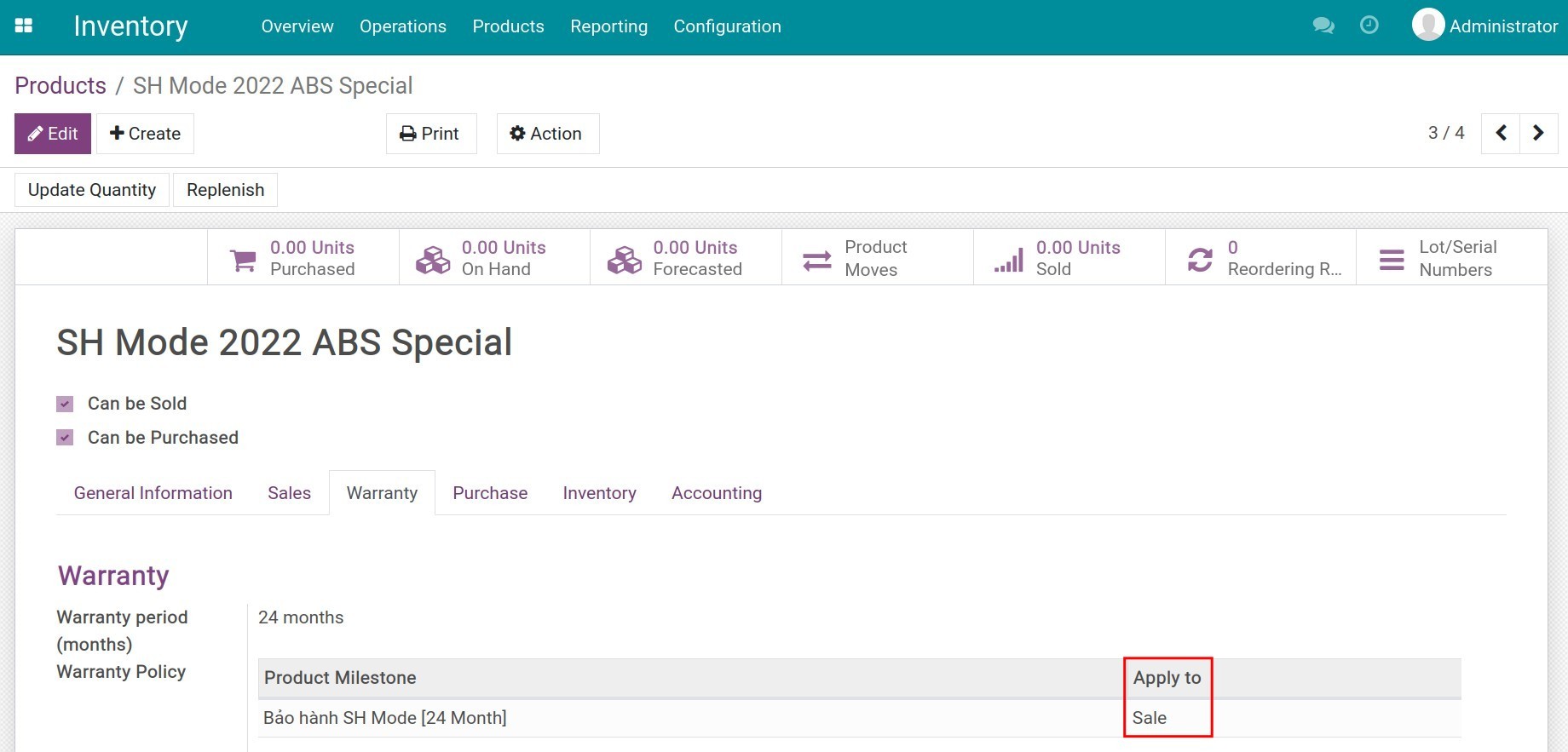
2. Product warranty information management
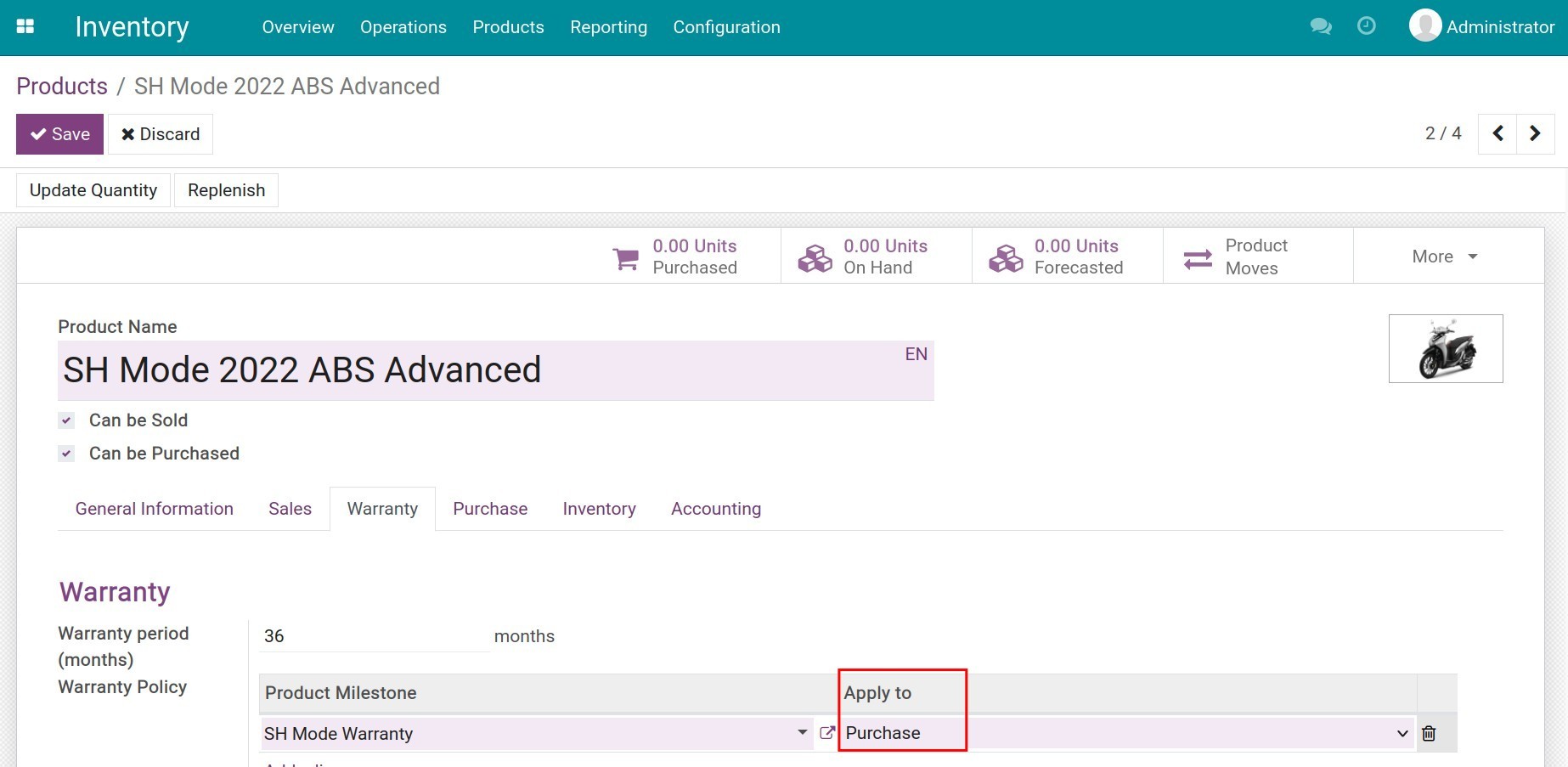
Next, you need to configure the warranty information of the vendor or customer on each product.
3. Warranty management
In the Viindoo Warranty Management software, both the warranty provided by vendors and the warranty provided to customers are supported. Following are the detailed instructions for the warranty provided to customers. You can do the similar steps to manage warranty provided by vendors.
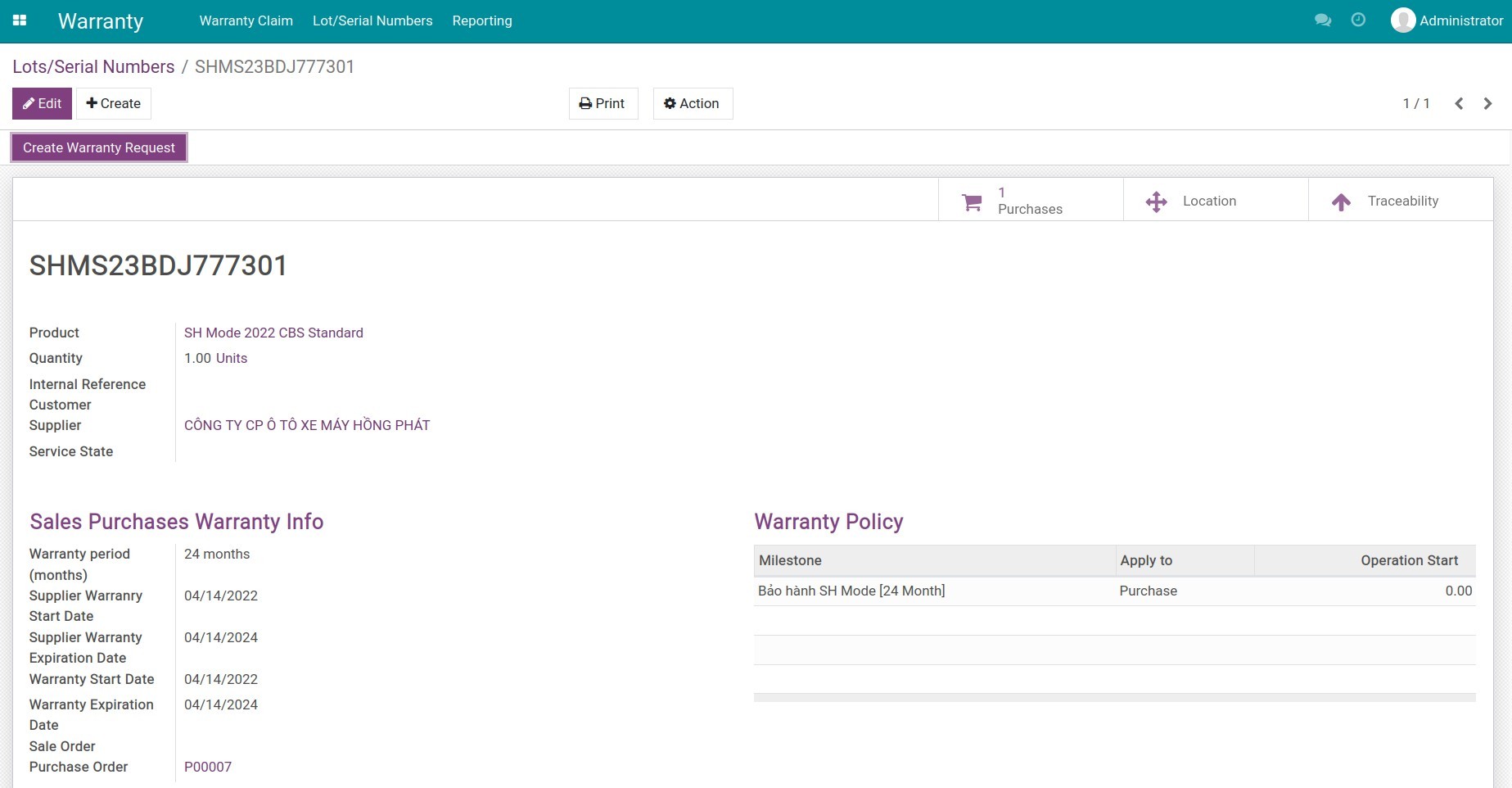
Step 1: Search for product warranty information
Upon receiving a warranty request, first, you need to search for the product warranty information.
Step 2: Create a customer's warranty claim
To create a new customer's warranty claim, navigate to Warranty ‣ Warranty Claim ‣ Draft, and press Create to generate a new warranty claim. On this claim, you need to change the Partner Type to Customer.
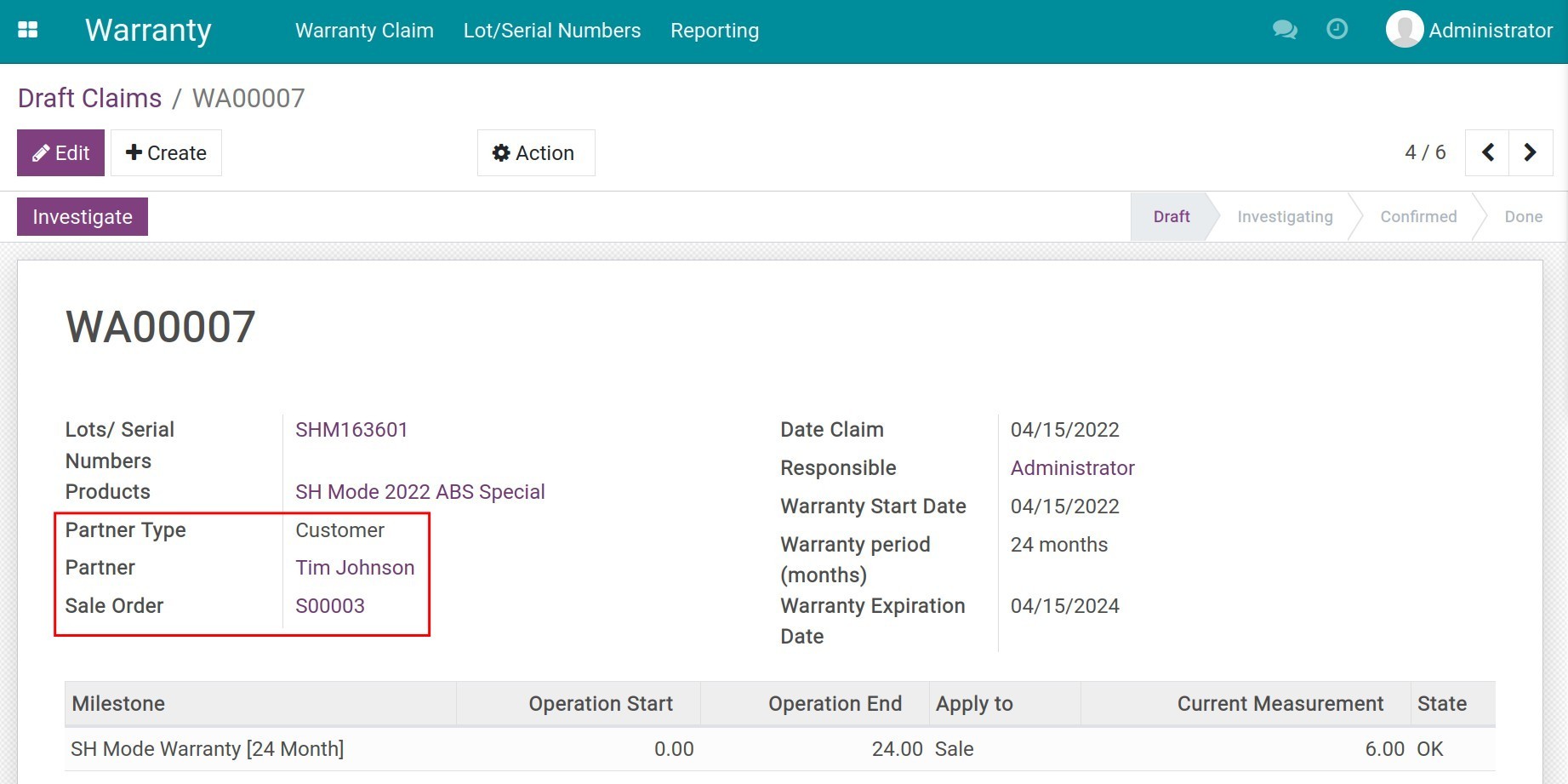
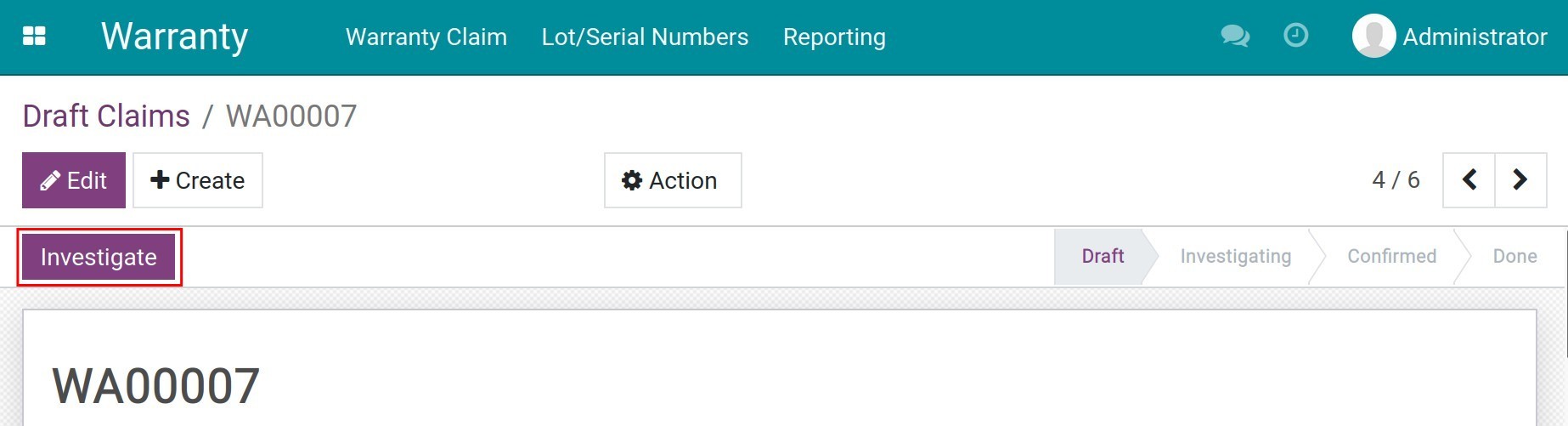
Once all the necessary information is added, press Investigate to start evaluating this warranty claim.
Step 3: Evaluate each warranty claim
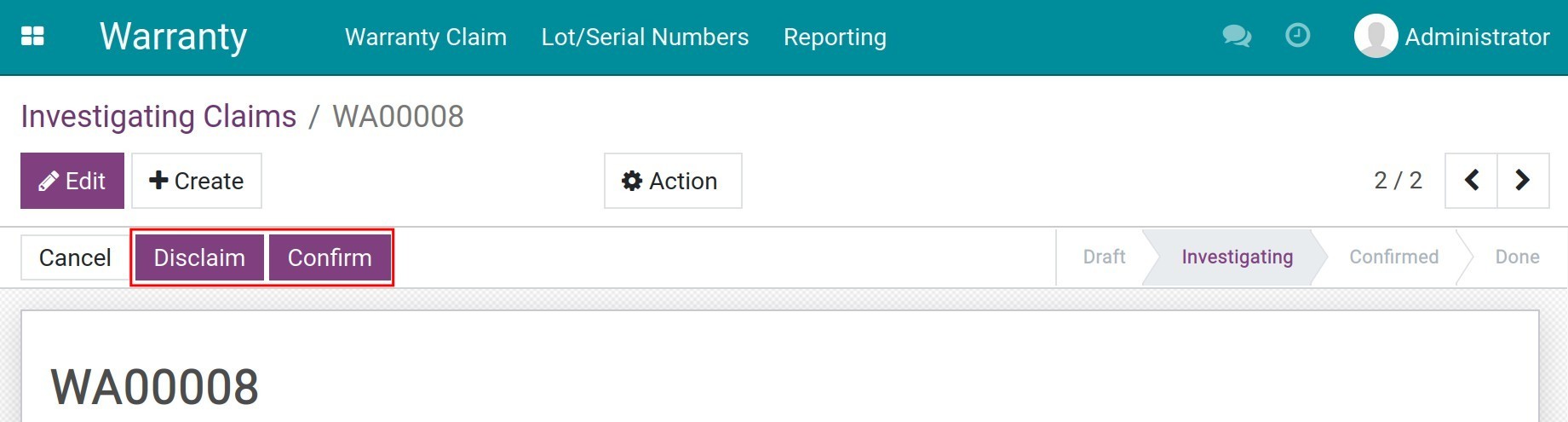
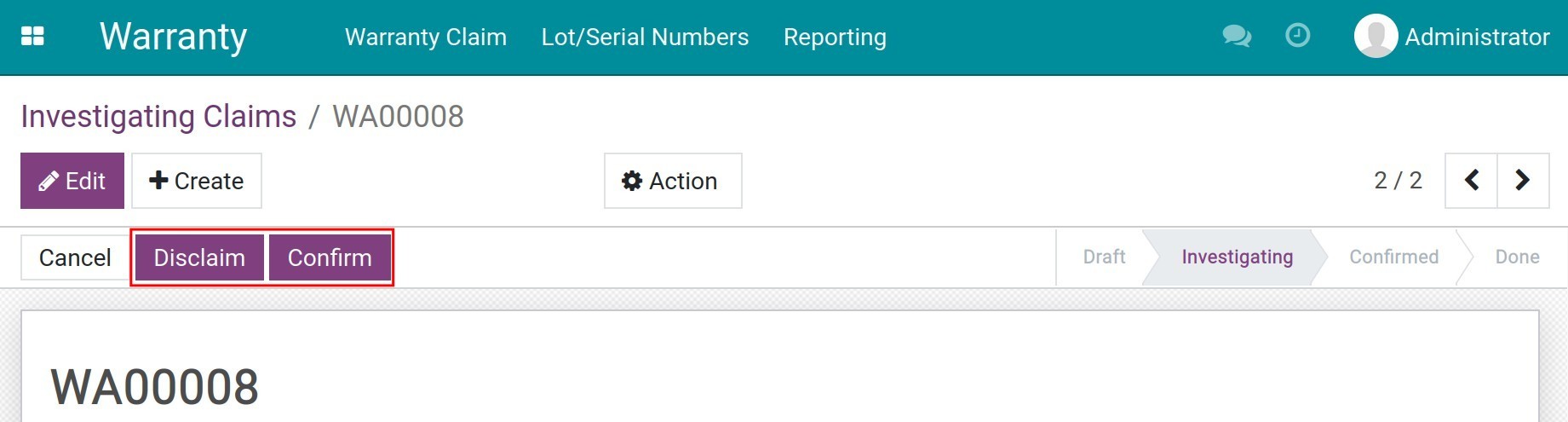
On the details of each warranty claim, press Confirm to accept the warranty claim or Disclaim to reject this request.
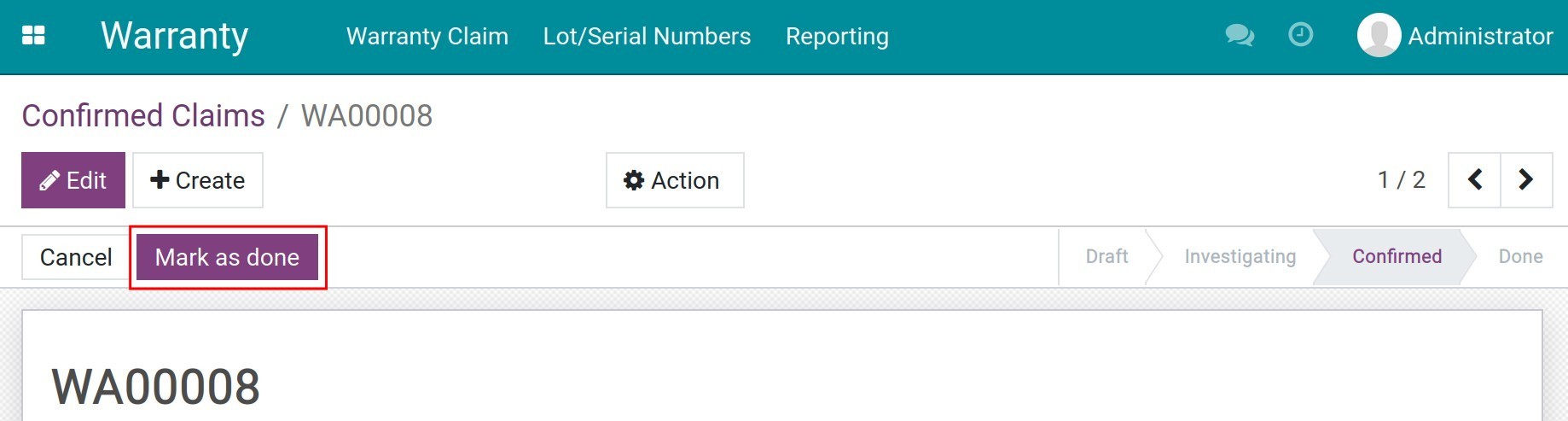
Once done with the warranty tasks, on the claim, press Mark as done to finish the warranty process.
4. Warranty reports
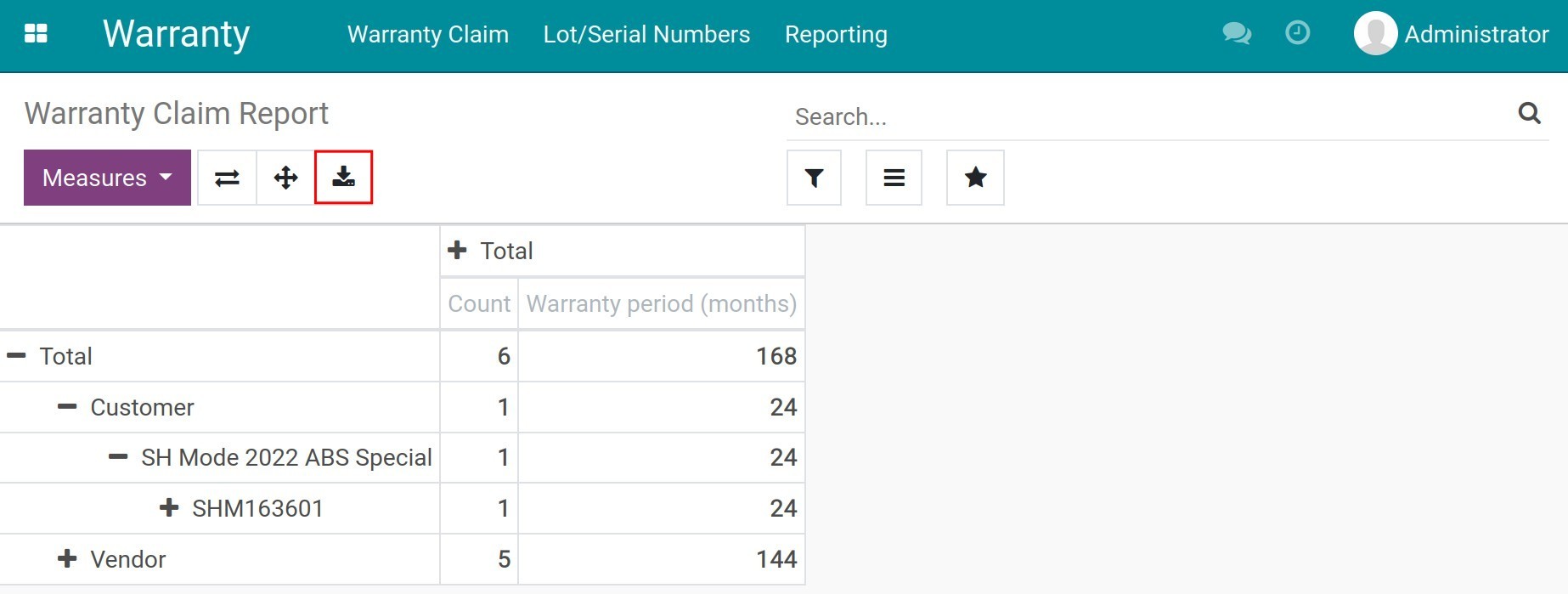
To see the warranty reports, navigate to Warranty ‣ Reporting. From here, you can analyze data by various criteria such as by partner, warranty period, warranty status, etc.
This software and associated files (the "Software") may only be used (executed, modified, executed after modifications) if you have purchased a valid license from the authors, typically via Odoo Apps, or if you have received a written agreement from the authors of the Software (see the COPYRIGHT file).
You may develop Odoo modules that use the Software as a library (typically by depending on it, importing it and using its resources), but without copying any source code or material from the Software. You may distribute those modules under the license of your choice, provided that this license is compatible with the terms of the Odoo Proprietary License (For example: LGPL, MIT, or proprietary licenses similar to this one).
It is forbidden to publish, distribute, sublicense, or sell copies of the Software or modified copies of the Software.
The above copyright notice and this permission notice must be included in all copies or substantial portions of the Software.
THE SOFTWARE IS PROVIDED "AS IS", WITHOUT WARRANTY OF ANY KIND, EXPRESS OR IMPLIED, INCLUDING BUT NOT LIMITED TO THE WARRANTIES OF MERCHANTABILITY, FITNESS FOR A PARTICULAR PURPOSE AND NONINFRINGEMENT. IN NO EVENT SHALL THE AUTHORS OR COPYRIGHT HOLDERS BE LIABLE FOR ANY CLAIM, DAMAGES OR OTHER LIABILITY, WHETHER IN AN ACTION OF CONTRACT, TORT OR OTHERWISE, ARISING FROM, OUT OF OR IN CONNECTION WITH THE SOFTWARE OR THE USE OR OTHER DEALINGS IN THE SOFTWARE.