

HR Employee Grade
| Lines of Code | 1435 |
| Technical name | to_hr_employee_grade |
| License | OPL-1 |
| Website | https://viindoo.com/apps/app/17.0/to_hr_employee_grade |
| Read description for | v 13.0 v 14.0 v 15.0 v 16.0 v 18.0 v 19.0 |
| Required Apps | Discuss (mail) Employees (hr) |
| Extensions | HR Employee Rank Employee Grade Code |

HR Employee Grade
Managing Employee Grade
Effective HR management goes beyond organizing by departments or job positions, requiring a deeper approach to reflect employee capabilities and development paths. The HR Employee Grade module provides a solution for classifying personnel by professional grade (Intern, Junior, Senior...
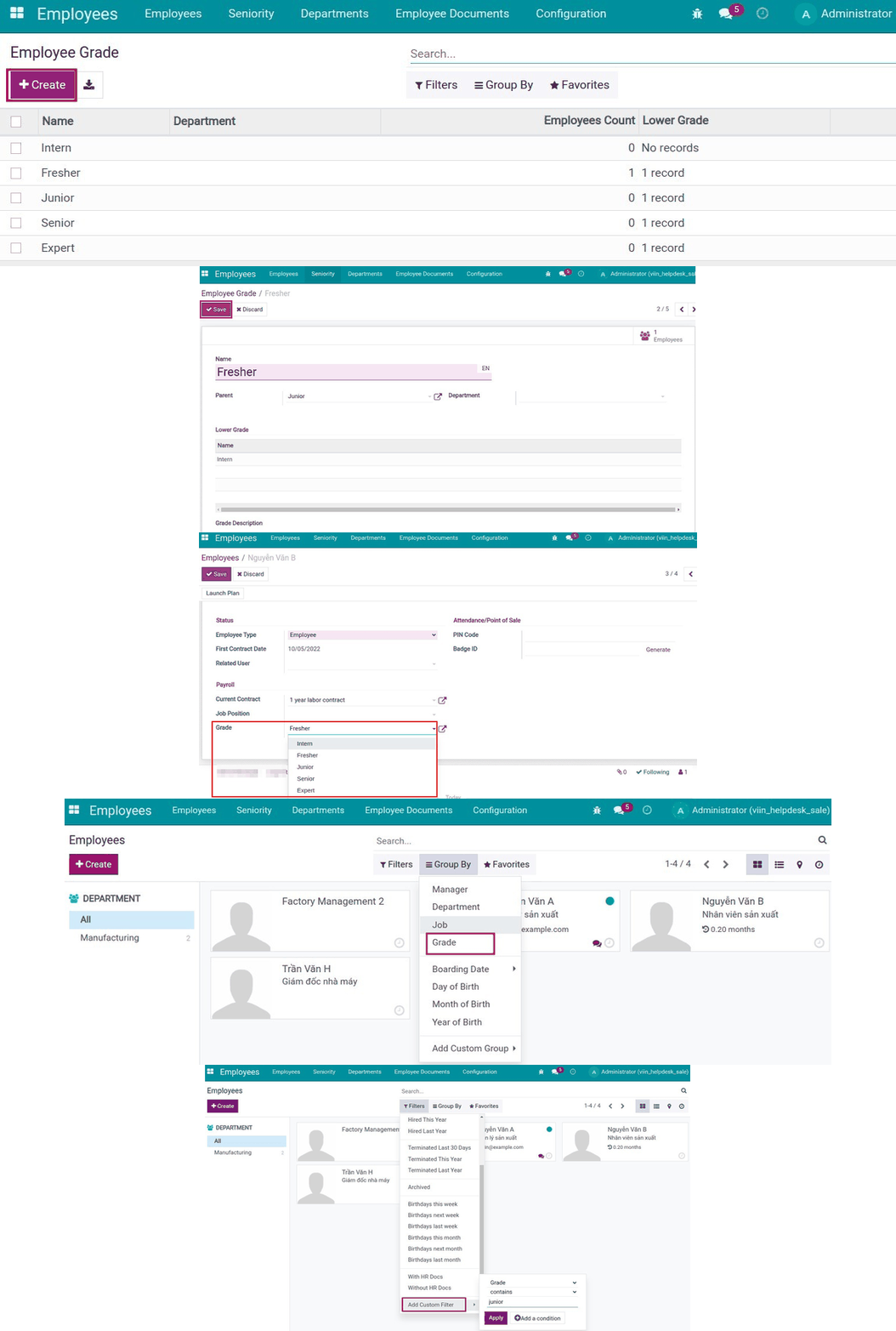
Key Features
Built natively on Odoo/Viindoo to streamline real business operations:
Create and manage employee grades
- Set up grades like Intern, Junior, Senior... according to business needs.
- Update, modify and manage grade information flexibly.
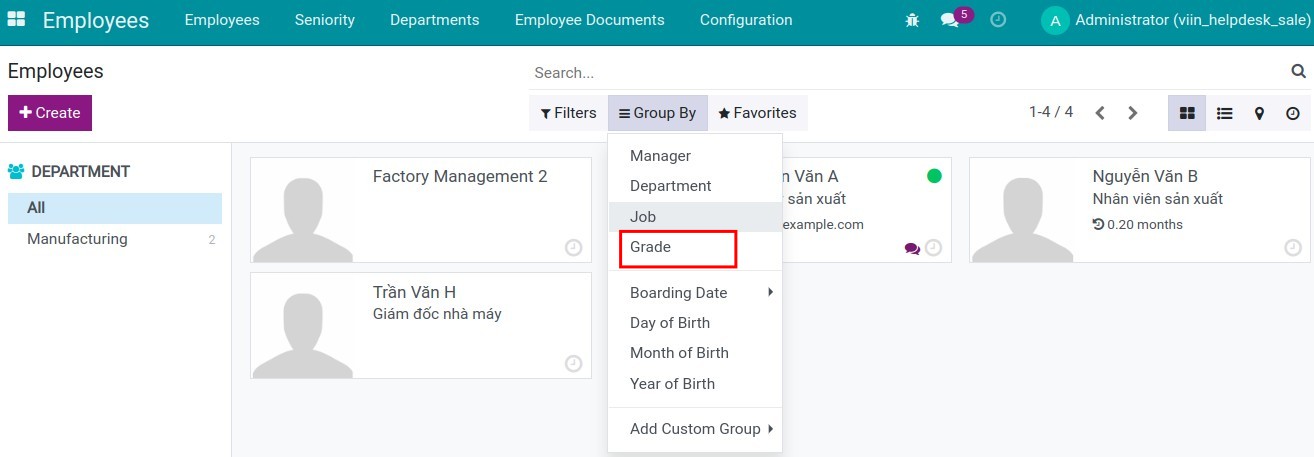
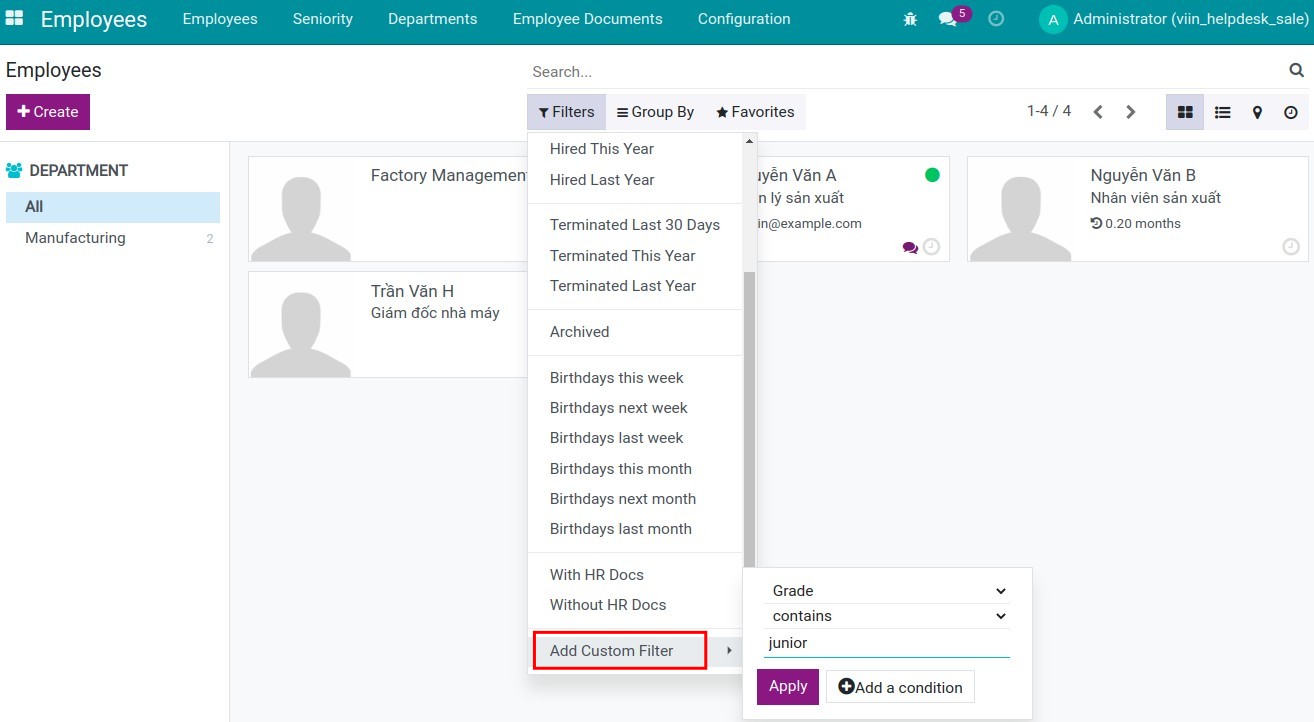
Classify and search employees by grade
- Provide filters to group and search employees by grade.
- Display employee grades in the HR directory.
Integration with Odoo HR management
- Synchronize employee grades with other HR information in the system.
- Set up access rights by role and grade.
Benefits
Build an organized HR system that is easy to monitor and evaluate.
Clear guidance on development and promotion paths for employees.
Provide accurate information for work allocation, rewards and promotions.
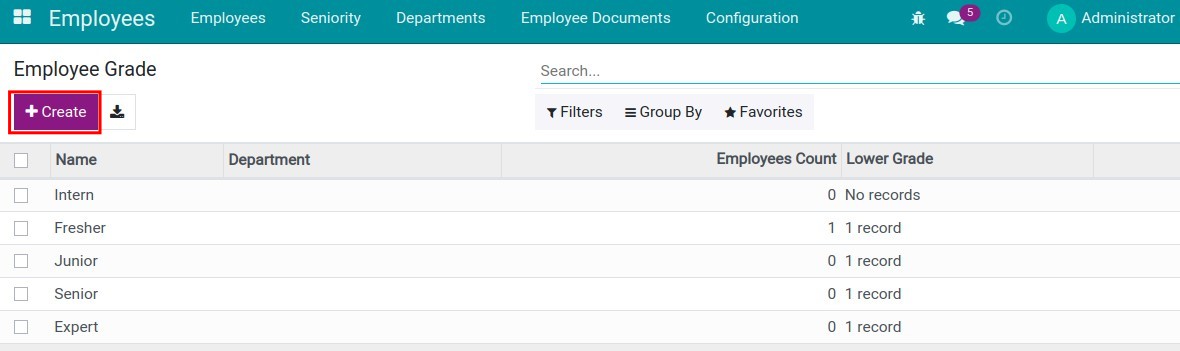
Create employee grades on Viindoo
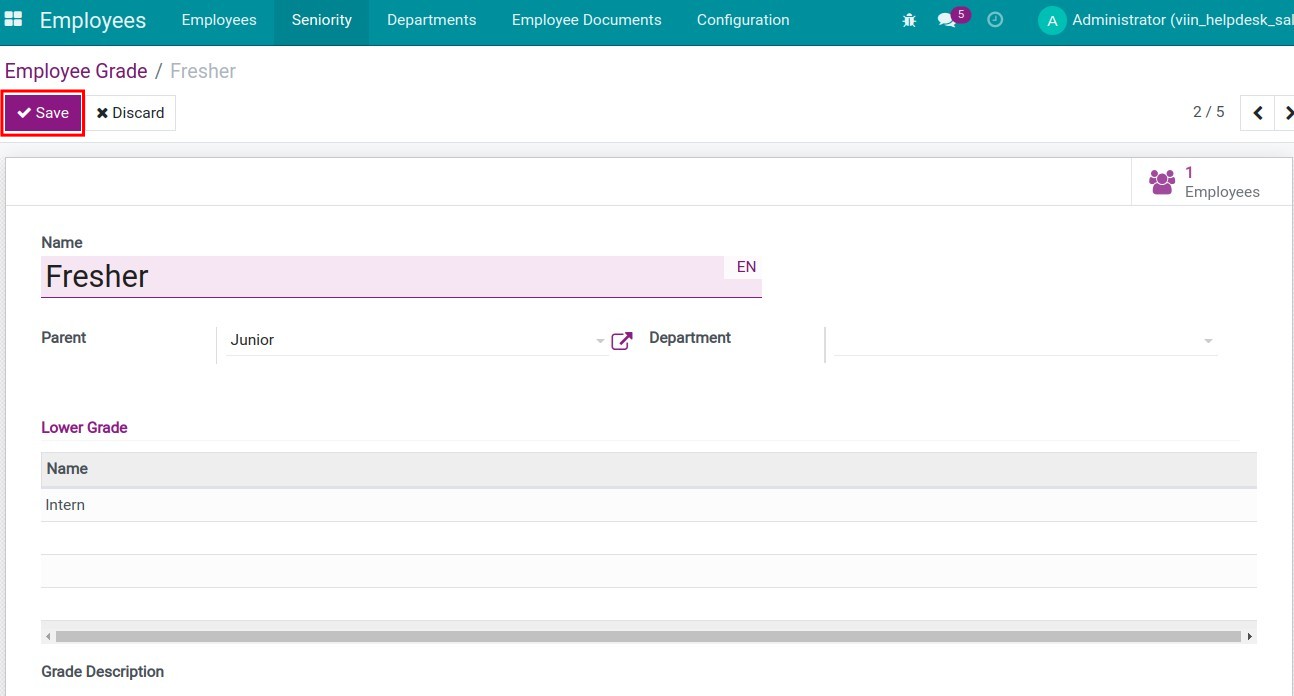
Fill in the information for the grade on Viindoo
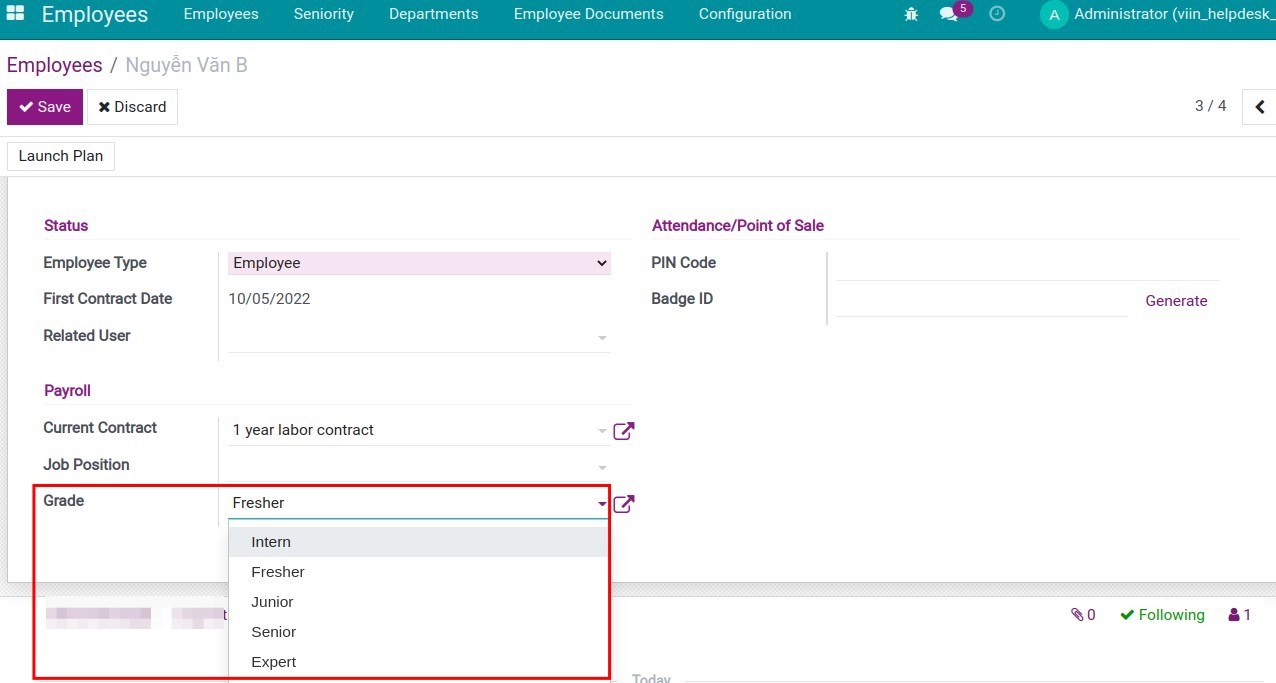
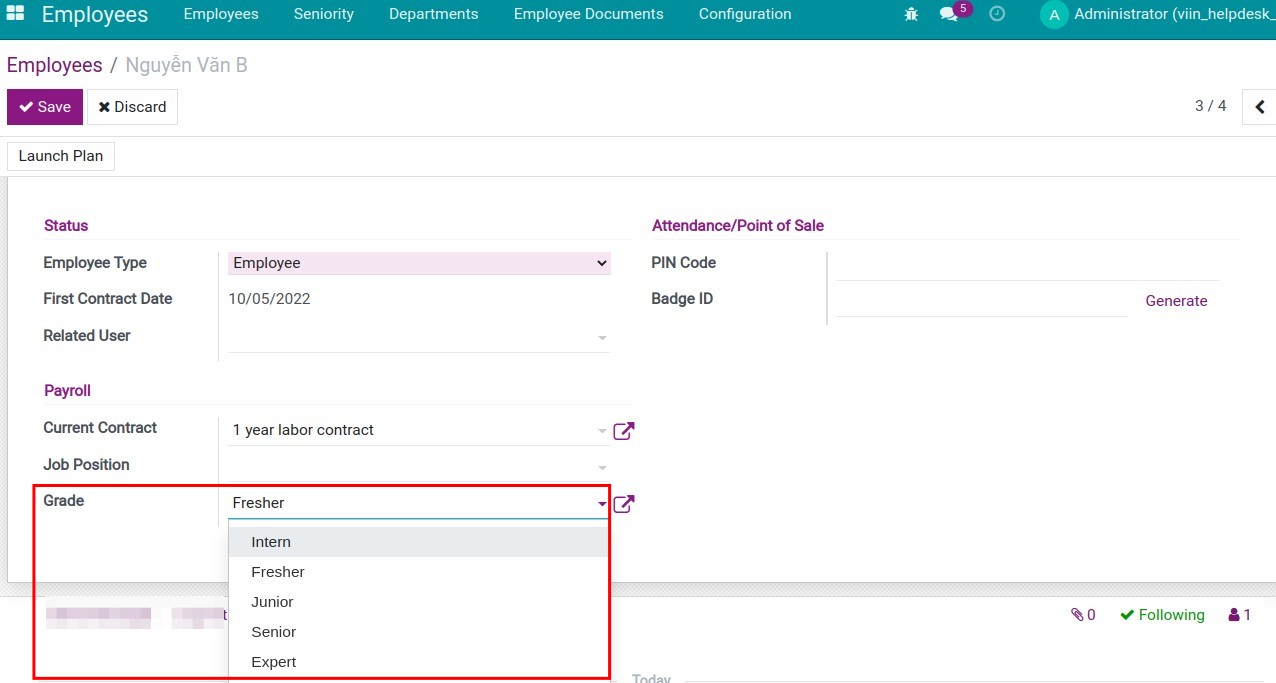
Select the grade for the employee on the Viindoo Employee application
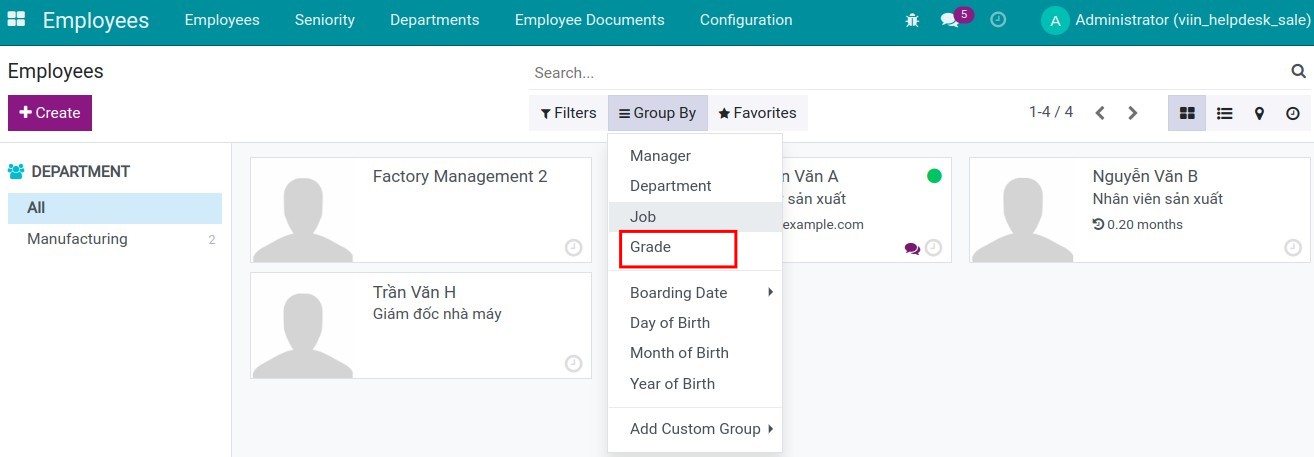
Group by
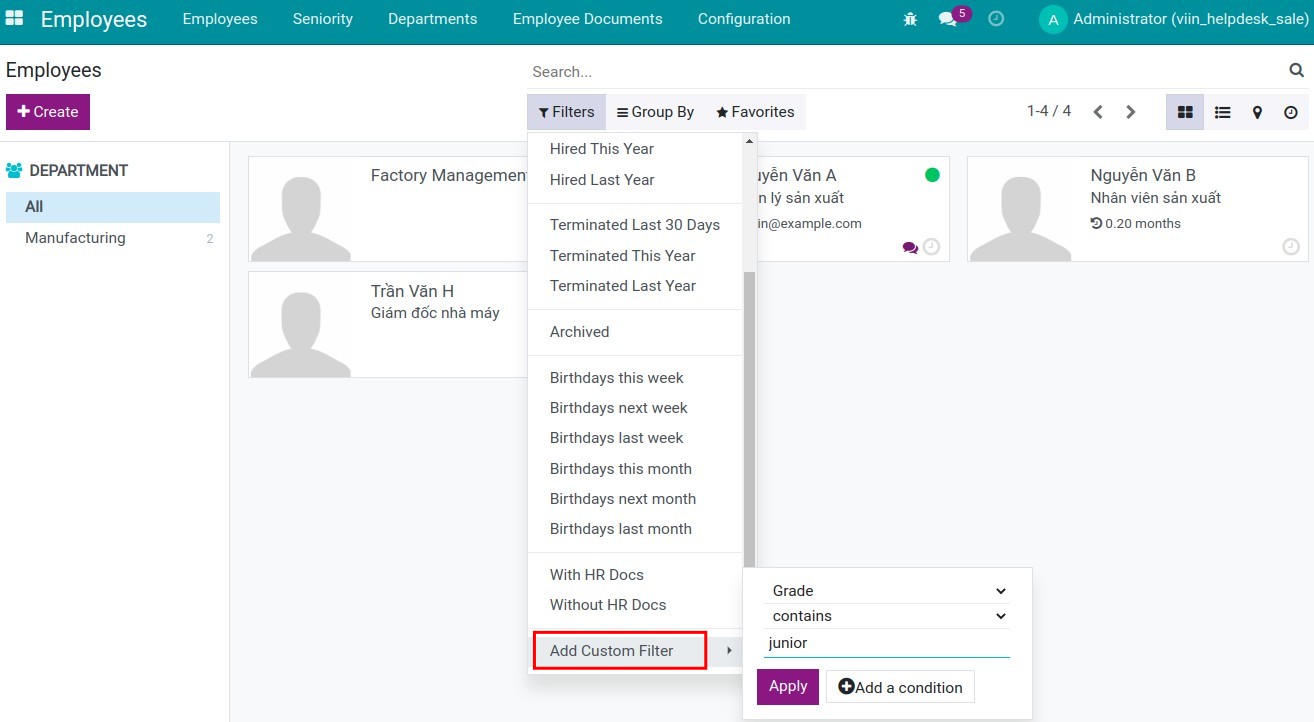
Custom filters
See HR Employee Grade in Action
See how this module solves real business problems in a working Viindoo environment.
Need help with HR Employee Grade?
For questions, implementation support, or consulting services, contact Viindoo.
Pre-Sales & Partnership
When contacting us, please include:
- Odoo/Viindoo version (CE/EE).
- Number of users and business scope.
- Other modules currently in use.
Technical Support
For faster troubleshooting, please provide:
- Order number or app reference.
- Odoo/Viindoo version & edition.
- Steps to reproduce the issue.
- Screenshots/logs if available.
Technical Requirement
Changes log
We continuously improve this module. Recent updates from the official Viindoo repository:
- 2025-11-23 Fixed Wrong widget position.
- 2025-06-17 Added OmniApproval eco system.
Works Great With These Modules
Extend HR Employee Grade with complementary Viindoo apps:
Employee Grade Code
Add a unique, normalized code for Employee Grades; auto-filled from multilingual names; unique per company.
Module to_hr_employee_grade_patch1HR Employee Rank
Manage your employee's rank which is defined as a combination of employee grade and role
Module viin_hr_rankWho Should Use This Module?
Built for teams that need this capability fully integrated into their Odoo/Viindoo stack.
Medium to large scale businesses
Need to systematize employee grade management processes.
HR Department
Manage employees by grade for recruitment, training and evaluation purposes.
HR Managers & Executives
Make decisions based on employee grades.
Installation
- Navigate to Apps.
- Search with keyword to_hr_employee_grade.
- Press Install.
Instruction
Instruction video: HR Employee Grade
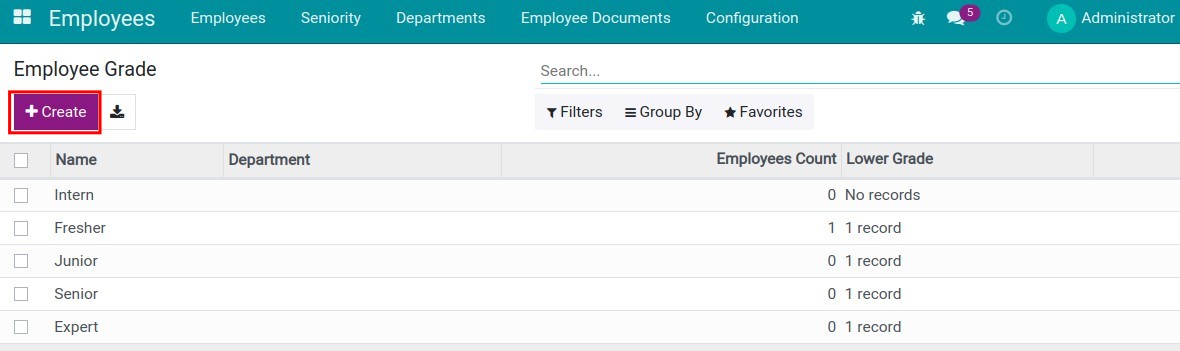
1. Enable developer mode (debug mode) and create employee grades in Employee profile management software
Go to Employees > Configuration > Employee Grade > Create.
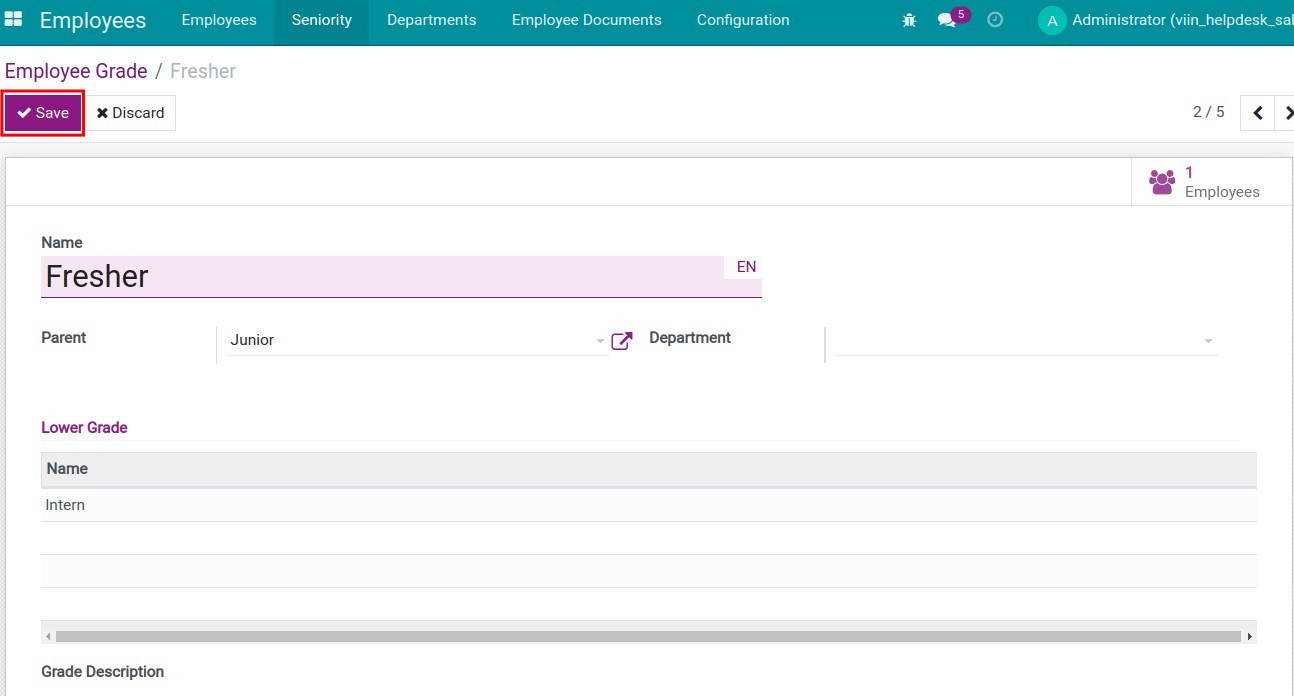
Fill in the information for the grade:
2. Select the grade for each employee
Go to Employees > Employees > on an Employee profile > at the HR Settings tab, and select the grade for the employee.
3. Manage employees by grades in the Employee application
- Use Group by
- Use custom filter
This software and associated files (the "Software") may only be used (executed, modified, executed after modifications) if you have purchased a valid license from the authors, typically via Odoo Apps, or if you have received a written agreement from the authors of the Software (see the COPYRIGHT file).
You may develop Odoo modules that use the Software as a library (typically by depending on it, importing it and using its resources), but without copying any source code or material from the Software. You may distribute those modules under the license of your choice, provided that this license is compatible with the terms of the Odoo Proprietary License (For example: LGPL, MIT, or proprietary licenses similar to this one).
It is forbidden to publish, distribute, sublicense, or sell copies of the Software or modified copies of the Software.
The above copyright notice and this permission notice must be included in all copies or substantial portions of the Software.
THE SOFTWARE IS PROVIDED "AS IS", WITHOUT WARRANTY OF ANY KIND, EXPRESS OR IMPLIED, INCLUDING BUT NOT LIMITED TO THE WARRANTIES OF MERCHANTABILITY, FITNESS FOR A PARTICULAR PURPOSE AND NONINFRINGEMENT. IN NO EVENT SHALL THE AUTHORS OR COPYRIGHT HOLDERS BE LIABLE FOR ANY CLAIM, DAMAGES OR OTHER LIABILITY, WHETHER IN AN ACTION OF CONTRACT, TORT OR OTHERWISE, ARISING FROM, OUT OF OR IN CONNECTION WITH THE SOFTWARE OR THE USE OR OTHER DEALINGS IN THE SOFTWARE.