
Integration with Zalo OA
by Viindoo
| Lines of Code | 6267 |
| Technical name | viin_zalo |
| License | OPL-1 |
| Website | https://viindoo.com/apps/app/17.0/viin_zalo |
| Read description for | |
| Required Apps | Discuss (mail) |
| Included Dependencies | API Request Logger |
| Extensions | Zalo OAuth for Portal Zalo OA Templates (ZBS) Zalo Chatter Bridge Website Livechat button for Zalo |
Zalo OA for the system
Integration with Zalo OA
Bring Zalo — Vietnam's leading messaging platform with 79M+ users — directly into the system. Connect your OA account, receive customer messages in real time, sync contacts automatically, and reply with text, images, and files — all without leaving the ERP.
What businesses deal with every day
Your customers message you on Zalo. Your business data lives in the ERP. Between them? A gap that costs time, mistakes, and missed opportunities.
A customer messages on Zalo, but their orders, invoices, and tickets are in the ERP. Staff copy-paste between screens all day just to answer a simple question.
With hundreds of Zalo messages a day, nobody knows which ones have been answered. Conversations slip through the cracks and customers wait without a reply.
When multiple inquiries arrive at once, sales can't prioritize. By the time they reply, the customer has already moved on — or messaged a competitor.
A customer agreed to buy in a Zalo conversation — but which order was it? Which invoice? There is no link between what was discussed and what was recorded in the system.
Accountants send payment reminders one by one. Sales sends each quotation manually. With growing customer volume, this simply does not scale.
When a staff member is absent or leaves, their Zalo chat history goes with them. Managers have no way to review what was promised to customers.
Core capabilities
Connect your Zalo OA once, and the system becomes your unified inbox for all customer conversations.
Easy OA connection
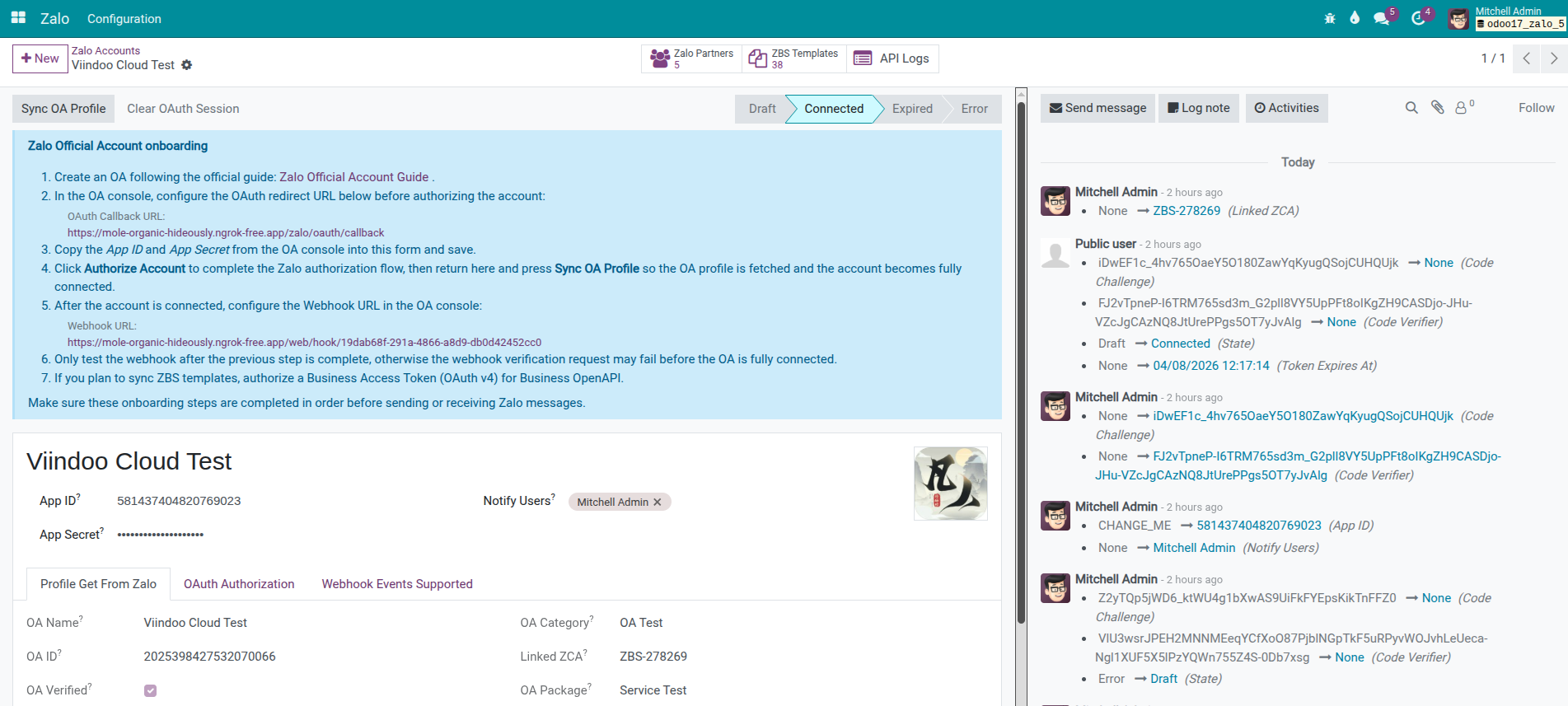
Link your Zalo OA in a few clicks from the Settings page. Manage multiple OA accounts per company and keep connection active automatically.
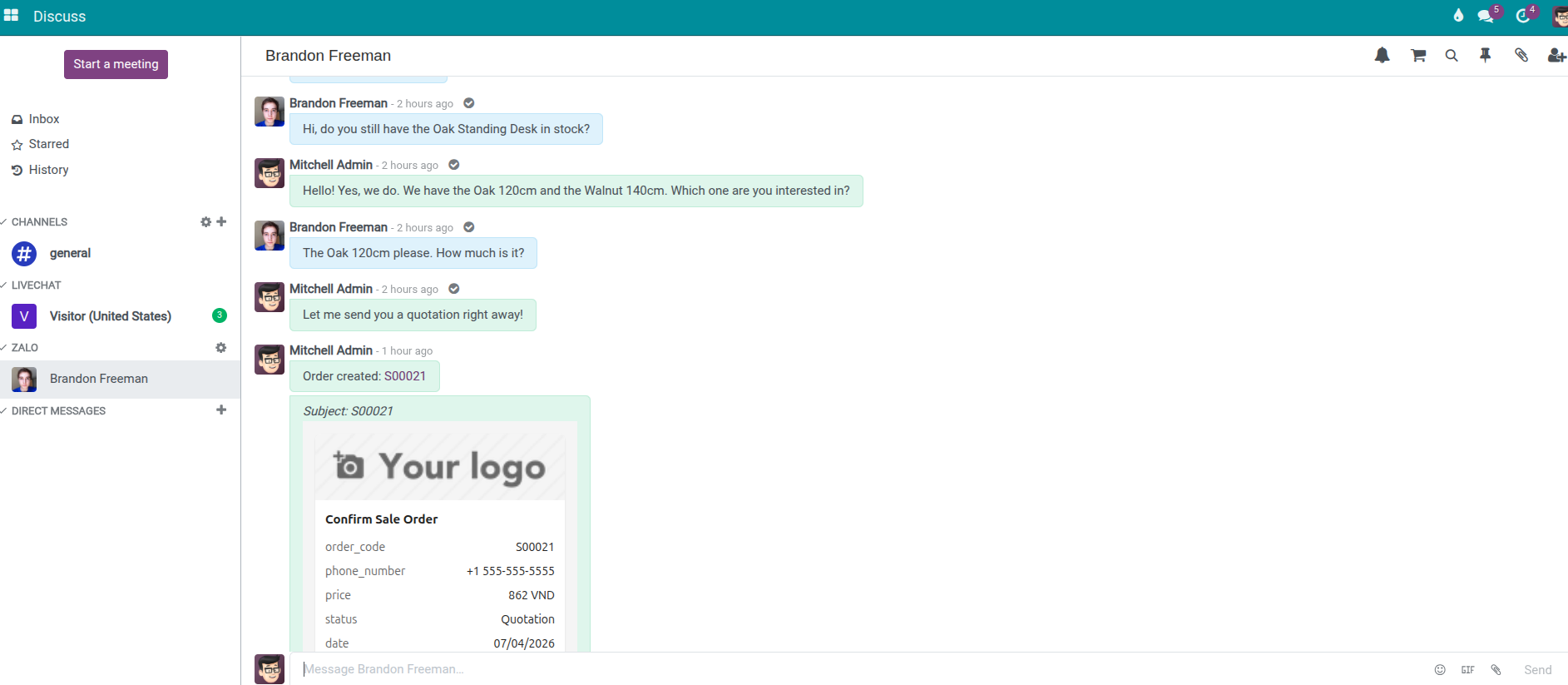
Unified inbox in Discuss
Customer messages from Zalo appear in Discuss automatically. Reply with text, images, stickers, and file attachments — no need to switch to the Zalo app.
Contact sync
Zalo followers are automatically matched to your existing contacts. Import OA followers in bulk and always know which customer you are chatting with.
Quick Zalo from partner
A Zalo icon appears next to phone numbers on contact forms. One click opens the conversation — no searching or copying phone numbers.
Access rights & multi-company
Control who can view and reply to Zalo conversations. Each company's OA data is kept separate — staff only see what they are authorized to access.
Modular & extensible
Start with messaging, then add what you need: automated notifications to customers, create sale orders from chat, connect to CRM or Helpdesk — via companion modules.
Benefits
Stop juggling between Zalo app and your ERP. Centralize customer messaging where your business data already lives.
Faster customer response
Customer messages appear in Discuss instantly. Staff reply in the same interface they already use for internal communication — no switching between apps.
Single source of truth
Zalo conversations live next to CRM leads, sale orders, and helpdesk tickets. Every department sees the full customer picture in one system.
Cross-team collaboration
Sales, Support, and Operations share the same Zalo threads inside Discuss. Handoffs between teams are seamless — no forwarding screenshots or re-explaining context.
Platform for growth
Start with core messaging, then add ZBS template notifications, create sale orders from chat, automate CRM pipelines, or connect helpdesk workflows — all via companion modules.
Zalo OA Integration overview
Chat with customers on Zalo — right from the system
Respond faster, keep conversations organized, and never lose a customer message again.
OA Connection & Setup
Connect in minutes, not days
- Link your Zalo OA from the Settings page — just enter your App ID and Secret Key.
- Manage multiple OA accounts per company with full isolation.
- Token refresh runs automatically — no manual reconnection needed.
Real-Time Messaging in Discuss
Every conversation, one inbox
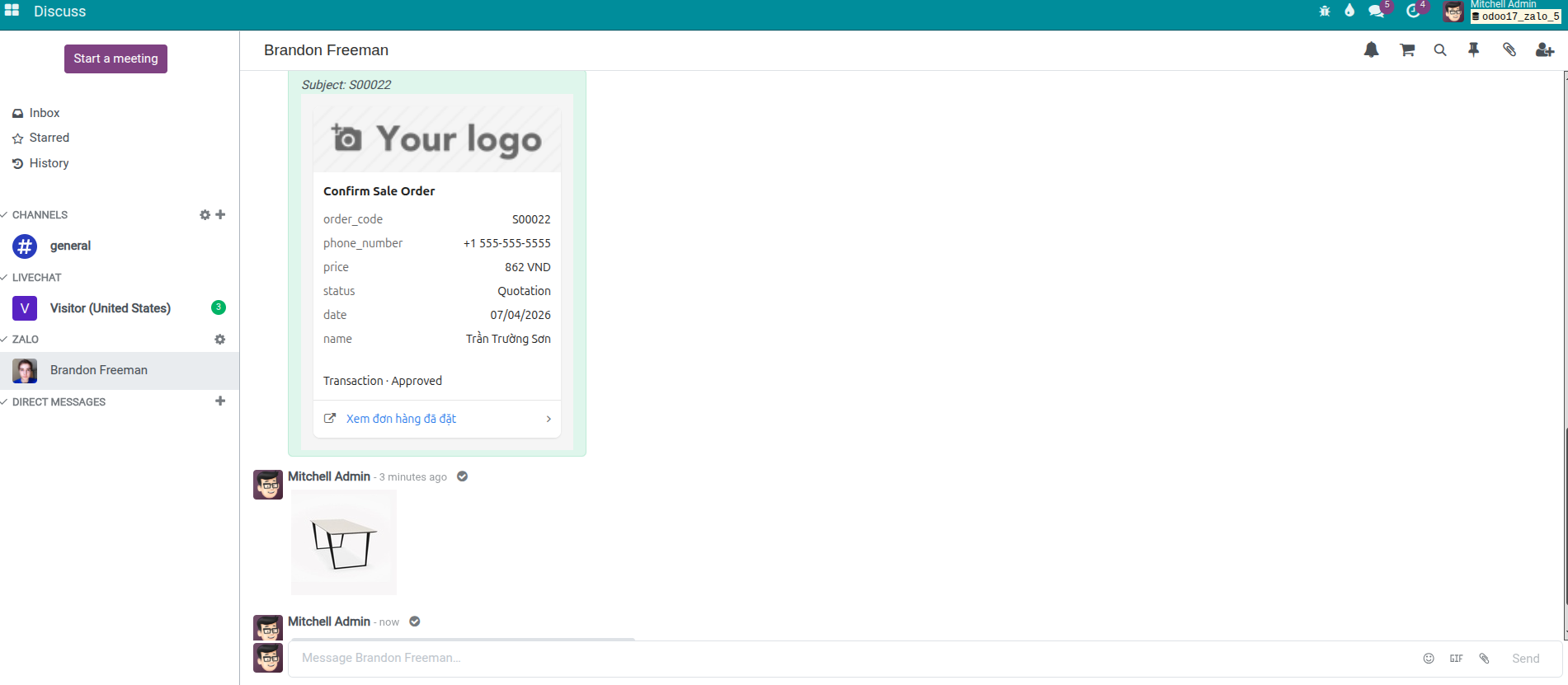
- Each Zalo customer gets a dedicated Discuss channel — messages arrive in real time.
- Reply with text, images, stickers, and file attachments without leaving the system.
- Full conversation history is preserved and searchable.
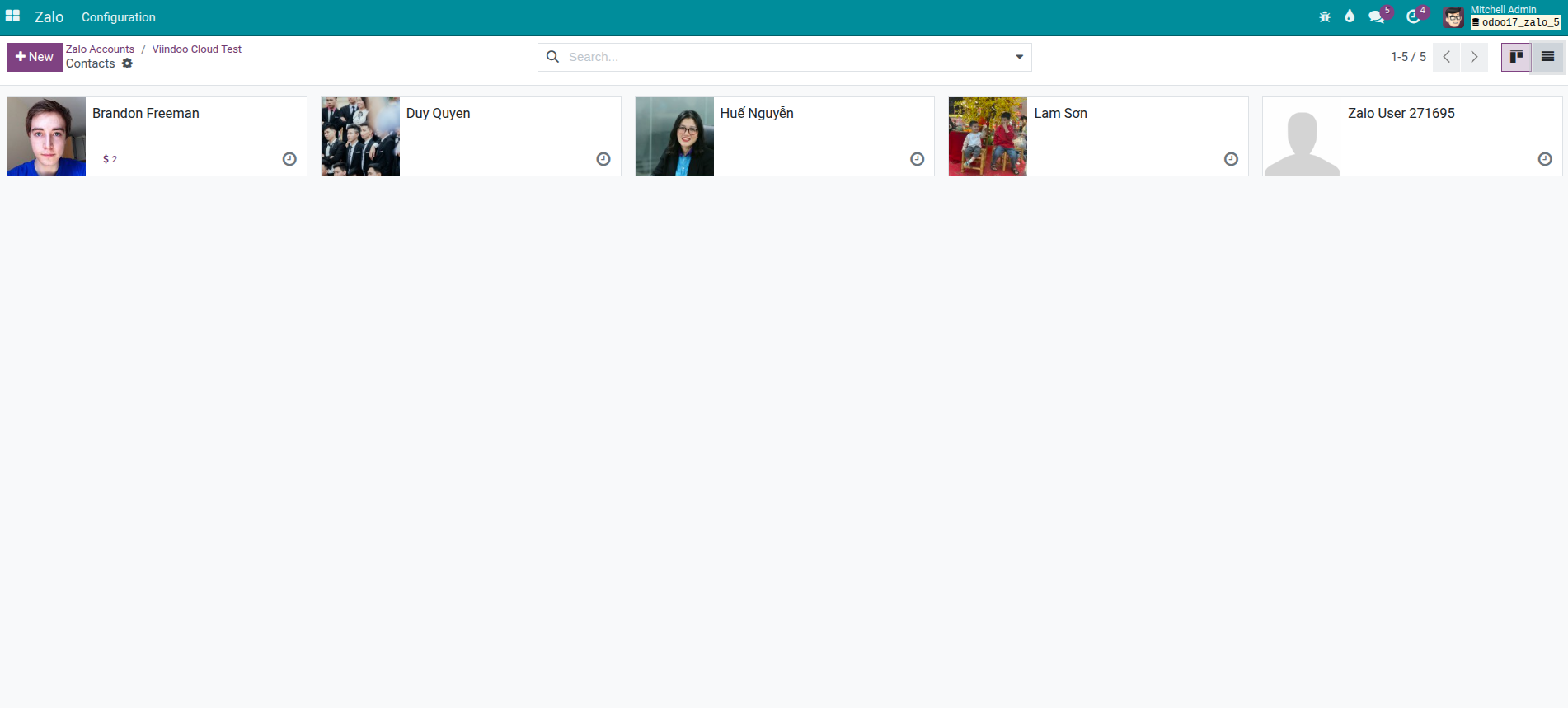
Contact Sync & Quick Chat
Always know who you are talking to
- Zalo followers are automatically matched to existing contacts.
- Bulk import OA followers to keep your contact list current.
- A Zalo icon on contact forms opens the conversation in one click.
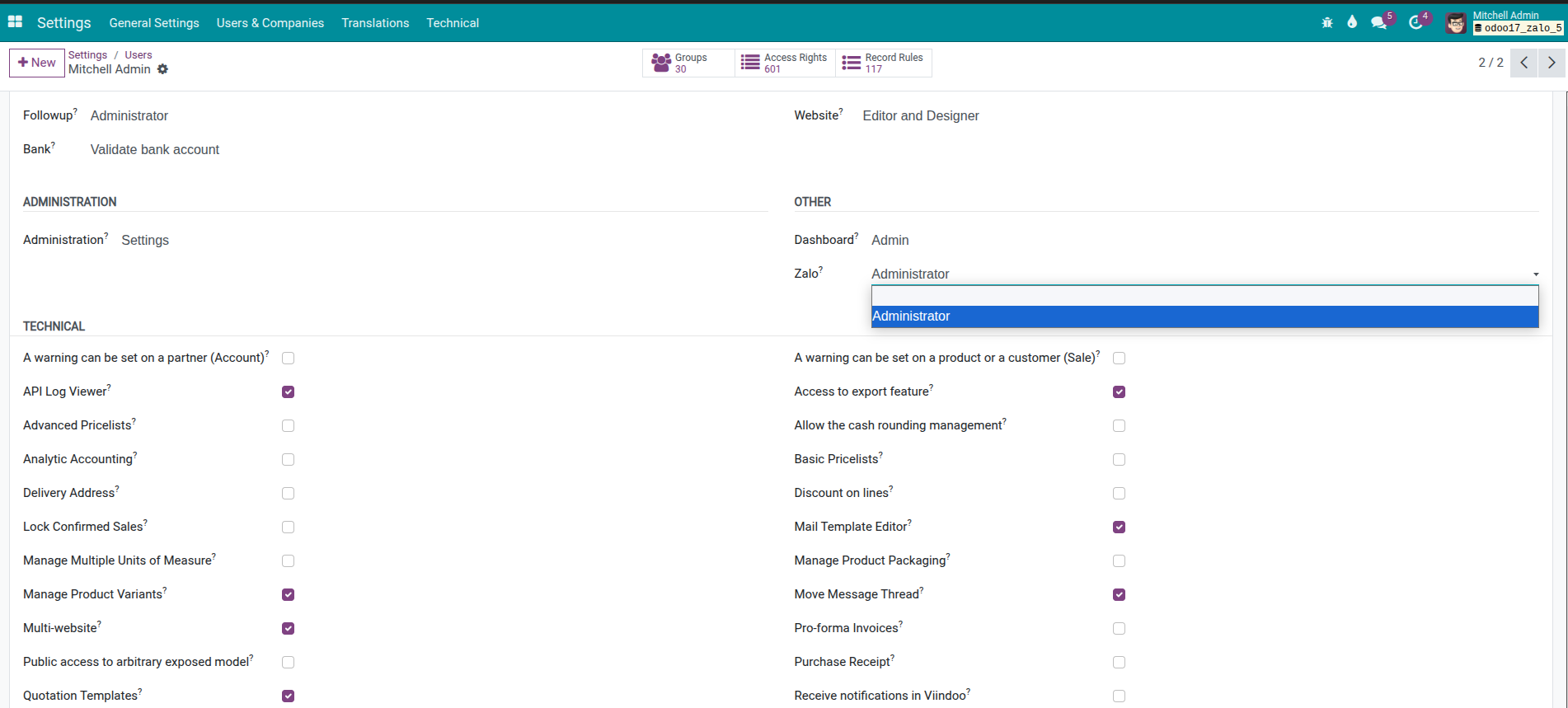
Access Rights & Multi-Company
Secure by design
- Two permission levels: User (view & reply) and Manager (configure OA accounts).
- Each company's OA data is fully isolated — staff only see what they are authorized to access.
- Built on the system's standard security model with record rules.
Zalo module ecosystem
This core module is the foundation. Install companion modules to unlock specific business workflows — only pay for what you actually need.
Zalo OA Integration walkthrough
See how to connect your OA account, receive messages in Discuss, sync contacts, and reply to customers — all in under 5 minutes.
Try Viindoo online
Explore a full environment with Viindoo apps pre-installed. Navigate to the Discuss module and look for Zalo channels.
Install companion modules (Sales, CRM, Helpdesk) to see the full ecosystem in action on the demo.
Pre-Sales Question
Need help before purchasing? Share your Odoo version, edition (Community or Enterprise), number of Zalo OA accounts, and expected message volume. Attach screenshots if possible.
sales@viindoo.comSupport
For technical assistance, include your order number, Zalo OA name, Odoo version, what you expected to happen, what actually happened, and any screenshots or screen recordings.
apps.support@viindoo.comTechnical requirement
- Odoo 17 — Community Edition or Enterprise Edition.
- A verified Zalo Official Account with API access enabled.
- Zalo App credentials (App ID, Secret Key) — created via the Zalo Developers portal.
- Your Odoo server must be accessible over HTTPS (valid SSL certificate) so Zalo can deliver messages.
- Your Odoo server must have internet access to communicate with Zalo services.
Changes log
- v1.0.0 - Initial release: connect Zalo OA accounts, send and receive messages in Discuss (text, images, files, stickers), sync OA followers to contacts, open Zalo chat from contact phone numbers, multi-company support, and access rights management.
Who should use this module?
Reply to leads and prospects on Zalo while seeing their CRM history. Create quotations directly from the chat conversation.
Handle support requests from Zalo in Discuss, link conversations to helpdesk tickets, and send resolution updates automatically.
Vietnamese retailers using Zalo as a primary sales channel. Take orders from chat and send shipping and payment notifications.
Real estate, logistics, education, and healthcare companies that communicate with clients on Zalo and need a unified record in the ERP.
This software and associated files (the "Software") may only be used (executed, modified, executed after modifications) if you have purchased a valid license from the authors, typically via Odoo Apps, or if you have received a written agreement from the authors of the Software (see the COPYRIGHT file).
You may develop Odoo modules that use the Software as a library (typically by depending on it, importing it and using its resources), but without copying any source code or material from the Software. You may distribute those modules under the license of your choice, provided that this license is compatible with the terms of the Odoo Proprietary License (For example: LGPL, MIT, or proprietary licenses similar to this one).
It is forbidden to publish, distribute, sublicense, or sell copies of the Software or modified copies of the Software.
The above copyright notice and this permission notice must be included in all copies or substantial portions of the Software.
THE SOFTWARE IS PROVIDED "AS IS", WITHOUT WARRANTY OF ANY KIND, EXPRESS OR IMPLIED, INCLUDING BUT NOT LIMITED TO THE WARRANTIES OF MERCHANTABILITY, FITNESS FOR A PARTICULAR PURPOSE AND NONINFRINGEMENT. IN NO EVENT SHALL THE AUTHORS OR COPYRIGHT HOLDERS BE LIABLE FOR ANY CLAIM, DAMAGES OR OTHER LIABILITY, WHETHER IN AN ACTION OF CONTRACT, TORT OR OTHERWISE, ARISING FROM, OUT OF OR IN CONNECTION WITH THE SOFTWARE OR THE USE OR OTHER DEALINGS IN THE SOFTWARE.