
Viin HR Recruitment
by Viindoo

Every application behind a person, one click from their record
For HR teams and recruiters who hire through the Recruitment app
Show the applicants related to an employee or a contact on their form.
Odoo 19.0 · Community and Enterprise · OPL-1
What changes for your team
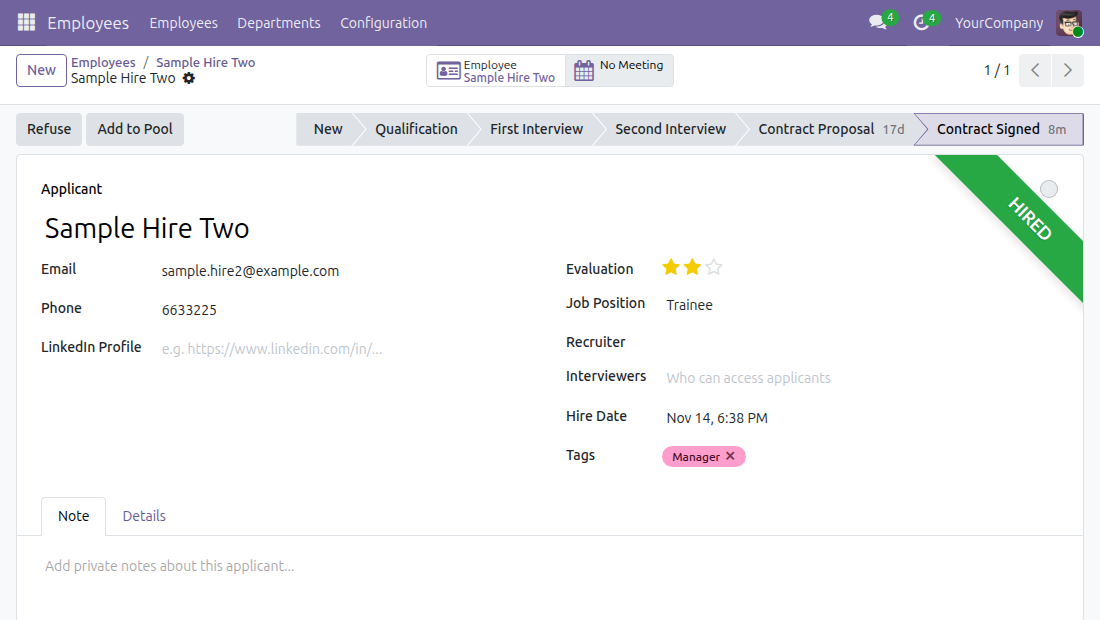
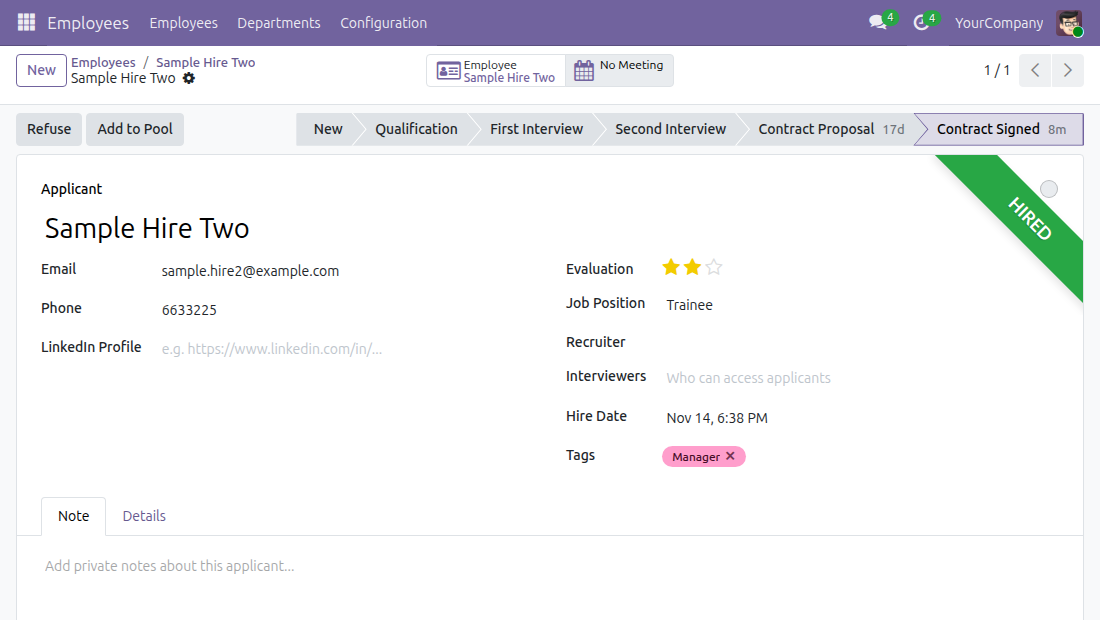
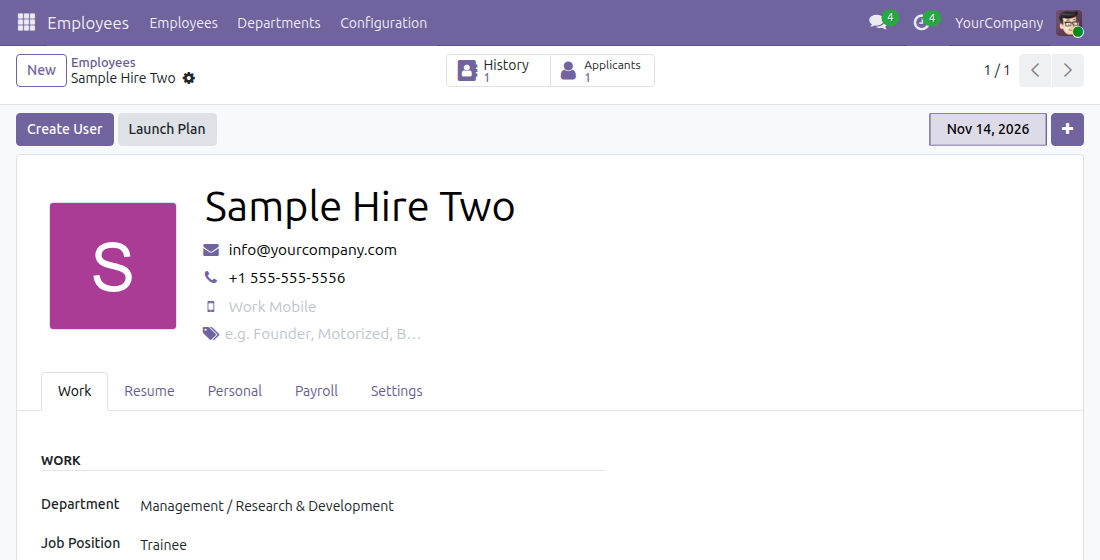
See how an employee was hired
Today: to check which position someone applied for, or what was noted during their interviews, HR leaves the employee record and searches Recruitment by name.
→ An Applicants button on the employee form counts the applications that led to this employee and opens them; a single application opens directly.
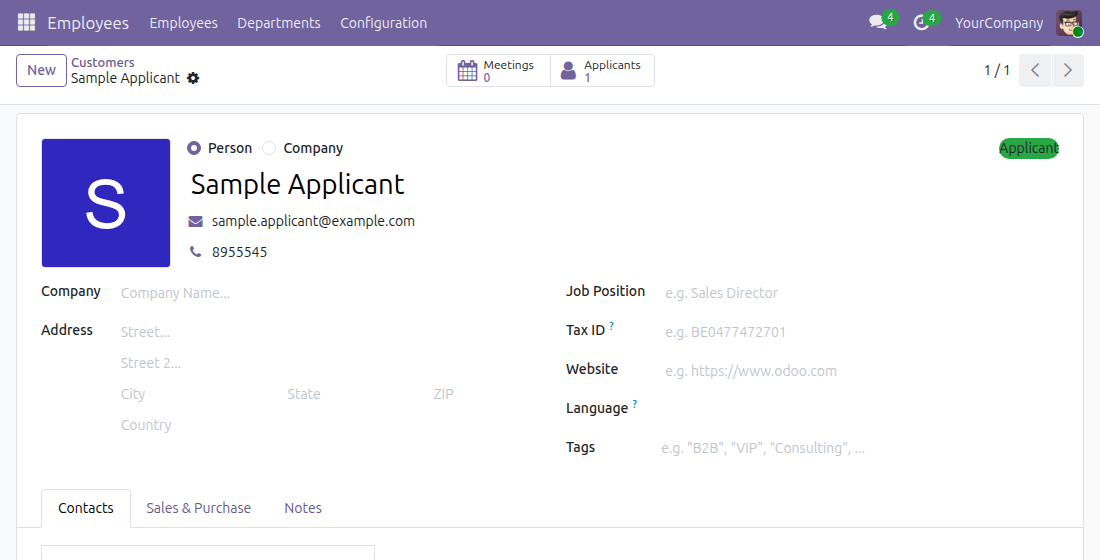
Recognise a candidate the moment you open the contact
Today: a contact who applied for a job looks like any other customer or supplier.
→ The contact form shows an Applicant ribbon for people who applied and are not employees, and an Applicants button that opens their applications.
List the contacts who applied
Today: finding every candidate among the contacts means a manual search.
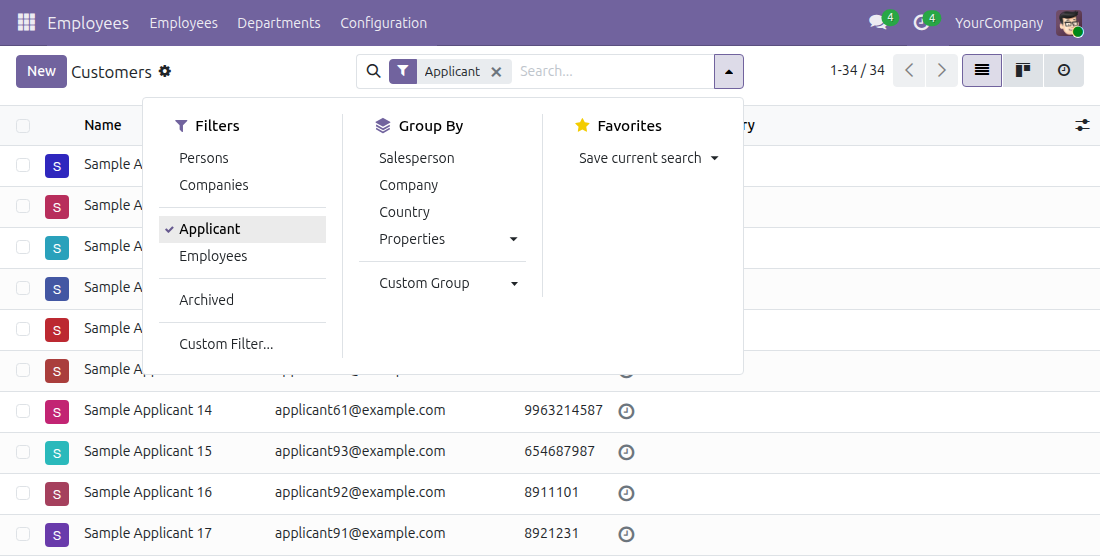
→ An Applicant filter in the contact search keeps only the contacts who applied for a job and are not employees.
Ready on day one
No setup
The module installs together with Recruitment; the buttons, ribbon and filter work at once.
Right people only
Only recruitment officers and administrators see them; nobody else gains access to applications.
Current applications
Counts leave out archived applications, refused ones included.
One add-on switch
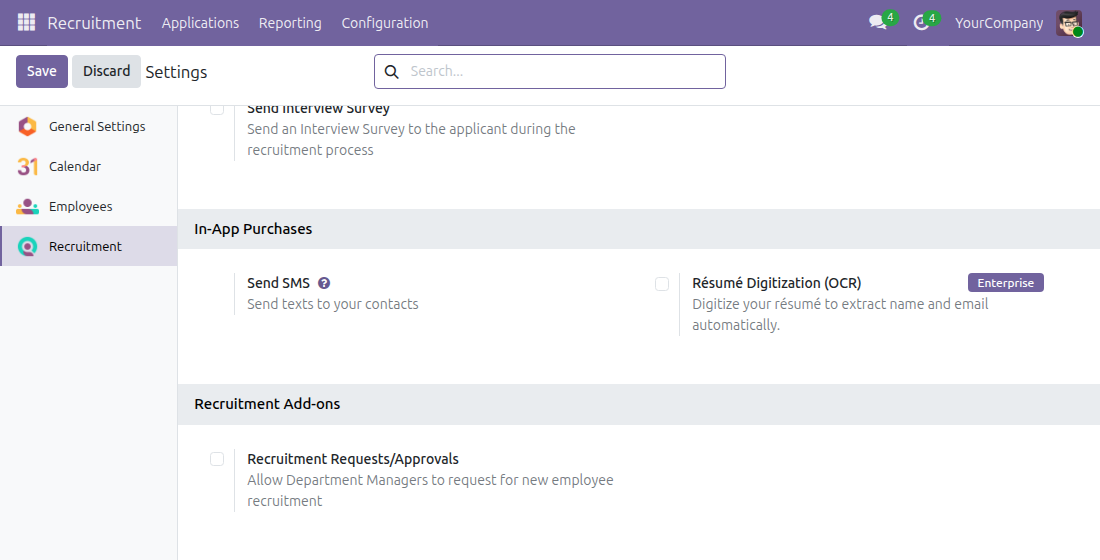
The Recruitment settings gain a Recruitment Add-ons block, where an administrator activates Recruitment Requests/Approvals for department managers, or opens its page through Purchase or Learn more when it is not available.
What is included
The Applicants buttons on employees and contacts, the Applicant ribbon and the Applicant filter on contacts, and the Recruitment Add-ons settings block. Recruitment Requests/Approvals is a separate add-on: the settings switch installs it when it is available, otherwise a link opens its page.
Before you decide
Does it copy or move application data?
No. It stores nothing of its own: it counts and opens the applications Recruitment already keeps in the same database.
Who sees the applications?
Users with the Recruitment access right "Officer: Manage all applicants" or "Administrator". Interviewers and other users see neither the buttons, nor the ribbon, nor the filter.
Which applications appear on an employee?
Those linked to the employee, a link Recruitment sets when the employee is created from the application. An employee created another way shows no button until an application is linked.
Which languages does it ship?
English and Vietnamese.
What does it take to run or extend?
Recruitment only. It extends the standard employee and contact forms through view inheritance, so your own modules build on it the usual way.
Try it, then ask us
The Documentation tab walks through each screen; the live preview of this listing and the video above show it running.
Pre-sales & partnership
viindoo.com/contactusTechnical support
viindoo.com/ticketTechnical requirements
- Odoo version: 19.0
- Editions: Community, Enterprise
- Required modules: Recruitment
- License: OPL-1
- Languages: English, Vietnamese
Viin HR Recruitment - User Guide
Audience: recruiters and HR officers who follow applications, and the administrator who sets the module up.
Overview
In the Recruitment app, applications are normally found only inside Recruitment. This module shows the applications of a person where you already work with that person: on the employee form and on the contact form. You see how many applications exist, and one click opens them.
| Role | What they do | Access right to assign |
|---|---|---|
| Administrator | Installs Recruitment and gives each person their access right. Optionally turns on the recruitment requests add-on. | Administration / Settings |
| Recruiter or HR officer | Opens the applications of an employee or of a contact, and finds contacts who applied. | Recruitment / Officer: Manage all applicants |
Setup (for the Administrator)
Installation
The module installs together with the Recruitment app. Open Apps, search for Recruitment and press Install (or Activate) on the Recruitment app; this module is then added automatically.
Access rights
The Applicants button, the Applicant ribbon and the Applicant filter are shown only to people who hold the access right Recruitment / Officer: Manage all applicants (the Recruitment Administrator right includes it).
- Open Settings > Users & Companies > Users and open the user.
- On the Access Rights tab, set Recruitment to Officer: Manage all applicants (or Administrator).
- Save.
Recruitment requests add-on
The module adds a block Recruitment Add-ons to the Recruitment settings, with the option Recruitment Requests/Approvals ("Allow Department Managers to request for new employee recruitment").
- Open Recruitment > Configuration > Settings.
- In Recruitment Add-ons, tick Recruitment Requests/Approvals and press Save. The add-on is installed.
- When the add-on is not available in your system, the block shows the link Purchase or Learn more instead of the option.
Recruiter or HR officer: follow the applications of a person
Open the applications of an employee
An application is linked to an employee when you press Create Employee on the application in the Recruitment app.
- Open Employees and open the employee.
- In the button area at the top of the form, press Applicants. The number on the button is the number of applications linked to this employee.
- With one application, it opens directly. With several, the Applications screen opens filtered on this employee.
The button is hidden when the employee has no application. Archived applications, such as refused ones, are not counted.
Open the applications of a contact
- Open Contacts (the Contacts app) and open the contact.
- Press Applicants in the button area; it works as on the employee form.
- A green ribbon Applicant at the top right marks a contact that has an application and is not an employee. Once the contact is linked to an employee, the ribbon disappears and the button remains.
Find the contacts who applied
- In Contacts, open the filter menu next to the search box.
- Tick Applicant.
The list shows the contacts that have an application and are not employees.
This software and associated files (the "Software") may only be used (executed, modified, executed after modifications) if you have purchased a valid license from the authors, typically via Odoo Apps, or if you have received a written agreement from the authors of the Software (see the COPYRIGHT file).
You may develop Odoo modules that use the Software as a library (typically by depending on it, importing it and using its resources), but without copying any source code or material from the Software. You may distribute those modules under the license of your choice, provided that this license is compatible with the terms of the Odoo Proprietary License (For example: LGPL, MIT, or proprietary licenses similar to this one).
It is forbidden to publish, distribute, sublicense, or sell copies of the Software or modified copies of the Software.
The above copyright notice and this permission notice must be included in all copies or substantial portions of the Software.
THE SOFTWARE IS PROVIDED "AS IS", WITHOUT WARRANTY OF ANY KIND, EXPRESS OR IMPLIED, INCLUDING BUT NOT LIMITED TO THE WARRANTIES OF MERCHANTABILITY, FITNESS FOR A PARTICULAR PURPOSE AND NONINFRINGEMENT. IN NO EVENT SHALL THE AUTHORS OR COPYRIGHT HOLDERS BE LIABLE FOR ANY CLAIM, DAMAGES OR OTHER LIABILITY, WHETHER IN AN ACTION OF CONTRACT, TORT OR OTHERWISE, ARISING FROM, OUT OF OR IN CONNECTION WITH THE SOFTWARE OR THE USE OR OTHER DEALINGS IN THE SOFTWARE.