
Viindoo Brain - Website
by Viindoo
| Lines of Code | 309 |
| Technical name | viin_brain_website |
| License | OPL-1 |
| Website | https://viindoo.com/apps/modules/17.0/viin_brain_website |
| Read description for | |
| Required Apps | Discuss (mail) Website (website) |
| Included Dependencies | Viindoo Brain |

Retire and move website pages as before, with Brain on the same database
For companies that run their website and Brain together
Keeps website page deletion working when Brain stores restricted HTML
17.0 · Community, Viindoo Cloud · OPL-1
Extends Viindoo Brain.
What changes for your team
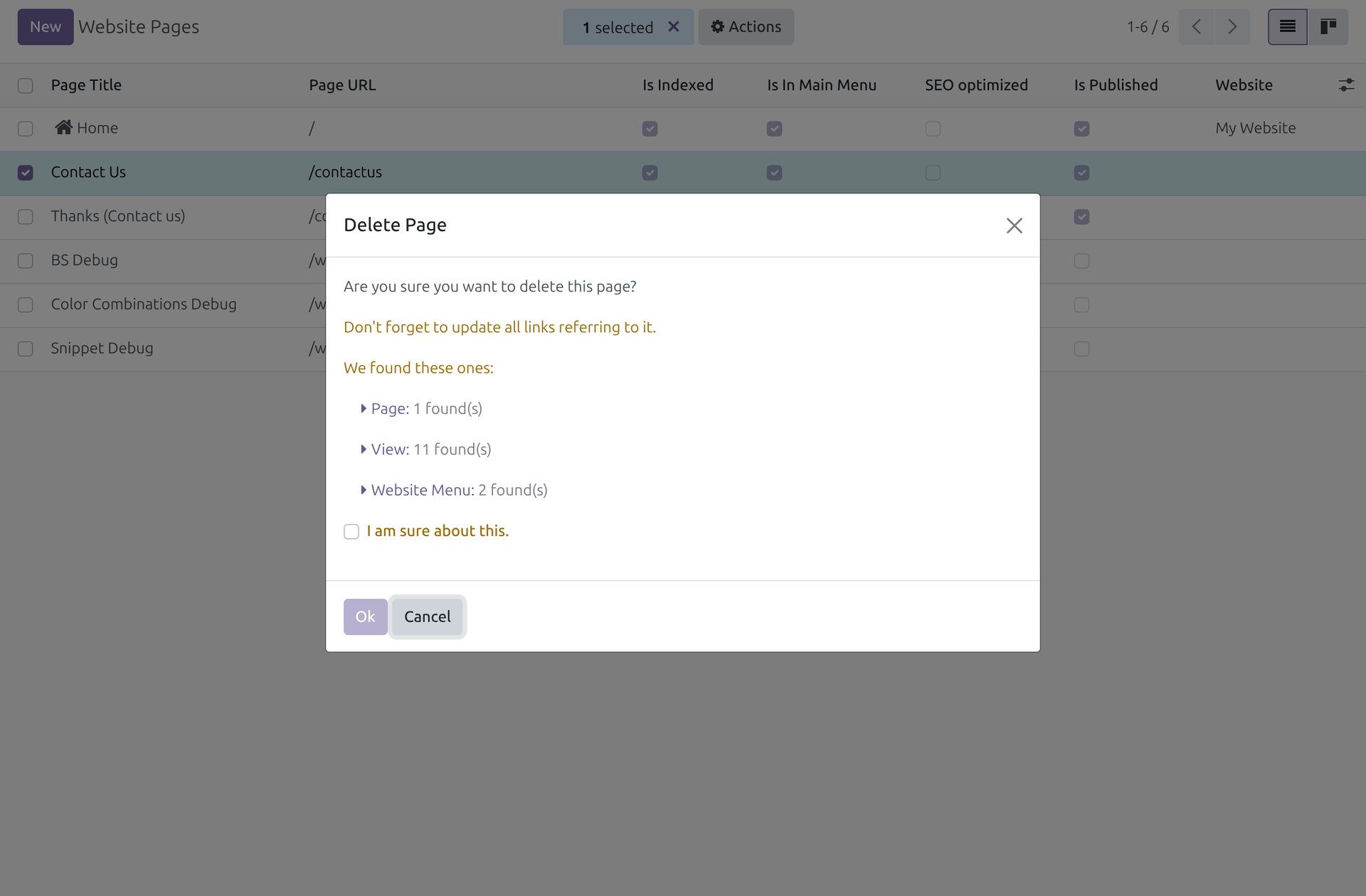
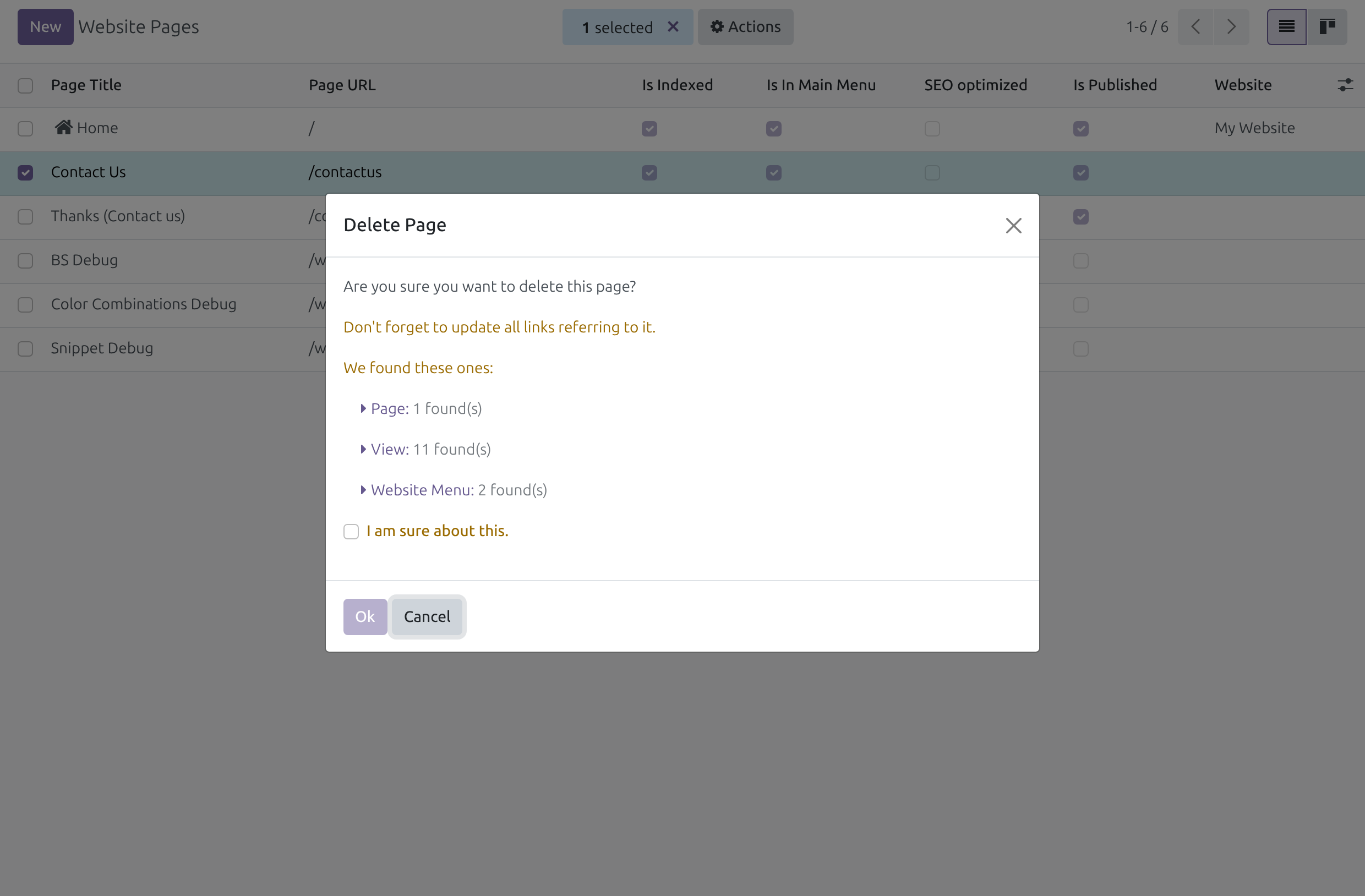
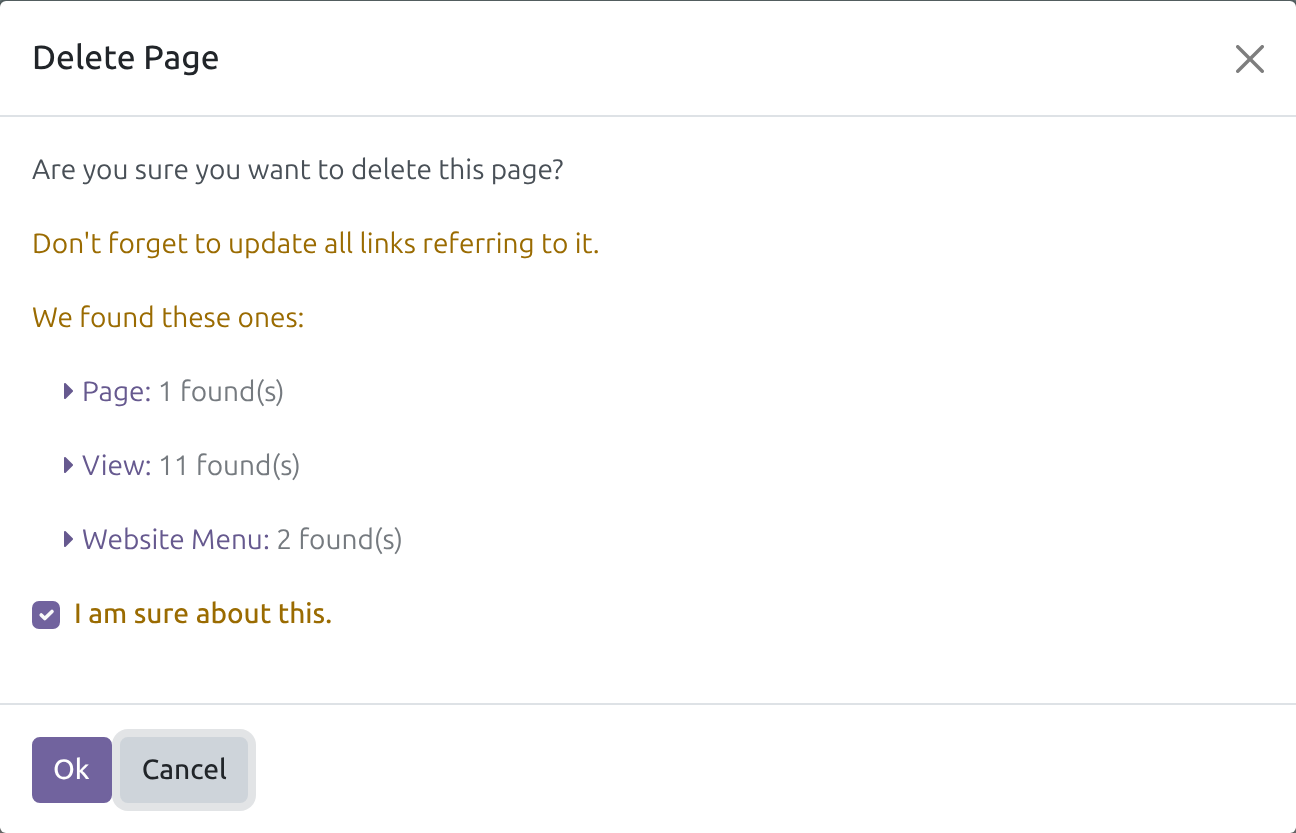
Pages you retire can be deleted
Before a page goes, the website checks the HTML of every page, view and menu for links to it. Brain keeps the content of its live snapshots where nobody may read it directly.
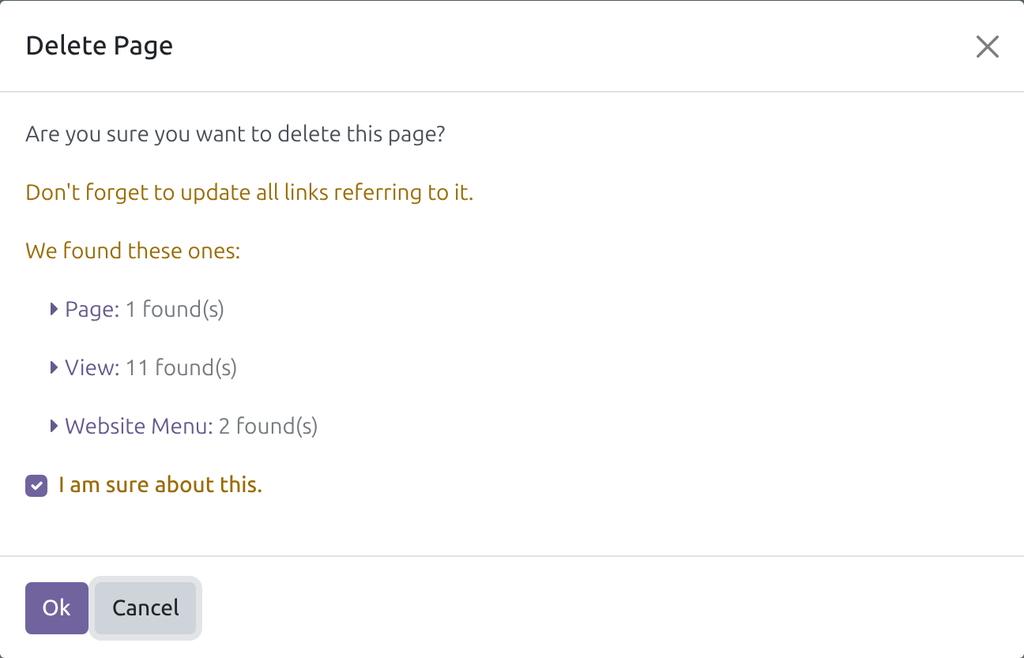
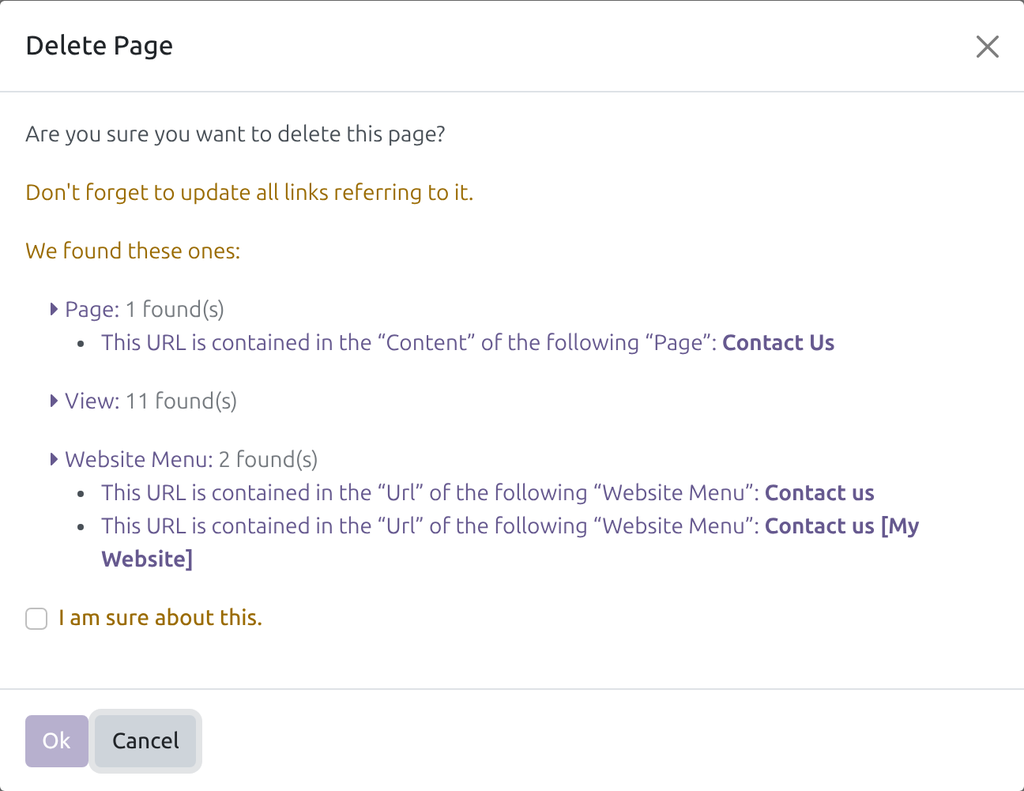
→ The check reads only the content the editor may read, so Delete Page opens with what it found and removes the page once you confirm.
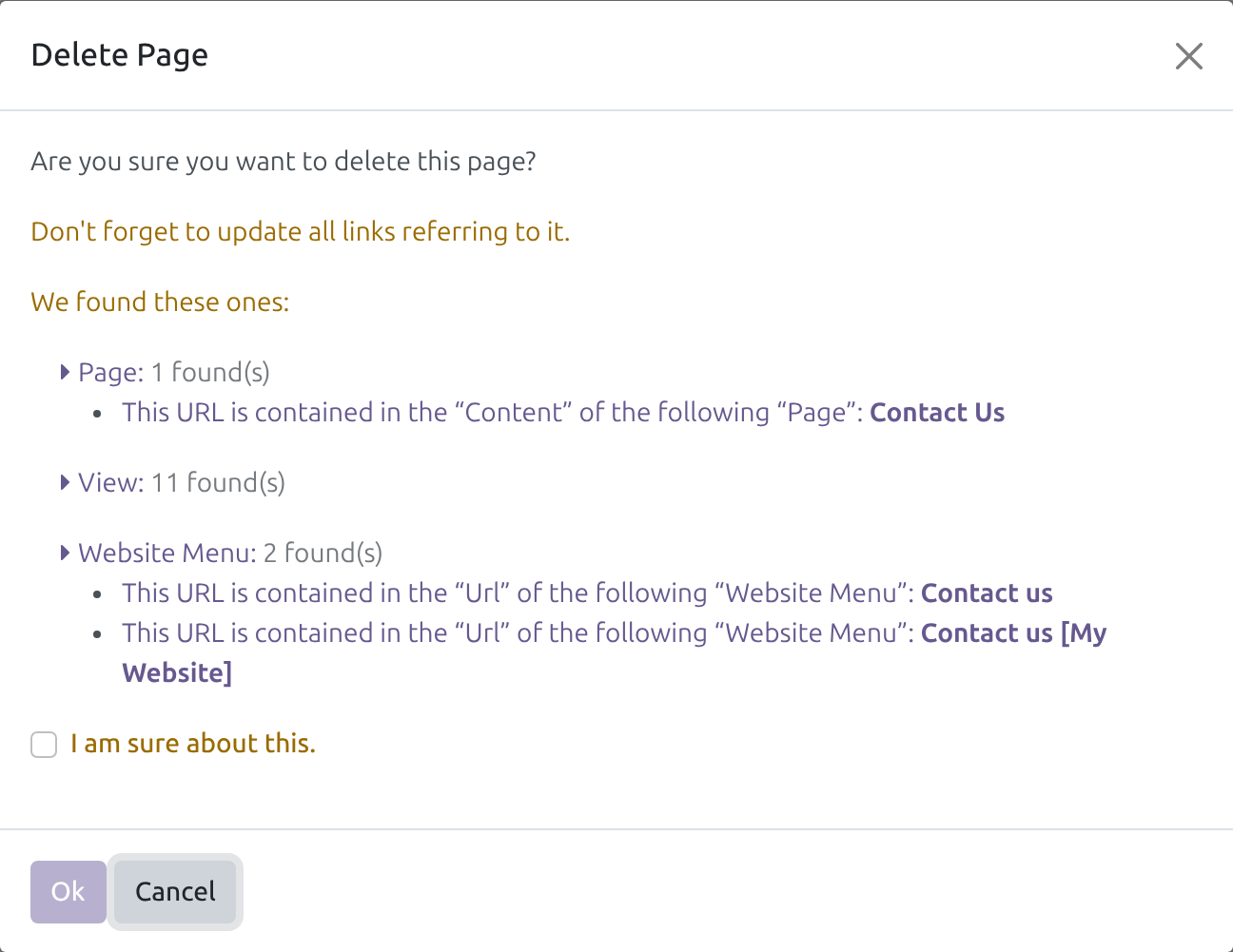
You see what still links to a page
A deleted page leaves menus and other pages pointing nowhere.
→ The dialog names each page and menu that links to the page, so the links can be fixed first.
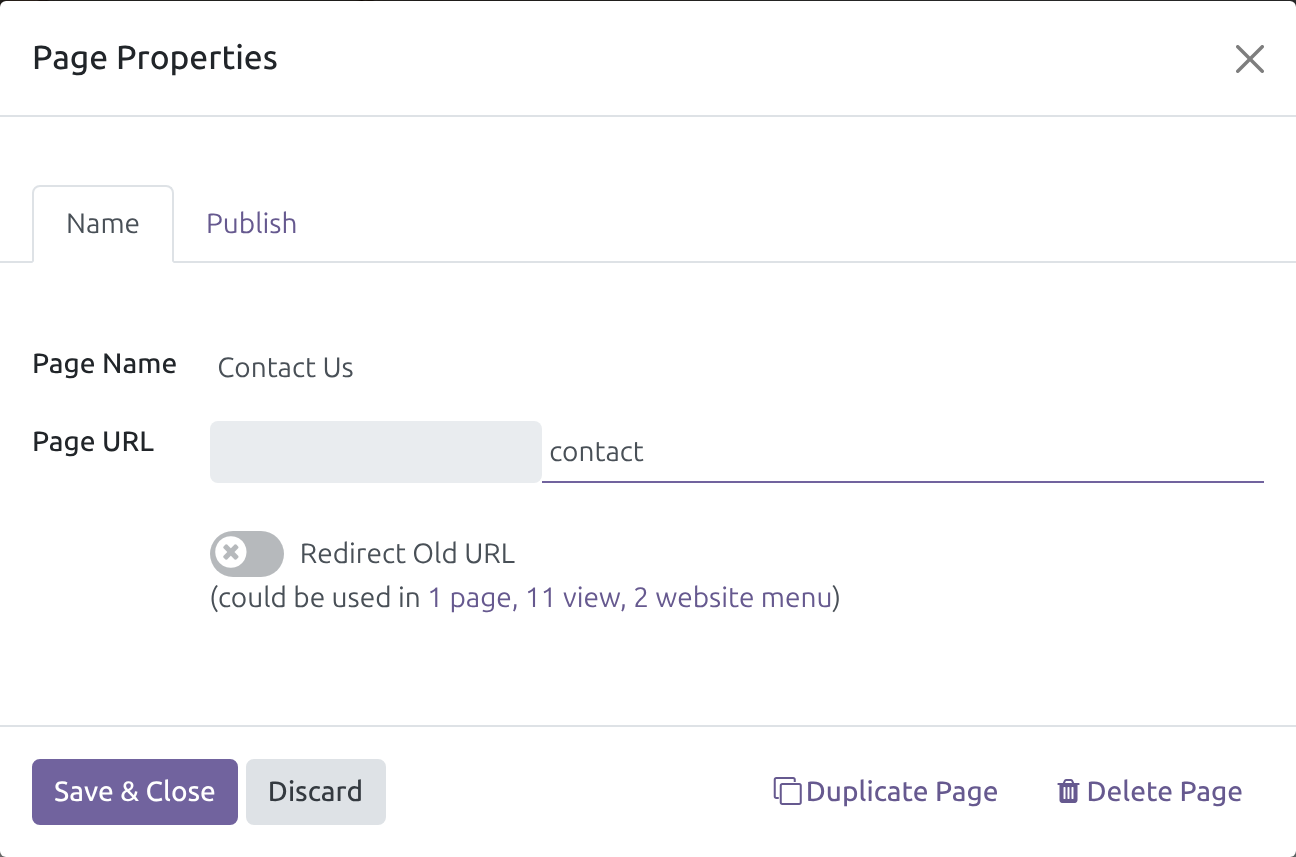
A page can move to a new address
Changing a page's address breaks the links that point to the old one.
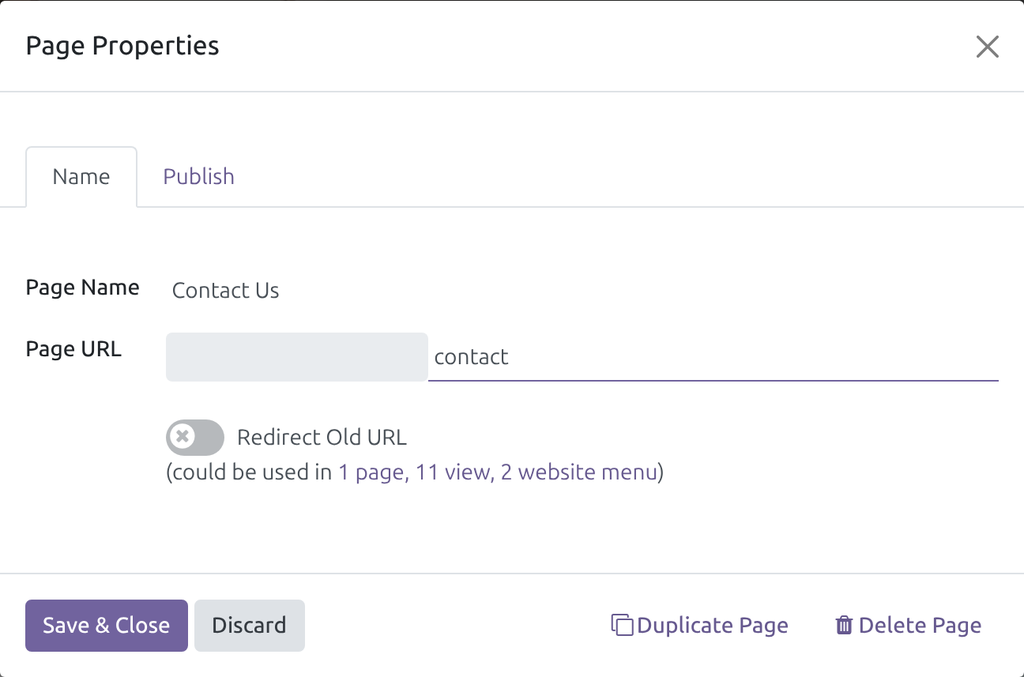
→ In the page properties, a new address shows how many pages, views and menus use the old one, next to Redirect Old URL.
Ready on day one
Installs by itself
When Brain and Website are both installed. There is no screen, menu or setting.
Every app's content
The check skips any HTML field the person may not read, whichever app owns it.
Where it shows
The Delete Page dialog of the Pages list and of the page properties, and the page address field.
What is included
One change to the website's link check: it leaves out the HTML fields the person may not read. The Pages list, the dialogs and the redirects are the Website app's; the snapshots are Brain's.
Before you decide
Is there anything to set up?
No. It installs by itself when Brain and Website are both installed.
Can the check now miss links?
It leaves out content the person may not read, so a link kept only there is not listed. Everything that person may read is checked as before.
Does it make Brain content readable?
No. The check reads less, never more: Brain's snapshot content stays where nobody reads it directly.
What about scheduled jobs?
Jobs that run as superuser, such as the cleanup of unused snippet assets, still scan every HTML field.
Which languages are included?
The module has no text of its own. The dialogs are the Website app's and follow its translations.
Talk to us
Questions before you buy go to pre-sales; questions once it runs go to support.
Pre-sales & partnership
viindoo.com/contactusTechnical support
viindoo.com/ticketTechnical requirements
- Version: 17.0
- Editions: Community, Viindoo Cloud
- Required modules: Viindoo Brain, Website
- License: OPL-1
- Languages: No text of its own; the dialogs follow the Website app
This software and associated files (the "Software") may only be used (executed, modified, executed after modifications) if you have purchased a valid license from the authors, typically via Odoo Apps, or if you have received a written agreement from the authors of the Software (see the COPYRIGHT file).
You may develop Odoo modules that use the Software as a library (typically by depending on it, importing it and using its resources), but without copying any source code or material from the Software. You may distribute those modules under the license of your choice, provided that this license is compatible with the terms of the Odoo Proprietary License (For example: LGPL, MIT, or proprietary licenses similar to this one).
It is forbidden to publish, distribute, sublicense, or sell copies of the Software or modified copies of the Software.
The above copyright notice and this permission notice must be included in all copies or substantial portions of the Software.
THE SOFTWARE IS PROVIDED "AS IS", WITHOUT WARRANTY OF ANY KIND, EXPRESS OR IMPLIED, INCLUDING BUT NOT LIMITED TO THE WARRANTIES OF MERCHANTABILITY, FITNESS FOR A PARTICULAR PURPOSE AND NONINFRINGEMENT. IN NO EVENT SHALL THE AUTHORS OR COPYRIGHT HOLDERS BE LIABLE FOR ANY CLAIM, DAMAGES OR OTHER LIABILITY, WHETHER IN AN ACTION OF CONTRACT, TORT OR OTHERWISE, ARISING FROM, OUT OF OR IN CONNECTION WITH THE SOFTWARE OR THE USE OR OTHER DEALINGS IN THE SOFTWARE.