
Paypal - Enhanced Currency Support
| Lines of Code | 455 |
| Technical name | to_paypal_unsupported_currencies |
| License | OPL-1 |
| Website | https://viindoo.com/apps/modules/18.0/to_paypal_unsupported_currencies |
| Read description for | v 12.0 v 13.0 v 14.0 v 15.0 v 16.0 v 17.0 |
| Required Apps | Invoicing (account) Discuss (mail) |
| Included Dependencies | Viindoo Base Accounting Foundation Currency Conversion Difference Move for Payment Transaction |

PayPal for customers who pay in a currency PayPal does not take
A default converted currency on the PayPal provider: an order in VND or another unsupported currency is charged in that currency at the day's rate, and the difference is booked by Currency Conversion Difference.
Paypal - Enhanced Currency Support (technical name to_paypal_unsupported_currencies) is an Odoo 18.0 app for Odoo Community and Odoo Enterprise and Viindoo Cloud, built for webshop, accountant.
At a Glance
The facts of Paypal - Enhanced Currency Support, version 0.3, in one place. Published by Viindoo.
How It Works
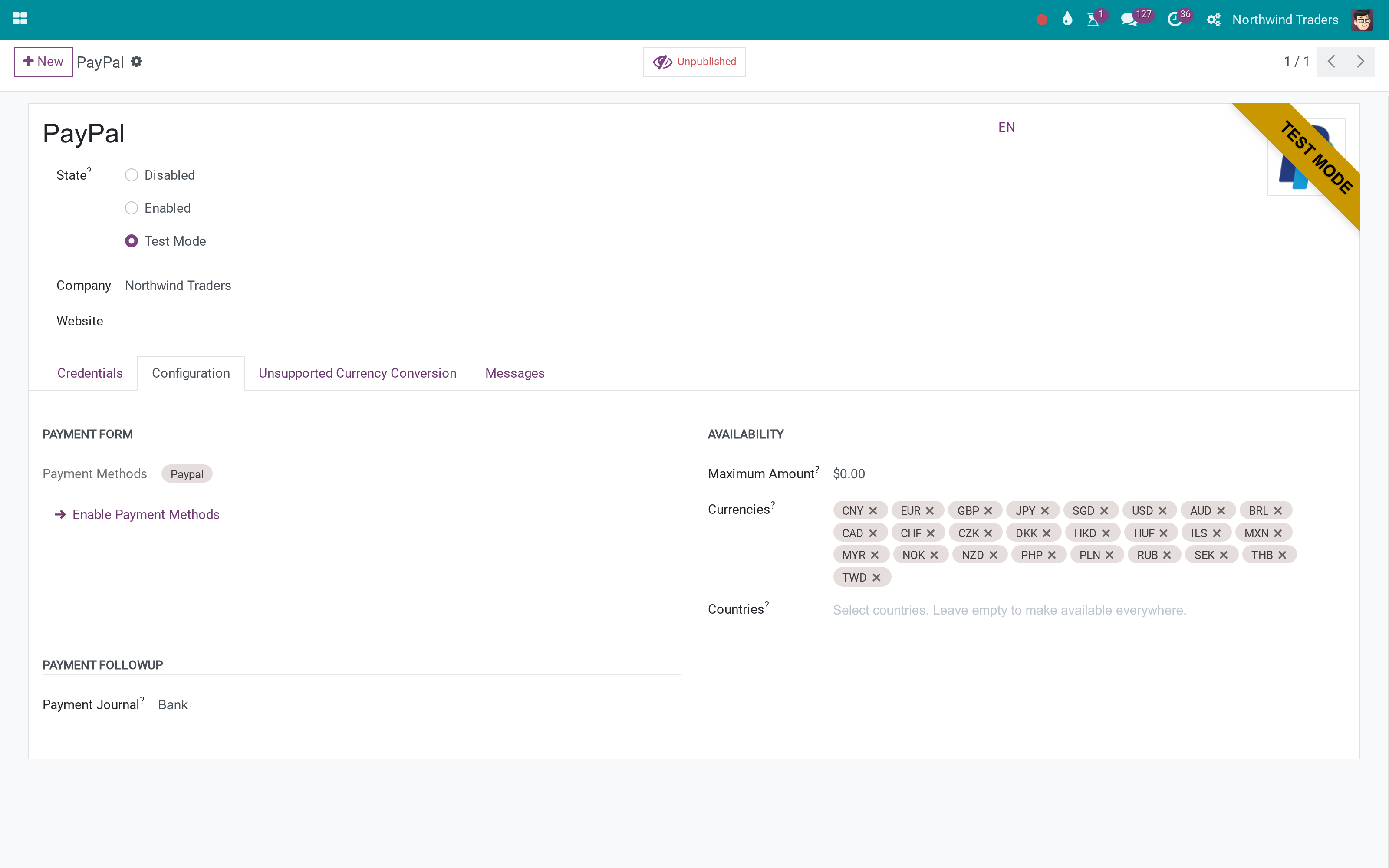
On the PayPal provider, set the converted currency.
The provider
Default converted currency USD.
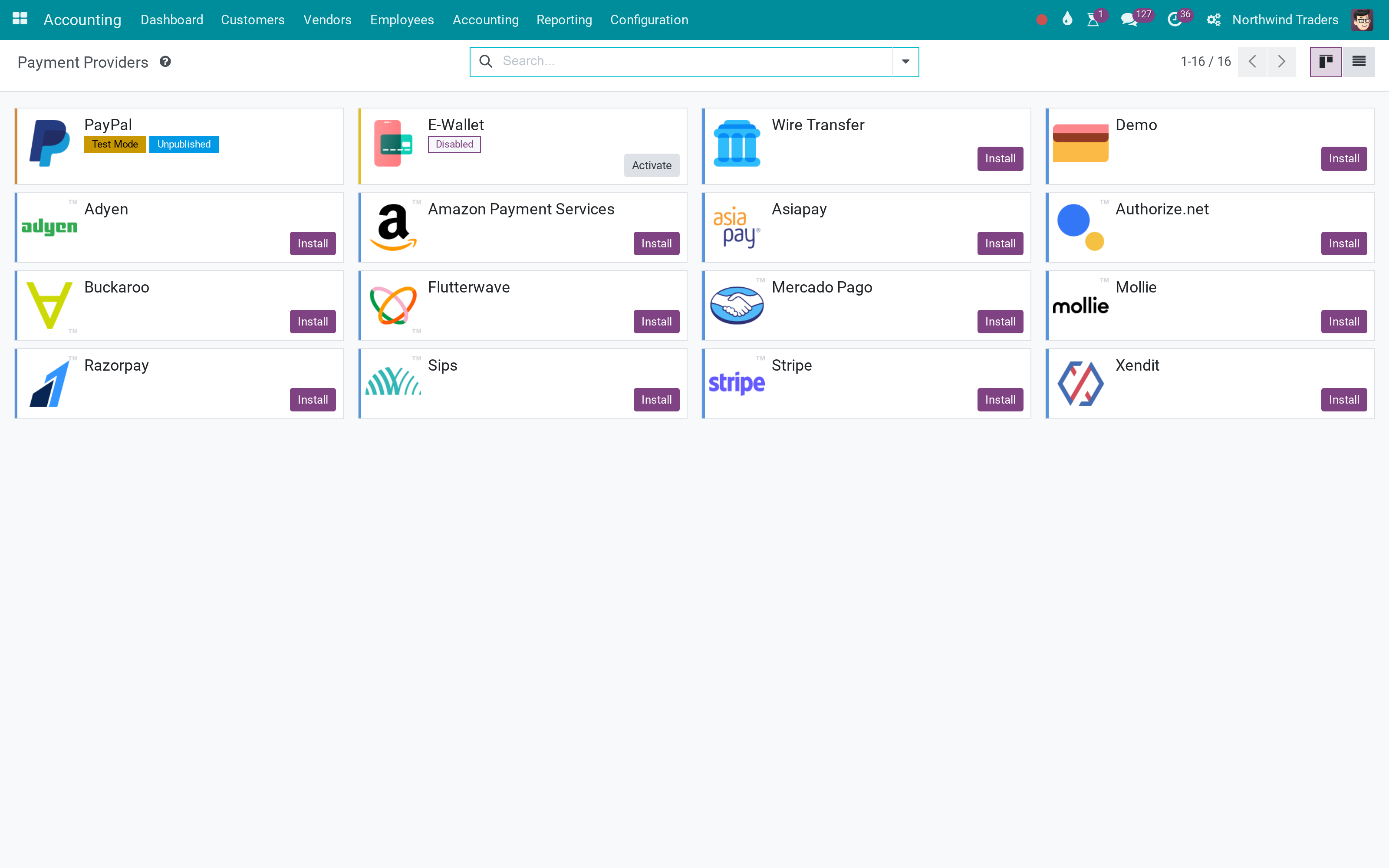
Providers
PayPal in test.
What You Get
Default converted currency on the PayPal provider
PayPal offered for unsupported currencies
Amount converted at the day's rate
Difference booked by Currency Conversion Difference
What This App Does Not Do
Read this before you buy. Everything below is something the app deliberately leaves to another app or to you.
Auto Currency Rates helps.
Not modelled here.
Works Well With
Apps from the same stack, built to fit this one:
Who Should Use Paypal - Enhanced Currency Support?
Webshop
PayPal in every currency you sell.
Accountant
The rate gap booked, not lost.
Frequently Asked Questions
What does Paypal - Enhanced Currency Support do?
A default converted currency on the PayPal provider: an order in VND or another unsupported currency is charged in that currency at the day's rate, and the difference is booked by Currency Conversion Difference.
What does Paypal - Enhanced Currency Support not do?
Needs live rates. Auto Currency Rates helps. Fees are PayPal's. Not modelled here.
Who is Paypal - Enhanced Currency Support for?
Webshop: PayPal in every currency you sell. Accountant: The rate gap booked, not lost.
Which Odoo version and editions does it support?
Odoo 18.0 - Odoo Community, Odoo Enterprise, Viindoo Cloud. Upgrades to a newer Odoo series are a separate purchase for that series.
What does it depend on?
It installs on top of: payment_paypal, to_currency_conversion_diff. Odoo installs them with it.
How do I set it up?
On the PayPal provider, set the converted currency.
What works well with it?
Currency Conversion Difference (to_currency_conversion_diff): The difference entries. Rates from xe.com (viin_auto_currency_rate_xe): Daily rates.
Can I try it before buying?
Yes - the Live Preview button at the top of this page opens the module's own screen on a working database.
How do I get support?
Write to apps.support@viindoo.com with your Odoo version and the technical name to_paypal_unsupported_currencies; pre-sales questions go to sales@viindoo.com.
See Paypal - Enhanced Currency Support in Action
Live demo: v18demo-int.viindoo.com/web#action=payment.action_payment_provider
Need help with Paypal - Enhanced Currency Support?
For questions, implementation support or a custom feature, contact Viindoo.
Pre-Sales & Partnership
sales@viindoo.comUpgrades to a newer Odoo series are a separate purchase for that series.
All Viindoo apps: apps.odoo.com/apps/modules/browse?author=Viindoo
Technical Requirement
Changes log
0.3 - Latest on the 17.0 line
- Aligned with the 17.0 models and views.
Installation
- Navigate to Apps.
- Search with keyword to_paypal_unsupported_currencies.
- Press Install.
Note: To see full features of the to_paypal_unsupported_currencies module, you need to install the following modules:
- to_account_accountant;
- contacts;
- website;
- website_payment.
Instructions
Instruction video: Paypal - Unsupported Currency Support
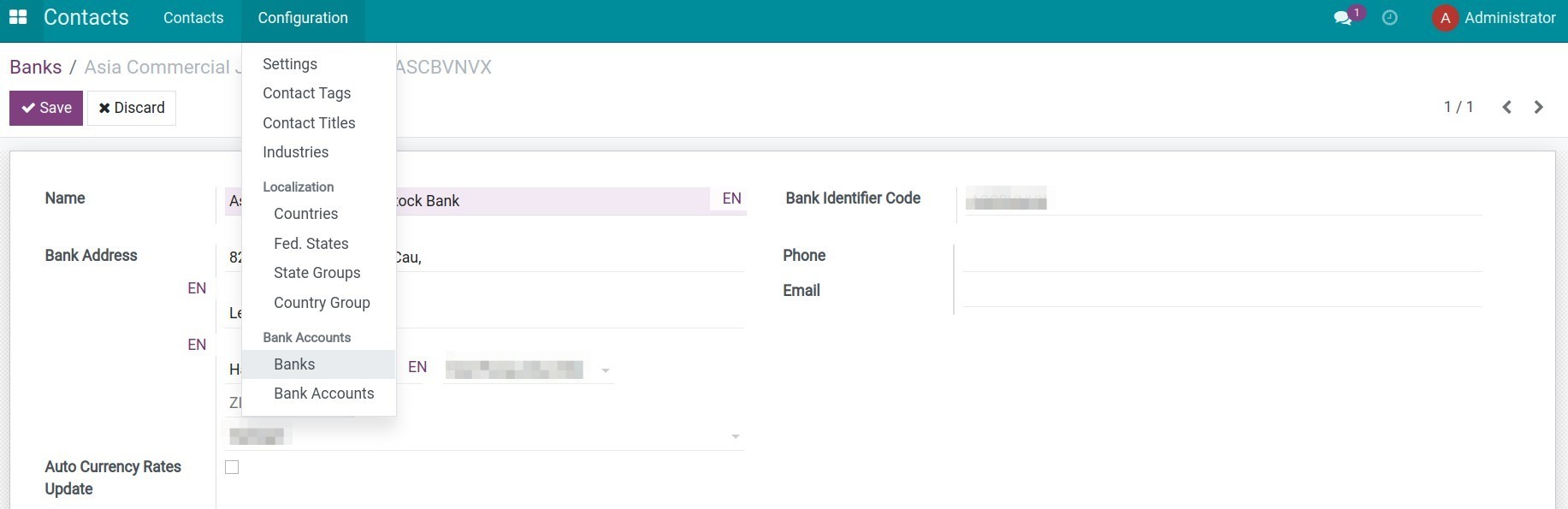
Step 1: Create a bank address.
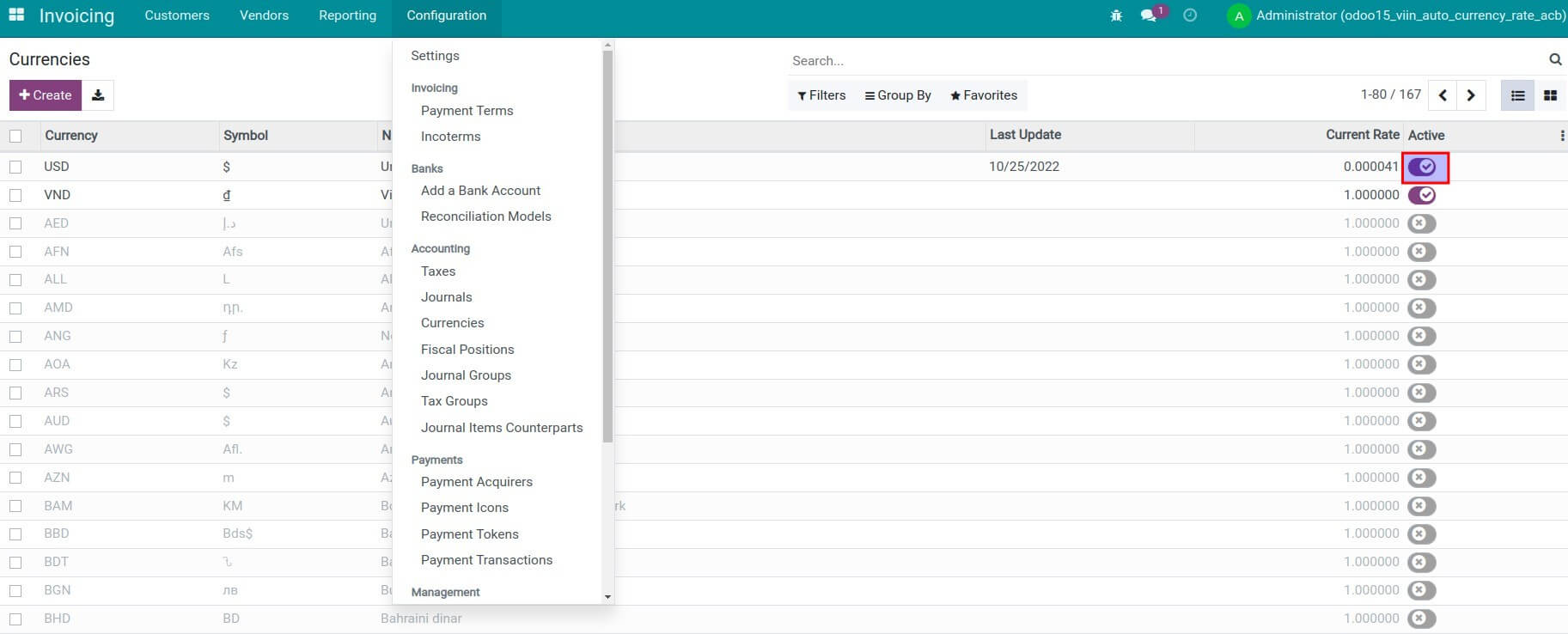
Step 2: Enable multi-currencies feature.
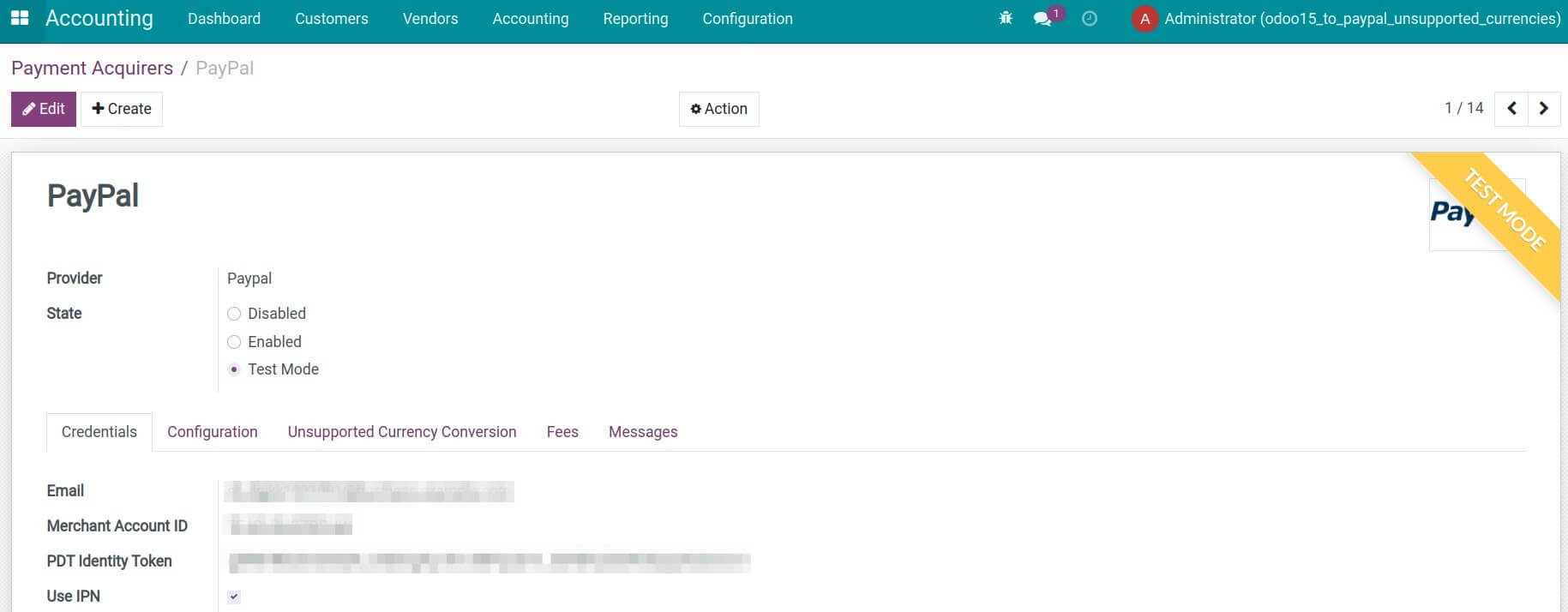
Step 3: Configure Paypal as a payment provider on the Accounting app.
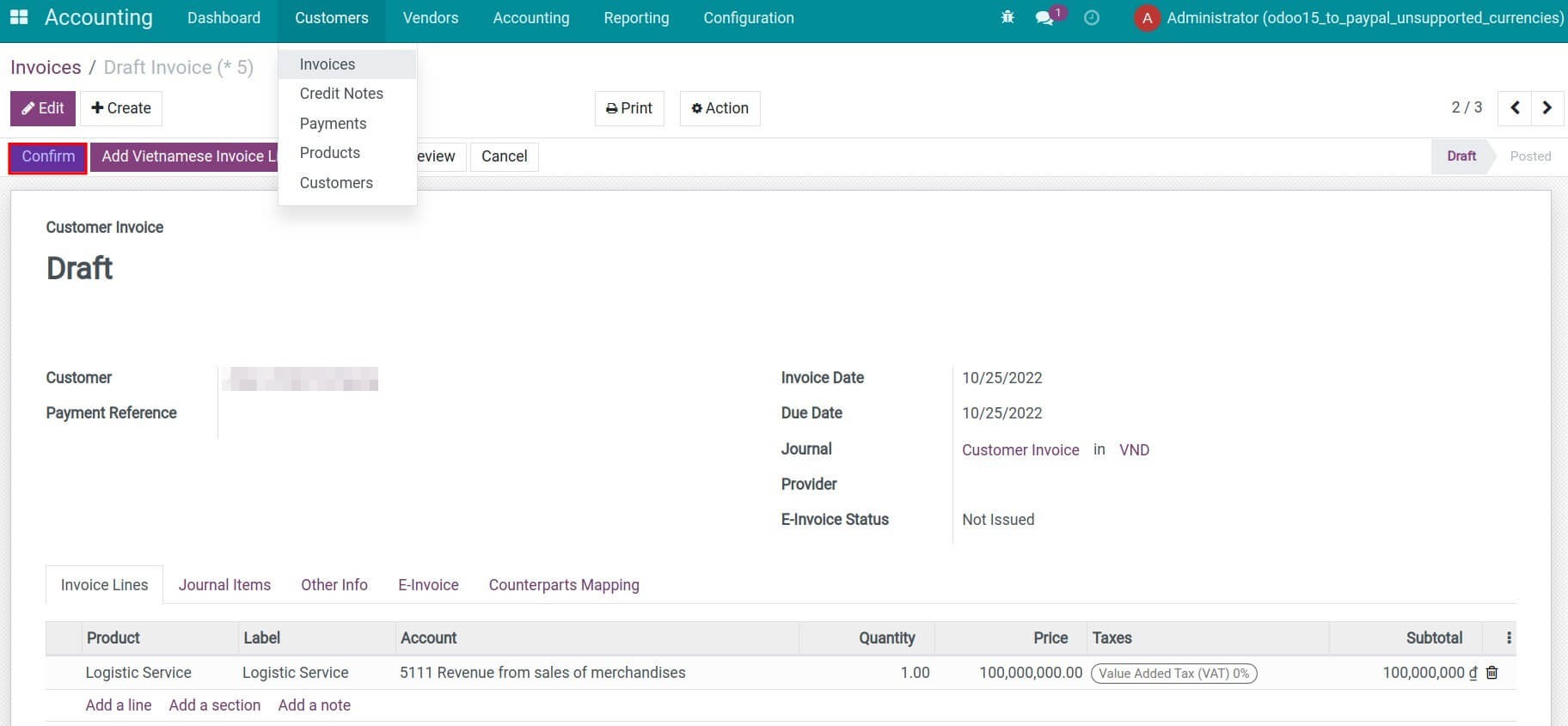
Step 4: Create a customer invoice and confirm the invoice.
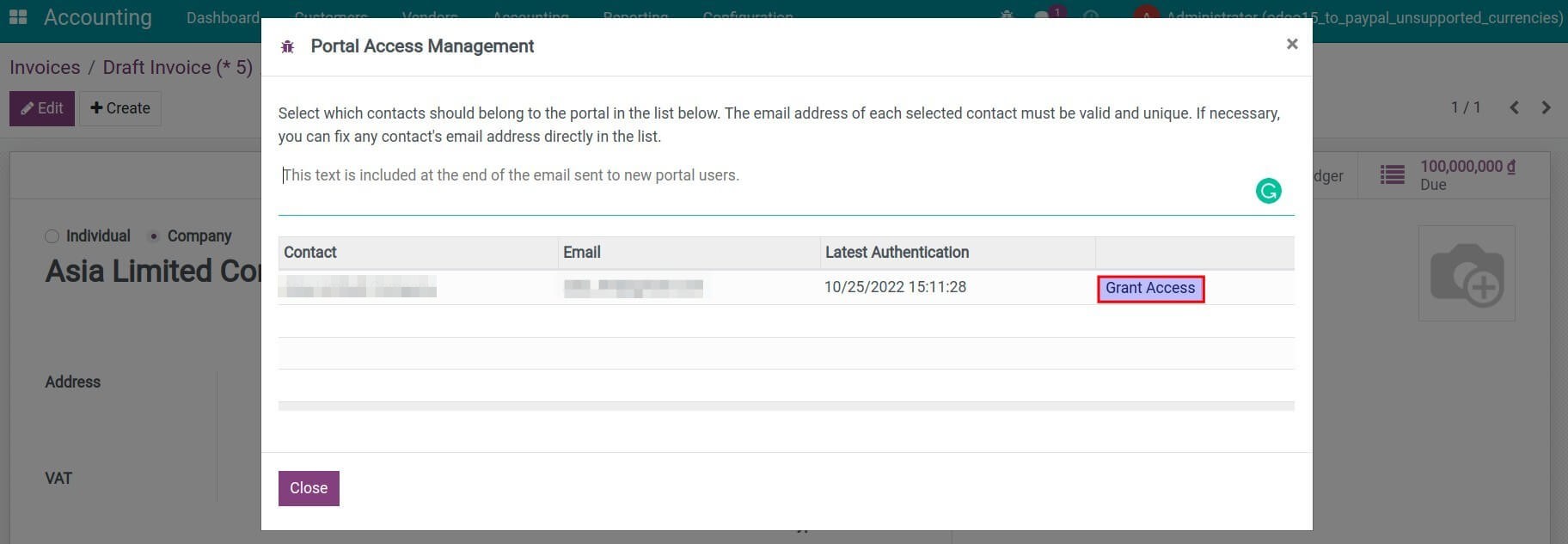
Step 5: Granting portal access to customer.
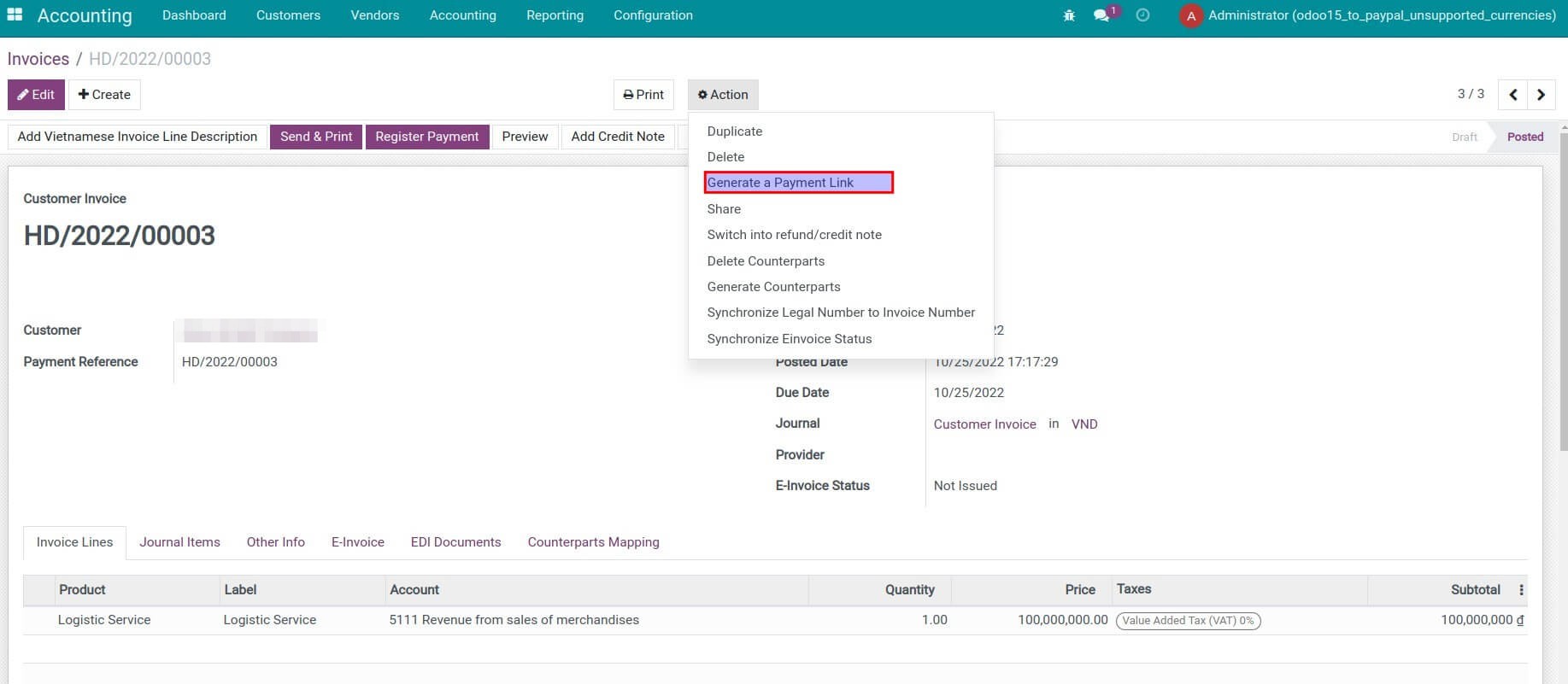
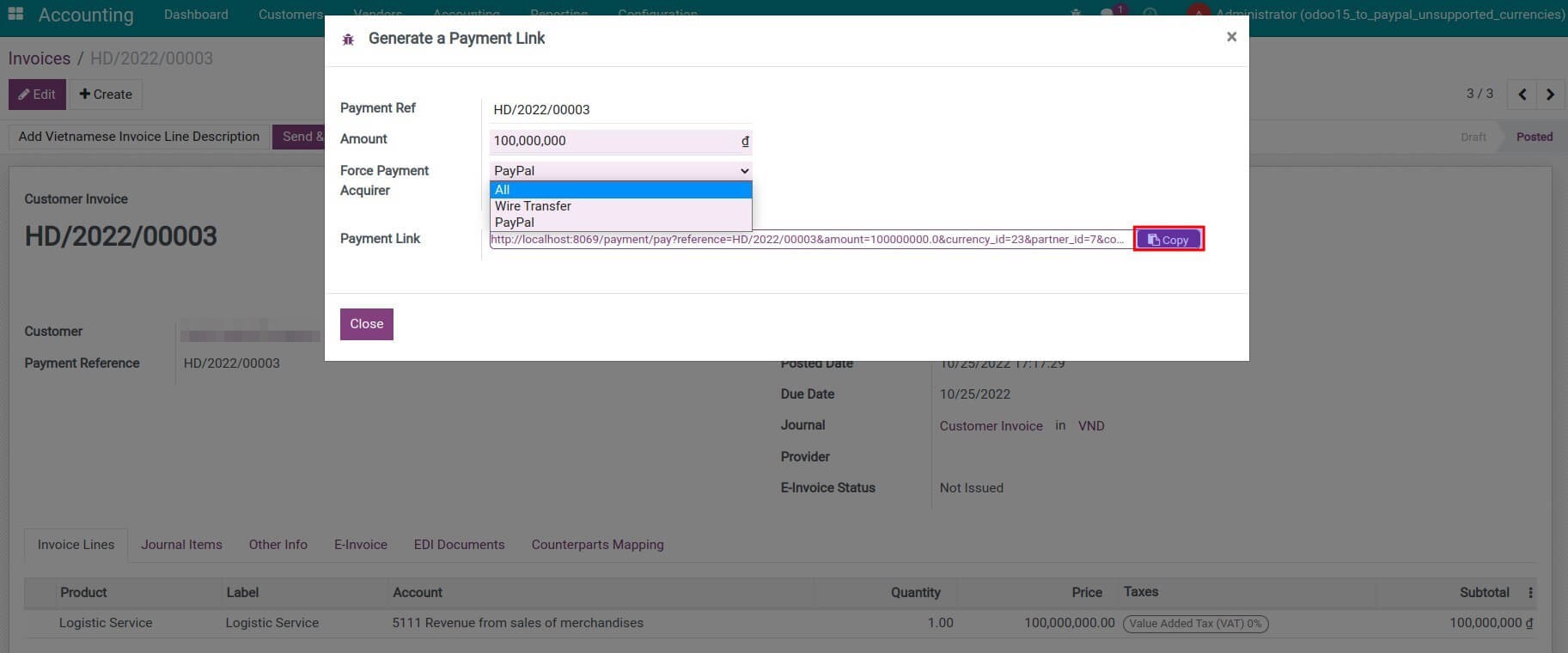
Step 6: Generate and send the payment link to the customer.
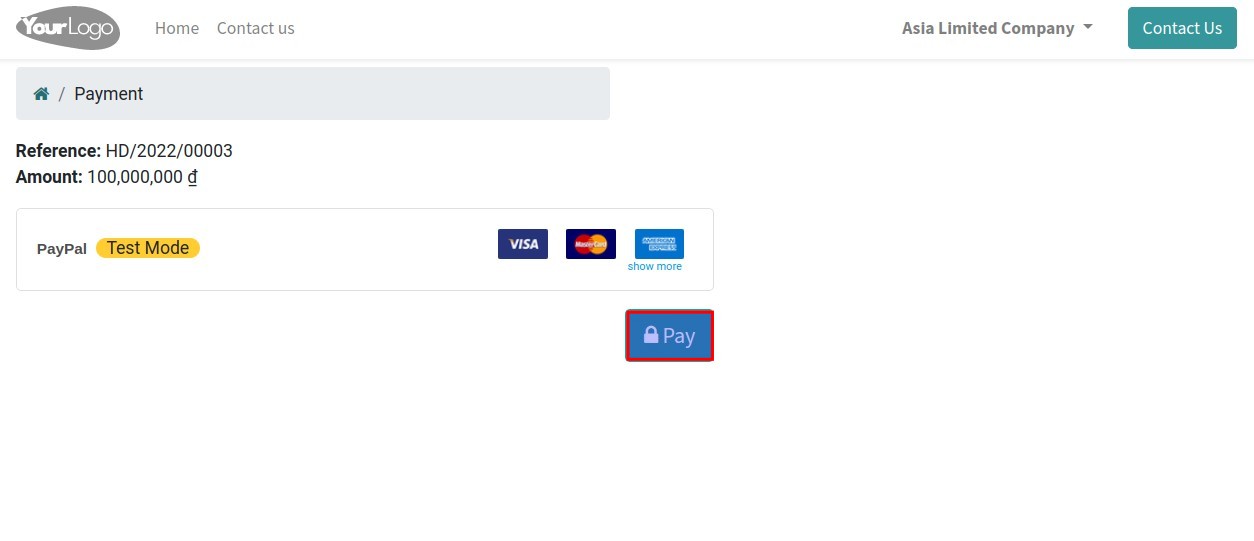
Step 7: Customer pays through Paypal.
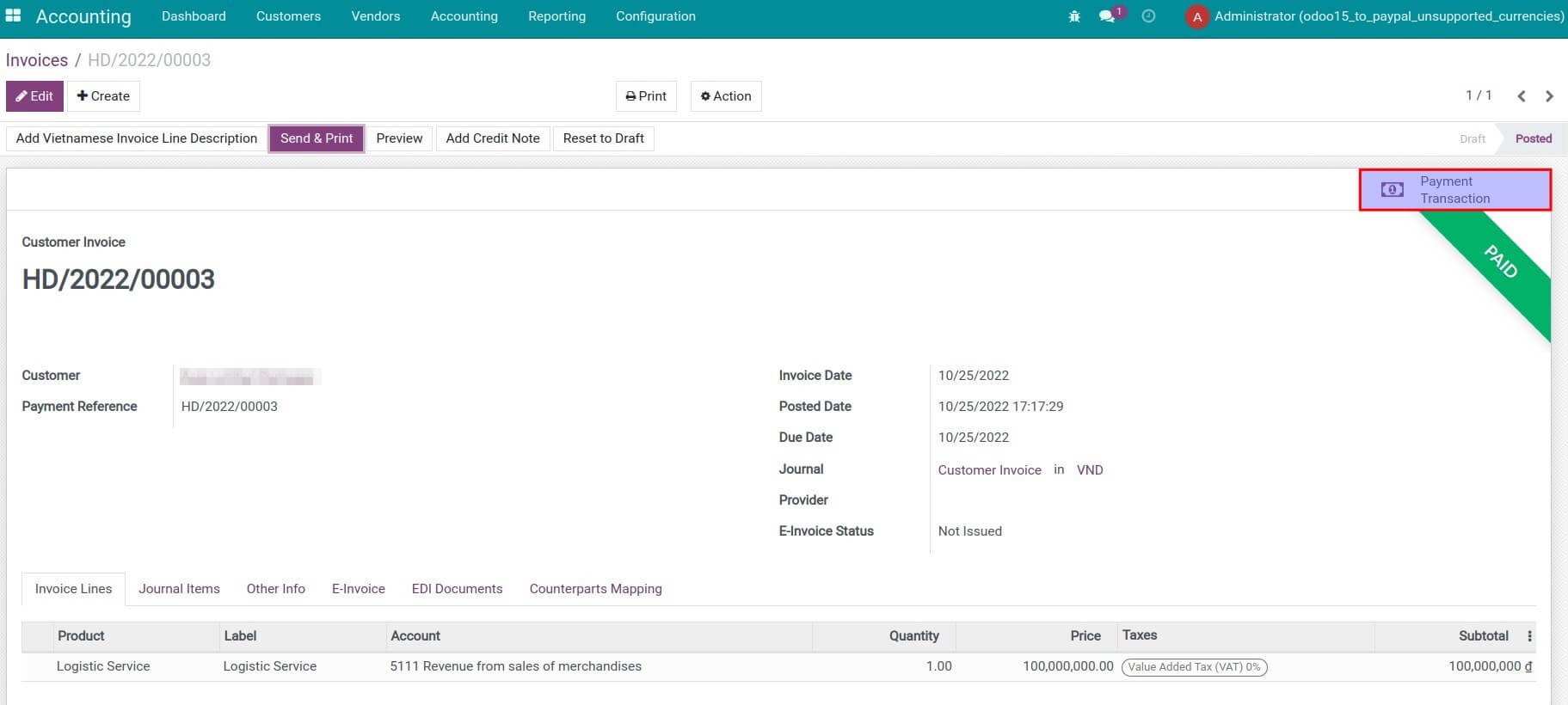
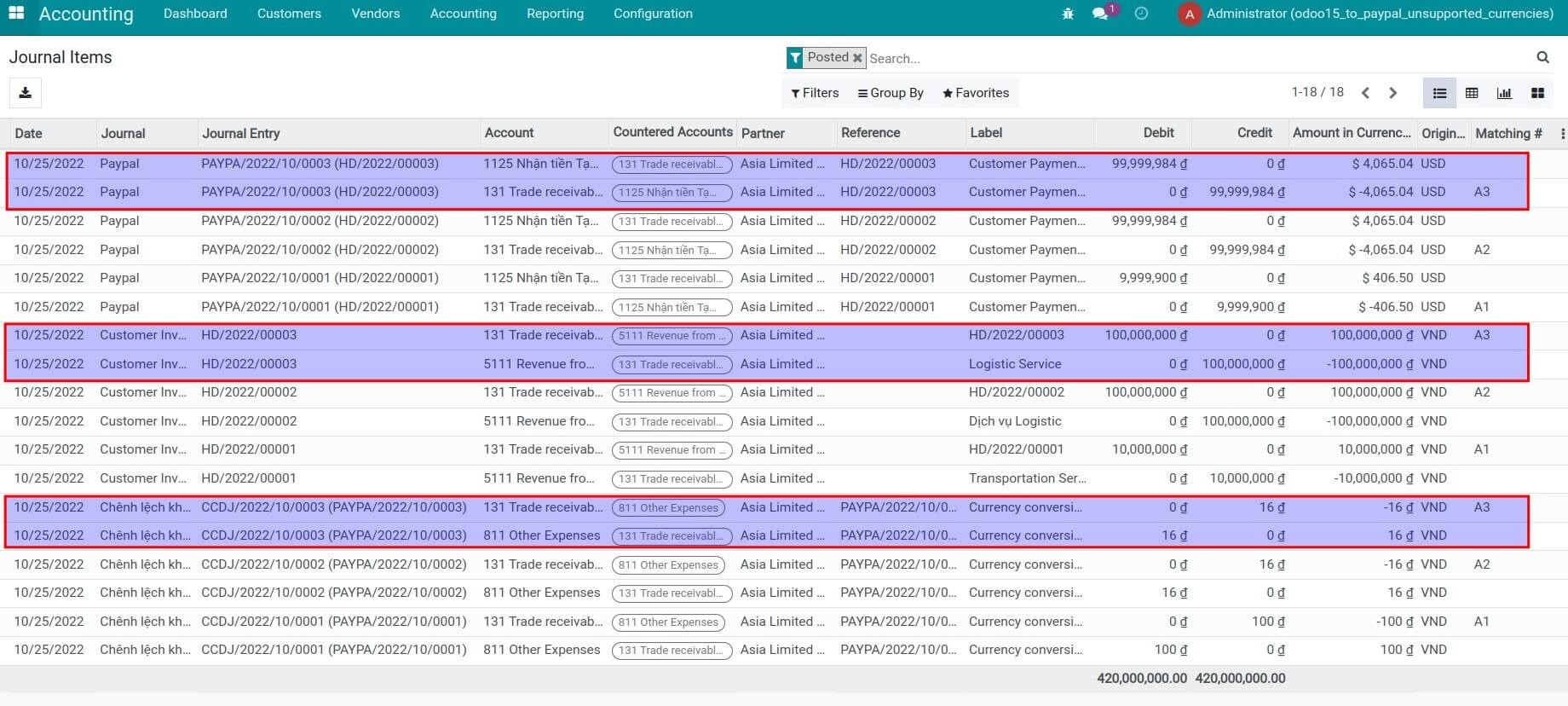
Step 8: Check the payment information and related journal entries. To see journal entries details, you need to activate the developer mode.
This software and associated files (the "Software") may only be used (executed, modified, executed after modifications) if you have purchased a valid license from the authors, typically via Odoo Apps, or if you have received a written agreement from the authors of the Software (see the COPYRIGHT file).
You may develop Odoo modules that use the Software as a library (typically by depending on it, importing it and using its resources), but without copying any source code or material from the Software. You may distribute those modules under the license of your choice, provided that this license is compatible with the terms of the Odoo Proprietary License (For example: LGPL, MIT, or proprietary licenses similar to this one).
It is forbidden to publish, distribute, sublicense, or sell copies of the Software or modified copies of the Software.
The above copyright notice and this permission notice must be included in all copies or substantial portions of the Software.
THE SOFTWARE IS PROVIDED "AS IS", WITHOUT WARRANTY OF ANY KIND, EXPRESS OR IMPLIED, INCLUDING BUT NOT LIMITED TO THE WARRANTIES OF MERCHANTABILITY, FITNESS FOR A PARTICULAR PURPOSE AND NONINFRINGEMENT. IN NO EVENT SHALL THE AUTHORS OR COPYRIGHT HOLDERS BE LIABLE FOR ANY CLAIM, DAMAGES OR OTHER LIABILITY, WHETHER IN AN ACTION OF CONTRACT, TORT OR OTHERWISE, ARISING FROM, OUT OF OR IN CONNECTION WITH THE SOFTWARE OR THE USE OR OTHER DEALINGS IN THE SOFTWARE.